2008 AUDI TT ROADSTER lock
[x] Cancel search: lockPage 26 of 316
Driver inf ormation sy ste m
Digital speedometer
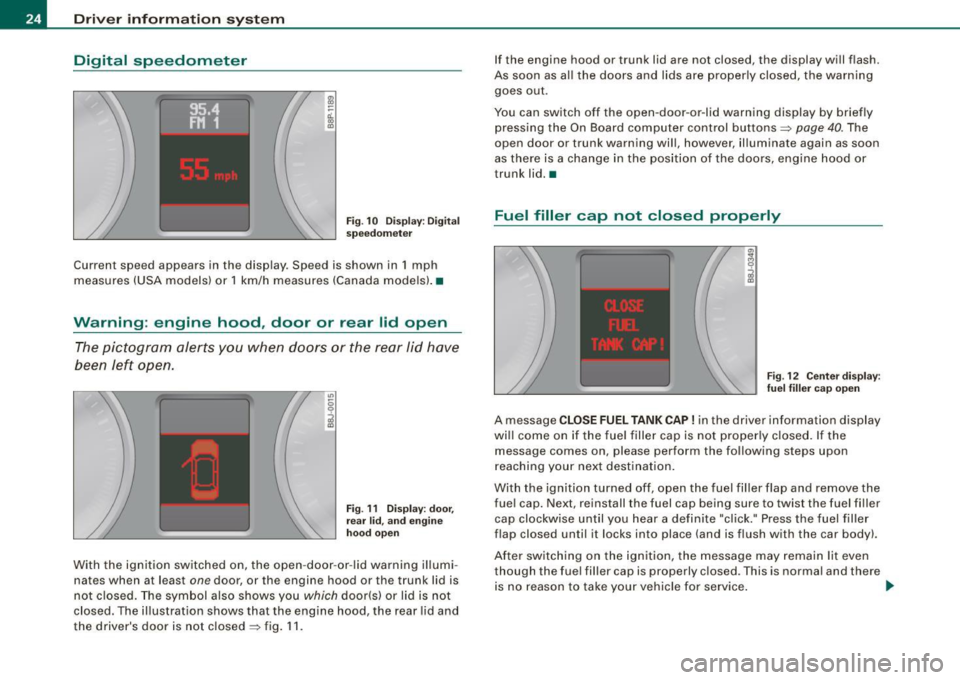
Fig. 1 0 Dis play: Dig ital
s pe edom ete r
Current speed appears in the disp lay . Speed is shown in 1 mph
measures (USA models) or 1 km/h measures (Canada mode ls) .•
Warning : engine hood , door or rear lid open
The pictogram alerts you when doors or the rear lid have
been left open .
Fig . 11 D ispl ay: door,
re ar
lid , and en gine
h oo d open
With the ignition switched on, the open -door -or -lid warning illumi
nates when at least
one door, or the engine hood or the trunk lid is
not c losed. The symbol also shows you which door(s) or lid is not
closed. The illustration shows that the engine hood, the rear lid and
the driver's door is not closed=> fig . 11 . If the engine hood or trunk lid are not closed, the display will flash.
As soon as al l the doors and lids are proper ly closed, the warning
goes out .
You can switch off the open -door -or -lid warning display by brief ly
pressing the On Board computer control buttons=>
page 40. The
open door or trunk warning wil l, however, illuminate again as soon
as there is a change in the position of the doors, eng ine hood or
trunk lid. •
Fuel filler cap not closed properly
Fig. 12 C ente r dis play :
fu el fi ller cap op en
A message CLOSE FUEL TANK CAP ! in the driver informa tion display
wi ll come on if the fuel f iller cap is not proper ly closed. If the
message comes on, please perform the following steps upon
r eaching your next destination.
With the ignition turned off , open the fuel fil ler f lap and remove the
fue l cap. Next, reinstall the fuel cap being sure to twist the fuel fi ller
cap clockwise until you hear a definite "cl ick." Press the fuel filler
flap closed until it locks into place (and is flush with the car body) .
Af ter sw itch ing on the ign ition, the message may remain lit even
though the fuel filler cap is properly c losed. This is normal and there
is no reason to take your vehicle for service . _,,
Page 29 of 316

& WARNING
Always observe the posted speed limits and adjust your speed to suit prevailing road, traffic and weather conditions. Never drive
your vehicle faster than the maximum speed rating of the tires
installed. •
Menu display
Introduction
0 ,...
"' 9 .., 00 m
Fig. 15 Wiper lever:
Controls for the menu
display
"'
"'
~ m
Fig . 16 Display: Start
menu
Some functions in your vehicle can be set, activated , and controlled
by
Menus (e.g. Acoustic Park Assist*). With these menus you can
Con tro ls and eq uip
ment
Driver information system
also select the information shown in the DIS display, which operates
only with the ignition switched on. Operation is controlled by the
I Reset) button and the rocker switch on the wiper lever::::, fig. 15.
The Start menu shows you the different display types:
Set
Check
Menu off
Each display type in the Start menu contains a submenu with addi
tional options.
Set
Check
Menu off Clock ::::, page 28
Lighting* => page 71, "Daytime
running lights (DRU
(USA
models)" =>
page 73
Computer ::::, page 28
Acoustic park assist* => page 109
Speed alarm (speed ::::, page 38
warning)
Language (6 languages) => page 28
Units (distance, fuel con-::::, page 28
sumption, temperature)
Wiper (service position) => page80
Window => page 58
Doors (Auto-lock) => page 50
Service ::::, page 25
Vehicle ID number* => page288
Engine oil temperature*
l! AII of the messages shown in vehicles without
menu display appear on the display screen.
•
Vehicle care I I Technical data
Page 34 of 316

Driver information system
When a red symbol appears, a warning tone will sound consecu
tively
three times. The symbol continues to flash until the malfunc
tion has been repaired. If there are
more than one priority 1 malfunc
tions, the symbols appear one after the other for about two
seconds.
[ i] Tips
• The message for a malfunction can be shown by pressing on the
left knob.
• During route guidance on vehicles with a navigation system, the
warning symbol is shown in the field above. •
Brake system malfunction
BRAKE (USA models) /
(CD) (Canada models)
A malfunction in the brake system must be repaired as
soon as possible.
When BRAKE/ (CD) (Canada models) appears in the display
and flashes, this means there is a malfunction in the brake
system. In addition to the symbol, one of the following two
messages also appears in the display:
STOP VEHICLE AND CHECK BRAKE FLUID
ABS FAULT! SEE OWNER'S MANUAL
- Pull of the road and stop the vehicle.
- Check the brake fluid level=>
page 230.
USA models: if there is a malfunction in the ABS system, the i:i
warning/indicator light illuminates along with the BRAKE system
malfunction warning/indicator light=>&.
Canada models: if there is a malfunction in the ABS system, the
warning/indicator light illuminates together with the ID brake
system malfunction warning/indicator light=>& .
& WARNING
• Always observe the warnings in=> page 212, "Engine compart
ment", before opening the engine hood and checking the brake
fluid.
• Driving with low brake fluid is a safety hazard! Stop the car and
get professional assistance .
• If the brake system warning/indicator light illuminates
together with the ABS warning/indicator light, then the ABS
system is malfunctioning. The rear wheels could quickly lock up
when you apply the brakes. This could lead to loss of control _and
your vehicle could slide! Drive carefully to the nearest authorized
Audi dealer and have the malfunction corrected. •
Engine cooling system malfunction _t_
A malfunction in the engine cooling system must be
repaired as soon as possible.
When the _t symbol in the display flashes, then either the
engine coolant
temperature is too high, or the coolant level
is too low. In addition to the symbol, the following message
also appears in the display:
SWITCH OFF ENGINE AND CHECK COOLANT LEVEL
-Pull off the road and stop the vehicle .
Turn off the engine.
Check coolant level =>
page 228.
Add coolant if necessary => page 228.
-Continue driving only after the engine coolant
warning/indicator light goes out.
Page 40 of 316

Driver inf ormation sy ste m
[ i J Tip s
Even though your vehicle is equ ipped with a speed warning system ,
you should still watch the speedometer to make sure you are not
driving faste r than the speed limit. •
Speed warning 1 : setting a speed limit
Warning threshold 1 is set by the button.
Storing the ma ximum speed
Drive at the desired maximum speed.
Fig . 2 4 Sec tio n of
in strum en t cl ust er:
Set/C hec k butto n
- Press the knob button~ fig. 24 until the ~ page 37,
fig. 23 symbol appears .
Resetting the max imum spe ed
- Drive the vehicle at a speed of at least 3 mph (5 km/h)
- Press the knob for more than 2 seconds .
The speed warning sy mbol 8 (USA models)/ 8 (Canada models) will
appear briefly in the d isplay when you release the button to indica te
that the maximum speed has been stored successfully . T
he maximum speed remains stored until it is changed by pressing
t he button again briefly or unti l it is dele ted by a lengthy push on the
but ton .•
Speed warning 2 : setting a speed limit
Switches in the wiper arm are used to operate warning
threshold 2.
To stor e maximum spee d
-Turn off the ignition.
Fig . 25 Wiper leve r:
T rip computer con tro ls
- Briefly press the button in the instrument cluster
=> fig. 24 . The odometer and the digital clock are now illu
mina ted .
- Press the button for at least 2 seconds. The currently stored maximum speed appears in the display
or the
crossed out symbol for warning threshold 2, if no
maximum speed was set previous ly.
- Press the function selector switch in the w iper lever @
=> fig. 25 up or down to c hange the set value . Va lues run
up or down in steps of 6 .2 mph (10 km/h). .,_
Page 41 of 316
To del ete maximum sp eed
-Turn off the ignition.
- Briefly press the button in the instrument cluste r
=>
page 38, fig . 24. The odometer and the digital clock are
now illuminated.
- Press the button for at leas t 2 seconds. T he curren tly
stored maximum speed appears in the display.
Press the rese t button in the w ipe r lever ®=>
page 38,
fig. 25 until the crossed out speed warni ng symbol fo r
warning threshold 2 appears in the d isplay.
A few seconds after the adjustment is comp leted, the illumination
for the odometer and the digital clock wi ll go out .
[ i J Tip s
This warning threshold can a lso be controlled through the trip
computer ~
page 28, "Navigating the menu". •
Contro ls and eq uip
ment
Dri ver in form ati on syst em
Trip computer
Introduction
The trip computer gives you inf ormation on current and
average fuel mileage, average speed, fuel range and
driving time .
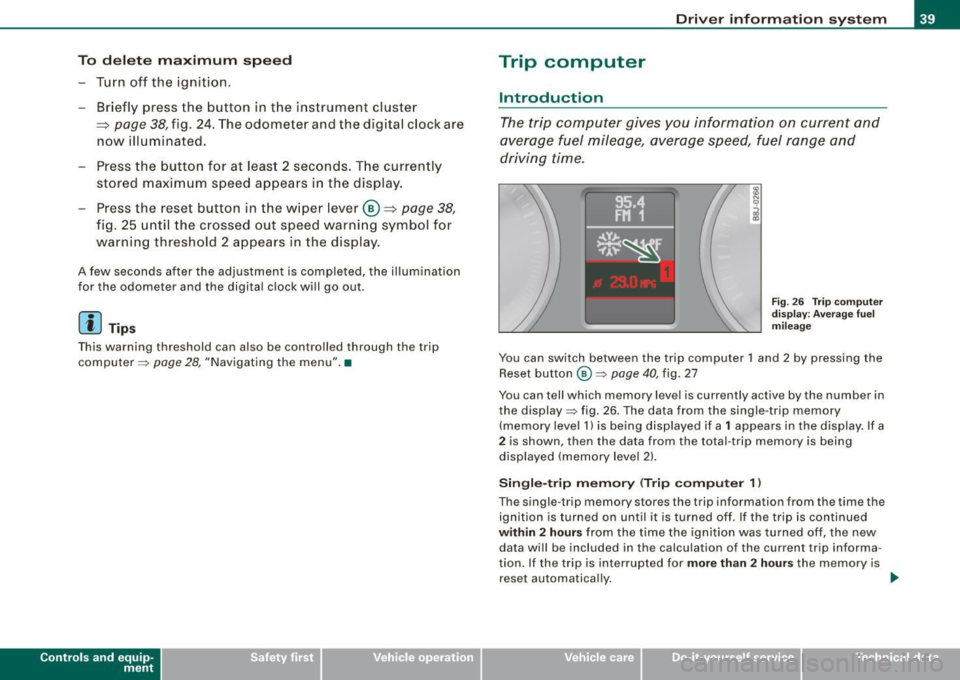
Fig . 2 6 Trip c omput er
di sp lay: Ave ra g e f uel
mi lea ge
You can switch between the trip computer 1 and 2 by pressing the
Reset button
@ ~ page 40 , fig. 27
You can tell which memory level is currently active by the number in
the display ~ fig . 26 . The data from the single -trip memory
(memory level 1) is being disp layed if a
1 appears in the display. If a
2 is shown, then the data from the total -trip memory is being
displayed (memory leve l 2) .
Sin gle -trip mem ory (Trip compute r 1)
The single -t r ip memory stores the trip information from the time the
ignition is turned on until it is turned off. If the trip is continued
within 2 hour s from the time the ignition was turned off, the new
data wi ll be included in the calcu lation of the current trip informa
tion. If the trip is interrup ted for
more than 2 hour s the memory is
reset automatica lly. _,.
Vehicle care I I irechnical data
Page 49 of 316
Opening and closing
Keys
Key set
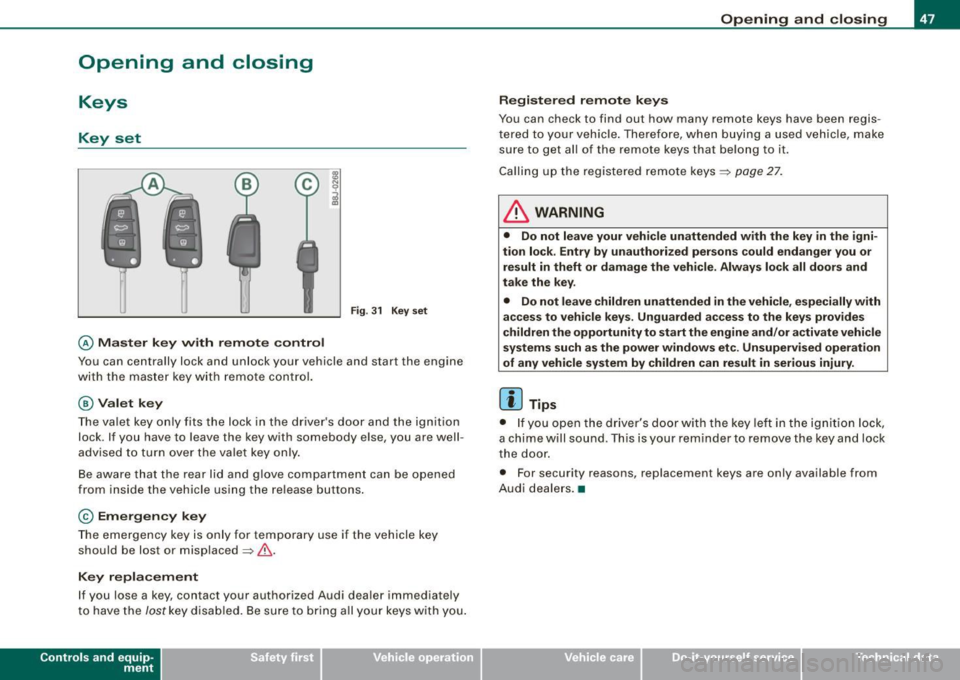
Fig. 31 Key set
© Master key with remote control
Y ou can centrally lock and unlock your vehicle and start the engin e
wi th the mas te r key wit h remote c ontr ol.
@ Valet key
The va let key only fits the lock in the driv er's d oor an d the ignition
lock . If you have to leave the key with somebody e lse, you are well
advised to turn over the vale t key o nly .
B e aware that t he rea r lid and glove co mpartme nt can be opened
from inside the vehicle usi ng the re lea se b uttons .
© Emergency key
The emerge ncy ke y is only fo r tempo rar y use if the vehicle key
should be lost or misplaced=> &.
Key replacement
If you lose a ke y, contact your authorized Audi dea ler immedia tely
t o have the
Jost k ey disa bled. Be s ure to br ing a ll yo ur k eys wit h you.
Con tro ls and eq uip
ment
Opening and closing
Registered remote keys
You can chec k to find out how many remote keys have been regi s
te re d to you r vehi cle. Th ere for e, wh en bu ying a used v ehicle , ma ke
su re to get a ll of t he remote keys that belong to it.
Ca lling up the registered remote ke ys =>
page 27.
& WARNING
• Do not leave your vehicle unattended with the key in the igni
tion lock . Entry by unauthorized persons could endanger you or
result in theft or damage the vehicle . Always lock all doors and
take the key .
• Do not leave children unattended
in the vehicle, especially with
access to vehicle keys . Unguarded access to the keys provides
children the opportunity to start the engine and/ or a ctivate vehicle
systems such as the power windows etc . Unsupervised operation
of any vehicle system by children can result in serious injury .
[ i ] Tips
• If y ou open the dri ver's doo r with the key left i n the ig nit ion loc k,
a chi me will sound . Thi s is your rem inde r to remove the ke y an d lock
t he door.
• F or security reasons, replacement keys are only available from
A udi deale rs.•
Vehicle care I I irechnical data
Page 50 of 316

Opening and closing
Master key with remote control
The remote control allows you to lock or unlock the
vehicle electronically.
"' N
0
i
Fig. 32 Fold -up master
key with remote
control
- To fold the key out and back in place, press the release
button
=:> fig. 32.
The transmitter and battery are located in the head of the remote
control. The receiver is located inside the vehicle. The maximum
effective range depends on several things. Remember, if the battery
is weak, the effective range decreases.
If you need to replace the remote control, or if you need to have it
repaired, you must see your authorized Audi dealer. Only then can
you use the key again.
[ i ] Tips
• If the ignition is switched on , the remote control system is deac
tivated.
• The remote control system can be affected by other systems
operating in the same frequency range close to the vehicle, such as
mobile telephones, television broadcasting stations, etc. •
Check light in remote master key
The check light in the remote master key indicates the
state of charge of the battery.
State of master key battery
Fig. 33 Check light in
the master key
When a button is pressed, the check light flashes=> fig. 33 (arrow).
If the check light does not come on or flash, the battery is dead and
has to be replaced.
Battery replacement=>
page 49. •
Page 51 of 316

Master key battery replacement
Each master key contains a battery housed under the
cover.
Fig . 3 4 Master key:
o peni ng the cover
We recommend having the battery cha nged by a n autho
rized dealership. However, if y ou wish to replace the dead
battery y ourself, proceed as follows :
- Pry apart the base => fig. 34
@ and the cover@ carefully
with a coin.
- Remove the cove r (arrow).
- Remove the dead battery from the cover.
- I nsta ll the new battery . Pl eas e make ce rtain t hat t he" +"
sign on the batte ry faces down . Correct po la rity is shown
on t he cover .
- Place the cover w ith the new bat tery on t he key base and
press both parts together .
For the sake of the environment
Dispose of dead batteries proper ly so as not to pol lute the environ
ment.
Con tro ls and eq uip
ment
Op ening and clo sing
[ i ] Tip s
The replacement battery must be the same specification as the
origina l.•
Electronic immobilizer
The immobilizer helps to prevent unauthorized use of
your vehicle.
A computer chip inside your key automatically deactivates the elec
tronic immobilizer when you insert the key in the ignition lock.
When you remove the key from the ignition lock, the e lectronic
immobil izer is automatically activated once again.
If an unauthorized key was used, SA FE is displayed continuously in
the odometer display field .
& WARNING
Always ta ke the key with y ou when you le ave the vehi cle. The key
ca n dis arm the el ectroni c eng ine immob ilizer and permit an un au
thori zed p erson to start the engine and enabl e ope ration of the
v ehi cle s ystems su ch a s po wer window or power t op leading to
s eri ous pe rso nal injury .
[ i ] Tip s
• Your engine can only be started using the fac tory -equipped key .
• You may not be ab le to start your vehicle if an ignition key of a
different vehicle make is a lso loca ted on your set of keys .•
Certification
The remote control device comp lies with
• USA models : Part 15 of the FCC Rules.
Vehicle care
I I irechnical data