2008 AUDI S6 light
[x] Cancel search: lightPage 188 of 390

• ..__H_ o_ m_ e_ L_in _ k_® ____________________________________________________ _
Homelink®
Universal remote control
Applies to vehicles: w ith Home Link® universal remote control
General information
The Homelink® feature can learn the up to three radio
frequency codes for most current transmitters used for
operating garage doors, estate gates, home or outdoor
lighting systems, and other devices.
You must first program the Homelink® transmitter before you can
use the system=>
page 186, "Programming the Homelink® trans
mitter".
In order to program the Homelink® transmitter for devices utilizing
rolling code, a second person on a ladder who can safely reach the
garage door opener motor is recommended. It is also necessary to
locate the "learn" button on your garage door opener motor. Refer
to the operating instructions for the opener, as the location and
color of this button may vary by manufacturer.
You can still use the original remote control for the device at any
time .
& WARNING
• Never use the Homelink"" transmitter with any garage door
opener that does have not the safety stop and reverse feature as
required by federal safety standards. This includes any garage
door opener model manufactured before April 1, 1982.
• A garage door opener which cannot detect an object, signaling
the door to stop and reverse does not meet current federal safety
standards . Using a garage door opener without these features
increases risk of serious injury or death .
& WARNING (continued)
• For safety reasons never release the parking brake or start the
engine while anyone is standing in front of the vehicle.
• A garage door or an estate gate may sometimes be set in
motion when the Homelink ® remote control is being
programmed . If the device is repeatedly activated, this can over
strain motor and damage its electrical components -an over
heated motor is a fire hazard!
• To avoid possible injuries or property damage, please always
make absolutely certain that no persons or objects are located in
the range of motion of any equipment being operated. •
Applies to vehicles: wit h Home link® universal remote contro l
Programming the Homelink ® transmitter
The transmitter is programmed in two phases. For rolling
code transmitters, a third phase is also necessary.
Fig . 185 Overhead
console: Homelink ®
keypad ...
Page 189 of 390

HomeLink®
------------------------------------
Fig. 186 Front bumper ,
passenger side: loca
tion of transmitter unit
Phase 1: programming the overhead keypad
1. Make sure your vehicle is within operating range of the
remote controlled garage door opener.
2. Set the parking brake::::>
& in "Genera l information".
3. Turn the ignition on. Do not start the engine!
4. Press and hold the two outside Homelink® buttons
(D
and @for approxim~tely 20 sec_onds until indicator
light ©::::>
page 186, fig. 185 begins to flash. Then
r elease both buttons. Do not hold the buttons for longer
than
30 seconds.
- This procedure only needs to be performed
once . It
erases the factory-set default codes and does not have to
be repeated to program additional remote controls.
5. Press and hold the Homelink® button
(D, ® or@ until
the indicator light © starts flashing
slowly. Release the
button .
-The system will now remain in programming mode for 5
minutes. Go to the front of the vehicle and proceed with
phase 2.
Contro ls and eq uip
ment
Phase 2:
programming the bumper mounted transmitter
6. Hold the original remote control at a distance between 0-
5 in. (0-13 cm) from the bumper below the appropriate
headlight for your vehicle::::> fig.
186 (use the shortest
distance possible).
7. Aim the remote control just below the
passenger side
headlight.
8. Press and hold the activation button on the remote control.
- May be different in Canada. If so, press and re-press
(cycle) the activation button on your remote control every
two seconds .
9. The emergency flashers will flash
three times (after
about
15-60 seconds) when the programming is
successful. Release the button on the remote control.
-To program more devices, repeat steps 4 to 9.
10. Press and hold the trained Homelink® b utton and
observe the indicator light© ::::>
page 186, fig. 185.
If the indicator ligh t is solid/continuous, programming is
complete and your device should activate when you press and release the trained Homelink® button.
- If the indicator light blinks rapidly for 2 seconds and is
th en a solid/continuous light, proceed with phase 3 to
program a rolling code device.
Phase 3: rolling code programming
-A second person on a ladder who can safely reach the
garage door opener motor is recommended. .,_
Vehicle care I I irechnical data
Page 191 of 390
___________________________________________________ H_ o_m_ e_ L_ i_ n _ k_ @_ R __ JIIII
Pro gra mmin g th e bump er mounted tr ansmitt er
1. Hold th e original remote control at a distance between 0 -
5 in. (0- 13 cm) from the bumper below the appropriate
headlight for your vehicle (use the shortest distance
poss ible).
2. Aim the remote control just below the pass enger side
headlight.
3. Press and hold the activation button on the remote
control.
4 . The emergency flashers will flash three t ime s (after
abo ut
15-60 seconds) w hen the programming is
successful. Now release the button on the remote
control.
- I f the device utilizes a ro lling code, please follow phase
3
of ~ page 186, "Programmi ng the Home Link® trans
mitter" for rolling code programming .
This pr oce dure w ill cause the ex ist ing prog ram ming on the
H om eli nk® butto n to be eras ed! •
Applies to vehicles: with Homelink® unive rsal remote contro l
Erasing the programming of the HomeLink ®
transmitter
When you erase the programming, the programming on
all three of the transmitter channels with be lost!
- Perform steps 1 to 4 as described on~ page 187 , "Phase
1: programming the overhead keypad".
When comp leted, the Homelink ® system wil l be in the program
ming mode and is then ready to learn the codes for remote
controlled devices.
Controls and equip
ment
[ i ] Tip s
• Programmed buttons cannot be erased indiv idual ly.
• For security reasons you are advised to erase the programming
of the Homelink® system before you sell your vehicle. •
Applies to veh icles : w ith Homelink® universal remote control
Information and accessories
If you wou ld like more information on Homelink ®, where to
purchase the Homelink® compatib le products, or would like to
purchase the Homelink ® Home Lighting Package, please cal l toll
free: 1-800-355-3515.
[ i ] Tip s
• The Homelink ® universal transmitter complies with part 15 of
the FCC rules and RSS -210 of IC part 15 . Operation is subject to the
following conditions :
- this device may not cause harmful interference, and
- this dev ice must accept any interference that may be received
inc luding interference that may cause undesired operation.
• Changes or modifications not express ly approved by the party
responsible for compliance could void the user's authority to
operate the device (DOC : ISTC 1763 102 264 Prince MODEUFCC ID :
CB2 V94800). •
I • •
Page 195 of 390

________________________________________________ D_r_iv _ i _n_ g~ S_ a_ fe_ ly __ l!III
Important things to do before driving
Safety is everybody's job! Vehicle and occupant safety
always depends on the informed and careful driver.
For your safety and the safety of your passengers, before
driving always:
-Make sure that all lights and signals are operat ing
correctly.
- Make sure that the tire pressure is correct.
- Make sure that all windows are clean and afford good
visibility to the outside.
- Secure all luggage and other items carefully~
page 107.
-Make sure that noth ing can interfere w ith the pedals.
- Adjust front seat, head restraint and mirrors correctly for your height .
- Instruct passengers to adjust the head restraints
according to their height.
- Make sure to use the right ch ild restraint correctly to
protect children ~
page 234, "Child Safety ".
- Sit properly in your seat and make sure that your passen
gers do the same~
page 87, "General recommenda
tions".
- Fasten your safety belt and wear it p roperly. Also instruct
your passengers to fasten the ir safety belts properly
~ page 202. •
Controls and equip
ment Safety first
Vehicle operation
What impairs driving safety?
Safe driving is directly related to the condition of the
vehicle, the driver as well as the driver's ability to concen
trate on the road without being distracted.
The driver is responsible for the safety of the vehicle and all
of its occupants. If your ability to drive is impaired, safety
risks for everybody in the vehicle increase and you also
become a hazard to everyone else on the road ~& .There
fore:
Do not let yourself be distracted by passengers or by
using a cellular telephone .
NEVER drive when your driving ability is impaired (by
medications, alcohol, drugs, etc.).
- Observe all traffic laws, rules of the road and speed limits
and plain common sense .
- ALWAYS adjust your speed to road, traffic and weather
conditions.
- Take frequent breaks on long trips. Do not drive for more
than two hours at a stretch.
- Do NOT drive when you are tired, under pressure or when
you are stressed .
& WARNING
Impaired driving safety increases the risk of serious personal
injury and death whenever a vehicle is being used. •
Vehicle care Do-it-yourself service Technical data
Page 196 of 390

___ D_ ri_v _i_n -=g=--- S_ a_ f _e___, ly'---------------------------------------------------
Proper occupant seating positi ·ons
Proper seating position for the driver
The proper driver seating position is important for safe,
relaxed driving.
Fig. 188 The correct
distance between
driver and steering
wheel
Fig. 189 Correct head
restraint position for
driver
For your own safety and to reduce the risk of injury in the
event of an accident, we recommend that you adjust the
driver's seat to the following position:
- Adjust the driver's seat so that you can easily push the
pedals all the way to the floor while keeping your knee(s)
slightly bent=:>& . - Adjust the angle of the seatback so that it is in an upright
position so that your back comes in full contact with it
when you drive.
- Adjust the steering wheel so that there is a distance of at
least 10 inches (25 cm) between the steering wheel and
your breast bone=:> fig. 188. If not possible, see your
authorized Audi dealership about adaptive equipment.
- Adjust the steering wheel so that the steering wheel and
airbag cover points at your chest and not at your face.
- Grasp the top of the steering wheel with your elbow(s)
slightly bent.
- Adjust the head restraint so that the upper edge is as even with the top of your head as possible but no lower
than eye level and so that it is as close to the back of your
head as possible =:> fig . 189.
- Fasten and wear safety belts correctly=:>
page 206.
- Always keep both feet in the footwell so that you are in
control of the vehicle at all times.
For detailed information on how to adjust the driver's seat, see
=> page 88 .
& WARNING
Drivers who are unbelted, out of position or too close to the airbag
can be seriously injured by an airbag as it unfolds. To help reduce
the risk of serious personal injury:
• Always adjust the driver's seat and the steering wheel so that
there are at least 10 inches
125 cm) between your breastbone and
the steering wheel.
• Always hold the steering wheel on the outside of the steering
wheel rim with your hands at the 9 o'clock and 3 o'clock positions ..
Page 204 of 390
lffl)....__S_a _ fe_ t _y=-- b_ e_ lt_s ________________________________________________ _
Safety belts
General notes
Always wear safety belts!
Wearing safety belts correctly saves lives!
This chapter explains why safety belts are necessary, how
they work and how to adjust and wear them correctly.
- Read all the information that follows and heed all of the
instructions and WARNINGS.
& WARNING
Not wearing safety belts or wearing them improperly increases
the risk of serious personal injury and death.
• Safety belts are the single most effective means available to
reduce the risk of serious injury and death in automobile acci
dents. For your protection and that of your passengers, always
wear the safety belts properly when the vehicle is moving.
• Pregnant women, injured, or physically impaired persons must
also use safety belts. Like all vehicle occupants, they are more
likely to be seriously injured if they do not wear safety belts. The
best way to protect a fetus is to protect the mother - throughout
the entire pregnancy. •
Number of seats
Your Audi has a total of five seating positions: two in the front and
three in the rear. Each seating position has a safety belt .
& WARNING
Not wearing safety belts or wearing them improperly increases
the risk of serious personal injury and death.
• Never strap more than one person, including small children,
into any belt. It is especially dangerous to place a safety belt over
a child sitting on your lap.
• Never let more people ride in the vehicle than there are safety
belts available.
• Be sure everyone riding in the vehicle is properly restrained
with a separate safety belt or child restraint. •
Safety belt warning light ~
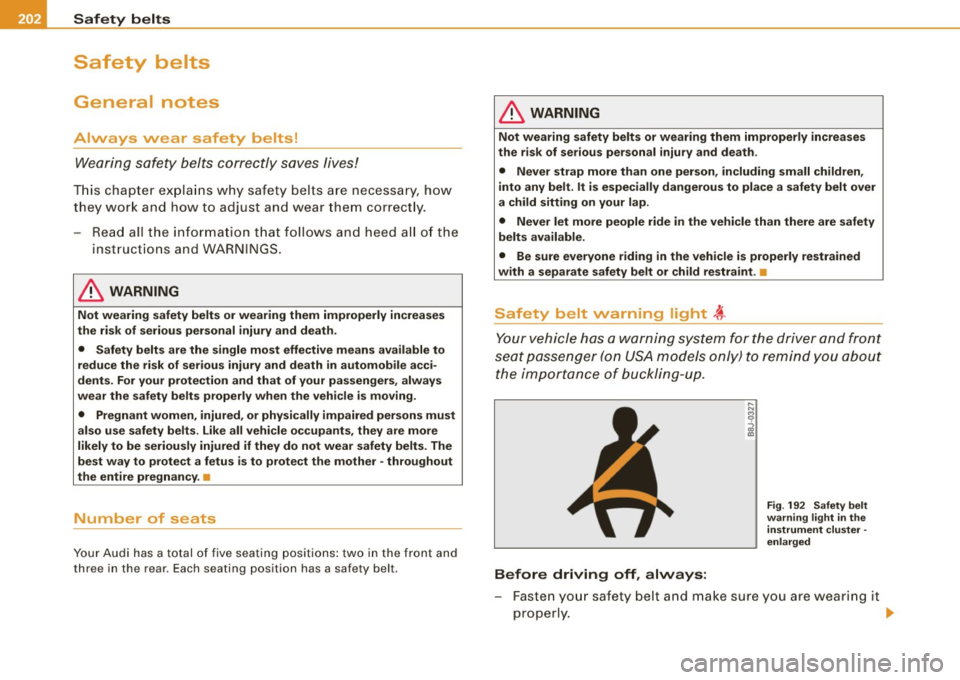
Your vehicle has a warning system for the driver and front
seat passenger (on USA models only) to remind you about
the importance of buckling-up.
Before driving off, always:
Fig . 192 Safety belt
warning light in the
instrument cluster -
enlarged
- Fasten your safety belt and make sure you are wearing it
properly. ._
Page 205 of 390

- Make sure that your passengers also buckle up and prop
erly wear their safety belts.
- Protect children with a child restraint system appropriate
for the size and age.
The warning light 4,-in the instrument cluster lights up when the
ignition is switched on as a reminder to fasten the safety belts . In
addition , you will hear a warning tone .
After the ignition is switched on, the warning light in the instrument cluster will always come on for about 6 seconds and if the driver has
not fastened the safety belt , a warning tone will also sound for
about 6 seconds. As soon as the driver has fastened the safety belt,
the warning tone will stop and the warning ligh t will go out .
If the driver or front seat passenger have not buckled -up within
about 10 seconds after the warning tone has stopped and the
vehicle is moving faster than about 15 mph, the warning tone will
sound again for about 6 seconds and then stop for 24 seconds and
then repeat this reminder sequence for a maximum of 2 minutes . At
speeds below 5 mph, the warning tone will not sound.
Fasten your safety belt and make sure that your passengers also
properly put on their safety belts.
& WARNING
• Safety belts are the single most effective means available to
reduce the risk of serious injury and death in automobile acci
dents. For your protection and that of your passengers, always
correctly wear safety belts when the vehicle is moving.
• Failure to pay attention to the warning light that come on,
could lead to personal injury. •
Safety first
Safety belts
Why safety belts?
Frontal collisions and the law of physics
Frontal crashes create very strong forces for people riding
in vehicles.
Fig . 193 Unbelted
occupants in a vehicle
heading for a wall
Fig. 194 The vehicle
crashes into the wall
The physical principles are simple. Both the vehicle and the passen
gers possess energy which varies with vehicle speed and body
weight . Engineers call this energy "kinetic energy."
The higher the speed of the vehicle and the greater the vehicle's
weight, the more energy that has to be "absorbed" in the crash.
Vehicle speed is the most significant factor . If the speed doubles
from 15 to 30 mph (25 to 50 km/h) , the energy increases 4 times!
~
Vehicle care I I Technical data
Page 209 of 390
- Insert the t ongue into the corre ct buckle of your seat
unt il you hear it la tc h securely=> fig. 198.
- Pu ll on t he belt to make su re t hat it is securely latc hed i n
the buckle.
Automati c safet y belt r etracto rs
Eve ry safety belt is equipped with an automatic belt retractor on the
shou lder belt. This feature locks the belt when the belt is pulled out
fast, during hard braking and in an accident . T he belt may also lock
when you drive up or down a steep hill or through a sharp curve .
During normal driving the belt lets you move free ly.
S afety belt pretensi oners
The safety belts are equipped with a belt pretensioner that helps to
tighten the safety belt and remove slack when the prete nsioner is
activat ed . The function of the pretension er is monitored by a
warning light=>
page 20.
Switchable locking feature
Every safety belt except the one on the d river seat is equipped with
a switchable locking feature that
must be used when the safety belt
is used to attach a ch ild sa fety sea t. Be sure to read the important
information about this feature=>
page 244.
& WARNING
Improperly po sitioned safety belts can cau se seriou s injury in an
accident =>
page 207 , "Safety belt po sition ".
• Safet y belts offer optimum prote ction onl y when the seat bac k
i s upright and belt s are proper ly po sit ioned on the bod y.
• Alway s make sure that the rear seat backrest to which the
c ent er re ar safet y belt i s att ached i s se curely l atched whene ver
the re ar center safety b elt is being us ed. If the b ackre st is not
se curely latched , the p asseng er will mo ve forw ard with the back
rest d uring sudde n br aking, in a sudden maneu ver and especi ally
in a crash.
Safety first
Safety belts
& WARNING !continued )
• Never attach the safety belt to th e buckle for another seat.
Atta ch ing the belt to the wrong b uckle will reduce safety belt
effe ct iv eness and c an cause ser ious person al injury .
• A p assenger who i s not p roperly re str ained c an be ser iously
injur ed by the saf ety belt itself when it move s from the stronger
p art s of the b ody into critic al are as like the abdomen .
• Alway s lock the convertible locking retractor when you are
s e cu ring a child safet y seat in the vehi cle
=> page 246. •
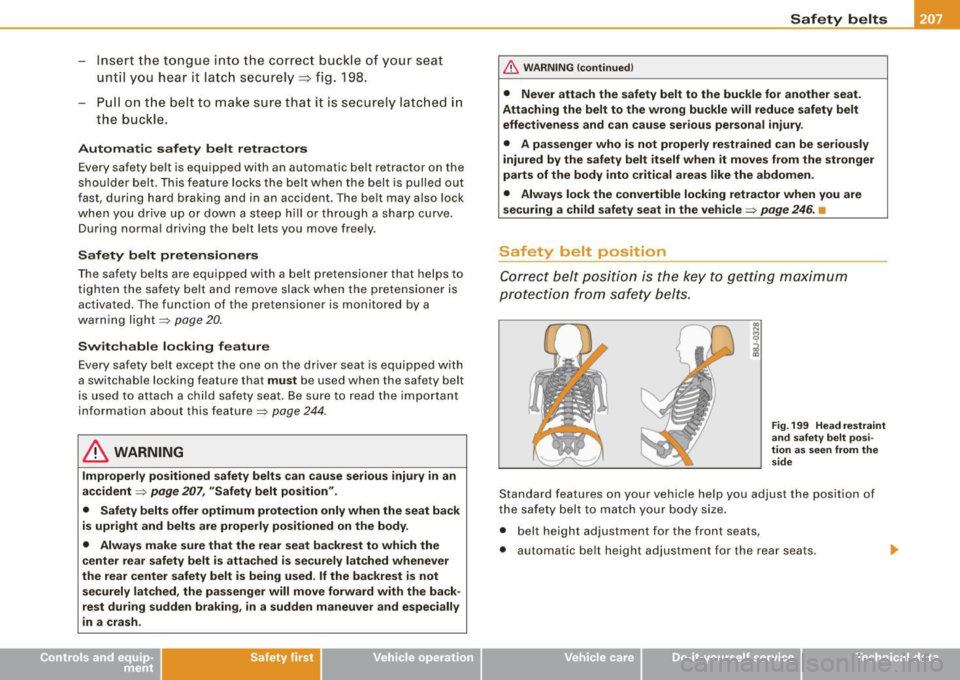
Safety be lt position
Cor rect bel t position is the key to getting maximum
protec tio n from s afety belts.
Fig . 199 He ad r estrain t
a n d sa fe ty b elt p osi
tion as seen from th e
s ide
Standard features on your vehicle he lp you adjust the position of
the safety belt to match your body size.
• belt height adjustment for the front seats,
• automatic be lt height adjustment for the rear seats .
Vehicle care I I irechnical data