DI-88
WARNING CHIME
Revision: 2006 November2007 350Z
4. CHECK KEY SWITCH CIRCUIT
1. Disconnect BCM connector.
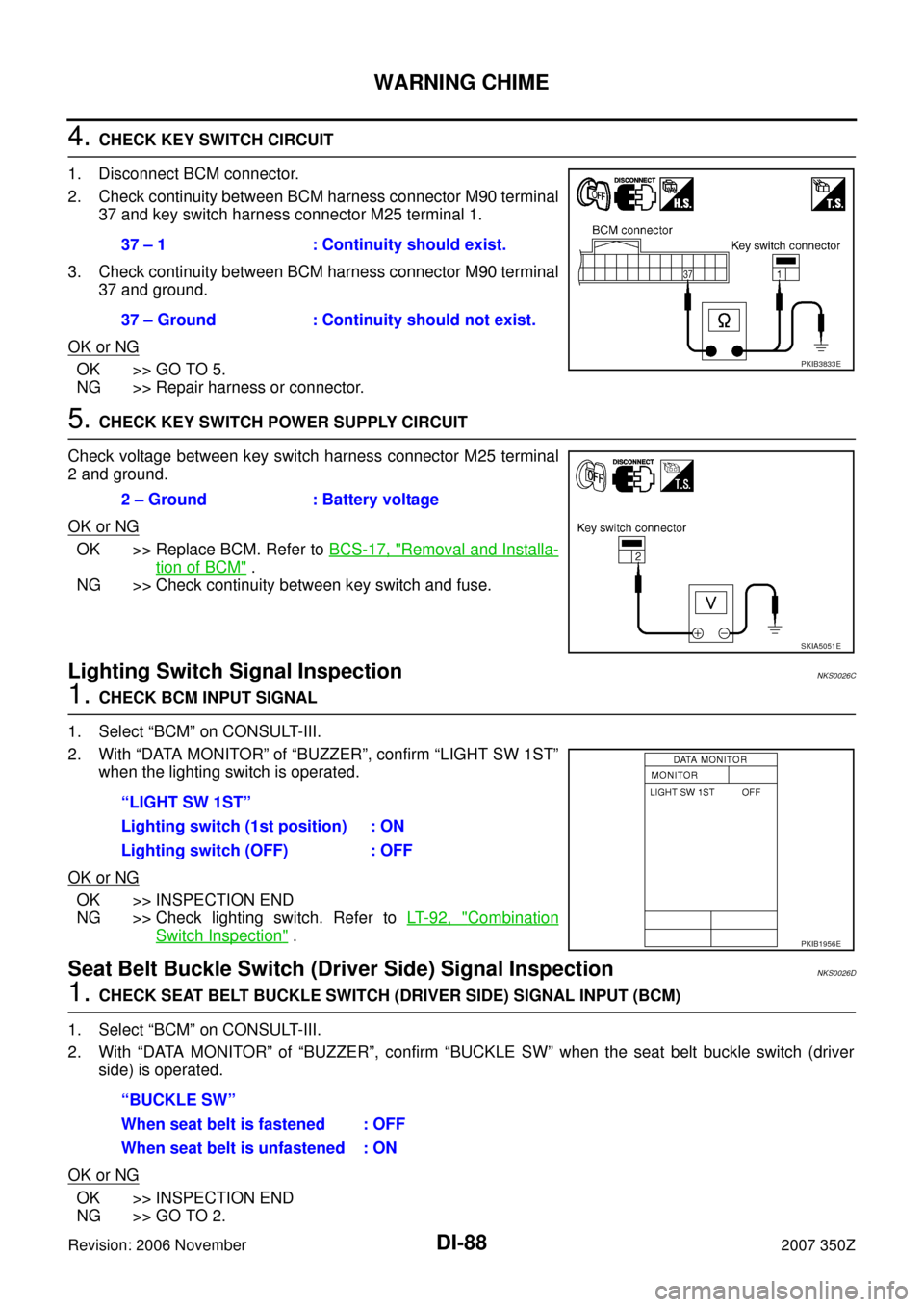
2. Check continuity between BCM harness connector M90 terminal
37 and key switch harness connector M25 terminal 1.
3. Check continuity between BCM harness connector M90 terminal
37 and ground.
OK or NG
OK >> GO TO 5.
NG >> Repair harness or connector.
5. CHECK KEY SWITCH POWER SUPPLY CIRCUIT
Check voltage between key switch harness connector M25 terminal
2 and ground.
OK or NG
OK >> Replace BCM. Refer to BCS-17, "Removal and Installa-
tion of BCM" .
NG >> Check continuity between key switch and fuse.
Lighting Switch Signal Inspection NKS0026C
1. CHECK BCM INPUT SIGNAL
1. Select “BCM” on CONSULT-III.
2. With “DATA MONITOR” of “BUZZER”, confirm “LIGHT SW 1ST”
when the lighting switch is operated.
OK or NG
OK >> INSPECTION END
NG >> Check lighting switch. Refer to LT- 9 2 , "
Combination
Switch Inspection" .
Seat Belt Buckle Switch (Driver Side) Signal InspectionNKS0026D
1. CHECK SEAT BELT BUCKLE SWITCH (DRIVER SIDE) SIGNAL INPUT (BCM)
1. Select “BCM” on CONSULT-III.
2. With “DATA MONITOR” of “BUZZER”, confirm “BUCKLE SW” when the seat belt buckle switch (driver
side) is operated.
OK or NG
OK >> INSPECTION END
NG >> GO TO 2.37 – 1 : Continuity should exist.
37 – Ground : Continuity should not exist.
PKIB3833E
2 – Ground : Battery voltage
SKIA5051E
“LIGHT SW 1ST”
Lighting switch (1st position) : ON
Lighting switch (OFF) : OFF
PKIB1956E
“BUCKLE SW”
When seat belt is fastened : OFF
When seat belt is unfastened : ON