Page 147 of 574
OnStar®Hands-Free Calling
OnStar®Hands-Free Calling allows eligible
OnStar®subscribers to make and receive calls
using voice commands. Hands-Free Calling is fully
integrated into the vehicle, and can be used
with OnStar
®Pre-Paid Minute Packages.
Hands-Free Calling may also be linked to a
Verizon Wireless service plan in the U.S. or a
Bell Mobility service plan in Canada, depending on
eligibility. To nd out more, refer to the OnStar
®
Owners Guide in the vehicle’s glove box, visit
www.onstar.com or www.onstar.ca, or speak
with an OnStar
®advisor by pressing the
OnStar®button or calling 1-888-4-ONSTAR
(1-888-466-7827).
OnStar®Virtual Advisor
OnStar®Virtual Advisor is a feature of OnStar®
Hands-Free Calling that uses your minutes to
access location-based weather, local traffic reports,
and stock quotes. By pressing the phone button
and giving a few simple voice commands, you can
browse through the various topics. See the OnStar
®
Owners Guide for more information (Only available
in the continental U.S.).
OnStar®Steering Wheel Controls
Your vehicle may have a Talk/Mute button that
can be used to interact with OnStar®Hands-Free
Calling. SeeAudio Steering Wheel Controls on
page 300for more information.
On some vehicles, you may have to hold the
button for a few seconds and give the command
“ONSTAR” in order to activate the OnStar
®
Hands-Free Calling feature.
On some vehicles, the mute button can be used to
dial numbers into voicemail systems, or to dial
phone extensions. See the OnStar
®Owner’s
Guide for more information.
147
Page 168 of 574
StabiliTrak®Indicator Light......................... 210
Engine Coolant Temperature Gage............ 211
Tire Pressure Light.................................... 211
Malfunction Indicator Lamp........................ 212
Oil Pressure Gage..................................... 215
Change Engine Oil Light........................... 216
Security Light............................................ 216
Cruise Control Light.................................. 217
Reduced Engine Power Light.................... 217
Highbeam On Light................................... 217
Service Four-Wheel Drive Warning Light...... 218
Check Gages Warning Light...................... 218
Gate Ajar Light.......................................... 218
Fuel Gage................................................. 219
Low Fuel Warning Light............................ 219
Check Gas Cap Light................................ 219
Driver Information Center (DIC).................. 220
DIC Operation and Displays...................... 221
DIC Warnings and Messages.................... 224
DIC Vehicle Customization........................ 231Audio System(s)......................................... 238
Setting the Time........................................ 239
Radio with CD (Base)............................... 240
Radio with CD (MP3)................................ 250
Radio with Six-Disc CD............................. 260
Using an MP3........................................... 274
XM Radio Messages................................. 280
Navigation/Radio System........................... 284
Rear Seat Entertainment System............... 284
Rear Seat Audio (RSA)............................. 298
Theft-Deterrent Feature............................. 300
Audio Steering Wheel Controls.................. 300
Radio Reception........................................ 301
Care of Your CDs and DVDs.................... 302
Care of the CD and DVD Player............... 302
Fixed Mast Antenna.................................. 303
XM™ Satellite Radio Antenna System....... 303
Chime Level Adjustment............................ 303
Section 3 Instrument Panel
168
Page 172 of 574
Hazard Warning Flashers
The hazard warning ashers warn others.
They also let police know you have a problem.
Your front and rear turn signal lamps will
ash on and off.
The hazard warning
asher button is
located on top of the
steering column.
The hazard warning ashers work no matter what
ignition position the key is in, and even if the
key is not in the ignition.Press the button to make the front and rear turn
signal lamps ash on and off. Press the button
again to turn the ashers off.
When the hazard warning ashers are on, your
turn signals will not work.
Other Warning Devices
If you carry reective triangles, you can set
them up at the side of the road about
300 feet (100 m) behind your vehicle.
Horn
To sound the horn, press the horn symbols on
the steering wheel pad.
172
Page 173 of 574
Tilt Wheel
The steering wheel should be adjusted before
you drive.
The tilt lever is
located to the left of
the steering column,
under the turn
signal lever.
It can be raised to the highest level to give your
legs more room when you enter and exit the
vehicle.
To tilt the wheel, hold the steering wheel and
pull the lever toward you. Move the steering wheel
to a comfortable level, then release the lever to
lock the wheel in place.
Turn Signal/Multifunction Lever
The lever on the left side of the steering column
includes the following:
GTurn and Lane Change Signals
23Headlamp High/Low-Beam Changer
Flash-to-Pass Feature
NWindshield Wipers
JWindshield Washer
ICruise Control
173
Page 176 of 574
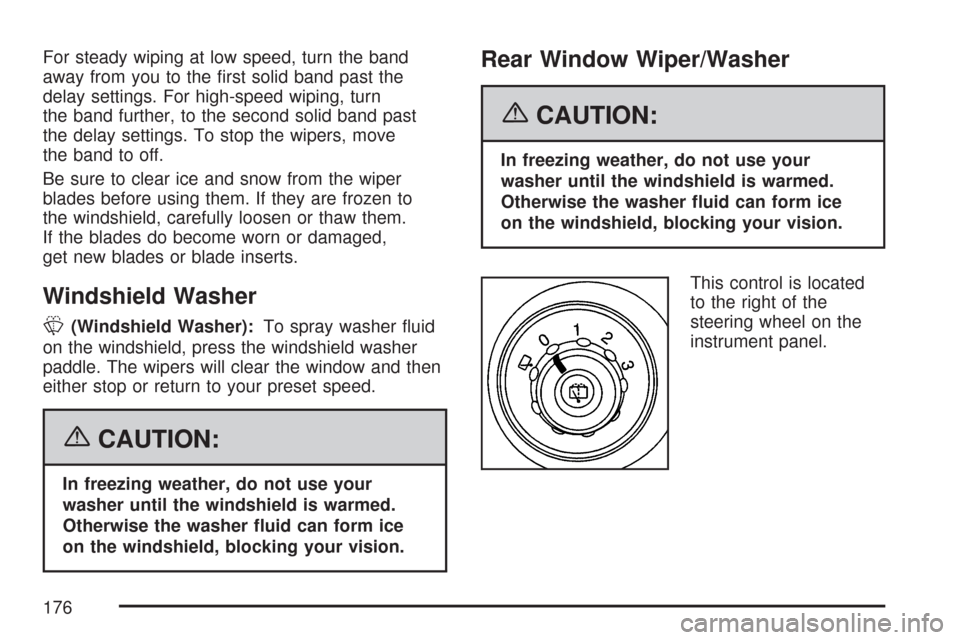
For steady wiping at low speed, turn the band
away from you to the rst solid band past the
delay settings. For high-speed wiping, turn
the band further, to the second solid band past
the delay settings. To stop the wipers, move
the band to off.
Be sure to clear ice and snow from the wiper
blades before using them. If they are frozen to
the windshield, carefully loosen or thaw them.
If the blades do become worn or damaged,
get new blades or blade inserts.
Windshield Washer
L(Windshield Washer):To spray washer uid
on the windshield, press the windshield washer
paddle. The wipers will clear the window and then
either stop or return to your preset speed.
{CAUTION:
In freezing weather, do not use your
washer until the windshield is warmed.
Otherwise the washer uid can form ice
on the windshield, blocking your vision.
Rear Window Wiper/Washer
{CAUTION:
In freezing weather, do not use your
washer until the windshield is warmed.
Otherwise the washer uid can form ice
on the windshield, blocking your vision.
This control is located
to the right of the
steering wheel on the
instrument panel.
176
Page 180 of 574
Using Cruise Control on Hills
How well your cruise control works on hills
depends upon your speed, load and the steepness
of the hills. When going up steep hills, you may
want to step on the accelerator pedal to maintain
your speed. When going downhill, you may
have to brake or shift to a lower gear to keep
your speed down. Of course, applying the brake
takes you out of cruise control. Many drivers
nd this to be too much trouble and do not use
cruise control on steep hills.
Ending Cruise Control
There are three ways to turn off the cruise control:
Step lightly on the brake pedal.
Move the cruise switch to off, or
Shift the transmission to NEUTRAL (N).
Erasing Speed Memory
When you turn off the cruise control or the
ignition, the cruise control set speed memory
is erased.
Headlamps
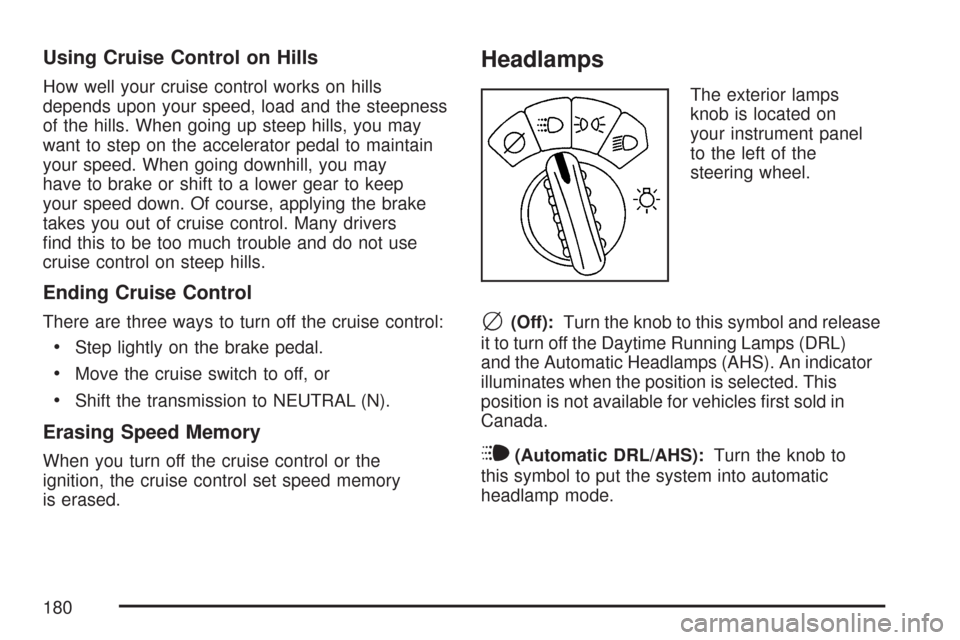
The exterior lamps
knob is located on
your instrument panel
to the left of the
steering wheel.
c(Off):Turn the knob to this symbol and release
it to turn off the Daytime Running Lamps (DRL)
and the Automatic Headlamps (AHS). An indicator
illuminates when the position is selected. This
position is not available for vehicles rst sold in
Canada.
i(Automatic DRL/AHS):Turn the knob to
this symbol to put the system into automatic
headlamp mode.
180
Page 220 of 574
Driver Information Center (DIC)
Your vehicle may have this feature. The Driver
Information Center (DIC) display is located
on the instrument panel cluster, below the
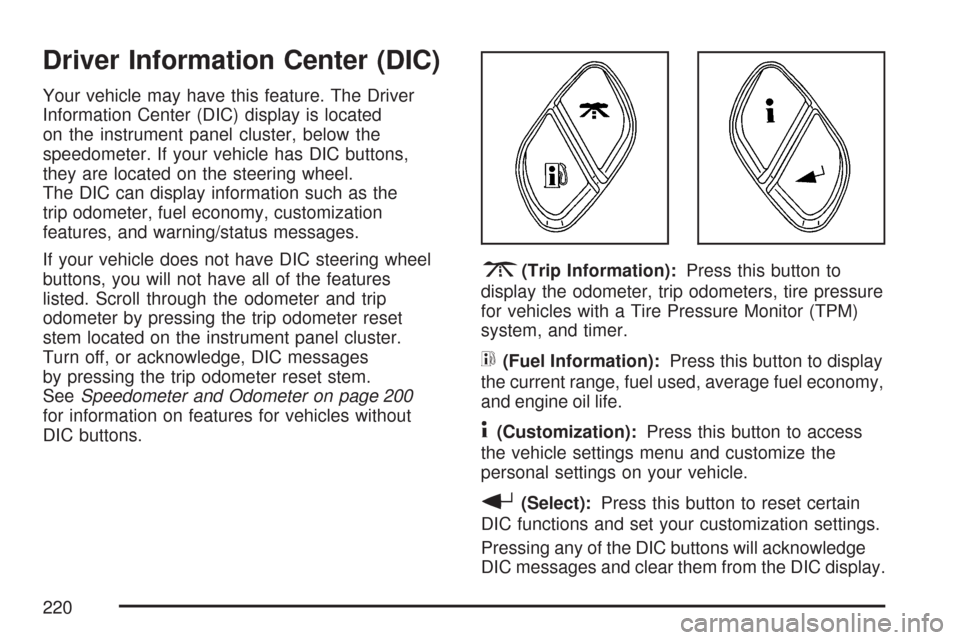
speedometer. If your vehicle has DIC buttons,
they are located on the steering wheel.
The DIC can display information such as the
trip odometer, fuel economy, customization
features, and warning/status messages.
If your vehicle does not have DIC steering wheel
buttons, you will not have all of the features
listed. Scroll through the odometer and trip
odometer by pressing the trip odometer reset
stem located on the instrument panel cluster.
Turn off, or acknowledge, DIC messages
by pressing the trip odometer reset stem.
SeeSpeedometer and Odometer on page 200
for information on features for vehicles without
DIC buttons.
3(Trip Information):Press this button to
display the odometer, trip odometers, tire pressure
for vehicles with a Tire Pressure Monitor (TPM)
system, and timer.
t(Fuel Information):Press this button to display
the current range, fuel used, average fuel economy,
and engine oil life.
4(Customization):Press this button to access
the vehicle settings menu and customize the
personal settings on your vehicle.
r(Select):Press this button to reset certain
DIC functions and set your customization settings.
Pressing any of the DIC buttons will acknowledge
DIC messages and clear them from the DIC display.
220
Page 221 of 574
DIC Operation and Displays
The DIC comes on when the ignition is on.
After a short delay the DIC will display the
information that was last displayed before the
engine was turned off.
If a problem is detected, a warning message
will appear on the display. Pressing the trip
stem will acknowledge any warning or service
messages. Pressing any of the DIC steering
wheel buttons — trip information, fuel information,
customization, or select button — will also
acknowledge any warnings or service messages.
You should take any message that appears
on the display seriously and remember that
clearing the message will only make the
message disappear, not correct the problem.
The DIC has different modes which can be
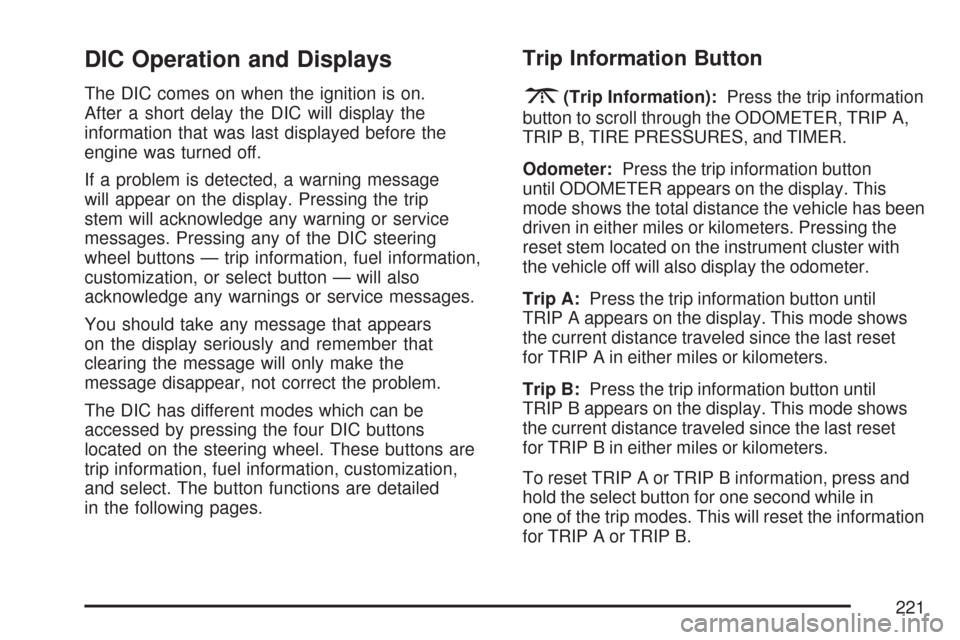
accessed by pressing the four DIC buttons
located on the steering wheel. These buttons are
trip information, fuel information, customization,
and select. The button functions are detailed
in the following pages.
Trip Information Button
3
(Trip Information):Press the trip information
button to scroll through the ODOMETER, TRIP A,
TRIP B, TIRE PRESSURES, and TIMER.
Odometer:Press the trip information button
until ODOMETER appears on the display. This
mode shows the total distance the vehicle has been
driven in either miles or kilometers. Pressing the
reset stem located on the instrument cluster with
the vehicle off will also display the odometer.
Trip A:Press the trip information button until
TRIP A appears on the display. This mode shows
the current distance traveled since the last reset
for TRIP A in either miles or kilometers.
Trip B:Press the trip information button until
TRIP B appears on the display. This mode shows
the current distance traveled since the last reset
for TRIP B in either miles or kilometers.
To reset TRIP A or TRIP B information, press and
hold the select button for one second while in
one of the trip modes. This will reset the information
for TRIP A or TRIP B.
221