Page 2 of 419

TABLE OF CONTENTSIndex
1-1. Key information .............................. 2Keys ......................................................... 2
1-2. Opening, closing and locking
the doors and trunk ..................... 5
Smart access system......................... 5
Wireless remote control ............... 12
Doors..................................................... 15
Trunk...................................................... 19
1-3. Adjustable components ............ 22 Front seats .......................................... 22
Rear seats ........................................... 23
Driving position memory
system ............................................... 25
Rear seat position memory
system ............................................... 29
Head restraints.................................. 31
Seat belts ............................................ 34
Steering wheel.................................. 40
Auto anti-glare mirror................... 42
Side mirrors ....................................... 43
1-4. Opening and closing the
windows and moon roof .......... 45
Power windows................................ 45
Moon roof .......................................... 48 1-5. Opening the fuel tank cap ......... 51
Opening the fuel tank cap............ 51
1-6. Theft deterrent system............... 54 Engine immobilizer system ......... 54
Alarm.................................................... 55
Theft prevention labels
(U.S.A.Only) .................................. 57
1-7. Safety information ...................... 58 Correct driving posture .............. 58
SRS airbags ....................................... 60
Child restraint system
................... 73
Installing child restraints ............... 76
2-1. Driving procedures..................... 86 Driving the vehicle .......................... 86
Starting the engine ......................... 94
Automatic transmission................ 98
Turn signal lever.............................. 101
Parking brake ................................. 102
2-2. Instrument cluster ..................... 103 Gauges and meters ..................... 103
Indicators and warning lights ... 105
Multi-information display........... 107
1Before driving
2When driving
Page 17 of 419
1Before driving
1
1-1. Key information ........................... 2Keys ....................................................... 2
1-2. Opening, closing and locking
the doors and trunk .................. 5
Smart access system ..................... 5
Wireless remote control ............. 12
Doors .................................................. 15
Trunk.................................................... 19
1-3. Adjustable components ......... 22 Front seats....................................... 22
Rear seats........................................ 23
Driving position memory
system ............................................ 25
Rear seat position memory
system ............................................ 29
Head restraints ............................... 31
Seat belts ......................................... 34
Steering wheel .............................. 40
Auto anti-glare mirror ................ 42
Side mirrors.................................... 43 1-4. Opening and closing the
windows and moon roof
....... 45
Power windows.............................. 45
Moon roof....................................... 48
1-5. Opening the fuel tank cap .......51 Opening the fuel tank cap ......... 51
1-6. Theft deterrent system ........... 54 Engine immobilizer system ...... 54
Alarm................................................ 55
Theft prevention labels
(U.S.A.Only) ................................ 57
1-7. Safety information ................... 58 Correct driving posture............ 58
SRS airbags.................................... 60
Child restraint system ................. 73
Installing child r
estraints ............ 76
Page 44 of 419
28
1-3. Adjustable components
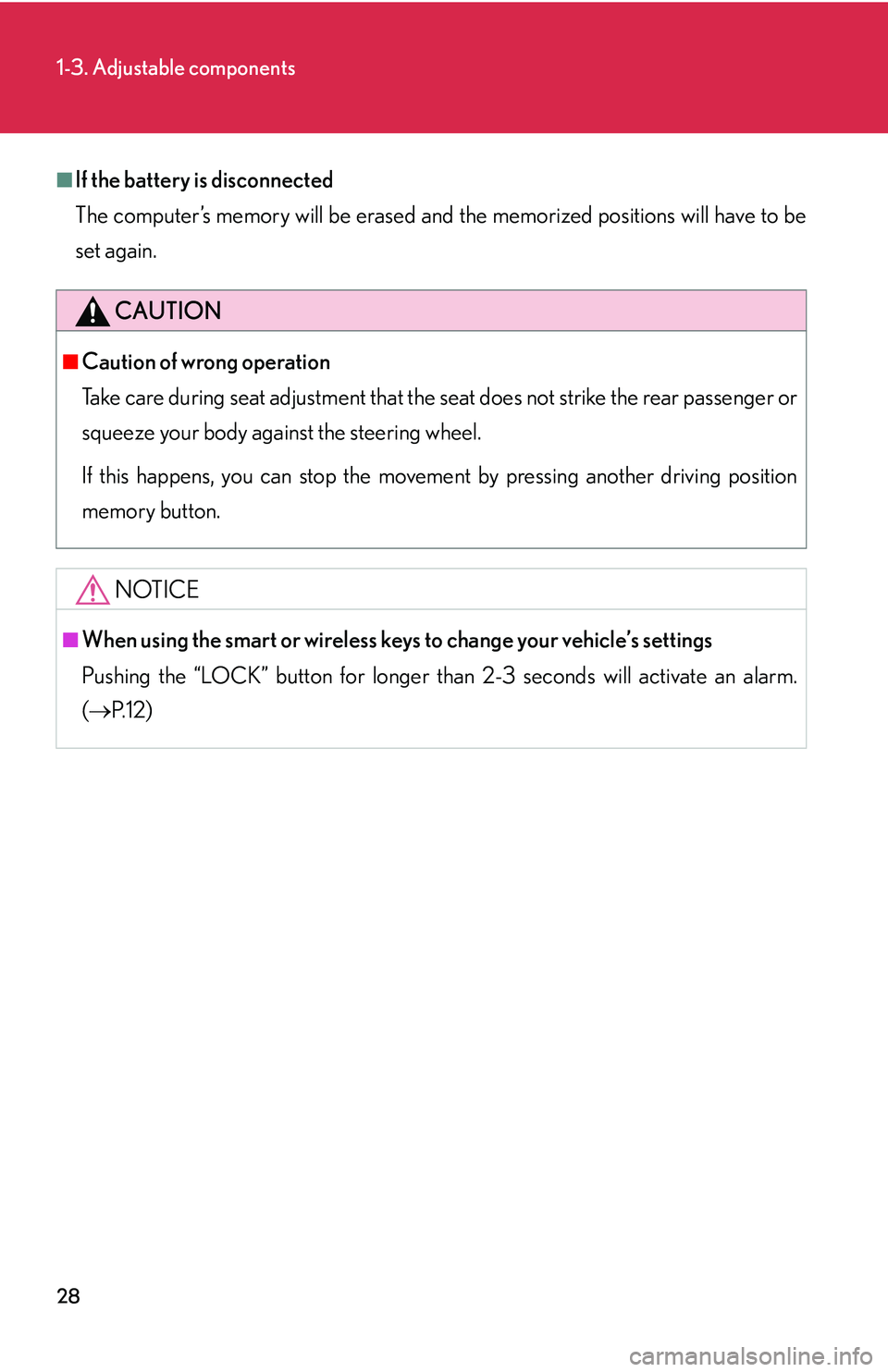
■If the battery is disconnected
The computer’s memory will b
e erased and the memorized positions will have to be
set again.
CAUTION
■Caution of wrong operation
Take care during seat adjustment that the seat does not strike the rear passenger or
squeeze
your body against the steering wheel.
If this happens, you can stop the moveme nt b
y pressing another driving position
memory button.
NOTICE
■When using the smart or wireless keys to change your vehicle’s settings
Pushing the “LOCK” button for longer than 2-3 seconds will activate an alarm.
( P.12 )
Page 56 of 419
40
1-3. Adjustable components
Steering wheel
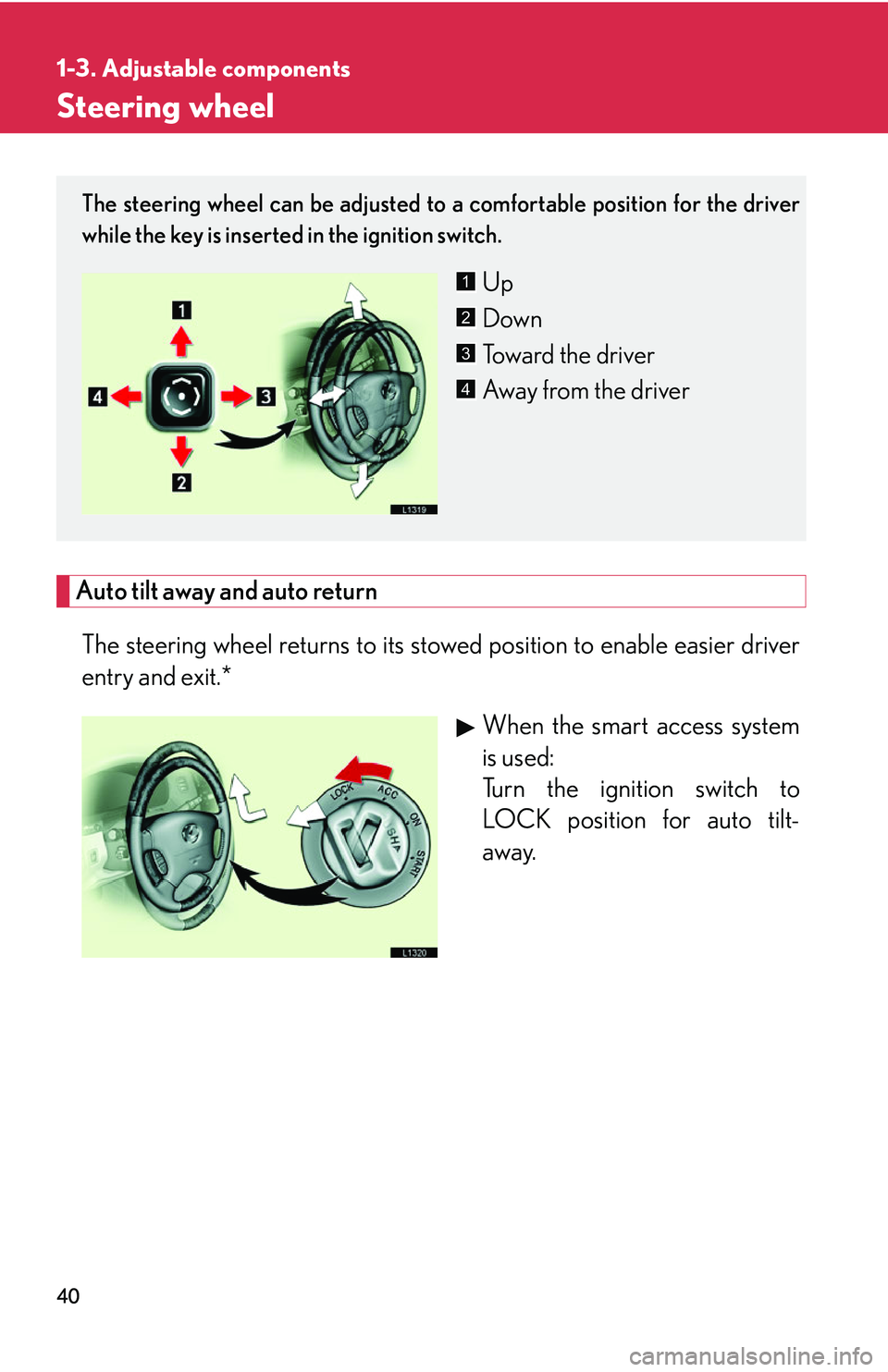
Auto tilt away and auto return
The steering wheel returns to its stowed position to enable easier driver
entry and exit.*When the smart access system
is used:
Turn the ignition switch to
L
OCK position for auto tilt-
away.
The steering wheel can be adjusted to a comfortable position for the driver
while the key is inserted in the ignition switch.
Up
Down
Toward the driver
Away from the driver1
2
3
4
Page 57 of 419
41
1-3. Adjustable components
1
Before driving
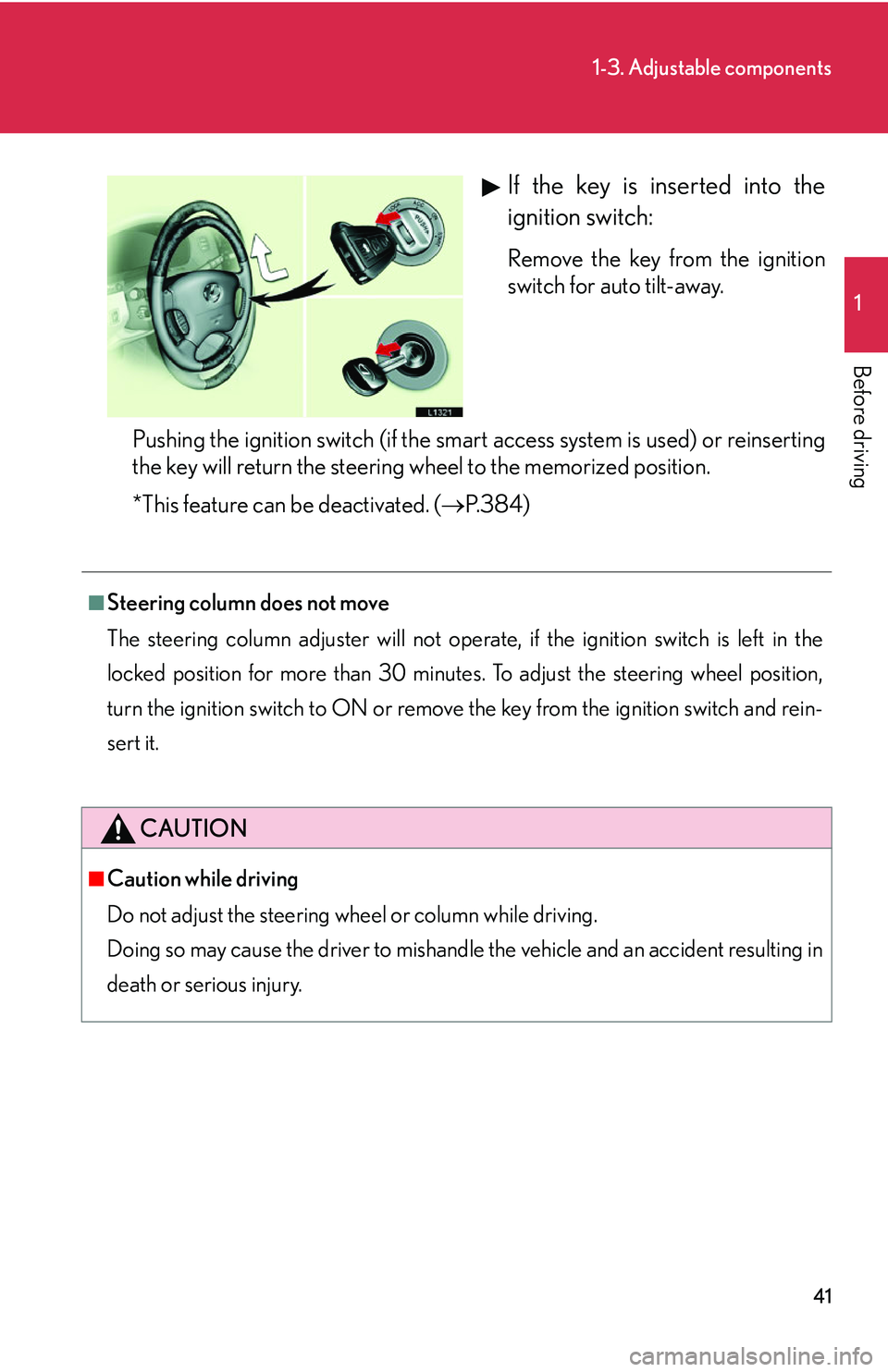
If the key is inserted into the
ignition switch:
Remove the key from the ignition
switch for auto tilt-away.
Pushing the ignition switch (if the smart access system is used) or reinserting
the k
ey will return the steering wheel to the memorized position.
*This feature can be deactivated. ( P. 3 8 4 )
■Steering column does not move
The steering column adjuster will not operate, if the ignition switch is left in the
l
ocked position for more than 30 minutes. To adjust the steering wheel position,
turn the ignition switch to ON or remove the key from the ignition switch and rein-
sert it.
CAUTION
■Caution while driving
Do not adjust the steering whee
l or column while driving.
Doing so may cause the driver to mishandle the vehicle and an accident resulting in
de
ath or serious injury.
Page 74 of 419
58
1-7. Safety information
Correct driving posture
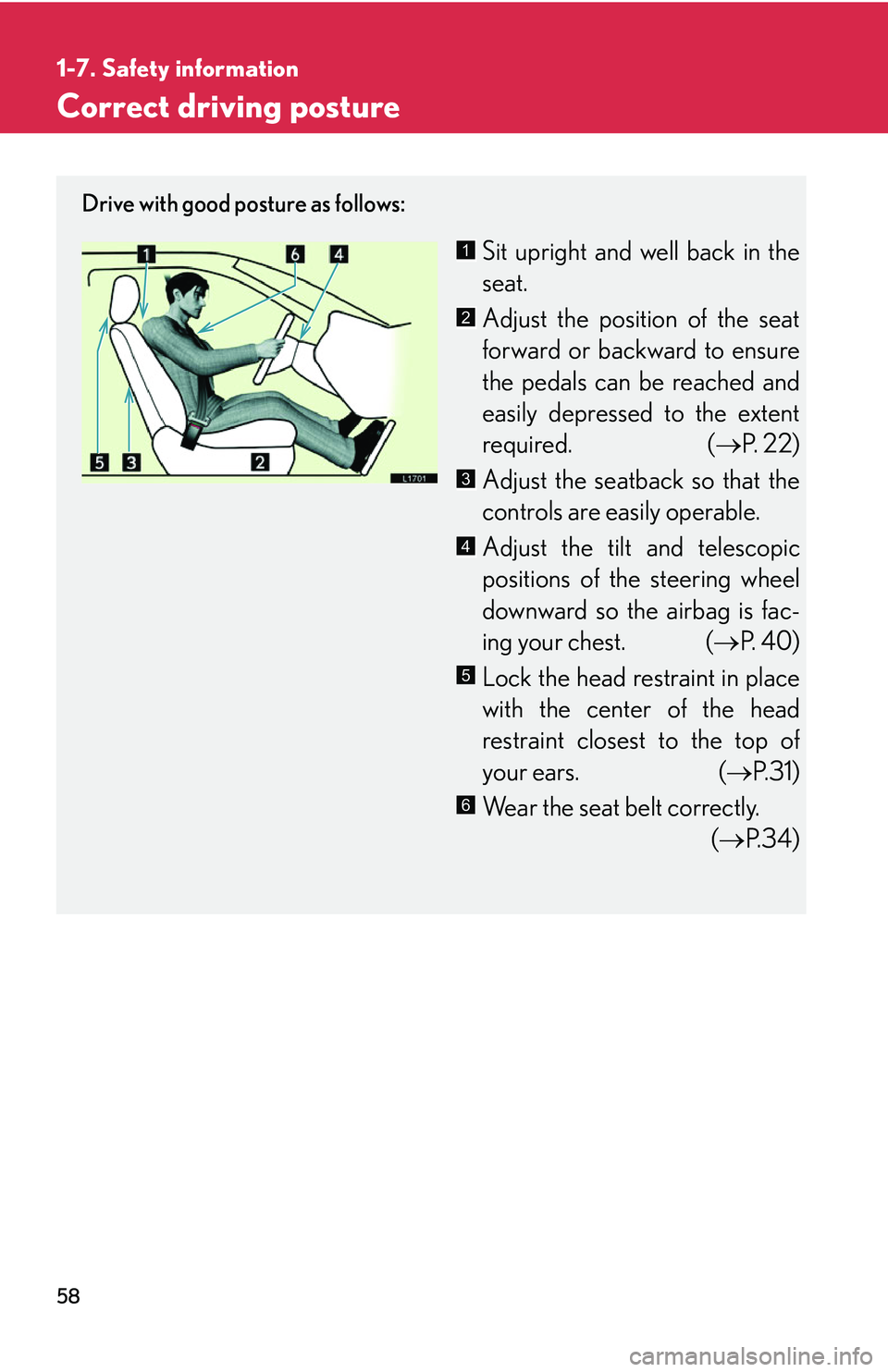
Drive with good posture as follows:
Sit upright and well back in the
seat.
Adjust the position of the seat
forward or backward to ensure
the pedals can be r
eached and
easily depressed to the extent
required. ( P.
2 2 )
Adjust the seatback so that the
controls are easily operable.
Adjust the tilt and telescopic
positions of the steering wheel
do
wnward so the airbag is fac -
ing your chest. ( P.
4 0 )
Lock the head restraint in place
with the center of the head
r
estraint closest to the top of
your ears. ( P
.31)
Wear the seat belt correctly.
( P.
3 4 )
1
2
3
4
5
6
Page 81 of 419
65
1-7. Safety information
1
Before driving
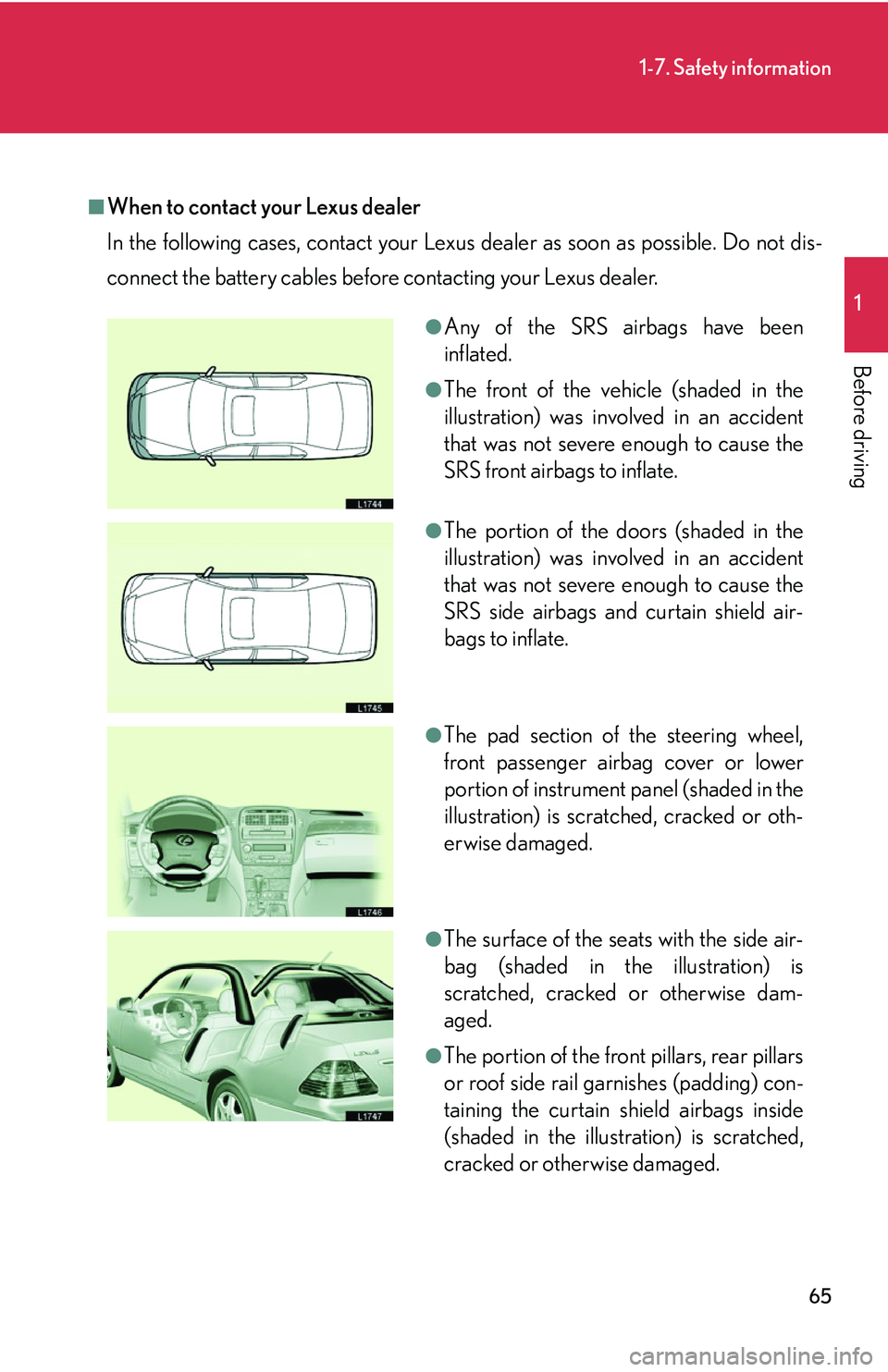
■When to contact your Lexus dealer
In the following cases, contact your Lexus dealer as soon as possible. Do not dis-
connect the battery cables before contacting your Lexus dealer.
●Any of the SRS airbags have been
inflated.
●The front of the vehicle (shaded in the
illustration) was involved in an accident
that was not severe enough to cause the
SRS front airbags to inflate.
●The portion of the doors (shaded in the
illustration) was involved in an accident
that was not severe enough to cause the
SRS side airbags and curtain shield air-
bags to inflate.
●The pad section of the steering wheel,
front passenger airbag cover or lower
portion of instrument panel (shaded in the
illustration) is scratched, cracked or oth-
erwise damaged.
●The surface of the seats with the side air-
bag (shaded in the illustration) is
scratched, cracked or otherwise dam-
aged.
●The portion of the front pillars, rear pillars
or roof side rail garnishes (padding) con-
taining the curtain shield airbags inside
(shaded in the illustration) is scratched,
cracked or otherwise damaged.
Page 82 of 419
66
1-7. Safety information
CAUTION
■SRS airbag precautions
Observe the following precautions regarding the airbags. Failure to do so may
ca
use death or serious injury:
●The driver and all passengers in the vehicle must wear their seat belts properly.
The SRS airbags are supplemental devices to be used with seat belts.
●The SRS driver airbag deploys by a cons iderable force and can cause death or
serious injury especially, if the driver is very close to the airbag. The National
Highway Traffic Safety Administration (“NHTSA”) advises:
Since the risk zone for driver airbag is th e fi
rst 2 - 3 in. (50 - 75 mm) of inflation,
placing yourself 10 in. (250 mm) from your driver airbag provides you with a
clear margin of safety. This distance is measured from the center of the steering
wheel to your breastbone. If you sit less than 10 in. (250 mm) away now, you can
change your driving position in several ways:
• Move your seat to the rear as far as you can while still reaching the pedals
co
mfortably.
• Slightly recline the back of the seat. Alt
hough vehicle designs vary, many driv-
ers can achieve the 10 in. (250 mm) distance, even with the driver seat all the
w
ay forward, simply by reclining the back of the seat somewhat. If reclining
the back of your seat makes it hard to see the road, raise yourself by using a
firm, non-slippery cushion or raise the seat if your vehicle has that feature.
• If your steering wheel is adjustable, ti lt it do
wnward. This points the airbag
toward your chest instead of your head and neck.