Page 206 of 316
The vehicle must be stopped with
the engine running.do
any of the f ollowing: Press the VTM-4 LOCK button.
Move the shift lever to D or D .
Move the shift lever to first (1),
second (2), or reverse (R) gear.
Press the VTM-4 lock button. The
indicator in the button comes on.
To get unstuck, apply light pressure
to the accelerator pedal. Do not spin
the f ront tires f or more than a f ew
seconds. Because of the amount of
torque applied to the rear tires, they
should not spin. This is normal. If
you are not able to move the vehicle,
stop and reverse direction.
The variable torque management
4WD (VTM-4) system automatically
transf ers varying amounts of engine
torque to the rear wheels under
lower traction conditions.
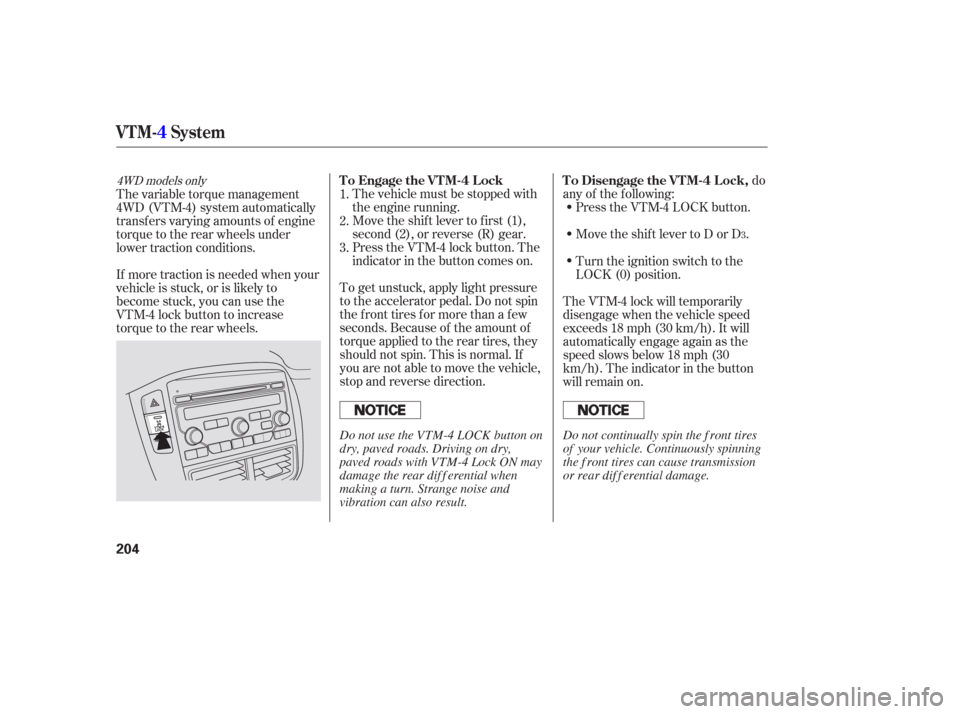
If more traction is needed when your
vehicle is stuck, or is likely to
become stuck, you can use the
VTM-4 lock button to increase
torque to the rear wheels.
Turn the ignition switch to the
LOCK (0) position.
The VTM-4 lock will temporarily
disengage when the vehicle speed
exceeds 18 mph (30 km/h). It will
automatically engage again as the
speed slows below 18 mph (30
km/h). The indicator in the button
will remain on.
1.
2.
3.
3
4WD models onlyTo Engage the VTM-4 Lock To Disengage the VTM-4 Lock,
VTM-
4System
204
Do not use the VTM-4 LOCK button on
dry, paved roads. Driving on dry,
paved roads with VTM-4 Lock ON may
damage the rear dif f erential when
making a turn. Strange noise and
vibration can also result. Do not continually spin the f ront tires
of your vehicle. Continuously spinning
the f ront tires can cause transmission
or rear dif f erential damage.
Page 214 of 316
If the indicator does not come on
when the ignition switch is turned to
the ON (II) position, there may be a
problem with the VSA system. Have
your dealer inspect your vehicle as
soon as possible.
Without VSA, your vehicle will have
normal braking and cornering ability,
but it will not have VSA traction and
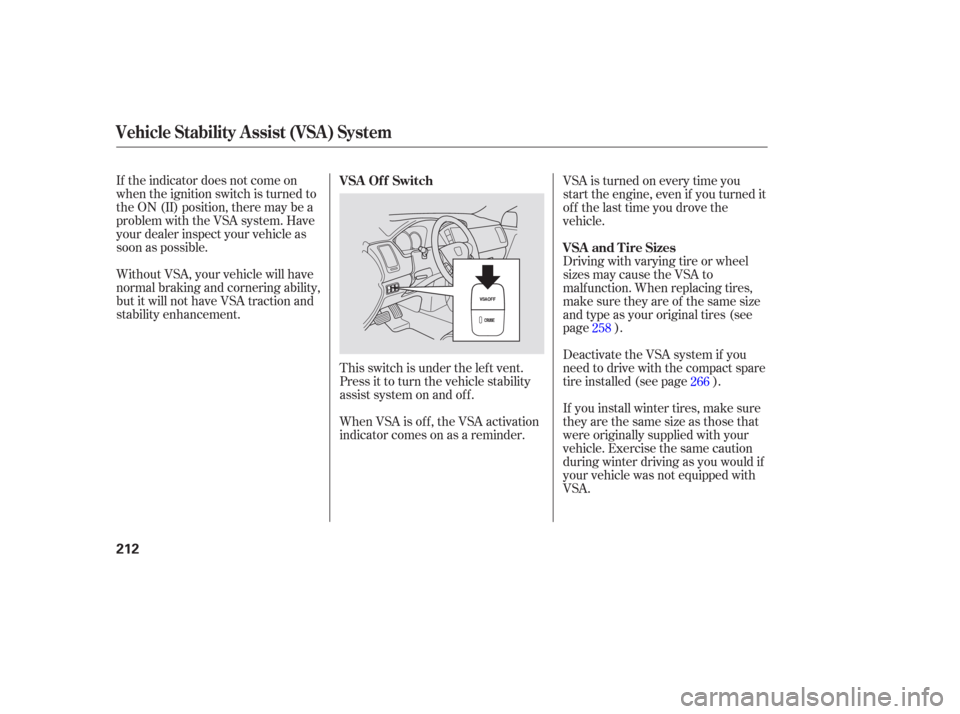
stability enhancement.This switch is under the lef t vent.
Press it to turn the vehicle stability
assist system on and of f .VSA is turned on every time you
start the engine, even if you turned it
off the last time you drove the
vehicle.
Driving with varying tire or wheel
sizes may cause the VSA to
malf unction. When replacing tires,
make sure they are of the same size
and type as your original tires (see
page ).
Deactivate the VSA system if you
need to drive with the compact spare
tire installed (see page ).
If you install winter tires, make sure
they are the same size as those that
were originally supplied with your
vehicle. Exercise the same caution
during winter driving as you would if
your vehicle was not equipped with
VSA.
When VSA is off, the VSA activation
indicator comes on as a reminder. 258
266
VSA Of f Switch
VSA and Tire Sizes
Vehicle Stability Assist (VSA) System
212
Page 231 of 316
�µ
�µ
�µ
�µ
�µ
�µ
�µ
�µ
�µ
�µ �µ
�µ
CONT INUED
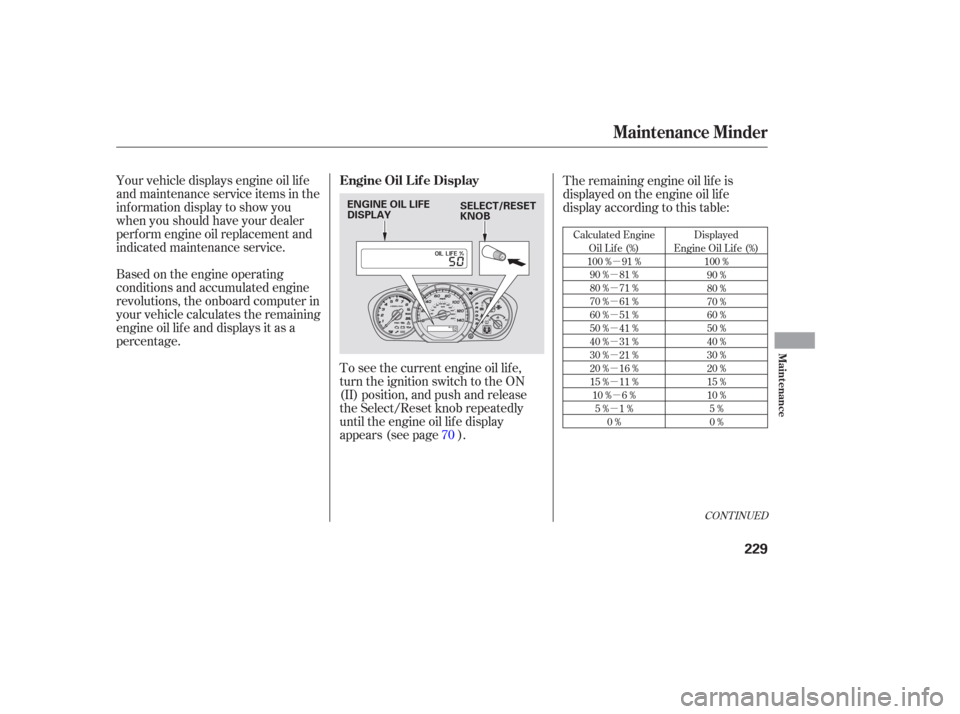
Calculated Engine Oil Lif e (%)
100 % 91 % 90 % 81 %
80 % 71 %
70 % 61 %
60 % 51 %
50 % 41 %
40 % 31 %
30 % 21 %
20 % 16 %
15 % 11 %10 % 6 % 5% 1% 0% Displayed
Engine Oil Lif e (%) 100 %90 %
80 %
70 %
60 %
50 %
40 %
30 %
20 %
15 %
10 %5%
0%
Your vehicle displays engine oil lif e
and maintenance service items in the
inf ormation display to show you
when you should have your dealer
perf orm engine oil replacement and
indicated maintenance service.
Based on the engine operating
conditions and accumulated engine
revolutions, the onboard computer in
your vehicle calculates the remaining
engine oil lif e and displays it as a
percentage. The remaining engine oil lif e is
displayed on the engine oil lif e
display according to this table:
To see the current engine oil lif e,
turn the ignition switch to the ON
(II) position, and push and release
the Select/Reset knob repeatedly
until the engine oil lif e display
appears (see page ). 70
Maintenance Minder
Engine Oil L if e Display
Maint enance
229
ENGINE OIL LIFE
DISPLAY SELECT/RESET
KNOB
Page 232 of 316
The maintenance item code or codes
indicate the main and sub items
required at the time of the oil change
(see page ).When the remaining engine oil lif e is
5 to 1 percent, you will see a
‘‘SERVICE OIL LIFE’’ message
along with the same maintenance
item code(s), every time you turn the
ignition switch to the ON (II)
position.
If the remaining engine oil lif e is 15
to 6 percent, you will see the engine
oil lif e indicator every time you turn
the ignition switch to the ON (II)
position. The maintenance minder
indicator will also come on, and the
maintenance item code(s) for other
scheduled maintenance items
needing service will be displayed
next to the engine oil lif e indicator. 235
Maintenance Minder
230
MAINTENANCE
MINDER
INDICATOR
ENGINE OIL LIFE
INDICATOR
MAINTENANCE
ITEM CODE(S)
Page 233 of 316

�µ
When the remaining engine oil lif e is
0 percent, the engine oil lif e indicator
will be blinking. The display comes
oneverytimeyouturntheignition
switch to the ON (II) position. When
you see this message, have the
indicated maintenance perf ormed by
your dealer as soon as possible. The maximum total mileage shown
is ‘‘ 9999.’’
You can change the inf ormation
display f rom the engine oil lif e
display to the odometer, the trip
meter, or the outside temperature (if
equipped) every time you press and
release the Select/Reset knob.
When the engine oil lif e display is 0
percent or negative mileage, the
maintenance minder indicator
remainsonevenif youchangethe
inf ormation display.
Immediately have the service
perf ormed, and make sure to reset
the display as described in the next
page.
If you still do not perf orm the
indicated maintenance, you will see a
negative mileage. It is displayed
when you drive over 10 miles (f or
U.S. models) or 10 km (f or Canadian
models) af ter seeing the 0 percent
message.Afterward,itshowsyour
driving distance if you continue to
drive. Immediately have the
indicated maintenance done by your
dealer.
Maintenance Minder
Maint enance
231
Page 234 of 316
Your dealer will reset the display
af ter completing the required
maintenance service. You will see
‘‘OIL LIFE 100 %’’ on the inf ormation
display the next time you turn the
ignition switch to the ON (II)
position.Turn the ignition switch to the ON
(II) position.
If maintenance service is done by
someone other than your dealer,
reset the maintenance minder as
f ollows:
When the vehicle needs
maintenance, maintenance codes
appear on the inf ormation display. Press the Select/Reset knob until
the engine oil lif e indicator is
displayed.
For an explanation of the
maintenance codes, see page . Press the Select/Reset knob f or
more than 10 seconds. The engine
oil lif e and the maintenance item
code(s) will blink.
1.
2. 3.
235
Maintenance Minder
Maintenance Main Items and Sub
Items Resetting the Engine Oil Lif e
Display
232
MAINTENANCE ITEM CODEENGINE OIL LIFE
INDICATOR
Page 269 of 316
Park the vehicle on f irm, level, and
non-slippery ground. Put the
transmission in Park. Apply the
parking brake.Thetoolsandjackarebehinda
cover in the cargo area on the
driver’s side. Remove the cover by
pushing the top of it.
Turn the jack’s end
counterclockwise to loosen it, then
remove the jack and tools.
If you have a f lat tire while driving,
stop in a saf e place to change it.
Drive slowly along the shoulder until
you get to an exit or an area that is
far away from the traffic lanes.
Turn on the hazard warning lights,
and turn the ignition switch to the
LOCK (0) position. Have all
passengers get out of the vehicle
while you change the tire.
2. 1.
3.
4.
CONT INUED
Changing a Flat Tire
Taking Care of the Unexpected
267
SPARE TIRE
TOOLS
COVER
JACK
The vehicle can easily roll off
the jack, seriously injuring
anyone underneath.
Follow the directions for
changing a tire exactly, and
never get under the vehicle
when it is supported only by the
jack.
Page 273 of 316

Diagnosing why the engine won’t
start f alls into two areas, depending
on what you hear when you turn the
ignition switch to the START (III)
position:You hear nothing, or almost
nothing. The engine’s starter
motor does not operate at all, or
operates very slowly.
You can hear the starter motor
operating normally, or the starter
motor sounds like it is spinning
f aster than normal, but the engine
does not start up and run.
When you turn the ignition switch to
the START (III) position, you do not
hear the normal noise of the engine
trying to start. You may hear a
clicking sound or series of clicks, or
nothing at all. Check the transmission interlock.
The transmission must be in Park
or neutral or the starter will not
operate.
If the headlights dim noticeably or
go out when you try to start the
engine, either the battery is dis-
charged or the connections are
corroded. Check the condition of
the battery and terminal connec-
tions (see page ). You can
then try jump starting the vehicle
f rom a booster battery (see page
).
Are you using the proper starting
procedure? Ref er to on page .
In this case, the starter motor’s
speed sounds normal, or even f aster
than normal, when you turn the
ignition switch to the START (III)
position, but the engine does not run.
Check these things: Turn the ignition switch to the ON
(II) position. Turn on the
headlights, and check their
brightness. If the headlights are
very dim or do not come on at all,
the battery is discharged. See
on page .
Turn the ignition switch to the
START (III) position. If the
headlights do not dim, check the
condition of the f uses. If the f uses
areOK,thereisprobably
something wrong with the
electrical circuit f or the ignition
switch or starter motor. You will
need a qualif ied technician to
determine the problem (see on page ).272
262
272
199
Nothing Happens or the Starter
Motor Operates Very Slowly
Starting the
Engine
T he Starter Operates Normally
Jump Starting
Emergency T owing
If the Engine Won’t Start
Taking Care of the Unexpected
271
278