Page 112 of 420
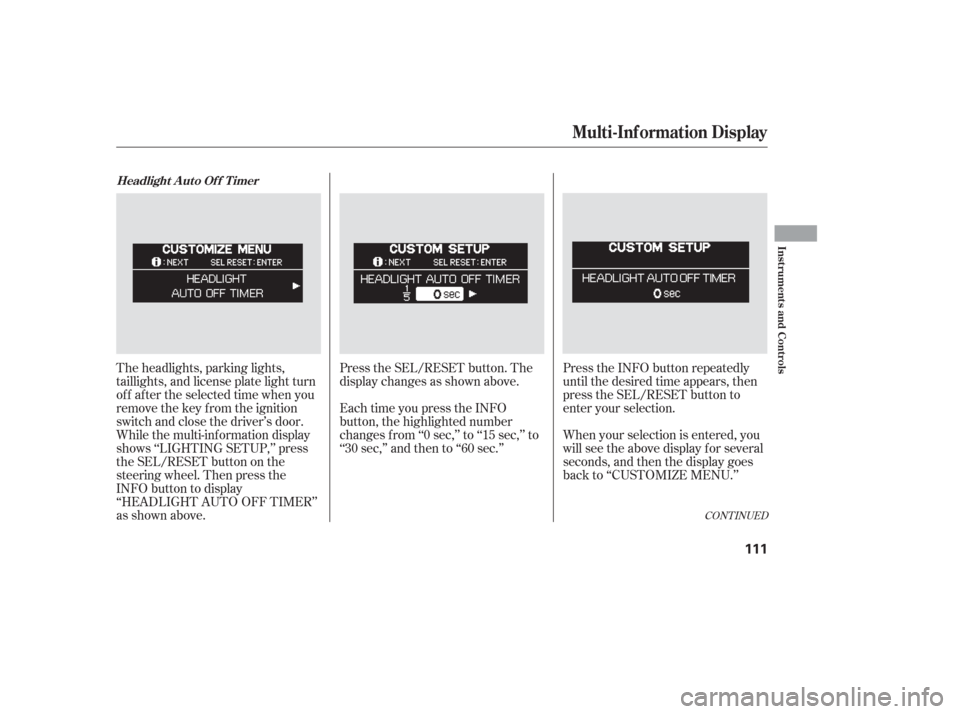
Press the SEL/RESET button. The
display changes as shown above.
Each time you press the INFO
button, the highlighted number
changes f rom ‘‘0 sec,’’ to ‘‘15 sec,’’ to
‘‘30 sec,’’ and then to ‘‘60 sec.’’Press the INFO button repeatedly
until the desired time appears, then
press the SEL/RESET button to
enter your selection.
When your selection is entered, you
will see the above display for several
seconds, and then the display goes
back to ‘‘CUSTOMIZE MENU.’’
The headlights, parking lights,
taillights, and license plate light turn
of f af ter the selected time when you
remove the key from the ignition
switch and close the driver’s door.
While the multi-information display
shows ‘‘LIGHTING SETUP,’’ press
the SEL/RESET button on the
steering wheel. Then press the
INFO button to display
‘‘HEADLIGHT AUTO OFF TIMER’’
as shown above.
CONT INUED
Headlight A uto Of f T imer
Multi-Inf ormation Display
Inst rument s and Cont rols
111
Page 114 of 420
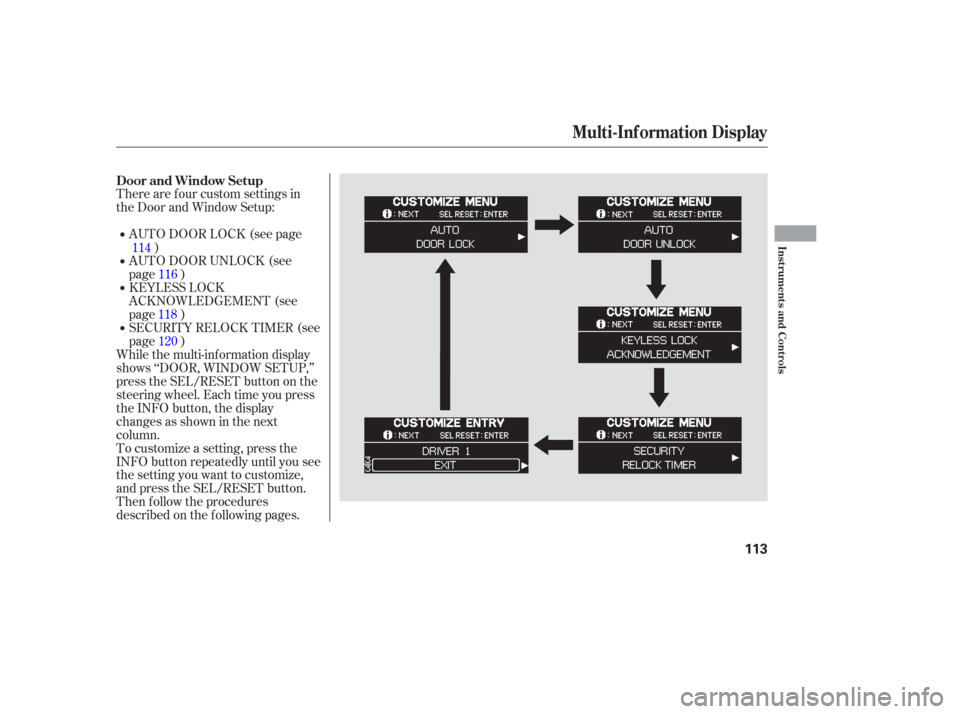
There are f our custom settings in
the Door and Window Setup:
To customize a setting, press the
INFO button repeatedly until you see
the setting you want to customize,
and press the SEL/RESET button.
Then f ollow the procedures
described on the f ollowing pages.AUTO DOOR LOCK (see page
)
While the multi-information display
shows ‘‘DOOR, WINDOW SETUP,’’
press the SEL/RESET button on the
steering wheel. Each time you press
the INFO button, the display
changesasshowninthenext
column. SECURITY RELOCK TIMER (see
page ) KEYLESS LOCK
ACKNOWLEDGEMENT (see
page ) AUTO DOOR UNLOCK (see
page )
114
116
118 120
Door and Window Setup
Multi-Inf ormation Display
Inst rument s and Cont rols
113
Page 115 of 420
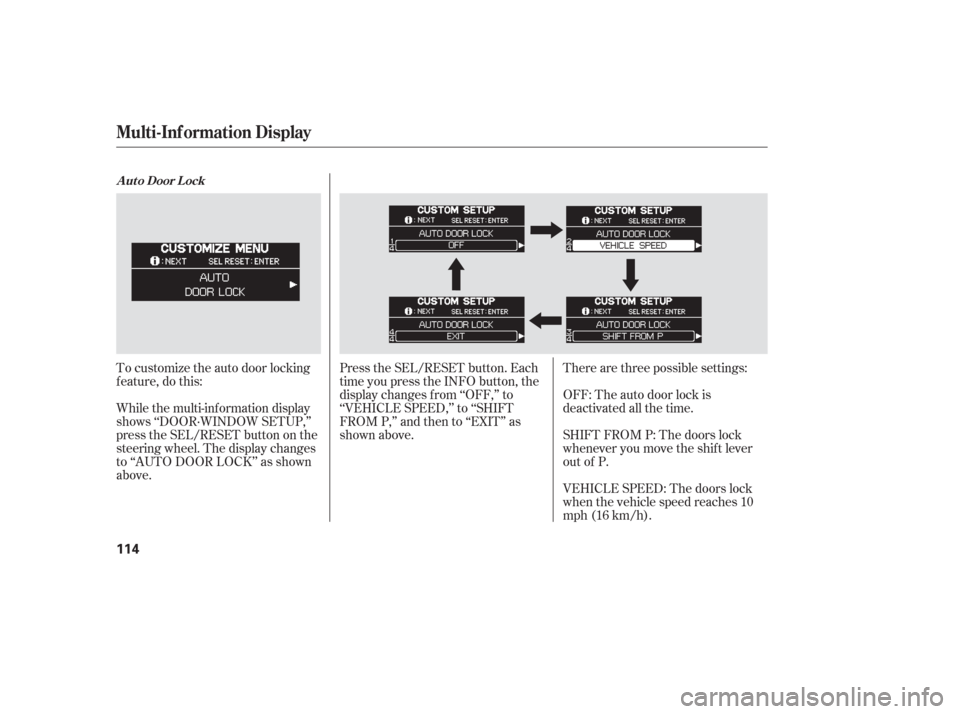
To customize the auto door locking
f eature, do this:
While the multi-information display
shows ‘‘DOOR·WINDOW SETUP,’’
press the SEL/RESET button on the
steering wheel. The display changes
to ‘‘AUTO DOOR LOCK’’ as shown
above.Therearethreepossiblesettings:
OFF: The auto door lock is
deactivated all the time.
SHIFT FROM P: The doors lock
whenever you move the shif t lever
out of P.
VEHICLE SPEED: The doors lock
when the vehicle speed reaches 10
mph (16 km/h).
Press the SEL/RESET button. Each
time you press the INFO button, the
display changes f rom ‘‘OFF,’’ to
‘‘VEHICLE SPEED,’’ to ‘‘SHIFT
FROM P,’’ and then to ‘‘EXIT’’ as
shown above.
A ut o Door L ock
Multi-Inf ormation Display
114
Page 118 of 420
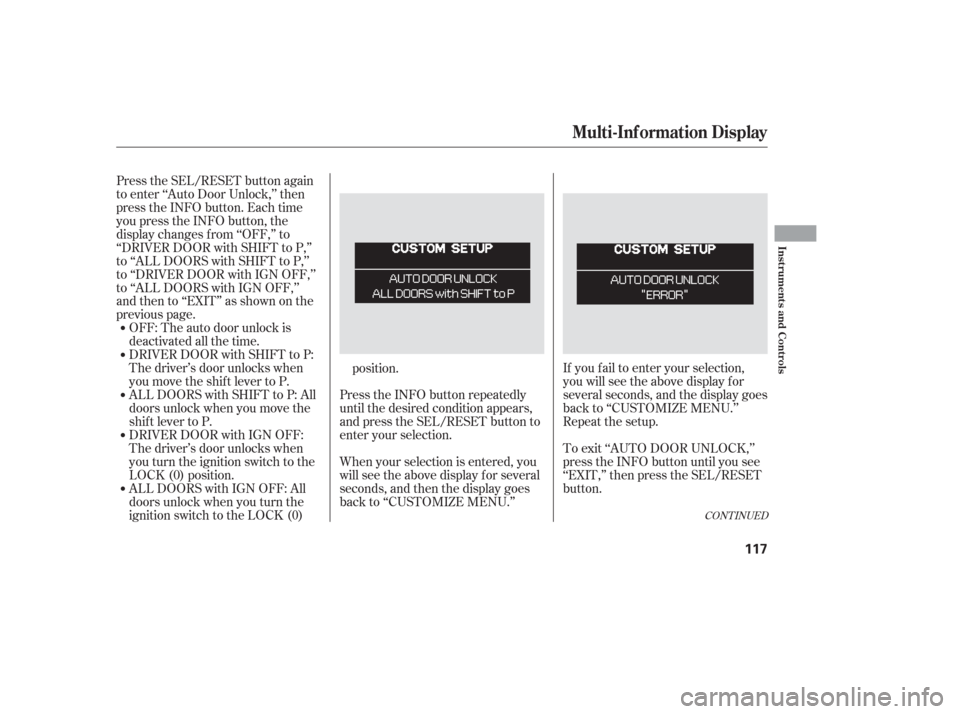
If you f ail to enter your selection,
you will see the above display f or
several seconds, and the display goes
back to ‘‘CUSTOMIZE MENU.’’
Repeat the setup.
To exit ‘‘AUTO DOOR UNLOCK,’’
press the INFO button until you see
‘‘EXIT,’’ then press the SEL/RESET
button.
OFF: The auto door unlock is
deactivated all the time.
DRIVER DOOR with SHIFT to P:
The driver’s door unlocks when
you move the shif t lever to P.
ALL DOORS with SHIFT to P: All
doors unlock when you move the
shif t lever to P.
Press the SEL/RESET button again
to enter ‘‘Auto Door Unlock,’’ then
press the INFO button. Each time
you press the INFO button, the
display changes f rom ‘‘OFF,’’ to
‘‘DRIVER DOOR with SHIFT to P,’’
to ‘‘ALL DOORS with SHIFT to P,’’
to ‘‘DRIVER DOOR with IGN OFF,’’
to ‘‘ALL DOORS with IGN OFF,’’
andthento‘‘EXIT’’asshownonthe
previous page.
DRIVER DOOR with IGN OFF:
The driver’s door unlocks when
you turn the ignition switch to the
LOCK (0) position. When your selection is entered, you
will see the above display for several
seconds, and then the display goes
back to ‘‘CUSTOMIZE MENU.’’ Press the INFO button repeatedly
until the desired condition appears,
and press the SEL/RESET button to
enter your selection.
ALL DOORS with IGN OFF: All
doors unlock when you turn the
ignition switch to the LOCK (0) position.
CONT INUED
Multi-Inf ormation Display
Inst rument s and Cont rols
117
Page 119 of 420
When you push the LOCK button on
the remote transmitter, some
exterior lights f lash, and a beeper
sounds when you push the LOCK
button again within 5 seconds to
verify that the doors and the tailgate
arelockedandthesecuritysystem
has set (see page ). You can
customize the exterior lights not to
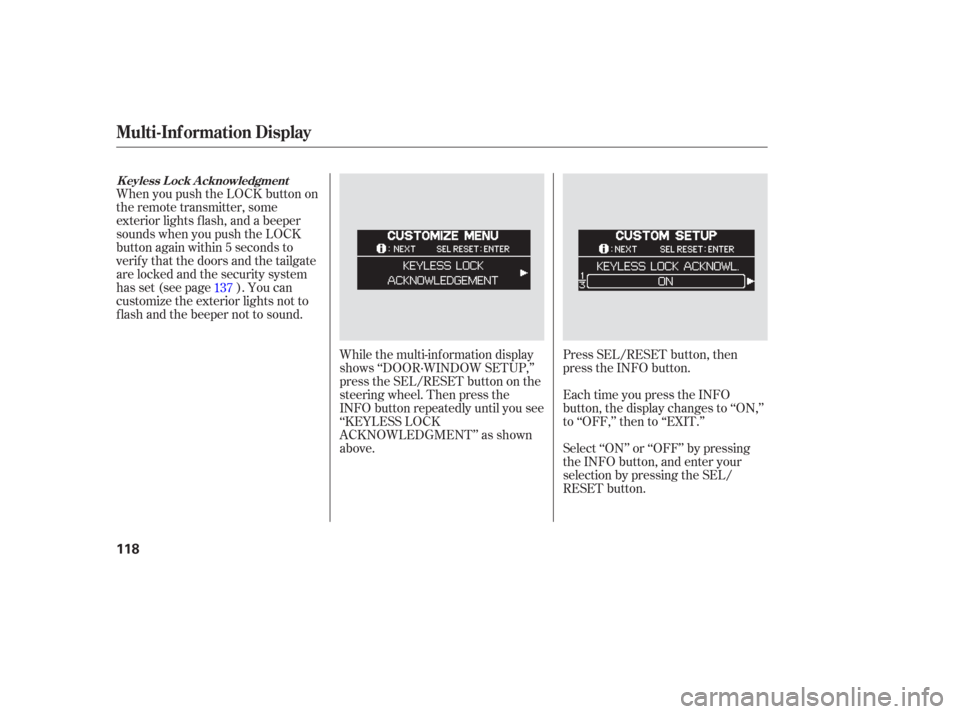
f lash and the beeper not to sound.While the multi-information display
shows ‘‘DOOR·WINDOW SETUP,’’
press the SEL/RESET button on the
steering wheel. Then press the
INFO button repeatedly until you see
‘‘KEYLESS LOCK
ACKNOWLEDGMENT’’ as shown
above.Press SEL/RESET button, then
press the INFO button.
Each time you press the INFO
button, the display changes to ‘‘ON,’’
to ‘‘OFF,’’ then to ‘‘EXIT.’’
Select ‘‘ON’’ or ‘‘OFF’’ by pressing
the INFO button, and enter your
selection by pressing the SEL/
RESET button.
137
K eyless L ock A cknowledgment
Multi-Inf ormation Display
118
Page 121 of 420
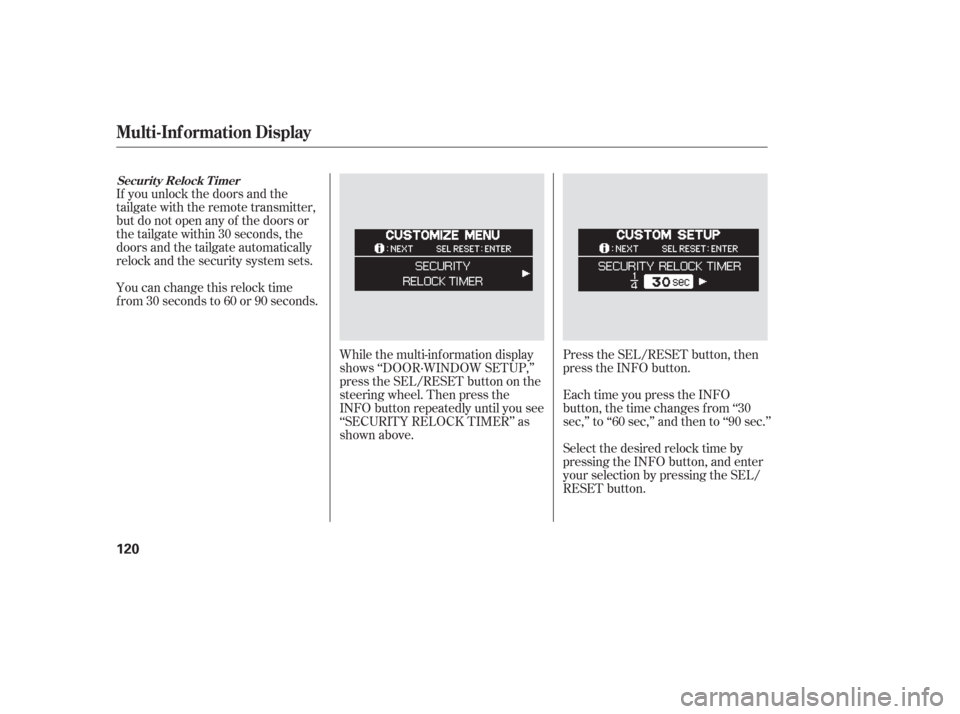
If you unlock the doors and the
tailgate with the remote transmitter,
but do not open any of the doors or
thetailgatewithin30seconds,the
doors and the tailgate automatically
relock and the security system sets.
You can change this relock time
f rom 30 seconds to 60 or 90 seconds.While the multi-information display
shows ‘‘DOOR·WINDOW SETUP,’’
press the SEL/RESET button on the
steering wheel. Then press the
INFO button repeatedly until you see
‘‘SECURITY RELOCK TIMER’’ as
shown above.Press the SEL/RESET button, then
press the INFO button.
Each time you press the INFO
button, the time changes f rom ‘‘30
sec,’’ to ‘‘60 sec,’’ and then to ‘‘90 sec.’’
Select the desired relock time by
pressing the INFO button, and enter
your selection by pressing the SEL/
RESET button.
Securit y Relock T imer
Multi-Inf ormation Display
120
Page 123 of 420
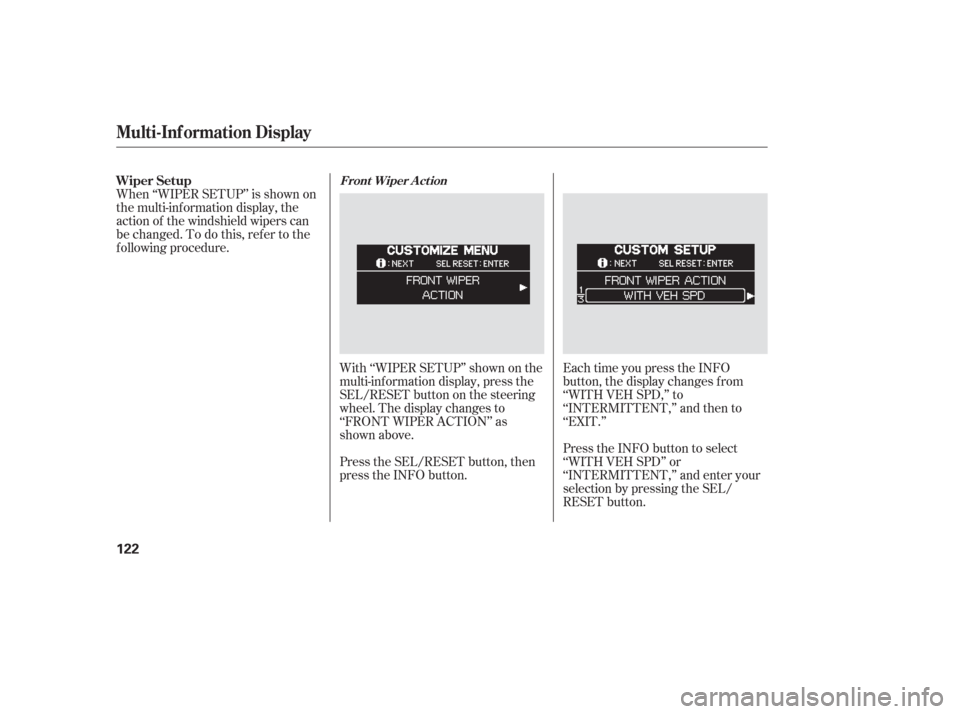
With ‘‘WIPER SETUP’’ shown on the
multi-inf ormation display, press the
SEL/RESET button on the steering
wheel. The display changes to
‘‘FRONT WIPER ACTION’’ as
shown above.
Press the SEL/RESET button, then
press the INFO button.Each time you press the INFO
button, the display changes f rom
‘‘WITH VEH SPD,’’ to
‘‘INTERMITTENT,’’ and then to
‘‘EXIT.’’
Press the INFO button to select
‘‘WITH VEH SPD’’ or
‘‘INTERMITTENT,’’ and enter your
selection by pressing the SEL/
RESET button.
When ‘‘WIPER SETUP’’ is shown on
the multi-information display, the
action of the windshield wipers can
be changed. To do this, ref er to the
f ollowing procedure. Wiper Setup
Front Wiper A ct ion
Multi-Inf ormation Display
122
Page 126 of 420
�µ
�µ
�µ �µ
�µ �µ
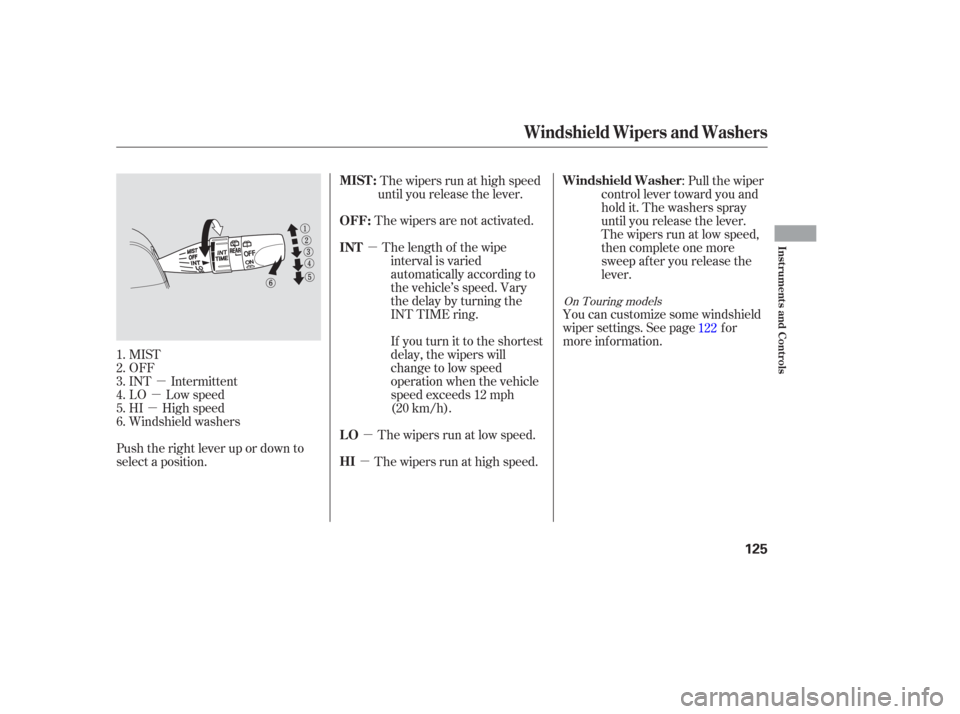
MIST
OFF
INT Intermittent
LO Low speed
HI High speed
Windshield washers
Push the right lever up or down to
select a position. The wipers run at high speed
until you release the lever.
The wipers are not activated. The length of the wipe interval is varied
automatically according to
the vehicle’s speed. Vary
the delay by turning the
INT TIME ring.
If youturnittotheshortest
delay, the wipers will
change to low speed
operation when the vehicle
speed exceeds 12 mph
(20 km/h).
The wipers run at high speed. The wipers run at low speed. :Pullthewiper
control lever toward you and
hold it. The washers spray
until you release the lever.
The wipers run at low speed,
then complete one more
sweep after you release the
lever.
You can customize some windshield
wiper settings. See page f or
more inf ormation.
1.
2.
3.
4.
5.
6. 122
On Touring models
MIST :
OFF:
INT
HI LOWindshield Washer
Windshield Wipers and Washers
Inst rument s and Cont rols
125