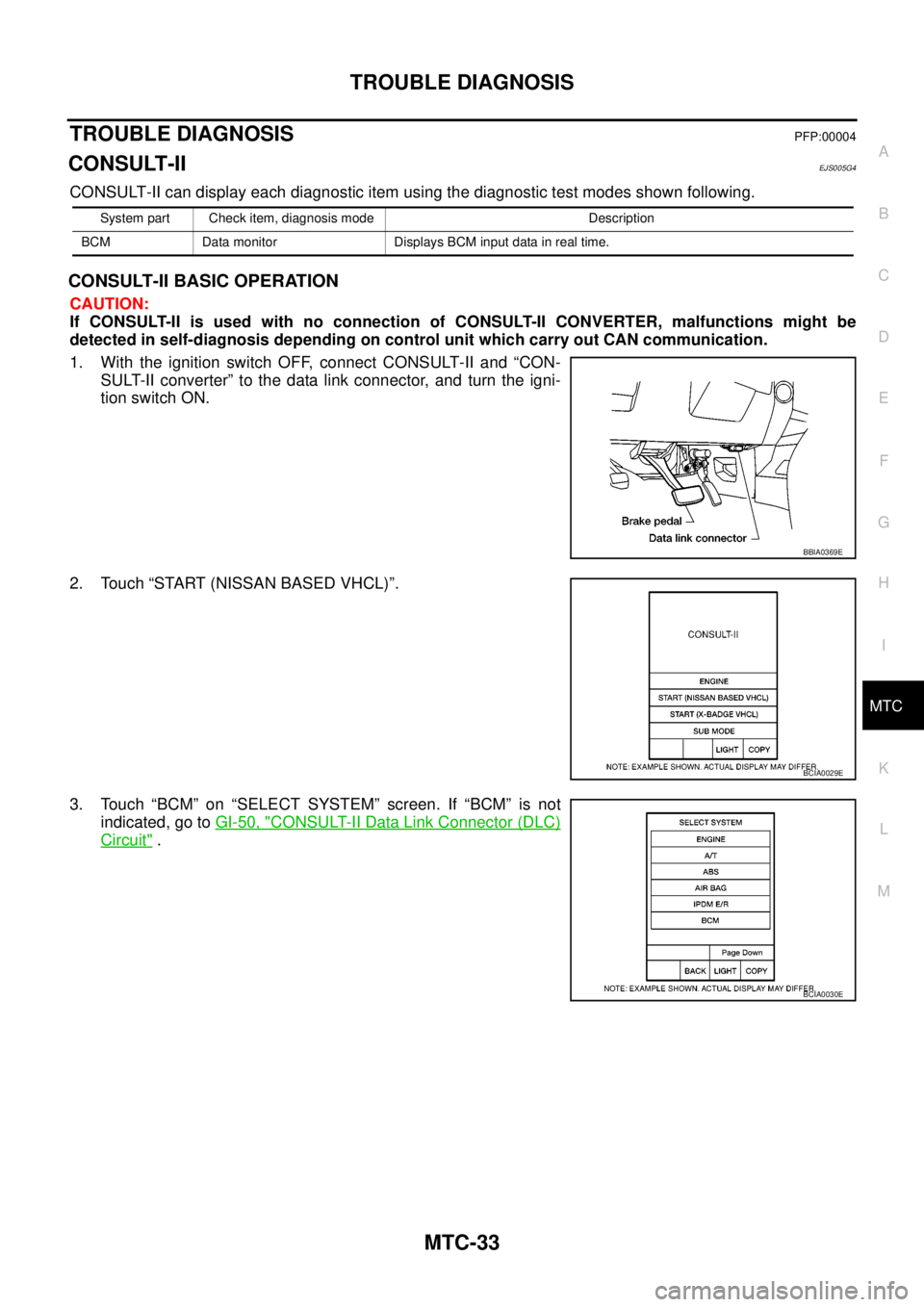
Page 2416 of 3171

AIR CONDITIONER CONTROL
MTC-29
C
D
E
F
G
H
I
K
L
MA
B
MTC
DISPLAY SCREEN
Displays the operational status of the system.
TEMPERATURE SWITCH (TEMPERATURE CONTROL) (FRONT)
Increases or decreases the set temperature.
RECIRCULATION () SWITCH
lWhen REC switch is ON, REC switch indicator turns ON, and air inlet is set to REC.
lWhen REC switch is turned OFF, or when compressor is turned from ON to OFF, REC switch is automati-
cally turned OFF. REC mode can be re-entered by pressing REC switch again.
lREC switch is not operated when DEF switch is turned ON, or at the D/F position.
REAR WINDOW DEFOGGER SWITCH
When switch is ON, rear window is defogged.
OFF SWITCH (BLOWER SPEED SET TO 0)
The compressor and blower are OFF, the intake doors are set to the outside air position, and the air outlet
doors are set to the foot (75% foot and 25% defrost) position.
A/C SWITCH
The compressor is ON or OFF.
MODE SWITCH
Controls the air discharge outlets through control of the mode and defroster doors.
Page 2420 of 3171
TROUBLE DIAGNOSIS
MTC-33
C
D
E
F
G
H
I
K
L
MA
B
MTC
TROUBLE DIAGNOSISPFP:00004
CONSULT-IIEJS005G4
CONSULT-II can display each diagnostic item using the diagnostic test modes shown following.
CONSULT-II BASIC OPERATION
CAUTION:
If CONSULT-II is used with no connection of CONSULT-II CONVERTER, malfunctions might be
detected in self-diagnosis depending on control unit which carry out CAN communication.
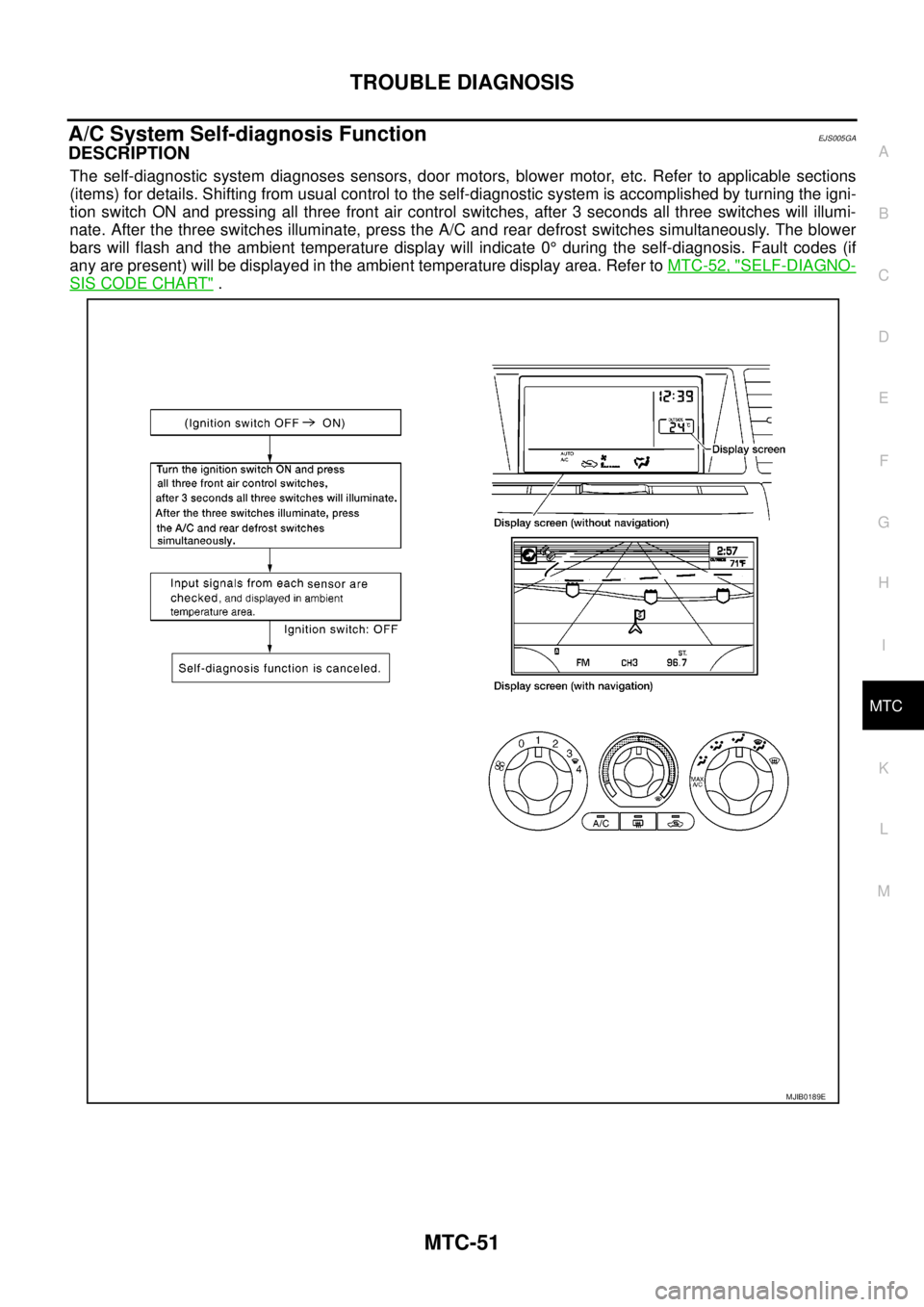
1. With the ignition switch OFF, connect CONSULT-II and “CON-
SULT-II converter” to the data link connector, and turn the igni-
tion switch ON.
2. Touch “START (NISSAN BASED VHCL)”.
3. Touch “BCM” on “SELECT SYSTEM” screen. If “BCM” is not
indicated, go toGI-50, "
CONSULT-II Data Link Connector (DLC)
Circuit".
System part Check item, diagnosis mode Description
BCM Data monitor Displays BCM input data in real time.
BBIA0369E
BCIA0029E
BCIA0030E
Page 2421 of 3171
MTC-34
TROUBLE DIAGNOSIS
DATA MONITOR
Operation Procedure
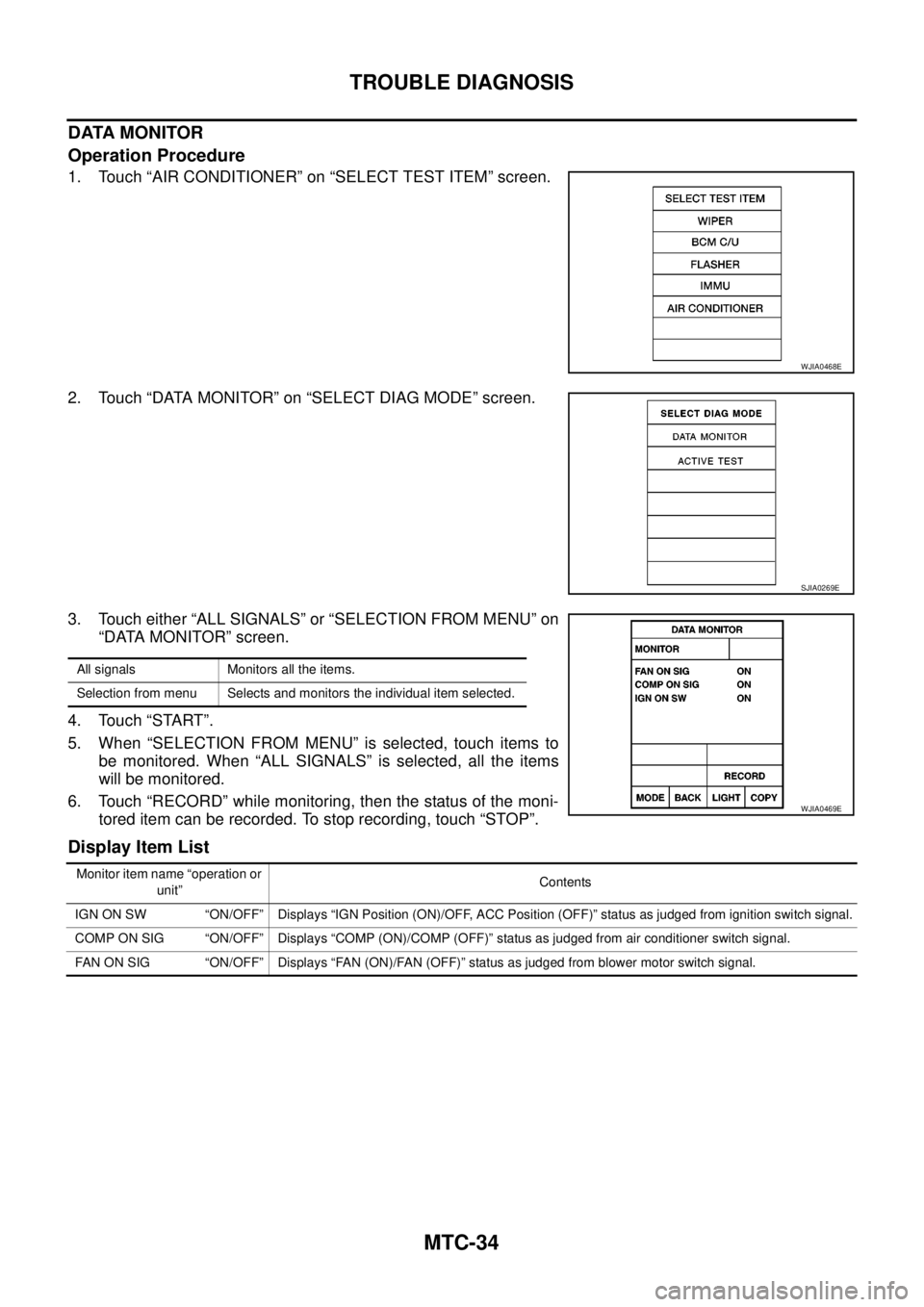
1. Touch “AIR CONDITIONER” on “SELECT TEST ITEM” screen.
2. Touch “DATA MONITOR” on “SELECT DIAG MODE” screen.
3. Touch either “ALL SIGNALS” or “SELECTION FROM MENU” on
“DATA MONITOR” screen.
4. Touch “START”.
5. When “SELECTION FROM MENU” is selected, touch items to
be monitored. When “ALL SIGNALS” is selected, all the items
will be monitored.
6. Touch “RECORD” while monitoring, then the status of the moni-
tored item can be recorded. To stop recording, touch “STOP”.
Display Item List
WJIA0468E
SJIA0269E
All signals Monitors all the items.
Selection from menu Selects and monitors the individual item selected.
WJIA0469E
Monitor item name “operation or
unit”Contents
IGN ON SW “ON/OFF” Displays “IGN Position (ON)/OFF, ACC Position (OFF)” status as judged from ignition switch signal.
COMP ON SIG “ON/OFF” Displays “COMP (ON)/COMP (OFF)” status as judged from air conditioner switch signal.
FAN ON SIG “ON/OFF” Displays “FAN (ON)/FAN (OFF)” status as judged from blower motor switch signal.
Page 2422 of 3171
TROUBLE DIAGNOSIS
MTC-35
C
D
E
F
G
H
I
K
L
MA
B
MTC
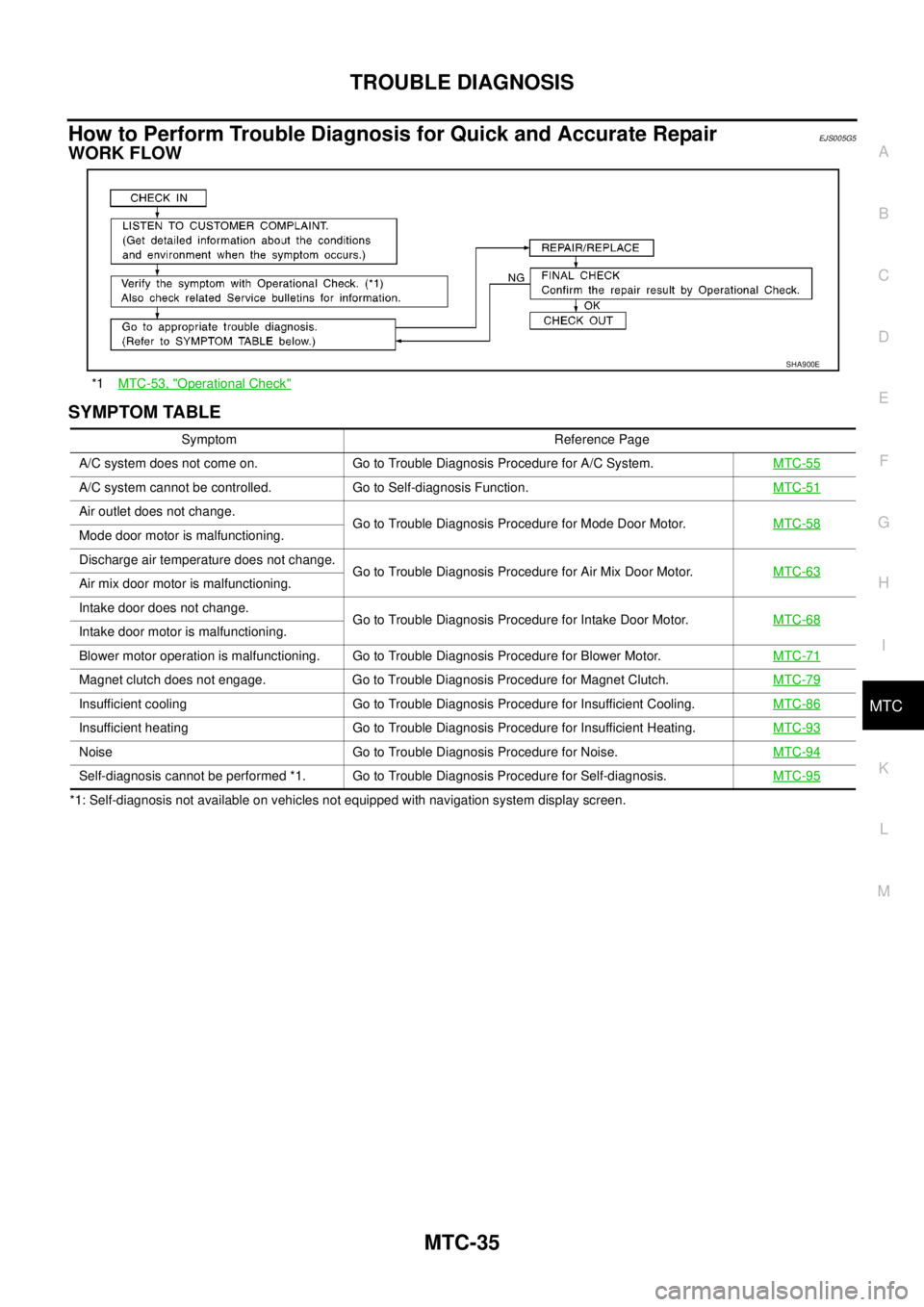
How to Perform Trouble Diagnosis for Quick and Accurate RepairEJS005G5
WORK FLOW
SYMPTOM TABLE
*1: Self-diagnosis not available on vehicles not equipped with navigation system display screen.*1MTC-53, "
Operational Check"
SHA900E
Symptom Reference Page
A/C system does not come on. Go to Trouble Diagnosis Procedure for A/C System.MTC-55
A/C system cannot be controlled. Go to Self-diagnosis Function.MTC-51
Air outlet does not change.
Go to Trouble Diagnosis Procedure for Mode Door Motor.MTC-58
Mode door motor is malfunctioning.
Discharge air temperature does not change.
Go to Trouble Diagnosis Procedure for Air Mix Door Motor.MTC-63
Air mix door motor is malfunctioning.
Intake door does not change.
Go to Trouble Diagnosis Procedure for Intake Door Motor.MTC-68
Intake door motor is malfunctioning.
Blower motor operation is malfunctioning. Go to Trouble Diagnosis Procedure for Blower Motor.MTC-71
Magnet clutch does not engage. Go to Trouble Diagnosis Procedure for Magnet Clutch.MTC-79
Insufficient cooling Go to Trouble Diagnosis Procedure for Insufficient Cooling.MTC-86
Insufficient heating Go to Trouble Diagnosis Procedure for Insufficient Heating.MTC-93
Noise Go to Trouble Diagnosis Procedure for Noise.MTC-94
Self-diagnosis cannot be performed *1. Go to Trouble Diagnosis Procedure for Self-diagnosis.MTC-95
Page 2438 of 3171
TROUBLE DIAGNOSIS
MTC-51
C
D
E
F
G
H
I
K
L
MA
B
MTC
A/C System Self-diagnosis FunctionEJS005GA
DESCRIPTION
The self-diagnostic system diagnoses sensors, door motors, blower motor, etc. Refer to applicable sections
(items) for details. Shifting from usual control to the self-diagnostic system is accomplished by turning the igni-
tion switch ON and pressing all three front air control switches, after 3 seconds all three switches will illumi-
nate. After the three switches illuminate, press the A/C and rear defrost switches simultaneously. The blower
bars will flash and the ambient temperature display will indicate 0°during the self-diagnosis. Fault codes (if
any are present) will be displayed in the ambient temperature display area. Refer toMTC-52, "
SELF-DIAGNO-
SISCODECHART".
MJIB0189E
Page 2440 of 3171
TROUBLE DIAGNOSIS
MTC-53
C
D
E
F
G
H
I
K
L
MA
B
MTC
Operational CheckEJS005GB
The purpose of the operational check is to confirm that the system operates properly.
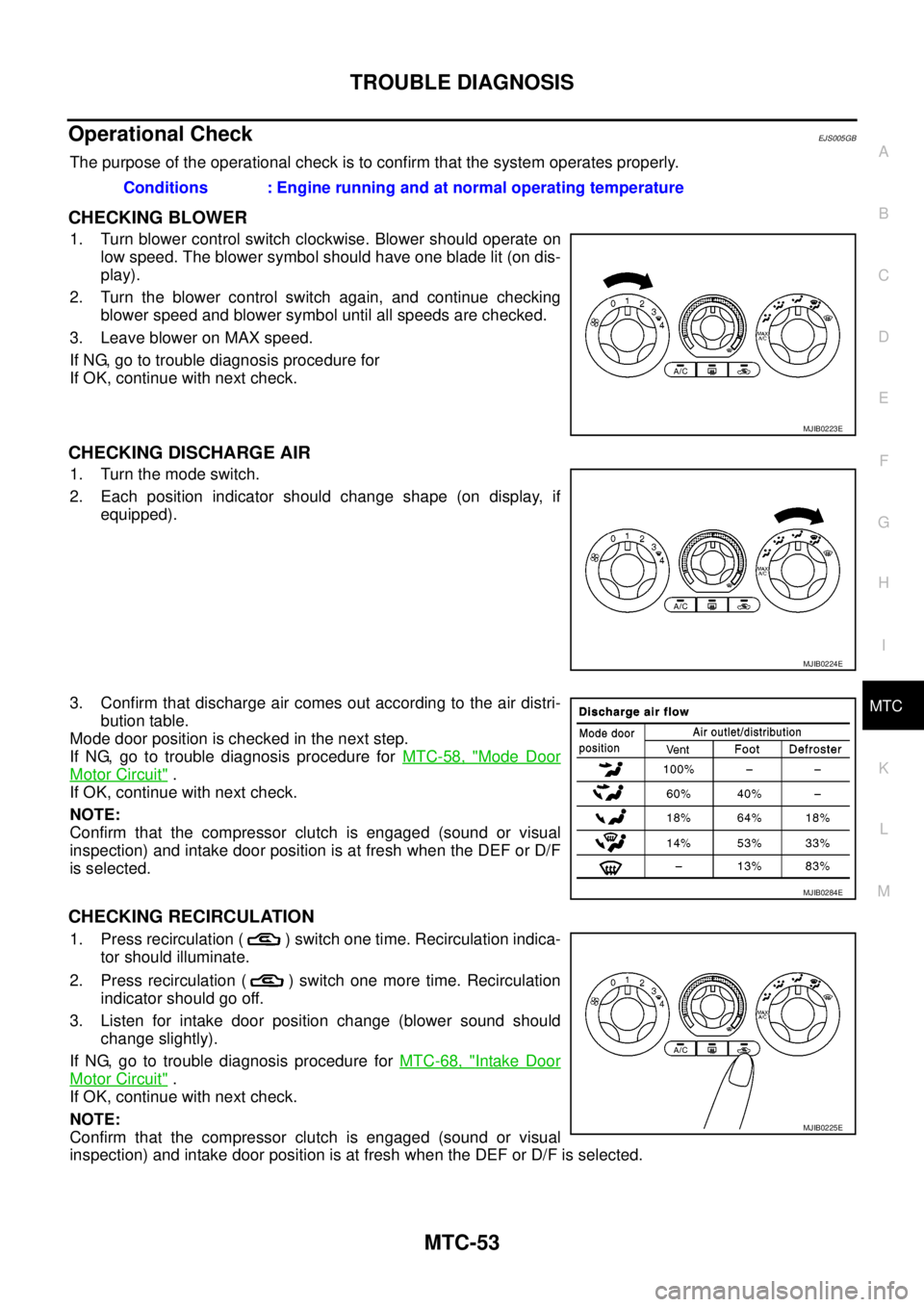
CHECKING BLOWER
1. Turn blower control switch clockwise. Blower should operate on
low speed. The blower symbol should have one blade lit (on dis-
play).
2. Turn the blower control switch again, and continue checking
blower speed and blower symbol until all speeds are checked.
3. Leave blower on MAX speed.
If NG, go to trouble diagnosis procedure for
If OK, continue with next check.
CHECKING DISCHARGE AIR
1. Turn the mode switch.
2. Each position indicator should change shape (on display, if
equipped).
3. Confirm that discharge air comes out according to the air distri-
bution table.
Mode door position is checked in the next step.
If NG, go to trouble diagnosis procedure forMTC-58, "
Mode Door
Motor Circuit".
If OK, continue with next check.
NOTE:
Confirm that the compressor clutch is engaged (sound or visual
inspection) and intake door position is at fresh when the DEF or D/F
is selected.
CHECKING RECIRCULATION
1. Press recirculation ( ) switch one time. Recirculation indica-
tor should illuminate.
2. Press recirculation ( ) switch one more time. Recirculation
indicator should go off.
3. Listen for intake door position change (blower sound should
change slightly).
If NG, go to trouble diagnosis procedure forMTC-68, "
Intake Door
Motor Circuit".
If OK, continue with next check.
NOTE:
Confirm that the compressor clutch is engaged (sound or visual
inspection) and intake door position is at fresh when the DEF or D/F is selected.Conditions : Engine running and at normal operating temperature
MJIB0223E
MJIB0224E
MJIB0284E
MJIB0225E
Page 2545 of 3171
PG-16
IPDM E/R (INTELLIGENT POWER DISTRIBUTION MODULE ENGINE ROOM)
CONSULT-II Function (IPDM E/R)
EKS00PAB
CONSULT-II can display each diagnostic item using the diagnostic test mode shown following.
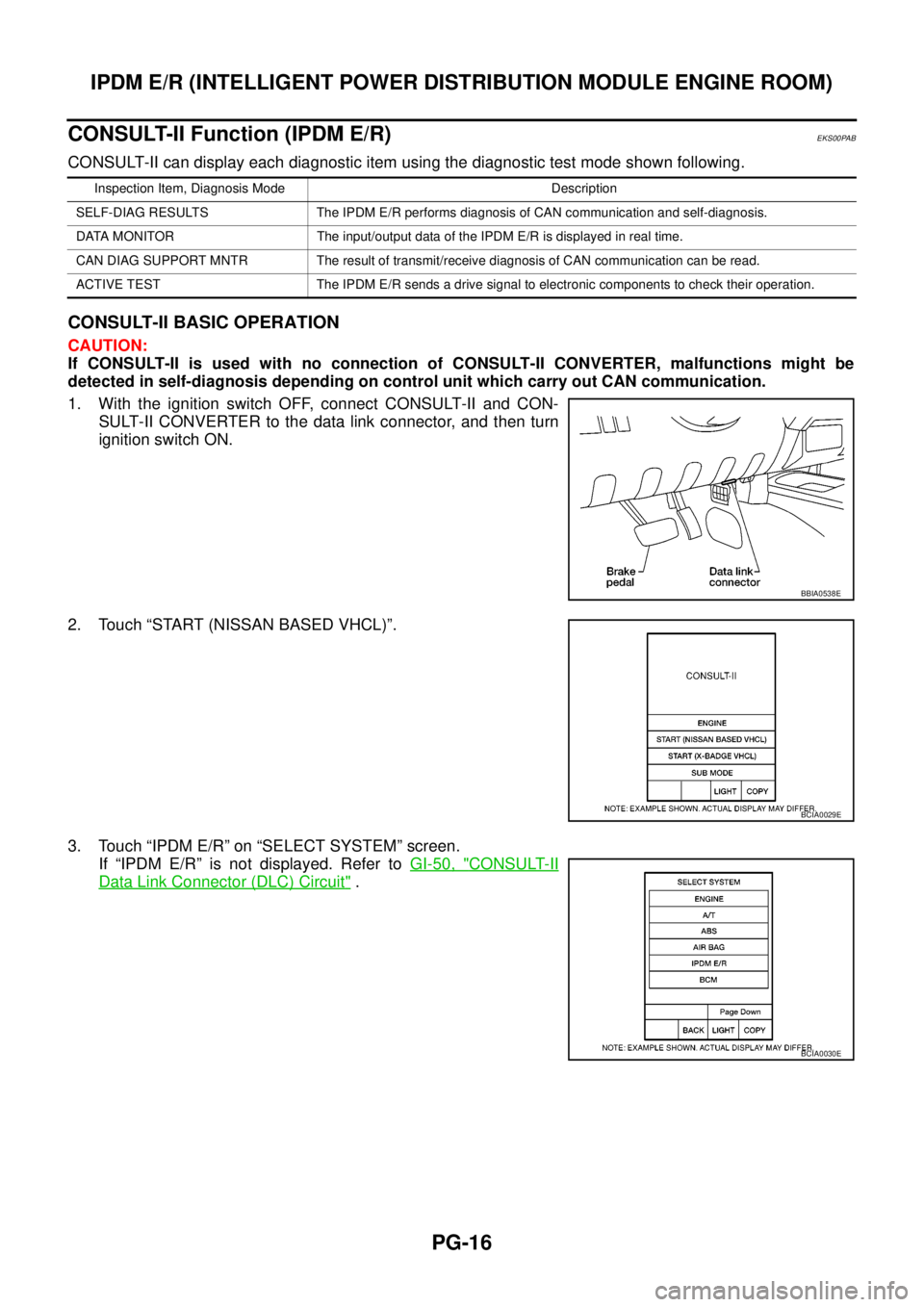
CONSULT-II BASIC OPERATION
CAUTION:
If CONSULT-II is used with no connection of CONSULT-II CONVERTER, malfunctions might be
detected in self-diagnosis depending on control unit which carry out CAN communication.
1. With the ignition switch OFF, connect CONSULT-II and CON-
SULT-II CONVERTER to the data link connector, and then turn
ignition switch ON.
2. Touch “START (NISSAN BASED VHCL)”.
3. Touch “IPDM E/R” on “SELECT SYSTEM” screen.
If “IPDM E/R” is not displayed. Refer toGI-50, "
CONSULT-II
Data Link Connector (DLC) Circuit".
Inspection Item, Diagnosis Mode Description
SELF-DIAG RESULTS The IPDM E/R performs diagnosis of CAN communication and self-diagnosis.
DATA MONITOR The input/output data of the IPDM E/R is displayed in real time.
CAN DIAG SUPPORT MNTR The result of transmit/receive diagnosis of CAN communication can be read.
ACTIVE TEST The IPDM E/R sends a drive signal to electronic components to check their operation.
BBIA0538E
BCIA0029E
BCIA0030E
Page 2546 of 3171
IPDM E/R (INTELLIGENT POWER DISTRIBUTION MODULE ENGINE ROOM)
PG-17
C
D
E
F
G
H
I
J
L
MA
B
PG
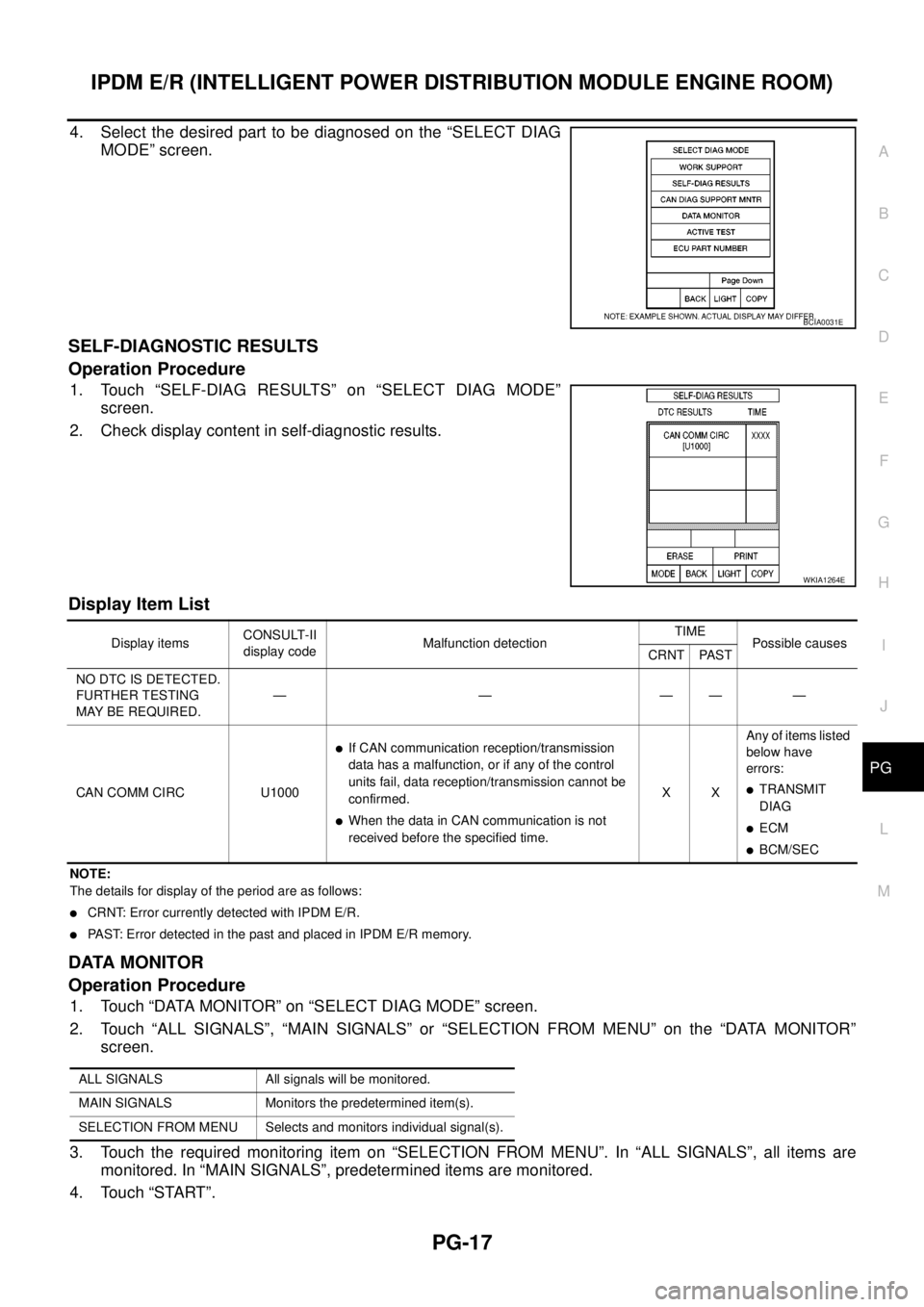
4. Select the desired part to be diagnosed on the “SELECT DIAG
MODE” screen.
SELF-DIAGNOSTIC RESULTS
Operation Procedure
1. Touch “SELF-DIAG RESULTS” on “SELECT DIAG MODE”
screen.
2. Check display content in self-diagnostic results.
Display Item List
NOTE:
The details for display of the period are as follows:
lCRNT: Error currently detected with IPDM E/R.
lPAST: Error detected in the past and placed in IPDM E/R memory.
DATA MONITOR
Operation Procedure
1. Touch “DATA MONITOR” on “SELECT DIAG MODE” screen.
2. Touch “ALL SIGNALS”, “MAIN SIGNALS” or “SELECTION FROM MENU” on the “DATA MONITOR”
screen.
3. Touch the required monitoring item on “SELECTION FROM MENU”. In “ALL SIGNALS”, all items are
monitored. In “MAIN SIGNALS”, predetermined items are monitored.
4. Touch “START”.
BCIA0031E
WKIA1264E
Display itemsCONSULT-II
display codeMalfunction detectionTIME
Possible causes
CRNT PAST
NO DTC IS DETECTED.
FURTHER TESTING
MAYBEREQUIRED.—————
CAN COMM CIRC U1000
lIf CAN communication reception/transmission
data has a malfunction, or if any of the control
units fail, data reception/transmission cannot be
confirmed.
lWhen the data in CAN communication is not
received before the specified time.XXAny of items listed
below have
errors:
lTRANSMIT
DIAG
lECM
lBCM/SEC
ALL SIGNALS All signals will be monitored.
MAIN SIGNALS Monitors the predetermined item(s).
SELECTION FROM MENU Selects and monitors individual signal(s).