Page 86 of 414
Check Charging System
If you see ‘‘CHECK CHARGING
SYSTEM’’ in the multi-inf ormation
display, it means the battery is not
being charged. See page f or
more inf ormation.Check Emission System
If you see ‘‘CHECK EMISSION
SYSTEM’’ in the multi-inf ormation
display, it means one of the engine’s
emission systems may have a
problem. Have your vehicle checked
by a dealer (see page ).
If there is a problem with the brake
system, you will see ‘‘CHECK
BRAKE SYSTEM’’ in the multi-
inf ormation display. The parking
brake and brake system indicator in
the instrument panel will also come
on. See page f or more
inf ormation. Check Brake System
371 372373
CONT INUED
Multi-Inf ormation Display
Inst rument s and Cont rols
85
U.S.
Canada
Page 87 of 414
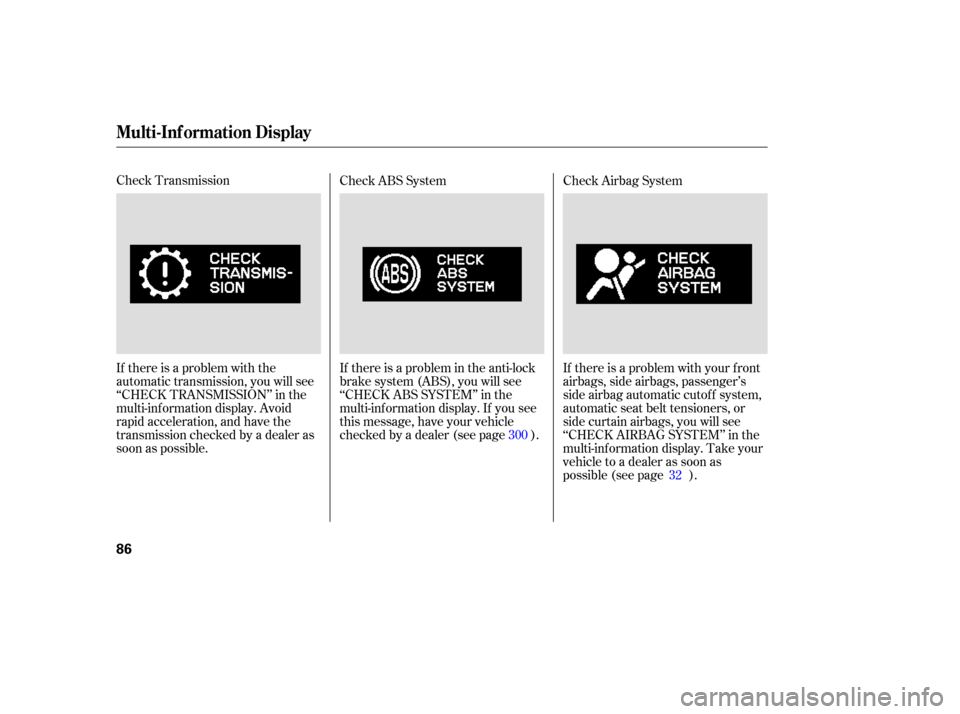
Check Transmission
If there is a problem with the
automatic transmission, you will see
‘‘CHECK TRANSMISSION’’ in the
multi-inf ormation display. Avoid
rapid acceleration, and have the
transmission checked by a dealer as
soon as possible.If there is a problem in the anti-lock
brake system (ABS), you will see
‘‘CHECKABSSYSTEM’’inthe
multi-inf ormation display. If you see
this message, have your vehicle
checked by a dealer (see page ). Check ABS System
Check Airbag System
If there is a problem with your f ront
airbags, side airbags, passenger’s
side airbag automatic cutoff system,
automatic seat belt tensioners, or
side curtain airbags, you will see
‘‘CHECK AIRBAG SYSTEM’’ in the
multi-inf ormation display. Take your
vehicle to a dealer as soon as
possible (see page ).
300
32
Multi-Inf ormation Display
86
Page 88 of 414
Check Parking Sensor System
If there is a problem with the
parking sensor system, the multi-
inf ormation display shows a
‘‘CHECK PARKING SENSOR
SYSTEM’’ message. See pagef or more inf ormation. Check Lef t/Right Sliding Door
If there is a problem in the power
sliding door, the multi-inf ormation
display shows ‘‘CHECK LEFT
SLIDING DOOR’’ or ‘‘CHECK
RIGHT SLIDING DOOR.’’ See page
f or more inf ormation. If there is a problem with the power
tailgate, the display shows ‘‘CHECK
POWER TAILGATE.’’ See page
f or more inf ormation.
Check Power Tailgate
271 139
147
CONT INUED
Multi-Inf ormation Display
Inst rument s and Cont rols
87
U.S.
Canada U.S.
Canada
Page 89 of 414
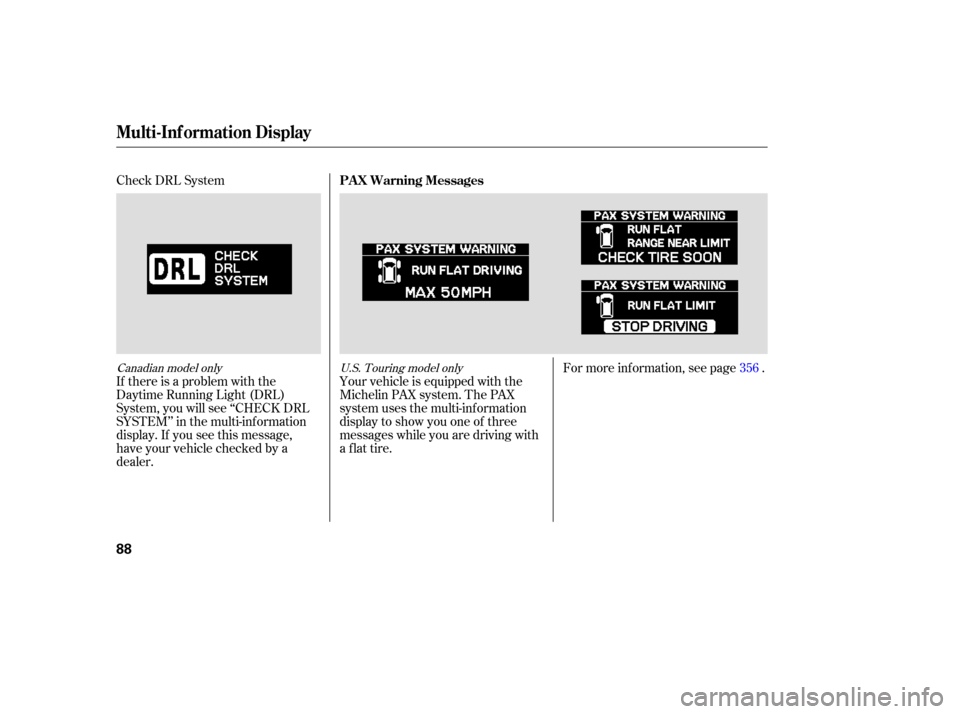
Check DRL System
If there is a problem with the
Daytime Running Light (DRL)
System, you will see ‘‘CHECK DRL
SYSTEM’’ in the multi-inf ormation
display. If you see this message,
have your vehicle checked by a
dealer.For more inf ormation, see page .
Your vehicle is equipped with the
Michelin PAX system. The PAX
system uses the multi-inf ormation
display to show you one of three
messages while you are driving with
a f lat tire. 356
Canadian model only
U.S. Touring model only
PA X Warning Messages
Multi-Inf ormation Display
88
Page 90 of 414
You can also use the trip meter
SELECT/RESET knob in the
instrument panel to select and enter
your selections while the multi-
inf ormation display is in the
customizing mode. Turn the knob to
select a setting and press it to enter
your selection. UsetheINFObuttononthesteering
wheel to see the settings, and the
SEL/RESET button to enter your
selections.
If you want the settings as they were
when the vehicle lef t the f actory,
select ‘‘DEFAULT ALL,’’ as
described on page .
If you want to change any vehicle
control settings, select ‘‘CHANGE
SETTING,’’ and f ollow the
instructions on page .
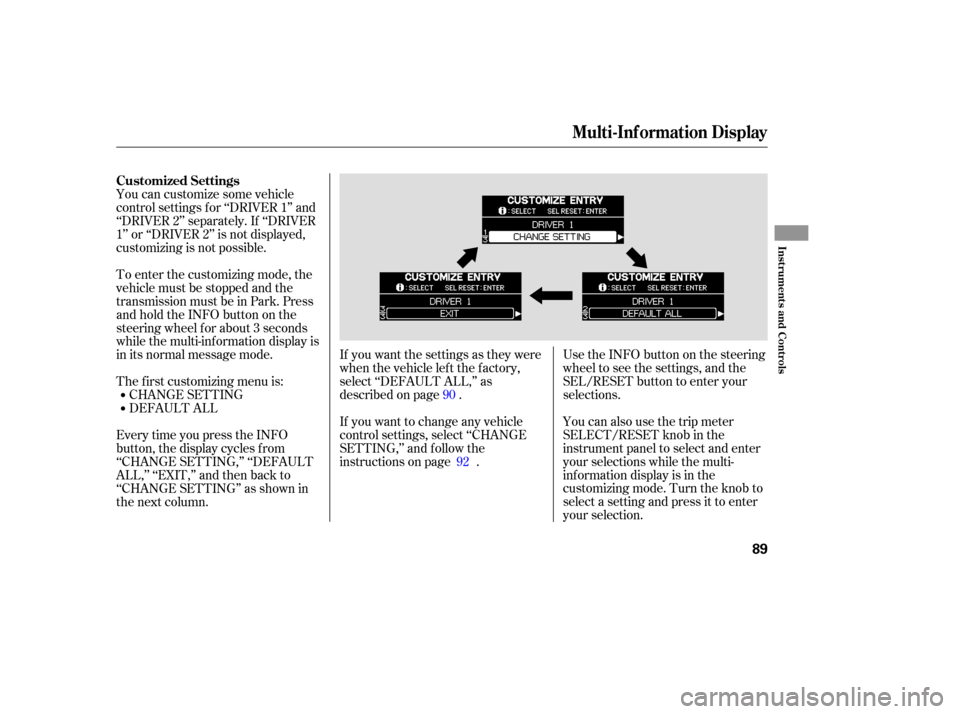
EverytimeyoupresstheINFO
button, the display cycles from
‘‘CHANGE SETTING,’’ ‘‘DEFAULT
ALL,’’ ‘‘EXIT,’’ and then back to
‘‘CHANGE SETTING’’ as shown in
the next column. You can customize some vehicle
control settings f or ‘‘DRIVER 1’’ and
‘‘DRIVER 2’’ separately. If ‘‘DRIVER
1’’ or ‘‘DRIVER 2’’ is not displayed,
customizing is not possible.
DEFAULT ALL CHANGE SETTING
The f irst customizing menu is: To enter the customizing mode, the
vehicle must be stopped and the
transmission must be in Park. Press
andholdtheINFObuttononthe
steering wheel f or about 3 seconds
while the multi-information display is
in its normal message mode.
90
92
Customized Settings
Multi-Inf ormation Display
Inst rument s and Cont rols
89
Page 91 of 414
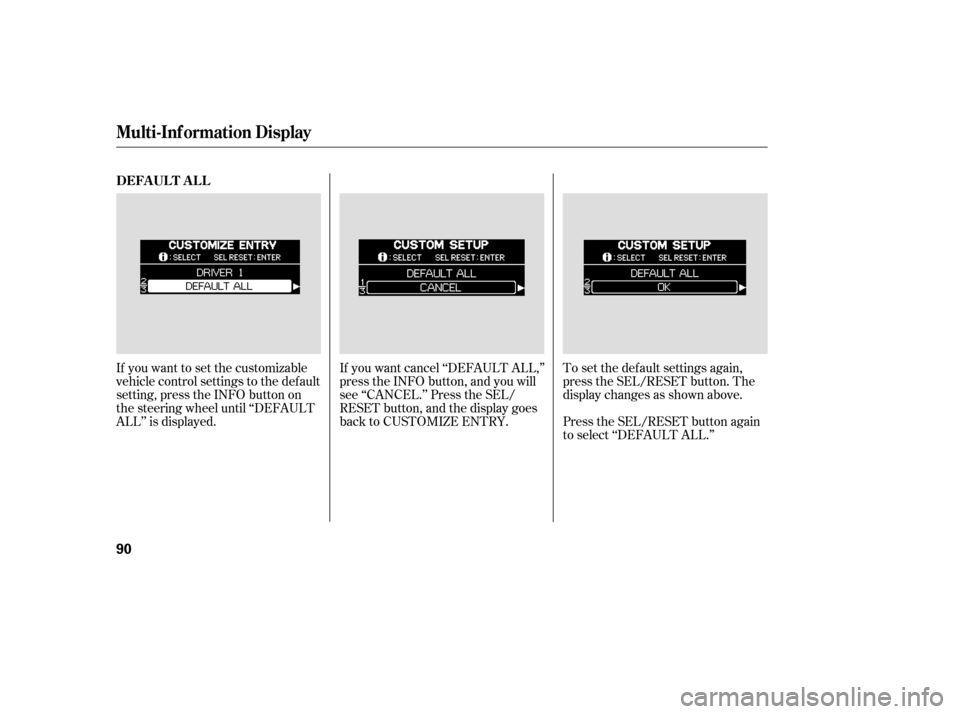
If you want to set the customizable
vehicle control settings to the default
setting, press the INFO button on
the steering wheel until ‘‘DEFAULT
ALL’’ is displayed.To set the def ault settings again,
press the SEL/RESET button. The
display changes as shown above.
Press the SEL/RESET button again
to select ‘‘DEFAULT ALL.’’
If you want cancel ‘‘DEFAULT ALL,’’
press the INFO button, and you will
see ‘‘CANCEL.’’ Press the SEL/
RESET button, and the display goes
back to CUSTOMIZE ENTRY.
DEFA UL T A L L
Multi-Inf ormation Display
90
Page 92 of 414
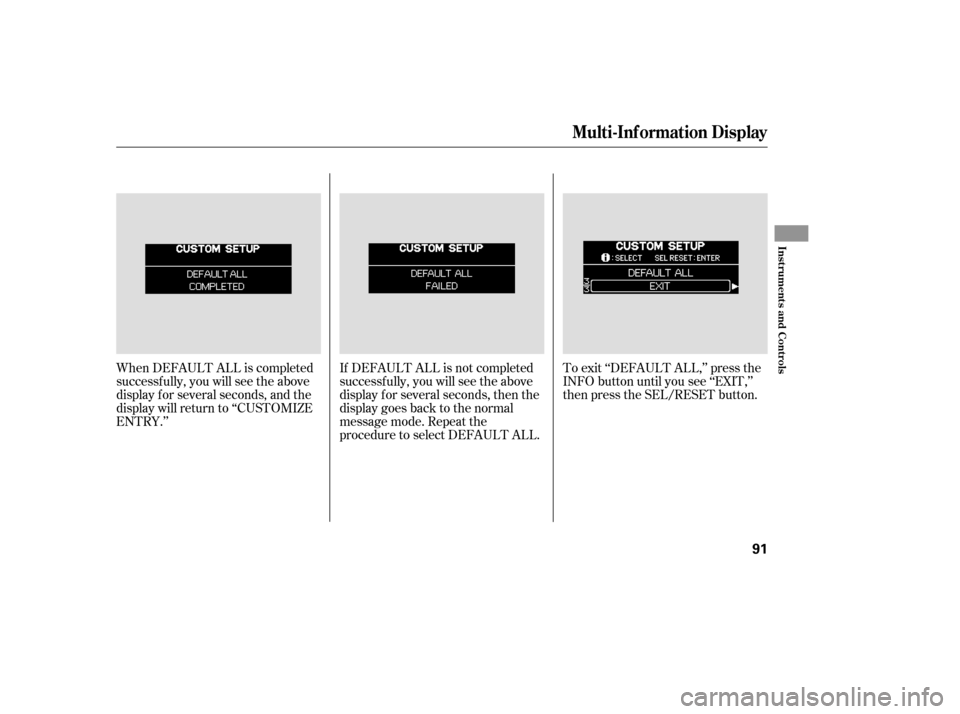
When DEFAULT ALL is completed
successf ully, you will see the above
display f or several seconds, and the
display will return to ‘‘CUSTOMIZE
ENTRY.’’If DEFAULT ALL is not completed
successf ully, you will see the above
display f or several seconds, then the
display goes back to the normal
message mode. Repeat the
procedure to select DEFAULT ALL.To exit ‘‘DEFAULT ALL,’’ press the
INFO button until you see ‘‘EXIT,’’
then press the SEL/RESET button.
Multi-Inf ormation Display
Inst rument s and Cont rols
91
Page 93 of 414
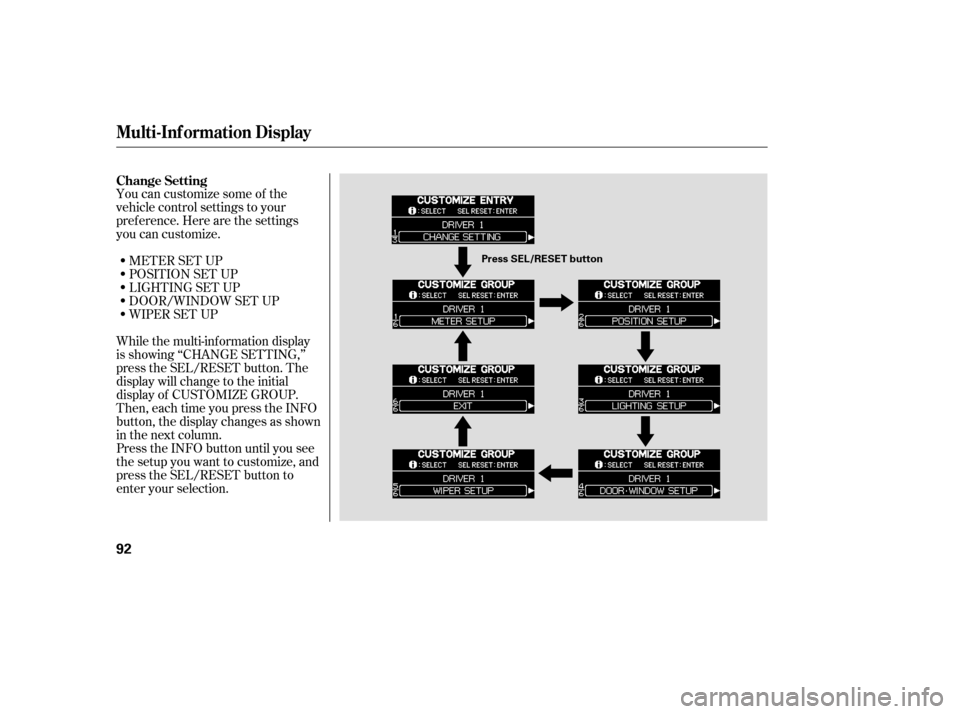
You can customize some of the
vehicle control settings to your
pref erence. Here are the settings
you can customize.METER SET UP
POSITION SET UP
LIGHTING SET UP
DOOR/WINDOW SET UP
WIPER SET UP
While the multi-information display
is showing ‘‘CHANGE SETTING,’’
press the SEL/RESET button. The
display will change to the initial
display of CUSTOMIZE GROUP.
Then, each time you press the INFO
button, the display changes as shown
in the next column.
Press the INFO button until you see
the setup you want to customize, and
press the SEL/RESET button to
enter your selection. Change Setting
Multi-Inf ormation Display
92
Press SEL/RESET button