Page 118 of 414
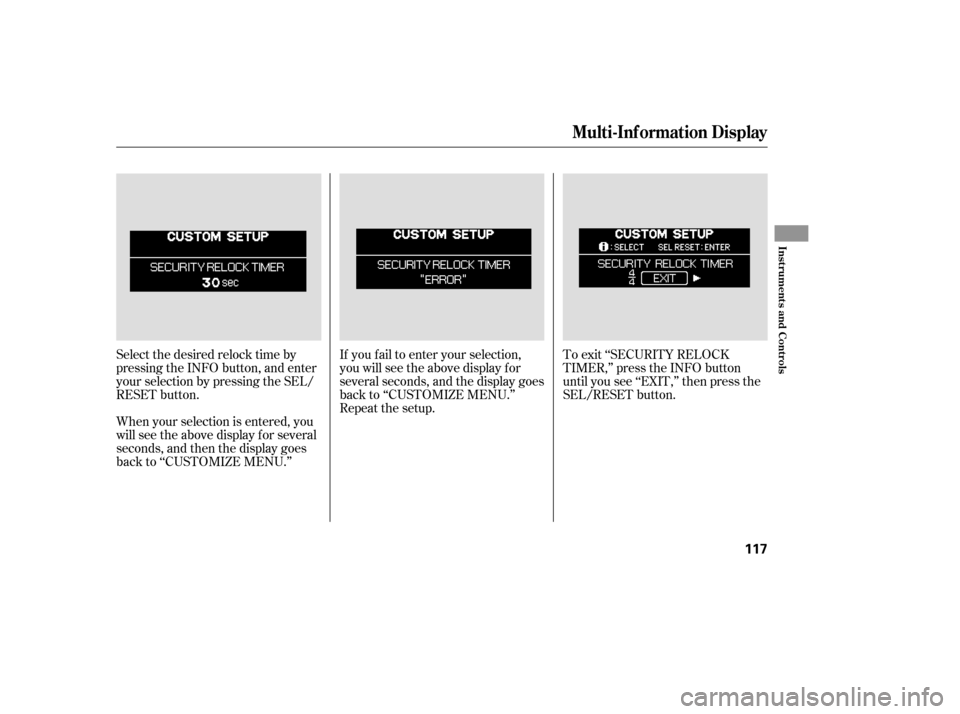
Select the desired relock time by
pressing the INFO button, and enter
your selection by pressing the SEL/
RESET button.If you f ail to enter your selection,
you will see the above display f or
several seconds, and the display goes
back to ‘‘CUSTOMIZE MENU.’’
Repeat the setup.
When your selection is entered, you
will see the above display for several
seconds, and then the display goes
back to ‘‘CUSTOMIZE MENU.’’ To exit ‘‘SECURITY RELOCK
TIMER,’’ press the INFO button
until you see ‘‘EXIT,’’ then press the
SEL/RESET button.
Multi-Inf ormation Display
Inst rument s and Cont rols
117
Page 119 of 414
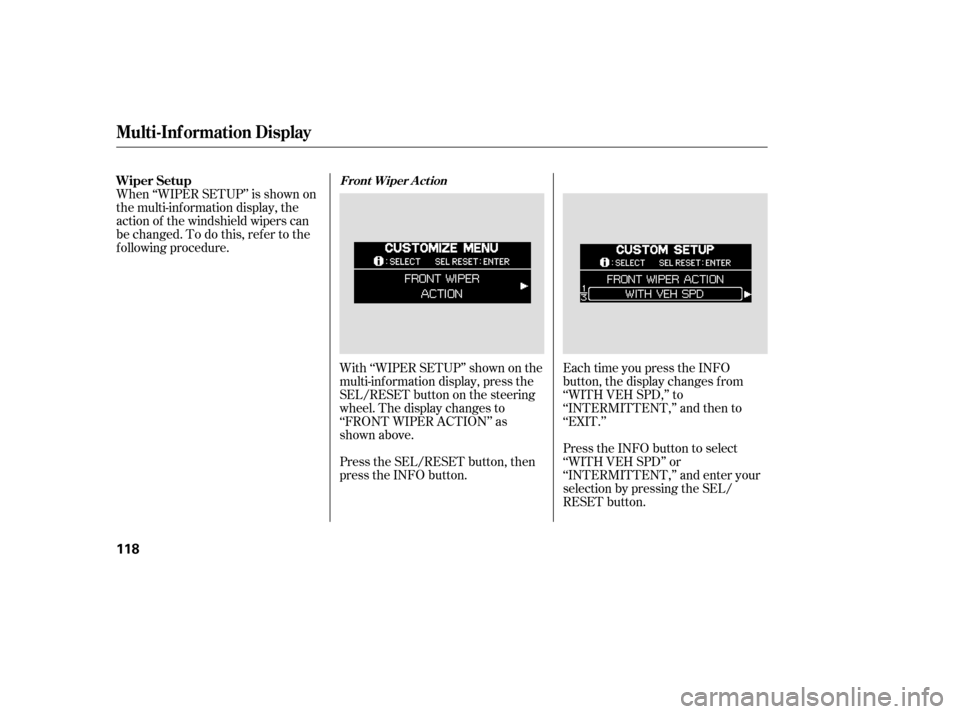
With ‘‘WIPER SETUP’’ shown on the
multi-inf ormation display, press the
SEL/RESET button on the steering
wheel. The display changes to
‘‘FRONT WIPER ACTION’’ as
shown above.
Press the SEL/RESET button, then
press the INFO button.Each time you press the INFO
button, the display changes f rom
‘‘WITH VEH SPD,’’ to
‘‘INTERMITTENT,’’ and then to
‘‘EXIT.’’
Press the INFO button to select
‘‘WITH VEH SPD’’ or
‘‘INTERMITTENT,’’ and enter your
selection by pressing the SEL/
RESET button.
When ‘‘WIPER SETUP’’ is shown on
the multi-information display, the
action of the windshield wipers can
be changed. To do this, ref er to the
f ollowing procedure. Wiper Setup
Front Wiper A ct ion
Multi-Inf ormation Display
118
Page 120 of 414
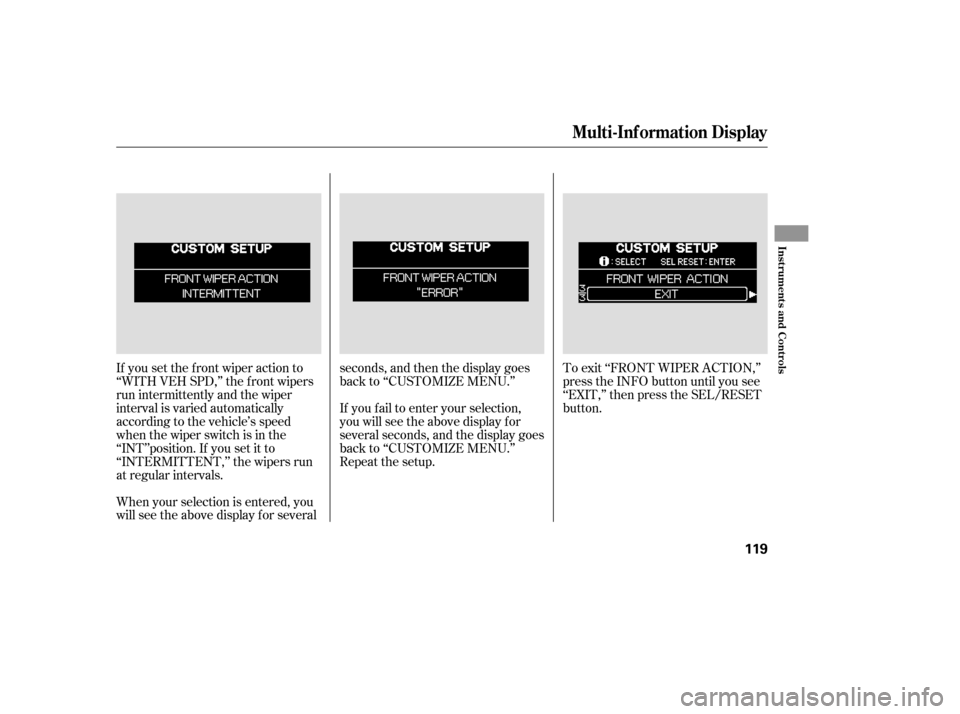
If you set the f ront wiper action to
‘‘WITH VEH SPD,’’ the f ront wipers
run intermittently and the wiper
interval is varied automatically
according to the vehicle’s speed
when the wiper switch is in the
‘‘INT’’position. If you set it to
‘‘INTERMITTENT,’’ the wipers run
at regular intervals.
When your selection is entered, you
will see the above display for severalseconds, and then the display goes
back to ‘‘CUSTOMIZE MENU.’’
To exit ‘‘FRONT WIPER ACTION,’’
press the INFO button until you see
‘‘EXIT,’’ then press the SEL/RESET
button.
If you f ail to enter your selection,
you will see the above display f or
several seconds, and the display goes
back to ‘‘CUSTOMIZE MENU.’’
Repeat the setup.
Multi-Inf ormation Display
Inst rument s and Cont rols
119
Page 121 of 414
�Î
�Î
To use the horn, press the pad around the ‘‘H’’ logo.
:
Controls Near the Steering Wheel
120
POWER SLIDING
DOOR SWITCHES
REAR WINDOW
DEFOGGER
STEERING WHEEL
ADJUSTMENT CRUISE
CONTROL
CLOCK
LIGHT CONTROL
SWITCH
AUDIO SYSTEM/
REAR
ENTERTAINMENT
SYSTEM
STEERING WHEEL
AUDIO CONTROLS PASSENGER
AIRBAG OFF
INDICATOR
POWER TAILGATE
SWITCH HEADLIGHTS/
TURN SIGNALS
HAZARD WARNING
BUTTON
WINDSHIELD
WIPERS/WASHERS
VSA OFF
SWITCH
HORN
(P.142)
(P.139)
(P.271) (P.302)
(P.228) (P.127) (P.121)
(P.122)
(P.264)
(P.126) (P.227)
(P.33)
(P.126)
(P.199, 230)
(P. 183 )
PARKING SENSOR
SYSTEM SWITCH
DRIVER’S PEDAL
ADJUSTMENT SWITCH
(P.169)
(P.166)
(P.75)MULTI-INFORMATION
DISPLAY SWITCHES
VSA OFF SWITCH
/
(P.302)
MOONROOF
Page 126 of 414
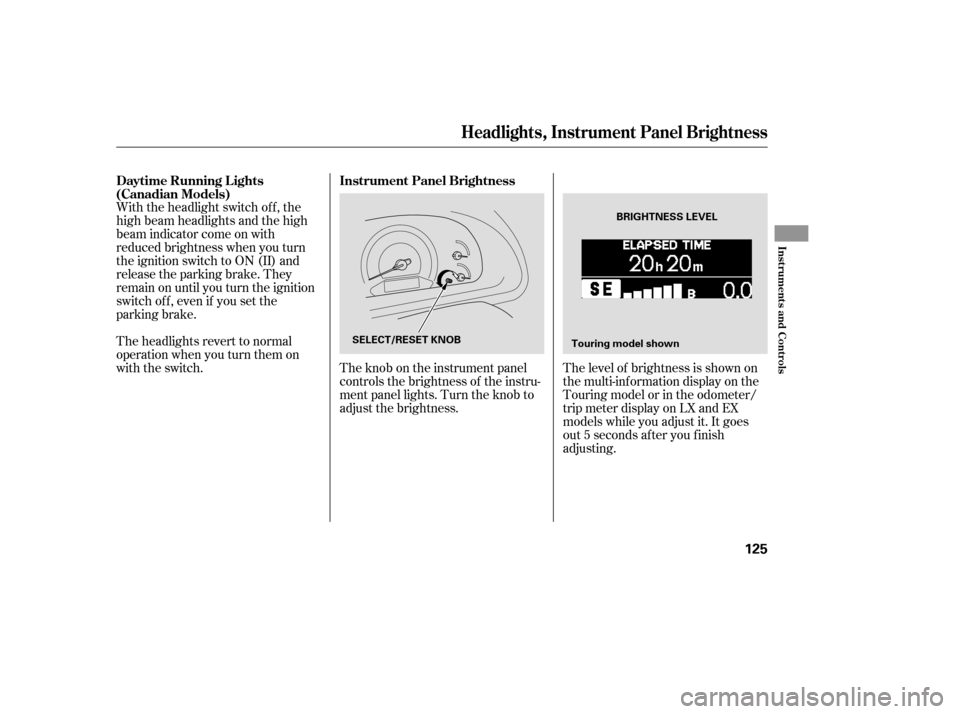
The level of brightness is shown on
the multi-information display on the
Touring model or in the odometer/
trip meter display on LX and EX
models while you adjust it. It goes
out 5 seconds af ter you f inish
adjusting.
The knob on the instrument panel
controls the brightness of the instru-
ment panel lights. Turn the knob to
adjust the brightness.
With the headlight switch off, the
high beam headlights and the high
beam indicator come on with
reduced brightness when you turn
the ignition switch to ON (II) and
release the parking brake. They
remain on until you turn the ignition
switch of f , even if you set the
parking brake.
The headlights revert to normal
operation when you turn them on
with the switch.
Instrument Panel Brightness
Daytime Running L ights
(Canadian Models)
Headlights, Instrument Panel Brightness
Inst rument s and Cont rols
125
BRIGHTNESS LEVEL
SELECT/RESET KNOB Touring model shown
Page 142 of 414
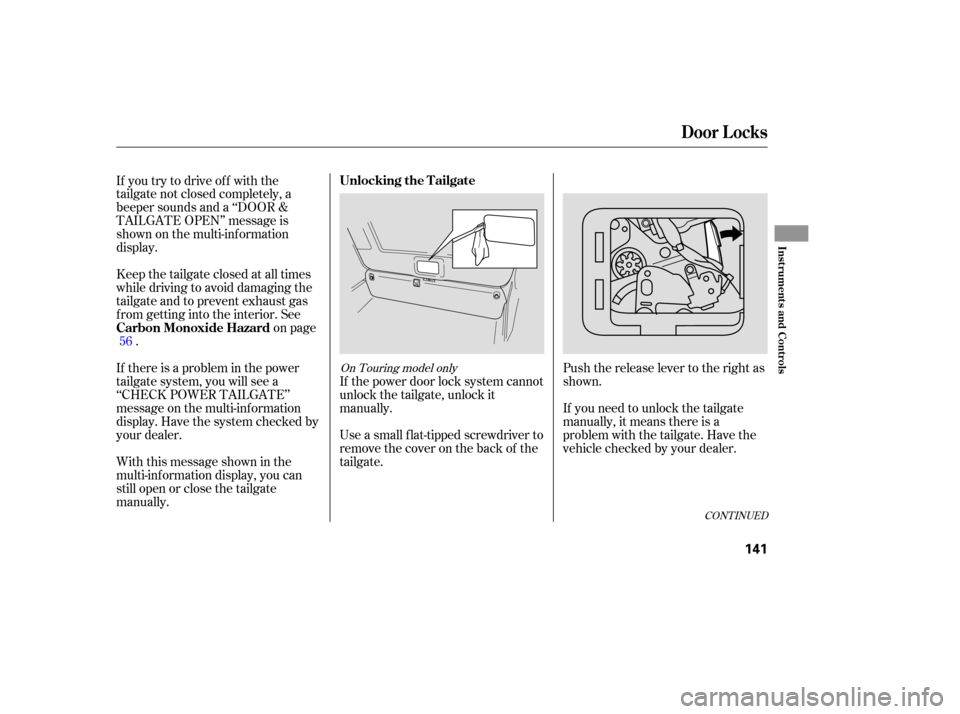
Push the release lever to the right as
shown.
If you need to unlock the tailgate
manually, it means there is a
problem with the tailgate. Have the
vehicle checked by your dealer.
Use a small flat-tipped screwdriver to
remove the cover on the back of the
tailgate. If the power door lock system cannot
unlock the tailgate, unlock it
manually.
If you try to drive off with the
tailgate not closed completely, a
beeper sounds and a ‘‘DOOR &
TAILGATE OPEN’’ message is
shown on the multi-inf ormation
display.
Keep the tailgate closed at all times
while driving to avoid damaging the
tailgate and to prevent exhaust gas
f rom getting into the interior. See
on page
.
If there is a problem in the power
tailgate system, you will see a
‘‘CHECK POWER TAILGATE’’
message on the multi-inf ormation
display. Have the system checked by
your dealer.
With this message shown in the
multi-inf ormation display, you can
still open or close the tailgate
manually. 56
CONT INUED
On Touring model only
Unlocking the T ailgate
Carbon Monoxide Hazard
Door L ocks
Inst rument s and Cont rols
141
Page 148 of 414

If the battery is disconnected or goes
dead, close the sliding door
completely by hand. If it still does
not operate properly af ter the
battery is reconnected, have your
vehicle checked by a dealer. If there is a problem in the power
sliding door system, you will see a
‘‘CHECK LEFT SLIDING DOOR’’
message or ‘‘CHECK RIGHT
SLIDING DOOR’’ message in the
multi-inf ormation display (see page). If this message stays on, turn
the MAIN switch to OFF, and have
the system inspected by your dealer.
If the power sliding door indicator
comesonandstayson,thereisa
problem in the system. Turn the
MAIN switch to OFF, and have the
system inspected by a dealer.
Each sliding door has a pinch sensor
on the f ront edge. Do not damage
this sensor, or the power sliding door
may not operate properly. 87
On Touring model
On EX and Touring models On EX model
Sliding Doors
Power Sliding Door Problems
Pinch Sensor
Inst rument s and Cont rols
147
PINCH SENSOR
POWER SLIDING DOOR INDICATOR
U.S. indicator shown
Page 190 of 414

�Û
�Ý
�Û�Ý
Turn the dial clockwise to increase
the fan speed and airflow. Turn the
dial counterclockwise to decrease it.
Press the button to increase
the fan speed and airflow. Press the button to decrease it.
Turning this dial clockwise increases
the temperature of the airflow.
The driver’s side temperature and
the passenger’s side temperature can
be set separately. On the Touring
model, the rear passenger
compartment temperature can also
be set separately. Press the top ( )
of the appropriate temperature
control button to increase the
temperature of airflow. Press the bottom ( ) of the button to
decrease it. Each set temperature is
shown in the display. When you turn
the A/C off, the system cannot
regulate the inside temperature if
you set the temperature control
below the outside temperature.
When you set the temperature to its
lower limit or its upper limit, it will be
displayed as ‘‘Lo’’ or ‘‘Hi’’.
When you press this button, the
indicator in the button comes on, and
the passenger’s side temperature
(and the temperature of the rear
passenger compartment on the
Touring model) is synchronized to
the driver’s side set temperature.
Changing the passenger’s side
temperature (or the temperature of
the rear passenger compartment on
the Touring model) makes the
indicator to go of f , and takes thesystem out of SYNC mode.
This button turns the air
conditioning on and of f . On the LX
model, the indicator in the button is
on when the A/C is on. On the EX
and Touring models, you will see
A/C ON or A/C OFF in the display.
The outside air intakes f or the
heating and cooling system are at
the base of the windshield. Keep this
area clear of leaves and other debris. When the indicator in the button is
on, air f rom the vehicle’s interior is
sent throughout the system again.
When the indicator is off, air is
brought in f rom the outside of the
vehicle (fresh air mode).
CONT INUED
LX model
LX modelEX and Touring models
EX and Touring models
On EX and Touring models
Vents, Heating, and A/C
Fan Control
T emperature Control Air Conditioning (A/C) Button
Recirculation Button
SYNC Button
Features
189