Page 76 of 414

If you press the INFO button when
‘‘AVERAGE SPEED’’ is displayed,
the display changes to ‘‘TIRE
PRESSURE’’ using both segments.
This display is a part of tire pressure
monitoring system (TPMS). See
page f or more inf ormation.
The multi-inf ormation display
consists of an upper segment and a
lower segment. Each segment can
display two lines of messages.
In normal display mode, the upper
segment displays trip computer and
tire pressures, and the lower
segment displays the compass,
odometer, trip meter, outside
temperature, and engine oil lif e. In normal display mode, the upper
display is blank when you turn the
ignition switch to ON (II). Then each
time you press the INFO button, the
trip computer changes f rom ‘‘INST.
MPG’’ to ‘‘RANGE’’ to ‘‘ELAPSED
TIME’’ to ‘‘AVERAGE SPEED’’ and
then to ‘‘AVERAGE FUEL A’’ or
‘‘AVERAGE FUEL B’’ as shown on
the next page.Pressing the INFO button again
brings the display back to the initial
display of the trip computer ‘‘INST.
MPG.’’
303
CONT INUED
Multi-Inf ormation Display
Inst rument s and Cont rols
75
LOWER SEGMENT UPPER SEGMENT
INFO BUTTON
SEL RESET BUTTON
Page 78 of 414
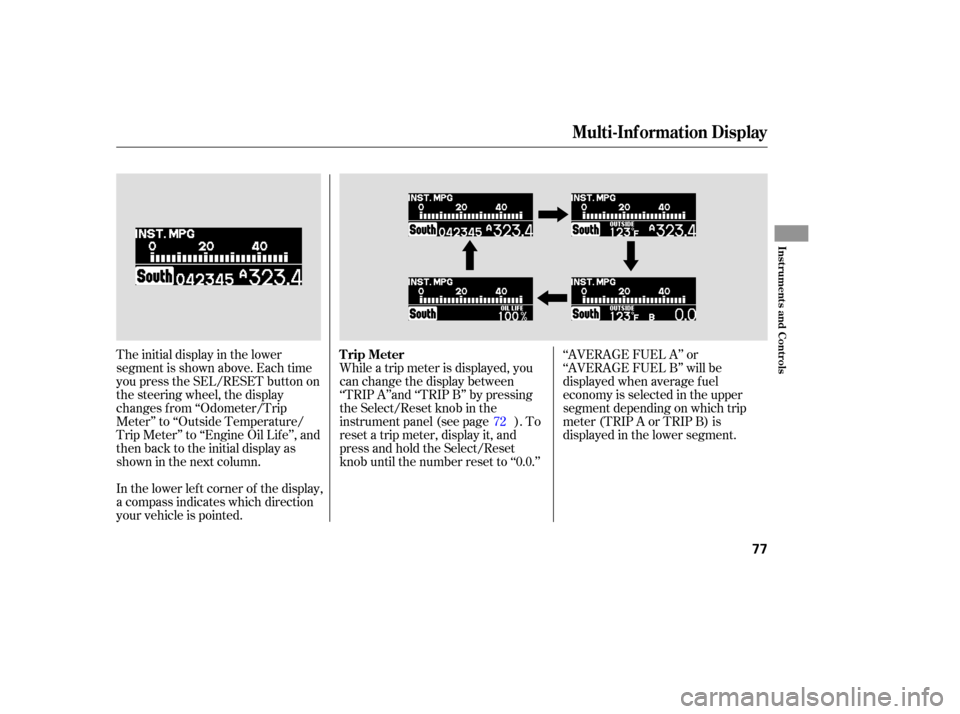
The initial display in the lower
segment is shown above. Each time
you press the SEL/RESET button on
the steering wheel, the display
changes f rom ‘‘Odometer/Trip
Meter’’ to ‘‘Outside Temperature/
Trip Meter’’ to ‘‘Engine Oil Lif e’’, and
then back to the initial display as
showninthenextcolumn.
In the lower lef t corner of the display,
a compass indicates which direction
your vehicle is pointed.While a trip meter is displayed, you
can change the display between
‘‘TRIP A’’and ‘‘TRIP B’’ by pressing
the Select/Reset knob in the
instrument panel (see page ). To
reset a trip meter, display it, and
press and hold the Select/Reset
knob until the number reset to ‘‘0.0.’’
‘‘AVERAGE FUEL A’’ or
‘‘AVERAGE FUEL B’’ will be
displayed when average f uel
economy is selected in the upper
segment depending on which trip
meter(TRIPAorTRIPB)is
displayed in the lower segment.
72
Multi-Inf ormation Display
Trip Meter
Inst rument s and Cont rols
77
Page 79 of 414
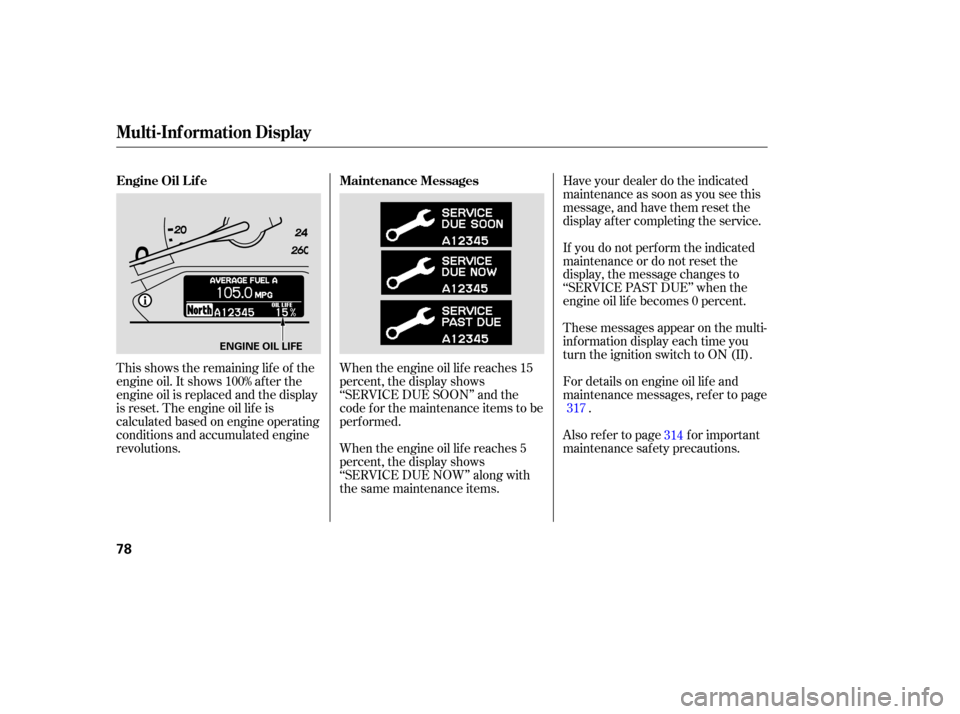
This shows the remaining lif e of the
engine oil. It shows 100% af ter the
engine oil is replaced and the display
is reset. The engine oil lif e is
calculated based on engine operating
conditions and accumulated engine
revolutions.When the engine oil lif e reaches 15
percent, the display shows
‘‘SERVICE DUE SOON’’ and the
code f or the maintenance items to be
perf ormed.
When the engine oil lif e reaches 5
percent, the display shows
‘‘SERVICE DUE NOW’’ along with
the same maintenance items.Have your dealer do the indicated
maintenance as soon as you see this
message, and have them reset the
display af ter completing the service.
If you do not perf orm the indicated
maintenance or do not reset the
display, the message changes to
‘‘SERVICE PAST DUE’’ when the
engine oil lif e becomes 0 percent.
These messages appear on the multi-
inf ormation display each time you
turn the ignition switch to ON (II).
For details on engine oil lif e and
maintenance messages, ref er to page
.
Also ref er to page f or important
maintenance saf ety precautions. 317
314
Maintenance Messages
Engine Oil L if e
Multi-Inf ormation Display
78
ENGINE OIL LIFE
Page 316 of 414

Your vehicle displays engine oil lif e
and maintenance service items in the
odometer/trip meter display on the
LX and EX models, or in the multi-
inf ormation display on the Touring
model, to show you when you should
have your dealer perf orm engine oil
replacement and indicated
maintenance service.
Based on the engine operating
conditions and accumulated engine
revolutions, the onboard computer in
your vehicle calculates the remaining
engine oil lif e and displays it as a
percentage.To see the current engine oil lif e,
turn the ignition switch to ON (II),
and push and release the SELECT/
RESET knob on the instrument
panel 3 times.If the oil lif e is 15 percent or less,
you will see the oil lif e indicator f or
several seconds every time you turn
the ignition switch to ON (II). The
maintenance minder indicator will
also come on, and the maintenance
item code(s) f or other scheduled
maintenance items needing service
will be displayed next to the engine
oil lif e indicator.
CONT INUED
On LX and EX models
Maintenance Minder
Engine Oil L if e Indicator
Maint enance
315
MAINTENANCE ITEM CODE
ENGINE OIL LIFE
INDICATOR
MAINTENANCE MINDER
INDICATOR
Page 317 of 414
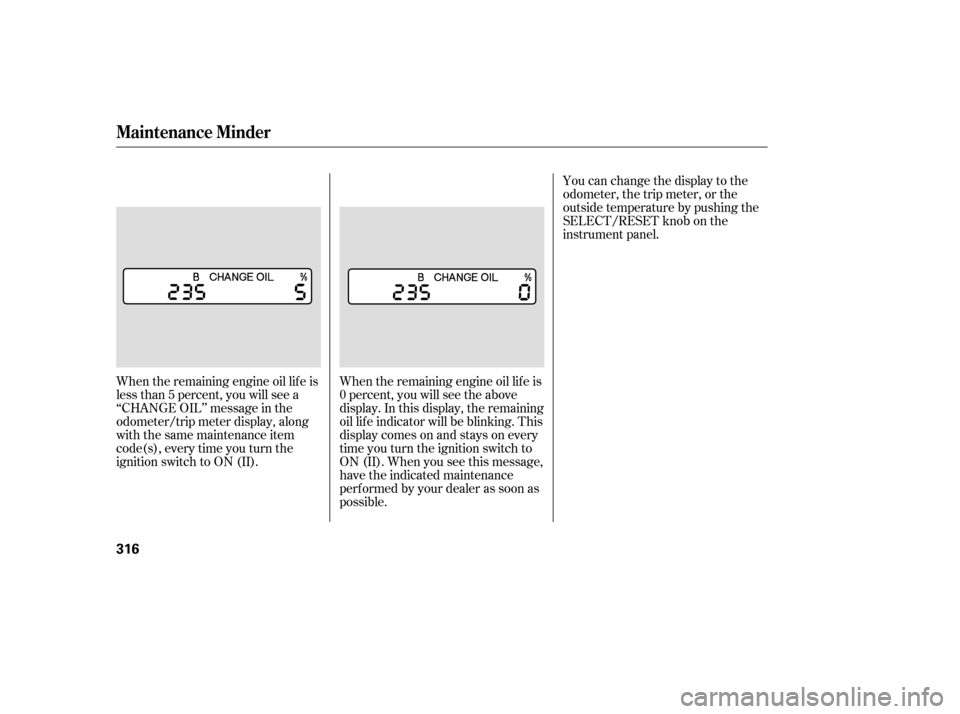
When the remaining engine oil lif e is
less than 5 percent, you will see a
‘‘CHANGE OIL’’ message in the
odometer/trip meter display, along
with the same maintenance item
code(s), every time you turn the
ignition switch to ON (II).When the remaining engine oil lif e is
0 percent, you will see the above
display. In this display, the remaining
oil lif e indicator will be blinking. This
display comes on and stays on every
time you turn the ignition switch to
ON (II). When you see this message,
have the indicated maintenance
perf ormed by your dealer as soon as
possible.You can change the display to the
odometer, the trip meter, or the
outside temperature by pushing the
SELECT/RESET knob on the
instrument panel.
Maintenance Minder
316
Page 318 of 414
�µ
CONT INUED
When the remaining engine oil lif e is
15 percent or less, the display shows
a ‘‘SERVICE DUE SOON’’ message
along with the maintenance item
code(s) f or other scheduled
maintenance items needing service.
To see the current engine oil lif e,
turn the ignition switch to ON (II),
then push and release the
SEL/RESET button on the steering
wheel three times.
If you still do not perf orm the
indicated maintenance, you will see a
negative mileage, f or example
‘‘ 543,’’ blinking in the display. This
negative mileage means that you
should have perf ormed the indicated
maintenance 543 miles ago.
Immediately have the indicated
maintenancedonebyyourdealer.
When you turn the ignition switch to
ON (II), the master warning
indicator will also come on.
On Touring model
Maintenance Minder
Maint enance
317
MASTER WARNING INDICATOR
Page 319 of 414
These messages will come on every
time you turn the ignition switch to
ON (II).
Immediately have the service
perf ormed, and make sure to reset
the display as described on page .
You can change the display to the
odometer, the trip meter, or the
outside temperature by pushing the
SEL/RESET button on the steering
wheel.
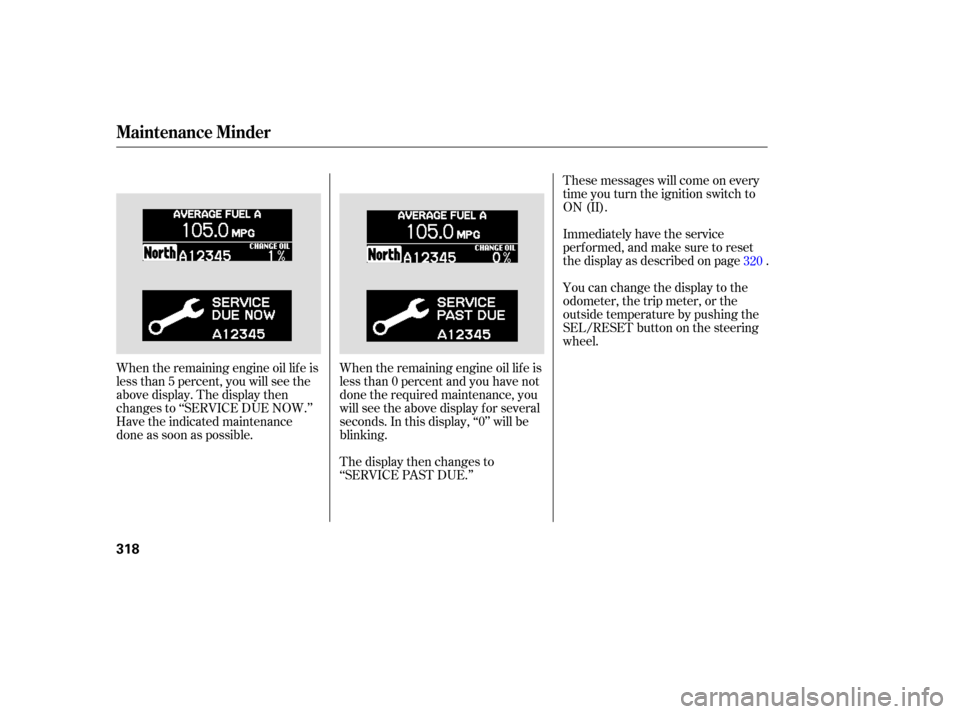
When the remaining engine oil lif e is
less than 0 percent and you have not
done the required maintenance, you
will see the above display for several
seconds. In this display, ‘‘0’’ will be
blinking.
The display then changes to
‘‘SERVICE PAST DUE.’’
When the remaining engine oil lif e is
less than 5 percent, you will see the
above display. The display then
changes to ‘‘SERVICE DUE NOW.’’
Have the indicated maintenance
done as soon as possible. 320
Maintenance Minder
318
Page 321 of 414
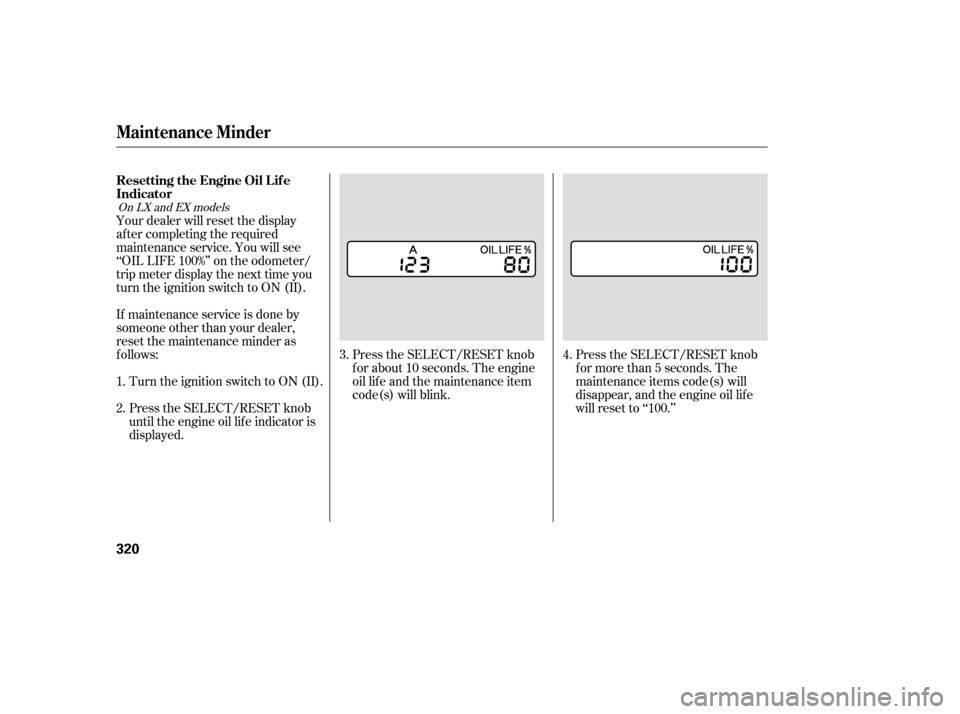
Press the SELECT/RESET knob
f or more than 5 seconds. The
maintenance items code(s) will
disappear, and the engine oil lif e
will reset to ‘‘100.’’
Press the SELECT/RESET knob
f or about 10 seconds. The engine
oil lif e and the maintenance item
code(s) will blink.
Your dealer will reset the display
af ter completing the required
maintenance service. You will see
‘‘OIL LIFE 100%’’ on the odometer/
trip meter display the next time you
turn the ignition switch to ON (II).
If maintenance service is done by
someone other than your dealer,
reset the maintenance minder as
f ollows:
Turn the ignition switch to ON (II).
Press the SELECT/RESET knob
until the engine oil lif e indicator is
displayed. 3.
4.
1.
2.
On LX and EX models
Maintenance Minder
Resetting the Engine Oil Lif e
Indicator
320