Page 250 of 414
�Ý�Û
Select the desired language by
pressing the or button, and
then pressing the ENT button.
The selectable languages are,
English, French, Spanish, German,
Italian, Dutch, and Japanese. If you want another language than
those listed, you need to enter the
code number of the desired language.
Select ‘‘other,’’ and press the ENT
button. The display changes as
showninthenextcolumn.
If you select the ‘‘No,’’ and press the
ENT button, the display returns to
the initial screen of the ‘‘Language’’
menu.
CONT INUED
Rear Entertainment System
Features
249
Page 251 of 414
�Ý�Û Audio Language
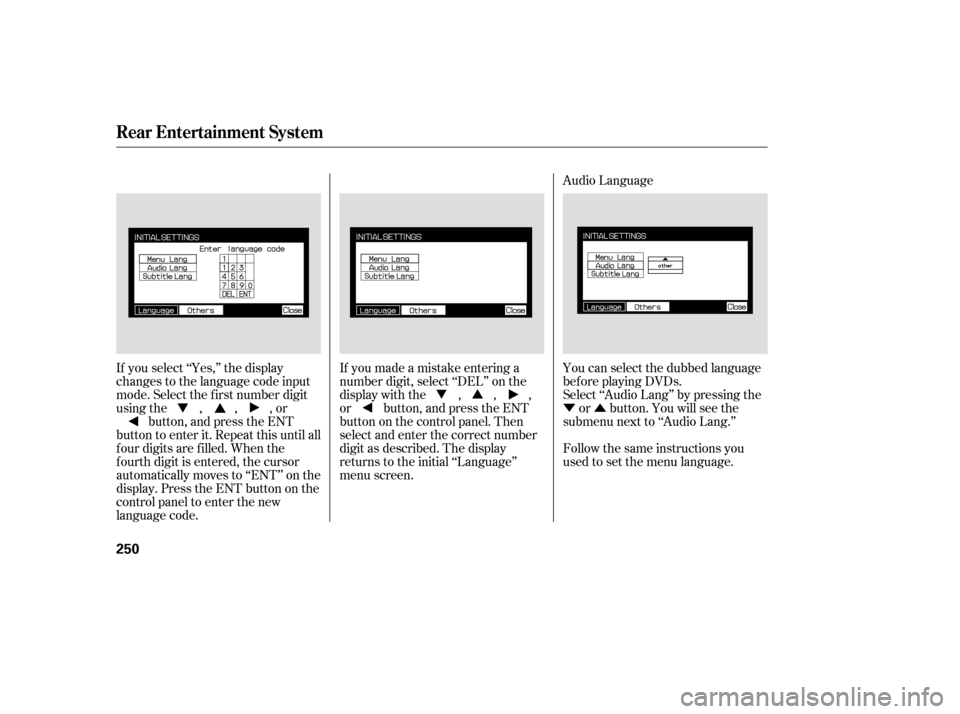
If you select ‘‘Yes,’’ the display
changes to the language code input
mode. Select the f irst number digit
usingthe,,,or button, and press the ENT
button to enter it. Repeat this until all
f our digits are f illed. When the
f ourth digit is entered, the cursor
automatically moves to ‘‘ENT’’ on the
display. Press the ENT button on the
control panel to enter the new
language code. If you made a mistake entering a
number digit, select ‘‘DEL’’ on the
display with the , , ,
or button, and press the ENT
buttononthecontrolpanel.Then
select and enter the correct number
digit as described. The display
returns to the initial ‘‘Language’’
menu screen.
You can select the dubbed language
bef ore playing DVDs.
Select ‘‘Audio Lang’’ by pressing the
or button. You will see the
submenu next to ‘‘Audio Lang.’’
Follow the same instructions you
used to set the menu language.
Rear Entertainment System
250
Page 253 of 414
�Ý�Û�Ý�Û
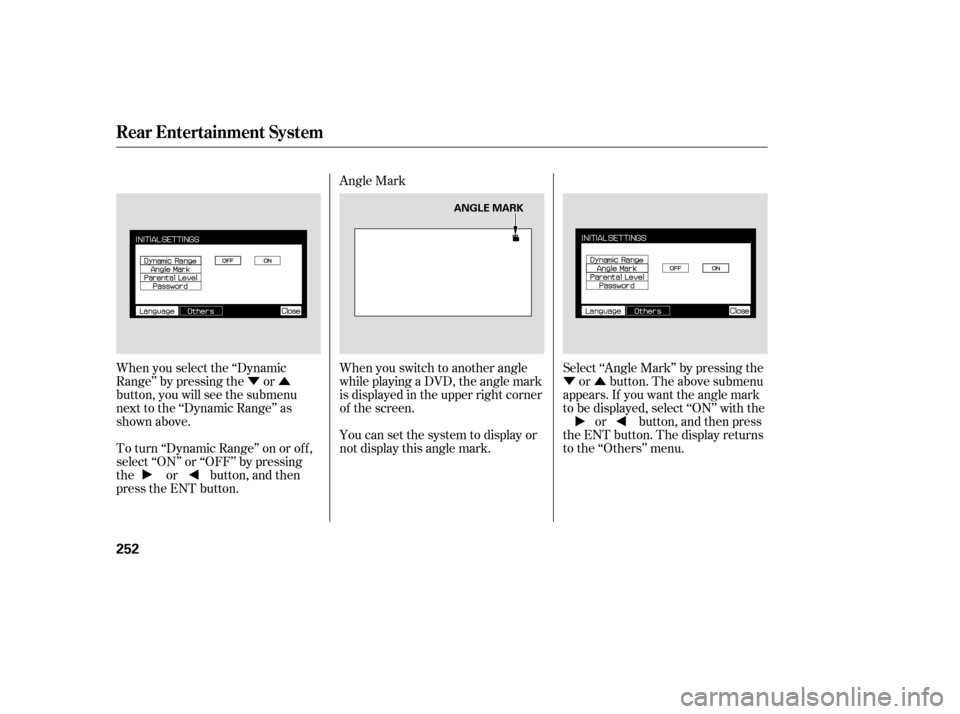
When you select the ‘‘Dynamic
Range’’ by pressing the or
button, you will see the submenu
next to the ‘‘Dynamic Range’’ as
shown above.
To turn ‘‘Dynamic Range’’ on or of f ,
select ‘‘ON’’ or ‘‘OFF’’ by pressing
the or button, and then
press the ENT button. Angle Mark
When you switch to another angle
while playing a DVD, the angle mark
is displayed in the upper right corner
of the screen.
You can set the system to display or
not display this angle mark.
Select ‘‘Angle Mark’’ by pressing the
or button. The above submenu
appears. If you want the angle mark
to be displayed, select ‘‘ON’’ with the or button, and then press
the ENT button. The display returns
to the ‘‘Others’’ menu.
Rear Entertainment System
252
ANGLE MARK
Page 254 of 414
�Ý�Û
Parental Control Level
You can place an auditory restriction
by changing the parental control
level. The higher the level number,
the lower the restriction.
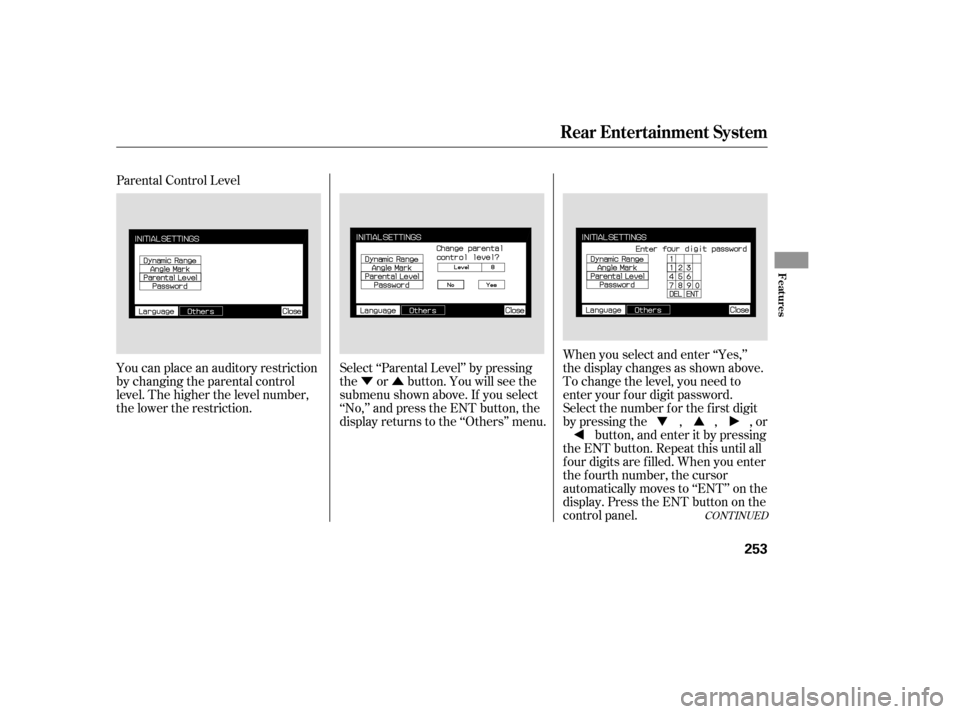
Select ‘‘Parental Level’’ by pressing
the or button. You will see the
submenu shown above. If you select
‘‘No,’’ and press the ENT button, the
display returns to the ‘‘Others’’ menu.When you select and enter ‘‘Yes,’’
the display changes as shown above.
To change the level, you need to
enter your f our digit password.
Select the number f or the f irst digit
by pressing the , , , or
button, and enter it by pressing
the ENT button. Repeat this until all
f our digits are f illed. When you enter
the f ourth number, the cursor
automatically moves to ‘‘ENT’’ on the
display. Press the ENT button on the
control panel.
CONT INUED
Rear Entertainment System
Features
253
Page 255 of 414
�Ý�Û
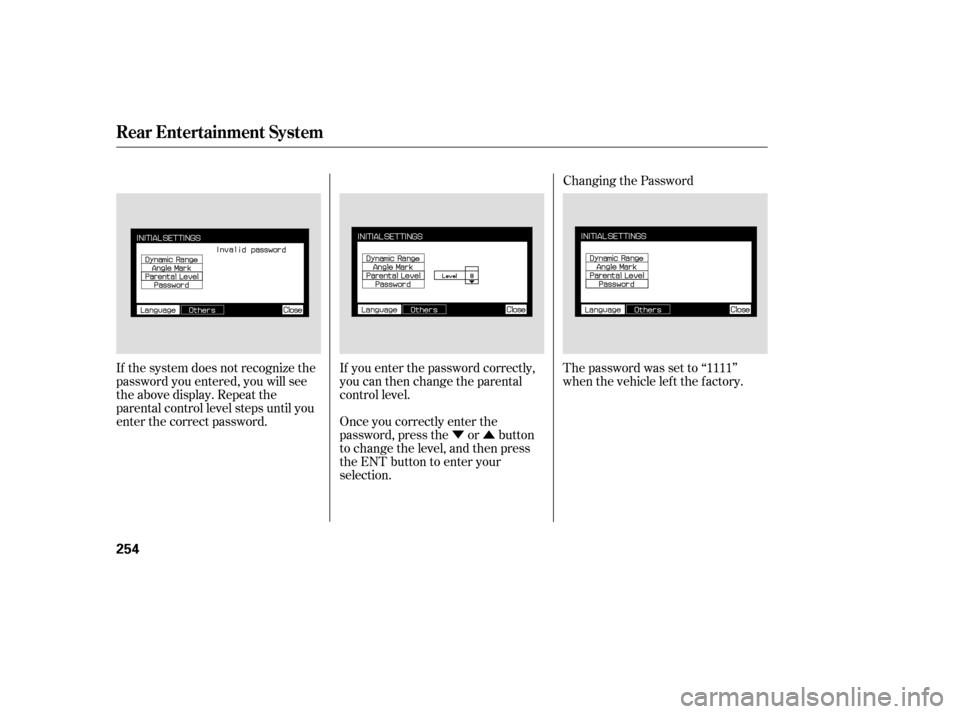
If the system does not recognize the
password you entered, you will see
the above display. Repeat the
parental control level steps until you
enter the correct password.
If you enter the password correctly,
you can then change the parental
control level.
Once you correctly enter the
password, press the or button
to change the level, and then press
the ENT button to enter your
selection.Changing the Password
The password was set to ‘‘1111’’
when the vehicle lef t the f actory.
Rear Entertainment System
254
Page 256 of 414
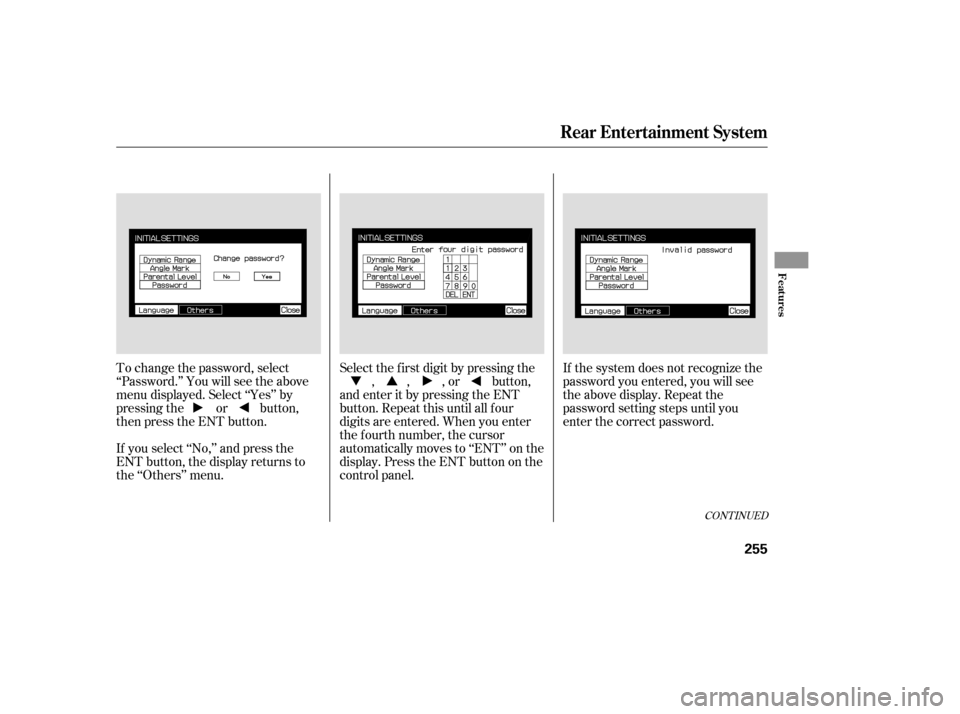
To change the password, select
‘‘Password.’’ You will see the above
menu displayed. Select ‘‘Yes’’ by
pressing the or button,
then press the ENT button.
If you select ‘‘No,’’ and press the
ENT button, the display returns to
the ‘‘Others’’ menu.Select the f irst digit by pressing the
, , , or button,
and enter it by pressing the ENT
button. Repeat this until all f our
digits are entered. When you enter
the f ourth number, the cursor
automatically moves to ‘‘ENT’’ on the
display. Press the ENT button on the
control panel. If the system does not recognize the
password you entered, you will see
the above display. Repeat the
password setting steps until you
enter the correct password.
CONT INUED
Rear Entertainment System
Features
255
Page 257 of 414
�Û
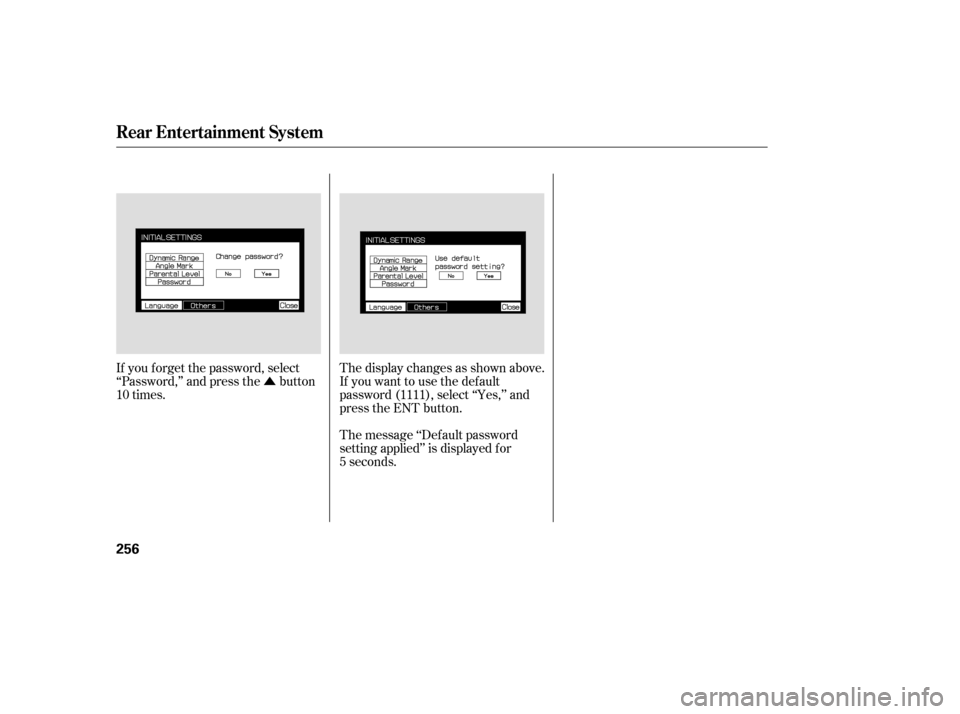
If you f orget the password, select
‘‘Password,’’ and press the button
10 times. The display changes as shown above.
If you want to use the def ault
password (1111), select ‘‘Yes,’’ and
press the ENT button.
The message ‘‘Def ault password
setting applied’’ is displayed f or
5 seconds.
Rear Entertainment System
256
Page 264 of 414

The security system automatically
sets 15 seconds after you lock the
doors, hood, and the tailgate. For the
system to activate, you must lock the
doorsandthetailgatefromthe
outside with the key, the lock tab,
the door lock switch, or the remote
transmitter. The security system
indicator in the instrument panel
starts blinking immediately to show
you the system is setting itself .Once the security system is set,
opening any door, the tailgate, or the
hood without using the key or the
remote transmitter, will cause it to
alarm. It also alarms if the radio is
removed f rom the dashboard or the
wiring is cut.The security system will not set if
the hood, tailgate, or any door is not
f ully closed. If the system will not set,
check the Door and Tailgate Open
Monitor on the instrument panel
(see page ), to see if the doors
and the tailgate are f ully closed.
Since it is not part of the monitor
display, manually check the hood.
Do not attempt to alter this system
or add other devices to it.
The security system helps to protect
your vehicle and valuables f rom thef t.
The horn sounds and a combination
of headlights, parking lights, side
marker lights and taillights f lashes if
someone attempts to break into your
vehicleorremovetheradio.This
alarm continues f or 2 minutes, then
the alarm stops. To reset an
alarming system bef ore the 2
minutes have elapsed, unlock either
f ront door with the key or the
remote transmitter.
67
On EX and Touring models
Security System
Features
263
SECURITY SYSTEM
INDICATOR