Page 240 of 414
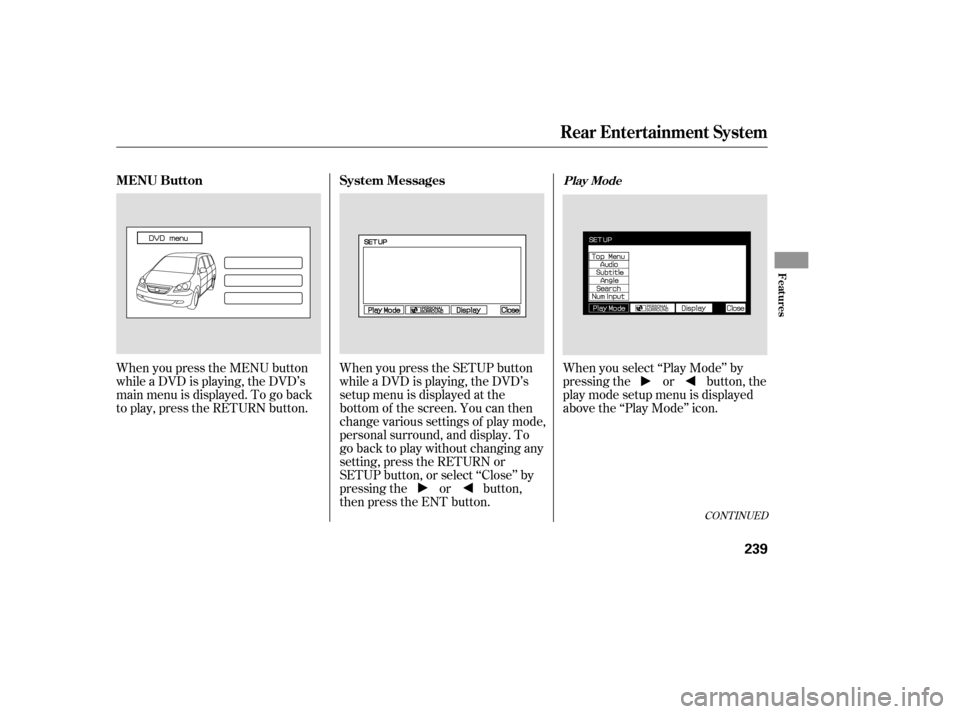
When you press the MENU button
while a DVD is playing, the DVD’s
main menu is displayed. To go back
to play, press the RETURN button.When you press the SETUP button
while a DVD is playing, the DVD’s
setup menu is displayed at the
bottom of the screen. You can then
change various settings of play mode,
personal surround, and display. To
go back to play without changing any
setting, press the RETURN or
SETUP button, or select ‘‘Close’’ by
pressing the or button,
then press the ENT button.When you select ‘‘Play Mode’’ by
pressing the or button, the
play mode setup menu is displayed
abovethe‘‘PlayMode’’icon.
CONT INUED
MENU Button
System MessagesPlay Mode
Rear Entertainment System
Features
239
Page 241 of 414
�Ý�Û�Ý�Û
�Ý�Û
Top Menu
Audio
When you select ‘‘TOP MENU’’
using the or button, the DVD’s
title menu is displayed. This menu is
also displayed when you press the
MENU button while a DVD is not
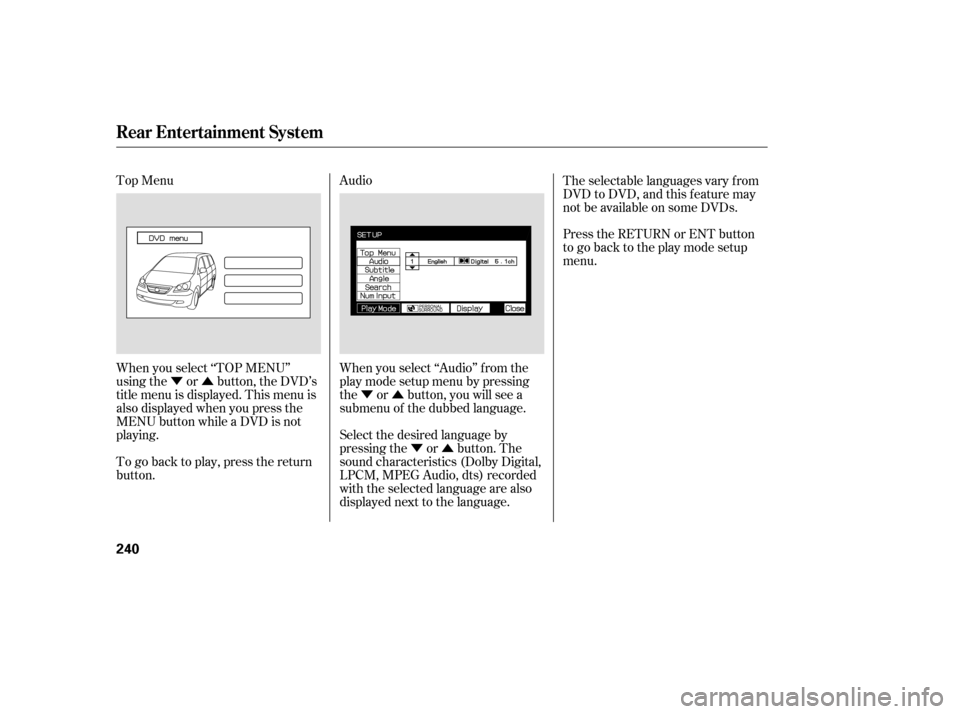
playing. When you select ‘‘Audio’’ f rom the
play mode setup menu by pressing
the or button, you will see a
submenu of the dubbed language.The selectable languages vary f rom
DVD to DVD, and this feature may
notbeavailableonsomeDVDs.
Press the RETURN or ENT button
to go back to the play mode setup
menu.
Select the desired language by
pressing the or button. The
sound characteristics (Dolby Digital,
LPCM, MPEG Audio, dts) recorded
with the selected language are also
displayed next to the language.
To go back to play, press the return
button.
Rear Entertainment System
240
Page 243 of 414
�Ý�Û
�Ý�Û�Ý�Û
�Ý
�Û
Search
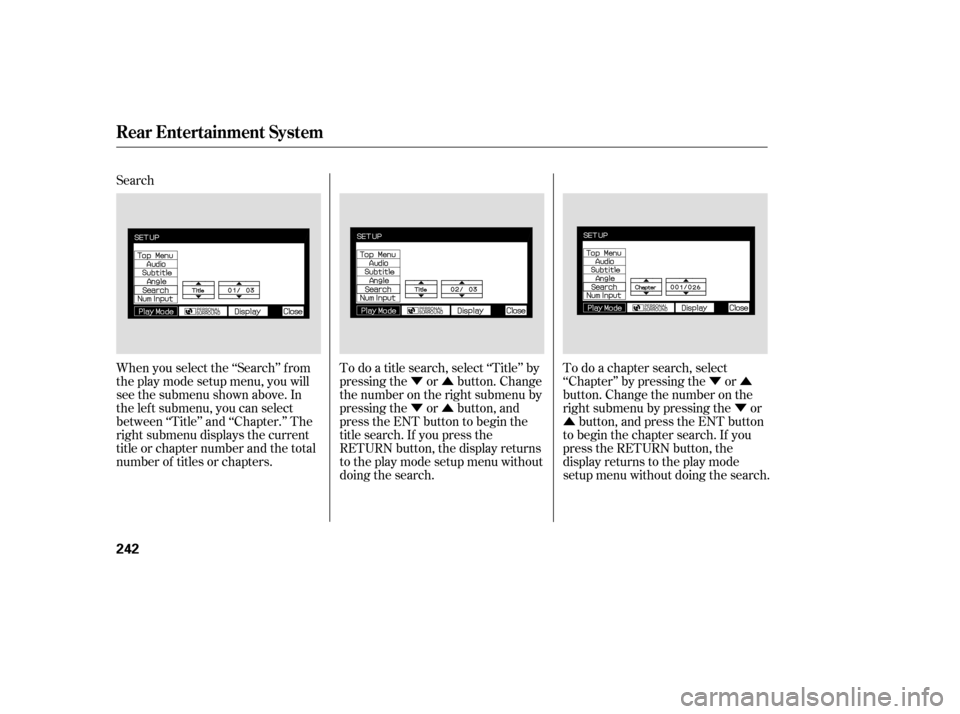
When you select the ‘‘Search’’ f rom
theplaymodesetupmenu,youwill
see the submenu shown above. In
the lef t submenu, you can select
between ‘‘Title’’ and ‘‘Chapter.’’ The
right submenu displays the current
title or chapter number and the total
number of titles or chapters.
To do a title search, select ‘‘Title’’ by
pressing the or button. Change
the number on the right submenu by
pressing the or button, and
press the ENT button to begin the
title search. If you press the
RETURN button, the display returns
totheplaymodesetupmenuwithout
doing the search.To do a chapter search, select
‘‘Chapter’’ by pressing the or
button. Change the number on the
right submenu by pressing the or
button, and press the ENT button
to begin the chapter search. If you
press the RETURN button, the
display returns to the play mode
setup menu without doing the search.
Rear Entertainment System
242
Page 244 of 414
Num Input
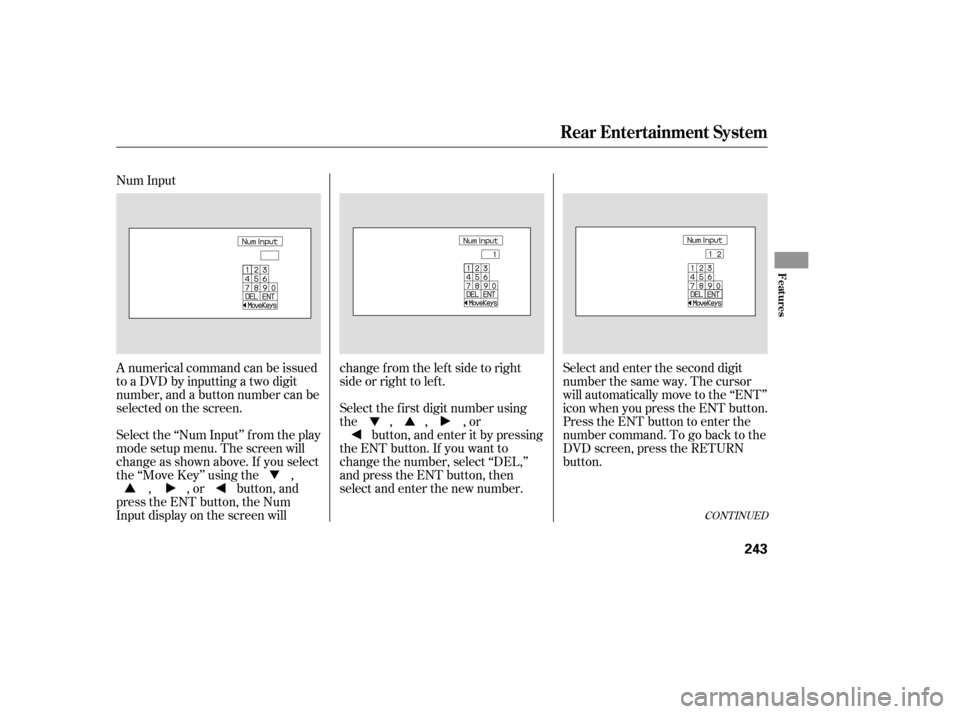
A numerical command can be issued
to a DVD by inputting a two digit
number, and a button number can be
selected on the screen.Select and enter the second digit
number the same way. The cursor
will automatically move to the ‘‘ENT’’
icon when you press the ENT button.
Press the ENT button to enter the
number command. To go back to the
DVD screen, press the RETURN
button.
Select the f irst digit number using
the , , , or
button, and enter it by pressing
the ENT button. If you want to
change the number, select ‘‘DEL,’’
and press the ENT button, then
select and enter the new number.
Select the ‘‘Num Input’’ f rom the play
mode setup menu. The screen will
change as shown above. If you select
the ‘‘Move Key’’ using the ,
, , or button, and
press the ENT button, the Num
Input display on the screen will changefromtheleftsidetoright
side or right to lef t.
CONT INUED
Rear Entertainment System
Features
243
Page 245 of 414
�Ý�Û
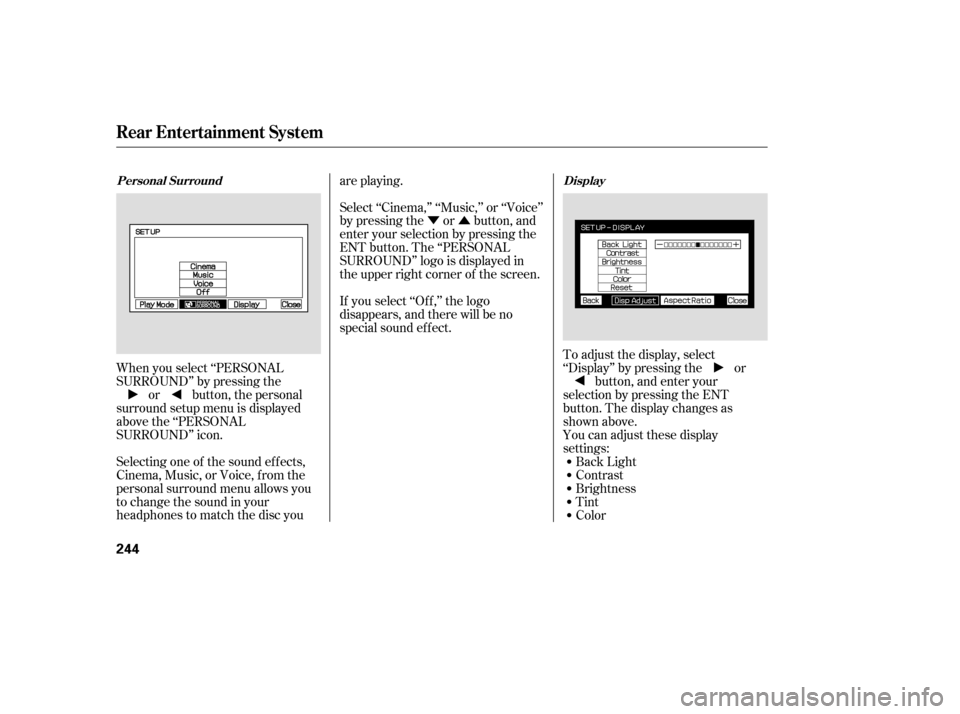
When you select ‘‘PERSONAL
SURROUND’’ by pressing the or button, the personal
surround setup menu is displayed
above the ‘‘PERSONAL
SURROUND’’ icon.
Selecting one of the sound ef f ects,
Cinema,Music,orVoice,fromthe
personal surround menu allows you
to change the sound in your
headphones to match the disc you are playing.
Select ‘‘Cinema,’’ ‘‘Music,’’ or ‘‘Voice’’
by pressing the or button, and
enter your selection by pressing the
ENT button. The ‘‘PERSONAL
SURROUND’’ logo is displayed in
the upper right corner of the screen.
If you select ‘‘Of f ,’’ the logo
disappears, and there will be no
special sound ef f ect.
You can adjust these display
settings:Back Light
Contrast
Brightness
Tint
Color
To adjust the display, select
‘‘Display’’ by pressing the or
button, and enter your
selection by pressing the ENT
button. The display changes as
shown above.
Personal Surround Display
Rear Entertainment System
244
Page 246 of 414
�Ý�Û�Ý�Û
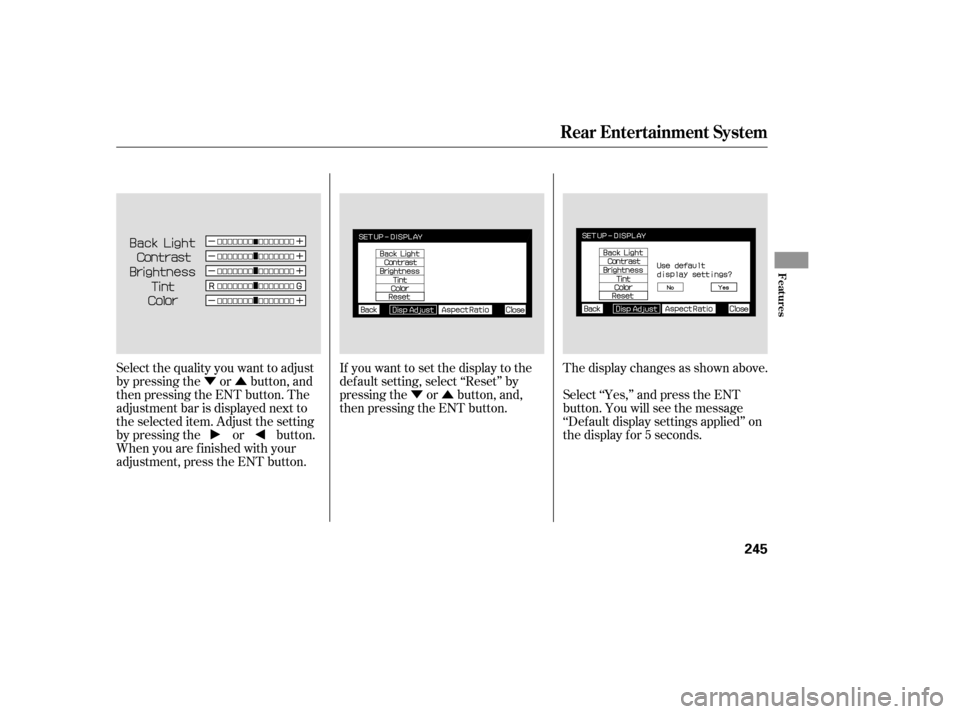
Select the quality you want to adjust
by pressing the or button, and
then pressing the ENT button. The
adjustment bar is displayed next to
the selected item. Adjust the setting
by pressing the or button.
When you are f inished with your
adjustment, press the ENT button. If you want to set the display to the
def ault setting, select ‘‘Reset’’ by
pressing the or button, and,
then pressing the ENT button.
The display changes as shown above.
Select ‘‘Yes,’’ and press the ENT
button. You will see the message
‘‘Def ault display settings applied’’ on
the display f or 5 seconds.
Rear Entertainment System
Features
245
Page 248 of 414
�Ý�Û
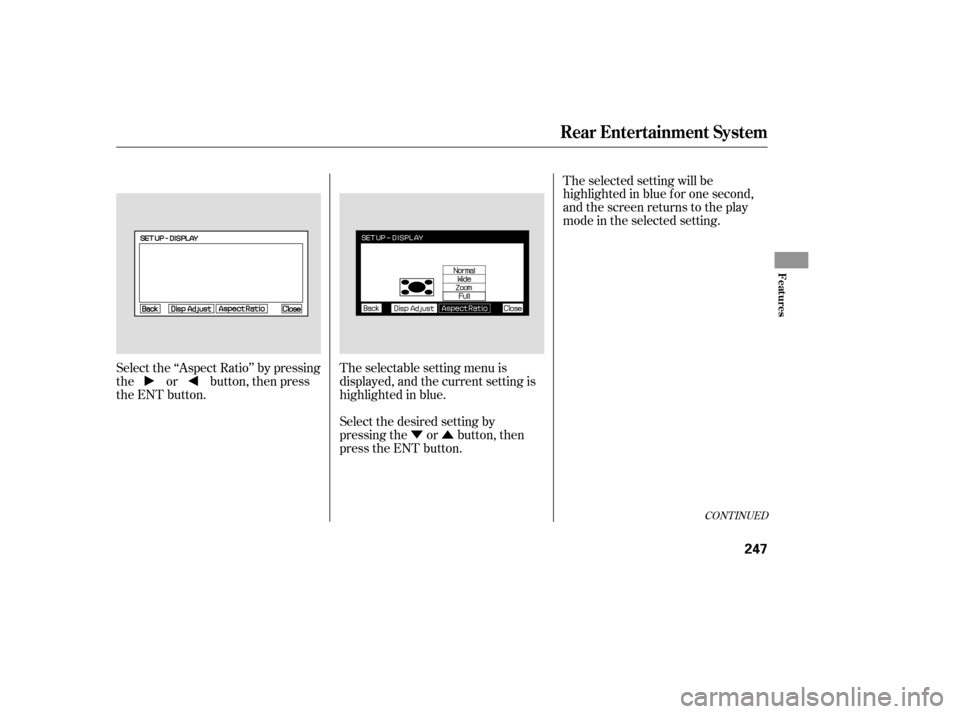
Select the ‘‘Aspect Ratio’’ by pressing
the or button, then press
the ENT button.
The selectable setting menu is
displayed, and the current setting is
highlighted in blue.
Select the desired setting by
pressing the or button, then
press the ENT button.The selected setting will be
highlighted in blue f or one second,
and the screen returns to the play
mode in the selected setting.
CONT INUED
Rear Entertainment System
Features
247
Page 249 of 414
�Ý�Û
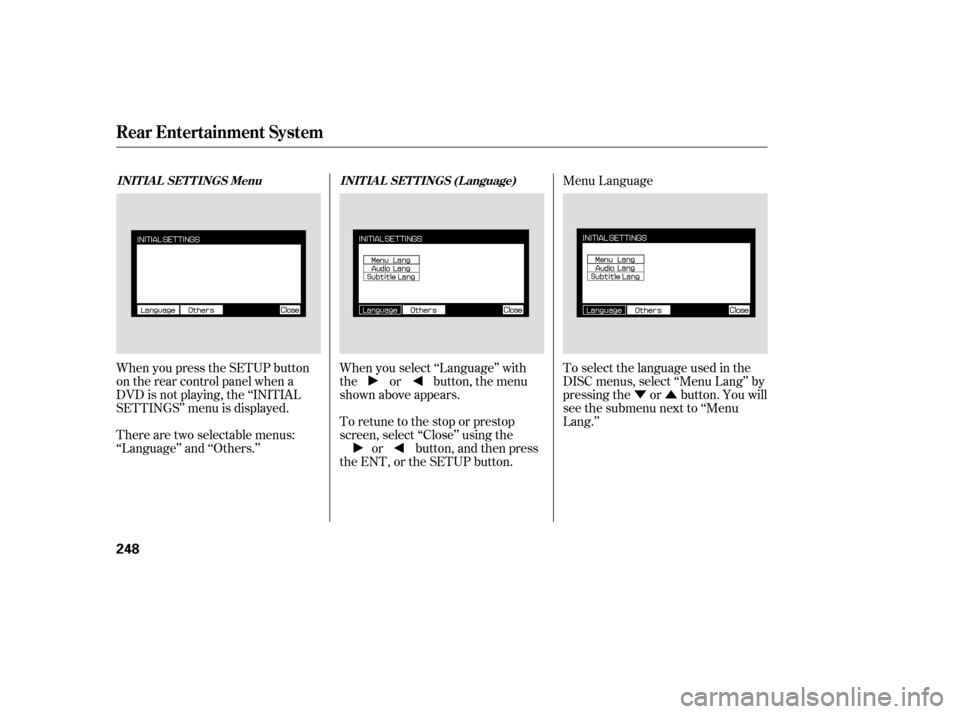
When you press the SETUP button
on the rear control panel when a
DVD is not playing, the ‘‘INITIAL
SETTINGS’’ menu is displayed. When you select ‘‘Language’’ with
the or button, the menu
shown above appears.
To retune to the stop or prestop
screen, select ‘‘Close’’ using the
or button, and then press
the ENT, or the SETUP button. To select the language used in the
DISC menus, select ‘‘Menu Lang’’ by
pressing the or button. You will
see the submenu next to ‘‘Menu
Lang.’’
There are two selectable menus:
‘‘Language’’ and ‘‘Others.’’ Menu Language
INITIAL SETTINGS Menu
INITIAL SETTINGS (Language)
Rear Entertainment System
248