2004 VOLKSWAGEN BEETLE air
[x] Cancel search: airPage 56 of 138

Downloaded from www.Manualslib.com manuals search engine Folding the front passenger seat backrest forwards
Fig. 55 Folding the front passenger seat backrest
forwards
r-('n First read and observe the introductory
l-.b1.l information and safety warnings~ on
page
75 .
The front passenger seat backrest can be
folded
forward to a horizontal position .
The
fron t pass enge r front airbag must be switched
off if any it e ms are to be transported on the front
p asse nger seat when
folded forwards ~page 88.
Folding the front passenger seat backrest
forwards
• Remove any items from the front passenger
seat cu shio n
~ ~-
• Lower the front passenger seat down as far as
possible
~page 66 .
• Push the head restra int all the way down
~page 66.
• Release the front passenger backrest in the di
rection
of the arrow ~Fig. 55 G).
• Fold the front passe nger seat backrest for
wards
in the dir ec tion of the arrow® until it is hori
zontal.
•
When it is fol ded down , the front passenger
sea t backrest must click securely into place .
Folding back the front passenger seat
backrest
• When foldi ng back , check to make sure that
there are no items or body parts near the hinges .
• To fold back , release the front passenger seat
backrest
G).
• Fold back the front passenger seat backrest so
that it is upr
ight. The backrest must click into place
sec urely .
Fig. 56 Unlatching the fo lding front p ss n r
seat backrest
A WARNING '·
Injuries could be caused if the front passen
ger seat backrests are folded forwards and
backwards carelessly .
• Fold the front passenger seat backres t
forwards and backwards only when the vehi
cle is stationary.
• The front airbag must be switched off and
the indicator lamp~~ PASSENGER AIR BAG
OFF must light up for as long as the front pas
senger seat backrest is folded forwards.
• When folding forwards and backwards,
keep
all hands , fingers , feet and other body
parts away from the seat hinges and seat re
lease mechanism.
• Floor mats or other objects could get
caught in the hinges on the front passenger
seat backrest. This could cause the front pas
senger seat backrest to fail to engage secure
ly when it is returned to the upright position.
• When being folded back, the front passen
ger seat backrest
must be securely locked in
the
upright position. If the front passenger
seat backrest is not locked properly it could
move suddenly and cause severe injuries.
A WARNING
The seat anchors and hinges of the folded
front passenger seat backrest can cause seri
ous injuries in the event of a sudden braking
manoeuvre or accident.
~------------------------~~
Sitting correctly and safely 77
Page 63 of 138

Downloaded from www.Manualslib.com manuals search engine • In dusty or sandy a re a s.
• If thore is s to ne damage in the cam era's field of
V IO W .
• If the viewing fie ld of the camera is mis te d up,
d
irty, cov e re d by a sticke r, snow or ice.
I '~A WARNING ~
~ .
Do not le t the extra convenience afforded by
main b
eam assist or automatic main beam
ass is t tempt you Into taking any risks when
driving . The system is not a substitute
for the
full concentration of the driver.
• Always check the lights yourself and ad
just them to the prevailing conditions for
lights, vision and road traffic .
• The main beam assist or automatic main
beam assist may not
be able to detect all
driving situations correctly and may not work
properly in certain situations.
A WARNING (Continued)
• If the camera's field of view is dirty, cov
ered or damaged, the function of the main
beam assist and automatic main beam assist
may
be impaired. This also applies if changes
are made
to the vehicle's lighting system, for
example if additional headlights are fitted.
(Dt
Please observe the following points in order to
avoid impairing the proper function of the sys
tem:
• Regularly clean the camera's field of view,
and keep it free from snow and ice.
• Do not cover the camera's field of view.
• Check the area of the windscreen that is in
the camera's field
of view for damage.
r::l The headlight flasher and the main beam can
L!:J be switched on and off manually at any time
with the turn signal and main beam lever
~page 106.
r-l'n First read and observe the introductory
L-W.I information and safety warnings£ on
page 105.
If you have to drive a right -hand drive vehicle in a
l e ft-h a nd drive country , or vice versa , the asymmet
ric dipped beam headlights may dazzle oncoming
traffic . Th erefo re, the headl
ights must be masked
or switched over
if you are driving abroad.
Th e headlight orientation can be adjusted using
the@) button and the 0 and (L ight ] function but
t o ns in the infotai nment system
~page 31.
In vehicles in which the headl ights cannot be ad
just ed via a
menu , stickers should be applied to
certain parts
of the headlight lenses, or the head
lights should be adjusted by a qualified workshop.
A qualified workshop can provide you with further
information . Volkswagen recom mends using a
Volkswagen dea lership for this purpose .
r::l The use of travel mode and stickers on the
L!J headlights is only permitted for limited peri
ods .
Please contact a qualified workshop for a per
manent alteration . Volkswagen recommends using
a Volkswag en dealership for this purpose.
r-('n First read and observe the i~troductory
L-W.I information and safety warnmgs • on
page 105.
The Coming Home function is switched on manual
ly. However, the Leaving Home function is cotltrol-
led automatically
by a twilight sensor . ..,.
Lights and vision 111
Page 69 of 138
Downloaded from www.Manualslib.com manuals search engine -~
....,
m
.u \ 1n j w v ip r 1 switched on auto
.1t1 ',111 if the front -.. ind creen wipers are
<::' t ' ' r ~ rse gear i eng ged.
m The automatic switch-on function when in. re
W verse gear can be switched on and off us1ng
the@] button and the G and (Mirror and wipers ) func
tion buttons in the infotainment system ~page 31.
ro Fi tread and observe the introductory information and safety warnings & on page 117.
iper response in various situat ions:
\.._e t e e d~ sat na•y
Healed a her jet
Headlight
hen sw1tched on , the wipers will temporarily be switched to the
ext setting down.
T e C hmatromc w1ll sw1tch to air recirculation mode for approxits ru -n a e l 30 seconds to prevent the smell of the windscreen wash-
a s t
er utd from entering the vehicle interior.
T e
rper in tervals are adjusted depending on the vehicle
speed. The faster the vehicle is travelling, the shorter the inter
a!
nses on
ward s the steering wheel when the dipped beam
headlights or main beam are switched on. Clean
off stubborn dirt (msects, etc.) from the headl ights
at regular intervals, for instance when filling the
tank .
In winter, you should remove any snow from the
headligh t w as her nozzles in the
bumper to keep
the headligh t washer system in work ing order. Re
move any ice with a de-icer spray.
r:l The w1per will try to wipe away any obstacles
L!J that are on the wind screen . The w 1per will
sop moving 1f the obstacle blocks its path . Re-
mo e the obstacle and swttch the wiper back on
agam
Service position for the front windscreen wipers
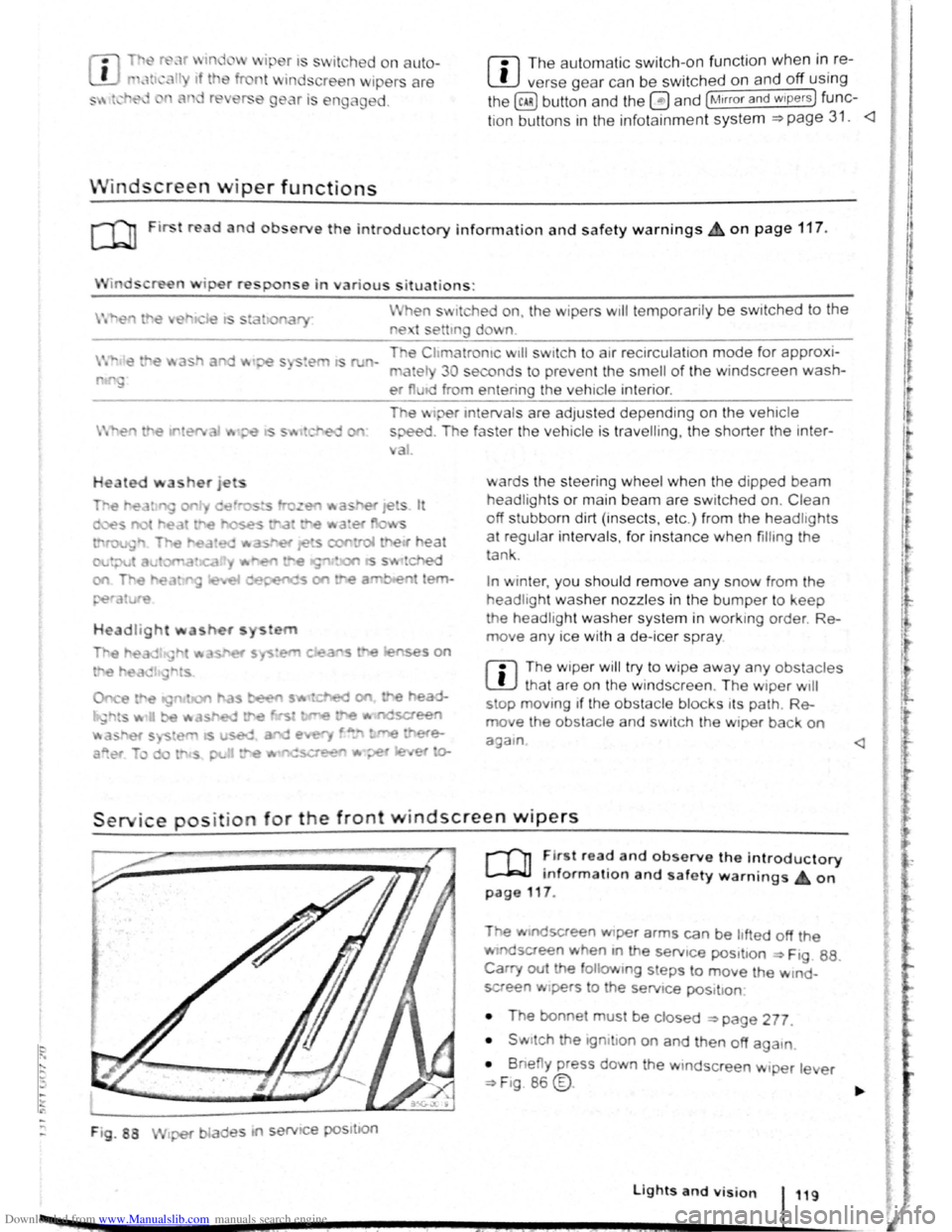
F ig . 88
2 -!.
r-T'n ~lr t rea~ and observe the introductory
L-Jr:J.J mformat1on and safety warnings on
page 117 .
Tt>e .vtndscreen Wlper arms can be h fted off the
ndsaeen when 10 the serv1ce pos1t1on ~ Ftg. 88.
Carry out e followtng s eps to move the w rnd
screen w1pers
t o the servtce pos1t1on
• The bonnet must be closed ~page 277.
• Swrtch the 1gntlton on and then off aga
1n
•
B ne y press down the wtndsc reen w1per le er
~F1g. 86 @.
Lights and vision 119
I 3£
Page 84 of 138
Downloaded from www.Manualslib.com manuals search engine ~S~ta~~~st~o~p~s~y~s~te~m~--------------------------------------
BSG-0005
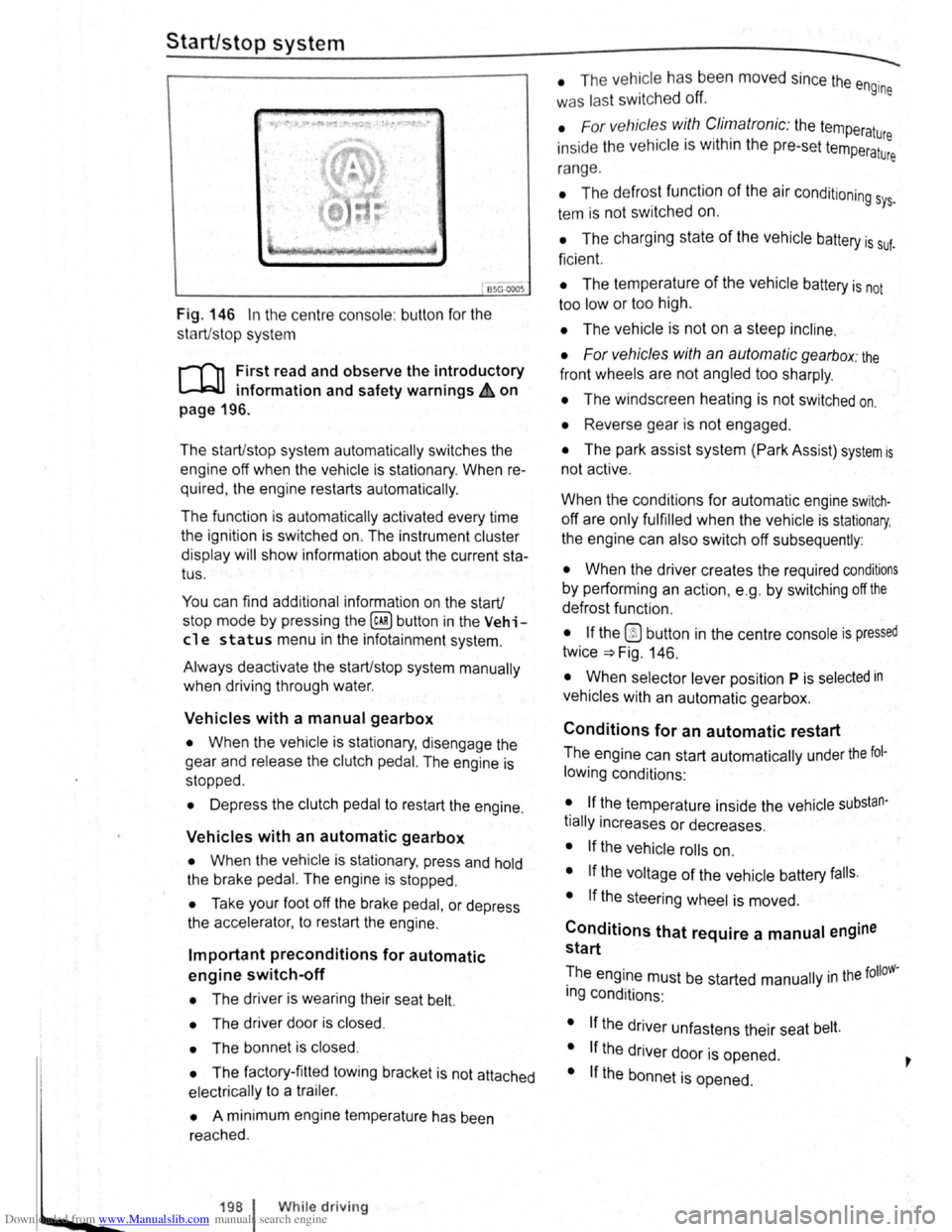
Fig. 146 In the centre consol e: butt on for the
s tart/s top syst em
r-T'n First read and observe the introductory
L-lcJJ information and safety warnings .&. on
page
196.
The start/stop system automatically switches the
engine off when the vehicle is stationary . When re
quired , the engine restarts automatically .
The function is automatically activated every time
the ignit ion is switched on. The instrument cluster
display will show information about the current sta
tus .
You can find additional information on the start/
stop mode by pressing
the~ button in the Vehi
cl e status menu in the infota inment system .
Always deactivate the start/stop system manually
when driving through water.
Vehicles with a manual gearbox
• When the vehicle is stat ionary , d isengage the
g e
ar and release the clutch pedal. The engine is
stopped .
• Depress the clutch pedal to restart the engine .
Vehicles with an automatic gearbox
• When the vehicle is stationary , press and hold
the brake pedal. The engine
is stopped.
• Ta ke your foot off the brake pedal, or depress
the acce lerator, to restart the engine .
Important preconditions for automatic
engine switch-off
• The driv er is wearing their seat belt.
• The driver door is closed .
• The bonnet is closed .
• The factory-fitted towing bracket is not attached
ele ctrically to a trailer .
• A minimum engine temperature has been
rea ched .
198 I While driving
• The ve hicle has been moved since the engine
was las t switc he d off.
• F or v ehicle s with Climatronic: the temperatu
inside the ve hicle is within the pre-set temperat~~e
ra nge .
• The de frost function of the air conditioning sys.
tem is not switched on.
• The charging state of the vehicle battery is suf.
ficient.
• The temperature of the vehicle battery is not
too
low or too high .
• The vehicle is not on a steep incline.
• For vehicles with an automatic gearbox: the
front wheels are not angled too sharply .
• The windscreen heating is not switched on.
• Reverse gear is not engaged .
• The park assist system (Park Assist) system is
not active .
When the condit ions
for automatic engine swit ch
off are only fulfilled when the vehicle is stationary,
the engine can also switch off subsequently :
• When the driver creates the required conditions
by performing an action , e .g . by switching off the
defrost function .
• If the @ button in the centre console is pressed
twice ~Fig. 146.
• When selector lever position P is selected in
vehicles with an automatic gearbox.
Conditions for an automatic restart
The engine can start automatically under the fol
lowing conditions :
• If the temperature inside the vehicle substan
tially increases or decreases .
• If the vehicle rolls on.
• If the voltage of the vehicle battery falls.
• If the steering wheel is moved.
Conditions that require a manual engine
start
The engine must be started manually in the folloW·
ing conditions :
• If the driver unfastens their seat belt.
• If the driver door is opened .
• If the bonnet is opened.
Page 86 of 138

Downloaded from www.Manualslib.com manuals search engine -•
parkPilot
COl Introduction
This chapter contains information on the following
subjects:
Operating ParkPilot . . . . . . . . . . . . . . . . . . . . . . 202
parkPilot display
. . . . . . . . . . . . . . . . . . . . . . . . 204
ParkPilot menu . . . . . . . . . . . . . . . . . . . . . . . . . 206
Vehicle path display . . . . . . . . . . . . . . . . . . . . . 207
Towing a trailer . . . . . . . . . . . . . . . . . . . . . . . . . . 208
The ParkPilot assists the driver when manoeuvring
and parking . If the vehicle is approaching an obsta
cle located in the range of the ultrasound sensors ,
an intermittent acoustic warning is sounded , de
pending on the distance . The shorter the distance ,
the shorter the intervals . The acoustic warning will
sound continuously if the obstacle is very close .
The ultrasound sensors in the bumpers transmit
and receive ultrasound waves. The system uses
the time difference between the ultrason ic waves
(i.e. between the transmission and reflection from
obstacles and the point of reception) to continu
ously calculate the distance between the bumper
and the obstacle.
Additional information and warnings:
• Exterior views ~page 6
• lnfotainment system ~page 31
• Braking , stopping and parking ~page 179
• Reverse assist system (Rear Assist)
~page 209
• Park
assist system (Park Assist) ~page 213
• Cleaning and caring for the vehicle exterior
~page 294
• Accessories , modificat ions , repairs and renewal
of parts ~page 320
A WARNING
The ParkPilot cannot replace the full concen
tration of the driver.
• Unintentional vehicle movements can
cause serious injury.
• Always adapt your speed and driving style
to suit visibility, weather, road and traffic con
ditions.
• Ultrasound sensors have blind spots in
Which obstacles and people cannot be detec
ted '--.
A WARNING (Continued) ~-
• Always monitor the area around the vehi
cle as the ultrasound sensors will not always
detect infants, animals and objects.
• Certain surfaces of objects and clothes
cannot reflect the signals from the ultrasound
sensors. The system is unable to detect
these objects or people wearing this type of
clothing, or they may be detected incorrectly.
• External sources of sound can affect the
signals of the ultrasound sensors. In certain
circumstances, the system may not recog
nise people or objects.
A WARNING ~-.
Automatic activation of the ParkPilot only oc
curs at very low speeds. An inappropriate
driving style can cause accidents and serious
injuries.
• Always bear in mind the time delay be
tween the signals.
• The ultrasound sensors may not always be
able to detect objects such as trailer drawbars,
thin rails, fences, posts, trees and open or
opening tailgates. This can result in damage to
your vehicle.
• If the ParkPilot has detected an obstacle
and issued a warning, the obstacle may move
out of the detection range of the sensors as the
vehicle approaches it, particularly if the object
is very high or very low. These objects are no
longer registered.
• The vehicle can sustain considerable dam
age if the warning given by the ParkPilot is ig
nored.
• The ultrasound sensors in the bumper can
be displaced or damaged through impacts, e.g.
when parking.
• The ultrasound sensors in the bumpers
must be kept clean and free of ice and snow
and not be covered up by stickers or other
items, as these may prevent the system from
working properly.
Driver assist systems 2o1
Page 98 of 138

Downloaded from www.Manualslib.com manuals search engine park Assist system
WJl Introduction
is c ha pt er contain s information on th e following
5 bJects :
par in g using the Park Assist system . . . . . . . 214
Driv in g out of a parkin g space with the Park
Assist s y stem (only parking spaces paralle l to
s id e of
road) . . . . . . . . . . . . . . . . . . . . . . . . . . . . 216
A
toma ti c brak e intervention . . . . . . . . . . . . . . 216
; e Park As sist s y stem helps the driver in findi ng
su·table park in g spaces, when parking in suitable
p a ra
lle l or perpend icu lar parking spaces and whe n
get ·n g o ut of para lle l parking spaces.
T
e Park Ass ist system has certa in system-rela ted
limitations and th e driver should be particularly
carefully when using the Park Assist system => 4::,..
One element of the Park Assi st system is the Park
Pilo~ which is des igned to provide assist an ce
when parkin g.
In vehicles w ith ParkP ilot optical display the scan
ned area to the front , rear and to the sides of the
vehicle will be shown on the screen of the radio or
the navigat ion sys tem. W ith in the scope permitted
by the sys tem , the pos it ion of obstacles w ill be
s
hown in rel at ion to the vehicle .
T he
Park Ass is t system cannot be sw itched on if
the factory -fitted towing bracket is e lectrically co n
n e
cted to the trailer.
Additional information and warnings:
• Exterior views =>page 6
• Braking , stopp ing and parking =>page 179
• ParkPilo t =>page 201
•
C leaning and caring for the vehicle exterior
~page 294
• Accessor ies, mod ificatio ns, repairs and renew al
of Parts =>page 320
..._A W ARN ING
D o not le t the extra convenience afforded by
the Park Assist system tempt you into taking
any risks when driving-this can cause acci
dents. The system is not a substitute for the
full concentration of the driver.
• Un intentional vehicle movements can
cause serious injury.
A WARNING (Continuec;f) -
• Always adapt your speed and driving style
to suit visibility, weather, road and traffic con
ditions.
• The surface of certain objects, including
clothing, as well as external noise sources do
not reflect the signals from the Park Assist
system or the parking distance warning sen
sors or can cause the system to fail to detect
objects or persons.
• Sensors have blind spots in which obsta
cles and people cannot be detected.
• Always monitor the area around the vehi
cle as the sensors will not always detect in
fants, animals and objects.
..
A WARNING .. p k
When driving into or out of a parking space
using the Park Assist system, the steering
wheel will automatically make quick turning
movements. You could be injured if you at
tempt to touch the steering wheel spokes.
• The Park Assist system uses parked vehi
cles, the kerb and other objects as guidance.
Please ensure that the wheels and tyres are not
damaged when parking the vehicle. If necessa
ry, stop the parking procedure in good time to
prevent damage to the vehicle.
• The sensors may not always be able to de
tect objects such as trailer drawbars, thin rails,
fences, posts, trees and open or opening tail
gates. This can result in damage to your vehi
cle.
•
If the ParkPilot has detected an obstacle
and issued a warning, the obstacle may move
out of the detection range of the sensors as the
vehicle approaches it, particularly if the object
is very high or very low. These objects are no
longer registered. The vehicle can sustain con
siderable damage if the warning given by the
ParkPilot is ignored. The same applies to the
Park Assist system, for example when parking
behind a lorry o r a motorbike. Therefore, al
ways check the space in front of and behind
the vehicle and stop the vehicle in good time if
necessary.
I D•ive• assist systems 12t3
~~------------------~-~! ----------------~~@~-~· ~---J~-
Page 102 of 138
Downloaded from www.Manualslib.com manuals search engine Cruise control system (CCS)
CQJ Introduction
This chap te r co ntains inf ormation on the follo wing
sub jects :
D is pl ay and indi cator la mp . . . . . . . . . . . . . . . .
2 18
O pe ra tin g the c ruise contr ol sy ste m (CCS ) . . 219
Th e crui se co ntr ol s y ste m (CC S) helps to maint ain
an indiv idu al s e t s pee d wh en the vehic le is trave l
l i
ng forw ards at spee ds of m ore tha n app rox im ate
ly
20 km /h (15 mph)1
).
The CCS only slows the vehicle by easing o ff the
acce lerato r, not by activ ely brakin g
~ ~.
Additional information and warnings:
• Changing gear ~page 169
• Speed limiter ~p age 222
• Adaptive Cruise Control (ACC) ~page 226
• Accessories , modifi cations, re pair s and rene wal
of parts
~page 320
The use of the cruise control system can lead
to accidents and serious injuries if traffic
does not allow you to drive at a safe distance
from the vehicle in front at a constant speed.
Display and indicator lamp
®
@
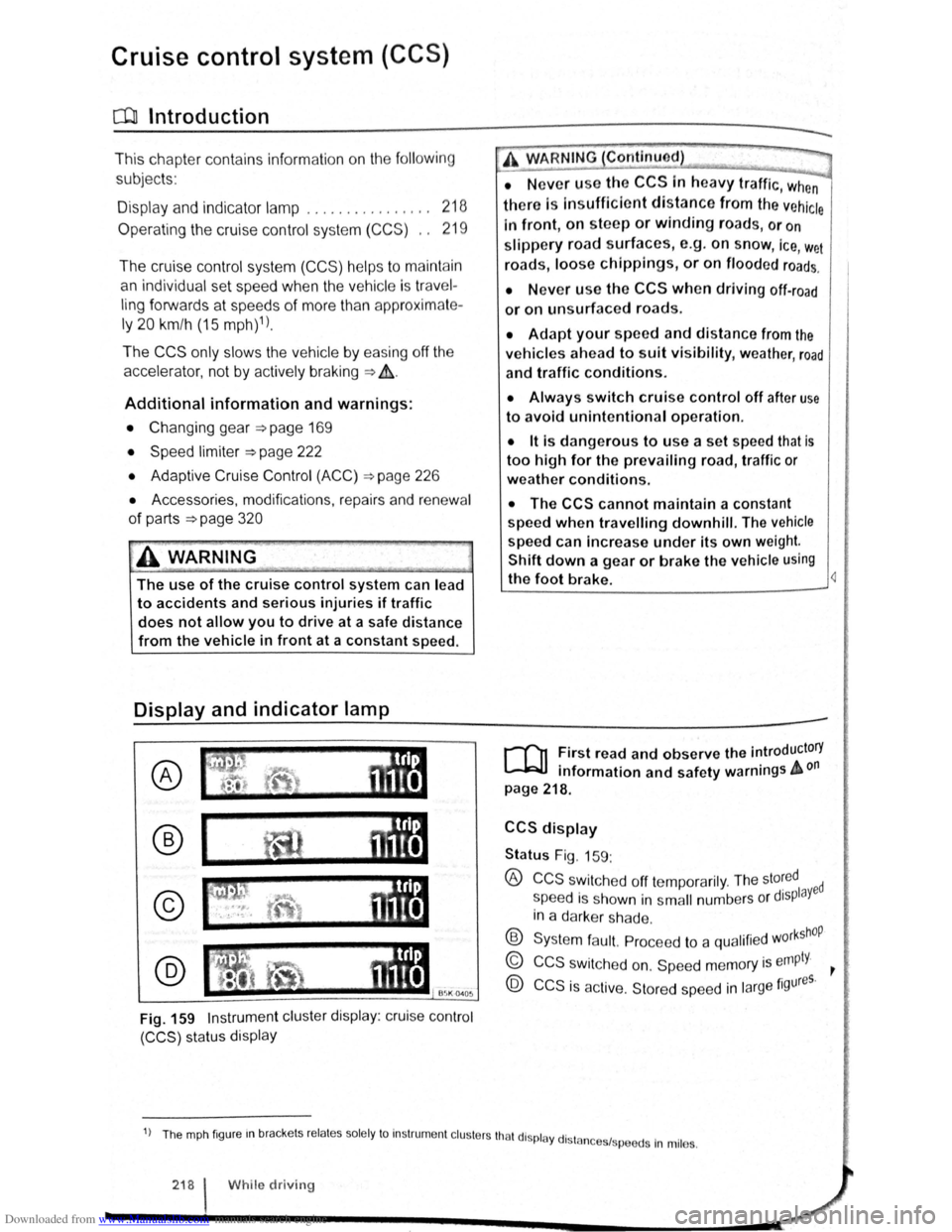
Fig. 159 Instrument cluster display: cruise control
(CCS) status display
A WARNING Continued)
• N ever use the CCS In heavy traffic, when
there Is In sufficient distance from the vehicle
In front, on steep or winding roads, or on
slippery road surface s, e.g. on snow, ice, w et
road s, loose chlppings, or on flooded roads.
• N ever use the CCS when driving off-road
or on unsurfaced roads .
• Adapt your speed and distance from the
vehicles ahead to suit visibility, weather, road
and traffic conditions.
• Always switch cruise control off after use
to avoid unintentional operation.
• lt is dangerous to use a set speed that is
too high for the prevailing road, traffic or
weather conditions.
• The CCS cannot maintain a constant
speed
when travelling downhill. The vehicle
speed can Increase under its own weight.
Shift down a gear or brake the vehicle using
the foot brake. 4
r-T'n First read and observe the introductory
L-.bU information and safety warnings & on
page 218.
CCS display
Status Fig. 159:
® CCS swit che d off te mp ora rily . The sto~ed ed
s peed i s s hown in s m all numbers o r displaY
in a darke r sh a de .
® Syste m fa ult. Pro cee d to a qualifi ed w orkshOP
© CCS s wit ch e d on. Sp eed m em ory is empty. ~
@ CCS is ac tive. Stor ed sp ee d in la rge figures.
1) Th e mph fig ur e m brac ke ts re la te s so le ly to In str um ent cl uste rs tha t di spl ay dl stn 1 .
n ces sp ee ds In mil es.
218 I While driv in g
Page 105 of 138
Downloaded from www.Manualslib.com manuals search engine Swttch po ition, w itch operation
on the turn ignallover ~Fig. 160
or utton on tho multifunction
to ring wheel Fig . 16 1
Pr ss utton 0 on the turn s1gnaJ
tflv r tn tho area marked SET/-, or
bnefly pr ss the @ button on the
mult1fun tton stoenng wheel to reduce
th
sp ed tn small tncrements o f
1 kmlh (1 mph) and to s tore the
s ed
' Pr ss the 8 button on the mult~~
d ti n leering wheel bne fly to redu ce
1 the tored speed tn increments of
110 km/h (5 m ph) and to store the
speed. t -------l Pre s button @ on the tu m signal
lev r in the area marked SET/-. or
I press and hold the 8 button on the
mult tfunc tion st
eering wheel to re du ce 1 the spee d con tin uously un til the bul-
1 A ction
By eas1ng off the accelerator and
without acttvely braking, the system
w111 decrease the speed unt1l the new
set speed is reached .
l ton is released and to s tore the
-----------+spee d. ____ _
I
Move swi tch CD t o the OFF posi t1on.
OR: when regula tio n IS ac tiv e, bnefl y
the CCS .
press the 0 b utt on on t he mu ltif u n c-The system is sw1tched off The stor-
j tio n s teering wheel twice . ed speed w1ll be deleted .
OR: in any operating mode , p res s
and
hold t he §) butt on on the multi
func tion steering
wh eel.
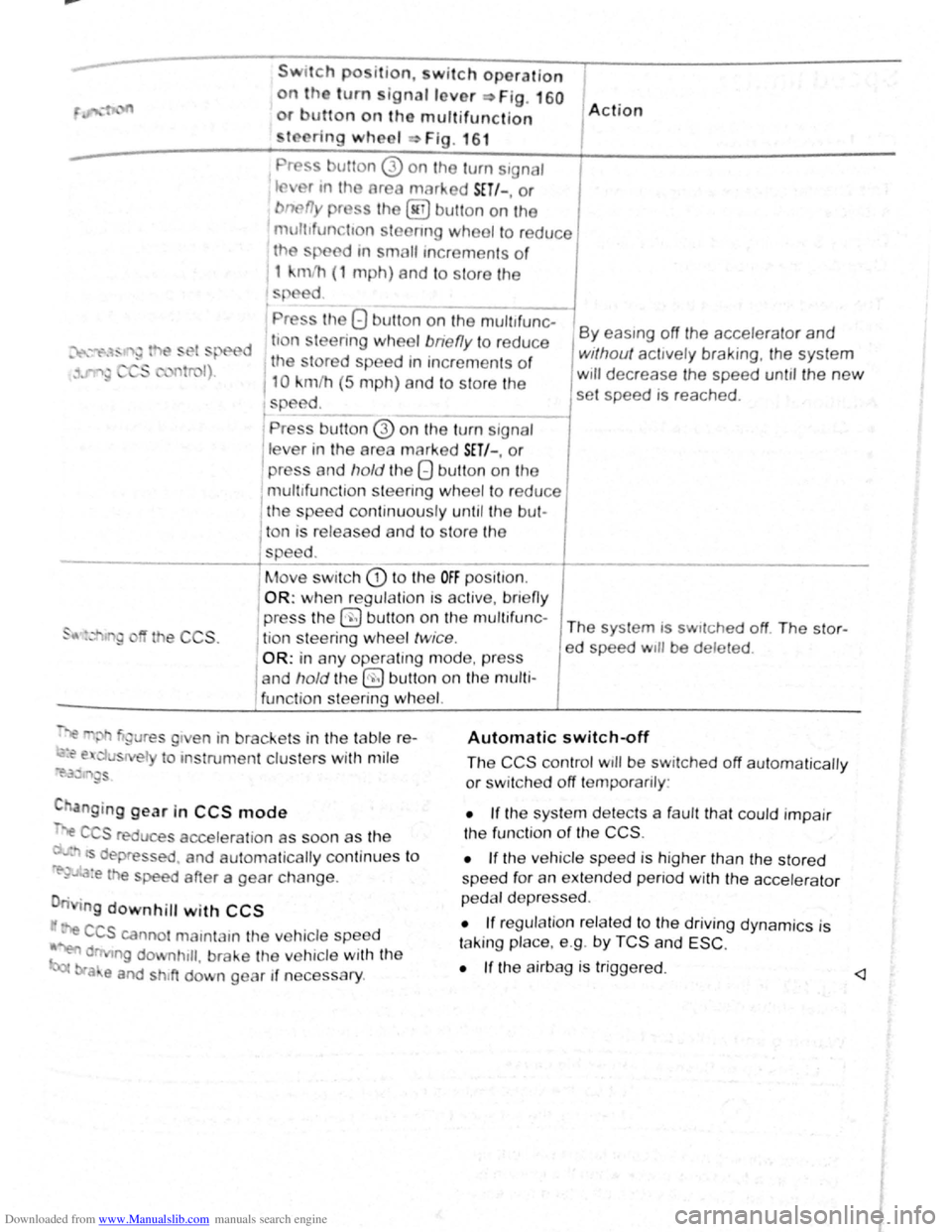
~"' gure s g1 en in brackets in th e table r e-
~~ e. u s el to ms trume nt clus ters with mil e
~i'.3~ '"~gs
C anging gear in CCS mode
".e C S reduce s accelera tio n as soon as th e
· ts dep ressed . and automa tically continu es t o
re-~..~:a:e the speed after a gear change .
n g
downhill with CCS
· e CCS canno t mamtam the ve hicle speed
~ d ng downhtll , brake the ve hicle with the
bra e and shtft down gear if neces sary .
Automatic switch~ff
The CCS control wtll be switched off automaticall y
or sw it c h e d off temporarily :
• If the sys te m d etects a fau lt th at co uld impair
th e fun ctio n
of th e CCS .
•
If th e ve hicle spee d is h igher than the stor ed
spee d for an exte nd ed p enod with the acc ele ra to r
p e dal d ep re ss ed .
• If reg ulation re la te d to the driv ing dyn ami cs is
t a kin g place. e.g . by
TCS and ESC .
•
If the a irbag is trigge red. <1