2004 SUBARU IMPREZA lock
[x] Cancel search: lockPage 233 of 491

5-20
Audio
!
Manual tuning (TUNE)
: Tuning to a higher frequency
: Tuning to a lower frequency
Turn the tuning knob (4) clockwise and release it im-
mediately to increase the tuning frequency and turn
the tuning knob counterclockwise and release it imme-
diately to decrease the tuning frequency.
Each time the knob is turned, the frequency changes
10 kHz in the AM waveband and 0.2 MHz in the FM
waveband.
If you turn the tuning knob (4) clockwise and hold it in
that position, the tuning frequency will increase contin-
uously. If you turn the tuning knob counterclockwise and hold it in that position, the tuning frequency will de-
crease continuously. Release the knob to stop the in-
crease or decrease. !
Automatic tuning (SCAN)
Press the “SCAN” button (3) to change the radio to the
SCAN mode. In this mode, the radio scans through the
radio band until a station is found. The radio will stop
at the station for five seconds while displaying the fre-
quency, after which scanning will continue until the en-
tire band has been scanned from the low end to the
high end.
Press the “SCAN” button again to cancel the SCAN
mode and to stop on any displayed frequency.
When the “SCAN” button is pressed for automatic tun-
ing, stations are scanned in the direction of low fre-
quencies to high frequencies only.
Automatic tuning may not function properly if the sta-
tion reception is weakened by distance from the sta-
tion or proximity to tall buildings and hills. ! Selecting preset stations
Presetting a station with a preset button (5) allows you
to select that station in a single operation. Up to six
AM, FM1 and FM2 stations each may be preset. ! How to preset stations
1. Press the “FM/AM” selection button to select AM,
US5508CA
Page 236 of 491
5-23
Audio
– CONTINUED –
NOTE "Only use good quality cassettes (cassettes
longer than C-90 are not recommended). " Put cassettes back in their boxes immediately
after use to protect them from dust and dirt and to
prevent the tape from unwinding. " Never expose cassettes to heat, direct sunlight
or moisture. " Clean the tape head (once or twice a month) us-
ing a wet-type cleaning cassette .
! To play back a cassette tape
" When cassette tape is not in the player
When a cassette is partially inserted, it is automatically
drawn in and starts tape playback. " When cassette tape is in the player
When the “TAPE” button (12) is pressed, the display
will show “PLAY” and the player will start playback. ! Tape travel indicators
These indicate the direction the cassette tape is mov-
ing.
: indicates that the top side of the cassette is being
played back.
: indicates that the bottom side of the cassette is be-
ing played back. !
Program switching button (PROG)
When the program switching button “PROG” (16) is
pressed during playback, the tape travel indicators will
switch and the player will begin playing back the oppo-
site side of the tape. The same mechanism is auto-
matically activated when the end of the tape is
reached. This allows the opposite side of the tape to
play, providing continuous playback. ! Fast-forward button (FF)
To fast-forward the tape, press the “FF” button (15).
The display will show “FF”. To stop fast-forwarding,
press the “FF” or “TAPE” (12) button. ! Rewind button (REW)
To rewind the tape, press the “REW” button (17). The
display will indicate “REW”. To stop rewinding, press
the “REW” or “TAPE” (12) button. ! Eject button ( )
When “ ” button (10) is pressed, play back stops
and the cassette tape is ejected.
The ejection function also operates when the ignition
switch is in the “LOCK” position. Always make certain
that you remove the cassette tape.
Page 241 of 491
5-28
Audio
“TAPE” (12), the player will enter standby mode. Press
the “CD” button to start playback. "
Loading all the magazine (Full disc loading mode)
1. If you continue to press the “LOAD” button for more
than 1.5 seconds, the player will produce beep sound
and will enter the full disc loading mode.
2. A “DISC” indicator will blink, and the “IN” will be on
display for a period of 15 seconds. If a disc is success-
fully loaded during this period, the “DISC” indicator will
stop blinking and will steadily light.
3. When the loading of a disc is complete, the next
“DISC” indicator will blink. Then repeat Step 2.
4. When the magazine is filled with discs by repeating
Steps 2 and 3, the player will start playback of the
discs, beginning with the one inserted first.
If you fail to insert any disc during each 15-second in-
terval, the full disc loading mode will be canceled, and
the player will start playback of the disc inserted first. ! How to play back a CD or make a pause
" When there is no CD inserted:
Insert a CD by referring to “How to Insert a CD(s)”.
When a CD is loaded, the player will start playback of
the CD, beginning with the first number. "
When there are CDs loaded:
Press a desired one of the “DISC SELECT” buttons
(26) the “DISC” indicator of which steadily lights up.
The player will then start playback of the selected CD,
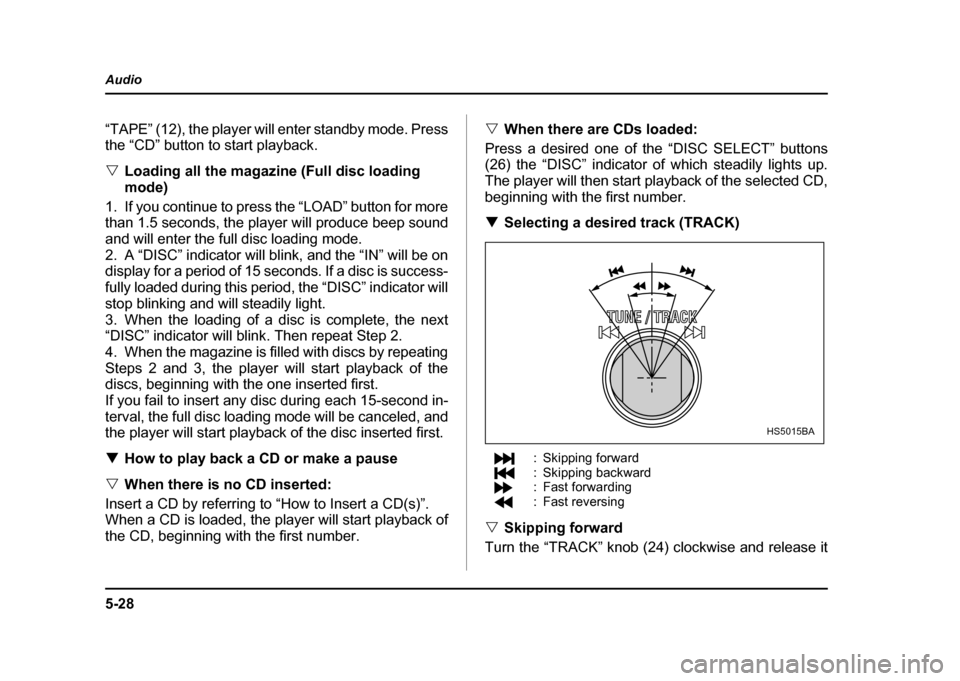
beginning with the first number. ! Selecting a desired track (TRACK)
: Skipping forward
: Skipping backward
: Fast forwarding
: Fast reversing
" Skipping forward
Turn the “TRACK” knob (24) clockwise and release it
HS5015BA
Page 242 of 491

5-29
Audio
– CONTINUED –
immediately to skip to the beginning of the next track.
Each time the knob is turned and released, the indicat-
ed track number will increase. "Skipping backward
Turn the “TRACK” knob (24) counterclockwise and re-
lease it immediately to skip to the beginning of the cur-
rent track. If you continue to turn and release the knob,
the indicated truck number will decrease. " Fast forwarding
Turn the “TRACK” knob (24) clockwise and hold it con-
tinuously for more than 2 seconds to fast forward the disc.
Release the knob to stop fast forwarding. " Fast reversing
Turn the “TRACK” knob (24) counterclockwise and
hold it continuously for more than 2 seconds to fast re-
verse the disc.
Release the knob to stop fast reverse. ! Repeat playback
Press the “RPT” button (25) while a song is playing to
play the song repeatedly. The “RPT” indicator will
come on and the song will be played continuously. To
cancel the repeat mode, press the button again. Then
the “RPT” indicator goes out, and normal playback mode is restored. !
Random playback
Press the “RDM” button (23) while a disc is being
played back to play all songs on the disc in a random
order. The “RDM” indicator will come on and all songs
on the disc will be played in a random order.
To cancel the random mode, press the button again.
Then the “RDM” indicator goes out, and normal play-
back mode is restored. ! Scan
When the “SCAN” button (19) is pressed while the disc
is being played back, you can hear the first 10 seconds
of each track to search for the desired program. To
continue listening to the program, press the “SCAN”
button again. After all tracks on the disc have been
scanned, normal playback mode is restored. ! How to unload CDs from the player
" Ejecting a CD from the player
Of the discs loaded, you can select and remove only
one disc.
1. Press the “DISC SELECT” button (26) of the disc
whose “DISC” indicator is ON.
2. Press the “EJECT” button (22). Then the “DISC” in-
dicator associated with the disc you have selected will
Page 246 of 491

5-33
Audio
– CONTINUED –
2. Press the “Eject button” (4). The selected disc will
be ejected and the indicator light will begin blinking.
3. To remove another disc, repeat step 1 and 2
choosing a different “Disc select” button.
(To remove discs when the ignition switch is in the
“Lock” position, press the “Eject” button, and the first
disc will be ejected. Press the “Eject” button again,
and the next disc will be ejected and so on. At this
time, the “Disc select” buttons are disabled.) !To remove all discs at one time
1. Press and hold the “Eject” button (4) until all “Disc”
indicators begin blinking (about 1.5 seconds), and the
first disc will be ejected.
2. When the disc is removed, the next one will be
ejected, and so on. ! To replace a playing disc with another
Simply press the desired one of “Disc select” buttons
(3) (numbered from 1 to 6) or press the “DISC select”
button on the radio unit to select the desired disc, and
the disc will begin to play. ! Disc indicators
Lit: when the corresponding storage tray is occupied
by a disc.
Blinking: Disc player is either in loading, eject or
changing mode. OFF: No disc is loaded or the ignition switch is in the
“LOCK” position. "
Open/Closed disc slot indicator
When the disc slot is open, the disc indicators on both
sides of the slot illuminate. ! Function control
Refer to CD changer control operating instructions de-
scribed in the “Type B audio set (if equipped)” section.
Page 253 of 491
6-4
Interior equipment
Sun visors
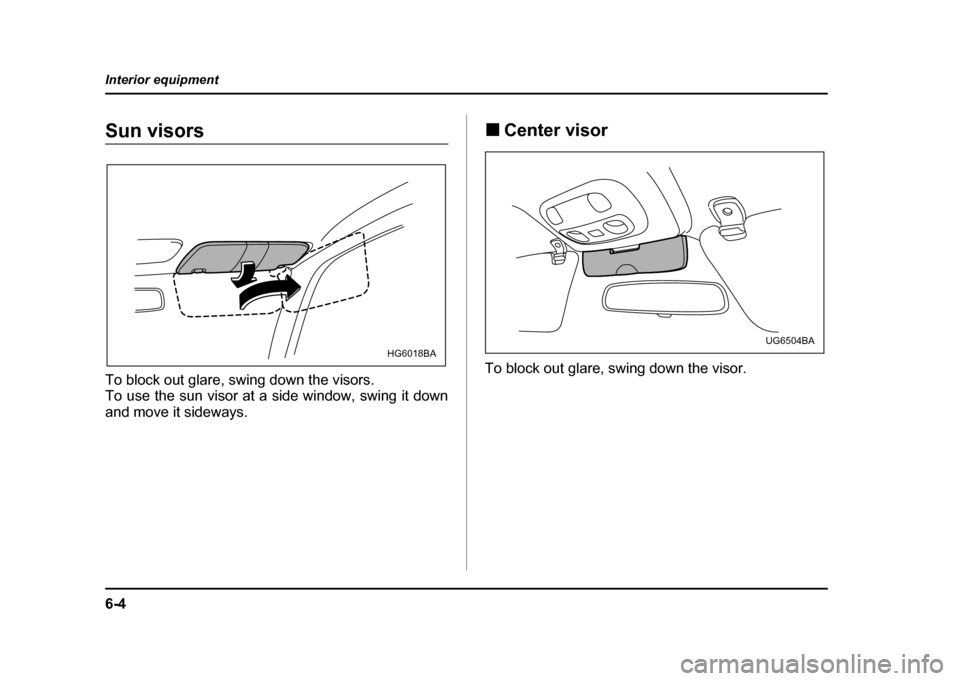
To block out glare, swing down the visors.
To use the sun visor at a side window, swing it down
and move it sideways.
!
Center visor
To block out glare, swing down the visor.
HG6018BAUG6504BA
Page 255 of 491
6-6
Interior equipment
!
Glove box
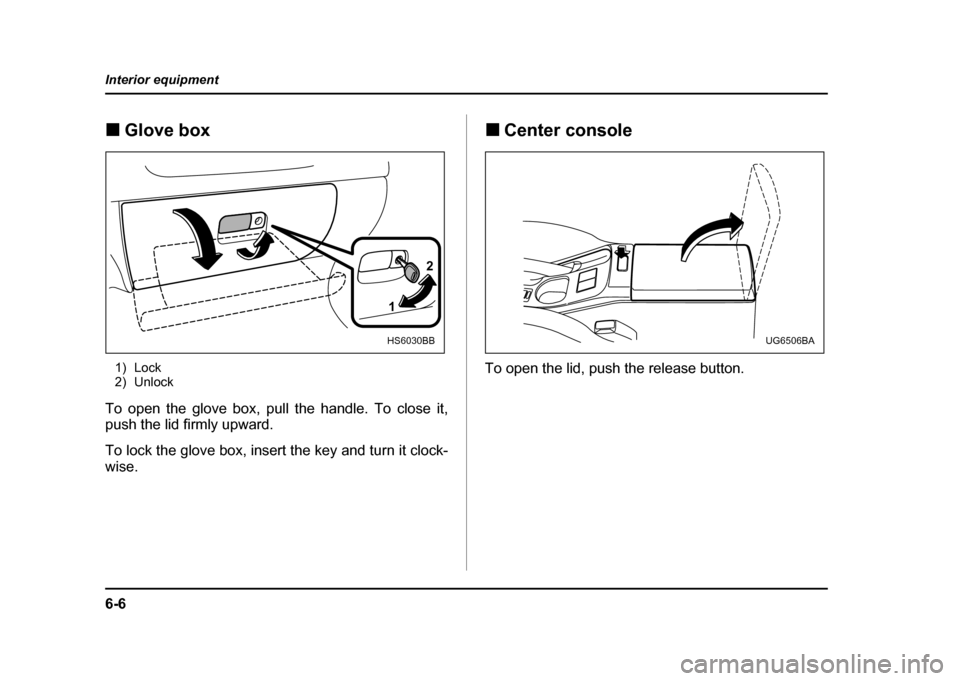
1) Lock
2) Unlock
To open the glove box, pull the handle. To close it,
push the lid firmly upward.
To lock the glove box, insert the key and turn it clock-
wise. !
Center console
To open the lid, push the release button.
1 2
HS6030BBUG6506BA
Page 270 of 491

7-1
7
Starting and operating
F uel .. ... ... ... .. ... ... ... ... .. ... ... ... ... ... .. ... ... ... ... .. ... ... 7-2
F uel re quire ments ..................... ..................... ... 7-2
Fuel filler lid and cap ........................................ 7-4
State emission testing (U.S. only) ............... 7-7
Preparing to drive ......................................... 7-9
Starting the engine ....................................... 7-9 Manual transmission vehicle ........................... 7-9
Automatic transmission vehicle ...................... 7-10
Starting the engine during cold weather below −4 °F ( −20 °C) ......................................... 7-10
Starting a flooded engine ................................. 7-11
Stopping the engine ..................................... 7-11
Manual transmission – 6 speed (WRX-STi) 7-12 Selecting reverse gear ...................................... 7-12
Shifting speeds ................................................. 7-13
Driving tips ........................................................ 7-14
Manual transmission – 5 speed (except WRX-STi) ...................................... 7-15Shifting speeds ................................................. 7-15
Driving tips ........................................................ 7-17
Driver’s Control Center Differential (DCCD) (WRX-STi) ..................................... 7-18Auto mode ......................................................... 7-18
Manual mode ..................................................... 7-19
Temporary release ............................................ 7-21
Automatic transmission ............................... 7-21 Selector lever for automatic transmission ..... 7-22
Shift lock release .............................................. 7-26
Limited slip differential (LSD) (if equipped) 7-27 Power steering .............................................. 7-28
Braking ........................................................... 7-28
Braking tips ....................................................... 7-28
Brake system .................................................... 7-29
Disc brake pad wear warning indicators ........ 7-29
ABS (Anti-lock Brake System) ..................... 7-30 ABS system self-check .................................... 7-30
ABS warning light ............................................. 7-31
Electronic Brake Force Distribution (EBD) system ........................................................ 7-32Steps to take if EBD system fails .................... 7-33
Parking your vehicle ..................................... 7-34 Parking brake .................................................... 7-34
Parking tips ....................................................... 7-35
Cruise control ................................................ 7-37 To set cruise control ........................................ 7-37
To temporarily cancel the cruise control ....... 7-39
To turn off the cruise control ........................... 7-40
To change the cruising speed ......................... 7-40