Page 133 of 491
2-30
Keys and doors
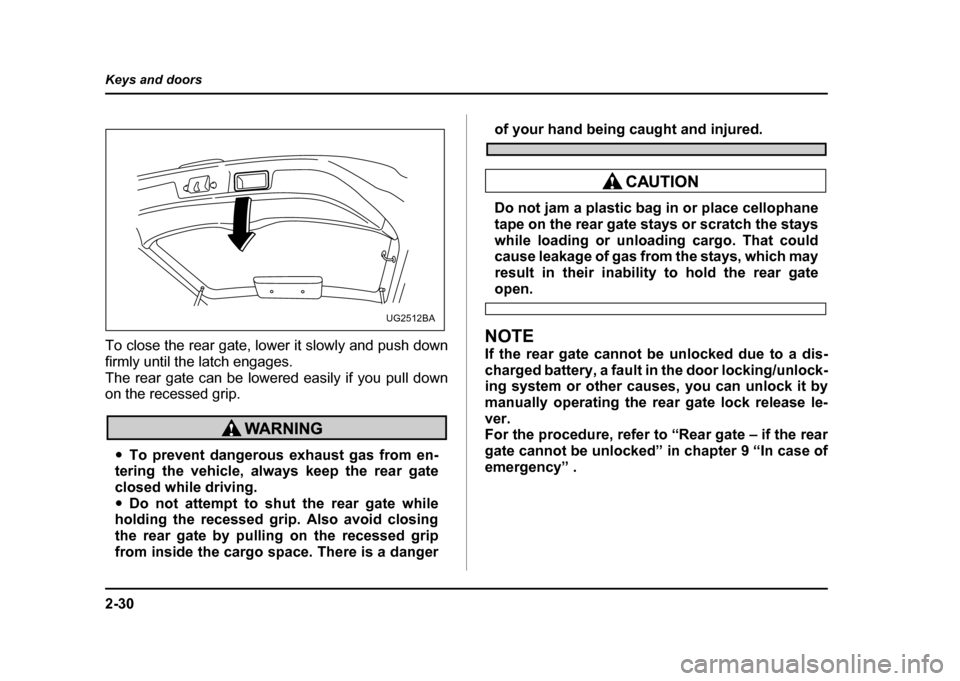
To close the rear gate, lower it slowly and push down
firmly until the latch engages.
The rear gate can be lowered easily if you pull down
on the recessed grip.
"
To prevent dangerous exhaust gas from en-
tering the vehicle, always keep the rear gate
closed while driving." Do not attempt to shut the rear gate while
holding the recessed grip. Also avoid closing
the rear gate by pulling on the recessed grip
from inside the cargo space. There is a danger
of your hand being caught and injured.
Do not jam a plastic bag in or place cellophane
tape on the rear gate stays or scratch the stays
while loading or unloading cargo. That could
cause leakage of gas from the stays, which may
result in their inability to hold the rear gate
open.
NOTE
If the rear gate cannot be unlocked due to a dis-
charged battery, a fault in the door locking/unlock-
ing system or other causes, you can unlock it by
manually operating the rear gate lock release le-
ver.
For the procedure, refer to “Rear gate – if the rear
gate cannot be unlocked” in chapter 9 “In case of
emergency” .
UG2512BA
Page 138 of 491

3-1
3
Instruments and controls
Ignition switch .............................................. 3-3 LOCK .................................................................. 3-3
ACC .................................................................... 3-4
ON ....................................................................... 3-4
START ................................................................ 3-4
Key reminder chime .......................................... 3-4
Ignition switch light (if equipped) .................... 3-5
Key interlock release (AT vehicles only) ........ 3-5
Hazard warning flasher ................................ 3-6
Meters and gauges (WRX-STi) .................... 3-7 Combination meter illumination ...................... 3-7
Cancelling sequential illumination of the combination meter ......................................... 3-7
Speedometer ..................................................... 3-7
Odometer/Trip meter ........................................ 3-8
Tachometer ........................................................ 3-9
Fuel gauge ......................................................... 3-9
Temperature gauge ........................................... 3-10
Ambient temperature gauge ............................ 3-11
REV indicator light and buzzer (WRX-STi) . 3-12 Setting the alarm-level engine speed .............. 3-13
Deactivating the REV alarm system ................ 3-14
Meters and gauges (Except WRX-STi) ........ 3-15 Speedometer ..................................................... 3-15
Odometer/Trip meter ........................................ 3-15
Tachometer ........................................................ 3-16
Fuel gauge ......................................................... 3-16
Temperature gauge ........................................... 3-17
Ambient temperature gauge (if equipped) ...... 3-18
Warning and indicator lights ....................... 3-19 Seatbelt warning light and chime .................... 3-19 SRS airbag system warning light .................... 3-20
CHECK ENGINE warning light/Malfunction
indicator lamp ................................................. 3-20
Charge warning light ........................................ 3-21
Oil pressure warning light ............................... 3-21
AT OIL TEMPerature warning light (for AT vehicles) ............................................. 3-22
Rear differential oil temperature warning light
(WRX-STi) ........................................................ 3-22
ABS warning light ............................................. 3-23
Brake system warning light ............................. 3-24
Door open warning lights ................................ 3-25
Front-wheel drive warning light (for AT vehicles – if equipped) ...................... 3-25
Intercooler water spray warning light
(WRX-STi) ........................................................ 3-25
Selector lever position indicator (AT vehicles) 3-26
Turn signal indicator lights .............................. 3-26
High beam indicator light ................................. 3-26
Cruise control indicator light ........................... 3-26
Cruise control set indicator light .................... 3-26
Driver’s control center differential auto indicator light (WRX-STi) ............................... 3-26
Driver’s control center differential indicator
lights (WRX-STi) ............................................. 3-27
Headlight indicator light (WRX-STi) ................ 3-27
REV indicator light (WRX-STi) ......................... 3-27
Clock .............................................................. 3-28
Light control switch ...................................... 3-29 Headlights ......................................................... 3-29
High/low beam change (dimmer) .................... 3-30
Headlight flasher ............................................... 3-30
Page 140 of 491
3-3
Instruments and controls
– CONTINUED –
Instruments and controlsIgnition switch
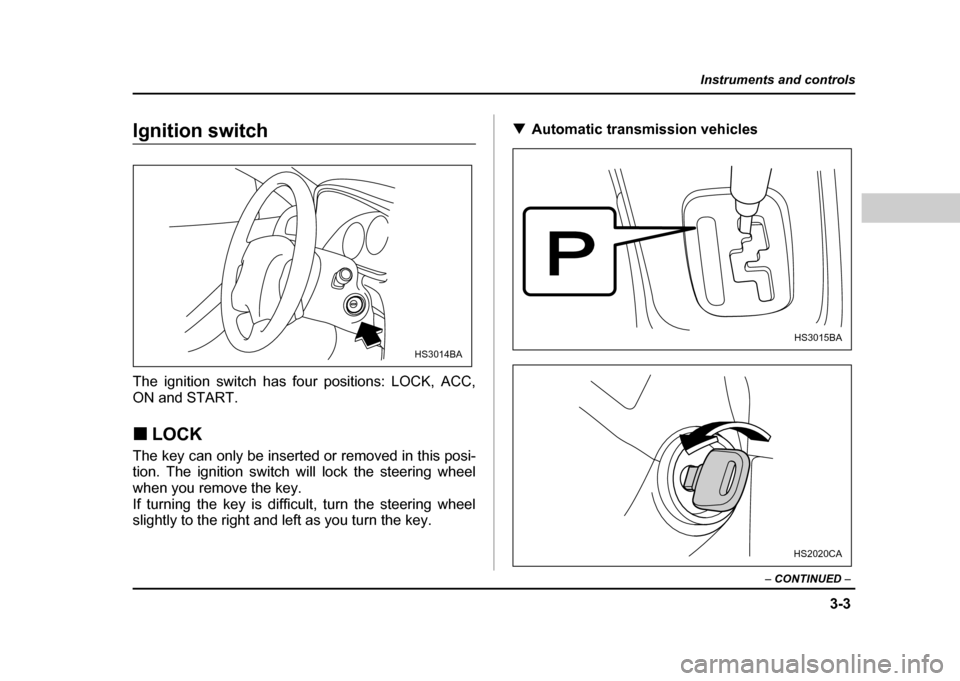
The ignition switch has four positions: LOCK, ACC,
ON and START. !LOCK
The key can only be inserted or removed in this posi-
tion. The ignition switch will lock the steering wheel
when you remove the key.
If turning the key is difficult, turn the steering wheel
slightly to the right and left as you turn the key. !
Automatic transmission vehicles
HS3014BA
HS3015BA
HS2020CA
Page 141 of 491
3-4
Instruments and controls
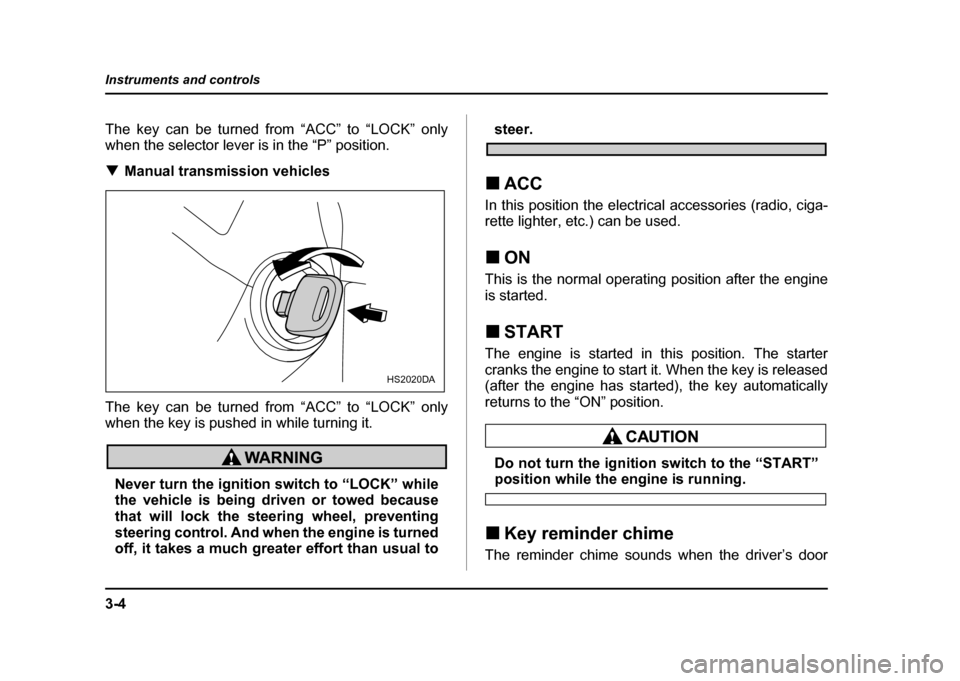
The key can be turned from “ACC” to “LOCK” only
when the selector lever is in the “P” position. !
Manual transmission vehicles
The key can be turned from “ACC” to “LOCK” only
when the key is pushed in while turning it.
Never turn the ignition switch to “LOCK” while
the vehicle is being driven or towed because
that will lock the steering wheel, preventing
steering control. And when the engine is turned
off, it takes a much greater effort than usual to
steer.
! ACC
In this position the electrical accessories (radio, ciga-
rette lighter, etc.) can be used. ! ON
This is the normal operating position after the engine
is started. ! START
The engine is started in this position. The starter
cranks the engine to start it. When the key is released
(after the engine has started), the key automatically
returns to the “ON” position.
Do not turn the ignition switch to the “START”position while the engine is running.
! Key reminder chime
The reminder chime sounds when the driver’s door
HS2020DA
Page 142 of 491
3-5
Instruments and controls
– CONTINUED –
opens and the key is in the “LOCK” or “ACC” positions.
The chime stops when the key is removed from the ig- nition switch. !Ignition switch light (if equipped)
For easy access to the ignition switch in the dark, the
ignition switch light comes on when driver’s door is
opened. The light remains on for 10 seconds and goes
out after driver’s door is closed or if the key is turned
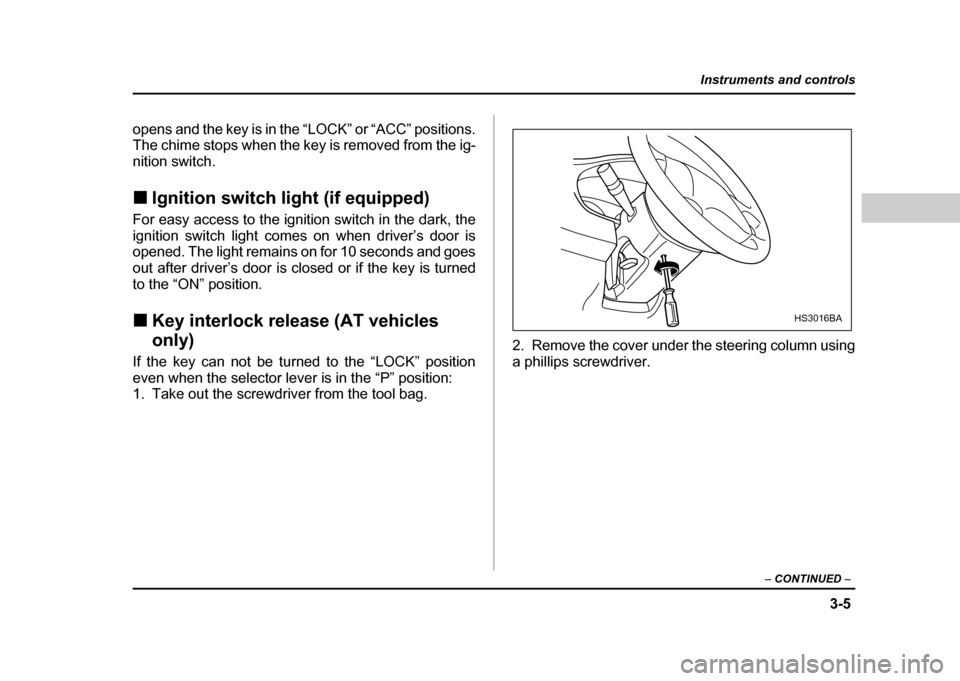
to the “ON” position. ! Key interlock release (AT vehicles only)
If the key can not be turned to the “LOCK” position
even when the selector lever is in the “P” position:
1. Take out the screwdriver from the tool bag. 2. Remove the cover under the steering column using
a phillips screwdriver.
HS3016BA
Page 143 of 491
3-6
Instruments and controls
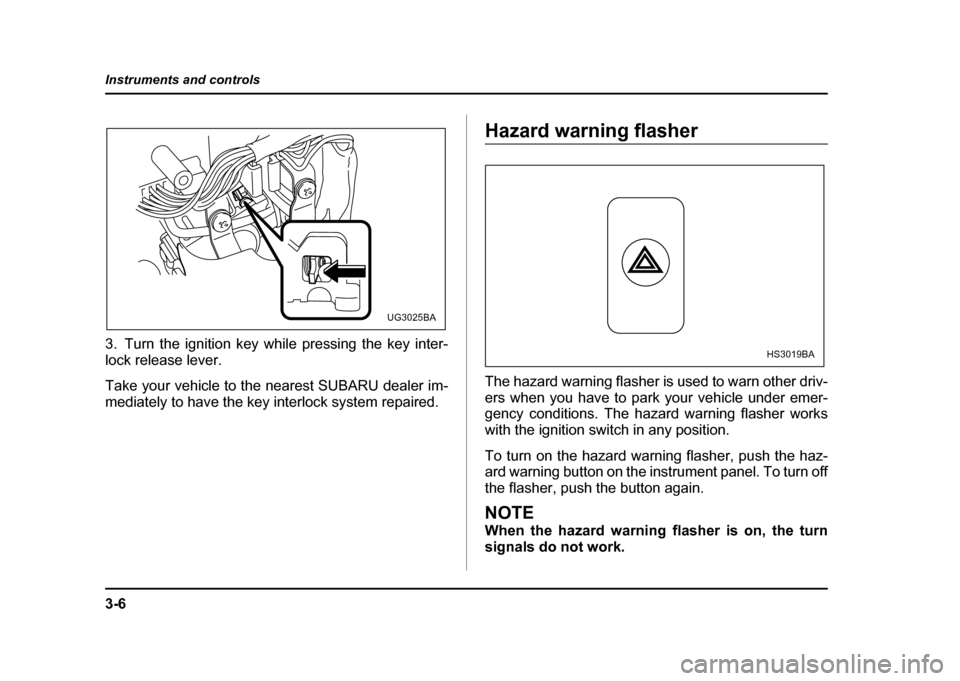
3. Turn the ignition key while pressing the key inter-
lock release lever.
Take your vehicle to the nearest SUBARU dealer im-
mediately to have the key interlock system repaired.
Hazard warning flasher
The hazard warning flasher is used to warn other driv-
ers when you have to park your vehicle under emer-
gency conditions. The hazard warning flasher works with the ignition switch in any position.
To turn on the hazard warning flasher, push the haz-
ard warning button on the instrument panel. To turn off
the flasher, push the button again.
NOTE
When the hazard warning flasher is on, the turn
signals do not work.
UG3025BA
HS3019BA
Page 144 of 491

3-7
Instruments and controls
– CONTINUED –
Meters and gauges (WRX-STi) !Combination meter illumination
When the ignition switch is turned to the “ON” position,
the various parts of the combination meter are illumi-
nated in the following sequence:
1. Meter needles and gauge needles light up.
2. Meter needles and gauge needles each show MAXposition.
3. Meter needles and gauge needles each show MIN
position, and REV indicator flashes.
4. Dials and indicators in meters and gauges light up.
5. “STi” mark lights up.
6. Regular illumination (for driving) begins. ! Cancelling sequential illumination of
the combination meter
With the ignition switch in the “ON” position, it is pos-
sible to cancel sequential illumination of the combina-
tion meter.
Press the trip knob while turning the REV setting knob
clockwise or counterclockwise. The buzzer will sound
briefly, and the ambient temperature gauge will show
“ON” or “– –”.
ON : sequential illumination – – : sequential illumination cancelled
The setting toggles between “ON” and “– –” each time
the trip knob is pressed.
Return the REV setting knob to its original position to
complete the setting process. The buzzer will sound
briefly. A few seconds later, the ambient temperature
gauge will return to showing the ambient temperature.
NOTE
It is not possible to cancel sequential illumination
of the combination meter while sequential illumi-
nation is actually taking place. Cancel sequential
illumination when regular illumination (for driving)
has begun. !
Speedometer
The speedometer shows the vehicle speed.
Page 145 of 491
3-8
Instruments and controls
!
Odometer/Trip meter
1) Trip meter
2) Odometer
This meter displays the odometer and two trip meters
when the ignition switch is in the “LOCK”, “ACC” or
“ON” position.
If you press the trip knob when the ignition switch is in
the “LOCK” position, the odometer/trip meter will light
up. It is possible switch between the A trip meter and
B trip meter indications while the odometer/trip meter
is lit up. If you do not press the trip knob within 10 sec-
onds of illumination of the odometer/trip meter, the odometer/trip meter will go off. !
Odometer
The odometer shows the total distance that the vehicle
has been driven. ! Double trip meter
1) A trip meter
2) B trip meter
The trip meter shows the distance that the vehicle has
been driven since you last set it to zero.
To change the mode indication, briefly push the knob.
Each press of the knob changes the function alter-
nately.
1
2
UG3026BB
1 2
UG3027AB