CS-25
CONTROL SYSTEM
Drive Select Cable
7. Drive Select Cable
A: REMOVAL
1) Remove the drive select lever.
REMOVAL, MT Drive Select Lever.>
2) Remove the intake duct.
REMOVAL, Air Intake Duct.>
3) Remove the air cleaner case.
6, REMOVAL, Air Cleaner Case.>
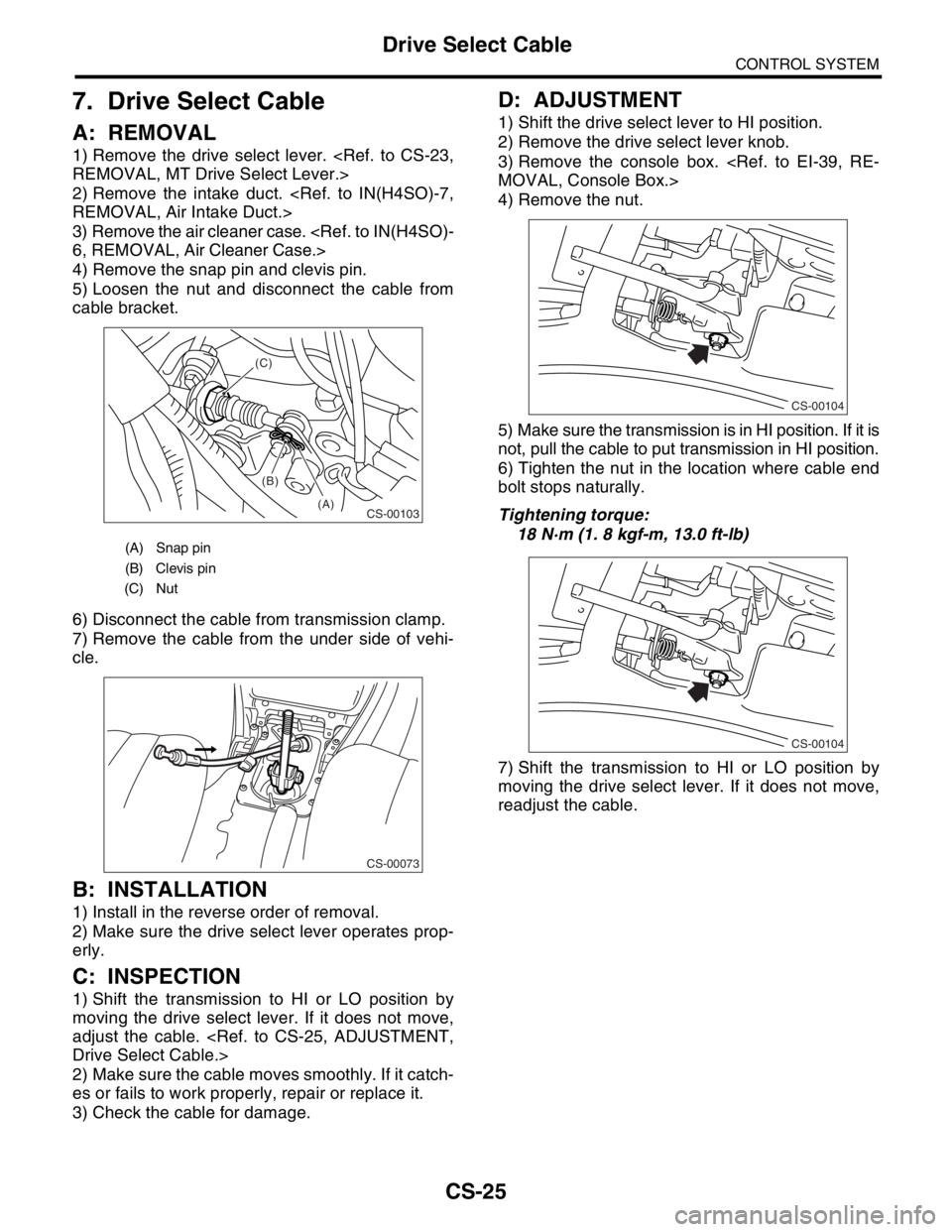
4) Remove the snap pin and clevis pin.
5) Loosen the nut and disconnect the cable from
cable bracket.
6) Disconnect the cable from transmission clamp.
7) Remove the cable from the under side of vehi-
cle.
B: INSTALLATION
1) Install in the reverse order of removal.
2) Make sure the drive select lever operates prop-
erly.
C: INSPECTION
1) Shift the transmission to HI or LO position by
moving the drive select lever. If it does not move,
adjust the cable.
Drive Select Cable.>
2) Make sure the cable moves smoothly. If it catch-
es or fails to work properly, repair or replace it.
3) Check the cable for damage.
D: ADJUSTMENT
1) Shift the drive select lever to HI position.
2) Remove the drive select lever knob.
3) Remove the console box.
MOVAL, Console Box.>
4) Remove the nut.
5) Make sure the transmission is in HI position. If it is
not, pull the cable to put transmission in HI position.
6) Tighten the nut in the location where cable end
bolt stops naturally.
Tightening torque:
18 N·m (1. 8 kgf-m, 13.0 ft-lb)
7) Shift the transmission to HI or LO position by
moving the drive select lever. If it does not move,
readjust the cable.
(A) Snap pin
(B) Clevis pin
(C) Nut
CS-00103(A) (B) (C)
CS-00073
CS-00104
CS-00104