Page 264 of 579
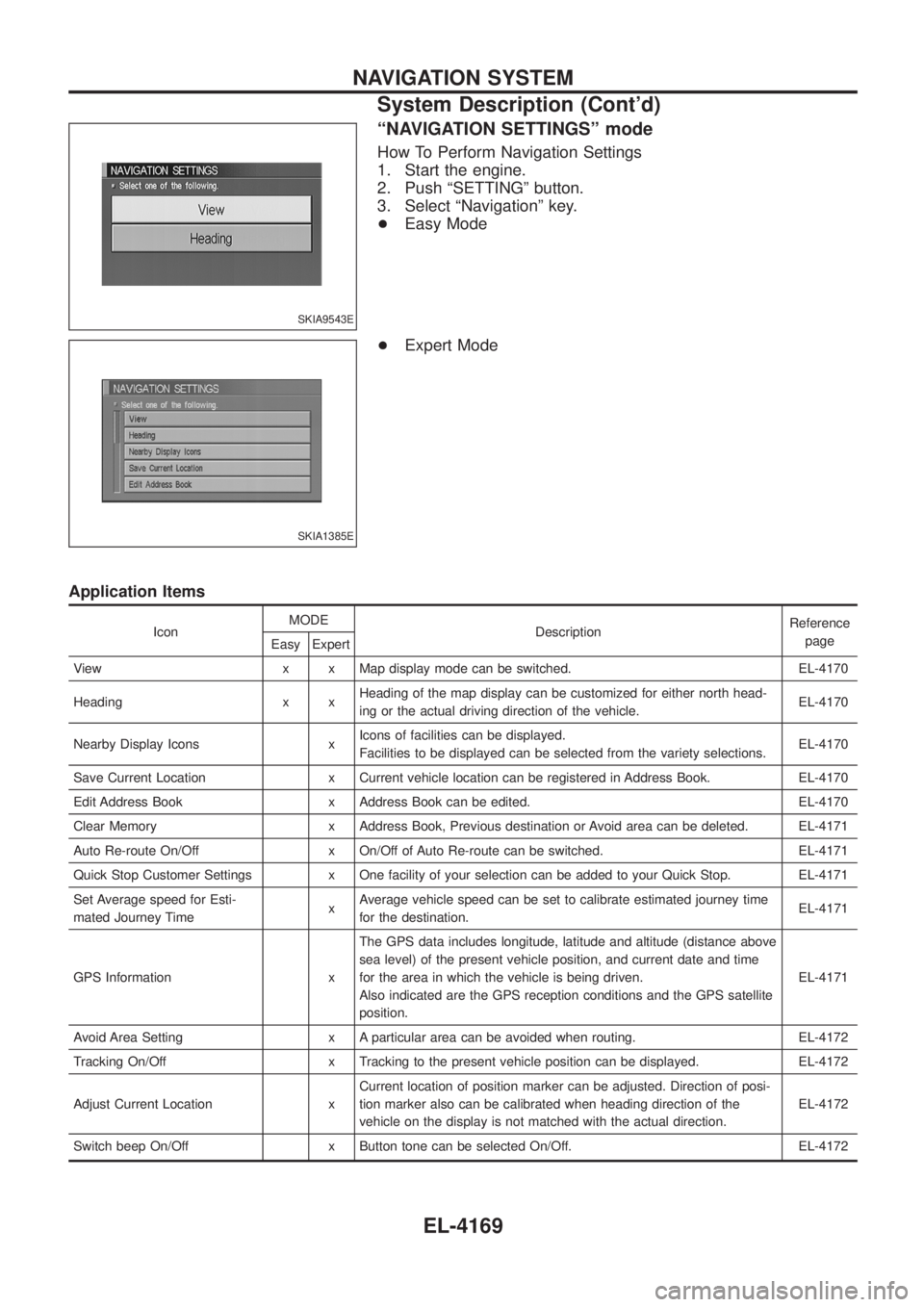
ªNAVIGATION SETTINGSº mode
How To Perform Navigation Settings
1. Start the engine.
2. Push ªSETTINGº button.
3. Select ªNavigationº key.
+Easy Mode
+ Expert Mode
Application Items
Icon MODE
Description Reference
page
Easy Expert
View x x Map display mode can be switched. EL-4170
Heading x x Heading of the map display can be customized for either north head-
ing or the actual driving direction of the vehicle. EL-4170
Nearby Display Icons x Icons of facilities can be displayed.
Facilities to be displayed can be selected from the variety selections. EL-4170
Save Current Location x Current vehicle location can be registered in Address Book. EL-4170
Edit Address Book x Address Book can be edited. EL-4170
Clear Memory x Address Book, Previous destination or Avoid area can be deleted. EL-4171
Auto Re-route On/Off x On/Off of Auto Re-route can be switched. EL-4171
Quick Stop Customer Settings x One facility of your selection can be added to your Quick Stop. EL-4171
Set Average speed for Esti-
mated Journey Time xAverage vehicle speed can be set to calibrate estimated journey time
for the destination. EL-4171
GPS Information x The GPS data includes longitude, latitude and altitude (distance above
sea level) of the present vehicle position, and current date and time
for the area in which the vehicle is being driven.
Also indicated are the GPS reception conditions and the GPS satellite
position. EL-4171
Avoid Area Setting x A particular area can be avoided when routing. EL-4172
Tracking On/Off x Tracking to the present vehicle position can be displayed. EL-4172
Adjust Current Location x Current location of position marker can be adjusted. Direction of posi-
tion marker also can be calibrated when heading direction of the
vehicle on the display is not matched with the actual direction. EL-4172
Switch beep On/Off x Button tone can be selected On/Off. EL-4172
SKIA9543E
SKIA1385E
NAVIGATION SYSTEM
System Description (Cont'd)
EL-4169
Page 265 of 579
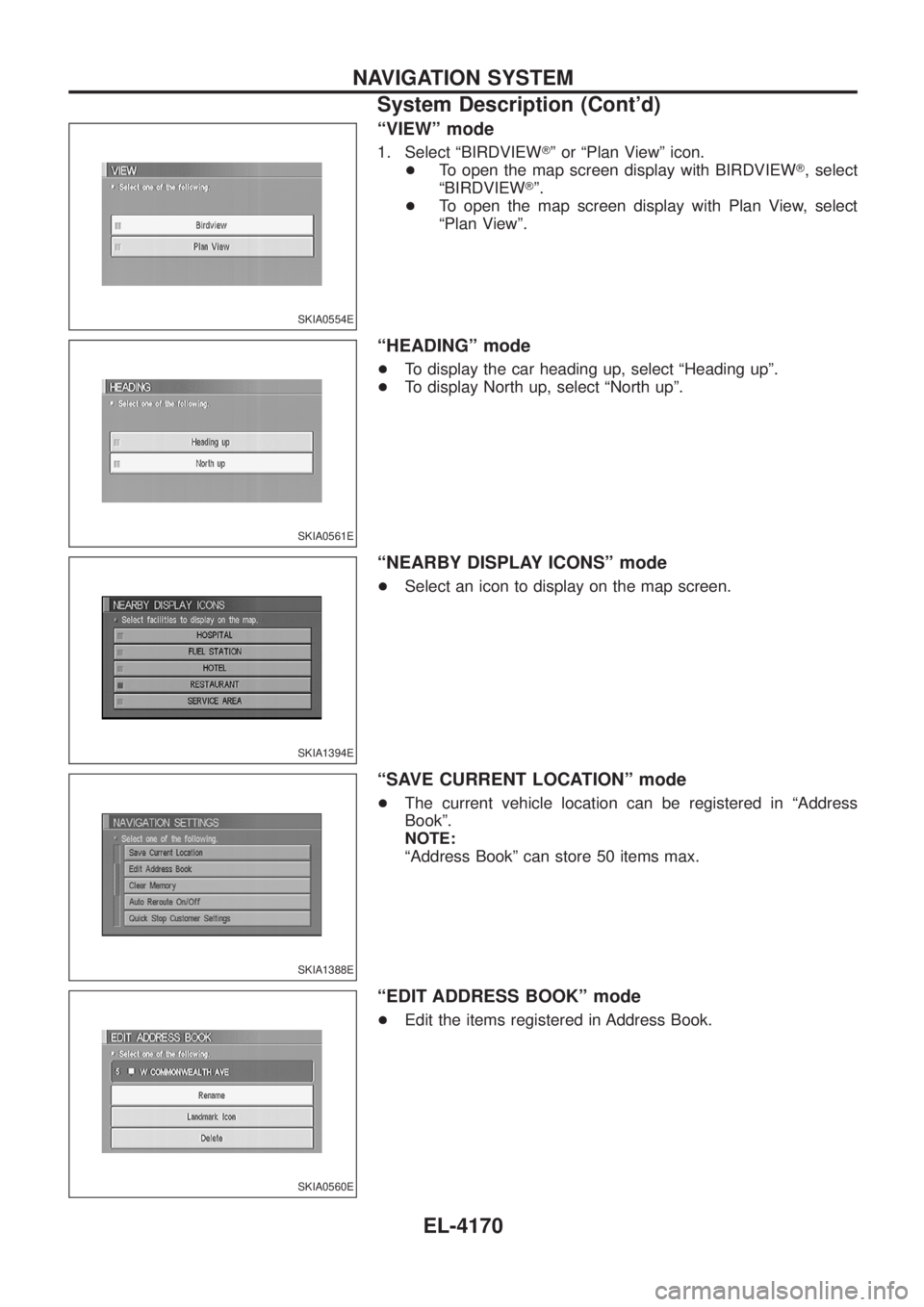
ªVIEWº mode
1. Select ªBIRDVIEWTº or ªPlan Viewº icon.
+ To open the map screen display with BIRDVIEW T, select
ªBIRDVIEW Tº.
+ To open the map screen display with Plan View, select
ªPlan Viewº.
ªHEADINGº mode
+To display the car heading up, select ªHeading upº.
+ To display North up, select ªNorth upº.
ªNEARBY DISPLAY ICONSº mode
+Select an icon to display on the map screen.
ªSAVE CURRENT LOCATIONº mode
+The current vehicle location can be registered in ªAddress
Bookº.
NOTE:
ªAddress Bookº can store 50 items max.
ªEDIT ADDRESS BOOKº mode
+Edit the items registered in Address Book.
SKIA0554E
SKIA0561E
SKIA1394E
SKIA1388E
SKIA0560E
NAVIGATION SYSTEM
System Description (Cont'd)
EL-4170
Page 266 of 579
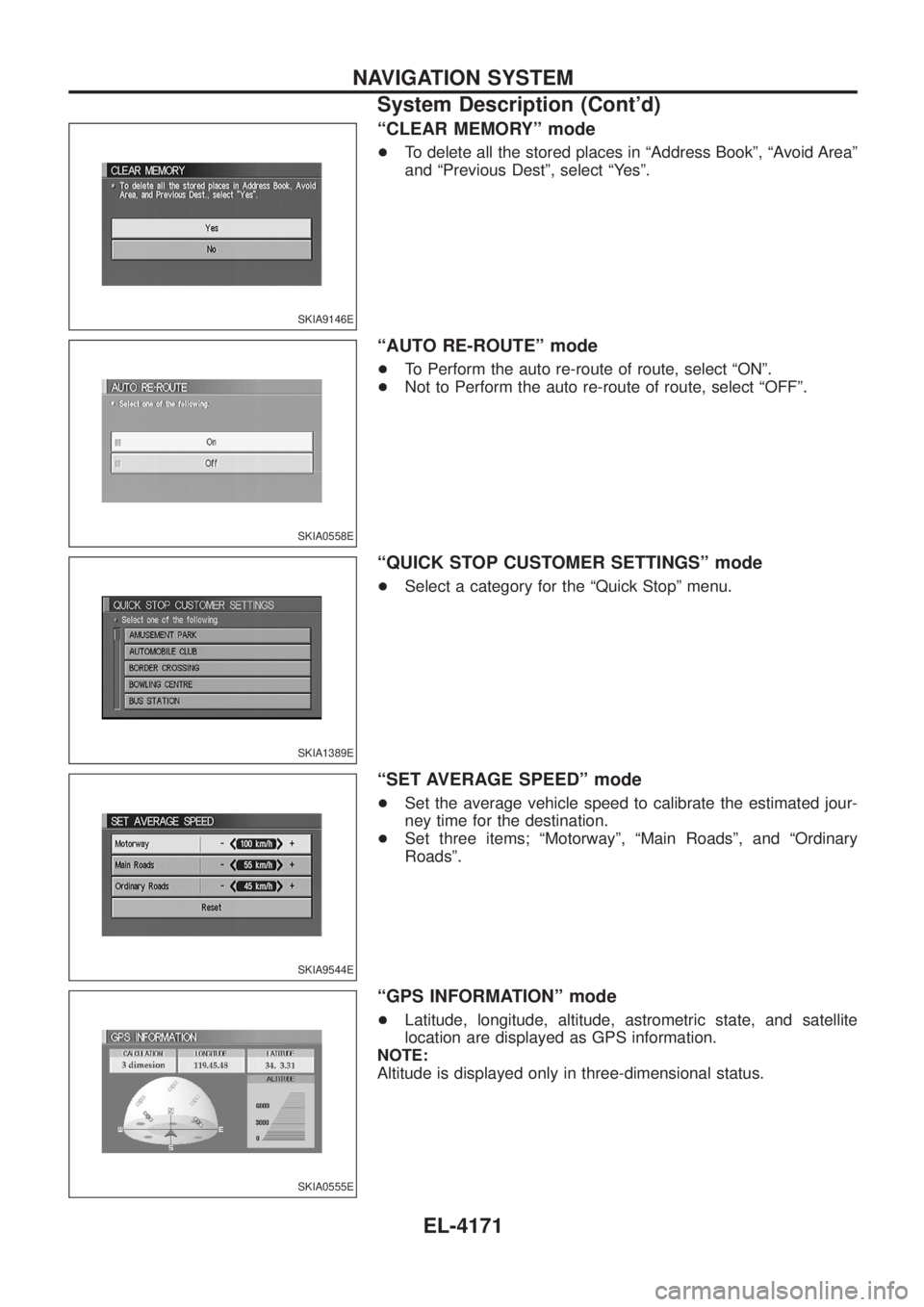
ªCLEAR MEMORYº mode
+To delete all the stored places in ªAddress Bookº, ªAvoid Areaº
and ªPrevious Destº, select ªYesº.
ªAUTO RE-ROUTEº mode
+To Perform the auto re-route of route, select ªONº.
+ Not to Perform the auto re-route of route, select ªOFFº.
ªQUICK STOP CUSTOMER SETTINGSº mode
+Select a category for the ªQuick Stopº menu.
ªSET AVERAGE SPEEDº mode
+Set the average vehicle speed to calibrate the estimated jour-
ney time for the destination.
+ Set three items; ªMotorwayº, ªMain Roadsº, and ªOrdinary
Roadsº.
ªGPS INFORMATIONº mode
+Latitude, longitude, altitude, astrometric state, and satellite
location are displayed as GPS information.
NOTE:
Altitude is displayed only in three-dimensional status.
SKIA9146E
SKIA0558E
SKIA1389E
SKIA9544E
SKIA0555E
NAVIGATION SYSTEM
System Description (Cont'd)
EL-4171
Page 267 of 579
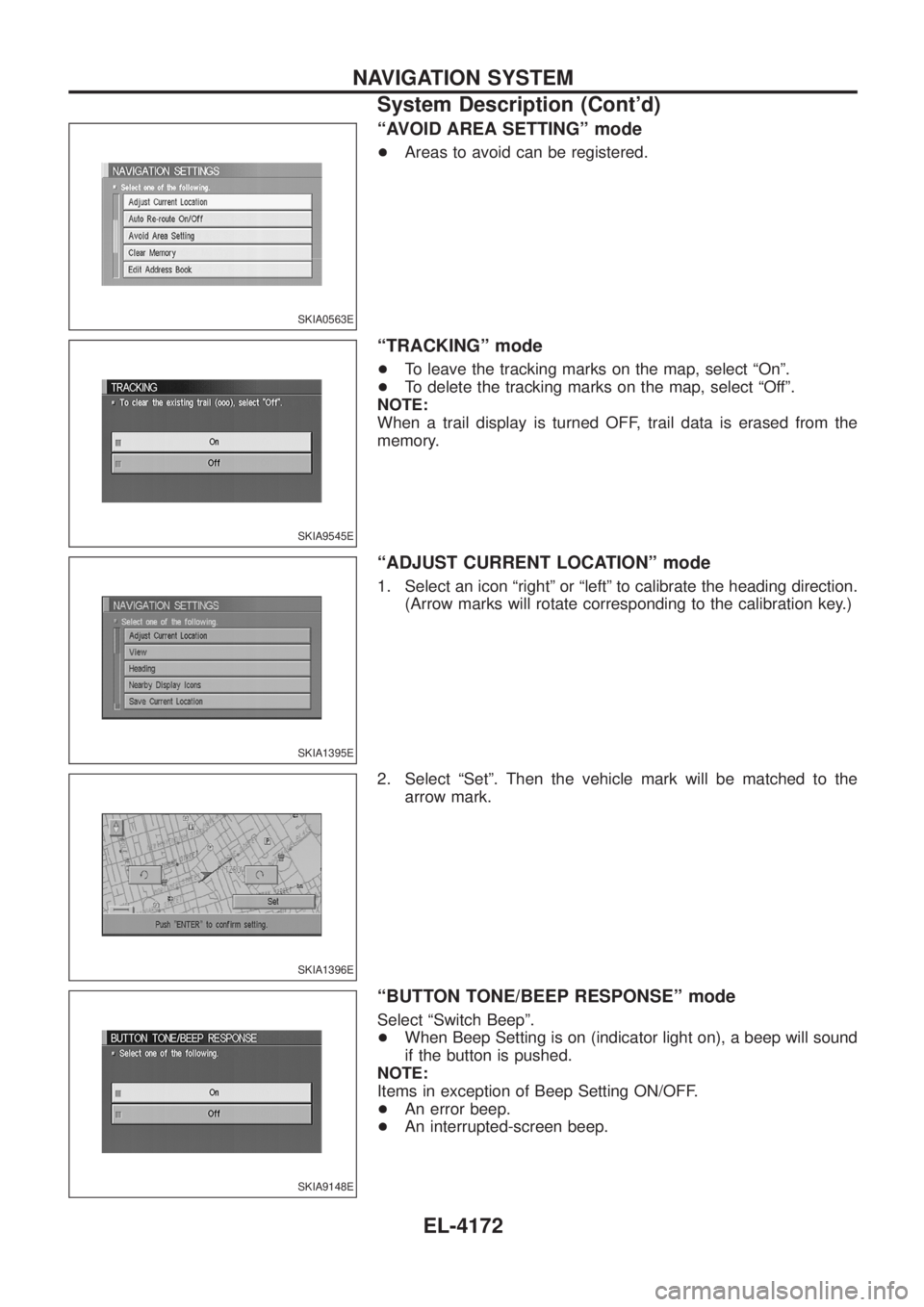
ªAVOID AREA SETTINGº mode
+Areas to avoid can be registered.
ªTRACKINGº mode
+To leave the tracking marks on the map, select ªOnº.
+ To delete the tracking marks on the map, select ªOffº.
NOTE:
When a trail display is turned OFF, trail data is erased from the
memory.
ªADJUST CURRENT LOCATIONº mode
1. Select an icon ªrightº or ªleftº to calibrate the heading direction. (Arrow marks will rotate corresponding to the calibration key.)
2. Select ªSetº. Then the vehicle mark will be matched to the arrow mark.
ªBUTTON TONE/BEEP RESPONSEº mode
Select ªSwitch Beepº.
+When Beep Setting is on (indicator light on), a beep will sound
if the button is pushed.
NOTE:
Items in exception of Beep Setting ON/OFF.
+ An error beep.
+ An interrupted-screen beep.
SKIA0563E
SKIA9545E
SKIA1395E
SKIA1396E
SKIA9148E
NAVIGATION SYSTEM
System Description (Cont'd)
EL-4172
Page 268 of 579
Precautions for NAVI Control Unit Replacement
+When replacing the NAVI control unit, eject the map DVD-ROM before disconnecting the battery.
+ The NAVI control unit has the following information stored in its memory. Record the memory contents
before replacing the control unit, and input them in the new unit as necessary.
+Brightness of light when ON/OFF
+ Dimming switching
+ Display color switching
+Latest status (map screen/BIRDVIEW T, reduced scale, rotation angle of map screen,
route guide ON/OFF, track ON/OFF, etc.)
+ Current position
+ Destination, passing poin t1-5
+ Registered places, their names, etc.
NOTE:
Only removing the battery does not erase the memory.
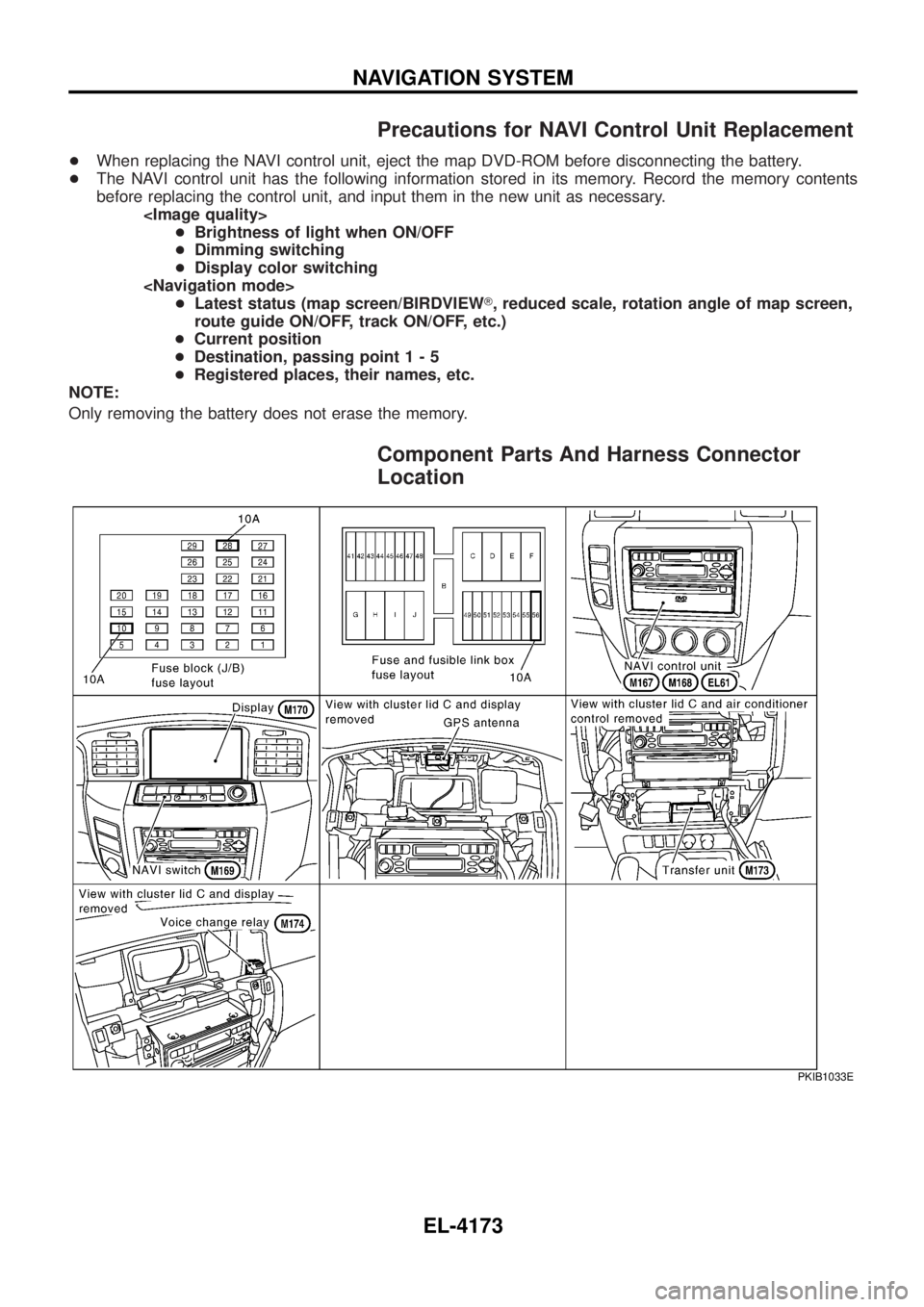
Component Parts And Harness Connector
Location
PKIB1033E
NAVIGATION SYSTEM
EL-4173
Page 269 of 579
Schematic
TEL074N
NAVIGATION SYSTEM
EL-4174
Page 270 of 579
Wiring Diagram Ð NAVI Ð
TEL075N
NAVIGATION SYSTEM
EL-4175
Page 271 of 579
TEL076N
NAVIGATION SYSTEM
Wiring Diagram Ð NAVI Ð (Cont'd)EL-4176