Page 76 of 256
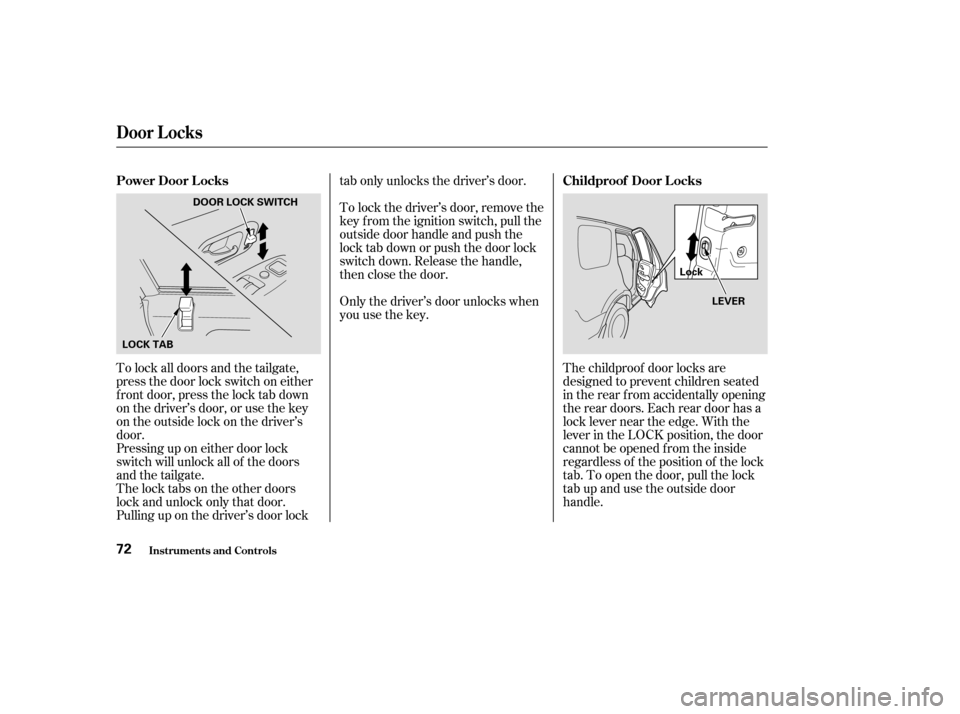
The childproof door locks are
designed to prevent children seated
in the rear f rom accidentally opening
the rear doors. Each rear door has a
lock lever near the edge. With the
lever in the LOCK position, the door
cannot be opened f rom the inside
regardless of the position of the lock
tab. To open the door, pull the lock
tab up and use the outside door
handle.
To lock all doors and the tailgate,
press the door lock switch on either
f ront door, press the lock tab down
on the driver’s door, or use the key
on the outside lock on the driver’s
door.
The lock tabs on the other doors
lock and unlock only that door.
Pulling up on the driver’s door lock tab only unlocks the driver’s door.
To lock the driver’s door, remove the
key f rom the ignition switch, pull the
outside door handle and push the
lock tab down or push the door lock
switch down. Release the handle,
then close the door.
Only the driver’s door unlocks when
you use the key.
Pressing up on either door lock
switch will unlock all of the doors
and the tailgate.
Inst rument s and Cont rols
Power Door L ocks Childproof Door L ocks
Door L ocks
72
LEVER
Lock
DOOR LOCK SWITCH
LOCK TAB
Page 78 of 256
�µ
�µ �µ
�µ
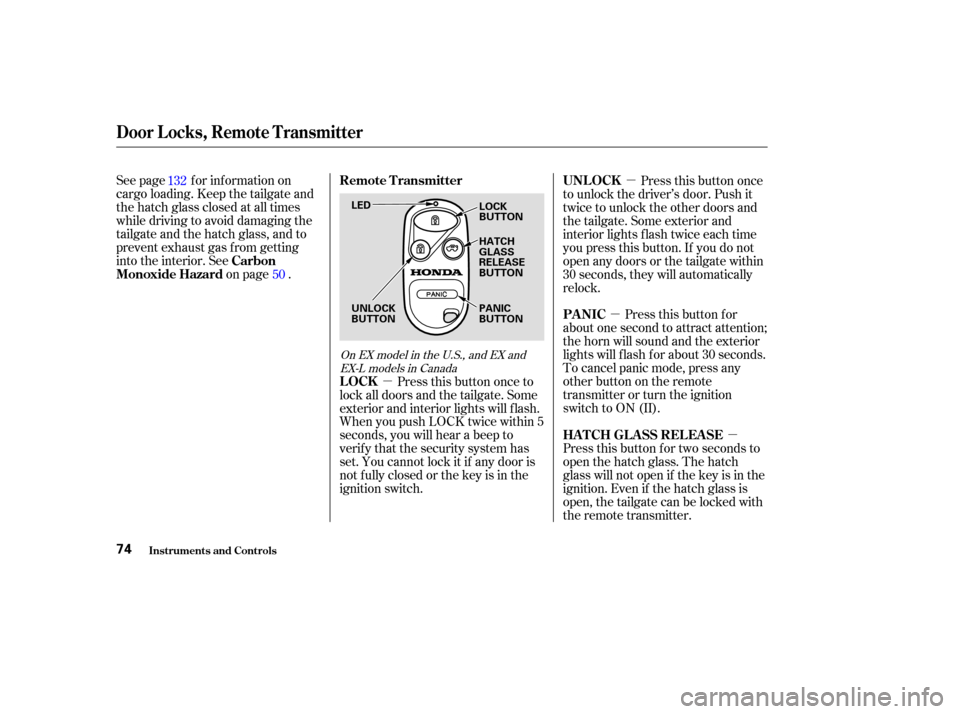
See page for information on
cargo loading. Keep the tailgate and
the hatch glass closed at all times
while driving to avoid damaging the
tailgate and the hatch glass, and to
prevent exhaust gas f rom getting
into the interior. See
on page . Pressthisbuttononce
to unlock the driver’s door. Push it
twice to unlock the other doors and
the tailgate. Some exterior and
interior lights f lash twice each time
you press this button. If you do not
open any doors or the tailgate within
30 seconds, they will automatically
relock.
Pressthisbuttonfor
about one second to attract attention;
thehornwillsoundandtheexterior
lights will f lash f or about 30 seconds.
To cancel panic mode, press any
other button on the remote
transmitter or turn the ignition
switch to ON (II).
Press this button for two seconds to
open the hatch glass. The hatch
glass will not open if the key is in the
ignition. Even if the hatch glass is
open, the tailgate can be locked with
the remote transmitter.
Press this button once to
lock all doors and the tailgate. Some
exterior and interior lights will f lash.
When you push LOCK twice within 5
seconds, you will hear a beep to
verify that the security system has
set. You cannot lock it if any door is
not f ully closed or the key is in the
ignition switch.
132
50
On EX model in the U.S., and EX andEX-L models in Canada
Carbon
Monoxide Hazard UNL OCK
PA NIC
HATCH GLASS RELEASE
LOCK Remote Transmitter
Door Locks, Remote Transmitter
Inst rument s and Cont rols74
LED
UNLOCK
BUTTON LOCK
BUTTON
HATCH
GLASS
RELEASE
BUTTON
PANIC
BUTTON
Page 80 of 256
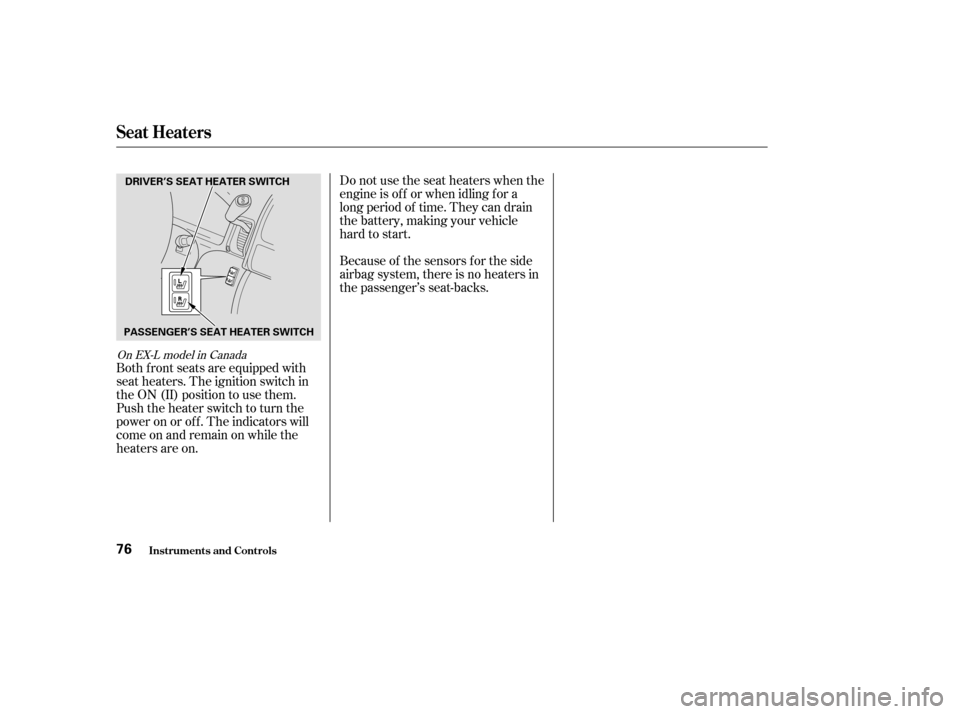
Do not use the seat heaters when the
engine is of f or when idling f or a
long period of time. They can drain
the battery, making your vehicle
hard to start.
Because of the sensors f or the side
airbag system, there is no heaters in
the passenger’s seat-backs.
Both f ront seats are equipped with
seat heaters. The ignition switch in
the ON (II) position to use them.
Push the heater switch to turn the
power on or of f . The indicators will
comeonandremainonwhilethe
heaters are on.
On EX-L model in Canada
Inst rument s and Cont rols
Seat Heaters
76
DRIVER’S SEAT HEATER SWITCH
PASSENGER’S SEAT HEATER SWITCH
Page 90 of 256
�µ�µ
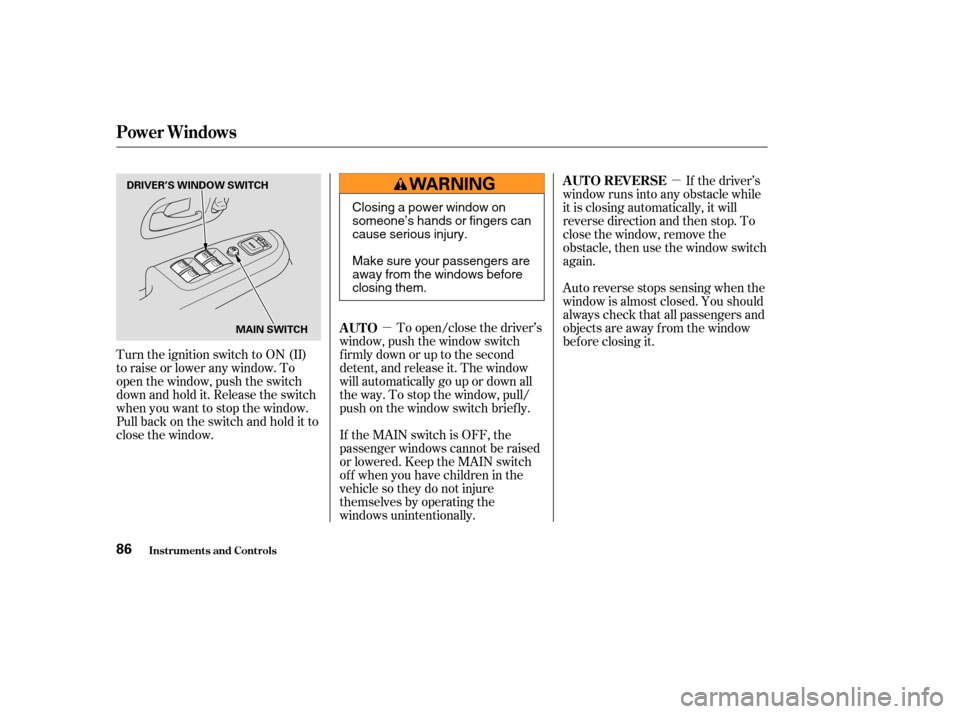
Turn the ignition switch to ON (II)
toraiseorloweranywindow.To
open the window, push the switch
downandholdit.Releasetheswitch
when you want to stop the window.
Pull back on the switch and hold it to
close the window. To open/close the driver’s
window, push the window switch
f irmly down or up to the second
detent, and release it. The window
will automatically go up or down all
the way. To stop the window, pull/
push on the window switch brief ly.
If the MAIN switch is OFF, the
passenger windows cannot be raised
or lowered. Keep the MAIN switch
off whenyouhavechildreninthe
vehicle so they do not injure
themselves by operating the
windows unintentionally. If the driver’s
window runs into any obstacle while
it is closing automatically, it will
reverse direction and then stop. To
close the window, remove the
obstacle, then use the window switch
again.
Auto reverse stops sensing when the
window is almost closed. You should
always check that all passengers and
objects are away from the window
bef ore closing it.
AUTO AUTO REVERSE
Power Windows
Inst rument s and Cont rols86
DRIVER’S WINDOW SWITCH
MAIN SWITCH
Closing a power window on
someone’s hands or fingers can
cause serious injury.
Make sure your passengers are
away from the windows before
closing them.
Page 94 of 256
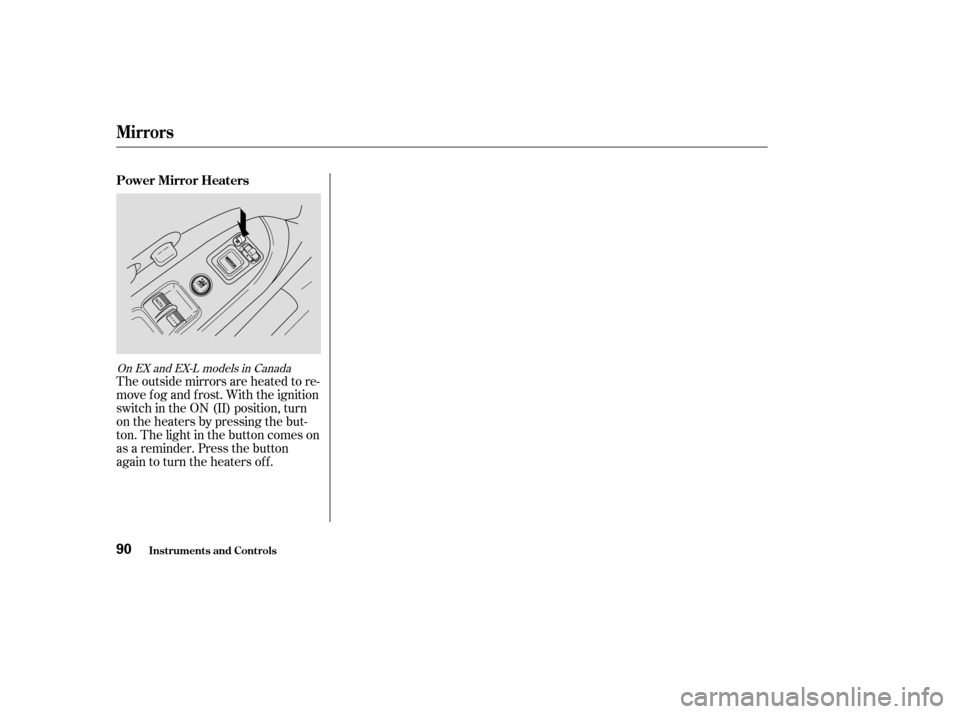
The outside mirrors are heated to re-
move fog and frost. With the ignition
switch in the ON (II) position, turn
on the heaters by pressing the but-
ton. The light in the button comes on
as a reminder. Press the button
again to turn the heaters off.
On EX and EX-L models in Canada
Power Mirror Heaters
Mirrors
Inst rument s and Cont rols90
Page 99 of 256
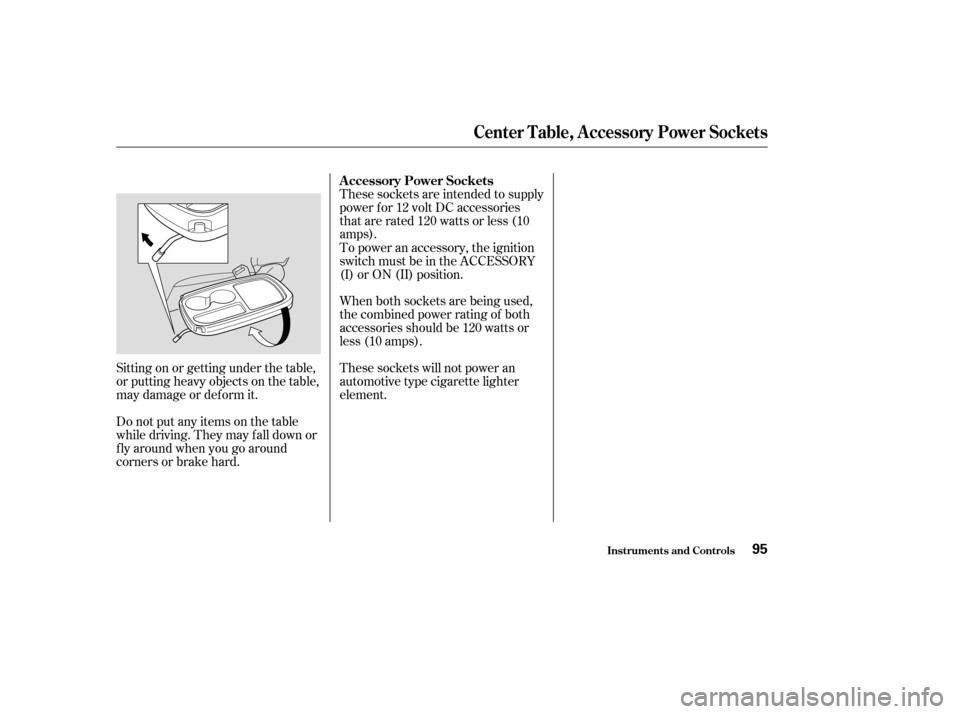
Sitting on or getting under the table,
or putting heavy objects on the table,
may damage or deform it.
Do not put any items on the table
while driving. They may f all down or
f ly around when you go around
corners or brake hard.These sockets are intended to supply
power f or 12 volt DC accessories
that are rated 120 watts or less (10
amps).
When both sockets are being used,
the combined power rating of both
accessories should be 120 watts or
less (10 amps). To power an accessory, the ignition
switch must be in the ACCESSORY
(I) or ON (II) position.
These sockets will not power an
automotive type cigarette lighter
element. A ccessory Power Sockets
Center Table, A ccessory Power Sockets
Inst rument s and Cont rols95
Page 107 of 256

�µ�µ
�Ó�Ó
�µ �µ
�µ�´
The ignition switch must be in
ACCESSORY (I) or ON (II). Turn
the system on by pushing the PWR/
VOL knob or the AM or FM button.
Adjust the volume by turning the
same knob.
The band and f requency that the
radio was last tuned to is displayed.
To change bands, press the AM or
FM button. On the FM band, ST will
be displayed if the station is broad-
castinginstereo.Stereo
reproduction on AM is not available.
You can use any of f ive methods to
f ind radio stations on the selected
band:
the
preset buttons, and .
Use the TUNE knob to
tune the radio to a desired f requency.
Turn the knob right to tune to a
higher f requency, or lef t to tune to a lower f requency.
The SEEK f unction
searches up and down from the
current f requency to f ind a station
with a strong signal. To activate it,
press either SEEK button ( or ),
then release it.
The SCAN f unction
samples all stations with strong
signals on the selected band. To
activate it, press the SCAN button,
then release it. You will see SCAN in
the display. The system will scan f or
a station with a strong signal. When
it f inds one, it will stop and play that
station f or about f ive seconds.
If you do nothing, the system will
then scan f or the next strong station
and play it for five seconds. When it
plays a station you want to listen to,
press the SCAN button again. Each preset button can
store one f requency on AM, and two
f requencies on FM.
Select the desired band, AM or
FM. FM1 and FM2 let you store
two f requencies with each preset
button.
UsetheTUNE,SEEK,orSCAN
function to tune the radio to a
desired station.
Pick a preset button, and hold it
until you hear a beep.
Repeat steps 1 to 3 to store a total
of six stations on AM and twelve
stations on FM.
The preset f requencies will be lost if
your vehicle’s battery goes dead, is
disconnected, or the radio f use is
removed. 2.
3.
4. 1.
To Play the Radio
To Select a Station
TUNE,SEEK,SCAN, AUTO SELECT
TUNE SEEK
SCAN
Preset
Playing the Radio
Comf ort and Convenience Feat ures103
Page 113 of 256

�Ó
�Ó �Ó�Ó
�µ
�µ�´
�µ �´�µWith the ignition in the
ACCESSORY (I) or ON (II) position,
insert a CD into the CD slot. The
drive will pull the CD in the rest of
the way and begin to play it. You
operate the CD player with the same
controls used f or the radio. The
number of the track playing is shown
in the display. The system will
continuously play a CD until you
change modes.
Press the LOAD button until you
hear a beep and see ‘‘LOAd’’ in the
display.
The disc number f or an empty
position is highlighted and the red
light starts blinking.
Insert the disc into the CD slot
when the green CD load indicator comes on. Insert it only about
half way, the drive will pull it in the
rest of the way. You will see
‘‘BUSY’’ in the display. The CD
load indicator turns red and blinks
as the CD is loaded.
Repeat steps 1 through 3 until all
six positions are loaded. If you are
not loading all six positions, the
system begins playing the last CD
loaded.
You can also load a CD into an empty
position while a CD is playing. Select
the empty position (the disc number
indicator is not highlighted) and
press the appropriate preset bar or
touch a disc icon. The current CD
stops playing and starts the loading
sequence. The CD just loaded will
play. Each time you press and release ,
the player skips forward to the
beginning of the next track. Press
and release to skip backward to
the beginning of the current track.
To move rapidly within a track, press
and hold the or . You will see
CUE or REW in the display.
To continuously replay
a track, press and release the RPT
button. You will see RPT in the
display. Press the RPT button again
to turn it off.
This f eature plays the
tracks in random order. To activate
Random Play, press and release the
RDM button. You will see RDM in
the display. This continues until you
press the RDM button again.
1. 4.
3. 2.
OnEXmodelinU.S.,andEXandEX-L models in Canada
Comf ort and Convenience Feat ures
CD Player To Change Tracks (SK IP)
REPEAT
RANDOM
L oading t he In-Dash CD Changer
Playing a CD
109