2004 CHEVROLET MALIBU buttons
[x] Cancel search: buttonsPage 111 of 426
Gate Operator and Canadian
Programming
Canadian radio-frequency laws require transmitter
signals to “time out” or quit after several seconds of
transmission. This may not be long enough for
HomeLink
®to pick up the signal during programming.
Similarly, some U.S. gate operators are manufactured to
“time out” in the same manner.
If you live in Canada, or you are having difficulty
programming a gate operator by using the
“Programming HomeLink
®” procedures (regardless of
where you live), replace Step 3 under “Programming
HomeLink
®” with the following:
Continue to press and hold the HomeLink
®button while
you press and release every two seconds (cycle)
your hand-held transmitter until the frequency signal has
been successfully accepted by HomeLink
®. The
indicator light will ash slowly at rst and then rapidly.
Proceed with Step 4 under “Programming HomeLink
®”
to complete.
Using HomeLink®
Press and hold the appropriate HomeLink®button for at
least half of a second. The indicator light will come
on while the signal is being transmitted.
Erasing HomeLink®Buttons
To erase programming from the three buttons do the
following:
1. Press and hold down the two outside buttons until
the indicator light begins to ash, after 20 seconds.
2. Release both buttons. Do not hold for longer than
30 seconds.
HomeLink
®is now in the train (learning) mode and can
be programmed at any time beginning with Step 2
under “Programming HomeLink
®.”
Individual buttons can not be erased, but they can be
reprogrammed. See “Reprogramming a Single
HomeLink
®Button” next.
2-43
Page 112 of 426
Reprogramming a Single HomeLink®
Button
To program a device to HomeLink®using a HomeLink®
button previously trained, follow these steps:
1. Press and hold the desired HomeLink
®button. Do
not release the button.
2. The indicator light will begin to ash after
20 seconds. While still holding the HomeLink
®
button, proceed with Step 2 under “Programming
HomeLink®.”
Resetting Defaults
To reset HomeLink®to default settings do the following:
1. Hold down the two outside buttons for about
20 seconds until the indicator light begins to ash.
2. Continue to hold both buttons until the HomeLink
®
indicator light turns off.
3. Release both buttons.
For questions or comments, contact HomeLink
®at
1-800-355-3515, or on the internet at
www.homelink.com.
Storage Areas
Glove Box
To open, pull the handle down and pull the glove box
door down until it stops and is fully open.
Cupholder(s)
The center console provides space for holding a cup or
soft drink container. One cupholder is located at the
rear of the shift lever and one is to the side of the shift
lever.
Pull down the door on the rear of the center console to
use the rear seat cupholders.
2-44
Page 121 of 426
The main components of your instrument panel are
the following:
A. Side Window Outlets. SeeClimate Control System
on page 3-21.
B. Turn Signal/Multifunction Lever. SeeTurn
Signal/Multifunction Lever on page 3-8.
C. Steering Wheel Controls and Cruise Controls.
SeeAudio Steering Wheel Controls on page 3-115
and “Cruise Control” underTurn Signal/Multifunction
Lever on page 3-8.
D. Instrument Panel Cluster. SeeInstrument Panel
Cluster on page 3-32.
E. Windshield Wiper/Washer Lever. See “Windshield
Wipers” underTurn Signal/Multifunction Lever
on page 3-8.
F. Ignition Switch. SeeIgnition Positions on page 2-22.
G. Hazard Warning Flasher. SeeHazard Warning
Flashers on page 3-6.
H. Center Air Outlets. SeeClimate Control System
on page 3-21.
I. Audio System. SeeAudio System(s) on page 3-52.
J. Climate Control System. SeeClimate Control
System on page 3-21.K. Glove Box. SeeGlove Box on page 2-44.
L. Side Air Outlets. SeeClimate Control System
on page 3-21.
M. Adjustable Pedal Buttons. SeeAdjustable Throttle
and Brake Pedal on page 2-24.
N. Instrument Panel Brightness Control. See “Instrument
Panel Brightness” underInterior Lamps on page 3-19.
O. Storage Compartment
P. Fog Lamps. SeeExterior Lamps on page 3-14.
Q. Hood Release. SeeHood Release on page 5-12.
R. Parking Brake. SeeParking Brake on page 2-29.
S. Horn. SeeHorn on page 3-7.
T. Accessory Power Outlet. SeeAccessory Power
Outlets on page 3-20.
U. Shift Lever. SeeShifting Into Park (P) on page 2-30.
V. Center Console Storage Compartment. See
Center Console Storage Area on page 2-45.
W. Traction Control Button (If Equipped). SeeEnhanced
Traction System (ETS) on page 4-9.
3-5
Page 127 of 426
{CAUTION:
Cruise control can be dangerous where you can
not drive safely at a steady speed. So, do not
use your cruise control on winding roads or in
heavy traffic.
Cruise control can be dangerous on slippery
roads. On such roads, fast changes in tire
traction can cause needless wheel spinning,
and you could lose control. Do not use cruise
control on slippery roads.
Setting Cruise Control
{CAUTION:
If you leave your cruise control on when you
are not using cruise, you might hit a button
and go into cruise when you do not want to.
You could be startled and even lose control.
Keep the cruise control switch off until you
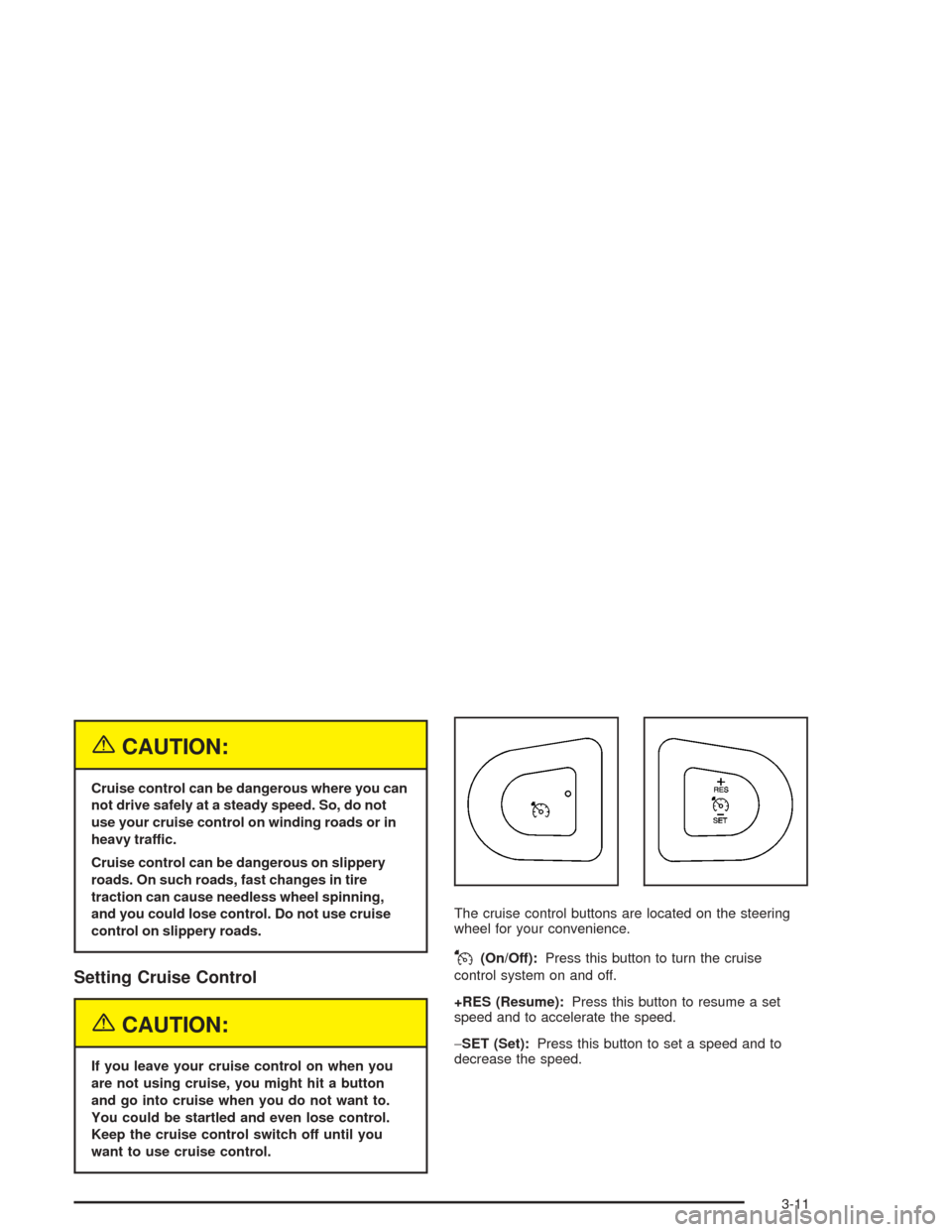
want to use cruise control.The cruise control buttons are located on the steering
wheel for your convenience.
J(On/Off):Press this button to turn the cruise
control system on and off.
+RES (Resume):Press this button to resume a set
speed and to accelerate the speed.
−SET (Set):Press this button to set a speed and to
decrease the speed.
3-11
Page 142 of 426
Use the steps below to place the entire system in
automatic mode:
1. Place the fan knob and the mode knob to the
AUTO position.
The display will now show the current set
temperature. When auto is selected, the air
conditioning operation and air inlet will be
automatically controlled. The air conditioning
compressor will run when the outside temperature
is over about 40°F (4°C). The air inlet will normally
be set to outside air. If it’s hot outside, the air
inlet may automatically switch to recirculate inside
air to help quickly cool down your vehicle.
2. Set the temperature.
To nd your comfort setting, start with an initial
temperature setting and allow about 20 minutes for
the system to regulate. Press the up or down arrow
temperature buttons to adjust the temperature
setting as necessary. If you choose the temperature
setting of 60°F (15°C) the system will remain at
the maximum cooling setting. If you choose the
temperature setting of 90°F (32°C) the system will
remain at the maximum heat setting. Choosing either
maximum setting will not cause the vehicle to heat
or cool any faster.Be careful not to cover the sensor located on the
top of the instrument panel near the windshield.
This sensor regulates air temperature based on sun
load, and also turns on your headlamps.
Also be careful not to cover the sensor grille on
the lower right side of the climate control faceplate.
This senses the inside vehicle temperature
needed for proper regulation.
To avoid blowing cold air at start-up in cold weather,
the system will delay turning on the fan until
warm air is available. The length of delay depends
on the engine coolant temperature. Turning the
fan knob will override this delay and change the
fan to a selected speed.
If your vehicle has the remote start feature, the climate
control display will initially show “AS” in place of the
temperature to indicate the remote start has been
activated. The system will automatically regulate the
temperature.
3-26
Page 143 of 426
Manual Operation
You may manually adjust the air delivery mode or
fan speed.
9(Off):Select this position on the fan knob to turn off
the entire climate control system. Outside air will still
enter the vehicle, and will be directed to the oor.
This direction can be changed by changing the mode
position. The temperature can also be adjusted
using either the up or down arrow temperature buttons.
9(Fan):The knob with the fan symbol allows you
to manually adjust the fan speed.
H(Vent):This mode directs air to the instrument
panel outlets.
)(Bi-Level):This mode directs half of the air to the
instrument panel outlets, and the remaining air to
the oor outlets.
6(Floor):This mode directs most of the air to the
oor outlets with some air directed to the side window
outlets.
The right knob can also be used to select defog or
defrost modes. Information on defogging and defrosting
can be found later in this section.
:(Outside Air):Press the right side of the button
to turn the outside air mode on. When this mode is
on, outside air will circulate throughout your vehicle.
When the button is pressed, an indicator light above the
button will come on to let you know that it is activated.
The outside air mode can be used with all modes,
but it cannot be used with the recirculation mode.
Pressing this button will cancel the recirculation mode.
?(Recirculation):Press the left side of the
button to turn the recirculation mode on. This is helpful
when you are trying to limit odors from entering your
vehicle and for maximum air conditioning performance in
hot weather. When the button is pressed, an indicator
light above the button will come on to let you know that it
is activated. The recirculation indicator light will blink
three times if you try to use recirculation in a mode that
it can not be used in. Only use this mode when it is
needed for comfort, since window fogging will rapidly
occur if the air conditioning compressor is not engaged.
Pressing this button cancels the auto recirculation
feature. Each time the vehicle is started, the system
will revert to the auto recirculation function.
If you select recirculation while in defrost, defog or
oor, the light on the button will ash three times and
go out to let you know this is not allowed. This is
to prevent fogging.
3-27
Page 144 of 426
When the weather is cool or damp, operating the system
in recirculation for extended periods of time may cause
fogging of the vehicle’s windows. To clear the fog, select
either defog or defrost. Make sure the air conditioning is
on. You will want to allow the air conditioning to run
automatically to help dehumidify the air.
Temperature Control:Press the up and down arrows
to increase or decrease the temperature inside the
vehicle.
#(Air Conditioning):Press this button to turn the air
conditioning compressor on and off. A light above the
button will illuminate when the air conditioning is on
When air conditioning is selected or in AUTO mode,
the system will run the air conditioning automatically to
cool and dehumidify the air entering the vehicle.
On hot days, open the windows long enough to let hot
inside air escape. This reduces the time it takes for
your vehicle to cool down. Then keep your windows
closed for the air conditioner to work its best.On cool, but sunny days while using manual operation
of the automatic system, use bi-level to deliver warm
air to the oor and cooler air to the instrument
panel outlets. To warm or cool the air delivered, press
the temperature buttons to the desired setting.
In AUTO mode the system will cool and dehumidify the
air inside the vehicle. Also while in AUTO mode, the
system will maximize its performance by using
recirculation as necessary.
Heating:On cold days when using manual operation of
the automatic system, choose oor mode to deliver
air to the oor outlets. To warm or cool the air delivered,
push the temperature buttons to the desired setting.
If you want to use the automatic mode, turn the knob to
AUTO and adjust the temperature by pressing the
temperature buttons.
The heater works best if you keep the windows closed
while using it.
3-28
Page 161 of 426
Here are four things that some owners ask about.
These are normal and do not indicate a problem with
your fuel gage:
At the service station, the gas pump shuts off
before the gage reads full.
It takes a little more or less fuel to ll up than the
gage indicated. For example, the gage may have
indicated the tank was half full, but it actually took
a little more or less than half the tank’s capacity
to ll the tank.
The indicator moves a little when you turn a corner
or speed up.
The gage goes back to empty when you turn off
the ignition.
Driver Information Center (DIC)
The Driver Information Center (DIC) provides the
following:
A way to personalize your vehicle
Trip information and
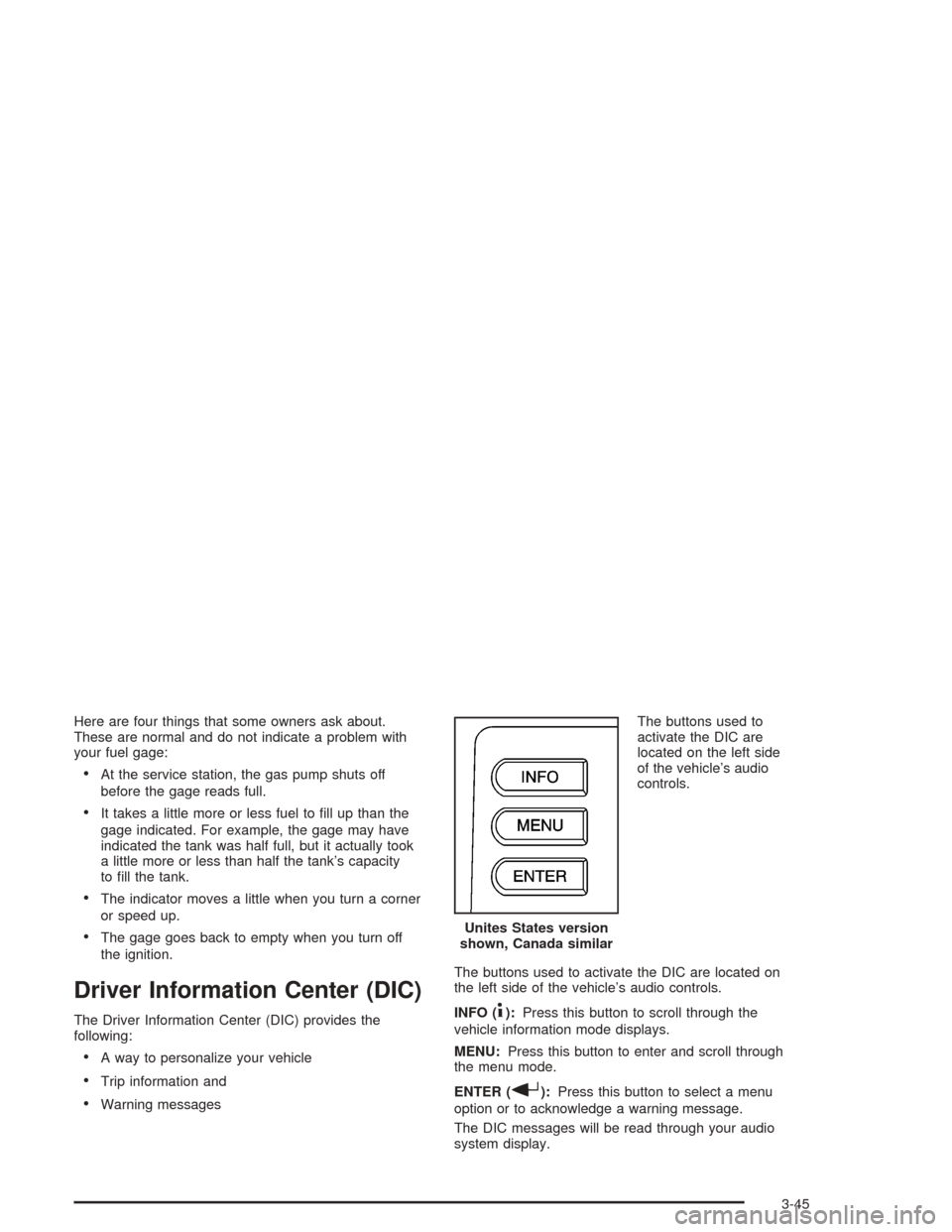
Warning messagesThe buttons used to
activate the DIC are
located on the left side
of the vehicle’s audio
controls.
The buttons used to activate the DIC are located on
the left side of the vehicle’s audio controls.
INFO (
4):Press this button to scroll through the
vehicle information mode displays.
MENU:Press this button to enter and scroll through
the menu mode.
ENTER (
r):Press this button to select a menu
option or to acknowledge a warning message.
The DIC messages will be read through your audio
system display.Unites States version
shown, Canada similar
3-45