Page 88 of 384
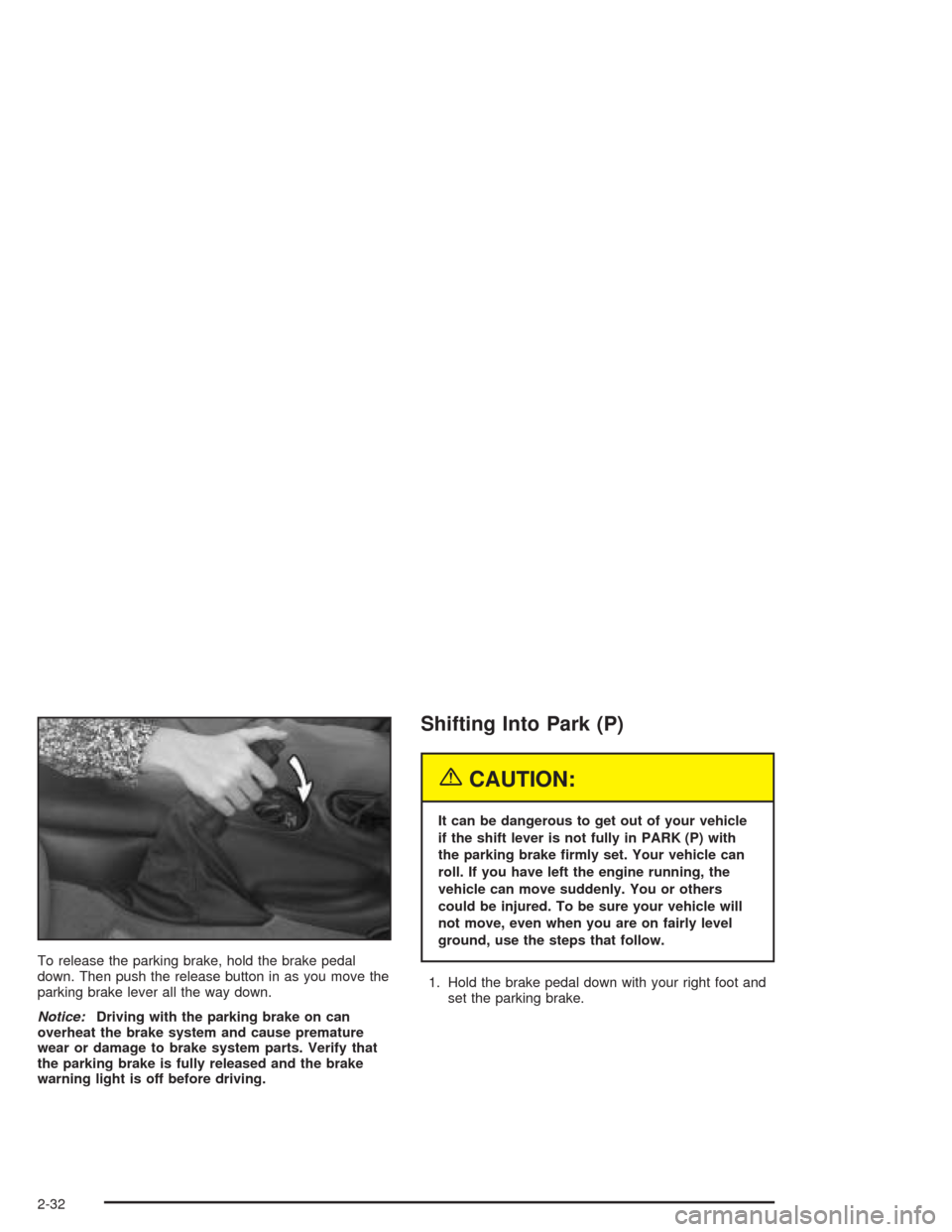
To release the parking brake, hold the brake pedal
down. Then push the release button in as you move the
parking brake lever all the way down.
Notice:Driving with the parking brake on can
overheat the brake system and cause premature
wear or damage to brake system parts. Verify that
the parking brake is fully released and the brake
warning light is off before driving.
Shifting Into Park (P)
{CAUTION:
It can be dangerous to get out of your vehicle
if the shift lever is not fully in PARK (P) with
the parking brake rmly set. Your vehicle can
roll. If you have left the engine running, the
vehicle can move suddenly. You or others
could be injured. To be sure your vehicle will
not move, even when you are on fairly level
ground, use the steps that follow.
1. Hold the brake pedal down with your right foot and
set the parking brake.
2-32
Page 94 of 384
Automatic Dimming Rearview Mirror
Your vehicle may have an automatic dimming rearview
mirror with map lamps.
This mirror automatically changes to reduce glare from
headlamps behind you. A time delay feature prevents
rapid changing from the day to night positions while
driving under lights and through traffic.
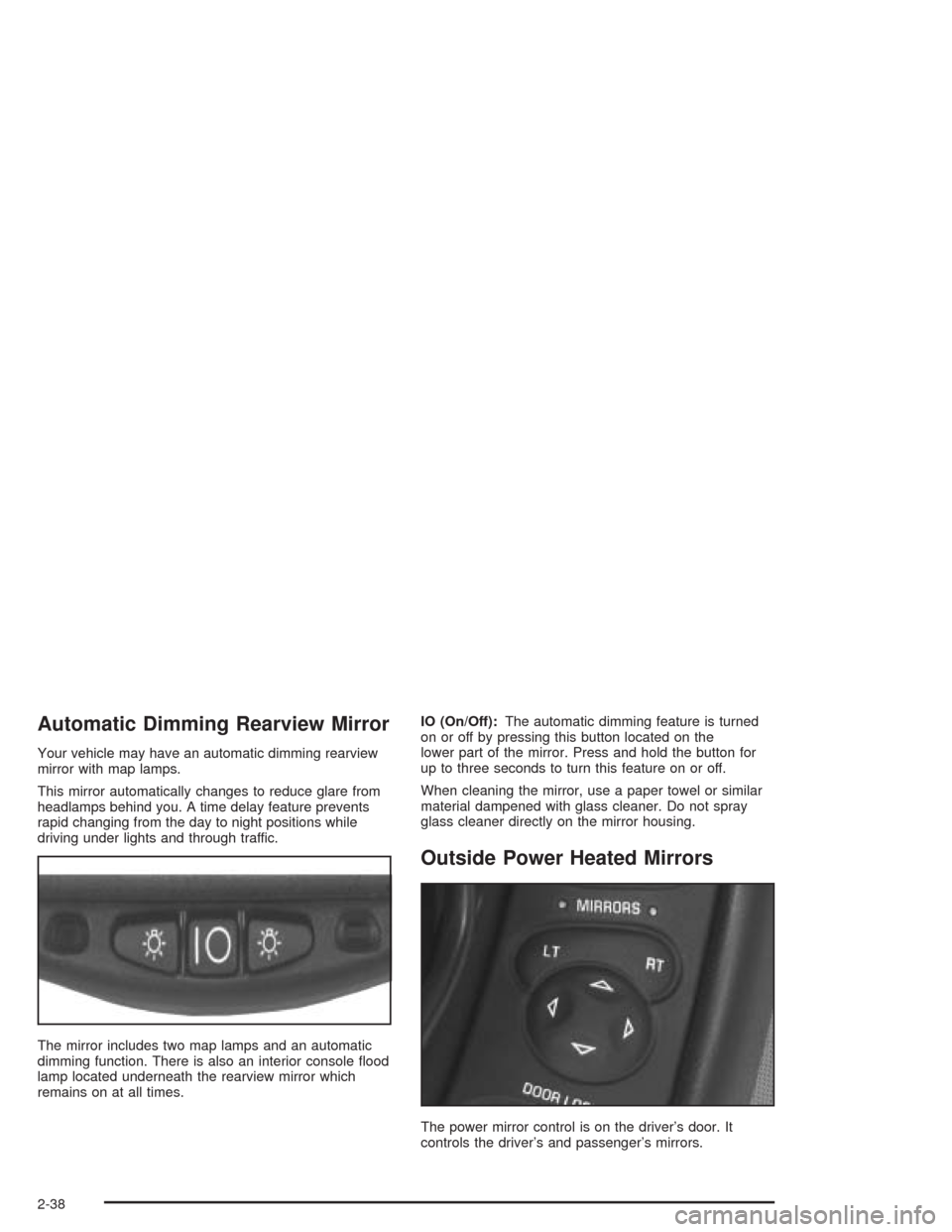
The mirror includes two map lamps and an automatic
dimming function. There is also an interior console flood
lamp located underneath the rearview mirror which
remains on at all times.IO (On/Off):The automatic dimming feature is turned
on or off by pressing this button located on the
lower part of the mirror. Press and hold the button for
up to three seconds to turn this feature on or off.
When cleaning the mirror, use a paper towel or similar
material dampened with glass cleaner. Do not spray
glass cleaner directly on the mirror housing.
Outside Power Heated Mirrors
The power mirror control is on the driver’s door. It
controls the driver’s and passenger’s mirrors.
2-38
Page 95 of 384
To adjust either mirror, press the LT (left) or RT (right)
button to select the mirror, then press the arrows to
adjust the direction of the mirror. The mirror will
stay selected for 20 seconds after the last adjustment.
An indicator light will come on above the mirror that
you select.
Your preferred mirror position can be stored if you have
the memory option. SeeMemory on page 2-57.
For operation of the heated outside mirrors, seeDual
Automatic Climate Control System on page 3-23.
Outside Automatic Dimming Mirror
If your vehicle has this feature, the driver’s side
outside mirror will adjust for the glare of headlamps
behind you. This feature is controlled by the on and off
setting on the inside mirror. SeeAutomatic Dimming
Rearview Mirror on page 2-38.
Outside Convex Mirror
Your passenger’s side mirror is convex. A convex
mirror’s surface is curved so you can see more from the
driver’s seat.
{CAUTION:
A convex mirror can make things (like other
vehicles) look farther away than they really are.
If you cut too sharply into the right lane, you
could hit a vehicle on your right. Check your
inside mirror or glance over your shoulder
before changing lanes.
2-39
Page 96 of 384
Storage Areas
Glove Box
To open the glove box, lift up on the lever. Use your
door key to lock or unlock it. The glove box has a light
inside.
Cupholder(s)
The cupholder is located on the center console in front
of the ashtray. To open it, place your thumb on the
left side of the lid and push down. Raise the right side
with your index finger.
Center Console Storage Area
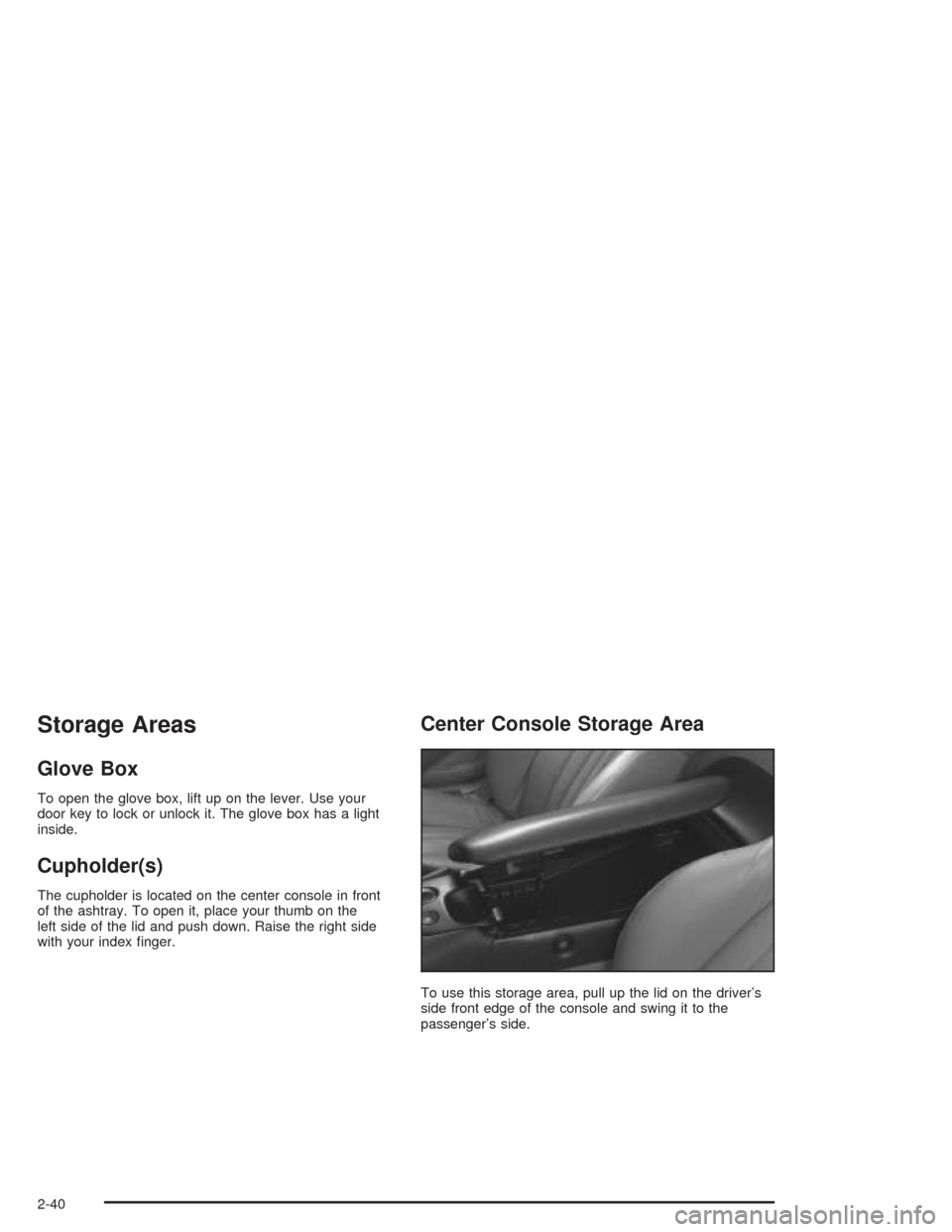
To use this storage area, pull up the lid on the driver’s
side front edge of the console and swing it to the
passenger’s side.
2-40
Page 112 of 384
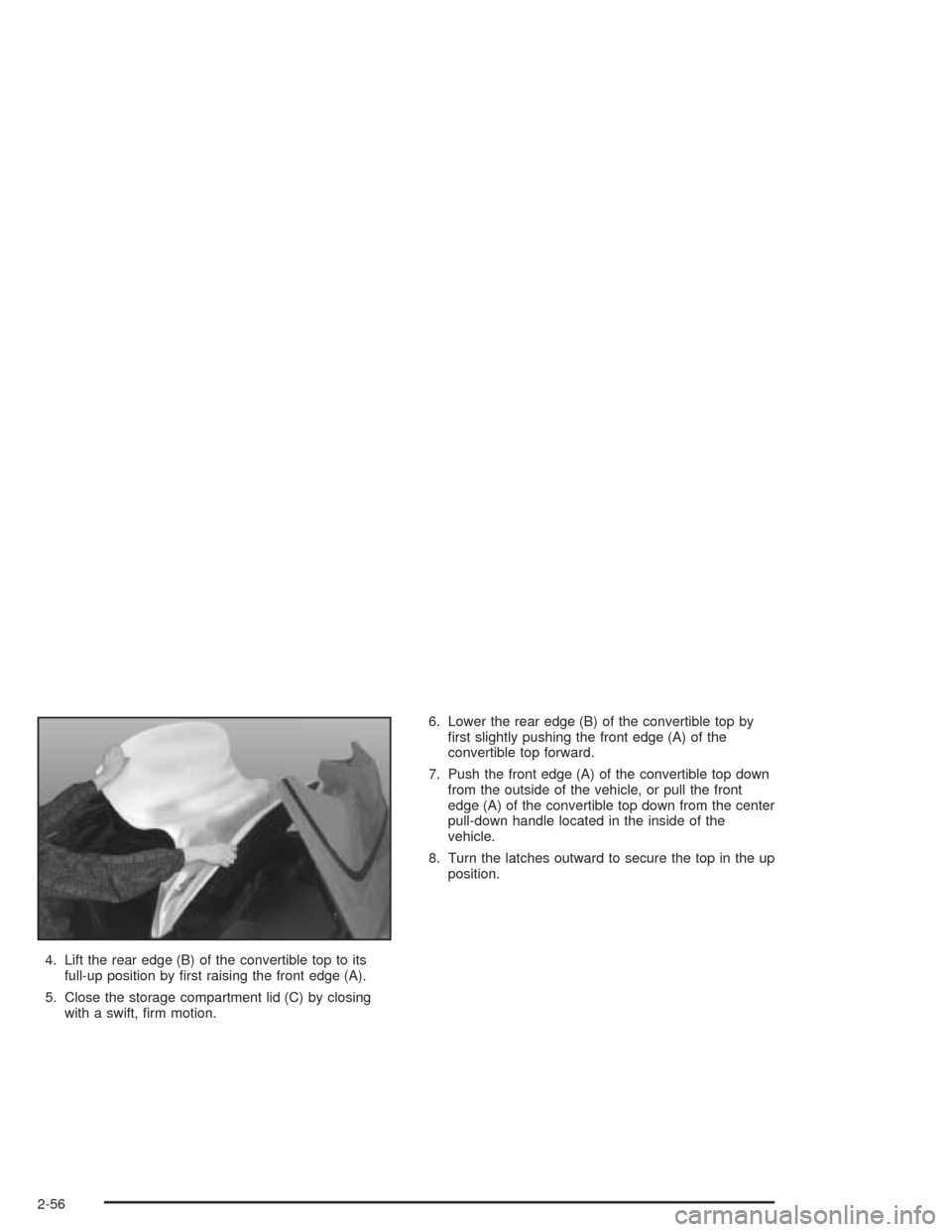
4. Lift the rear edge (B) of the convertible top to its
full-up position by first raising the front edge (A).
5. Close the storage compartment lid (C) by closing
with a swift, firm motion.6. Lower the rear edge (B) of the convertible top by
first slightly pushing the front edge (A) of the
convertible top forward.
7. Push the front edge (A) of the convertible top down
from the outside of the vehicle, or pull the front
edge (A) of the convertible top down from the center
pull-down handle located in the inside of the
vehicle.
8. Turn the latches outward to secure the top in the up
position.
2-56
Page 113 of 384
Vehicle Personalization
Memory
If your vehicle has this feature, MEMORY can store and
recall the settings for the driver’s seat position, the
outside rearview mirror positions, telescopic steering
column (if equipped), radio presets, tone, volume,
playback mode (AM/FM, tape or CD), last displayed
station, compact disc position and tape direction and the
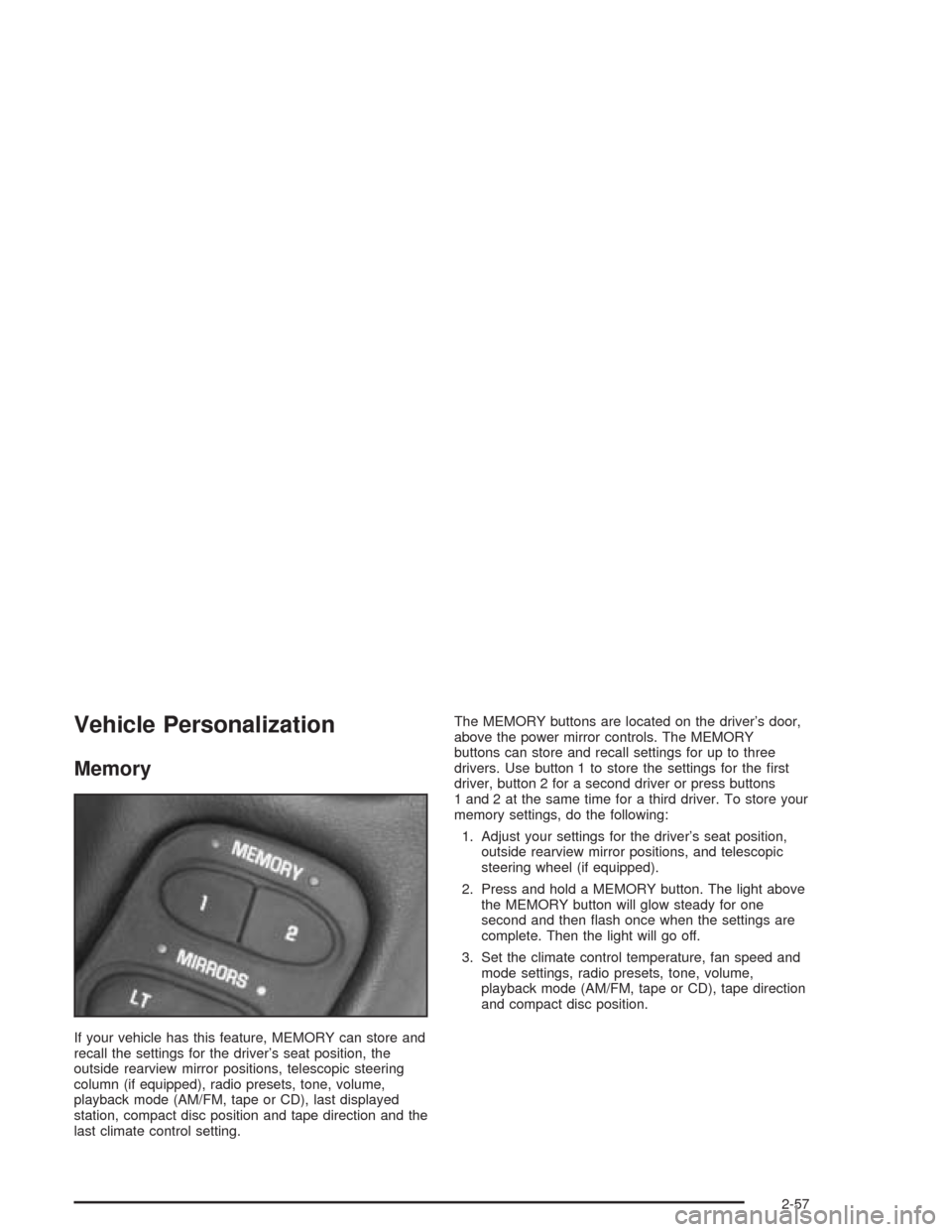
last climate control setting.The MEMORY buttons are located on the driver’s door,
above the power mirror controls. The MEMORY
buttons can store and recall settings for up to three
drivers. Use button 1 to store the settings for the first
driver, button 2 for a second driver or press buttons
1 and 2 at the same time for a third driver. To store your
memory settings, do the following:
1. Adjust your settings for the driver’s seat position,
outside rearview mirror positions, and telescopic
steering wheel (if equipped).
2. Press and hold a MEMORY button. The light above
the MEMORY button will glow steady for one
second and then flash once when the settings are
complete. Then the light will go off.
3. Set the climate control temperature, fan speed and
mode settings, radio presets, tone, volume,
playback mode (AM/FM, tape or CD), tape direction
and compact disc position.
2-57
Page 114 of 384
Your memory settings are now programmed. Any
changes that are made to the audio system and climate
controls while driving will be automatically stored
when the ignition key is turned off.
When first entering your vehicle, after pressing the
unlock button on your remote keyless entry transmitter
or a MEMORY button, a recall of your settings will
occur when the door is closed and the ignition key is in
the ignition switch. As the memory settings are
recalled, the light above the button will flash until the
correct settings are achieved, then glow for five seconds
when complete.
A memory recall can be stopped by pressing any
memory seat, mirror or steering column position button.Drivers 1, 2 and 3 correspond to the order in which your
remote keyless entry transmitters were programmed.
SeeRemote Keyless Entry System on page 2-5
for more information.
Memory recall will not work if the vehicle is moving.
Memory recall will be temporarily interrupted during
engine crank.
If easy entry is on, you must press the MEMORY button
to reset the seat.
2-58
Page 115 of 384
Instrument Panel Overview...............................3-2
Hazard Warning Flashers................................3-4
Other Warning Devices...................................3-5
Horn.............................................................3-5
Tilt Wheel.....................................................3-5
Turn Signal/Multifunction Lever.........................3-6
Exterior Lamps.............................................3-13
Interior Lamps..............................................3-17
Head-Up Display (HUD).................................3-18
Accessory Power Outlets...............................3-22
Ashtrays and Cigarette Lighter........................3-23
Climate Controls............................................3-23
Dual Automatic Climate
Control System.........................................3-23
Outlet Adjustment.........................................3-31
Warning Lights, Gages, and Indicators............3-32
Instrument Panel Cluster................................3-33
Speedometer and Odometer...........................3-34
Tachometer.................................................3-34
Safety Belt Reminder Light.............................3-34
Air Bag Readiness Light................................3-35
Air Bag Off Light..........................................3-36
Voltmeter Gage............................................3-37
Brake System Warning Light..........................3-38
Anti-Lock Brake System Warning Light.............3-39
Traction Control System (TCS) Warning Light . . .3-39Active Handling System Light.........................3-40
Engine Coolant Temperature Gage..................3-41
Malfunction Indicator Lamp.............................3-41
Engine Oil Pressure Gage.............................3-44
Security Light...............................................3-45
Check Gages Warning Light...........................3-46
Fuel Gage...................................................3-46
Driver Information Center (DIC).......................3-48
DIC Controls and Displays.............................3-49
DIC Warnings and Messages.........................3-58
Other Messages...........................................3-68
Audio System(s).............................................3-69
Setting the Time...........................................3-69
Radio with Cassette......................................3-70
Radio with CD..............................................3-76
Trunk-Mounted CD Changer...........................3-81
Theft-Deterrent Feature..................................3-86
Radio Reception...........................................3-88
Care of Your Cassette Tape Player.................3-88
Care of Your CDs.........................................3-89
Care of Your CD Player................................3-89
Fixed Mast Antenna (Z06)..............................3-89
Power Antenna Mast Care (Convertible)...........3-90
Integrated Windshield and Rear Window
Antennas (Coupe).....................................3-90
Section 3 Instrument Panel
3-1