Page 2845 of 3189
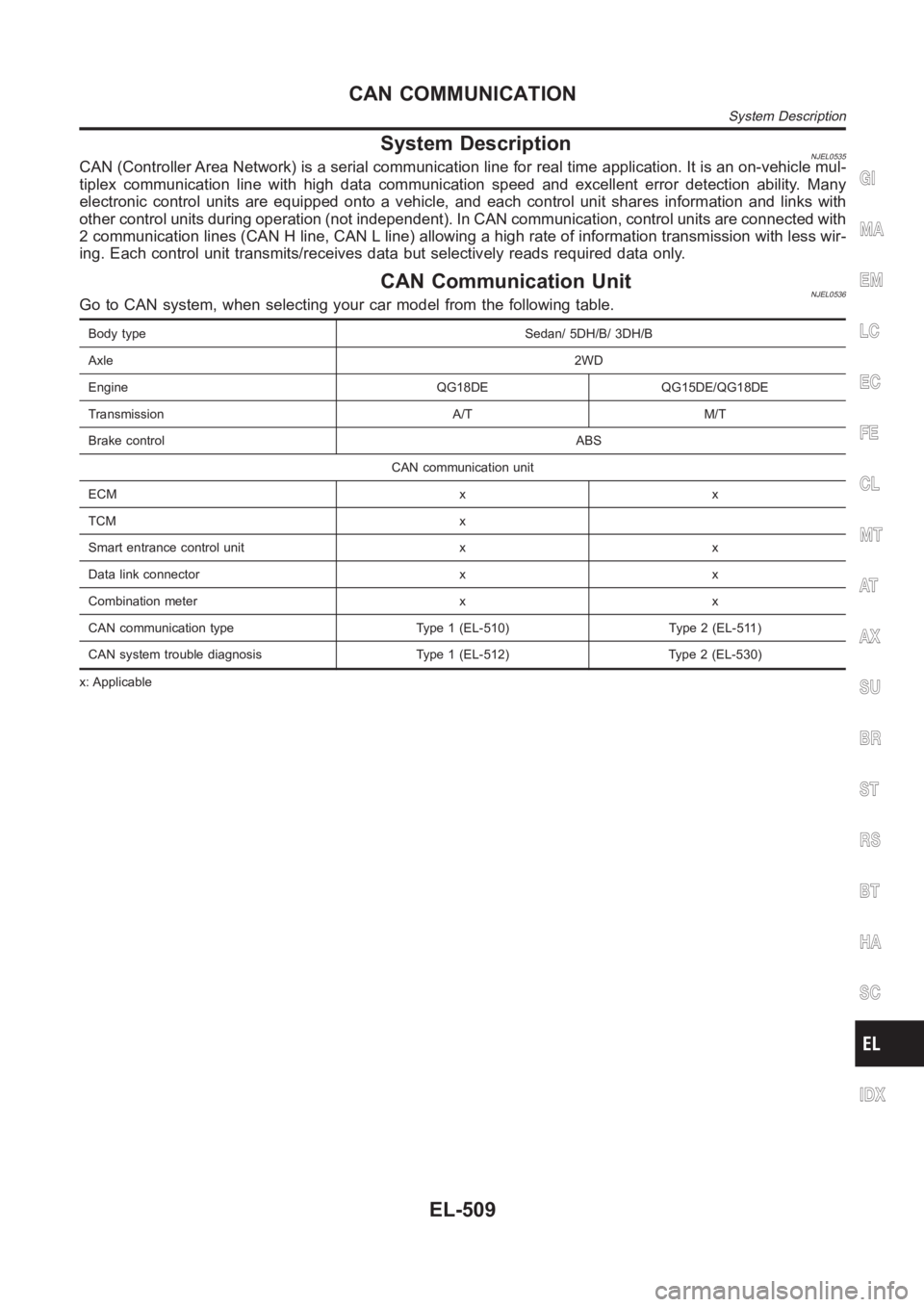
System DescriptionNJEL0535CAN (Controller Area Network) is a serial communication line for real timeapplication. It is an on-vehicle mul-
tiplex communication line with high data communication speed and excellent error detection ability. Many
electronic control units are equipped onto a vehicle, and each control unit shares information and links with
other control units during operation (not independent). In CAN communication, control units are connected with
2 communication lines (CAN H line, CAN L line) allowing a high rate of information transmission with less wir-
ing. Each control unit transmits/receives data but selectively reads requireddataonly.
CAN Communication UnitNJEL0536Go to CAN system, when selecting your car model from the following table.
Body type Sedan/ 5DH/B/ 3DH/B
Axle2WD
Engine QG18DE QG15DE/QG18DE
Transmission A/T M/T
Brake controlABS
CAN communication unit
ECM x x
TCM x
Smart entrance control unit x x
Data link connector x x
Combination meter x x
CAN communication type Type 1 (EL-510) Type 2 (EL-511)
CAN system trouble diagnosis Type 1 (EL-512) Type 2 (EL-530)
x: Applicable
GI
MA
EM
LC
EC
FE
CL
MT
AT
AX
SU
BR
ST
RS
BT
HA
SC
IDX
CAN COMMUNICATION
System Description
EL-509
Page 2846 of 3189
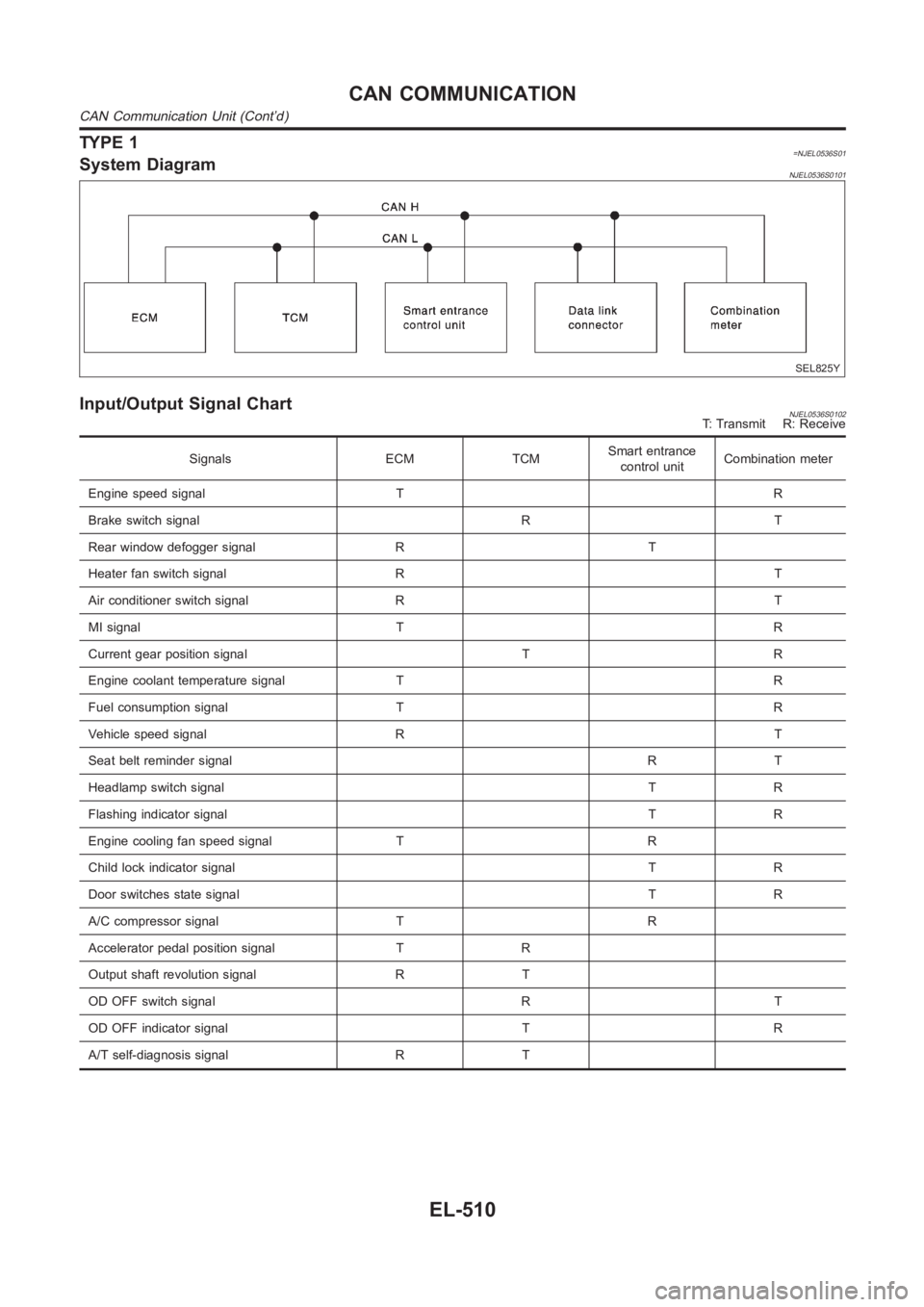
TYPE 1=NJEL0536S01System DiagramNJEL0536S0101
SEL825Y
Input/Output Signal ChartNJEL0536S0102T: Transmit R: Receive
Signals ECM TCMSmart entrance
control unitCombination meter
Engine speed signal T R
Brake switch signal R T
Rear window defogger signal R T
Heater fan switch signal R T
Air conditioner switch signal R T
MI signal T R
Current gear position signal T R
Engine coolant temperature signal T R
Fuel consumption signal T R
Vehicle speed signal R T
Seat belt reminder signalRT
Headlamp switch signalTR
Flashing indicator signalTR
Engine cooling fan speed signal T R
Child lock indicator signalTR
Door switches state signal T R
A/C compressor signal T R
Accelerator pedal position signal T R
Output shaft revolution signal R T
OD OFF switch signal R T
OD OFF indicator signal T R
A/T self-diagnosis signal R T
CAN COMMUNICATION
CAN Communication Unit (Cont’d)
EL-510
Page 2847 of 3189
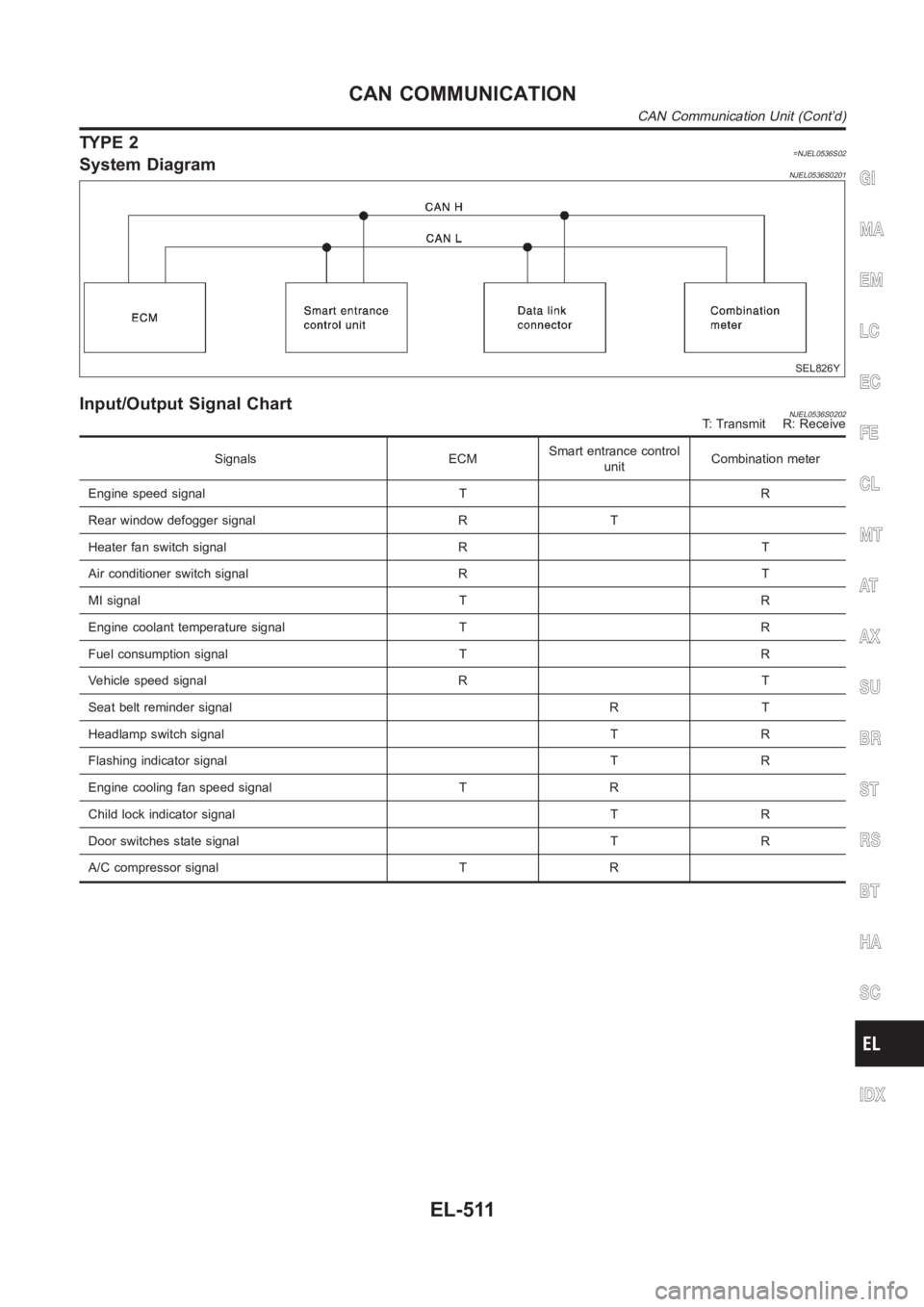
TYPE 2=NJEL0536S02System DiagramNJEL0536S0201
SEL826Y
Input/Output Signal ChartNJEL0536S0202T: Transmit R: Receive
Signals ECMSmart entrance control
unitCombination meter
Engine speed signal T R
Rear window defogger signal R T
Heater fan switch signal R T
Air conditioner switch signal R T
MI signal T R
Engine coolant temperature signal T R
Fuel consumption signal T R
Vehicle speed signal R T
Seat belt reminder signal R T
Headlamp switch signal T R
Flashing indicator signal T R
Engine cooling fan speed signal T R
Child lock indicator signal T R
Door switches state signal T R
A/C compressor signal T R
GI
MA
EM
LC
EC
FE
CL
MT
AT
AX
SU
BR
ST
RS
BT
HA
SC
IDX
CAN COMMUNICATION
CAN Communication Unit (Cont’d)
EL-511
Page 2851 of 3189
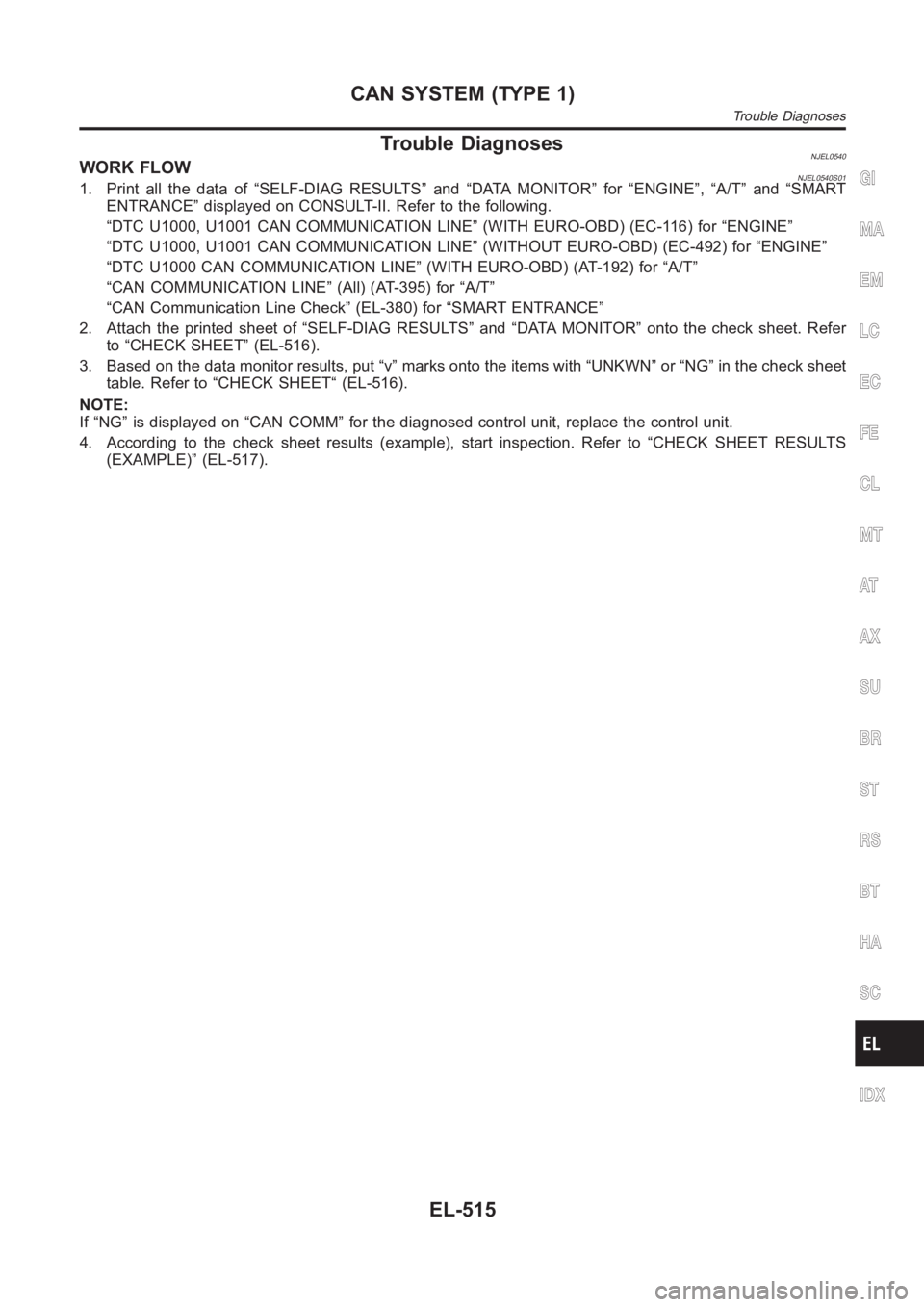
Trouble DiagnosesNJEL0540WORK FLOWNJEL0540S011. Print all the data of “SELF-DIAG RESULTS” and “DATA MONITOR” for “ENGINE”, “A/T” and “SMART
ENTRANCE” displayed on CONSULT-II. Refer to the following.
“DTC U1000, U1001 CAN COMMUNICATION LINE” (WITH EURO-OBD) (EC-116) for “ENGINE”
“DTC U1000, U1001 CAN COMMUNICATION LINE” (WITHOUT EURO-OBD) (EC-492) for “ENGINE”
“DTC U1000 CAN COMMUNICATION LINE” (WITH EURO-OBD) (AT-192) for “A/T”
“CAN COMMUNICATION LINE” (All) (AT-395) for “A/T”
“CAN Communication Line Check” (EL-380) for “SMART ENTRANCE”
2. Attach the printed sheet of “SELF-DIAG RESULTS” and “DATA MONITOR” ontothe check sheet. Refer
to “CHECK SHEET” (EL-516).
3. Based on the data monitor results, put “v” marks onto the items with “UNKWN” or “NG” in the check sheet
table. Refer to “CHECK SHEET“ (EL-516).
NOTE:
If “NG” is displayed on “CAN COMM” for the diagnosed control unit, replace the control unit.
4. According to the check sheet results (example), start inspection. Refer to “CHECK SHEET RESULTS
(EXAMPLE)” (EL-517).GI
MA
EM
LC
EC
FE
CL
MT
AT
AX
SU
BR
ST
RS
BT
HA
SC
IDX
CAN SYSTEM (TYPE 1)
Trouble Diagnoses
EL-515
Page 2857 of 3189
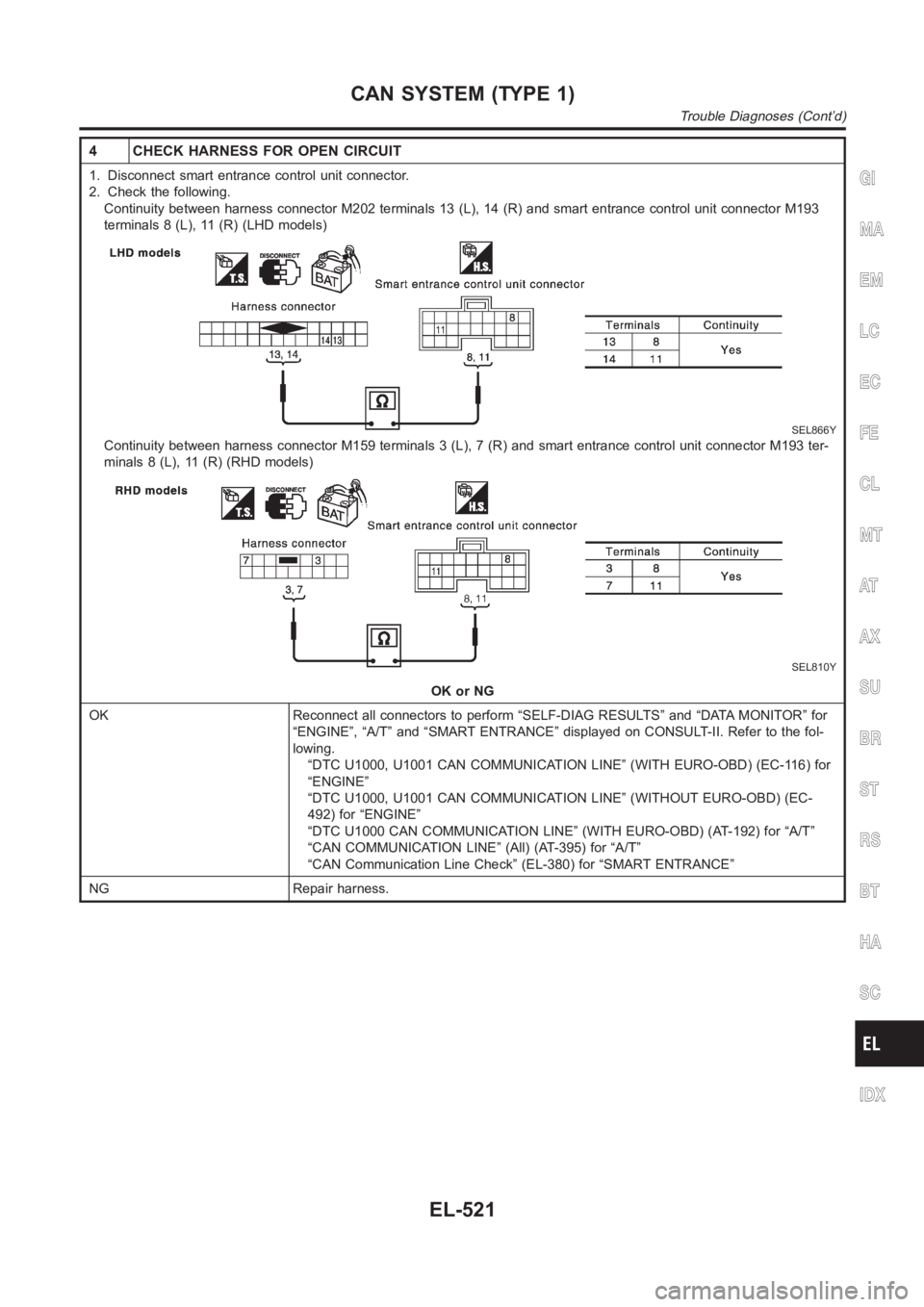
4 CHECK HARNESS FOR OPEN CIRCUIT
1. Disconnect smart entrance control unit connector.
2. Check the following.
Continuity between harness connector M202 terminals 13 (L), 14 (R) and smart entrance control unit connector M193
terminals 8 (L), 11 (R) (LHD models)
SEL866Y
Continuity between harness connector M159 terminals 3 (L), 7 (R) and smartentrance control unit connector M193 ter-
minals 8 (L), 11 (R) (RHD models)
SEL810Y
OK or NG
OK Reconnect all connectors to perform “SELF-DIAG RESULTS” and “DATA MONITOR” for
“ENGINE”, “A/T” and “SMART ENTRANCE” displayed on CONSULT-II. Refer to the fol-
lowing.
“DTC U1000, U1001 CAN COMMUNICATION LINE” (WITH EURO-OBD) (EC-116) for
“ENGINE”
“DTC U1000, U1001 CAN COMMUNICATION LINE” (WITHOUT EURO-OBD) (EC-
492) for “ENGINE”
“DTC U1000 CAN COMMUNICATION LINE” (WITH EURO-OBD) (AT-192) for “A/T”
“CAN COMMUNICATION LINE” (All) (AT-395) for “A/T”
“CAN Communication Line Check” (EL-380) for “SMART ENTRANCE”
NG Repair harness.
GI
MA
EM
LC
EC
FE
CL
MT
AT
AX
SU
BR
ST
RS
BT
HA
SC
IDX
CAN SYSTEM (TYPE 1)
Trouble Diagnoses (Cont’d)
EL-521
Page 2869 of 3189
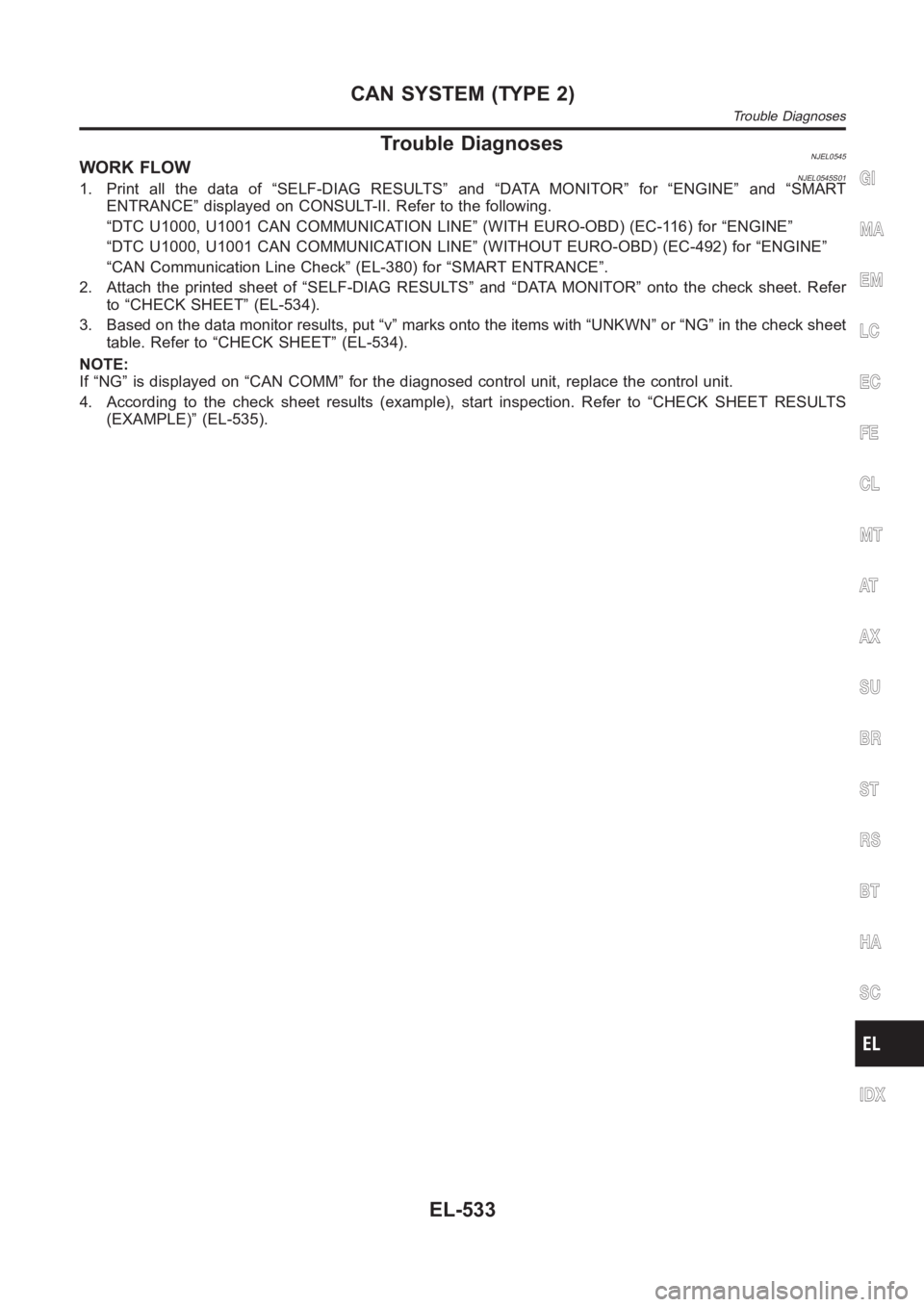
Trouble DiagnosesNJEL0545WORK FLOWNJEL0545S011. Print all the data of “SELF-DIAG RESULTS” and “DATA MONITOR” for “ENGINE” and “SMART
ENTRANCE” displayed on CONSULT-II. Refer to the following.
“DTC U1000, U1001 CAN COMMUNICATION LINE” (WITH EURO-OBD) (EC-116) for “ENGINE”
“DTC U1000, U1001 CAN COMMUNICATION LINE” (WITHOUT EURO-OBD) (EC-492) for “ENGINE”
“CAN Communication Line Check” (EL-380) for “SMART ENTRANCE”.
2. Attach the printed sheet of “SELF-DIAG RESULTS” and “DATA MONITOR” ontothe check sheet. Refer
to “CHECK SHEET” (EL-534).
3. Based on the data monitor results, put “v” marks onto the items with “UNKWN” or “NG” in the check sheet
table. Refer to “CHECK SHEET” (EL-534).
NOTE:
If “NG” is displayed on “CAN COMM” for the diagnosed control unit, replace the control unit.
4. According to the check sheet results (example), start inspection. Refer to “CHECK SHEET RESULTS
(EXAMPLE)” (EL-535).GI
MA
EM
LC
EC
FE
CL
MT
AT
AX
SU
BR
ST
RS
BT
HA
SC
IDX
CAN SYSTEM (TYPE 2)
Trouble Diagnoses
EL-533
Page 2886 of 3189
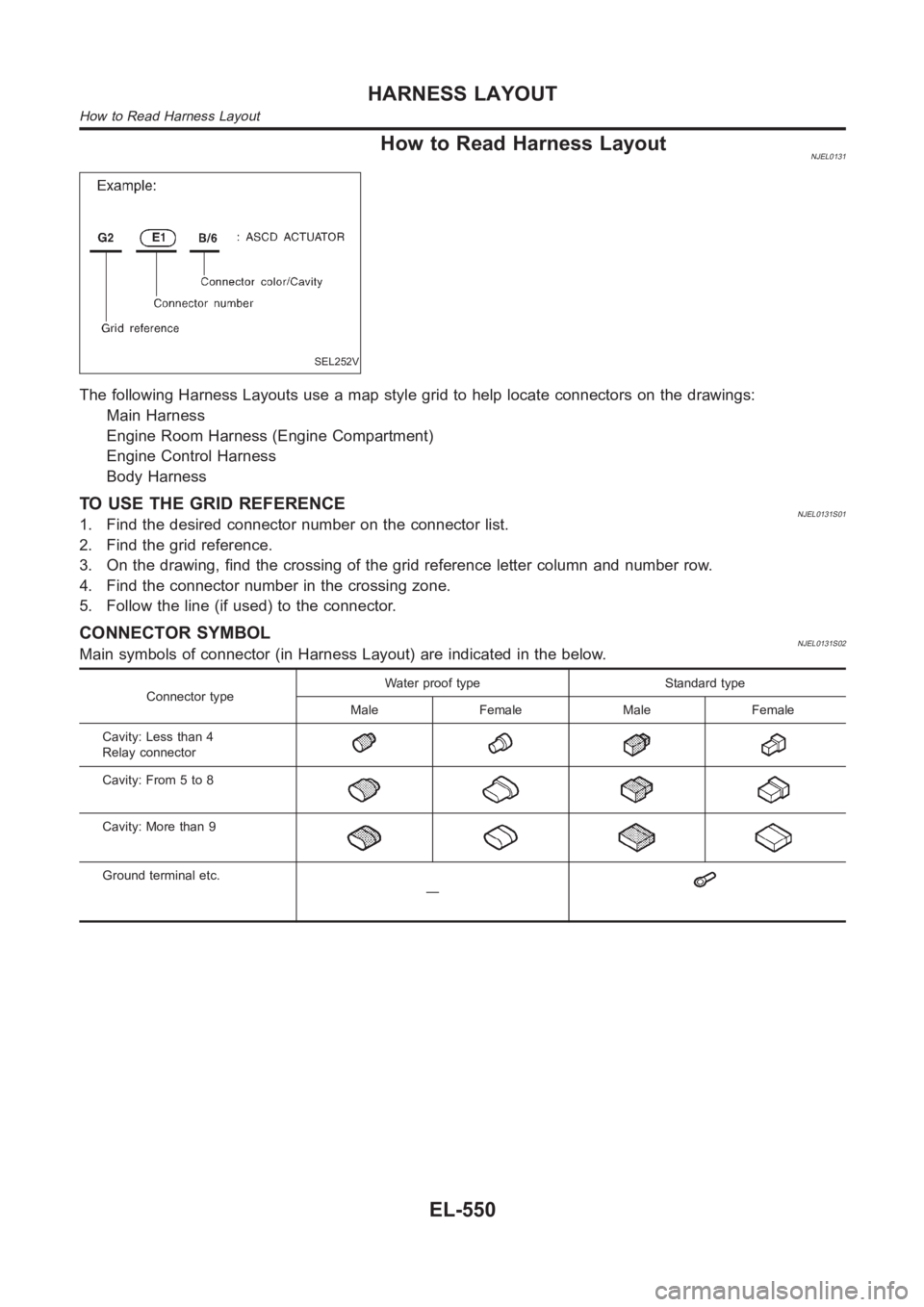
How to Read Harness LayoutNJEL0131
SEL252V
The following Harness Layouts use a map style grid to help locate connectors on the drawings:
Main Harness
Engine Room Harness (Engine Compartment)
Engine Control Harness
Body Harness
TO USE THE GRID REFERENCENJEL0131S011. Find the desired connector number on the connector list.
2. Find the grid reference.
3. On the drawing, find the crossing of the grid reference letter column andnumber row.
4. Find the connector number in the crossing zone.
5. Follow the line (if used) to the connector.
CONNECTOR SYMBOLNJEL0131S02Main symbols of connector (in Harness Layout) are indicated in the below.
Connector typeWater proof type Standard type
Male Female Male Female
Cavity: Less than 4
Relay connector
Cavity: From 5 to 8
Cavity: More than 9
Ground terminal etc.
—
HARNESS LAYOUT
How to Read Harness Layout
EL-550
Page 2902 of 3189
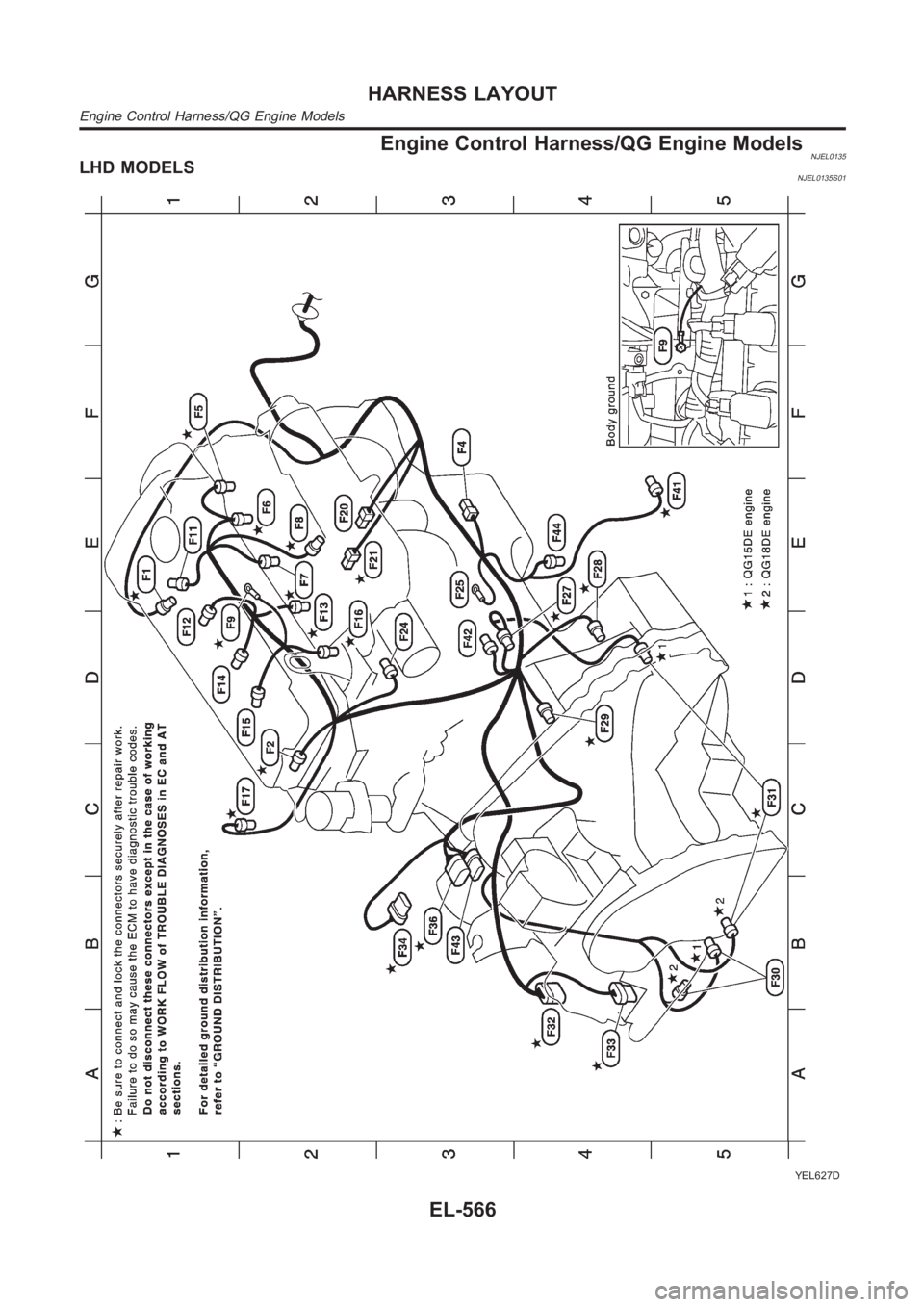
Engine Control Harness/QG Engine ModelsNJEL0135LHD MODELSNJEL0135S01
YEL627D
HARNESS LAYOUT
Engine Control Harness/QG Engine Models
EL-566