Page 97 of 392
See page f or important saf etyinf ormation and a warning about how toproperly position the head restraints. 14
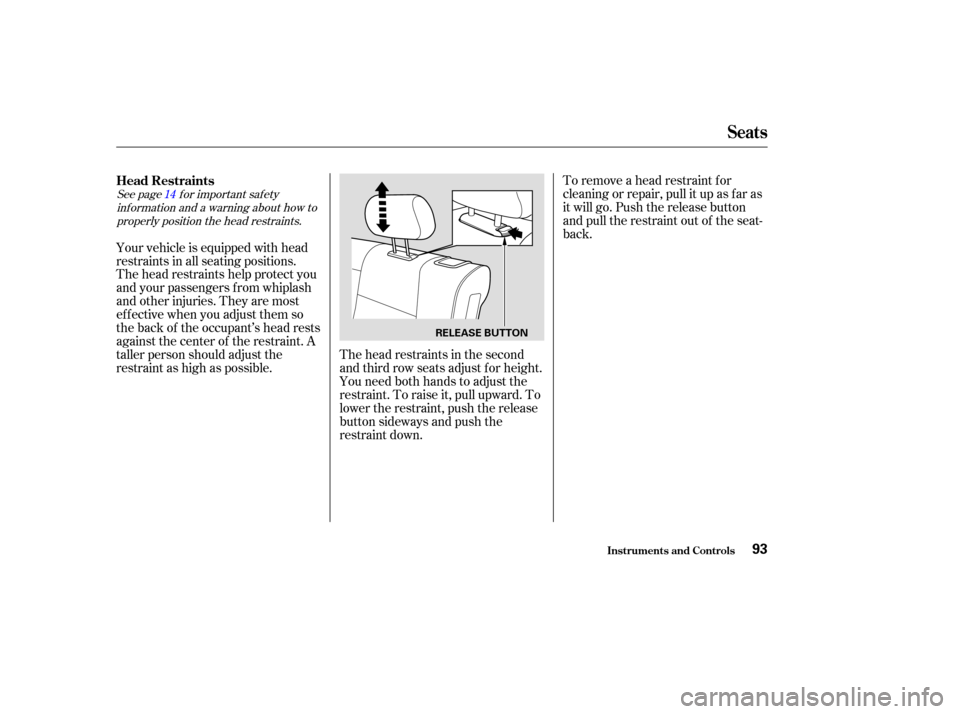
To remove a head restraint f or
cleaning or repair, pull it up as f ar as
it will go. Push the release button
and pull the restraint out of the seat-
back.
The head restraints help protect you
and your passengers f rom whiplash
and other injuries. They are most
ef f ective when you adjust them so
the back of the occupant’s head rests
against the center of the restraint. A
taller person should adjust the
restraint as high as possible. Your vehicle is equipped with head
restraints in all seating positions.
The head restraints in the second
and third row seats adjust f or height.
You need both hands to adjust the
restraint. To raise it, pull upward. To
lower the restraint, push the release
button sideways and push the
restraint down.
Head Restraints
Seats
Inst rument s and Cont rols93
RELEASE BUTTON
Page 98 of 392
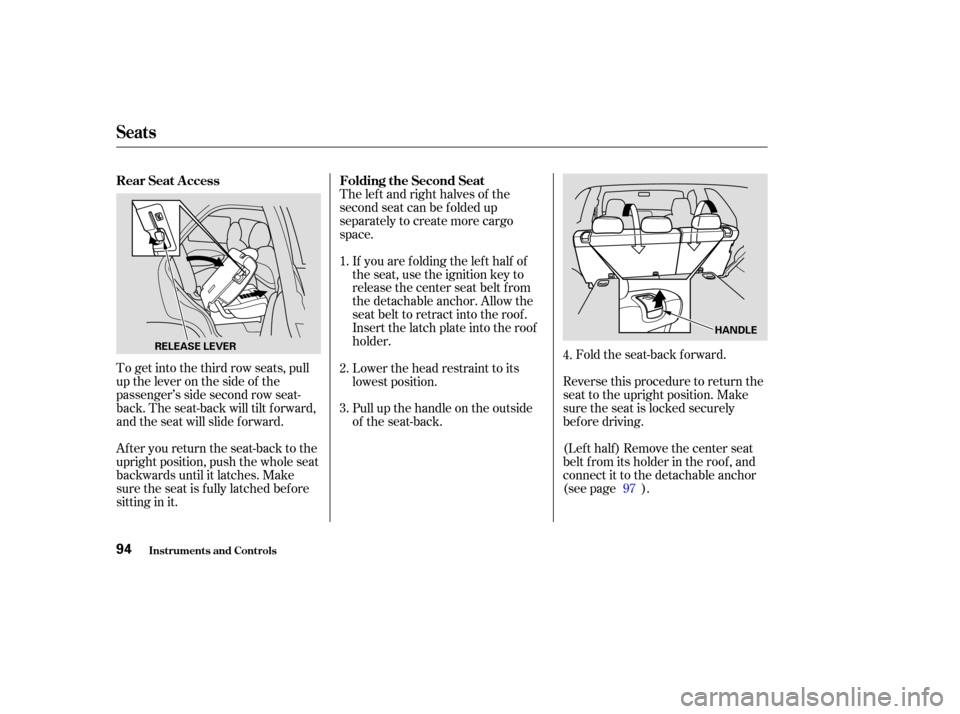
To get into the third row seats, pull
uptheleveronthesideof the
passenger’s side second row seat-
back. The seat-back will tilt f orward,
and the seat will slide f orward.
After you return the seat-back to the
upright position, push the whole seat
backwards until it latches. Make
sure the seat is f ully latched bef ore
sitting in it.The lef t and right halves of the
second seat can be f olded up
separately to create more cargo
space.
If you are f olding the lef t half of
the seat, use the ignition key to
release the center seat belt from
the detachable anchor. Allow the
seat belt to retract into the roof.
Insert the latch plate into the roof
holder. Fold the seat-back forward.
Reverse this procedure to return the
seat to the upright position. Make
sure the seat is locked securely
bef ore driving.
(Lef t half ) Remove the center seat
belt f rom its holder in the roof , and
connect it to the detachable anchor
(see page ).
Pull up the handle on the outside
of the seat-back. Lower the head restraint to its
lowest position.
2.
3. 1.
4.
97
Rear Seat A ccess
Folding the Second Seat
Seats
Inst rument s and Cont rols94
HANDLE
RELEASE LEVER
Page 99 of 392
Store the head restraints in the
storage compartment under the
cargo area f loor. Insert the shaf ts
of the head restraints into the
holes in the sides of the storage
compartment.Use the ignition key to release the
seat belt from the detachable
anchor.
To create more cargo space, you can
fold the third seat forward.
To fold the third seat:
Remove the head restraints by
pushing the release buttons and
pulling the restraints out.
1. 2.
3.
CONT INUED
Folding the T hird Seat
Seats
Inst rument s and Cont rols95
Page 100 of 392
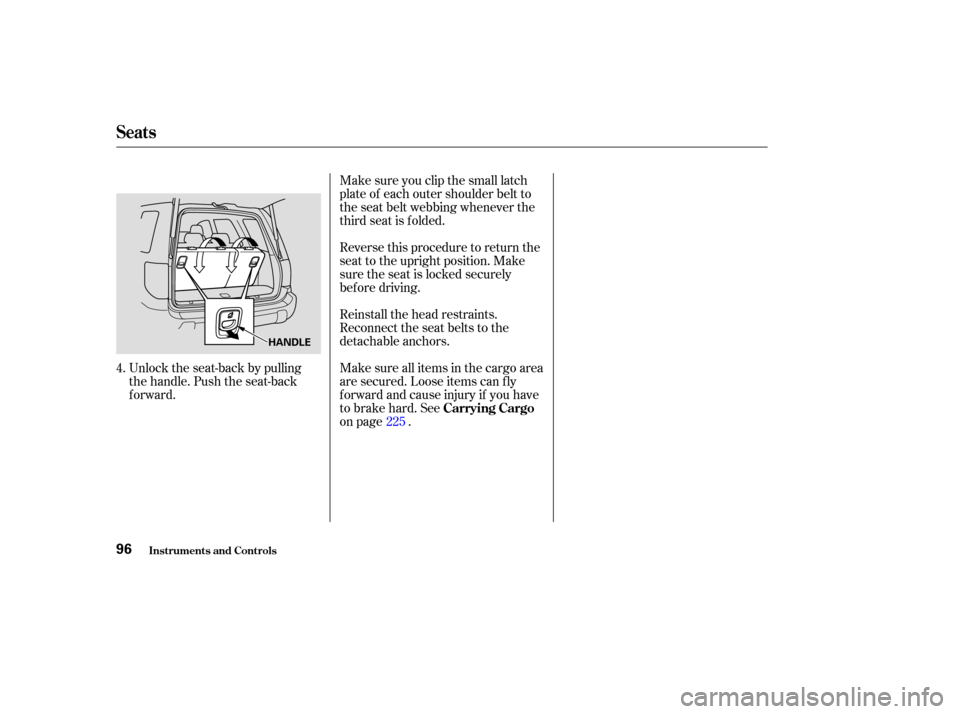
Unlock the seat-back by pulling
the handle. Push the seat-back
forward.Make sure you clip the small latch
plate of each outer shoulder belt to
the seat belt webbing whenever the
third seat is f olded.
Reverse this procedure to return the
seat to the upright position. Make
sure the seat is locked securely
bef ore driving.
Reinstall the head restraints.
Reconnect the seat belts to the
detachable anchors.
Make sure all items in the cargo area
are secured. Loose items can f ly
f orward and cause injury if you have
to brake hard. See
on page .
4.
225
Seats
Inst rument s and Cont rols
Carrying Cargo
96
HANDLE
Page 106 of 392
Keeptheinsideandoutsidemirrors
clean and adjusted f or best visibility.
Be sure to adjust the mirrors bef ore
you start driving.The inside mirror has day and night
positions. The night position reduces
glare f rom headlights behind you.
Flip the tab on the bottom edge of
the mirror to select the day or night
position.
Mirrors
Inst rument s and Cont rols102
TAB
Page 113 of 392
To use the sun visor, pull it down.
You can also use the sun visor at the
side window. Remove the support
rod f rom the clip and swing the sun
visor toward the side window. In this
position, the sun visor can be
extended by sliding out the
extension.Touseavanitymirroronthebackof
the sun visor, pull up the cover.
Make sure you put the sun visor
back in place when you are getting
into or out of the vehicle. Do not use
the sun visor extension over the rear
view mirror.
The light beside the mirror comes
on only when the parking lights or
headlights are on.
Sun Visor
Vanity Mirror
Sun Visor, Vanit y Mirror
Inst rument s and Cont rols109
EXTENSION
SUN VISOR
Page 173 of 392
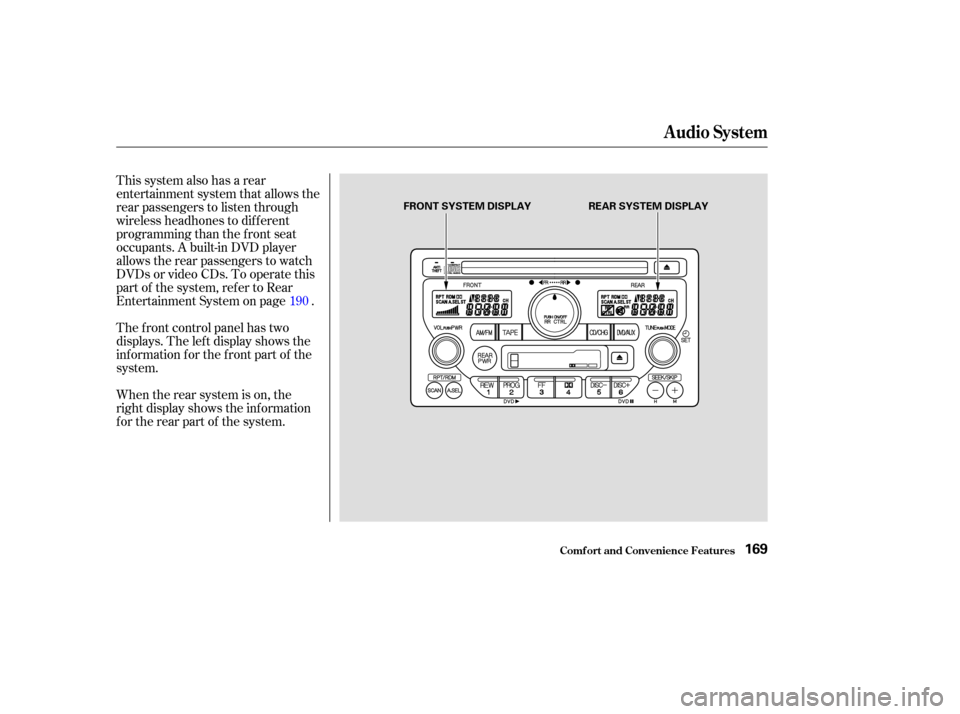
This system also has a rear
entertainment system that allows the
rear passengers to listen through
wireless headhones to dif f erent
programming than the f ront seat
occupants. A built-in DVD player
allows the rear passengers to watch
DVDs or video CDs. To operate this
part of the system, ref er to Rear
Entertainment System on page .
The f ront control panel has two
displays. The lef t display shows the
inf ormation f or the f ront part of the
system.
When the rear system is on, the
right display shows the inf ormation
f or the rear part of the system.190
Audio System
Comf ort and Convenience Feat ures169
FRONT SYSTEM DISPLAY
REAR SYSTEM DISPLAY
Page 195 of 392
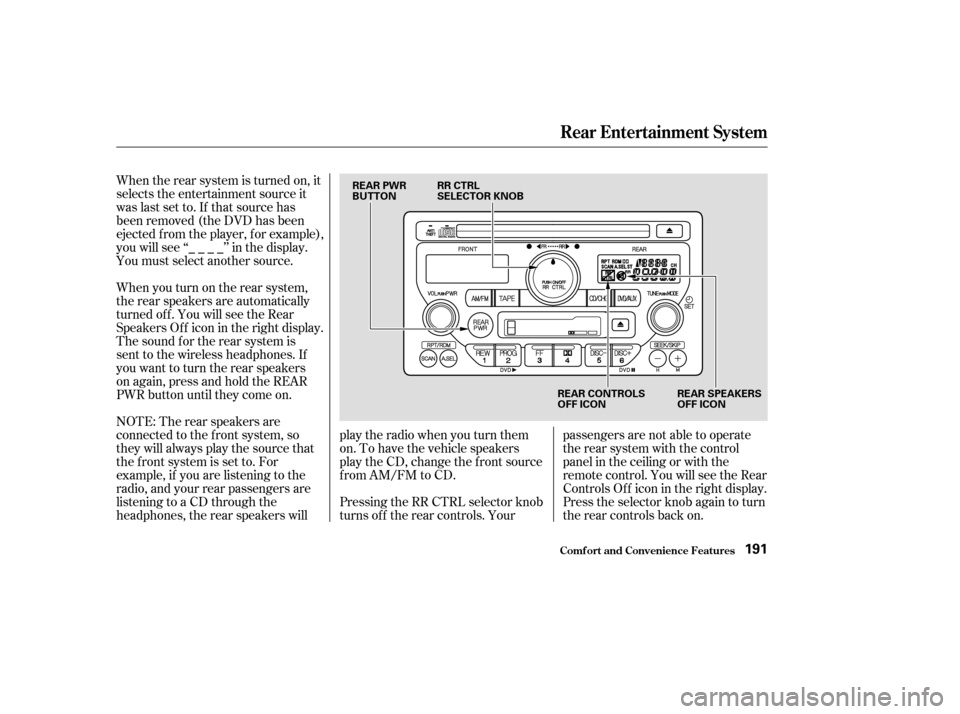
When the rear system is turned on, it
selects the entertainment source it
waslastsetto.Ifthatsourcehas
been removed (the DVD has been
ejected f rom the player, f or example),
youwillsee‘‘____’’inthedisplay.
You must select another source.
When you turn on the rear system,
the rear speakers are automatically
turned off. You will see the Rear
SpeakersOff iconintherightdisplay.
The sound f or the rear system is
sent to the wireless headphones. If
youwanttoturntherearspeakers
on again, press and hold the REAR
PWR button until they come on.
NOTE: The rear speakers are
connected to the f ront system, so
they will always play the source that
the f ront system is set to. For
example, if you are listening to the
radio, and your rear passengers are
listening to a CD through the
headphones, the rear speakers willplay the radio when you turn them
on. To have the vehicle speakers
play the CD, change the f ront source
f rom AM/FM to CD.
Pressing the RR CTRL selector knob
turns off the rear controls. Yourpassengers are not able to operate
the rear system with the control
panel in the ceiling or with the
remote control. You will see the Rear
ControlsOff iconintherightdisplay.
Press the selector knob again to turn
the rear controls back on.
Rear Entertainment System
Comf ort and Convenience Feat ures191
REAR PWR
BUTTON
RR CTRL
SELECTOR KNOB
REAR CONTROLS
OFF ICONREAR SPEAKERS
OFF ICON