2003 DODGE RAM Electronic Control Modules
[x] Cancel search: Electronic Control ModulesPage 416 of 2895
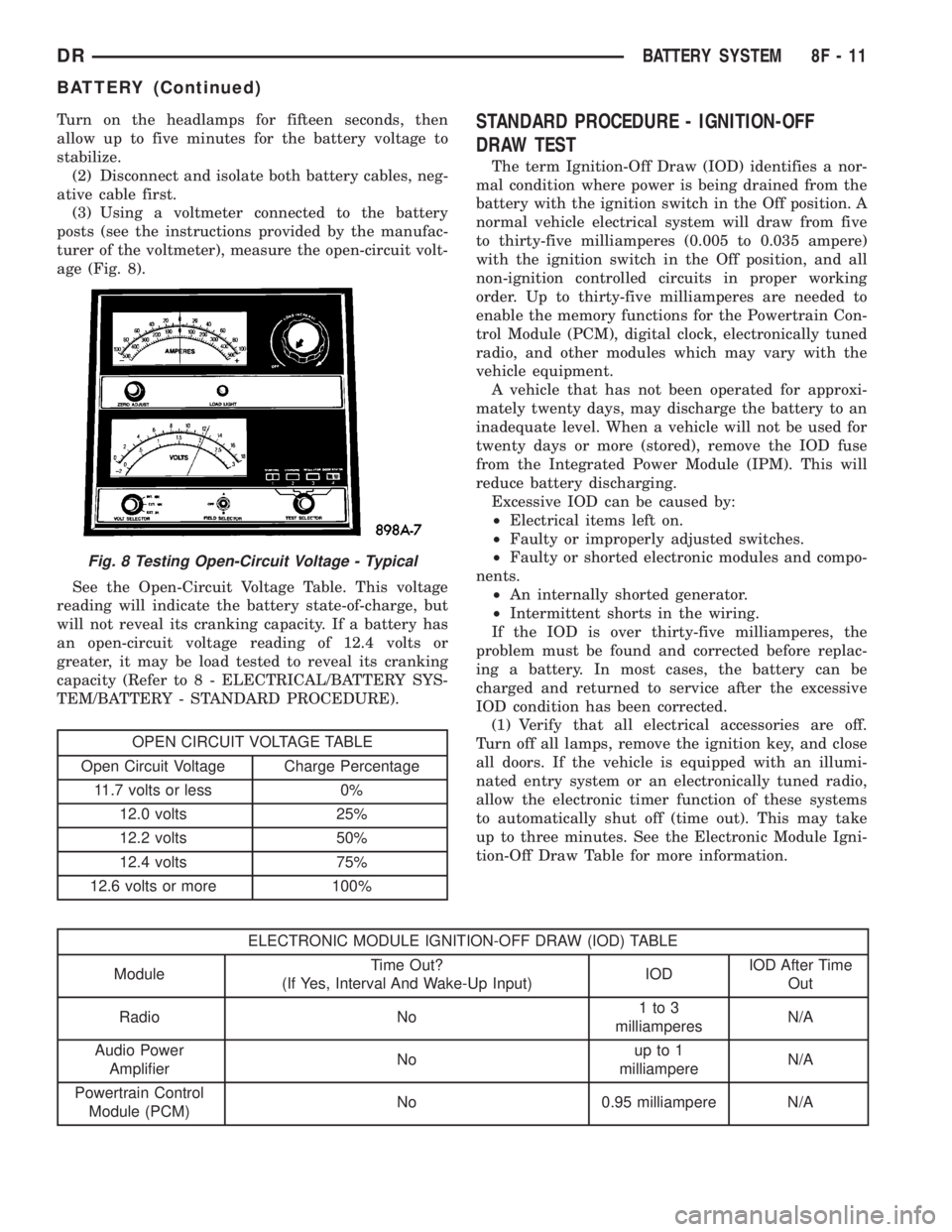
Turn on the headlamps for fifteen seconds, then
allow up to five minutes for the battery voltage to
stabilize.
(2) Disconnect and isolate both battery cables, neg-
ative cable first.
(3) Using a voltmeter connected to the battery
posts (see the instructions provided by the manufac-
turer of the voltmeter), measure the open-circuit volt-
age (Fig. 8).
See the Open-Circuit Voltage Table. This voltage
reading will indicate the battery state-of-charge, but
will not reveal its cranking capacity. If a battery has
an open-circuit voltage reading of 12.4 volts or
greater, it may be load tested to reveal its cranking
capacity (Refer to 8 - ELECTRICAL/BATTERY SYS-
TEM/BATTERY - STANDARD PROCEDURE).
OPEN CIRCUIT VOLTAGE TABLE
Open Circuit Voltage Charge Percentage
11.7 volts or less 0%
12.0 volts 25%
12.2 volts 50%
12.4 volts 75%
12.6 volts or more 100%
STANDARD PROCEDURE - IGNITION-OFF
DRAW TEST
The term Ignition-Off Draw (IOD) identifies a nor-
mal condition where power is being drained from the
battery with the ignition switch in the Off position. A
normal vehicle electrical system will draw from five
to thirty-five milliamperes (0.005 to 0.035 ampere)
with the ignition switch in the Off position, and all
non-ignition controlled circuits in proper working
order. Up to thirty-five milliamperes are needed to
enable the memory functions for the Powertrain Con-
trol Module (PCM), digital clock, electronically tuned
radio, and other modules which may vary with the
vehicle equipment.
A vehicle that has not been operated for approxi-
mately twenty days, may discharge the battery to an
inadequate level. When a vehicle will not be used for
twenty days or more (stored), remove the IOD fuse
from the Integrated Power Module (IPM). This will
reduce battery discharging.
Excessive IOD can be caused by:
²Electrical items left on.
²Faulty or improperly adjusted switches.
²Faulty or shorted electronic modules and compo-
nents.
²An internally shorted generator.
²Intermittent shorts in the wiring.
If the IOD is over thirty-five milliamperes, the
problem must be found and corrected before replac-
ing a battery. In most cases, the battery can be
charged and returned to service after the excessive
IOD condition has been corrected.
(1) Verify that all electrical accessories are off.
Turn off all lamps, remove the ignition key, and close
all doors. If the vehicle is equipped with an illumi-
nated entry system or an electronically tuned radio,
allow the electronic timer function of these systems
to automatically shut off (time out). This may take
up to three minutes. See the Electronic Module Igni-
tion-Off Draw Table for more information.
ELECTRONIC MODULE IGNITION-OFF DRAW (IOD) TABLE
ModuleTime Out?
(If Yes, Interval And Wake-Up Input)IODIOD After Time
Out
Radio No1to3
milliamperesN/A
Audio Power
AmplifierNoup to 1
milliampereN/A
Powertrain Control
Module (PCM)No 0.95 milliampere N/A
Fig. 8 Testing Open-Circuit Voltage - Typical
DRBATTERY SYSTEM 8F - 11
BATTERY (Continued)
Page 425 of 2895

²a faulty or improperly adjusted switch that
allows a lamp to stay on. Refer to Ignition-Off Draw
Test in 8, Battery for more information.
INSPECTION
The PCM (Powertrain Control Module), or ECM
(Diesel) monitors critical input and output circuits of
the charging system, making sure they are opera-
tional. A Diagnostic Trouble Code (DTC) is assigned
to each input and output circuit monitored by the
On-Board Diagnostic (OBD) system. Some charging
system circuits are checked continuously, and some
are checked only under certain conditions.
Refer to Diagnostic Trouble Codes in; Powertrain
Control Module; Electronic Control Modules for more
DTC information. This will include a complete list of
DTC's including DTC's for the charging system.
To perform a complete test of the charging system,
refer to the appropriate Powertrain Diagnostic Proce-
dures service manual and the DRBtscan tool. Per-
form the following inspections before attaching the
scan tool.
(1) Inspect the battery condition. Refer to 8, Bat-
tery for procedures.(2) Inspect condition of battery cable terminals,
battery posts, connections at engine block, starter
solenoid and relay. They should be clean and tight.
Repair as required.
(3) Inspect all fuses in both the fuseblock and
Power Distribution Center (PDC) for tightness in
receptacles. They should be properly installed and
tight. Repair or replace as required.
(4) Inspect generator mounting bolts for tightness.
Replace or tighten bolts if required. Refer to the Gen-
erator Removal/Installation section of this group for
torque specifications.
(5) Inspect generator drive belt condition and ten-
sion. Tighten or replace belt as required. Refer to
Belt Tension Specifications in 7, Cooling System.
(6) Inspect automatic belt tensioner (if equipped).
Refer to 7, Cooling System for information.
(7) Inspect generator electrical connections at gen-
erator field, battery output, and ground terminal (if
equipped). Also check generator ground wire connec-
tion at engine (if equipped). They should all be clean
and tight. Repair as required.
SPECIFICATIONS
GENERATOR RATINGS
TYPE PART NUMBER RATED SAE AMPS ENGINES
DENSO 56029700AA 136 3.7L / 4.7L
DENSO 56029701AA 136 5.9L Gas
BOSCH 56041120AC 136 3.7L / 4.7L
BOSCH 56028238AB 136 5.9L Gas
DENSO 56028560AA 136 8.0L
DENSO 56028696AA 136 5.7L Gas/5.9L Diesel
BOSCH 56028699AA 136 5.7L Gas/5.9L Diesel
SPECIFICATIONS - TORQUE - GENERATOR /
CHARGING SYSTEM
DESCRIPTION N´m Ft. Lbs. In. Lbs.
Generator Mounting Bolts - 5.7L 41 30 -
Generator Support Bracket
Bolt/Nuts - 5.7L41 30 -
Generator Mounting Bolts - 8.0L 41 30 -
Generator Upper Mounting Bolt -
5.9L Diesel Engine41 30 -
Generator Upper Mounting Bolt -
5.9L Gas Engine41 30 -
8F - 20 CHARGINGDR
CHARGING (Continued)
Page 448 of 2895

HEATED SEAT SYSTEM
TABLE OF CONTENTS
page page
HEATED SEAT SYSTEM
DESCRIPTION..........................3
OPERATION............................4
DIAGNOSIS AND TESTING - HEATED SEAT
SYSTEM.............................4
HEATED SEAT ELEMENT
DESCRIPTION..........................5
OPERATION............................6
DIAGNOSIS AND TESTING - HEATED SEAT
ELEMENT............................6
REMOVAL.............................6
INSTALLATION..........................6
HEATED SEAT SENSOR
DESCRIPTION..........................7OPERATION............................7
DIAGNOSIS AND TESTING - HEATED SEAT
SENSOR.............................7
REMOVAL.............................7
HEATED SEAT SWITCH
DESCRIPTION..........................7
OPERATION............................8
DIAGNOSIS AND TESTING - HEATED SEAT
SWITCH.............................8
REMOVAL.............................9
INSTALLATION..........................9
HEATED SEAT SYSTEM
DESCRIPTION
Individually controlled, electrically heated front
seats are available as a factory-installed option on
some DR models. Vehicles with this option can be
visually identified by the leather trim seats and two
separate heated seat switches mounted in the lower
center of the instrument panel. The heated seat sys-
tem allows the front seat driver and passenger to
select from two different levels of electrical seat heat-
ing, or no seat heating to suit their individual com-
fort requirements. The heated seat system for this
vehicle includes the following major components,
which are described in further detail later in this sec-
tion:
²Heated Seat Switches- Two heated seat
switches are used per vehicle. One switch is used for
each front seat. The switches are mounted in the
instrument panel, below the radio (Fig. 1). Each
switch also includes two Light-Emitting Diode (LED)
indicator lamps and an incandescent back lighting
bulb.
²Heated Seat Module- also referred to as the
Seat Heat Interface Module (SHIM), this module con-
tains the solid state electronic control and diagnostic
logic circuitry for the heated seat system. One heated
seat module is used per vehicle and is mounted
under the drivers front seat cushion (Fig. 1). Refer to
the Electronic Control Modules section of the service
manual for additional heated seat module informa-
tion.²Heated Seat Elements- Four heated seat ele-
ments are used per vehicle. One element is used for
each front seat back and one element and sensor
assembly is used for each front seat cushion (Fig. 1).
The heating elements are integral to the individual
front seat and seat back cushions and cannot be
removed once installed at the factory. Replacement
seat heating elements are available, without having
to replace the entire seat cushion or trim cover. Refer
to the detailed procedure later in this section.
²Heated Seat Sensors- Two heated seat sen-
sors are used per vehicle. One heated seat tempera-
ture sensor is used for each front seat cushion. The
sensors are integral to the individual front seat cush-
ion heating elements (Fig. 1) and cannot be removed
once installed at the factory. Replacement seat heat-
ing elements with the sensors are available, without
having to replace the entire seat cushion or trim
cover. Refer to the detailed procedure later in this
section.
Following are general descriptions and operations
of the major components in the heated seat system.
See the owner's manual in the vehicle glove box for
more information on the features, use and operation
of the heated seat system. Refer toWiringfor the
location of complete heated seat system wiring dia-
grams.
DRHEATED SEAT SYSTEM 8G - 3
Page 450 of 2895

Diagnostic logic is built into the heated seat mod-
ule to help the person trying to locate the problem by
the most efficient means possible. Anytime a problem
is suspected, locate the diagnosis and testing proce-
dure for the component in question and follow the
steps until the specific problem is located and
resolved. Once the problem is thought to be cor-
rected, verify correct system operation. If the heated
seat system is functioning correctly return the vehi-
cle to service.
If a problem could not be verified such as not find-
ing anything wrong when following the diagnostic
procedure, this is a good indication that a INTER-
MITTENT problem may be present. You must then
attempt to find the intermittent problem, such as
moving the heating element within the seat while
testing continuity or wiggling the wire harness's/elec-
trical connectors under the seat while testing conti-
nuity. Always, eliminate all other potential problems
before attempting to replace the heated seat module.
PRELIMINARY TEST
Refer toWiringfor the location of complete heated
seat system wiring diagrams. Before testing the indi-
vidual components in the heated seat system, per-
form the following preliminary checks:
WARNING: DISABLE THE AIRBAG SYSTEM
BEFORE ATTEMPTING ANY STEERING WHEEL,
STEERING COLUMN, OR INSTRUMENT PANEL
COMPONENT DIAGNOSIS OR SERVICE. DISCON-
NECT AND ISOLATE THE BATTERY NEGATIVE
CABLE, THEN WAIT TWO MINUTES FOR THE AIR-
BAG SYSTEM CAPACITOR TO DISCHARGE
BEFORE PERFORMING FURTHER DIAGNOSIS OR
SERVICE. THIS IS THE ONLY SURE WAY TO DIS-
ABLE THE AIRBAG SYSTEM. FAILURE TO TAKE
THE PROPER PRECAUTIONS COULD RESULT IN
ACCIDENTAL AIRBAG DEPLOYMENT AND POSSI-
BLE PERSONAL INJURY.
²If the heated seat switch back lighting and the
cluster illumination lamps do not illuminate with the
headlamps or park lamps turned On, refer to the
Instrument Clustersection of the service manual
for the location of cluster illumination lamp diagnosis
and testing procedures. If the heated seat switch
back lighting does not illuminate, but the cluster illu-
mination lamps do illuminate with the headlamps or
park lamps turned On, refer toDiagnosis and Test-
ing the Heated Seat Switchin this section for the
location of the heated seat switch diagnosis and test-
ing procedures.
²If a single LED indicator lamp for one heated
seat switch does not operate and the heated seat ele-
ments do heat, refer toDiagnosis and Testing theHeated Seat Switchin this section for heated seat
switch diagnosis and testing procedures.
²If both LED indicator lamps for a heated seat
switch operate, but the heated seat elements do not
heat, refer toDiagnosis and Testing the Heated
Seat Modulein Electronic Control Modules for
heated seat module diagnosis and testing procedures.
²If the indicator lamp on either heated seat
switch remains illuminated after the heated seat has
been turned Off, refer toDiagnosis and Testing
the Heated Seat Modulein Electronic Control
Modules for heated seat module diagnosis and test-
ing procedures.
HEATED SEAT ELEMENT
DESCRIPTION
Vehicles equipped with the optional heated seat
system have two sets of electrically operated heating
element grids located in each front seat, one set for
the seat cushion and the other set for the seat back.
Each of the heated seat element grids consists of a
single length of resistor wire that is routed in a zig-
zag pattern and captured between a covering and the
adhesive foam rubber backing. Short pigtail wires
with connectors (Fig. 2) are soldered to each end of
each resistor wire element grid, which connect all of
Fig. 2 Heating Element Installed on Seat Cushion
Foam
1 - SEAT BACK WIRE HARNESS
2 - HEATED SEAT WIRE HARNESS CONNECTOR
3 - HEATED SEAT CUSHION ELEMENT
DRHEATED SEAT SYSTEM 8G - 5
HEATED SEAT SYSTEM (Continued)
Page 452 of 2895

(2) Connect the new heating element electrical
connectors (Fig. 2).
(3) Connect the battery negative cable.
(4) Verify heated seat system operation.
(5) Install the appropriate seat cushion or seat
back trim cover. Make certain the seat wire harness
is correctly routed through the seat and seat back.
HEATED SEAT SENSOR
DESCRIPTION
The heated seat temperature sensor is a Negative
Temperature Coefficient (NTC) thermistor. One tem-
perature sensor is used for each seat. This tempera-
ture sensor is located in the seat cushion heating
element on all models.
The heated seat temperature sensor cannot be
repaired or adjusted and must be replaced if defec-
tive. The heated seat cushion element must be
replaced if the temperature sensor is defective. Refer
to the procedure in this section of the service man-
ual.
OPERATION
When the temperature of the seat cushion cover
rises, the resistance of the sensor decreases. The
heated seat module supplies five-volts to one side of
each sensor, and monitors the voltage drop through
the sensor on a return circuit. The heated seat mod-
ule uses this temperature sensor input to monitorthe temperature of the seat, and regulates the cur-
rent flow to the seat heating elements accordingly.
DIAGNOSIS AND TESTING - HEATED SEAT
SENSOR
NOTE: Any resistance values (OHMSV) given in the
following text are supplied using the automatic
range generated by a FLUKETautomotive meter. If
another type of measuring device is used, the val-
ues generated may not be the same as the results
shown here, or may have to be converted to the
range used here.
(1) Position the driver seat in the full rearward
position.
(2) Unclip the heated seat module from the bottom
of the drivers seat cushion pan.
(3) Back-probe the heated seat module wire har-
ness connector, do not disconnect. Check cavity (#7
for passenger, #8 for driver seat) for a range in volt-
age from approx. 1.72 ± 3.0 volts. It should be within
this range, If OK check the heated seat element. If
NOT OK, check for the proper 5 volt supply to the
heated seat sensor, from the module. Refer to Wiring
for specific information. If 5 volts is not being sup-
plied to the sensor from the module, replace the
heated seat module.
(4) Test the seat wire harness between the heated
seat module connector and the heated seat wire har-
ness connector for shorted or open circuits. If OK,
refer toDiagnosis and Testing the Heated Seat
Modulein Electronic Control Modules, for the
proper heated seat module diagnosis and testing pro-
cedures. If not OK, repair the shorted or open heated
seat wire harness as required.
REMOVAL
(1) For heated seat sensor replacement procedure
(Refer to 8 - ELECTRICAL/HEATED SEATS/
HEATED SEAT ELEMENT - REMOVAL).
HEATED SEAT SWITCH
DESCRIPTION
The momentary, bidirectional rocker-type heated
seat switch (Fig. 4) provides a resistor-multiplexed
signal to the heated seat module via a mux circuit.
Each switch has a center neutral position and
momentary Low and High positions so that both the
driver and the front seat passenger can select a pre-
ferred level of seat heating. Each heated seat switch
has two Light-Emitting Diode (LED) indicator lamps,
which indicate the selected mode (Low or High) of
the seat heater. These indicator lamps also provide
Fig. 3 Heating Element Installation
1 - ORIGINAL (INOPERATIVE) HEATING ELEMENT
2 - REPLACEMENT HEATING ELEMENT
DRHEATED SEAT SYSTEM 8G - 7
HEATED SEAT ELEMENT (Continued)
Page 454 of 2895

inoperative heated seat switch indicator lamps and
the heated seat elements do not heat, proceed. If the
problem being diagnosed involves inoperative heated
seat switch indicator lamps and the heated seat ele-
ments do heat, go to Step 6. If the problem being
diagnosed involves a heated seat switch indicator
lamp that remains illuminated after the heated seat
has been turned Off, (Refer to 8 - ELECTRICAL/
ELECTRONIC CONTROL MODULES/MEMORY
HEATED SEAT/MIRROR MODULE - DIAGNOSIS
AND TESTING).
(2) Disconnect and isolate the battery negative
cable. Remove the heated seat switch and bezel unit
from the instrument panel. Disconnect the heated
seat switch to be tested. Check for continuity
between the ground circuit cavity of the heated seat
switch and a good ground. There should be continu-
ity. If OK, go to Step 3. If not OK, repair the open
ground circuit to ground as required.
(3) Reconnect the battery negative cable. Turn the
park lamps on with the headlamp switch. Rotate the
panel lamps dimmer thumb wheel on the headlamp
switch upward to just before the interior lamps
detent. Check for battery voltage at the fused panel
lamps dimmer circuit cavity of the heated seat
switch. If OK, go to Step 4. If not OK, repair the
open fused panel lamps dimmer switch signal circuit
to the fuse in the Integrated Power Module as
required.
(4) Turn the ignition switch to the On position.
Check for battery voltage at the fused ignition switch
output (run) circuit cavity of the heated seat switch.
If OK, go to Step 5. If not OK, repair the open fused
ignition switch output (run) circuit as required.
(5) Check the continuity and resistance values of
the heated seat switch in the Neutral, Low and High
positions as shown in the Heated Seat Switch Conti-
nuity chart. If OK, refer to Step 6. If not OK, replace
the faulty heated seat switch.
HEATED SEAT SWITCH CONTINUITY
Switch PositionContinuity
BetweenResistance
Neutral 4 & 6 2.2 Kilohms
Low 4 & 6 .415 Kilohms
High 4 & 6 33 Ohms(6) Replace the inoperative heated seat switch
with a known good unit and test the operation of the
switch indicator lamps. If OK, discard the faulty
heated seat switch. If not OK, (Refer to 8 - ELEC-
TRICAL/ELECTRONIC CONTROL MODULES/
MEMORY HEATED SEAT/MIRROR MODULE -
DIAGNOSIS AND TESTING).
REMOVAL
(1) Disconnect and isolate the negative battery
cable.
(2) Wait two minutes for the system reserve capac-
itor to discharge before beginning any airbag or
instrument panel service.
(3) Remove the center bezel from the instrument
panel (Refer to 23 - BODY/INSTRUMENT PANEL/
INSTRUMENT PANEL CENTER BEZEL - REMOV-
AL).
(4) Remove the screws that secure the heated seat
switch bezel to the instrument panel center bezel.
(5) Remove the heated seat switch bezel and both
switches from the instrument panel as a unit.
(6) From the back of the heated seat switch bezel,
gently pry the switch free and push the heated seat
switch out through the front of the bezel.
INSTALLATION
NOTE: When installing the heated seat switches, be
certain they are installed in the proper mounting
holes of the heated seat switch bezel. The heated
seat switches are differentiated by the keyway in
the connector receptacle on the backs of the
switches and keyway on the switch housing (Fig.
4).
(1) From the back of the heated seat switch bezel,
gently push the heated seat switch in through the
front of the bezel.
(2) Position the heated seat switch bezel to the
instrument panel center bezel and install the retain-
ing screws.
(3) Install the center bezel on the instrument
panel (Refer to 23 - BODY/INSTRUMENT PANEL/
INSTRUMENT PANEL CENTER BEZEL - INSTAL-
LATION).
(4) Connect the battery negative cable.
(5) Verify vehicle and system operation.
DRHEATED SEAT SYSTEM 8G - 9
HEATED SEAT SWITCH (Continued)
Page 496 of 2895

molded plastic cluster housing serves as the carrier
for the cluster circuit board and circuitry, the cluster
connector receptacles, the RKE interface connector,
the gauges, a Light Emitting Diode (LED) for each
cluster indicator, two VFD units, an audible tone
generator, the cluster overlay, the gauge pointers, the
odometer/trip odometer switch and the switch button.
The cluster overlay is a laminated plastic unit. The
dark, visible, outer surface of the overlay is marked
with all of the gauge dial faces and graduations, but
this layer is also translucent. The darkness of this
outer layer prevents the cluster from appearing clut-
tered or busy by concealing the cluster indicators
that are not illuminated, while the translucence of
this layer allows those indicators and icons that are
illuminated to be readily visible. The underlying
layer of the overlay is opaque and allows light from
the LED for each of the various indicators and the
incandescent illumination lamps behind it to be visi-
ble through the outer layer of the overlay only
through predetermined stencil-like cutouts. A rectan-
gular opening in the overlay at the base of both the
speedometer and tachometer dial faces has a smoked
clear lens through which the illuminated VFD units
can be viewed.
Several versions of the EMIC module are offered
on this model. These versions accommodate all of the
variations of optional equipment and regulatory
requirements for the various markets in which the
vehicle will be offered. The microprocessor-based
EMIC utilizes integrated circuitry and information
carried on the Programmable Communications Inter-
face (PCI) data bus network along with several hard
wired analog and multiplexed inputs to monitor sen-
sors and switches throughout the vehicle. In response
to those inputs, the internal circuitry and program-
ming of the EMIC allow it to control and integrate
many electronic functions and features of the vehicle
through both hard wired outputs and the transmis-
sion of electronic message outputs to other electronic
modules in the vehicle over the PCI data bus. (Refer
to 8 - ELECTRICAL/ELECTRONIC CONTROL
MODULES/COMMUNICATION - DESCRIPTION -
PCI BUS).
Besides typical instrument cluster gauge and indi-
cator support, the electronic functions and features
that the EMIC supports or controls include the fol-
lowing:
²Audible Warnings- The EMIC electronic cir-
cuit board is equipped with an audible tone generator
and programming that allows it to provide various
audible alerts to the vehicle operator, including
chime tones and beep tones. An electromechanical
relay is also soldered onto the circuit board to pro-
duce audible clicks that emulate the sound of a con-
ventional turn signal or hazard warning flasher.(Refer to 8 - ELECTRICAL/CHIME/BUZZER -
DESCRIPTION).
²Brake Lamp Control- The EMIC provides
electronic brake lamp request messages to the Front
Control Module (FCM) located on the Integrated
Power Module (IPM) for brake lamp control, exclud-
ing control of the Center High Mounted Stop Lamp
(CHMSL), which remains controlled by a direct hard
wired output of the brake lamp switch.
²Brake Transmission Shift Interlock Control
- The EMIC monitors inputs from the brake lamp
switch, ignition switch, and the Transmission Range
Sensor (TRS), then controls a high-side driver output
to operate the Brake Transmission Shift Interlock
(BTSI) solenoid that locks and unlocks the automatic
transmission gearshift selector lever on the steering
column.
²Cargo Lamp Control- The EMIC provides
direct control of cargo lamp operation with a load
shedding (battery saver) feature which will automat-
ically turn off the cargo lamp if it remains on after a
timed interval.
²Central Locking- The EMIC provides support
for the central locking feature of the power lock sys-
tem. This feature will lock or unlock all doors based
upon the input from the door cylinder lock switch.
Door cylinder lock switches are used only on models
equipped with the optional Vehicle Theft Security
System (VTSS).
²Door Lock Inhibit- The EMIC inhibits locking
of the doors with the power lock switch when the key
is in the ignition switch and the driver side front
door is ajar. However, operation of the door locks is
not inhibited under the same conditions when the
Lock button of the optional RKE transmitter is
depressed.
²Enhanced Accident Response- The EMIC
monitors an input from the Airbag Control Module
(ACM) and, following an airbag deployment, will
immediately disable the power lock output, unlock all
doors by activating the power unlock output, then
enables the power lock output if the power lock
switch input remains inactive for two seconds. This
feature, like all other enhanced accident response
features, is dependent upon a functional vehicle elec-
trical system following the vehicle impact event.
²Exterior Lighting Control- The EMIC pro-
vides electronic head lamp and/or park lamp request
messages to the Front Control Module (FCM) located
on the Integrated Power Module (IPM) for the appro-
priate exterior lamp control of standard head and
park lamps, as well as optional front fog lamps. This
includes support for headlamp beam selection and
the optical horn feature, also known as flash-to-pass.
²Exterior Lighting Fail-safe- In the absence of
a headlamp switch input, the EMIC will turn on the
DRINSTRUMENT CLUSTER 8J - 3
INSTRUMENT CLUSTER (Continued)
Page 498 of 2895

the vehicle speed remains greater than about twenty-
four kilometers-per-hour (fifteen miles-per-hour).
²Vacuum Fluorescent Display Synchroniza-
tion- The EMIC transmits electronic panel lamp
dimming level messages which allows all other elec-
tronic modules on the PCI data bus with Vacuum
Fluorescent Display (VFD) units to coordinate their
illumination intensity with that of the EMIC VFD
units.
²Vehicle Theft Security System- The EMIC
monitors inputs from the door cylinder lock switch-
(es), the door ajar switches, the ignition switch, and
the Remote Keyless Entry (RKE) receiver module,
then provides electronic horn and lighting request
messages to the Front Control Module (FCM) located
on the Integrated Power Module (IPM) for the appro-
priate VTSS alarm output features.
²Wiper/Washer System Control- The EMIC
provides electronic wiper and/or washer request mes-
sages to the Front Control Module (FCM) located on
the Integrated Power Module (IPM) for the appropri-
ate wiper and washer system features. (Refer to 8 -
ELECTRICAL/WIPERS/WASHERS - DESCRIP-
TION).
The EMIC houses six analog gauges and has pro-
visions for up to twenty-three indicators (Fig. 3) or
(Fig. 4). The EMIC includes the following analog
gauges:
²Coolant Temperature Gauge
²Fuel Gauge
²Oil Pressure Gauge
²Speedometer
²Tachometer
²Voltage Gauge
Some of the EMIC indicators are automatically
configured when the EMIC is connected to the vehi-
cle electrical system for compatibility with certain
optional equipment or equipment required for regula-
tory purposes in certain markets. While each EMIC
may have provisions for indicators to support every
available option, the configurable indicators will not
be functional in a vehicle that does not have the
equipment that an indicator supports. The EMIC
includes provisions for the following indicators (Fig.
3) or (Fig. 4):
²Airbag Indicator (with Airbag System only)
²Antilock Brake System (ABS) Indicator
(with ABS or Rear Wheel Anti-Lock [RWAL]
brakes only)
²Brake Indicator
²Cargo Lamp Indicator
²Check Gauges Indicator
²Cruise Indicator (with Speed Control only)
²Door Ajar Indicator
²Electronic Throttle Control (ETC) Indicator
(with 5.7L Gasoline Engine only)²Gear Selector Indicator (with Automatic
Transmission only)
²High Beam Indicator
²Lamp Out Indicator
²Low Fuel Indicator
²Malfunction Indicator Lamp (MIL)
²Overdrive-Off Indicator (with Automatic
Transmission only)
²Seatbelt Indicator
²Security Indicator (with Sentry Key Immo-
bilizer & Vehicle Theft Security Systems only)
²Service Four-Wheel Drive Indicator (with
Four-Wheel Drive only)
²Transmission Overtemp Indicator (with
Automatic Transmission only)
²Turn Signal (Right and Left) Indicators
²Upshift Indicator (with Manual Transmis-
sion only)
²Washer Fluid Indicator
²Wait-To-Start Indicator (with Diesel Engine
only)
²Water-In-Fuel Indicator (with Diesel Engine
only)
Each indicator in the EMIC, except those located
within one of the VFD units, is illuminated by a ded-
icated LED that is soldered onto the EMIC electronic
circuit board. The LED units are not available for
service replacement and, if damaged or faulty, the
entire EMIC must be replaced. Cluster illumination
is accomplished by dimmable incandescent back
lighting, which illuminates the gauges for visibility
when the exterior lighting is turned on. Each of the
incandescent bulbs is secured by an integral bulb
holder to the electronic circuit board from the back of
the cluster housing.
Hard wired circuitry connects the EMIC to the
electrical system of the vehicle. These hard wired cir-
cuits are integral to several wire harnesses, which
are routed throughout the vehicle and retained by
many different methods. These circuits may be con-
nected to each other, to the vehicle electrical system
and to the EMIC through the use of a combination of
soldered splices, splice block connectors, and many
different types of wire harness terminal connectors
and insulators. Refer to the appropriate wiring infor-
mation. The wiring information includes wiring dia-
grams, proper wire and connector repair procedures,
further details on wire harness routing and reten-
tion, as well as pin-out and location views for the
various wire harness connectors, splices and grounds.
The EMIC modules for this model are serviced only
as complete units. The EMIC module cannot be
adjusted or repaired. If a gauge, an LED indicator, a
VFD unit, the electronic circuit board, the circuit
board hardware, the cluster overlay, or the EMIC
housing are damaged or faulty, the entire EMIC mod-
DRINSTRUMENT CLUSTER 8J - 5
INSTRUMENT CLUSTER (Continued)