2003 CHEVROLET VENTURE instrument panel
[x] Cancel search: instrument panelPage 173 of 486

Your vehicle was originally programmed to Mode 4. The
mode may have been changed since then. To
determine the current mode, or to change the mode, do
the following:
1. Follow the instructions for ªEntering Programming
Modeº earlier in this section.
2. Turn the interior lamps on by turning the instrument
panel brightness control all the way up.
3. Count the number of chimes you hear. The number
of chimes indicates the vehicle's current
programmed mode. (If you do not wish to change
the current mode, you can either exit the
programming mode by following the instructions
later in this section or program the next feature
available on your vehicle.)
4. Turn the interior lamps off to change the current
mode.
5. Turn the interior lamps from on to off until you hear
the number of chimes corresponding to the mode
selection you want.
The mode you selected is now set. You can either exit
the programming mode by following the instructions
later in this section or program the next feature available
on your vehicle.Automatic Door Locks
This feature allows you to customize the automatic
locking and unlocking of the doors when using the
shift lever.
Programmable Modes
Mode 1:Both Features Off (Automatic door locking and
unlocking is disabled. You will always need to lock your
doors manually before driving to increase occupant
safety.)
Mode 2:Automatic Door Locking Only
·The automatic door unlock feature is turned off.
·Shift out of PARK (P) with the ignition on and the
driver's door closed; all doors will lock automatically.
Mode 3:Automatic Unlocking with the Ignition Off
·Turn off the ignition with the transaxle in PARK (P);
all doors will unlock automatically.
·Shift out of PARK (P) with the ignition on and the
driver's door closed; all doors will lock automatically.
Mode 4:Automatic Unlocking with Transaxle in
PARK (P)
·Shift into PARK (P) with the ignition on; all doors
will unlock automatically.
·Shift out of PARK (P) with the ignition on and the
driver's door closed; all doors will lock automatically.
2-63
Page 180 of 486

4. Count the number of chimes you hear. The number
of chimes indicates the vehicle's current
programmed mode. (If you do not wish to change
the current mode, you can either exit the
programming mode by following the instructions
later in this section or program the next feature
available on your vehicle.)
5. Press the panic button to change the current mode.
6. Press the panic button until you hear the number
of chimes corresponding to the mode selection
you want.
7. Remove your key from the door key cylinder.
The mode you selected is now set. You can either exit
the programming mode by following the instructions
next in this section or program the next feature available
on your vehicle.Exiting Programming Mode
To exit programming mode, turn the key from
ACCESSORY to OFF and put the BCM PRGRM fuse
back into the instrument panel fuse block.
After programming a feature, you can exit the
programming mode at anytime. Also, if your vehicle is
equipped with the content theft-deterrent system,
remember to arm the system before exiting.
2-70
Page 181 of 486

Instrument Panel Overview...............................3-4
Hazard Warning Flashers................................3-6
Other Warning Devices...................................3-6
Horn.............................................................3-7
Tilt Wheel.....................................................3-7
Turn Signal/Multifunction Lever.........................3-7
Exterior Lamps.............................................3-15
Interior Lamps..............................................3-17
Switchbanks.................................................3-20
Instrument Panel Switchbank..........................3-21
Overhead Console Switchbank.......................3-21
Ultrasonic Rear Parking
Assist (URPA)...........................................3-22
Accessory Power Outlets...............................3-24
Climate Controls............................................3-25
Climate Control System.................................3-25
Outlet Adjustment.........................................3-28
Rear Climate Control System (Without
Entertainment System)...............................3-29
Rear Climate Control System
(With Entertainment System).......................3-31
Passenger Compartment Air Filter...................3-33
Warning Lights, Gages and Indicators.............3-35
Instrument Panel Cluster................................3-36
Speedometer and Odometer...........................3-38Tachometer.................................................3-39
Safety Belt Reminder Light.............................3-40
Air Bag Readiness Light................................3-40
Brake System Warning Light..........................3-41
Anti-Lock Brake System Warning Light.............3-42
Traction Control System (TCS)
Warning Light...........................................3-43
Engine Coolant Temperature Gage..................3-44
Malfunction Indicator Lamp.............................3-45
Fuel Gage...................................................3-48
Message Center.............................................3-50
Service Traction System Warning Message......3-50
Traction Active Message................................3-51
Engine Coolant Temperature Warning
Message..................................................3-51
Charging System Indicator Message................3-52
Low Oil Pressure Message............................3-52
Low Engine Oil Level Message.......................3-53
Change Engine Oil Message..........................3-54
Power Sliding Door Warning Message.............3-54
Door Ajar Warning Message...........................3-55
Rear Hatch Ajar Warning Message..................3-56
PASS-Key
žIII Security Message....................3-56
All-Wheel Drive Disable Warning Message.......3-57
Low Fuel Warning Message...........................3-57
Section 3 Instrument Panel
3-1
Page 182 of 486

Driver Information Center (DIC).......................3-58
Audio System(s).............................................3-61
Setting the Time for Radios without Radio
Data Systems (RDS)..................................3-61
Setting the Time for Radios with Radio
Data Systems (RDS)..................................3-61
AM-FM Radio...............................................3-62
Radio with CD..............................................3-65
Radio with Cassette and CD..........................3-72
Radio with Six-Disc CD.................................3-81
Entertainment System....................................3-92
Rear Seat Audio (RSA) (Without
Entertainment System)...............................3-99Rear Seat Audio (RSA) (With
Entertainment System)..............................3-101
Theft-Deterrent Feature (Non-RDS Radios).....3-103
Theft-Deterrent Feature (RDS Radios)............3-103
DVD Distortion............................................3-103
Understanding Radio Reception....................3-104
Care of Your Cassette Tape Player...............3-104
Care of Your CDs and DVDs........................3-105
Care of Your CD and DVD Player.................3-105
Cleaning Your DVD Player...........................3-105
Cleaning the Video Screen...........................3-105
Fixed Mast Antenna....................................3-105
Section 3 Instrument Panel
3-2
Page 184 of 486
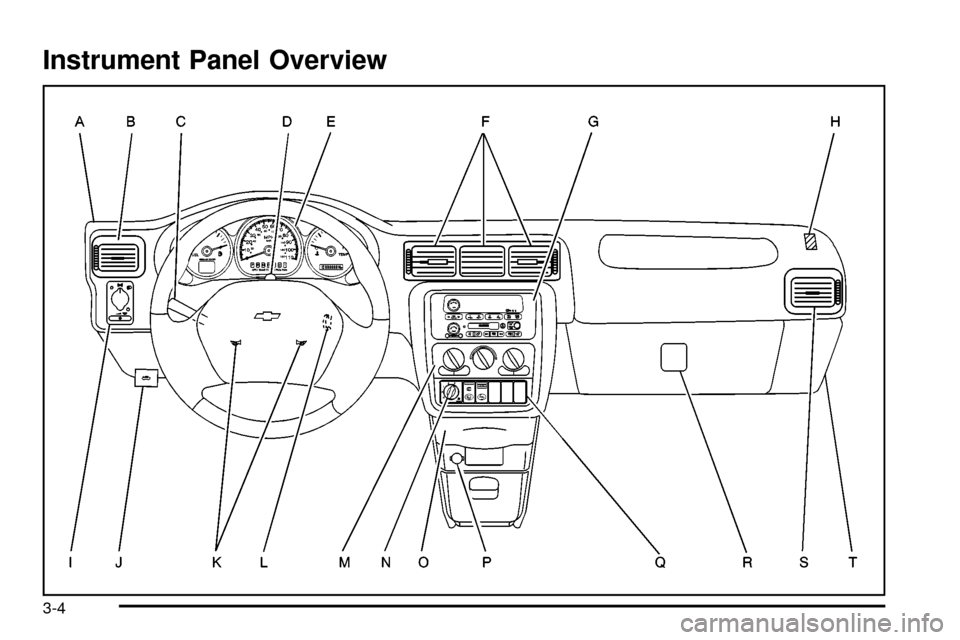
Instrument Panel Overview
3-4
Page 185 of 486

The main components of the instrument panel are the following:
A. Side Outlets. See
Outlet Adjustment on page 3-28.
B. Front Outlets. See
Outlet Adjustment on page 3-28.
C. Turn Signal/Multifunction Lever. See
Turn
Signal/Multifunction Lever on page 3-7.
D. Hazard Warning Flasher Switch. See
Hazard
Warning Flashers on page 3-6.
E. Instrument Panel Cluster. See
Instrument Panel
Cluster on page 3-36.
F. Center Outlets. See
Outlet Adjustment on page 3-28.
G. Audio System. See
Audio System(s) on page 3-61.
H. Side Outlets. See
Outlet Adjustment on page 3-28.
I. Exterior Lamps Control. See
Exterior Lamps on
page 3-15.
J. Hood Release. See
Hood Release on page 5-10.
K. Horn. See
Horn on page 3-7.L. Ignition Switch. See
Ignition Positions on page 2-31.
M. Climate Controls. See
Climate Control System on
page 3-25.
N. Rear Fan Controls. See
Rear Climate Control
System (Without Entertainment System) on
page 3-29
orRear Climate Control System (With
Entertainment System) on page 3-31.
O. Cupholder Tray. See
Cupholder(s) on page 2-51.
P. Accessory Power Outlet. See
Accessory Power
Outlets on page 3-24.
Q. Instrument Panel Switchbank. See
Instrument Panel
Switchbank on page 3-21.
R. Glove Box. See
Glove Box on page 2-51.
S. Front Outlets. See
Outlet Adjustment on page 3-28.
T. Instrument Panel Fuse Block. See
Fuses and
Circuit Breakers on page 5-96.
3-5
Page 188 of 486
Turn and Lane-Change Signals
The turn signal has two upward (for right) and two
downward (for left) positions. These positions allow you
to signal a turn or a lane change.
To signal a turn, move the lever all the way up or down.
When the turn is ®nished, the lever will return
automatically.
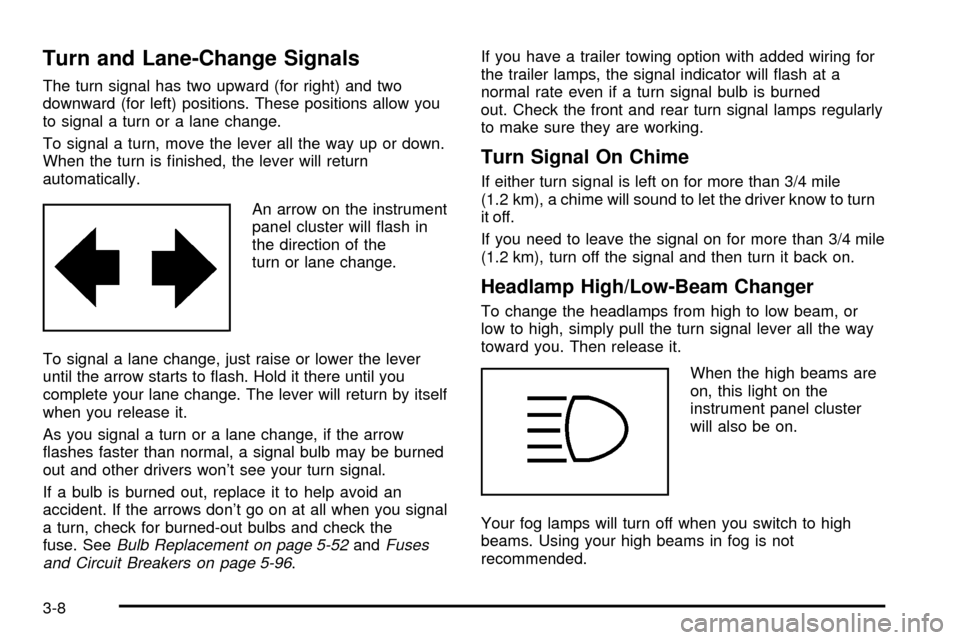
An arrow on the instrument
panel cluster will ¯ash in
the direction of the
turn or lane change.
To signal a lane change, just raise or lower the lever
until the arrow starts to ¯ash. Hold it there until you
complete your lane change. The lever will return by itself
when you release it.
As you signal a turn or a lane change, if the arrow
¯ashes faster than normal, a signal bulb may be burned
out and other drivers won't see your turn signal.
If a bulb is burned out, replace it to help avoid an
accident. If the arrows don't go on at all when you signal
a turn, check for burned-out bulbs and check the
fuse. See
Bulb Replacement on page 5-52andFuses
and Circuit Breakers on page 5-96.If you have a trailer towing option with added wiring for
the trailer lamps, the signal indicator will ¯ash at a
normal rate even if a turn signal bulb is burned
out. Check the front and rear turn signal lamps regularly
to make sure they are working.
Turn Signal On Chime
If either turn signal is left on for more than 3/4 mile
(1.2 km), a chime will sound to let the driver know to turn
it off.
If you need to leave the signal on for more than 3/4 mile
(1.2 km), turn off the signal and then turn it back on.
Headlamp High/Low-Beam Changer
To change the headlamps from high to low beam, or
low to high, simply pull the turn signal lever all the way
toward you. Then release it.
When the high beams are
on, this light on the
instrument panel cluster
will also be on.
Your fog lamps will turn off when you switch to high
beams. Using your high beams in fog is not
recommended.
3-8
Page 190 of 486
Windshield Washer
L
(Windshield Washer):Press and hold the
windshield washer paddle with this symbol on it to wash
your windshield. The washers and wipers will operate.
When you release the paddle, the washers will stop, and
the wipers will continue to operate for two cycles,
unless your wipers had already been on. In that case,
the wipers will resume the wiper speed you had selected
earlier.
{CAUTION:
In freezing weather, do not use your washer
until the windshield is warmed. Otherwise the
washer ¯uid can form ice on the windshield,
blocking your vision.
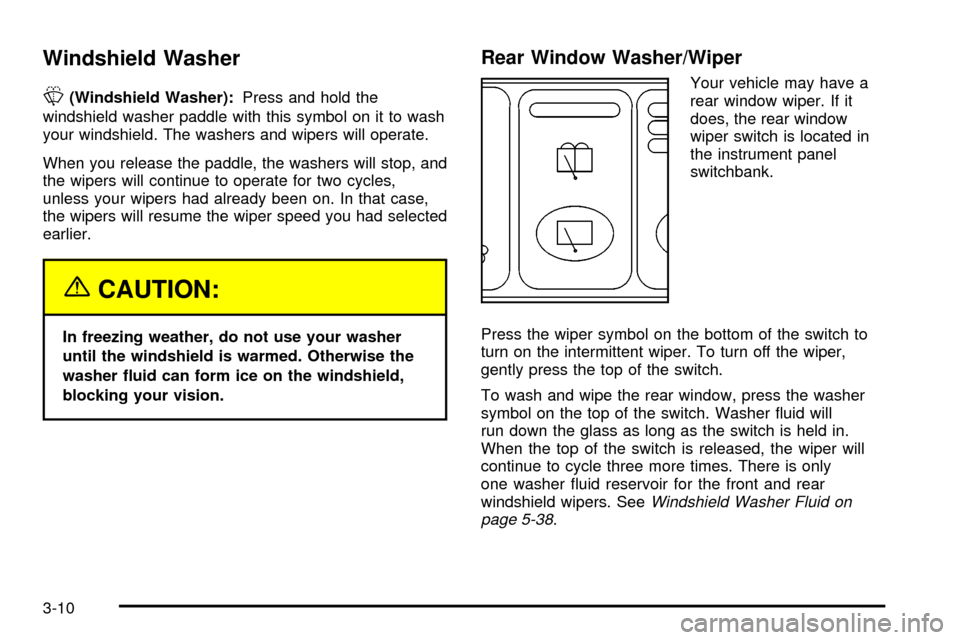
Rear Window Washer/Wiper
Your vehicle may have a
rear window wiper. If it
does, the rear window
wiper switch is located in
the instrument panel
switchbank.
Press the wiper symbol on the bottom of the switch to
turn on the intermittent wiper. To turn off the wiper,
gently press the top of the switch.
To wash and wipe the rear window, press the washer
symbol on the top of the switch. Washer ¯uid will
run down the glass as long as the switch is held in.
When the top of the switch is released, the wiper will
continue to cycle three more times. There is only
one washer ¯uid reservoir for the front and rear
windshield wipers. See
Windshield Washer Fluid on
page 5-38.
3-10