2002 Hyundai Atos lock
[x] Cancel search: lockPage 164 of 249
FEATURES OF YOUR HYUNDAI 1-27
sengers to sit on the cargo area while the car is moving as this is not a proper seatingposition and no seat belts are available foruse when the seat back is folded down. Thiscould result in serious injury or death incase of an accident or a sudden stop. Ob-jects should not extend higher than the topof the front seats. This could allow cargo toslide forward and cause injury or damageduring sudden stops.
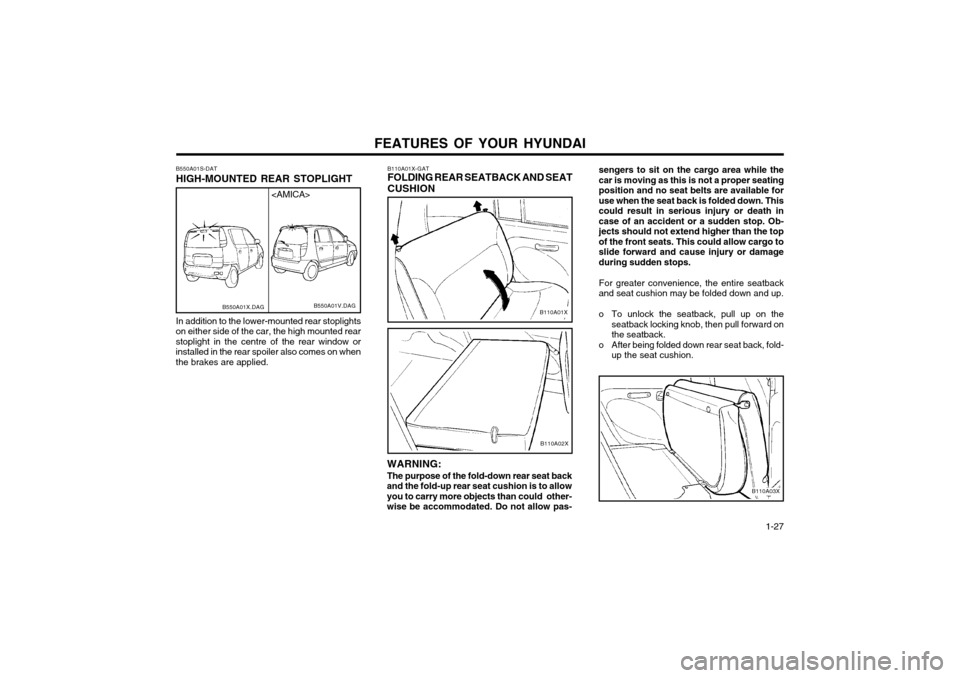
For greater convenience, the entire seatback
and seat cushion may be folded down and up.
o To unlock the seatback, pull up on the seatback locking knob, then pull forward on the seatback.
o After being folded down rear seat back, fold- up the seat cushion.
B110A03X
B110A01X-GAT FOLDING REAR SEATBACK AND SEAT CUSHION
B110A01X
WARNING: The purpose of the fold-down rear seat back
and the fold-up rear seat cushion is to allow you to carry more objects than could other-
wise be accommodated. Do not allow pas-
B110A02X
B550A01S-DAT HIGH-MOUNTED REAR STOPLIGHT In addition to the lower-mounted rear stoplights
on either side of the car, the high mounted rear stoplight in the centre of the rear window orinstalled in the rear spoiler also comes on whenthe brakes are applied.
B550A01V.DAG
B550A01X.DAG
Page 165 of 249
FEATURES OF YOUR HYUNDAI
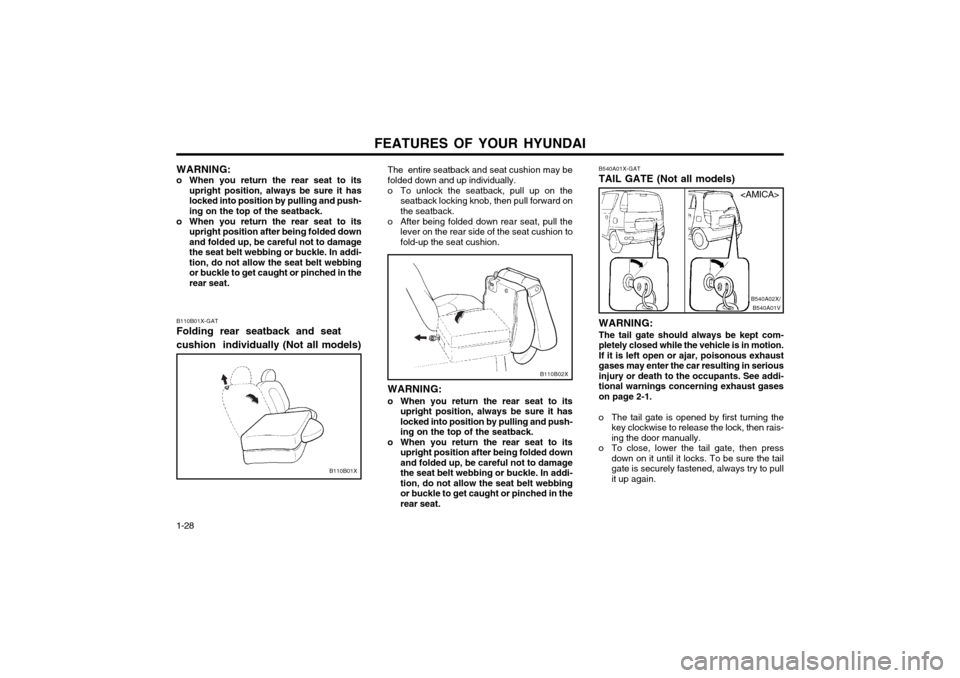
1-28 B540A01X-GAT TAIL GATE (Not all models) WARNING: The tail gate should always be kept com-
pletely closed while the vehicle is in motion.If it is left open or ajar, poisonous exhaust
gases may enter the car resulting in seriousinjury or death to the occupants. See addi-tional warnings concerning exhaust gaseson page 2-1.
o The tail gate is opened by first turning the key clockwise to release the lock, then rais-ing the door manually.
o To close, lower the tail gate, then press down on it until it locks. To be sure the tailgate is securely fastened, always try to pull
it up again.
B540A01VB540A02X/
B110B02X
The entire seatback and seat cushion may be folded down and up individually.
o To unlock the seatback, pull up on the
seatback locking knob, then pull forward on the seatback.
o After being folded down rear seat, pull the lever on the rear side of the seat cushion tofold-up the seat cushion.
WARNING:
o When you return the rear seat to its upright position, always be sure it haslocked into position by pulling and push-ing on the top of the seatback.
o When you return the rear seat to its upright position after being folded downand folded up, be careful not to damagethe seat belt webbing or buckle. In addi-tion, do not allow the seat belt webbingor buckle to get caught or pinched in therear seat.
B110B01X-GAT Folding rear seatback and seat cushion individually (Not all models)
B110B01X WARNING:
o When you return the rear seat to its upright position, always be sure it has locked into position by pulling and push-ing on the top of the seatback.
o When you return the rear seat to its upright position after being folded downand folded up, be careful not to damagethe seat belt webbing or buckle. In addi-tion, do not allow the seat belt webbingor buckle to get caught or pinched in therear seat.
Page 166 of 249
FEATURES OF YOUR HYUNDAI 1-29
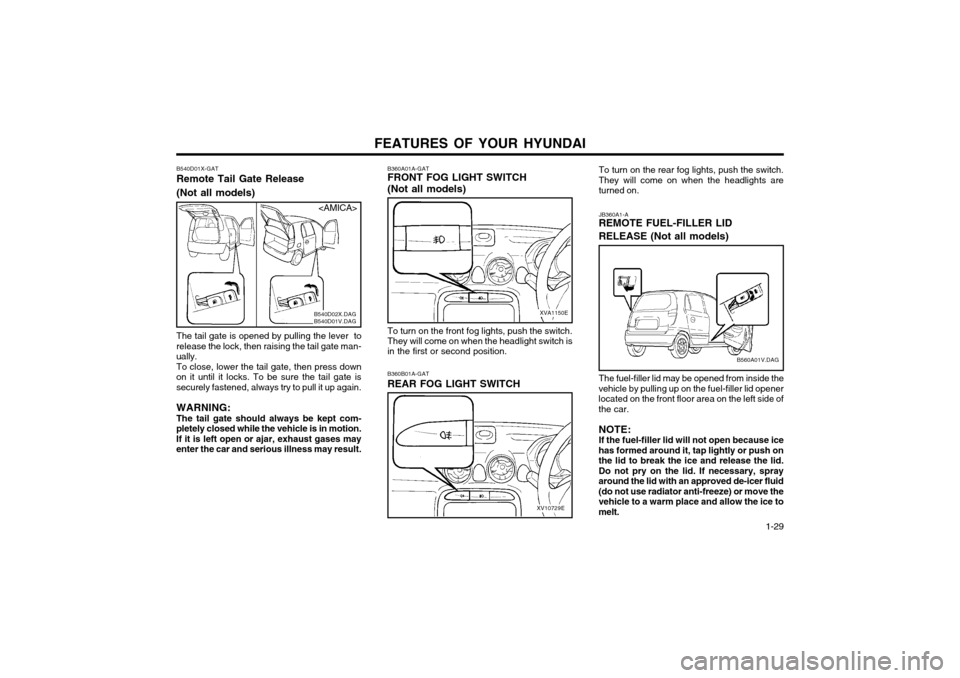
To turn on the rear fog lights, push the switch.
They will come on when the headlights areturned on. JB360A1-A REMOTE FUEL-FILLER LID RELEASE (Not all models) The fuel-filler lid may be opened from inside the
vehicle by pulling up on the fuel-filler lid opener located on the front floor area on the left side ofthe car.
NOTE:If the fuel-filler lid will not open because ice
has formed around it, tap lightly or push onthe lid to break the ice and release the lid.Do not pry on the lid. If necessary, sprayaround the lid with an approved de-icer fluid(do not use radiator anti-freeze) or move thevehicle to a warm place and allow the ice tomelt.
B560A01V.DAG
To turn on the front fog lights, push the switch. They will come on when the headlight switch is in the first or second position.
XV10729E
B360B01A-GAT REAR FOG LIGHT SWITCH
B540D01X-GATRemote Tail Gate Release (Not all models)
The tail gate is opened by pulling the lever to release the lock, then raising the tail gate man-ually.To close, lower the tail gate, then press down
on it until it locks. To be sure the tail gate issecurely fastened, always try to pull it up again. WARNING: The tail gate should always be kept com-
pletely closed while the vehicle is in motion.If it is left open or ajar, exhaust gases may
enter the car and serious illness may result. B360A01A-GAT FRONT FOG LIGHT SWITCH (Not all models)
XVA1150E
B540D02X.DAG B540D01V.DAG
Page 167 of 249
FEATURES OF YOUR HYUNDAI
1-30
B570A02A
WARNING: Make sure that the support rod has been
released prior to closing the bonnet. Alwaysdouble check to be sure that the bonnet isfirmly latched before driving away. If it is notlatched, the bonnet could fly open while thevehicle is being driven, causing a total lossof visibility, which might result in an acci-dent. The support rod must be insertedcompletely into the hole provided in thebonnet whenever you inspect the enginecompartment. This will prevent the bonnetfrom falling and possibly injuring you. Donot move the vehicle with the bonnet in theraised position, as vision is obstructed andthe bonnet could fall or be damaged.
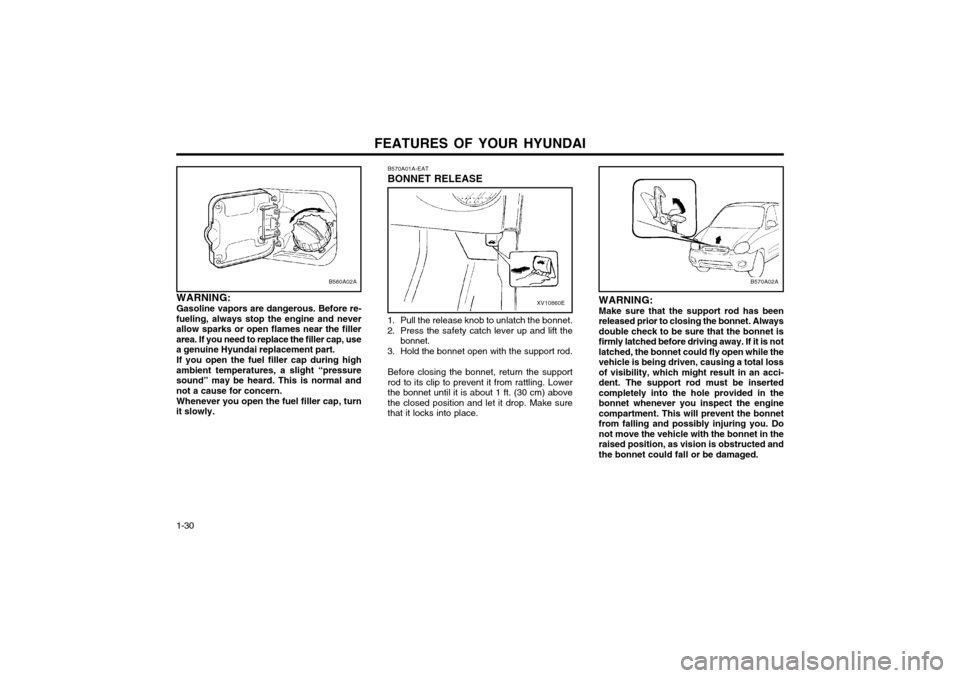
B570A01A-EAT BONNET RELEASE
B560A02A
WARNING: Gasoline vapors are dangerous. Before re-
fueling, always stop the engine and never allow sparks or open flames near the fillerarea. If you need to replace the filler cap, usea genuine Hyundai replacement part.
If you open the fuel filler cap during high
ambient temperatures, a slight “pressuresound” may be heard. This is normal andnot a cause for concern.
Whenever you open the fuel filler cap, turn
it slowly.XV10860E
1. Pull the release knob to unlatch the bonnet.
2. Press the safety catch lever up and lift the bonnet.
3. Hold the bonnet open with the support rod.
Before closing the bonnet, return the support rod to its clip to prevent it from rattling. Lowerthe bonnet until it is about 1 ft. (30 cm) abovethe closed position and let it drop. Make surethat it locks into place.
Page 168 of 249
FEATURES OF YOUR HYUNDAI 1-31
o Always drive your vehicle at a moderate
speed.
o To use the roof rails as a roof rack, you must fit the roof rails with two or more crossrails or equivalent.
WARNING:
o In case of hectical steering movements or bad fixation the luggage can fall fromthe vehicle and injure persons or prop-erty. Make sure that the luggage is prop-erly fixed and avoid sudden movement(e.g.dashing start, fast turningmanoeuvres, hard cornering, suddenbraking) Check frequently whether theroof rack is properly fastened.
o Voluminous, large, long or flat objects can change the aerodynamic drag of ve-hicle or can suddenly been lifted by thewind. The driver could lose control of thecar and provoke an accident and injuries.For this reason, drive at reduced speedwhen you transport such objects.
o The maximum load limit of the roof rack including luggage load is 66 lb.
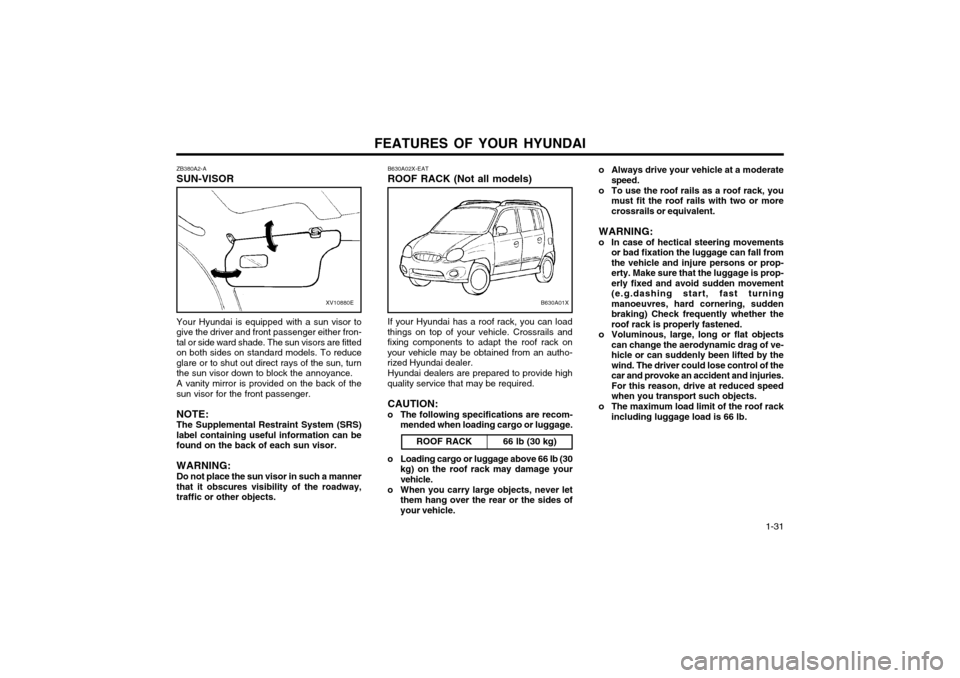
ZB380A2-A SUN-VISOR
XV10880E
Your Hyundai is equipped with a sun visor to give the driver and front passenger either fron-tal or side ward shade. The sun visors are fittedon both sides on standard models. To reduceglare or to shut out direct rays of the sun, turnthe sun visor down to block the annoyance. A vanity mirror is provided on the back of the sun visor for the front passenger. NOTE: The Supplemental Restraint System (SRS)label containing useful information can befound on the back of each sun visor. WARNING: Do not place the sun visor in such a manner that it obscures visibility of the roadway,traffic or other objects. B630A02X-EAT ROOF RACK (Not all models)
ROOF RACKIf your Hyundai has a roof rack, you can load
things on top of your vehicle. Crossrails and fixing components to adapt the roof rack onyour vehicle may be obtained from an autho-rized Hyundai dealer.
Hyundai dealers are prepared to provide high
quality service that may be required.
CAUTION:
o The following specifications are recom- mended when loading cargo or luggage.
66 lb (30 kg)
B630A01X
o Loading cargo or luggage above 66 lb (30kg) on the roof rack may damage your vehicle.
o When you carry large objects, never let them hang over the rear or the sides ofyour vehicle.
Page 173 of 249
FEATURES OF YOUR HYUNDAI
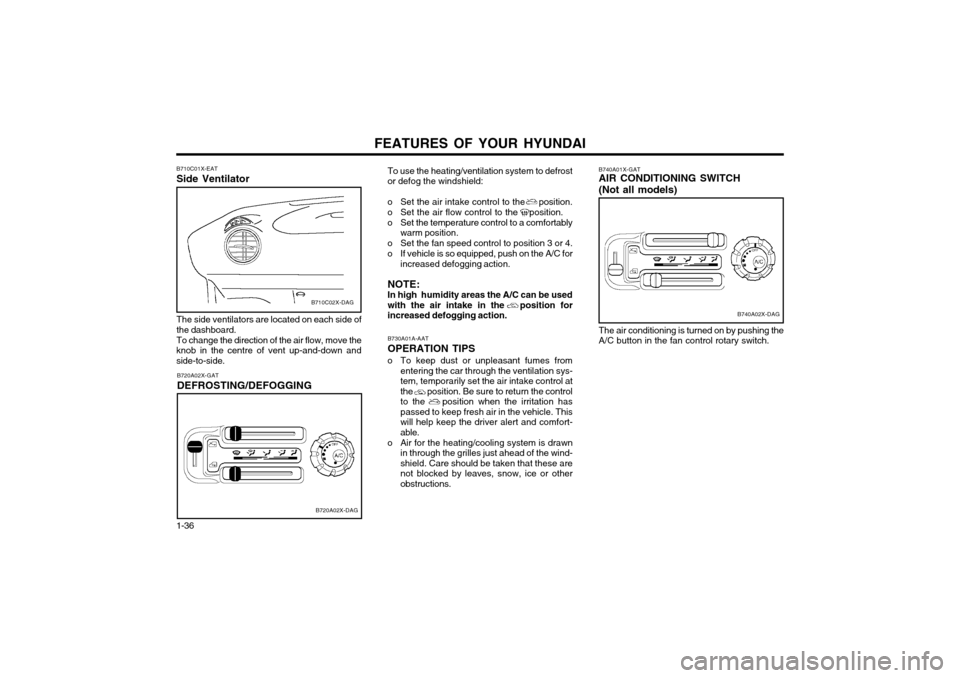
1-36 To use the heating/ventilation system to defrost or defog the windshield:
o Set the air intake control to the position.
o Set the air flow control to the position.
o Set the temperature control to a comfortably warm position.
o Set the fan speed control to position 3 or 4.
o If vehicle is so equipped, push on the A/C for increased defogging action.
NOTE: In high humidity areas the A/C can be usedwith the air intake in the position forincreased defogging action.
B730A01A-AAT OPERATION TIPS
o To keep dust or unpleasant fumes from entering the car through the ventilation sys-
tem, temporarily set the air intake control atthe position. Be sure to return the controlto the position when the irritation haspassed to keep fresh air in the vehicle. Thiswill help keep the driver alert and comfort-able.
o Air for the heating/cooling system is drawn in through the grilles just ahead of the wind-shield. Care should be taken that these arenot blocked by leaves, snow, ice or otherobstructions.
B740A01X-GAT AIR CONDITIONING SWITCH (Not all models)
B740A02X-DAG
The air conditioning is turned on by pushing the A/C button in the fan control rotary switch.
B710C02X-DAG
B710C01X-EAT Side Ventilator
B720A02X-DAG
B720A02X-GAT DEFROSTING/DEFOGGING
The side ventilators are located on each side of the dashboard.To change the direction of the air flow, move the
knob in the centre of vent up-and-down and side-to-side.
Page 176 of 249
FEATURES OF YOUR HYUNDAI 1-39
B750B02Y-AAT Using a cellular phone or a two-way radio When a cellular phone is used inside the vehi- cle, noise may be produced from the audioequipment. This does not mean that somethingis wrong with the audio equipment. In such acase, use the cellular phone at a place as far aspossible from the audio equipment. CAUTION: When using a communication system sucha cellular phone or a radio set inside thevehicle, a separate external antenna mustbe fitted. When a cellular phone or a radioset is used by using an internal antennaalone, it may interfere with the vehicle'selectrical system and adversely affect safeoperation of the vehicle. WARNING: Don't use a cellular phone when you are driving, you must stop the car at the safeplace to use a cellular phone.
SSAR013A
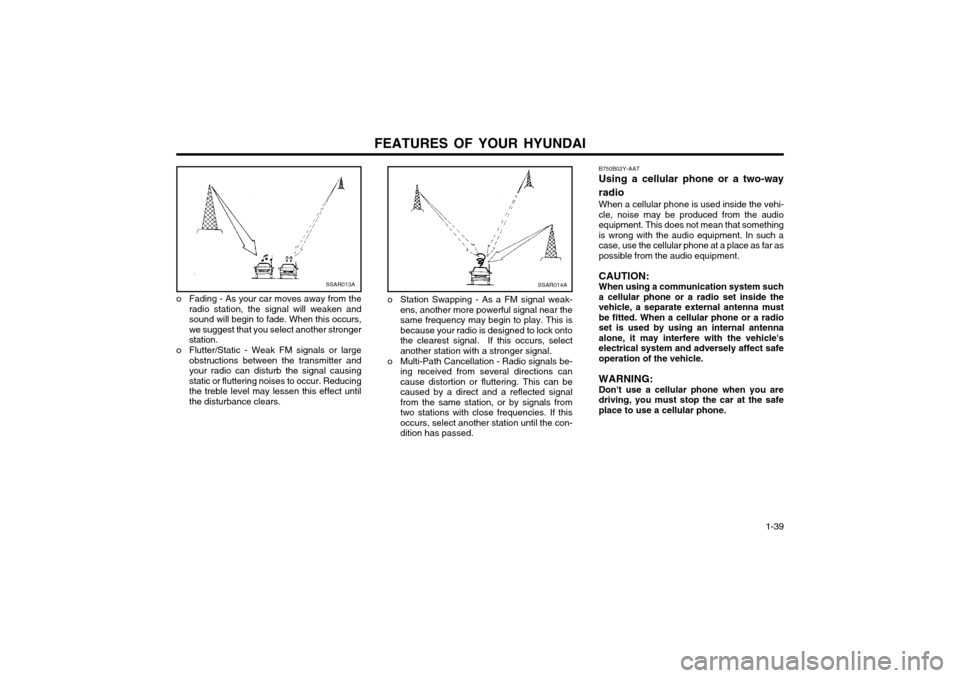
o Fading - As your car moves away from the radio station, the signal will weaken and sound will begin to fade. When this occurs,we suggest that you select another strongerstation.
o Flutter/Static - Weak FM signals or large obstructions between the transmitter andyour radio can disturb the signal causingstatic or fluttering noises to occur. Reducingthe treble level may lessen this effect untilthe disturbance clears.SSAR014A
o Station Swapping - As a FM signal weak-ens, another more powerful signal near the same frequency may begin to play. This isbecause your radio is designed to lock ontothe clearest signal. If this occurs, selectanother station with a stronger signal.
o Multi-Path Cancellation - Radio signals be- ing received from several directions cancause distortion or fluttering. This can becaused by a direct and a reflected signalfrom the same station, or by signals fromtwo stations with close frequencies. If thisoccurs, select another station until the con-dition has passed.
Page 178 of 249
FEATURES OF YOUR HYUNDAI 1-41
3. BAND Selector Pressing the button changes the AM, FM1
and FM2 bands. The mode selected is dis- played on LCD.
4. TUNE (Manual) Select Button Press the (+) side or (-) side to increase or to
decrease the frequency. With the button held down for 0.5 sec. or more, the stop signal(broadcasting radio wave) is ignored and chan-nel selection continues.
SEEK Operation (Automatic Channel
Selection) Press the TUNE select button 1 sec. or more.
When the (+) side is pressed, the unit willautomatically tune to the next higher frequencyand when the (-) side is pressed, it will automat-ically tune to the next lower frequency.
5. PRESET STATION SELECT Six (6) stations for AM, FM and FM2 respec-
tively can be preset in the electronic memory circuit on this unit.
HOW TO PRESET STATIONS Six AM and twelve FM stations may be pro-
grammed into the memory of the radio. Then, by simply pressing the band select button and/or one of the six station select buttons, you mayrecall any of these stations instantly. To pro-gram the stations, follow these steps:
B901B02X-GAT
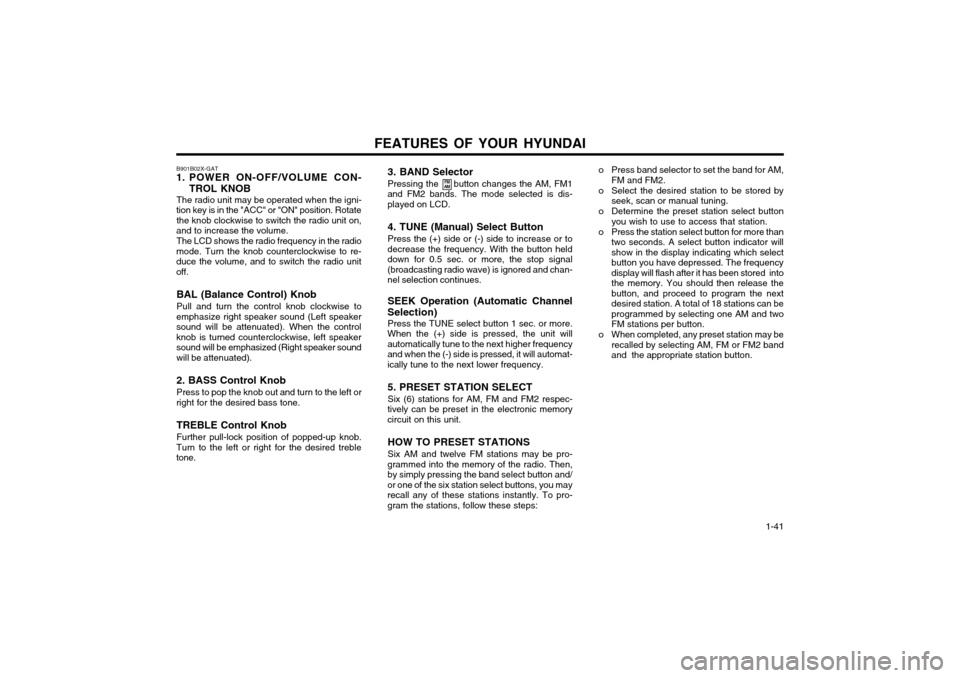
1. POWER ON-OFF/VOLUME CON-
TROL KNOB
The radio unit may be operated when the igni-
tion key is in the "ACC" or "ON" position. Rotate the knob clockwise to switch the radio unit on,
and to increase the volume.
The LCD shows the radio frequency in the radio
mode. Turn the knob counterclockwise to re-duce the volume, and to switch the radio unitoff.
BAL (Balance Control) Knob Pull and turn the control knob clockwise to
emphasize right speaker sound (Left speaker sound will be attenuated). When the controlknob is turned counterclockwise, left speakersound will be emphasized (Right speaker sound
will be attenuated). 2. BASS Control Knob Press to pop the knob out and turn to the left or
right for the desired bass tone.
TREBLE Control Knob Further pull-lock position of popped-up knob.
Turn to the left or right for the desired treble tone.
FM
AMo Press band selector to set the band for AM,
FM and FM2.
o Select the desired station to be stored by seek, scan or manual tuning.
o Determine the preset station select button you wish to use to access that station.
o Press the station select button for more than two seconds. A select button indicator will show in the display indicating which selectbutton you have depressed. The frequencydisplay will flash after it has been stored intothe memory. You should then release thebutton, and proceed to program the nextdesired station. A total of 18 stations can beprogrammed by selecting one AM and twoFM stations per button.
o When completed, any preset station may be recalled by selecting AM, FM or FM2 bandand the appropriate station button.