2002 Hyundai Atos lock
[x] Cancel search: lockPage 180 of 249
FEATURES OF YOUR HYUNDAI 1-43
B900B02X-GAT
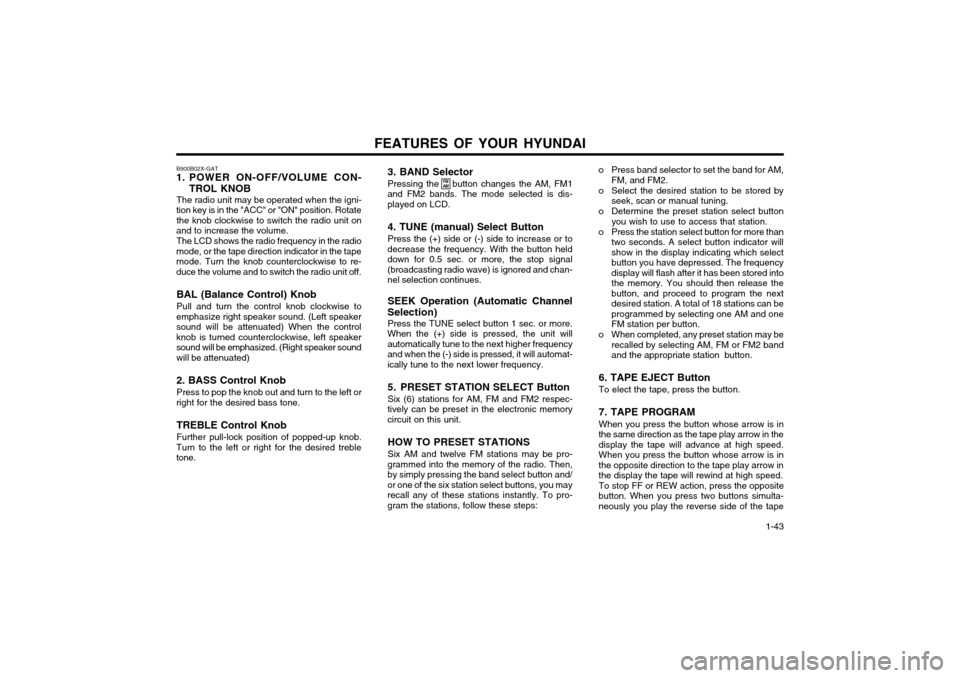
1. POWER ON-OFF/VOLUME CON-
TROL KNOB
The radio unit may be operated when the igni-
tion key is in the "ACC" or "ON" position. Rotate the knob clockwise to switch the radio unit on
and to increase the volume.
The LCD shows the radio frequency in the radio
mode, or the tape direction indicator in the tape mode. Turn the knob counterclockwise to re-duce the volume and to switch the radio unit off.
BAL (Balance Control) Knob Pull and turn the control knob clockwise to
emphasize right speaker sound. (Left speaker sound will be attenuated) When the controlknob is turned counterclockwise, left speakersound will be emphasized. (Right speaker sound
will be attenuated) 2. BASS Control Knob Press to pop the knob out and turn to the left or
right for the desired bass tone.
TREBLE Control Knob Further pull-lock position of popped-up knob.
Turn to the left or right for the desired treble tone. 3. BAND Selector Pressing the button changes the AM, FM1
and FM2 bands. The mode selected is dis- played on LCD.
4. TUNE (manual) Select Button Press the (+) side or (-) side to increase or to
decrease the frequency. With the button held down for 0.5 sec. or more, the stop signal(broadcasting radio wave) is ignored and chan-nel selection continues.
SEEK Operation (Automatic Channel
Selection) Press the TUNE select button 1 sec. or more.
When the (+) side is pressed, the unit willautomatically tune to the next higher frequencyand when the (-) side is pressed, it will automat-ically tune to the next lower frequency.
5. PRESET STATION SELECT Button Six (6) stations for AM, FM and FM2 respec-
tively can be preset in the electronic memory circuit on this unit.
HOW TO PRESET STATIONS Six AM and twelve FM stations may be pro-
grammed into the memory of the radio. Then, by simply pressing the band select button and/or one of the six station select buttons, you mayrecall any of these stations instantly. To pro-gram the stations, follow these steps:
FM AMo Press band selector to set the band for AM, FM, and FM2.
o Select the desired station to be stored by seek, scan or manual tuning.
o Determine the preset station select button you wish to use to access that station.
o Press the station select button for more than two seconds. A select button indicator will show in the display indicating which selectbutton you have depressed. The frequencydisplay will flash after it has been stored intothe memory. You should then release thebutton, and proceed to program the nextdesired station. A total of 18 stations can beprogrammed by selecting one AM and oneFM station per button.
o When completed, any preset station may be recalled by selecting AM, FM or FM2 bandand the appropriate station button.
6. TAPE EJECT Button To elect the tape, press the button. 7. TAPE PROGRAM When you press the button whose arrow is in
the same direction as the tape play arrow in the display the tape will advance at high speed.When you press the button whose arrow is inthe opposite direction to the tape play arrow inthe display the tape will rewind at high speed. To stop FF or REW action, press the opposite
button. When you press two buttons simulta-neously you play the reverse side of the tape
Page 181 of 249
FEATURES OF YOUR HYUNDAI
1-44
and an arrow will appear in the display to show tape direction.
8. FAD (Fader Control) Knob Turn the control knob clockwise to emphasize
front speaker sound (Rear speaker sound will be attenuated). When the control knob is turnedcounterclockwise, rear speaker sound will beemphasized (Front speaker sound will be atten-uated).
Page 183 of 249
FEATURES OF YOUR HYUNDAI
1-46 B922B02X-GAT
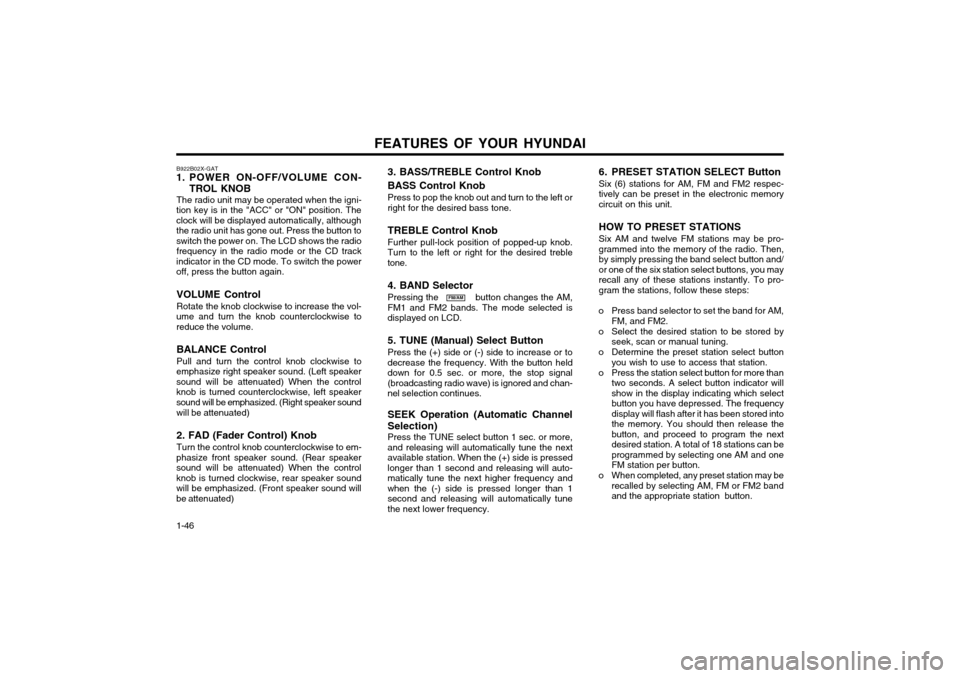
1. POWER ON-OFF/VOLUME CON-
TROL KNOB
The radio unit may be operated when the igni-
tion key is in the "ACC" or "ON" position. The clock will be displayed automatically, althoughthe radio unit has gone out. Press the button toswitch the power on. The LCD shows the radio frequency in the radio mode or the CD track
indicator in the CD mode. To switch the poweroff, press the button again.
VOLUME Control Rotate the knob clockwise to increase the vol-
ume and turn the knob counterclockwise to reduce the volume.
BALANCE Control Pull and turn the control knob clockwise to
emphasize right speaker sound. (Left speaker sound will be attenuated) When the controlknob is turned counterclockwise, left speakersound will be emphasized. (Right speaker sound
will be attenuated) 2. FAD (Fader Control) Knob Turn the control knob counterclockwise to em-
phasize front speaker sound. (Rear speaker sound will be attenuated) When the controlknob is turned clockwise, rear speaker soundwill be emphasized. (Front speaker sound willbe attenuated)
FM/AM 6. PRESET STATION SELECT Button Six (6) stations for AM, FM and FM2 respec- tively can be preset in the electronic memorycircuit on this unit. HOW TO PRESET STATIONS Six AM and twelve FM stations may be pro- grammed into the memory of the radio. Then,by simply pressing the band select button and/or one of the six station select buttons, you mayrecall any of these stations instantly. To pro-gram the stations, follow these steps:
o Press band selector to set the band for AM, FM, and FM2.
o Select the desired station to be stored by seek, scan or manual tuning.
o Determine the preset station select button you wish to use to access that station.
o Press the station select button for more than two seconds. A select button indicator willshow in the display indicating which selectbutton you have depressed. The frequencydisplay will flash after it has been stored intothe memory. You should then release thebutton, and proceed to program the nextdesired station. A total of 18 stations can beprogrammed by selecting one AM and oneFM station per button.
o When completed, any preset station may be recalled by selecting AM, FM or FM2 bandand the appropriate station button.
3. BASS/TREBLE Control Knob BASS Control Knob Press to pop the knob out and turn to the left or right for the desired bass tone. TREBLE Control Knob Further pull-lock position of popped-up knob. Turn to the left or right for the desired trebletone. 4. BAND Selector Pressing the button changes the AM, FM1 and FM2 bands. The mode selected isdisplayed on LCD. 5. TUNE (Manual) Select Button Press the (+) side or (-) side to increase or to decrease the frequency. With the button helddown for 0.5 sec. or more, the stop signal(broadcasting radio wave) is ignored and chan-nel selection continues. SEEK Operation (Automatic Channel Selection) Press the TUNE select button 1 sec. or more, and releasing will automatically tune the nextavailable station. When the (+) side is pressedlonger than 1 second and releasing will auto-matically tune the next higher frequency andwhen the (-) side is pressed longer than 1second and releasing will automatically tunethe next lower frequency.
Page 191 of 249

DRIVING YOUR HYUNDAI
2- 2 C020A01A-EAT
BEFORE STARTING THE ENGINE
Before you start the engine, you should always:
o Look around the vehicle to be sure there are no flat tyres, puddles of oil or water or other indications of possible trouble.
o After entering the car, check to be sure the parking brake is engaged.
o Check that all windows, and lights are clean.
o Check that the interior and exterior mirrors are clean and in position.
o Check your seat, seatback and headrestraint to be sure they are in their proper positions.
o Lock all the doors.
o Fasten your seat belt and be sure that all other occupants have fastened theirs.
o Turn off all lights and accessories that are not needed.
o When you turn the ignition switch to "ON", check that all appropriate warning lights are operating and that you have sufficient fuel.
o Check the operation of warning lights and all bulbs when key is in the "ON" position. o To start the engine, insert the ignition key
and turn it to the "START" position. Releaseit as soon as the engine starts. Do not hold
the key in the "START" position for morethan 15 seconds.
NOTE: For safety, the engine will not start if the
shift lever is not in "P" or "N" Position (AutoT/A). ZC050A2-E
KEY POSITIONS "START"
The engine is started in this position. It will crank untill you release the key. NOTE: Do not hold the key in the "START" position for more than 15 seconds.
"ON" When the key is in the "ON" position, the ignition is on and all accessories may be turned on. If theengine is not running, the key should not be leftin the "ON" position. This will discharge thebattery and may also damage the ignition sys-tem. "ACC" With the key in the "ACC" position, the radio and other accessories may be operated. "LOCK" The key can be removed or inserted in this position. Steering is locked by removing the key.When unlocking the steering, insert the key, andthen turn the steering wheel and key simulta-neously.
C040A01E
LOCK
ACC
ON
STARTC030A02X-GAT
COMBINATION IGNITION SWITCH To Start the Engine
o If your Hyundai is equipped with a manual transaxle, place the shift lever in neutral and depress the clutch pedal fully.
o If your Hyundai has an automatic transaxle, place the shift lever in "P" (park). WARNING:
The engine should not be turned off or thekey removed from the ignition key cylinderwhile the car is in motion.
Page 193 of 249
DRIVING YOUR HYUNDAI
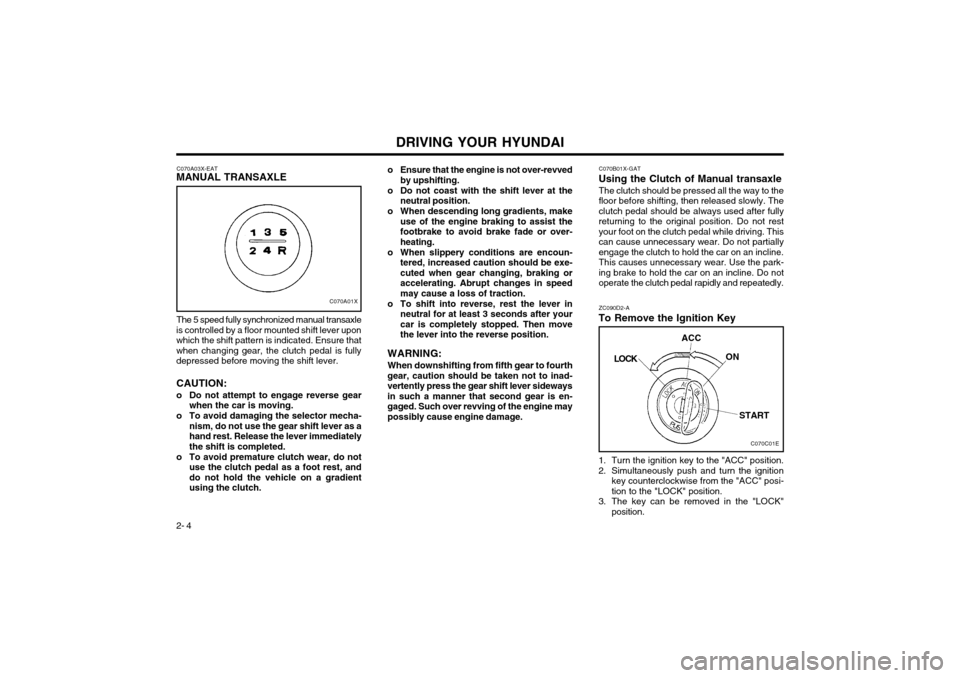
2- 4 1. Turn the ignition key to the "ACC" position.
2. Simultaneously push and turn the ignition
key counterclockwise from the "ACC" posi- tion to the "LOCK" position.
3. The key can be removed in the "LOCK" position.
C070B01X-GAT
Using the Clutch of Manual transaxle
The clutch should be pressed all the way to thefloor before shifting, then released slowly. Theclutch pedal should be always used after fullyreturning to the original position. Do not restyour foot on the clutch pedal while driving. Thiscan cause unnecessary wear. Do not partiallyengage the clutch to hold the car on an incline.This causes unnecessary wear. Use the park-
ing brake to hold the car on an incline. Do not
operate the clutch pedal rapidly and repeatedly. ZC090D2-A
To Remove the Ignition Key
C070A03X-EAT
MANUAL TRANSAXLE
C070A01X
The 5 speed fully synchronized manual transaxle
is controlled by a floor mounted shift lever upon which the shift pattern is indicated. Ensure thatwhen changing gear, the clutch pedal is fullydepressed before moving the shift lever. CAUTION:
o Do not attempt to engage reverse gear when the car is moving.
o To avoid damaging the selector mecha- nism, do not use the gear shift lever as a hand rest. Release the lever immediatelythe shift is completed.
o To avoid premature clutch wear, do not use the clutch pedal as a foot rest, anddo not hold the vehicle on a gradientusing the clutch. o Ensure that the engine is not over-revved
by upshifting.
o Do not coast with the shift lever at the neutral position.
o When descending long gradients, make use of the engine braking to assist thefootbrake to avoid brake fade or over-heating.
o When slippery conditions are encoun- tered, increased caution should be exe-cuted when gear changing, braking oraccelerating. Abrupt changes in speedmay cause a loss of traction.
o To shift into reverse, rest the lever in neutral for at least 3 seconds after yourcar is completely stopped. Then movethe lever into the reverse position.
WARNING: When downshifting from fifth gear to fourth
gear, caution should be taken not to inad-vertently press the gear shift lever sidewaysin such a manner that second gear is en-gaged. Such over revving of the engine maypossibly cause engine damage.
C070C01E
LOCK
ACC
ON
START
Page 194 of 249
DRIVING YOUR HYUNDAI 2- 5
1-2 2-3 3-44-5
Recommended
mph (km/h)
C070E02-GAT
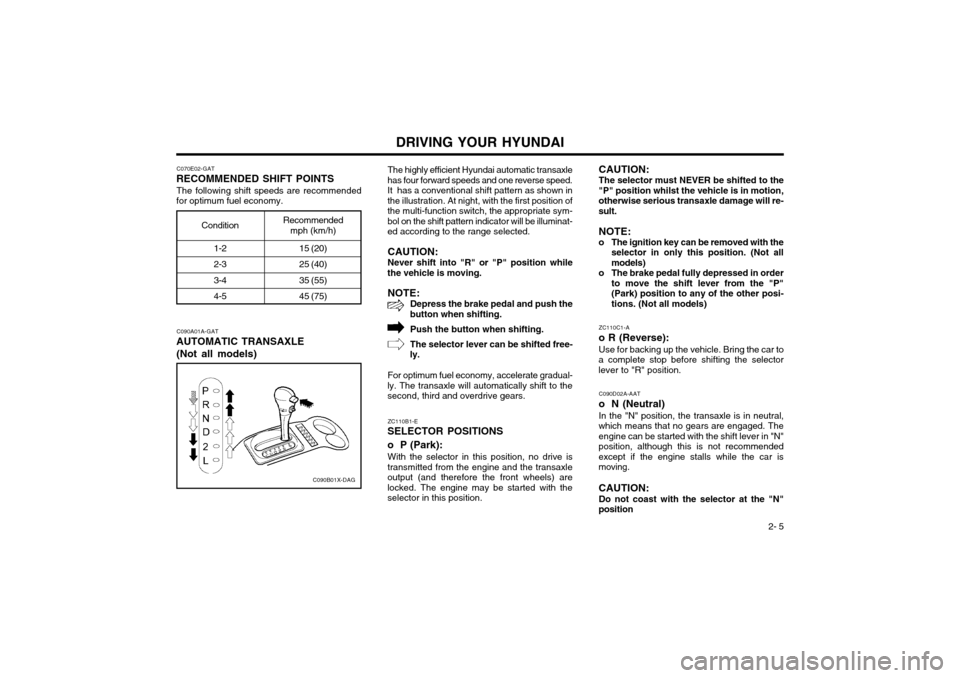
RECOMMENDED SHIFT POINTS
The following shift speeds are recommended
for optimum fuel economy.
C090A01A-GAT
AUTOMATIC TRANSAXLE
(Not all models)
C090B01X-DAG
Condition
15 (20) 25 (40) 35 (55)45 (75)The highly efficient Hyundai automatic transaxle
has four forward speeds and one reverse speed. It has a conventional shift pattern as shown inthe illustration. At night, with the first position ofthe multi-function switch, the appropriate sym-bol on the shift pattern indicator will be illuminat-ed according to the range selected.
CAUTION: Never shift into "R" or "P" position while
the vehicle is moving.
NOTE: Depress the brake pedal and push the
button when shifting.
Push the button when shifting. The selector lever can be shifted free-
ly.
For optimum fuel economy, accelerate gradual-
ly. The transaxle will automatically shift to the second, third and overdrive gears.
CAUTION: The selector must NEVER be shifted to the
"P" position whilst the vehicle is in motion, otherwise serious transaxle damage will re-sult.
NOTE:
o The ignition key can be removed with the selector in only this position. (Not allmodels)
o The brake pedal fully depressed in order to move the shift lever from the "P"(Park) position to any of the other posi-tions. (Not all models)
ZC110B1-E
SELECTOR POSITIONS o P (Park):
With the selector in this position, no drive is
transmitted from the engine and the transaxle output (and therefore the front wheels) arelocked. The engine may be started with theselector in this position. ZC110C1-A
o R (Reverse):
Use for backing up the vehicle. Bring the car to
a complete stop before shifting the selectorlever to "R" position.
C090D02A-AAT
o N (Neutral) In the "N" position, the transaxle is in neutral,
which means that no gears are engaged. Theengine can be started with the shift lever in "N"position, although this is not recommendedexcept if the engine stalls while the car ismoving. CAUTION:
Do not coast with the selector at the "N"
position
Page 196 of 249
DRIVING YOUR HYUNDAI 2- 7
o Ensure that the overdrive switch is at the
"ON" position for maximum economy.
o If rapid acceleration is required, fully de- press the accelerator pedal. In this condi- tion, the kickdown mechanism will be oper-ated and the transaxle will automaticallydownshift according to the vehicle speed.
o Do not depress the accelerator pedal with the brakes applied and the selector at the"R" "D" "2" or "L" position.
o Turn the overdrive switch on for good fuel economy and smooth driving. But if enginebraking is needed in the "D" range or ifrepeated upshifting and downshifting be-tween the 3rd and 4th gear is needed whenclimbing a gentle slope, it is recommendedthat the overdrive switch be turned off. Turnthe overdrive switch back on immediatelyafterward.
the maximum fuel economy potential of thevehicle being realized.
SC140A1-E
EFFECTIVE BRAKING Braking system performance and friction mate-
rial life are greatly affected by the driving styleadopted. The following suggestions are madeto assist in achieving the best results from thebraking system.
o Anticipate the road and conditions ahead in order that heavy braking may be avoided.
o When descending long gradients, use the engine to assist in retarding the vehicle to minimize the possibility of brake fade occur-ring.
ZC120D1-E
General Operating Instructions
o The button in the selector handle must be depressed before the selector can be moved.
o The engine may only be started when the selector is at position "P" or "N".
o Ensure that the footbrake is firmly applied when shifting from "P" or "N" to "D", "2" or "L" and vice versa.
o Always engage the parking brake when the vehicle is unattended, never use the "P"position in place of the parking brake.
o Under normal circumstances, the selector should be placed in the "D" position and thetransaxle allowed to select the most idealratio for the circumstances. In this positionmaximum fuel economy will be achieved.
o When descending steep gradients where engine braking is required, the selectorshould be placed at the "2" or "L" positiondepending upon the vehicle speed.
o When ascending steep gradients and using large throttle openings, the transaxle mayrepeatedly change between two adjacentratios. This is a normal characteristic andmay be prevented by selecting "2" or "L"depending upon the vehicle speed.
o Never move the selector to or from the "P" or "N" position with the accelerator de-pressed. o When trailer towing, ensure that the trailer
brakes function correctly and use enginebrak-ing to assist the vehicle braking system.
o Use only genuine Hyundai replacement brake pads and shoes to ensure consistentfriction characteristics and wear rates.
o After driving through deep water (e.g. fording), the brakes may become wet andperformance reduced. Always check brakeefficiency after emerging from the water anddry the brakes by lightly depressing thebrake pedal several times whilst driving slow-ly.
o Apply the parking brake only when the vehi- cle is at rest.
o Since the power assistance provided by the brake servo is derived from the engine,coast-ing with the engine turned off or tow-ing of the vehicle with the engine turned offwill result in greatly increased pedal pres-sures being re-quired to stop the vehicle.
o Do not hold the vehicle on the upgrade with the accelerator pedal. This can cause thetransmission to overheat. Always use thebrake pedal or parking brake.
YC250A1-A
ANTI-LOCK BRAKE SYSTEM
(Not all models) The Anti-Lock Brake System (ABS) is designed
to prevent wheel lock-up during sudden braking or on hazardous road surfaces. The ABS con-trol module monitors the wheel speed and con-trols the pressure applied to each brake. Thus,
Page 197 of 249
DRIVING YOUR HYUNDAI
2- 8 in emergency situations or on slick roads, ABS will increase vehicle control during braking. NOTE: During ABS operation, a slight pulsation may be felt in the brake pedal when thebrakes are applied. Also, a noise may beheard in the engine compartment while brak-ing. These conditions are normal and indi-cate that the anti-lock brake system is func-tioning properly. WARNING: Your ABS will not prevent accidents due to improper or dangerous driving maneuvers.Even though vehicle control is improvedduring emergency braking, always maintaina safe distance between you and objectsahead. Vehicle speeds should always bereduced during extreme road conditions.The braking distance for cars equipped withan anti-lock braking system may be longerthan for those without it in the followingroad conditions.
o Driving on rough, gravel or snow-cov- ered roads.
o Driving with tire chains installed.
o Driving on roads where the road surface is pitted or has different surface height.
These roads should be driven at reduced speeds. The safety features of an ABSequipped vehicle should not be tested by high speed driving or cornering. This couldendanger the safety of yourself or others.
unnecessary tire wear. Check the tire pres-sures at least once a month.
o Be sure that the wheels are aligned cor- rectly. Improper alignment can result fromhitting curbs or driving too fast over irregularsurfaces. Poor alignment causes faster tirewear and may also result in other problemsas well as greater fuel consumption.
o Keep your car in good condition. For better fuel economy and reduced maintenancecosts, maintain your car in accordance withthe maintenance schedule in Section 5. Ifyou drive your car in severe conditions,more frequent maintenance is required (seeSection 5 for details).
o Keep your car clean. For maximum service, your car should be kept clean and free ofcorrosive materials. It is especially impor-tant that mud, dirt, ice, etc. not be allowed toaccumulate on the underside of the car. Thisextra weight can result in increased fuelconsumption and also contribute to corro-sion.
o Travel lightly. Don’t carry unnecessary weight in your car. Weight is an enemy of good fueleconomy.
o Don’t let the engine idle longer than neces- sary. If you are waiting (and not in traffic),turn off your engine and restart only whenyou’re ready to go.
o Remember, your car does not require ex- tended warm-up. As soon as the engine isrunning smoothly, you can drive away. Invery cold weather, however, give your en-gine a slightly longer warm-up period.
SC150A1-F
DRIVING FOR ECONOMY You can save fuel and get more miles from yourcar if you follow these suggestions:
o Drive smoothly. Accelerate at a moderate rate. Don’t make "jack-rabbit" starts or full-throttle shifts and maintain a steady cruisingspeed. Don’t race between stoplights. Try toadjust your speed to that of the other trafficso you don’t have to change speeds unnec-essarily. Avoid heavy traffic whenever possible. Al- ways maintain a safe distance from othervehicles so you can avoid unnecessary brak-ing. This also reduces brake wear.
o Drive at a moderate speed. The faster you drive, the more fuel your car uses. Driving ata moderate speed, especially on the high-way, is one of the most effective ways toreduce fuel consumption.
o Don’t "ride" the brake or clutch pedal. This can increase fuel consumption and alsoincrease wear on these components. In ad-dition, driving with your foot resting on thebrake pedal may cause the brakes to over-heat, which reduces their effectiveness andmay lead to more serious consequences.
o Take care of your tires. Keep them inflated to the recommended pressure. Incorrect infla-tion, either too much or too little, results in