Page 109 of 399
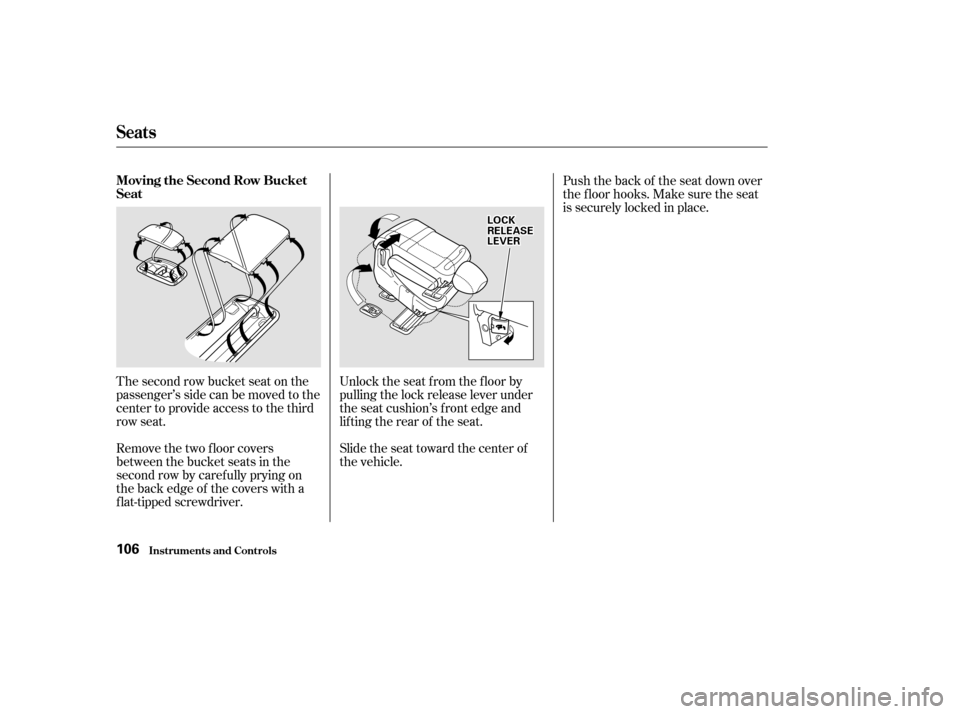
The second row bucket seat on the
passenger’s side can be moved to the
center to provide access to the third
row seat.
Remove the two floor covers
between the bucket seats in the
second row by caref ully prying on
the back edge of the covers with a
f lat-tipped screwdriver.Unlock the seat f rom the f loor by
pulling the lock release lever under
the seat cushion’s f ront edge and
lifting the rear of the seat.
Slide the seat toward the center of
the vehicle.Push the back of the seat down over
the f loor hooks. Make sure the seat
is securely locked in place.
Seats
Inst rument s and Cont rols
Moving the Second Row Bucket
Seat
106
L LO
OC CKK
R
RE EL
LEE A
A S
SEE
L
LE E V
V E
ER
R
Page 110 of 399
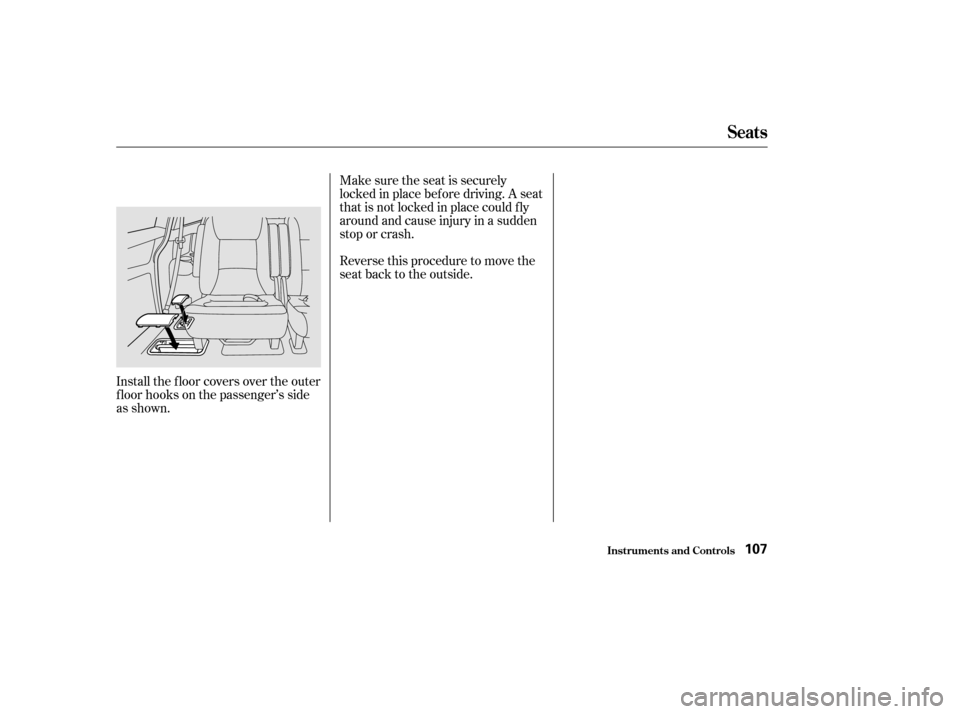
Install the f loor covers over the outer
f loor hooks on the passenger’s side
as shown.Make sure the seat is securely
locked in place bef ore driving. A seat
thatisnotlockedinplacecouldfly
around and cause injury in a sudden
stop or crash.
Reversethisproceduretomovethe
seat back to the outside.
Seats
Inst rument s and Cont rols107
Page 111 of 399
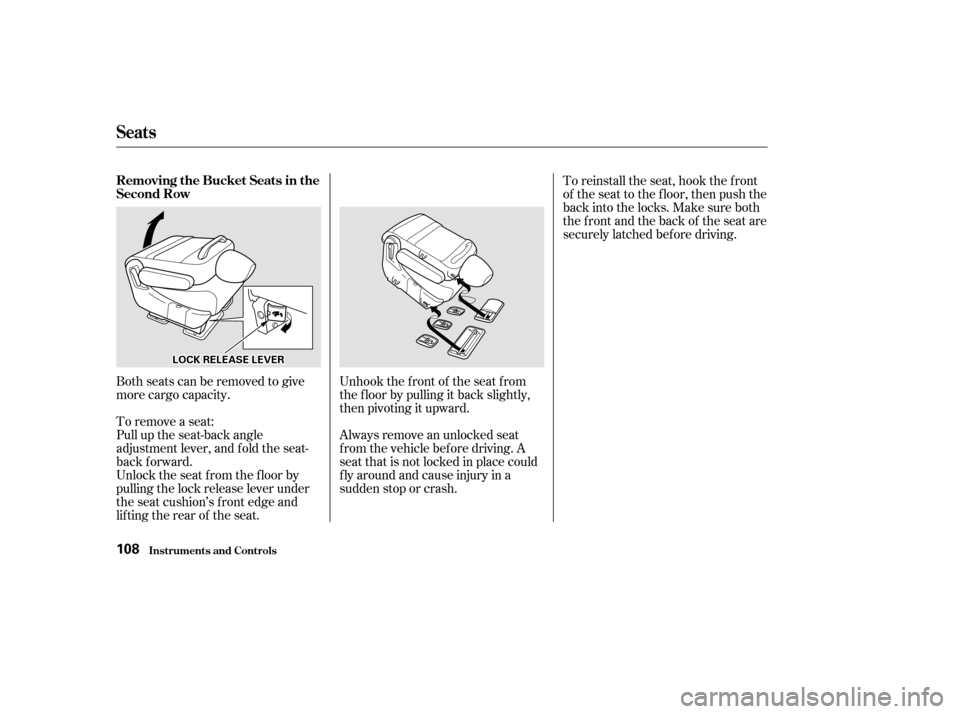
Unhook the f ront of the seat f rom
the f loor by pulling it back slightly,
then pivoting it upward.
Always remove an unlocked seat
f rom the vehicle bef ore driving. A
seat that is not locked in place could
f ly around and cause injury in a
sudden stop or crash.
Both seats can be removed to give
more cargo capacity.
To remove a seat:
Pull up the seat-back angle
adjustment lever, and fold the seat-
back f orward.
Unlock the seat f rom the f loor by
pulling the lock release lever under
the seat cushion’s f ront edge and
lifting the rear of the seat. To reinstall the seat, hook the f ront
of the seat to the f loor, then push the
back into the locks. Make sure both
the f ront and the back of the seat are
securely latched bef ore driving.
Seats
Inst rument s and Cont rols
Removing the Bucket Seats in the
Second Row
108
L LO
OC CKK R
REEL
LEE A
A S
SEE L
LEE V
V E
ER
R
Page 112 of 399
CONT INUED
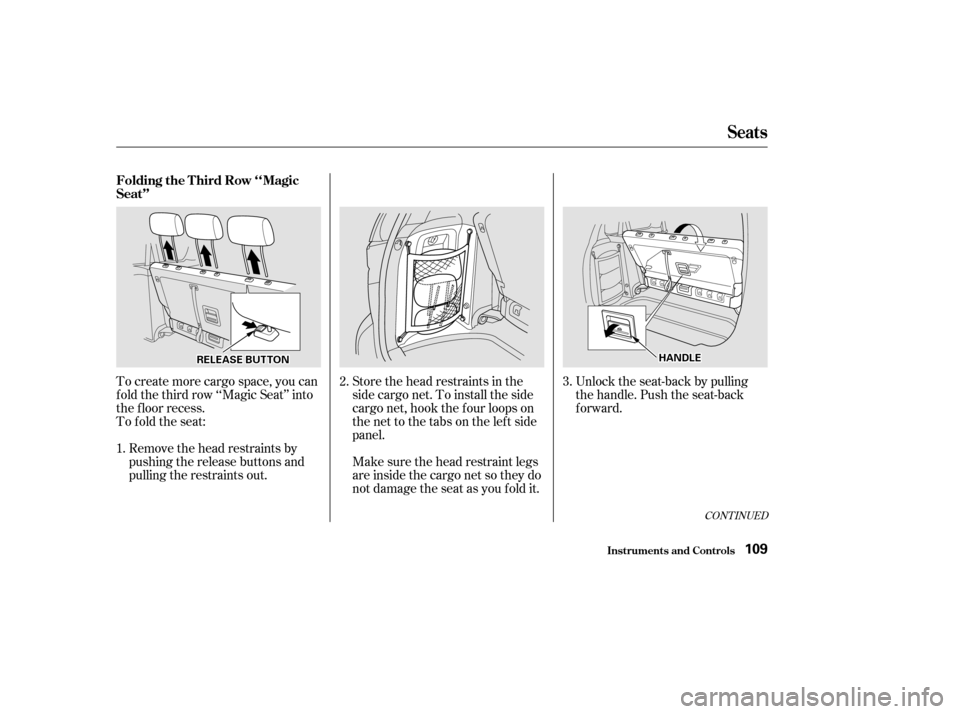
Remove the head restraints by
pushing the release buttons and
pulling the restraints out.
To create more cargo space, you can
f old the third row ‘‘Magic Seat’’ into
the f loor recess.
To fold the seat:
Make sure the head restraint legs
areinsidethecargonetsotheydo
not damage the seat as you fold it. Store the head restraints in the
sidecargonet.Toinstalltheside
cargo net, hook the f our loops on
the net to the tabs on the left side
panel.Unlock the seat-back by pulling
the handle. Push the seat-back
forward.
1. 2.
3.
Seats
Inst rument s and Cont rols
Folding the T hird Row ‘‘Magic
Seat’’
109
R REEL
LEE A
A S
SEE B
BUUT TT
TO
ON N H
H
A
AN
ND DL
LEE
Page 114 of 399
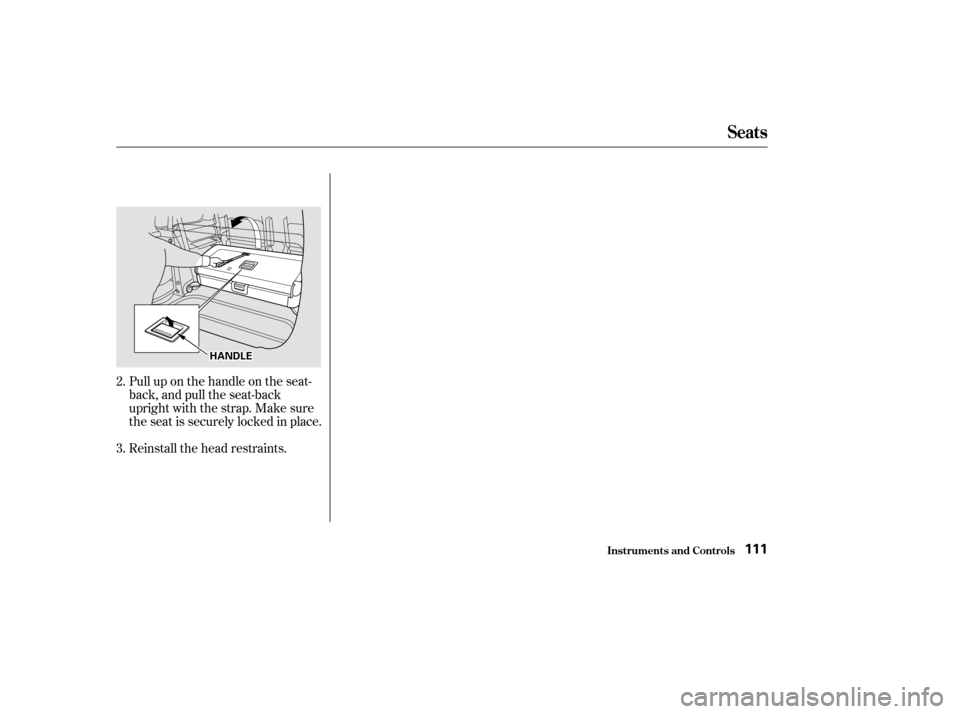
Reinstall the head restraints. Pull up on the handle on the seat-
back, and pull the seat-back
upright with the strap. Make sure
the seat is securely locked in place.
2.
3.
Seats
Inst rument s and Cont rols111
H H
A
AN
ND DL
LEE
Page 121 of 399
Press and hold the H button until
the hour advances to the desired
time.
You can use R to quickly set the time
to the nearest hour. If the displayed
time is before the half hour, pressing
Rsetstheclockbacktotheprevious
hour. If the displayed time is af ter
the half hour, pressing R sets the
clock f orward to the beginning of the
next hour.
For example: 1:06 would RESET to 1:00.
1:52 would RESET to 2:00. To use the center table, pull up the
outside edge of the table until it
latches. To store it, pull the lever and
lower the table.
Press and hold the M button until
the numbers advance to the
desired time.
To set the clock: Turn the ignition switch ON (II) to
display the time. 2.
3.
1.
On models without navigation system
Digital Clock Center Table
Digital Clock, Center Table
Inst rument s and Cont rols118
H HM
M R
R
Page 128 of 399
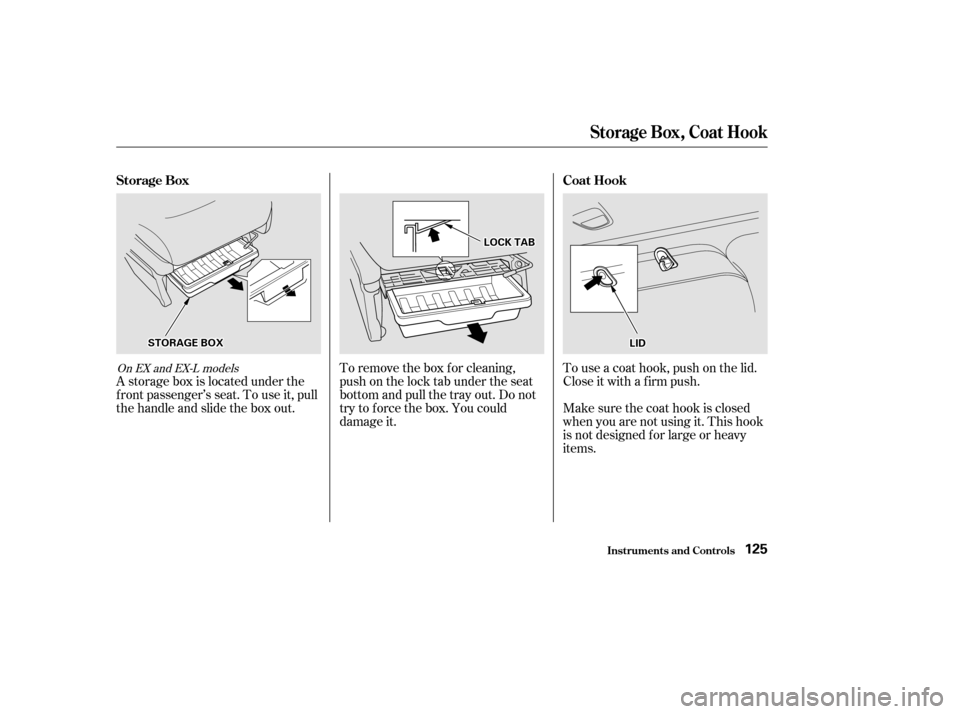
A storage box is located under the
f ront passenger’s seat. To use it, pull
the handle and slide the box out.To remove the box for cleaning,
push on the lock tab under the seat
bottom and pull the tray out. Do not
try to f orce the box. You could
damage it.To use a coat hook, push on the lid.
Close it with a f irm push.
Make sure the coat hook is closed
when you are not using it. This hook
is not designed f or large or heavy
items.
On EX and EX-L models
St orage Box, Coat Hook
Inst rument s and Cont rols
Storage Box
Coat Hook
125
S STTO
OR RAA G
GE E B
BOOX X
L
LIIDD
L
LO
OC CKK T
TA
A B
B
Page 131 of 399
The cargo area light comes on
whenanydoororthetailgateis
opened if the switch in the light is
in the door activated (center)
position. When the doors and the
tailgate are closed, it can be turned
on with the switch in the light.When the switch is in the ON
position:
All the individual map lights come
onandstayonaslongasthe
switch remains in the ON position.
The cargo area light comes on and
stays on if the switch in the light is
in the door activated (center)
position. The lights go out about six seconds
after all the doors and the tailgate
are closed.
With the light control switch in the
Door Activated position, all the
individual map lights and the cargo
area light (with the switch in the
center position) come on when you
unlock the door with the remote
transmitter (see page ).
Withanydoororthetailgateleft
open, the lights stay on about three
minutes, then go out.
84On EX and EX-L models
Interior Lights
Inst rument s and Cont rols128