Page 27 of 184
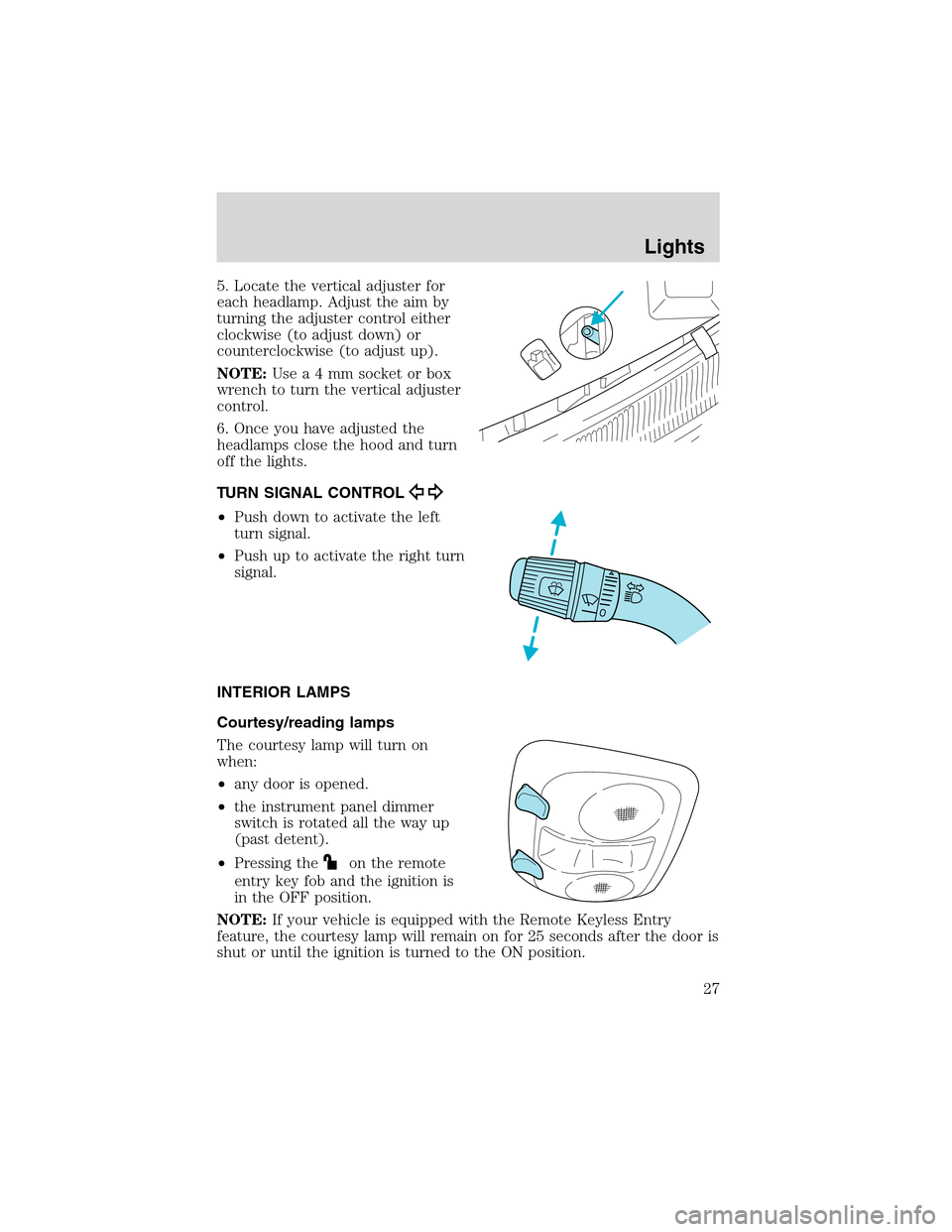
5. Locate the vertical adjuster for
each headlamp. Adjust the aim by
turning the adjuster control either
clockwise (to adjust down) or
counterclockwise (to adjust up).
NOTE:Usea4mmsocket or box
wrench to turn the vertical adjuster
control.
6. Once you have adjusted the
headlamps close the hood and turn
off the lights.
TURN SIGNAL CONTROL
•Push down to activate the left
turn signal.
•Push up to activate the right turn
signal.
INTERIOR LAMPS
Courtesy/reading lamps
The courtesy lamp will turn on
when:
•any door is opened.
•the instrument panel dimmer
switch is rotated all the way up
(past detent).
•Pressing the
on the remote
entry key fob and the ignition is
in the OFF position.
NOTE:If your vehicle is equipped with the Remote Keyless Entry
feature, the courtesy lamp will remain on for 25 seconds after the door is
shut or until the ignition is turned to the ON position.
Lights
27
Page 30 of 184
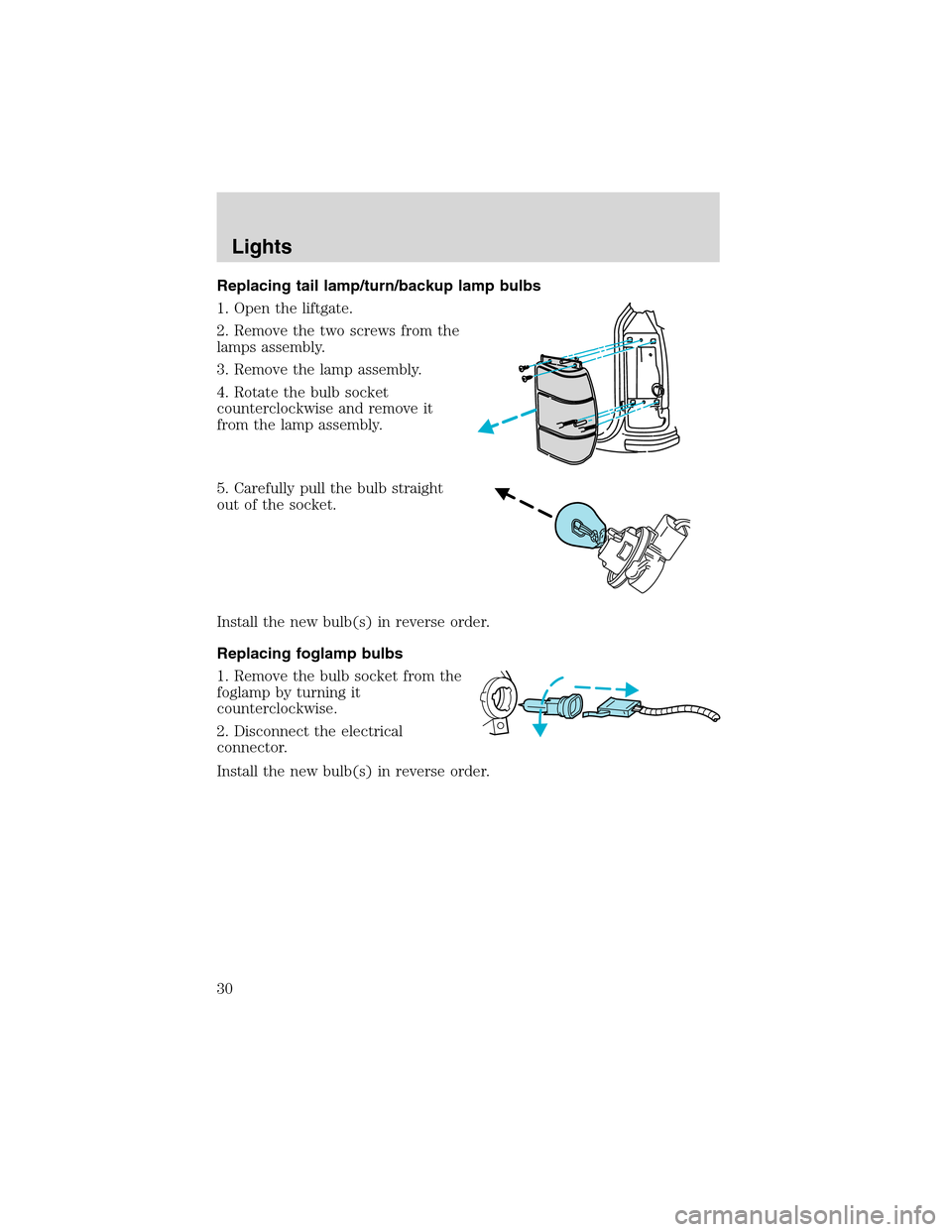
Replacing tail lamp/turn/backup lamp bulbs
1. Open the liftgate.
2. Remove the two screws from the
lamps assembly.
3. Remove the lamp assembly.
4. Rotate the bulb socket
counterclockwise and remove it
from the lamp assembly.
5. Carefully pull the bulb straight
out of the socket.
Install the new bulb(s) in reverse order.
Replacing foglamp bulbs
1. Remove the bulb socket from the
foglamp by turning it
counterclockwise.
2. Disconnect the electrical
connector.
Install the new bulb(s) in reverse order.
Lights
30
Page 31 of 184
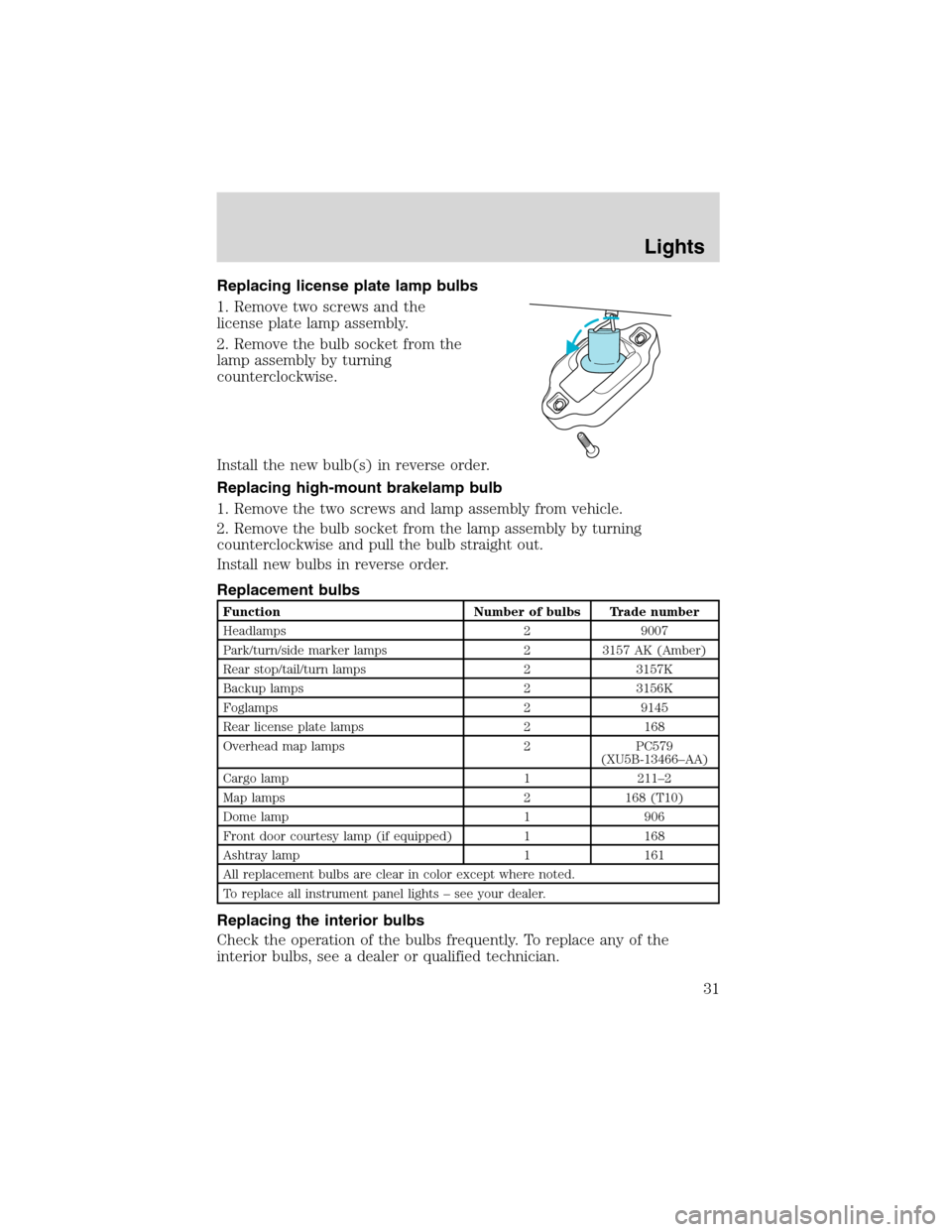
Replacing license plate lamp bulbs
1. Remove two screws and the
license plate lamp assembly.
2. Remove the bulb socket from the
lamp assembly by turning
counterclockwise.
Install the new bulb(s) in reverse order.
Replacing high-mount brakelamp bulb
1. Remove the two screws and lamp assembly from vehicle.
2. Remove the bulb socket from the lamp assembly by turning
counterclockwise and pull the bulb straight out.
Install new bulbs in reverse order.
Replacement bulbs
Function Number of bulbs Trade number
Headlamps 2 9007
Park/turn/side marker lamps 2 3157 AK (Amber)
Rear stop/tail/turn lamps 2 3157K
Backup lamps 2 3156K
Foglamps 2 9145
Rear license plate lamps 2 168
Overhead map lamps 2 PC579
(XU5B-13466–AA)
Cargo lamp 1 211–2
Map lamps 2 168 (T10)
Dome lamp 1 906
Front door courtesy lamp (if equipped) 1 168
Ashtray lamp 1 161
All replacement bulbs are clear in color except where noted.
To replace all instrument panel lights–see your dealer.
Replacing the interior bulbs
Check the operation of the bulbs frequently. To replace any of the
interior bulbs, see a dealer or qualified technician.
Lights
31
Page 33 of 184
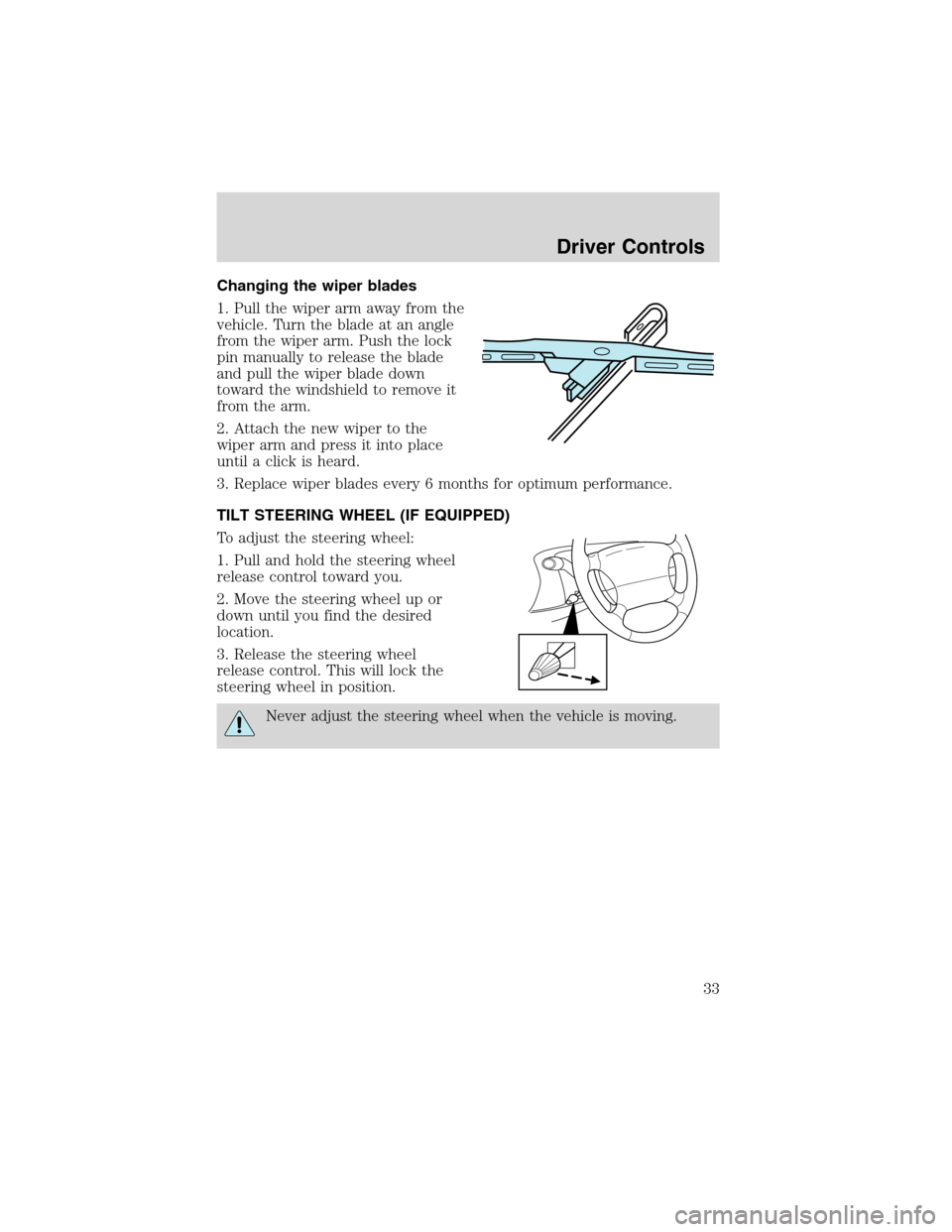
Changing the wiper blades
1. Pull the wiper arm away from the
vehicle. Turn the blade at an angle
from the wiper arm. Push the lock
pin manually to release the blade
and pull the wiper blade down
toward the windshield to remove it
from the arm.
2. Attach the new wiper to the
wiper arm and press it into place
until a click is heard.
3. Replace wiper blades every 6 months for optimum performance.
TILT STEERING WHEEL (IF EQUIPPED)
To adjust the steering wheel:
1. Pull and hold the steering wheel
release control toward you.
2. Move the steering wheel up or
down until you find the desired
location.
3. Release the steering wheel
release control. This will lock the
steering wheel in position.
Never adjust the steering wheel when the vehicle is moving.
Driver Controls
33
Page 44 of 184
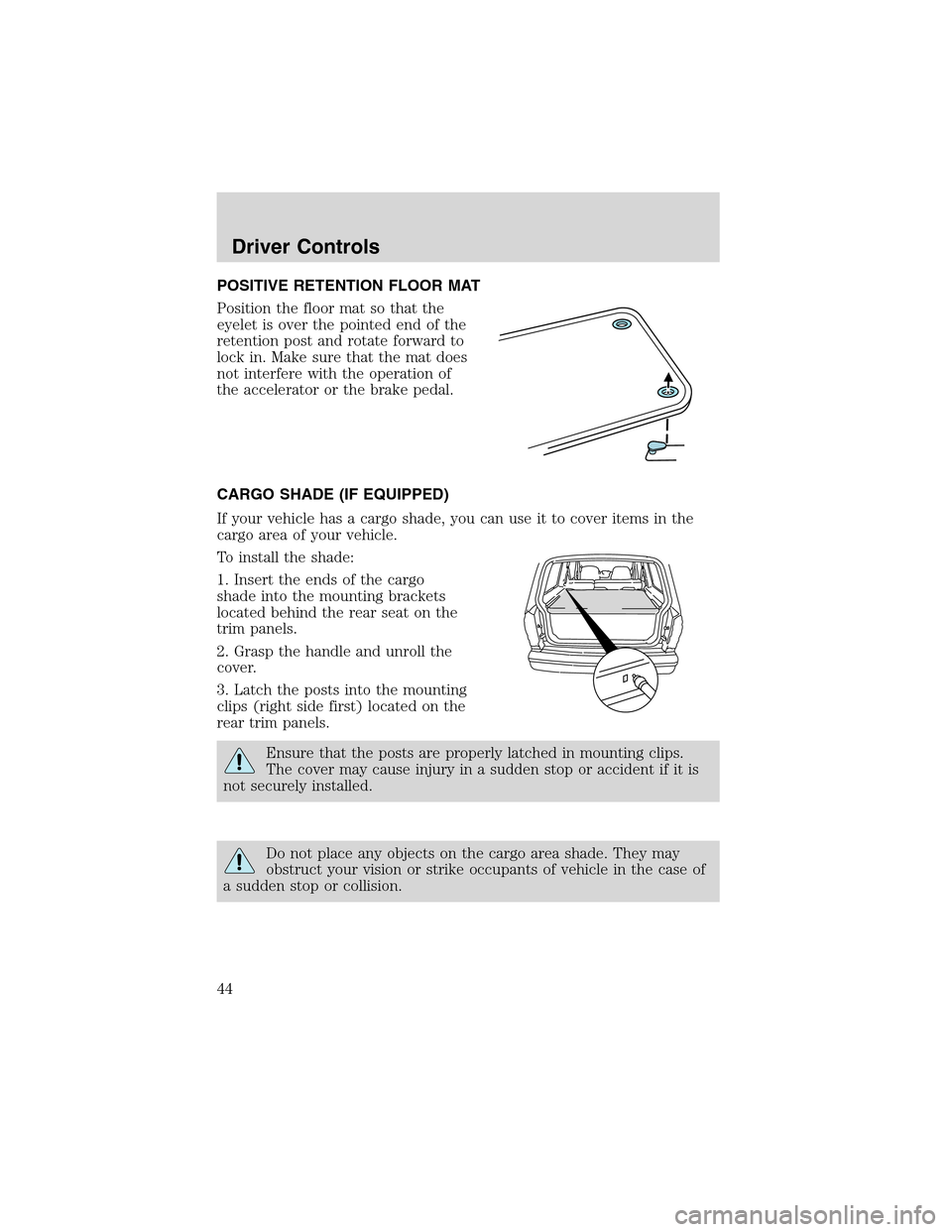
POSITIVE RETENTION FLOOR MAT
Position the floor mat so that the
eyelet is over the pointed end of the
retention post and rotate forward to
lock in. Make sure that the mat does
not interfere with the operation of
the accelerator or the brake pedal.
CARGO SHADE (IF EQUIPPED)
If your vehicle has a cargo shade, you can use it to cover items in the
cargo area of your vehicle.
To install the shade:
1. Insert the ends of the cargo
shade into the mounting brackets
located behind the rear seat on the
trim panels.
2. Grasp the handle and unroll the
cover.
3. Latch the posts into the mounting
clips (right side first) located on the
rear trim panels.
Ensure that the posts are properly latched in mounting clips.
The cover may cause injury in a sudden stop or accident if it is
not securely installed.
Do not place any objects on the cargo area shade. They may
obstruct your vision or strike occupants of vehicle in the case of
a sudden stop or collision.
Driver Controls
44
Page 46 of 184
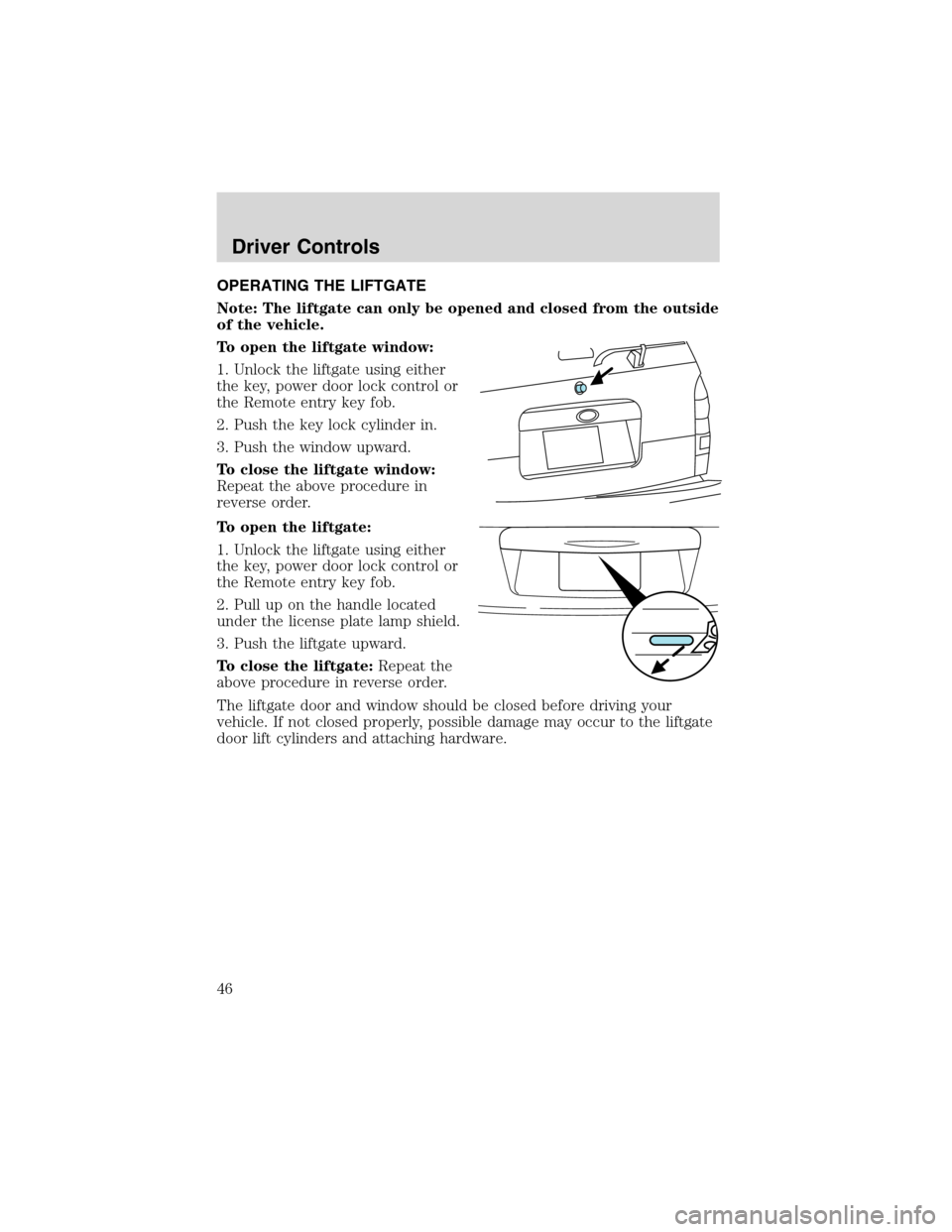
OPERATING THE LIFTGATE
Note: The liftgate can only be opened and closed from the outside
of the vehicle.
To open the liftgate window:
1. Unlock the liftgate using either
the key, power door lock control or
the Remote entry key fob.
2. Push the key lock cylinder in.
3. Push the window upward.
To close the liftgate window:
Repeat the above procedure in
reverse order.
To open the liftgate:
1. Unlock the liftgate using either
the key, power door lock control or
the Remote entry key fob.
2. Pull up on the handle located
under the license plate lamp shield.
3. Push the liftgate upward.
To close the liftgate:Repeat the
above procedure in reverse order.
The liftgate door and window should be closed before driving your
vehicle. If not closed properly, possible damage may occur to the liftgate
door lift cylinders and attaching hardware.
Driver Controls
46
Page 47 of 184
KEYS
The key operates all locks on your vehicle. In case of loss, replacement
keys are available from your dealer.
You should always carry a second key with you in a safe place in case
you require it in an emergency.
Refer toSecuriLock�Passive Anti-Theft Systemfor more information.
POWER DOOR LOCKS
The power door lock controls are
located on the driver and front
passenger door panels.
Pressing the
will unlock all the
doors. Pressing the
will lock all
the doors.
Another power door lock is located in the cargo area on the driver’s side
of the vehicle.
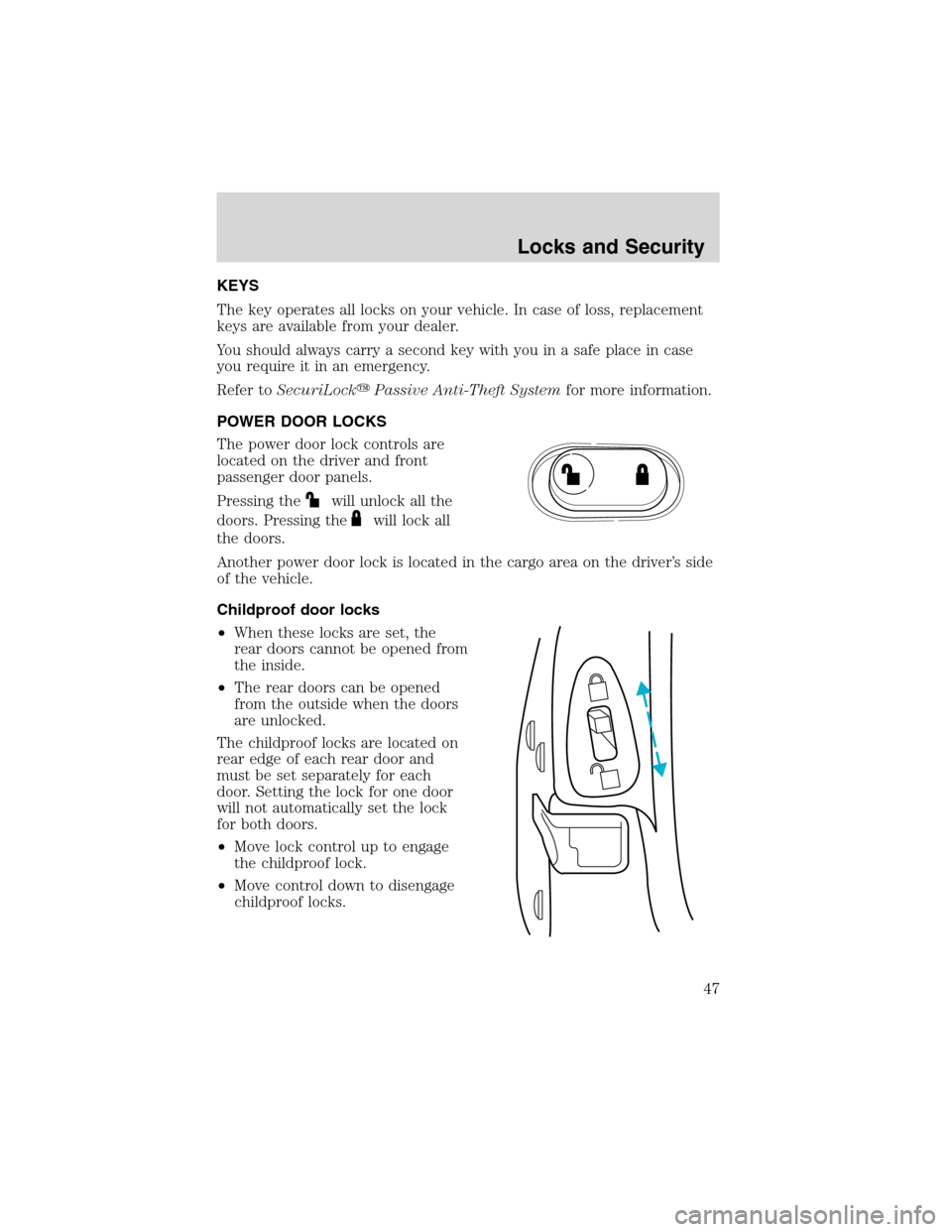
Childproof door locks
•When these locks are set, the
rear doors cannot be opened from
the inside.
•The rear doors can be opened
from the outside when the doors
are unlocked.
The childproof locks are located on
rear edge of each rear door and
must be set separately for each
door. Setting the lock for one door
will not automatically set the lock
for both doors.
•Move lock control up to engage
the childproof lock.
•Move control down to disengage
childproof locks.
Locks and Security
47
Page 48 of 184
REMOTE ENTRY SYSTEM (IF EQUIPPED)
This device complies with part 15 of the FCC rules and with RS-210 of
Industry Canada. Operation is subject to the following two conditions:
(1) This device may not cause harmful interference, and (2) This device
must accept any interference received, including interference that may
cause undesired operation.
Changes or modifications not expressly approved by the party
responsible for compliance could void the user’s authority to
operate the equipment.
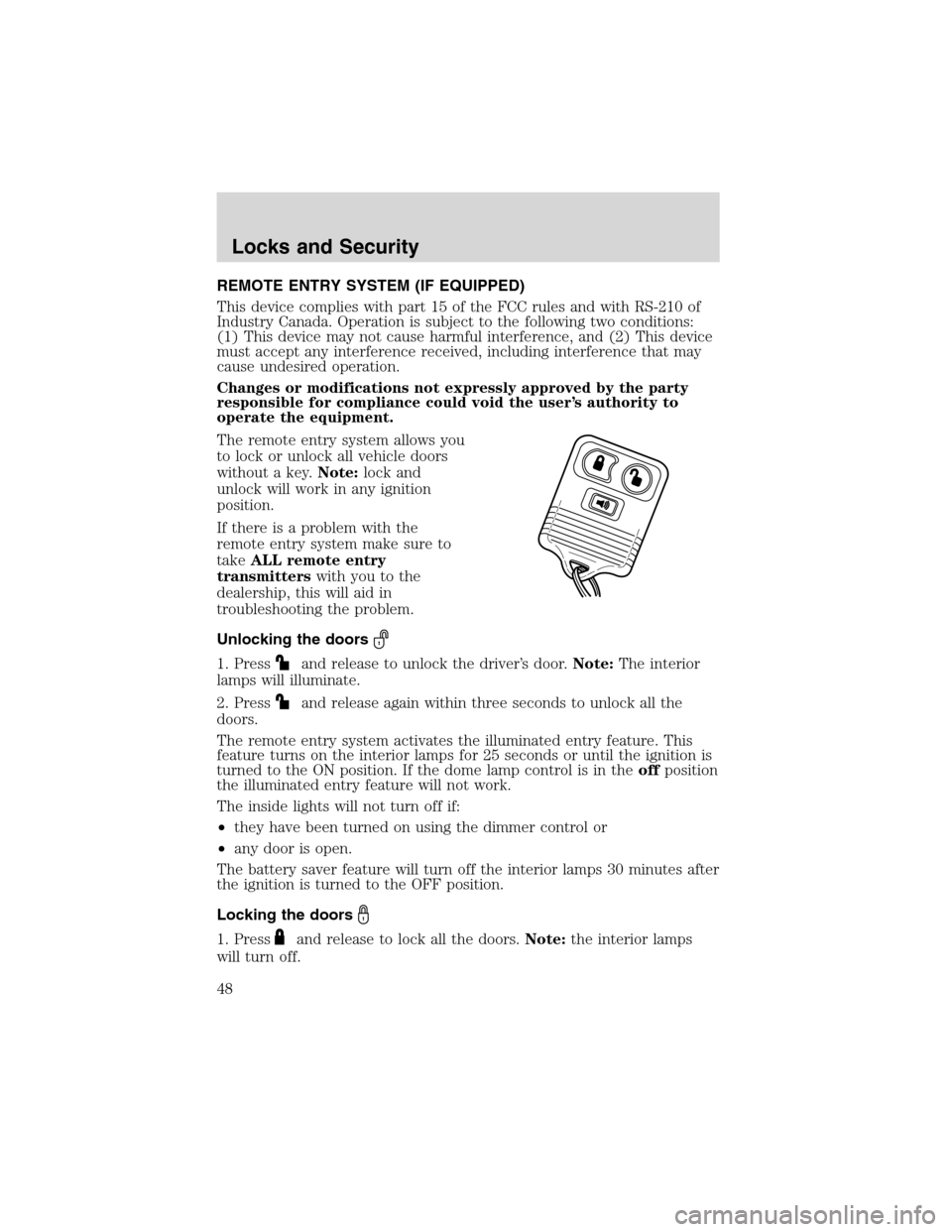
The remote entry system allows you
to lock or unlock all vehicle doors
without a key.Note:lock and
unlock will work in any ignition
position.
If there is a problem with the
remote entry system make sure to
takeALL remote entry
transmitterswith you to the
dealership, this will aid in
troubleshooting the problem.
Unlocking the doors
1. Pressand release to unlock the driver’s door.Note:The interior
lamps will illuminate.
2. Press
and release again within three seconds to unlock all the
doors.
The remote entry system activates the illuminated entry feature. This
feature turns on the interior lamps for 25 seconds or until the ignition is
turned to the ON position. If the dome lamp control is in theoffposition
the illuminated entry feature will not work.
The inside lights will not turn off if:
•they have been turned on using the dimmer control or
•any door is open.
The battery saver feature will turn off the interior lamps 30 minutes after
the ignition is turned to the OFF position.
Locking the doors
1. Pressand release to lock all the doors.Note:the interior lamps
will turn off.
Locks and Security
48