Page 196 of 486
2-88
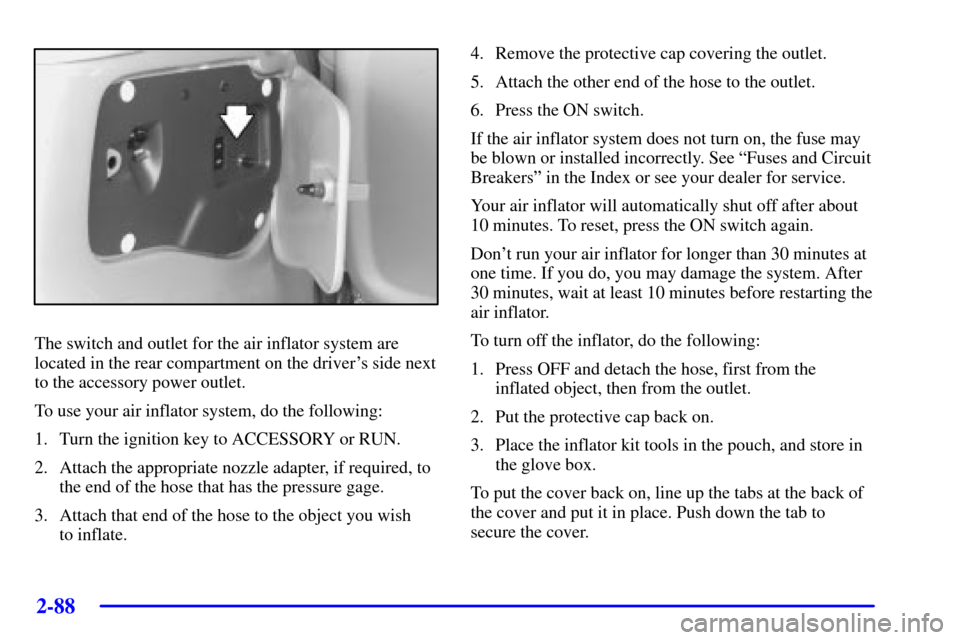
The switch and outlet for the air inflator system are
located in the rear compartment on the driver's side next
to the accessory power outlet.
To use your air inflator system, do the following:
1. Turn the ignition key to ACCESSORY or RUN.
2. Attach the appropriate nozzle adapter, if required, to
the end of the hose that has the pressure gage.
3. Attach that end of the hose to the object you wish
to inflate.4. Remove the protective cap covering the outlet.
5. Attach the other end of the hose to the outlet.
6. Press the ON switch.
If the air inflator system does not turn on, the fuse may
be blown or installed incorrectly. See ªFuses and Circuit
Breakersº in the Index or see your dealer for service.
Your air inflator will automatically shut off after about
10 minutes. To reset, press the ON switch again.
Don't run your air inflator for longer than 30 minutes at
one time. If you do, you may damage the system. After
30 minutes, wait at least 10 minutes before restarting the
air inflator.
To turn off the inflator, do the following:
1. Press OFF and detach the hose, first from the
inflated object, then from the outlet.
2. Put the protective cap back on.
3. Place the inflator kit tools in the pouch, and store in
the glove box.
To put the cover back on, line up the tabs at the back of
the cover and put it in place. Push down the tab to
secure the cover.
Page 197 of 486
2-89
Accessory Power Outlets
With accessory power outlets you can plug in auxiliary
electrical equipment such as a cellular telephone or
CB radio.
The front accessory power outlets are located below
the cupholders.
Pull the cover down to use the power outlet. When not
in use, keep the cover on.
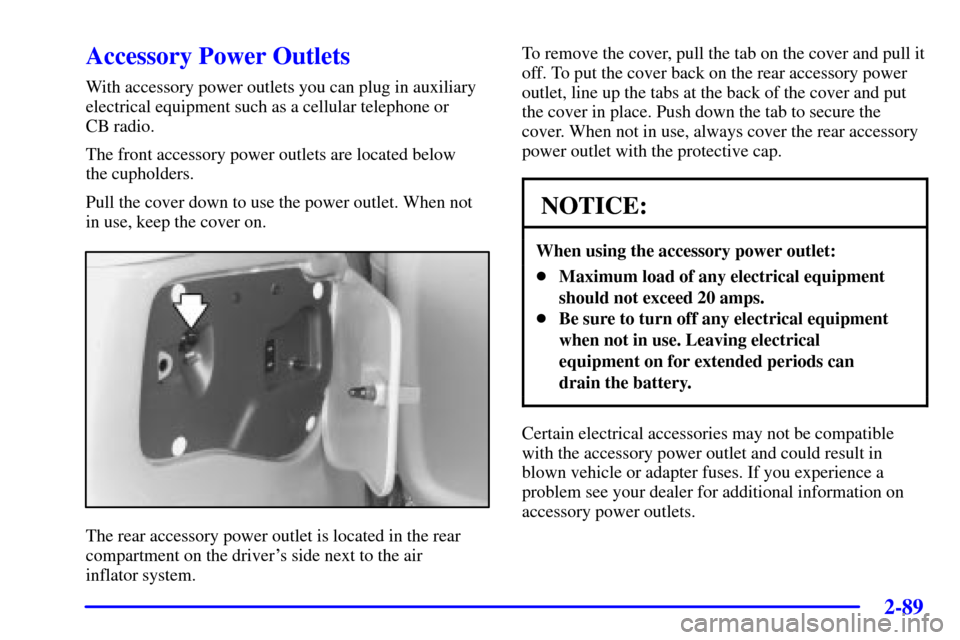
The rear accessory power outlet is located in the rear
compartment on the driver's side next to the air
inflator system.To remove the cover, pull the tab on the cover and pull it
off. To put the cover back on the rear accessory power
outlet, line up the tabs at the back of the cover and put
the cover in place. Push down the tab to secure the
cover. When not in use, always cover the rear accessory
power outlet with the protective cap.
NOTICE:
When using the accessory power outlet:
�Maximum load of any electrical equipment
should not exceed 20 amps.
�Be sure to turn off any electrical equipment
when not in use. Leaving electrical
equipment on for extended periods can
drain the battery.
Certain electrical accessories may not be compatible
with the accessory power outlet and could result in
blown vehicle or adapter fuses. If you experience a
problem see your dealer for additional information on
accessory power outlets.
Page 200 of 486

2-92 OnStar Services
The following services are available within OnStar
service plans. Your vehicle comes with a specific
one
-year service plan than allows use of some or all of
the following services.
�Automatic Notification of Air Bag
Deployment: If an air bag deploys, a priority
emergency signal is automatically sent to the center.
An advisor will locate your vehicle's position, try to
contact you and assist you in the situation. If the
center is unable to contact you, an emergency service
provider will be contacted.
�Stolen Vehicle Tracking: Call the center at
1
-888-4-ONSTAR (1-888-466-7827) to report your
vehicle stolen. The system can then attempt to locate
and track your vehicle and the advisor will assist the
proper authorities.
�Roadside Assistance with Location: For vehicle
breakdowns, press the OnStar Services button. An
advisor will contact the appropriate help.�Remote Diagnostics: If an instrument panel
light comes on, press the OnStar Services button.
An advisor can perform a check of the engine
on
-board computer, and recommend what action
needs to be taken.
�OnStar MED
-NET: Med-Net can store your
personal medical history and provide it to emergency
personnel if necessary. (Requires activation and
additional fee.)
�Accident Assist: An advisor can provide
step
-by-step guidance following an accident.
�Remote Door Unlock: To contact the center, call
1
-888-4-ONSTAR. You will be required to provide
your security information. An advisor will send a
command to your vehicle to unlock itself. The
advisor can delay unlocking your vehicle. Remote
Door Unlock is disabled 48 hours after the vehicle is
parked to maintain the battery charge.
�Vehicle Locator Service: To contact the center, call
1
-888-4-ONSTAR. You will be required to provide
your security information. An advisor will send a
command to your vehicle to sound the horn and/or
flash the lamps.
Page 227 of 486
2-119
PASS-Key� III Security Message
United States Canada
If you are ever driving and this message comes on and
stays on, you will be able to restart your engine if you
turn it off.
Your PASS
-Key III system, however, is not working
properly and must be serviced by your dealer. Your
vehicle is not protected by the PASS
-Key III system
at this time. See ªPASS
-Key IIIº in the Index for
more information.
Low Fuel Warning Message
United States Canada
If your fuel is low, the warning message will come on
and stay on until you add fuel.
If the warning message is still on after adding fuel, you
need to reset the warning message. To reset the warning
message, turn the ignition off then back on. If the
message stays on, see your dealer right away.
Page 317 of 486
4-26
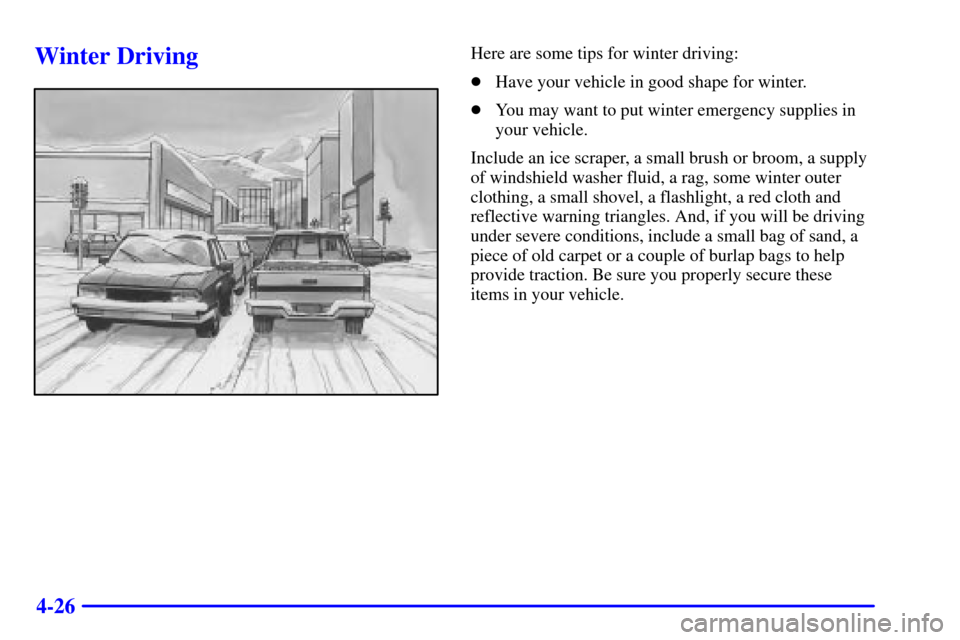
Winter DrivingHere are some tips for winter driving:
�Have your vehicle in good shape for winter.
�You may want to put winter emergency supplies in
your vehicle.
Include an ice scraper, a small brush or broom, a supply
of windshield washer fluid, a rag, some winter outer
clothing, a small shovel, a flashlight, a red cloth and
reflective warning triangles. And, if you will be driving
under severe conditions, include a small bag of sand, a
piece of old carpet or a couple of burlap bags to help
provide traction. Be sure you properly secure these
items in your vehicle.
Page 324 of 486
4-33
NOTICE:
Your warranty does not cover parts or
components that fail because of overloading.
If you put things inside your vehicle -- like suitcases,
tools, packages or anything else
-- they will go as fast as
the vehicle goes. If you have to stop or turn quickly, or
if there is a crash, they'll keep going.
CAUTION:
Things you put inside your vehicle can strike
and injure people in a sudden stop or turn, or in
a crash.
�Put things in the cargo area of your vehicle.
Try to spread the weight evenly.
�Never stack heavier things, like suitcases,
inside the vehicle so that some of them are
above the tops of the seats.
�Don't leave an unsecured child restraint in
your vehicle.
�When you carry something inside the
vehicle, secure it whenever you can.
�Don't leave a seat folded down unless you
need to.
Page 330 of 486
4-39 Driving with a Trailer
CAUTION:
If you have a rear-most window open and you
pull a trailer with your vehicle, carbon monoxide
(CO) could come into your vehicle. You can't see
or smell CO. It can cause unconsciousness or
death. See ªEngine Exhaustº in the Index. To
maximize your safety when towing a trailer:
�Have your exhaust system inspected for
leaks, and make necessary repairs before
starting on your trip.
�Keep the rear
-most windows closed.
�If exhaust does come into your vehicle
through a window in the rear or another
opening, drive with your front, main
heating or cooling system on and with the
fan on any speed. This will bring fresh,
outside air into your vehicle. Do not use
recirculation because it only recirculates
the air inside your vehicle. See ªComfort
Controlsº in the Index.
Towing a trailer requires a certain amount of experience.
Before setting out for the open road, you'll want to get
to know your rig. Acquaint yourself with the feel of
handling and braking with the added weight of the
trailer. And always keep in mind that the vehicle you are
driving is now a good deal longer and not nearly as
responsive as your vehicle is by itself.
Before you start, check the trailer hitch and platform
(and attachments), safety chains, electrical connector,
lamps, tires and mirror adjustment. If the trailer has
electric brakes, start your vehicle and trailer moving and
then apply the trailer brake controller by hand to be sure
the brakes are working. This lets you check your
electrical connection at the same time.
During your trip, check occasionally to be sure that the
load is secure, and that the lamps and any trailer brakes
are still working.
Following Distance
Stay at least twice as far behind the vehicle ahead as you
would when driving your vehicle without a trailer. This
can help you avoid situations that require heavy braking
and sudden turns.
Page 365 of 486
5-32
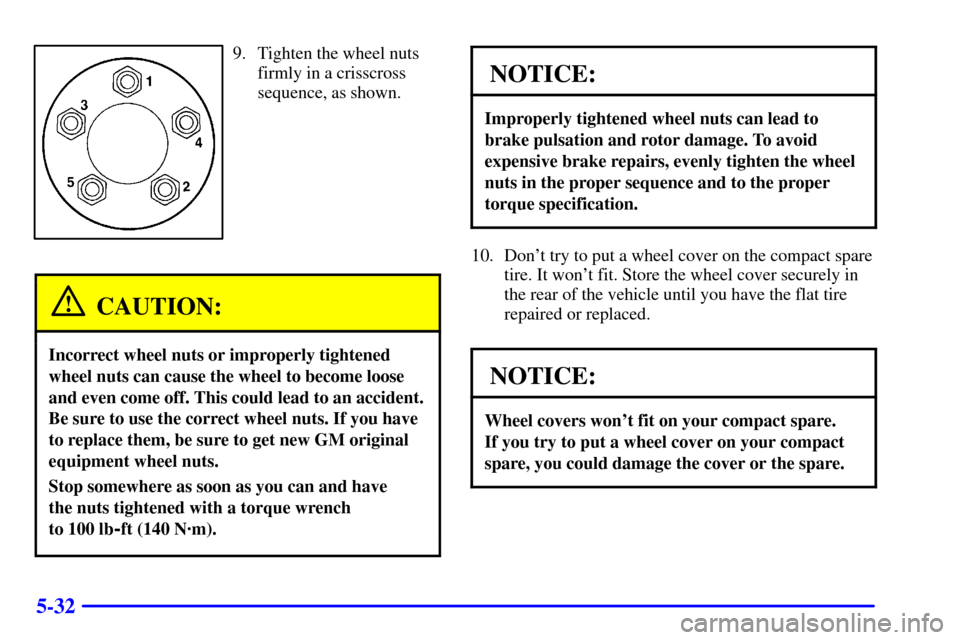
9. Tighten the wheel nuts
firmly in a crisscross
sequence, as shown.
CAUTION:
Incorrect wheel nuts or improperly tightened
wheel nuts can cause the wheel to become loose
and even come off. This could lead to an accident.
Be sure to use the correct wheel nuts. If you have
to replace them, be sure to get new GM original
equipment wheel nuts.
Stop somewhere as soon as you can and have
the nuts tightened with a torque wrench
to 100 lb
-ft (140 N´m).
NOTICE:
Improperly tightened wheel nuts can lead to
brake pulsation and rotor damage. To avoid
expensive brake repairs, evenly tighten the wheel
nuts in the proper sequence and to the proper
torque specification.
10. Don't try to put a wheel cover on the compact spare
tire. It won't fit. Store the wheel cover securely in
the rear of the vehicle until you have the flat tire
repaired or replaced.
NOTICE:
Wheel covers won't fit on your compact spare.
If you try to put a wheel cover on your compact
spare, you could damage the cover or the spare.