Page 136 of 497
2-56
QUADRASTEER� (4WS)
(If Equipped)
The QUADRASTEER System has a control and
diagnostic module that monitors and records current
system status and operational information.
If your vehicle is equipped with the 4 Wheel Steer
system it has the ability to steer the vehicle with all
four wheels.
Once the 4 Wheel Steer mode is selected, it is
recommended to leave the vehicle in this mode
at all times.
The 4WS system is equipped with three different
driving modes:
�Two wheel steering (2WS)
�Four wheel steering (4WS)
�Four wheel steering with a trailer mode (4WS TOW)
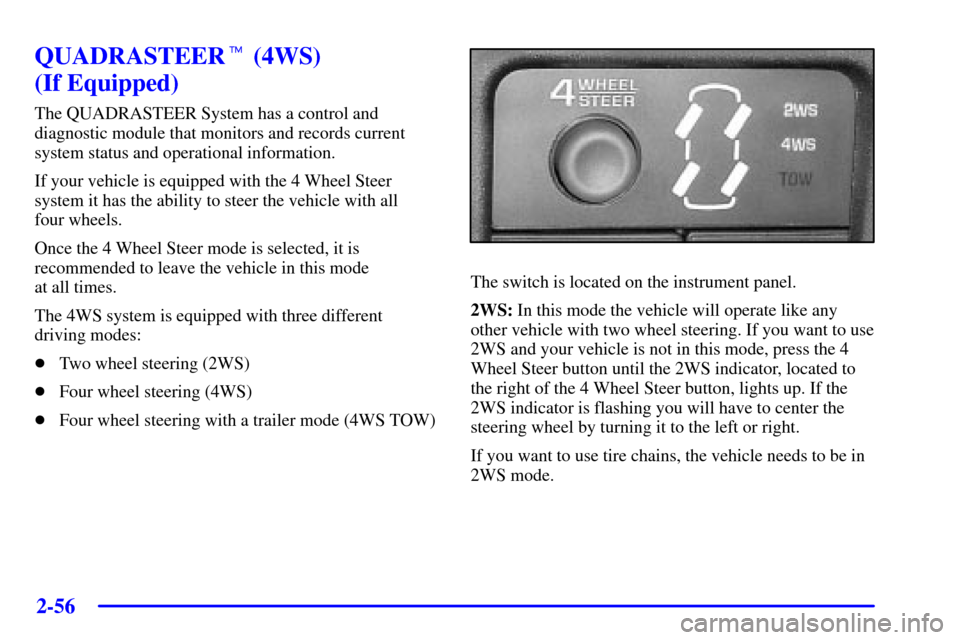
The switch is located on the instrument panel.
2WS: In this mode the vehicle will operate like any
other vehicle with two wheel steering. If you want to use
2WS and your vehicle is not in this mode, press the 4
Wheel Steer button until the 2WS indicator, located to
the right of the 4 Wheel Steer button, lights up. If the
2WS indicator is flashing you will have to center the
steering wheel by turning it to the left or right.
If you want to use tire chains, the vehicle needs to be in
2WS mode.
Page 137 of 497

2-57
4WS: In this mode all four wheels will help steer the
vehicle. If you want to use 4WS, and your vehicle is not
in this mode, press the 4 Wheel Steer button, until the
4WS indicator, located to the right of the 4 Wheel Steer
button, lights up. If the 4WS indicator is flashing you
will have to center the steering wheel by turning it to the
left or right.
Slower Speed (below 40 m.p.h.)
At slower speeds the front and rear wheels will turn in
opposite directions. This helps the vehicle make tighter
turns, such as during parking, cornering and turning into
tight spaces.
Higher Speeds (40 m.p.h. and above)
At higher speeds the front and rear wheels will turn in
the same direction. This improves stability of the vehicle
during lane changes and sweeping turns.
4WS TOW: The 4WS TOW mode provides enhanced
stability allowing the trailer to follow the path of the tow
vehicle more closely, especially during lane changes.
In this mode the system operates much like the 4WS
mode, but is enhanced for trailer towing. It is
recommended for all types and weights of trailers.
To engage the 4WS TOW mode, press the 4 Wheel Steer
button until the 4WS and TOW indicators light up on
the instrument panel. If the TOW indicator is flashing
you will have to center the steering wheel by turning it
to the left or right. While in the 4WS TOW mode, it is
possible the steering wheel may be slightly off center.
Page 141 of 497

2-61
Turn Signal On Chime
If your turn signal is left on for more than 3/4 of a mile
(1.2 km), a chime will sound at each flash of the turn
signal. To turn off the chime, move the turn signal lever
to the off position.
Headlamp High/Low Beam Changer
To change the headlamps from low to high beam or high
to low beam, pull the multifunction lever all the way
toward you. Then release it.
When the high beams are
on, this light on the
instrument panel cluster
also will be on.
Flash-To-Pass Feature
This feature allows you to use your high-beam
headlamps to signal a driver in front of you that you
want to pass. It works even if your headlamps are off.
To use it, pull the turn signal lever toward you, but not
so far that you hear it click.
If your headlamps are off or on low
-beam, your
high
-beam headlamps will turn on. They'll stay
on as long as you hold the lever toward you and the
high
-beam indicator on the instrument panel will
come on. Release the lever to turn the high
-beam
headlamps off.
Page 153 of 497
2-73
Mirrors
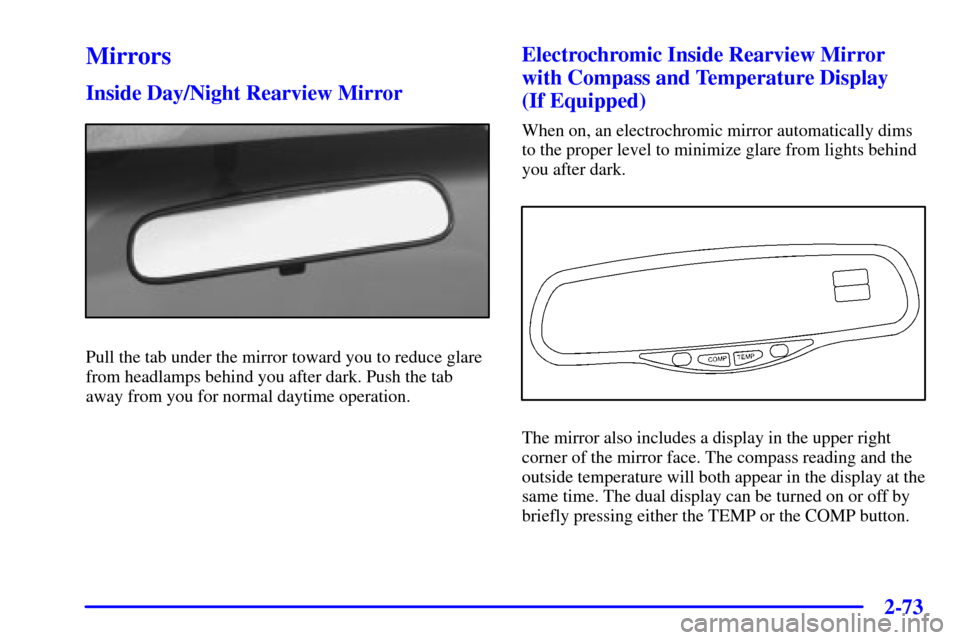
Inside Day/Night Rearview Mirror
Pull the tab under the mirror toward you to reduce glare
from headlamps behind you after dark. Push the tab
away from you for normal daytime operation.
Electrochromic Inside Rearview Mirror
with Compass and Temperature Display
(If Equipped)
When on, an electrochromic mirror automatically dims
to the proper level to minimize glare from lights behind
you after dark.
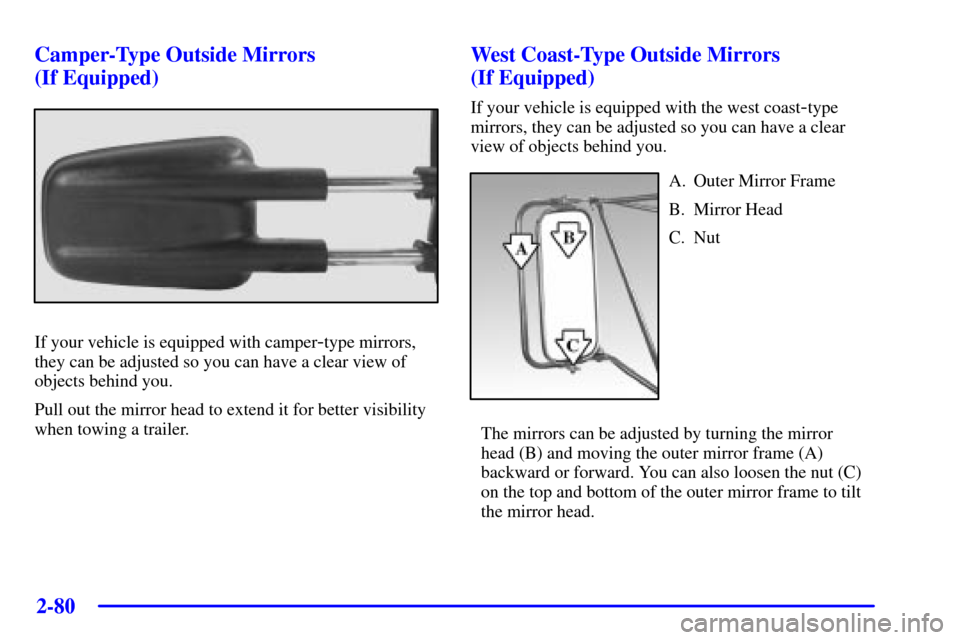
The mirror also includes a display in the upper right
corner of the mirror face. The compass reading and the
outside temperature will both appear in the display at the
same time. The dual display can be turned on or off by
briefly pressing either the TEMP or the COMP button.
Page 155 of 497

2-75
Electrochromic Mirror Operation
The time period you need to press and hold the TEMP
button to turn the electrochromic feature on or off is
six seconds. The indicator light to the right of the TEMP
button will still turn on or off to show you when the
electrochromic feature is activated. Once the mirror is
turned off, it will remain off until it is turned back on, or
until the vehicle is restarted.
Compass Operation
Press the COMP button once briefly to turn the compass
on or off.
When the ignition and the compass feature are on, the
compass will show two character boxes for
approximately two seconds. After two seconds, the
mirror will display the compass heading.
When cleaning the mirror, use a paper towel or similar
material dampened with glass cleaner. Do not spray
glass cleaner directly on the mirror as that may cause the
liquid cleaner to enter the mirror housing.Compass Calibration
The compass may need calibration if one of the
following occurs:
�After five seconds, the display does not show a
compass heading (N for North, for example), there
may be a strong magnetic field interfering with the
compass. Such interference may be caused by a
magnetic antenna mount, magnetic note pad holder
or a similar magnetic item.
�The compass does not display the correct heading
and the compass zone variance is set correctly.
In order to calibrate, CAL must be displayed in the
mirror compass windows. If CAL is not displayed, push
in the COMP button for approximately eight seconds or
until CAL is displayed.
The compass can be calibrated in one of two ways:
�Drive the vehicle in circles at five mph (8 km/h) or
less until the display reads a direction, or
�drive the vehicle on your everyday routine and after
several turns the compass will become calibrated and
will display a direction.
Page 159 of 497

2-79
Compass Calibration
The compass may need calibration if one of the
following occurs:
�After five seconds, the display does not show a
compass heading (N for North, for example), there
may be a strong magnetic field interfering with the
compass. Such interference may be caused by a
magnetic antenna mount, magnetic note pad holder
or a similar magnetic item.
�The compass does not display the correct heading
and the compass zone variance is set correctly.
In order to calibrate, CAL must be displayed in the
mirror compass windows. If CAL is not displayed, push
the on/off button for approximately 12 seconds or until
CAL is displayed.
The compass can be calibrated in one of two ways:
�Drive the vehicle in circles at 5 mph (8 km/h) or less
until the display reads a direction, or
�drive the vehicle on your everyday routine and after
several turns the compass will become calibrated and
will display a direction.Cleaning the Mirror
When cleaning the mirror, use a paper towel or similar
material dampened with glass cleaner. Do not spray
glass cleaner directly on the mirror as that may cause the
liquid cleaner to enter the mirror housing.
Outside Manual Adjust Mirrors
Adjust your outside mirrors so you can just see the
side of your vehicle and have a clear view of objects
behind you. Some mirrors can be folded in, to enter
narrow doorways.
The use of hood
-mounted air deflectors and add-on
convex mirror attachments may adversely affect
mirror performance.
Page 160 of 497
2-80
Camper-Type Outside Mirrors
(If Equipped)
If your vehicle is equipped with camper-type mirrors,
they can be adjusted so you can have a clear view of
objects behind you.
Pull out the mirror head to extend it for better visibility
when towing a trailer.
West Coast-Type Outside Mirrors
(If Equipped)
If your vehicle is equipped with the west coast-type
mirrors, they can be adjusted so you can have a clear
view of objects behind you.
A. Outer Mirror Frame
B. Mirror Head
C. Nut
The mirrors can be adjusted by turning the mirror
head (B) and moving the outer mirror frame (A)
backward or forward. You can also loosen the nut (C)
on the top and bottom of the outer mirror frame to tilt
the mirror head.
Page 166 of 497
2-86
Tonneau Cover (If Equipped)
1. To remove, unsnap the
cover. Roll up and stow
using the buckle and the
strap located at the front
of the box.
A. Back rail
B. Side rail
C. Rear bowD. Center bow
E. Front bow
F. Front rail
1. Remove the tonneau cover from the notch in the
front rail from the driver's side of the vehicle.