2002 BMW 745LI SEDAN ignition
[x] Cancel search: ignitionPage 63 of 208
Driving
62
Starting the engine
Do not allow the engine to run in
enclosed spaces. The exhaust gases
contain carbon monoxide, an odorless and
colorless, but highly toxic gas. Breathing
the exhaust gases poses an extreme health
risk, and can lead to unconsciousness and
death.
Never leave the vehicle parked with the
engine running, as it would then pose a
potential safety hazard.<
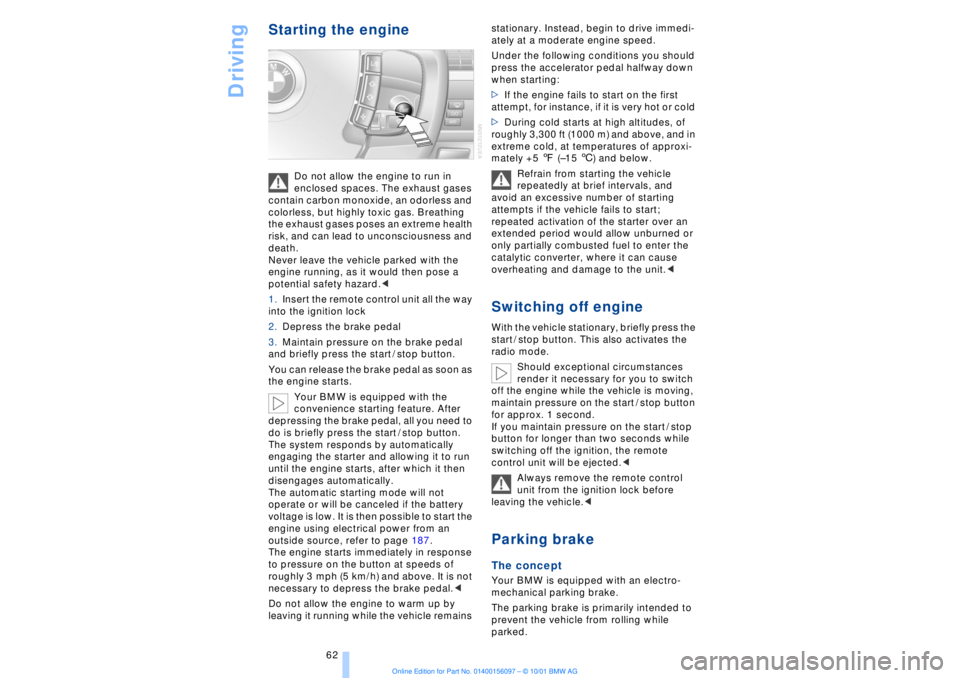
1.Insert the remote control unit all the way
into the ignition lock
2.Depress the brake pedal
3.Maintain pressure on the brake pedal
and briefly press the start / stop button.
You can release the brake pedal as soon as
the engine starts.
Your BMW is equipped with the
convenience starting feature. After
depressing the brake pedal, all you need to
do is briefly press the start / stop button.
The system responds by automatically
engaging the starter and allowing it to run
until the engine starts, after which it then
disengages automatically.
The automatic starting mode will not
operate or will be canceled if the battery
voltage is low. It is then possible to start the
engine using electrical power from an
outside source, refer to page 187.
The engine starts immediately in response
to pressure on the button at speeds of
roughly 3 mph (5 km/h) and above. It is not
necessary to depress the brake pedal.<
Do not allow the engine to warm up by
leaving it running while the vehicle remains stationary. Instead, begin to drive immedi-
ately at a moderate engine speed.
Under the following conditions you should
press the accelerator pedal halfway down
when starting:
>If the engine fails to start on the first
attempt, for instance, if it is very hot or cold
>During cold starts at high altitudes, of
roughly 3,300 ft (1000 m) and above, and in
extreme cold, at temperatures of approxi-
mately +5 7 (Ð15 6) and below.
Refrain from starting the vehicle
repeatedly at brief intervals, and
avoid an excessive number of starting
attempts if the vehicle fails to start;
repeated activation of the starter over an
extended period would allow unburned or
only partially combusted fuel to enter the
catalytic converter, where it can cause
overheating and damage to the unit.<
Switching off engineWith the vehicle stationary, briefly press the
start / stop button. This also activates the
radio mode.
Should exceptional circumstances
render it necessary for you to switch
off the engine while the vehicle is moving,
maintain pressure on the start / stop button
for approx. 1 second.
If you maintain pressure on the start / stop
button for longer than two seconds while
switching off the ignition, the remote
control unit will be ejected.<
Always remove the remote control
unit from the ignition lock before
leaving the vehicle.< Parking brake The concept Your BMW is equipped with an electro-
mechanical parking brake.
The parking brake is primarily intended to
prevent the vehicle from rolling while
parked.
Page 64 of 208
At a glanceControlsDriving tipsCommunicationsNavigationEntertainmentMobilityReference
63
You have two separate options for
engaging the parking brake:
>Manually, by briefly pressing the button
>Automatically, through activation of the
Automatic Hold mode, refer to next
column.
An electrohydraulic mechanism then
engages the parking brakes to prevent the
rear wheels from turning whenever you
switch off the engine.
When the engine is running, parking brake
engagement is controlled by the brake
system's hydraulic circuits, which act on
the disc brakes at the front and rear
wheels. Brake pedal feel Because this function is activated using the
brake system's hydraulic circuits, the
response of the brake pedal may change
slightly. Engagement may also be accom-
panied by activation noise Ð this is normal. Manual engagement
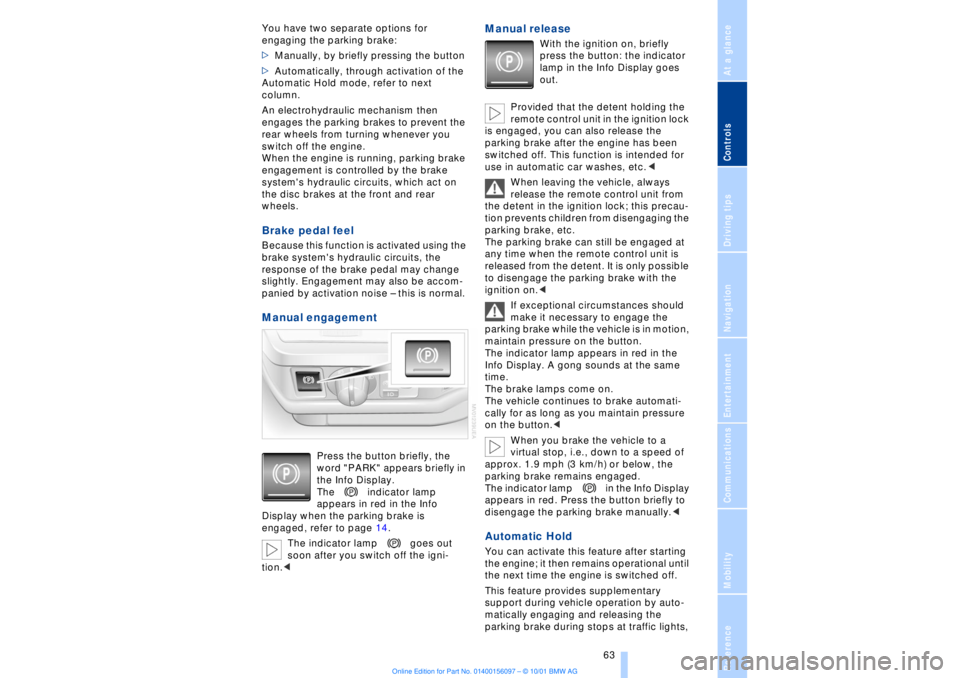
Press the button briefly, the
word "PARK" appears briefly in
the Info Display.
The indicator lamp
appears in red in the Info
Display when the parking brake is
engaged, refer to page 14.
The indicator lamp goes out
soon after you switch off the igni-
tion.<
Manual release
With the ignition on, briefly
press the button: the indicator
lamp in the Info Display goes
out.
Provided that the detent holding the
remote control unit in the ignition lock
is engaged, you can also release the
parking brake after the engine has been
switched off. This function is intended for
use in automatic car washes, etc.<
When leaving the vehicle, always
release the remote control unit from
the detent in the ignition lock; this precau-
tion prevents children from disengaging the
parking brake, etc.
The parking brake can still be engaged at
any time when the remote control unit is
released from the detent. It is only possible
to disengage the parking brake with the
ignition on.<
If exceptional circumstances should
make it necessary to engage the
parking brake while the vehicle is in motion,
maintain pressure on the button.
The indicator lamp appears in red in the
Info Display. A gong sounds at the same
time.
The brake lamps come on.
The vehicle continues to brake automati-
cally for as long as you maintain pressure
on the button.<
When you brake the vehicle to a
virtual stop, i.e., down to a speed of
approx. 1.9 mph (3 km/h) or below, the
parking brake remains engaged.
The indicator lamp in the Info Display
appears in red. Press the button briefly to
disengage the parking brake manually.<
Automatic Hold You can activate this feature after starting
the engine; it then remains operational until
the next time the engine is switched off.
This feature provides supplementary
support during vehicle operation by auto-
matically engaging and releasing the
parking brake during stops at traffic lights,
Page 65 of 208
Driving
64 in stop-and-go traffic, etc. As the vehicle
then no longer tends to "creep" when a
driving position is engaged, it is no longer
necessary to hold the vehicle by
depressing the brake pedal.
It prevents the vehicle from rolling back-
ward during uphill starts.
The parking brake also engages automati-
cally when you switch off the engine after
stopping the vehicle.
You can activate and deactivate the Auto-
matic Hold feature by selecting the
"Settings" menu in the Control Center. A
description of the Control Center is
provided on page 19.
Automatic Hold activation /
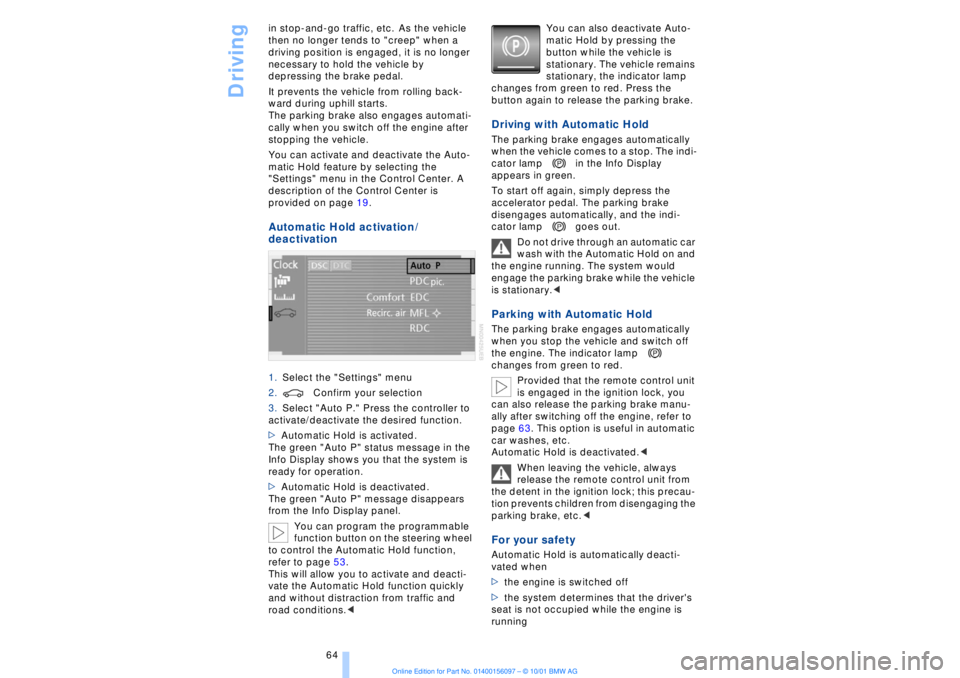
deactivation 1.Select the "Settings" menu
2.Confirm your selection
3.Select "Auto P." Press the controller to
activate/deactivate the desired function.
>Automatic Hold is activated.
The green "Auto P" status message in the
Info Display shows you that the system is
ready for operation.
>Automatic Hold is deactivated.
The green "Auto P" message disappears
from the Info Display panel.
You can program the programmable
function button on the steering wheel
to control the Automatic Hold function,
refer to page 53.
This will allow you to activate and deacti-
vate the Automatic Hold function quickly
and without distraction from traffic and
road conditions.< You can also deactivate Auto-
matic Hold by pressing the
button while the vehicle is
stationary. The vehicle remains
stationary, the indicator lamp
changes from green to red. Press the
button again to release the parking brake.
Driving with Automatic Hold The parking brake engages automatically
when the vehicle comes to a stop. The indi-
cator lamp in the Info Display
appears in green.
To start off again, simply depress the
accelerator pedal. The parking brake
disengages automatically, and the indi-
cator lamp goes out.
Do not drive through an automatic car
wash with the Automatic Hold on and
the engine running. The system would
engage the parking brake while the vehicle
is stationary.
the engine. The indicator lamp
changes from green to red.
Provided that the remote control unit
is engaged in the ignition lock, you
can also release the parking brake manu-
ally after switching off the engine, refer to
page 63. This option is useful in automatic
car washes, etc.
Automatic Hold is deactivated.<
When leaving the vehicle, always
release the remote control unit from
the detent in the ignition lock; this precau-
tion prevents children from disengaging the
parking brake, etc.
>the engine is switched off
>the system determines that the driver's
seat is not occupied while the engine is
running
Page 67 of 208
Driving
66
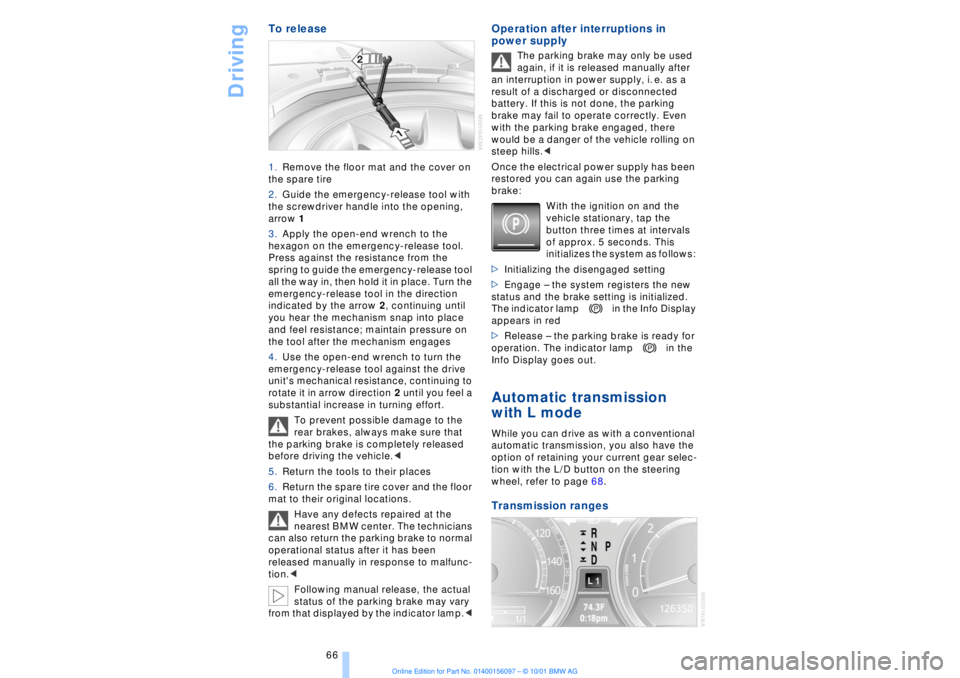
To release 1.Remove the floor mat and the cover on
the spare tire
2.Guide the emergency-release tool with
the screwdriver handle into the opening,
arrow 1
3.Apply the open-end wrench to the
hexagon on the emergency-release tool.
Press against the resistance from the
spring to guide the emergency-release tool
all the way in, then hold it in place. Turn the
emergency-release tool in the direction
indicated by the arrow 2, continuing until
you hear the mechanism snap into place
and feel resistance; maintain pressure on
the tool after the mechanism engages
4.Use the open-end wrench to turn the
emergency-release tool against the drive
unit's mechanical resistance, continuing to
rotate it in arrow direction 2 until you feel a
substantial increase in turning effort.
To prevent possible damage to the
rear brakes, always make sure that
the parking brake is completely released
before driving the vehicle.<
5.Return the tools to their places
6.Return the spare tire cover and the floor
mat to their original locations.
Have any defects repaired at the
nearest BMW center. The technicians
can also return the parking brake to normal
operational status after it has been
released manually in response to malfunc-
tion.<
Following manual release, the actual
status of the parking brake may vary
from that displayed by the indicator lamp.<
Operation after interruptions in
power supply
The parking brake may only be used
again, if it is released manually after
an interruption in power supply, i. e. as a
result of a discharged or disconnected
battery. If this is not done, the parking
brake may fail to operate correctly. Even
with the parking brake engaged, there
would be a danger of the vehicle rolling on
steep hills.<
Once the electrical power supply has been
restored you can again use the parking
brake:
With the ignition on and the
vehicle stationary, tap the
button three times at intervals
of approx. 5 seconds. This
initializes the system as follows:
>Initializing the disengaged setting
>Engage Ð the system registers the new
status and the brake setting is initialized.
The indicator lamp in the Info Display
appears in red
>Release Ð the parking brake is ready for
operation. The indicator lamp in the
Info Display goes out.
Automatic transmission
with L mode While you can drive as with a conventional
automatic transmission, you also have the
option of retaining your current gear selec-
tion with the L/D button on the steering
wheel, refer to page 68. Transmission ranges
Page 68 of 208
At a glanceControlsDriving tipsCommunicationsNavigationEntertainmentMobilityReference
67
P R N D Program displayL1 Ð L6 Buttons on steering wheel L/D Ð Selecting transmission range
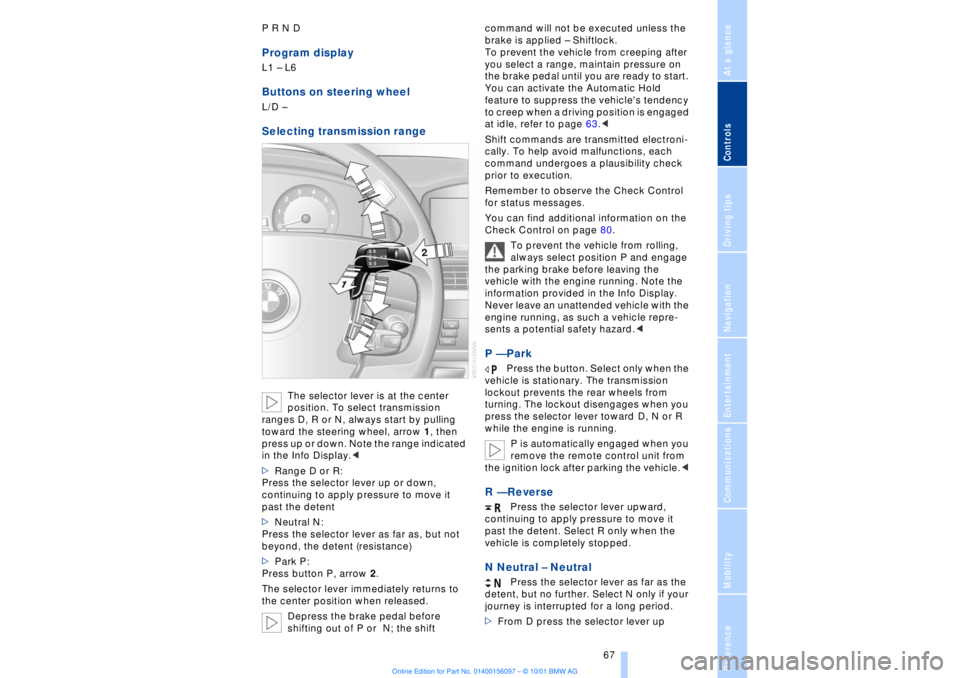
The selector lever is at the center
position. To select transmission
ranges D, R or N, always start by pulling
toward the steering wheel, arrow 1, then
press up or down. Note the range indicated
in the Info Display.<
>Range D or R:
Press the selector lever up or down,
continuing to apply pressure to move it
past the detent
>Neutral N:
Press the selector lever as far as, but not
beyond, the detent (resistance)
>Park P:
Press button P, arrow 2.
The selector lever immediately returns to
the center position when released.
Depress the brake pedal before
shifting out of P or N; the shift command will not be executed unless the
brake is applied Ð Shiftlock.
To prevent the vehicle from creeping after
you select a range, maintain pressure on
the brake pedal until you are ready to start.
You can activate the Automatic Hold
feature to suppress the vehicle's tendency
to creep when a driving position is engaged
at idle, refer to page 63.<
Shift commands are transmitted electroni-
cally. To help avoid malfunctions, each
command undergoes a plausibility check
prior to execution.
Remember to observe the Check Control
for status messages.
You can find additional information on the
Check Control on page 80.
To prevent the vehicle from rolling,
always select position P and engage
the parking brake before leaving the
vehicle with the engine running. Note the
information provided in the Info Display.
Never leave an unattended vehicle with the
engine running, as such a vehicle repre-
sents a potential safety hazard.<
P Ñ Park
Press the button. Select only when the
vehicle is stationary. The transmission
lockout prevents the rear wheels from
turning. The lockout disengages when you
press the selector lever toward D, N or R
while the engine is running.
P is automatically engaged when you
remove the remote control unit from
the ignition lock after parking the vehicle.<
R Ñ Reverse
Press the selector lever upward,
continuing to apply pressure to move it
past the detent. Select R only when the
vehicle is completely stopped.
N Neutral Ð Neutral
Press the selector lever as far as the
detent, but no further. Select N only if your
journey is interrupted for a long period.
>From D press the selector lever up
Page 69 of 208
Driving
68 >From R press the selector lever down.
Note the arrows indicating direction in the
range display.
N is selected automatically whenever
the remote control unit remains
locked in the ignition lock after the ignition
is switched off. This function is useful in
automatic car washes, etc.
After approx. 30 minutes the system auto-
matically engages P. Remember to
observe the Check Control for status
messages.<
D Drive Ð Automatic
Press the selector lever down,
continuing to apply pressure to move it
past the detent. This is the range recom-
mended for normal vehicle operation. All
forward gears are available.
Kickdown The kickdown mode provides maximum
acceleration. Press the accelerator pedal
beyond full-throttle detent point. L mode We recommend the L mode for times when
you wish to suppress certain shifts, for
instance, when ascending or descending
steep grades. When the L mode is activated the transmis-
sion remains in your current gear, which
also appears in the Info Display, refer to
page 67. The transmission continues to
shift through the available ratios, but does
not proceed beyond the gear in the display.
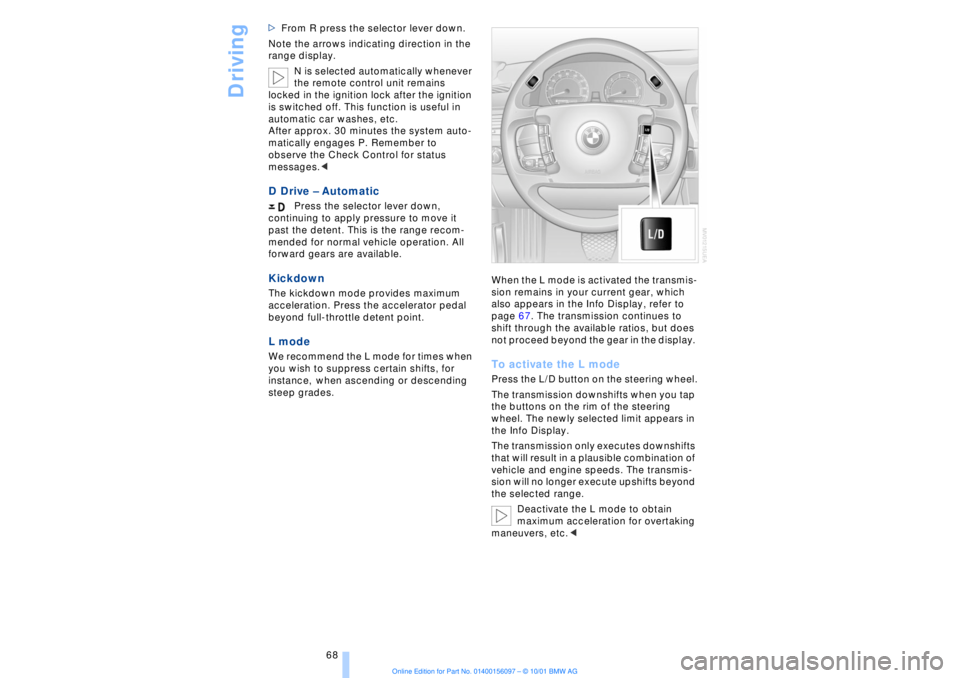
To activate the L mode Press the L/D button on the steering wheel.
The transmission downshifts when you tap
the buttons on the rim of the steering
wheel. The newly selected limit appears in
the Info Display.
The transmission only executes downshifts
that will result in a plausible combination of
vehicle and engine speeds. The transmis-
sion will no longer execute upshifts beyond
the selected range.
Deactivate the L mode to obtain
maximum acceleration for overtaking
maneuvers, etc.<
Page 73 of 208
Driving
72
1 Standard wiper speed The system automatically reverts to opera-
tion in the intermittent mode whenever the
vehicle stops. Fast wiper speed You can also select this position by
pressing the lever upward past the detent.
The system automatically reverts to opera-
tion in the standard wipe mode whenever
the vehicle stops. 4 Clean windshield The system sprays washer fluid against the
windshield and activates the wipers for a
brief period. Cleaning headlamps >Each fifth time you press into position 4
to wash the windshield while the head-
lamps are on.
Do not use the washers if there is any
danger that the fluid will freeze on the
windshield. If you do so, your vision could
be obscured. To avoid freezing, use a
washer fluid antifreeze, refer to page 73.
Avoid activating the washer when the
reservoir is empty, as damage to the pump
could result.< Windshield washer nozzles The windshield washer nozzles and the
windshield itself in the area around the
wipers are heated automatically when the
ignition is switched on. Rain sensor
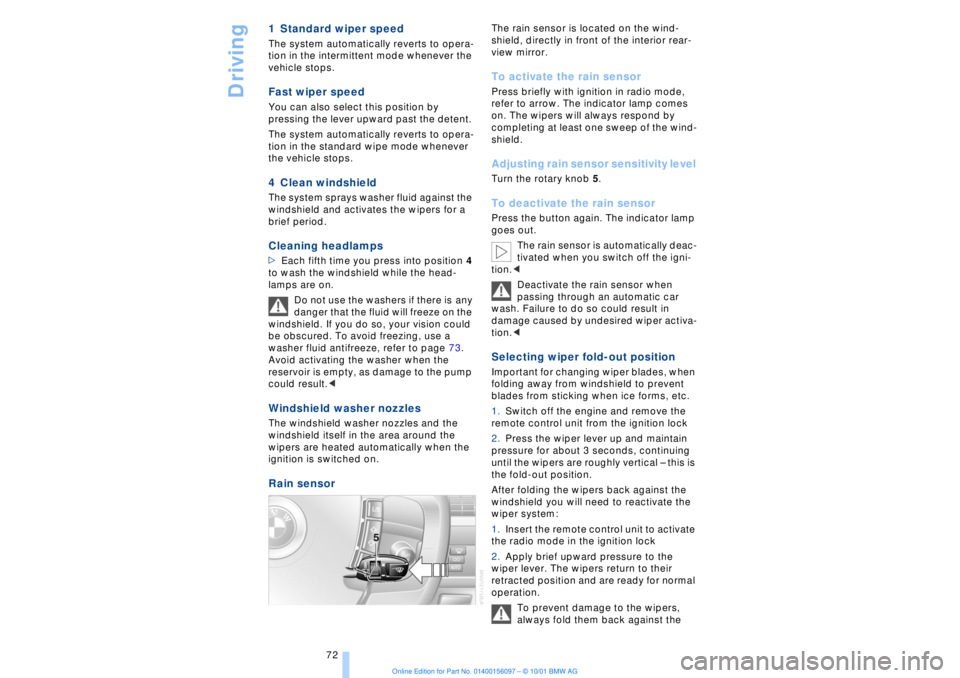
The rain sensor is located on the wind-
shield, directly in front of the interior rear-
view mirror. To activate the rain sensor Press briefly with ignition in radio mode,
refer to arrow. The indicator lamp comes
on. The wipers will always respond by
completing at least one sweep of the wind-
shield. Adjusting rain sensor sensitivity level Turn the rotary knob 5. To deactivate the rain sensor Press the button again. The indicator lamp
goes out.
The rain sensor is automatically deac-
tivated when you switch off the igni-
tion.<
Deactivate the rain sensor when
passing through an automatic car
wash. Failure to do so could result in
damage caused by undesired wiper activa-
tion.< Selecting wiper fold-out position Important for changing wiper blades, when
folding away from windshield to prevent
blades from sticking when ice forms, etc.
1.Switch off the engine and remove the
remote control unit from the ignition lock
2.Press the wiper lever up and maintain
pressure for about 3 seconds, continuing
until the wipers are roughly vertical Ð this is
the fold-out position.
After folding the wipers back against the
windshield you will need to reactivate the
wiper system:
1.Insert the remote control unit to activate
the radio mode in the ignition lock
2.Apply brief upward pressure to the
wiper lever. The wipers return to their
retracted position and are ready for normal
operation.
To prevent damage to the wipers,
always fold them back against the
Page 74 of 208
At a glanceControlsDriving tipsCommunicationsNavigationEntertainmentMobilityReference
73
windshield before switching on either the
radio mode or the ignition.< Washer fluid Windshield and headlamp washers Capacity: approx. 8.2 quarts (7.8 liters)
Fill with water and Ð if required Ð with a
washer antifreeze (according to manufac-
turer's recommendations).
We recommend that you mix the
washer fluid before adding it to the
reservoir.<
Windshield washer antifreeze is flam-
mable. Always keep it well away from
sparks and open flames, and store it in
tightly closed containers well out of the
reach of children. Always observe the
instructions for use provided on the
container.< Programmable cruise
control The concept The programmable cruise control is avail-
able for use at speeds of approx. 18 mph
(30 km/h) and higher. The vehicle maintains
and stores the speed that you set using the
lever mounted on the steering column.
You can also use the multilevel preset
mode to store 6 speeds for later selection
with the lever on the steering column, refer
to page 75. This feature assists you in quickly adapting
vehicle speed to specific road conditions,
for instance, changes in speed limits.
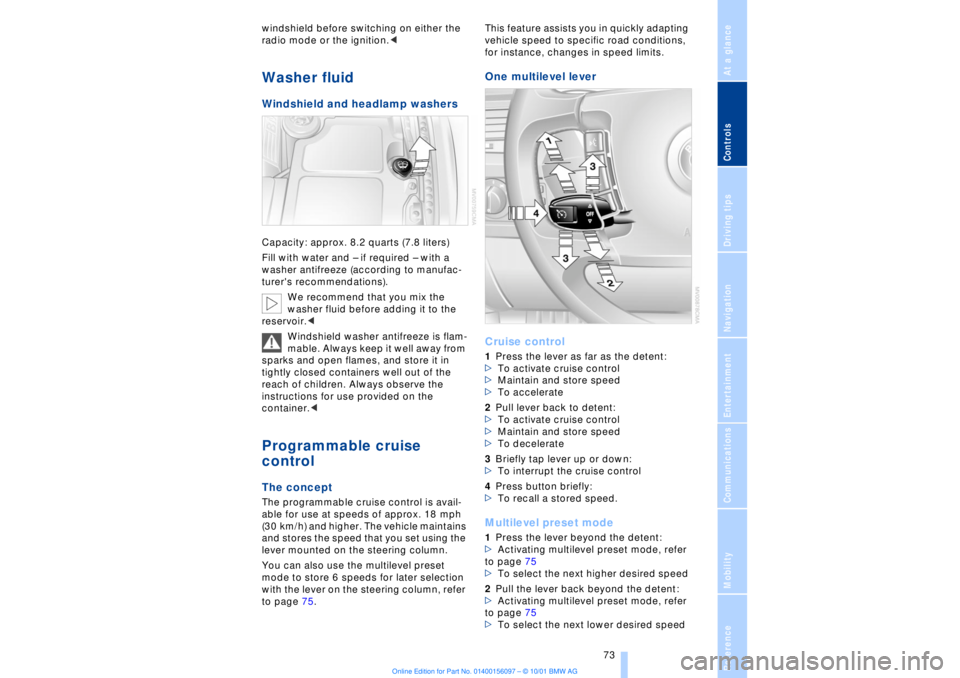
One multilevel lever
Cruise control 1Press the lever as far as the detent:
>To activate cruise control
>Maintain and store speed
>To accelerate
2Pull lever back to detent:
>To activate cruise control
>Maintain and store speed
>To decelerate
3Briefly tap lever up or down:
>To interrupt the cruise control
4Press button briefly:
>To recall a stored speed. Multilevel preset mode 1Press the lever beyond the detent:
>Activating multilevel preset mode, refer
to page 75
>To select the next higher desired speed
2Pull the lever back beyond the detent:
>Activating multilevel preset mode, refer
to page 75
>To select the next lower desired speed