2002 BMW 745LI SEDAN manual transmission
[x] Cancel search: manual transmissionPage 3 of 208
Inhaltsverzeichnis
Contents
Notes
6Using this Owner's Manual
6Symbols used
7The individual vehicle
7Editorial notice
8For you own safety
9REPORTING SAFETY DEFECTS
Cockpit
12Driver's side Ð Controls and displays
16Comfort and convenience Ð Controls
and displays
18Buttons in steering wheel
Control Center
19The concept
19Controller
19Control Display
20Symbols and lists
22Menus in Control Display
23Assistance window*
Voice command
25Voice command system*
25Voice commands
27Notices
27The notebook
29Brief commands
Opening and closing
34Keys
35Central locking system
35Opening and closing Ð from outside
37Opening and closing Ð from inside
38Doors
38Luggage compartment lid 40Luggage compartment
40Alarm system
42Electric power windows
43Sliding/tilt sunroof*
Adjustments
45Correct sitting position
45Seats
48Head restraints
50Safety belts
50Heated seats*
51Active seat ventilation*
52Active seat*
52Mirror
53Steering wheel adjustment
54Seat, mirror and steering wheel
memory
55Airbags
57Transporting children safely
58LATCH child-restraint system
59Child-safety locks
59Car Memory, Key Memory
Driving
61Ignition lock
62Starting the engine
62Switching off engine
62Parking brake
66Automatic transmission with L mode
69Automatic transmission with
Steptronic
71Turn signal indicators/headlamp
flasher
71Wiper system
73Washer fluid
© 2001 Bayerische Motoren Werke
Aktiengesellschaft
Munich, Germany
Reprints, in whole or part, approved
exclusively with written permission of
BMW AG, Munich.
Order No. 01 40 0 156 097
US X/2001
Printed in Germany
Printed on environmentally friendly paper
(bleached without chlorine, suitable for
recycling).
Page 19 of 208
Cockpit
18
Buttons in steering wheel Buttons are integrated within the steering
wheel to allow convenient control of the
following systems, with minimal driver
distraction from road and traffic conditions:
>The automatic transmission's L mode
>Selected radio functions
>Selected mobile phone functions
>The voice command system.
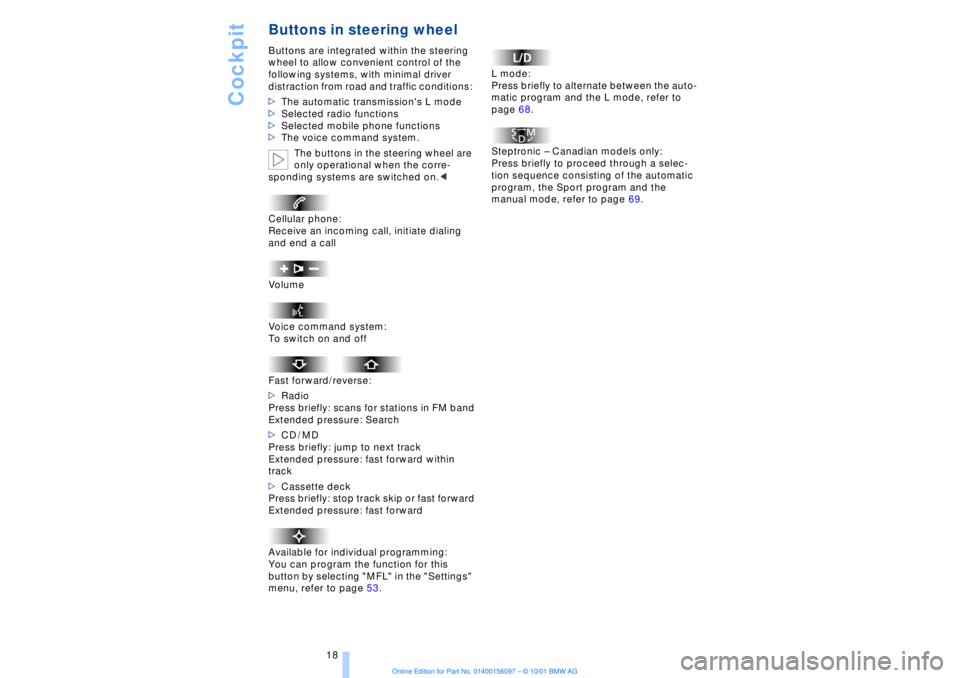
The buttons in the steering wheel are
only operational when the corre-
sponding systems are switched on.<
Cellular phone:
Receive an incoming call, initiate dialing
and end a call
Volume
Voice command system:
To switch on and off
Fast forward/reverse:
>Radio
Press briefly: scans for stations in FM band
Extended pressure: Search
>CD / MD
Press briefly: jump to next track
Extended pressure: fast forward within
track
>Cassette deck
Press briefly: stop track skip or fast forward
Extended pressure: fast forward
Available for individual programming:
You can program the function for this
button by selecting "MFL" in the "Settings"
menu, refer to page 53. L mode:
Press briefly to alternate between the auto-
matic program and the L mode, refer to
page 68.
Steptronic Ð Canadian models only:
Press briefly to proceed through a selec-
tion sequence consisting of the automatic
program, the Sport program and the
manual mode, refer to page 69.
Page 66 of 208
At a glanceControlsDriving tipsCommunicationsNavigationEntertainmentMobilityReference
65
>the hood is opened while the engine is
running
>the luggage compartment is opened
with the transmission in reverse while the
engine is running, and
>when the parking brake is used to bring
the vehicle to a stop.
The indicator lamp shifts from green
to red, and the "Auto P" message disap-
pears from the Info Display.
Before starting off again, briefly press the
button to disengage the parking brake
manually, refer to page 63, or reactivate
Automatic Hold, refer to page 64.
Before leaving the vehicle with the
engine running, always move the
automatic transmission's selector lever to
position P and ensure that the parking
brake is engaged. The vehicle could start to
roll if you fail to observe these precautions.
Never leave an unattended vehicle with the
engine running, as such a vehicle repre-
sents a potential safety hazard.<
Automatic Hold is automatically
deactivated whenever the system
detects any tendency for the wheels to spin
in response to slippery road surfaces. Note
the status displays in the Check Control
panel. You can find more detailed informa-
tion on Check Control on page 80.< Malfunctions In the event of malfunction, the indicator
lamp in the Info Display will light up
yellow, and a status report will appear in
the Check Control panel. Please remember
to observe the supplementary information
provided in the Control Display. To disengage the parking brake
manually You can respond to any interruptions in the
supply of electrical power, for instance, if
the battery is discharged or disconnected,
by releasing the parking brake manually.
Before proceeding to release the
parking brake manually, and each
time you park the vehicle without engaging the parking brake, always ensure that the
automatic transmission's selector lever is
in position P, refer to page 66. Note the
range indicated in the Info Display.
If it is not possible to avoid parking on an
extremely steep slope, use some supple-
mentary means, such as a wheel chock, to
make certain that the vehicle will not roll,
refer to page 184. Otherwise the danger
exists that the vehicle could roll when
parked on a very steep hill.<
Should it be necessary to release the auto-
matic transmission's lockout manually, for
instance, if the battery is discharged,
always adhere to the following sequence:
1.If necessary, start by manually releasing
the parking brake
2.Then release the automatic transmis-
sion's lockout manually, refer to page 70.
Towing and jump-starting, refer to
pages 187 and 188.
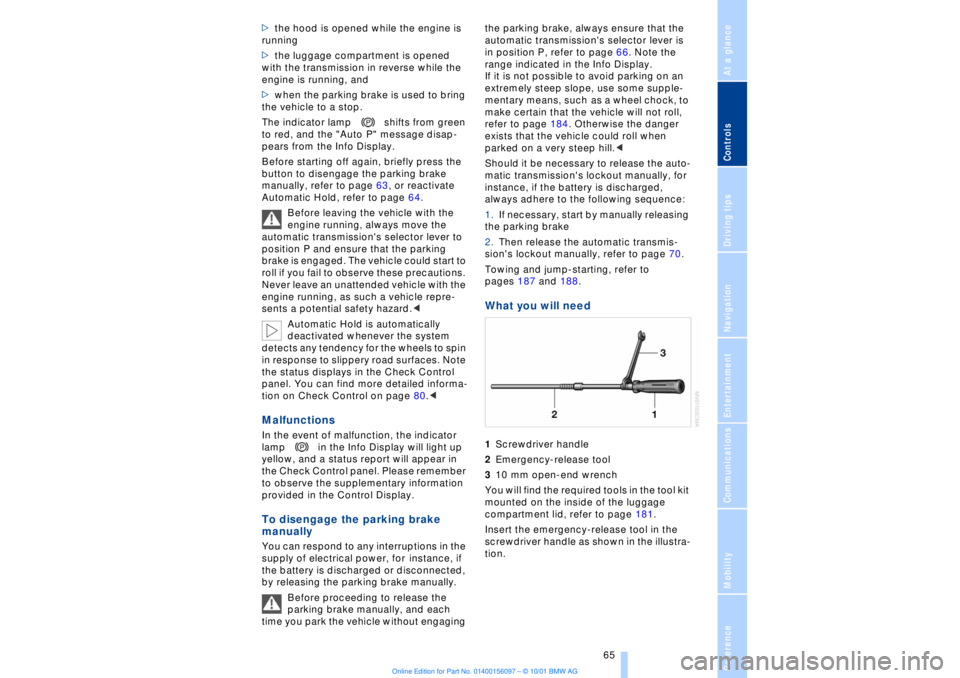
What you will need 1Screwdriver handle
2Emergency-release tool
310 mm open-end wrench
You will find the required tools in the tool kit
mounted on the inside of the luggage
compartment lid, refer to page 181.
Insert the emergency-release tool in the
screwdriver handle as shown in the illustra-
tion.
Page 67 of 208
Driving
66
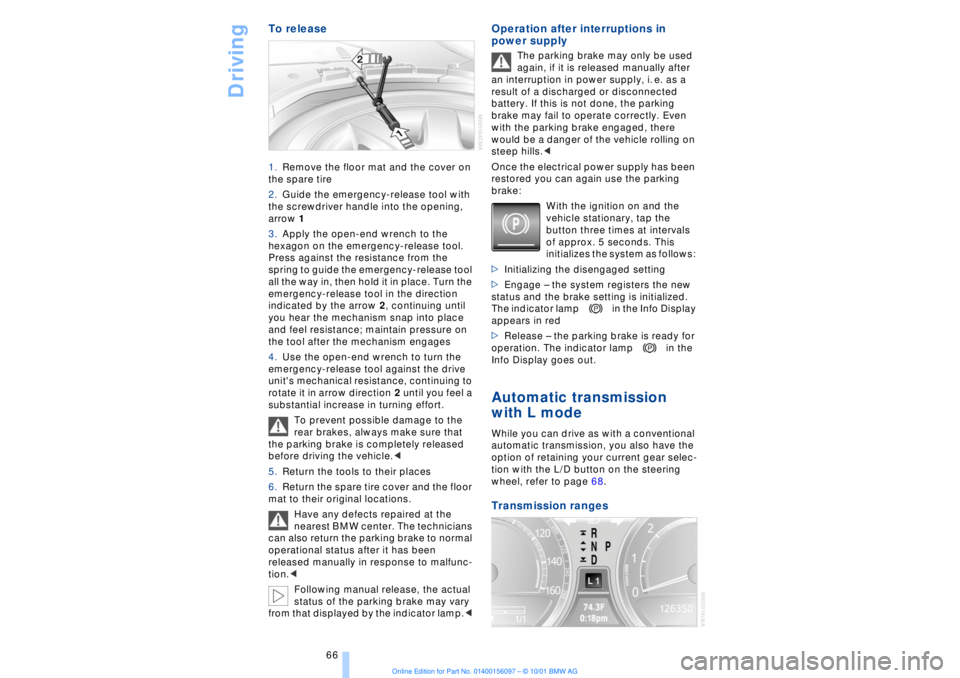
To release 1.Remove the floor mat and the cover on
the spare tire
2.Guide the emergency-release tool with
the screwdriver handle into the opening,
arrow 1
3.Apply the open-end wrench to the
hexagon on the emergency-release tool.
Press against the resistance from the
spring to guide the emergency-release tool
all the way in, then hold it in place. Turn the
emergency-release tool in the direction
indicated by the arrow 2, continuing until
you hear the mechanism snap into place
and feel resistance; maintain pressure on
the tool after the mechanism engages
4.Use the open-end wrench to turn the
emergency-release tool against the drive
unit's mechanical resistance, continuing to
rotate it in arrow direction 2 until you feel a
substantial increase in turning effort.
To prevent possible damage to the
rear brakes, always make sure that
the parking brake is completely released
before driving the vehicle.<
5.Return the tools to their places
6.Return the spare tire cover and the floor
mat to their original locations.
Have any defects repaired at the
nearest BMW center. The technicians
can also return the parking brake to normal
operational status after it has been
released manually in response to malfunc-
tion.<
Following manual release, the actual
status of the parking brake may vary
from that displayed by the indicator lamp.<
Operation after interruptions in
power supply
The parking brake may only be used
again, if it is released manually after
an interruption in power supply, i. e. as a
result of a discharged or disconnected
battery. If this is not done, the parking
brake may fail to operate correctly. Even
with the parking brake engaged, there
would be a danger of the vehicle rolling on
steep hills.<
Once the electrical power supply has been
restored you can again use the parking
brake:
With the ignition on and the
vehicle stationary, tap the
button three times at intervals
of approx. 5 seconds. This
initializes the system as follows:
>Initializing the disengaged setting
>Engage Ð the system registers the new
status and the brake setting is initialized.
The indicator lamp in the Info Display
appears in red
>Release Ð the parking brake is ready for
operation. The indicator lamp in the
Info Display goes out.
Automatic transmission
with L mode While you can drive as with a conventional
automatic transmission, you also have the
option of retaining your current gear selec-
tion with the L/D button on the steering
wheel, refer to page 68. Transmission ranges
Page 70 of 208
At a glanceControlsDriving tipsCommunicationsNavigationEntertainmentMobilityReference
69
To deactivate the L mode >Press the L/D button or
>press the selector lever into position D
once again. Automatic transmission
with Steptronic Canadian models only While you can drive as with any conven-
tional automatic transmission, you also
enjoy the option of shifting manually at the
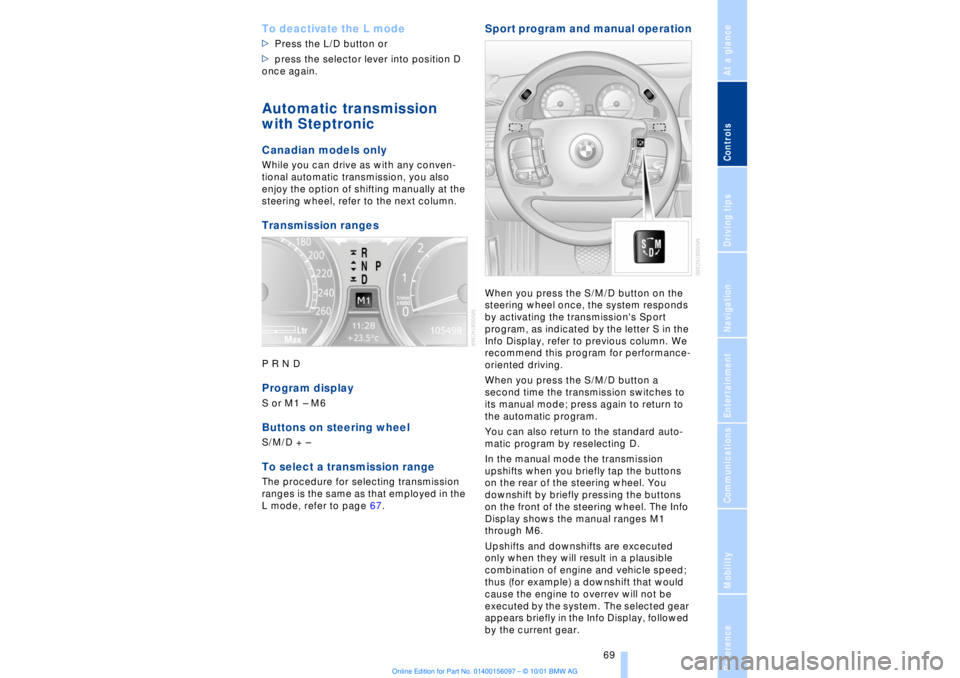
steering wheel, refer to the next column. Transmission rangesP R N D Program displayS or M1 Ð M6Buttons on steering wheel S/M/D + Ð To select a transmission range The procedure for selecting transmission
ranges is the same as that employed in the
L mode, refer to page 67.
Sport program and manual operationWhen you press the S/M/D button on the
steering wheel once, the system responds
by activating the transmission's Sport
program, as indicated by the letter S in the
Info Display, refer to previous column. We
recommend this program for performance-
oriented driving.
When you press the S/M/D button a
second time the transmission switches to
its manual mode; press again to return to
the automatic program.
You can also return to the standard auto-
matic program by reselecting D.
In the manual mode the transmission
upshifts when you briefly tap the buttons
on the rear of the steering wheel. You
downshift by briefly pressing the buttons
on the front of the steering wheel. The Info
Display shows the manual ranges M1
through M6.
Upshifts and downshifts are excecuted
only when they will result in a plausible
combination of engine and vehicle speed;
thus (for example) a downshift that would
cause the engine to overrev will not be
executed by the system. The selected gear
appears briefly in the Info Display, followed
by the current gear.
Page 71 of 208
Driving
70 To obtain maximum acceleration (for
passing maneuvers, etc.) during
operation in the manual mode, use the
kickdown or downshift manually.<
Malfunctions A status message will appear in the Check
Control panel to alert you to any malfunc-
tions in the transmission-control system.
Please note any supplementary information
that appears in the Control Display. The
directional arrows also start to flash in the
Info Display.
While it will remain still possible to move
the selector lever to any desired position,
the transmission will revert to operation in
its default mode with only a limited number
of forward gears.
Some types of malfunction will make it
impossible to engage all gears.
The engine may respond with reduced
output when accelerating from a standing
start.
If this happens, avoid extreme engine loads
and consult the nearest BMW center.
If no status messages appear in the
Info Display you should accelerate
carefully to confirm that you are driving in
the desired direction.
Never work in the engine compartment
with any of the forward or reverse gears
engaged, as the vehicle could start to
move. Engage the parking brake, refer to
page 62.< Manual release of transmission
lockout You can respond to any interruptions in the
supply of electrical power, for instance, if
the battery is discharged or disconnected,
by releasing the transmission lockout
manually.
To prevent the drive wheels from
locking up and sliding, the transmis-
sion lockout must always be released
manually before the vehicle is towed.<
Press the brake pedal before
releasing the transmission lockout manually. If the brakes are not applied, the
vehicle could start to roll if parked on a
steep slope.
The transmission lockout should only be
released for towing. Remember to engage
the transmission lockout when you repark
the vehicle after moving it.
Should it also be necessary to release the
parking brake manually (owing to a
discharged battery, etc.), always adhere to
the following sequence:
1.Start by manually releasing the parking
brake, refer to page 65
2.Then proceed to manually release the
transmission lockout.<
Jump-starting and towing, refer to
pages 187 and 188.
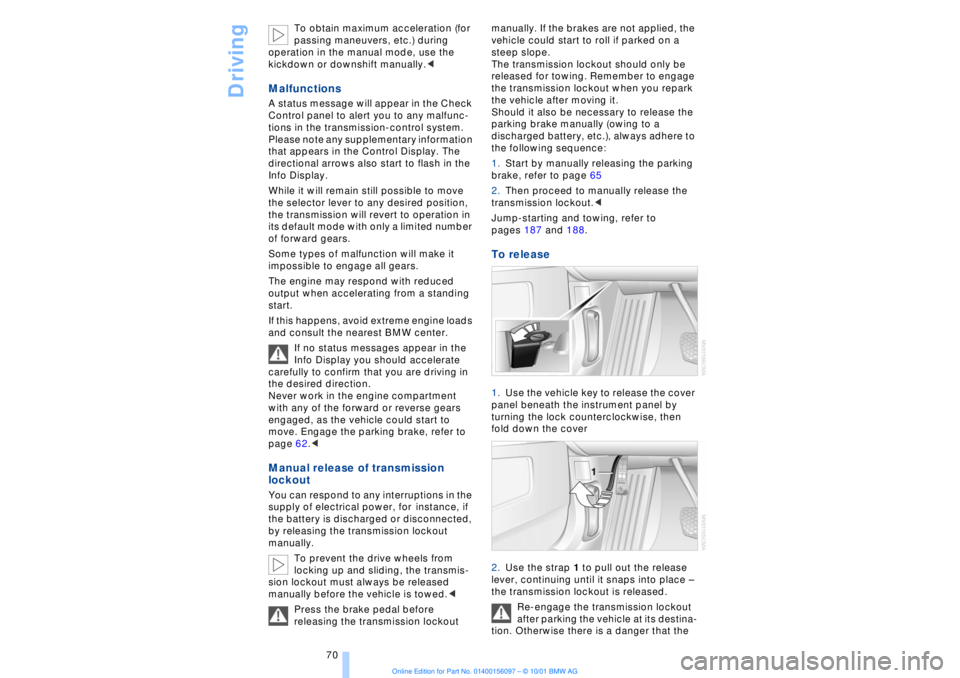
To release 1.Use the vehicle key to release the cover
panel beneath the instrument panel by
turning the lock counterclockwise, then
fold down the cover
2.Use the strap 1 to pull out the release
lever, continuing until it snaps into place Ð
the transmission lockout is released.
Re-engage the transmission lockout
after parking the vehicle at its destina-
tion. Otherwise there is a danger that the
Page 120 of 208
At a glanceControlsDriving tipsCommunicationsNavigationEntertainmentMobilityReference
119
Brake system Braking with ABS The best way to achieve optimal response
from the ABS is to apply maximum pres-
sure to the brake pedal during emergencyÐ
panic stops. Since the vehicle maintains
steering responsiveness, you can never-
theless avoid possible obstacles with a
minimum of steering effort.
Pulsation at the brake pedal combines with
sounds from the hydraulic circuits to indi-
cate to the driver that ABS is in its active
mode.
Do not drive with your foot resting on
the brake pedal. Even light but
consistent pedal pressure can lead to high
temperatures, brake wear and possibly
even brake failure.< Disc brakes
Driving in wet conditions While driving in wet conditions and in
heavy rain, it is a good idea to apply light
pressure to the brake pedal every few
miles. Monitor traffic conditions to ensure
that this maneuver does not endanger
other road users. The heat generated in this
process helps dry the pads and rotors to
ensure that full braking efficiency will then
be available when you need it. Hills You can retain full and unimpaired braking
efficiency by downshifting to a gear in
which only minimal brake applications are
needed when descending long or steep
downhill stretches.
You can further enhance the engine's
braking effect by selecting a lower gear in
the automatic transmission's manual
mode, downshifting as far as first gear on
extremely steep stretches, refer to
page 68. This strategy helps you avoid
placing excessive loads on the brake
system.
Corrosion When the vehicle is driven only occasion-
ally, during extended periods when the
vehicle is not used at all, and in operating
conditions where brake applications are
less frequent, there is an increased
tendency for corrosion to form on rotors,
while contaminants accumulate on the
brake pads. This occurs because the
minimal pressure which must be exerted by
the pads during brake applications to clean
the rotors is not reached.
Should corrosion form on the brake rotors,
the brakes will tend to respond with a
pulsating effect that even extended appli-
cation will fail to cure.
Never allow the vehicle to coast with
the transmission in neutral Ð or with
the engine switched off; there is no engine
braking when the transmission is in neutral,
and no power-assist for brakes and
steering when the engine is not running.
Never allow floor mats, carpets or any other
objects to protrude into the area around the
accelerator and brake pedals and obstruct
their movement.< Brake pads
If the brake pad wear indicator lamp
appears in the Check Control,
accompanied by a text: please take
careful note of the additional information in
the Control Display panel.
Warning lamp for Canadian models.
The brake pads have reached their
minimum pad thickness. Have them
replaced at your BMW center as soon as
possible.
For your own safety: use only brake
pads that BMW has released for your
particular vehicle model. Because BMW
cannot assess the suitability of other brake
pads for use on your vehicle, we are unable
to assume continued responsibility for the
vehicle's operating safety if non-approved
pads are installed.<
Page 144 of 208
At a glanceControlsDriving tipsCommunicationsNavigationEntertainmentMobilityReference
143
RadioSelect the frequency bandYour radio provides reception of FM and
AM wavebands.
AM provides good long-range reception,
as its broadcast signals are not only propa-
gated at ground level as surface waves, but
also reflected from the ionosphere as
atmospheric waves.
FM furnishes substantially better acoustic
quality than AM broadcasts. However,
transmission range is limited, as FM relies
on line-of-sight broadcast signals.
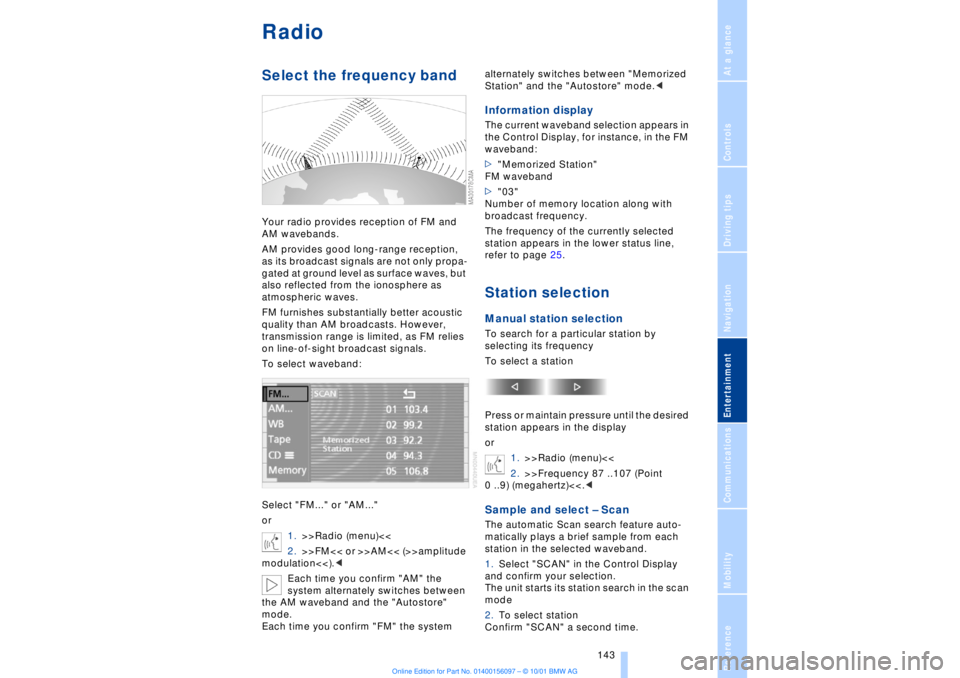
To select waveband:
Select "FM..." or "AM..."
or
1.>>Radio (menu)<<
2.>>FM<< or >>AM<< (>>amplitude
modulation<<).<
Each time you confirm "AM" the
system alternately switches between
the AM waveband and the "Autostore"
mode.
Each time you confirm "FM" the system alternately switches between "Memorized
Station" and the "Autostore" mode.<
Information displayThe current waveband selection appears in
the Control Display, for instance, in the FM
waveband:
>"Memorized Station"
FM waveband
>"03"
Number of memory location along with
broadcast frequency.
The frequency of the currently selected
station appears in the lower status line,
refer to page 25.Station selectionManual station selectionTo search for a particular station by
selecting its frequency
To select a station
Press or maintain pressure until the desired
station appears in the display
or
1.>>Radio (menu)<<
2.>>Frequency 87 ..107 (Point
0 ..9) (megahertz)<<.
station in the selected waveband.
1.Select "SCAN" in the Control Display
and confirm your selection.
The unit starts its station search in the scan
mode
2.To select station
Confirm "SCAN" a second time.