Page 179 of 208
Under the hood
178
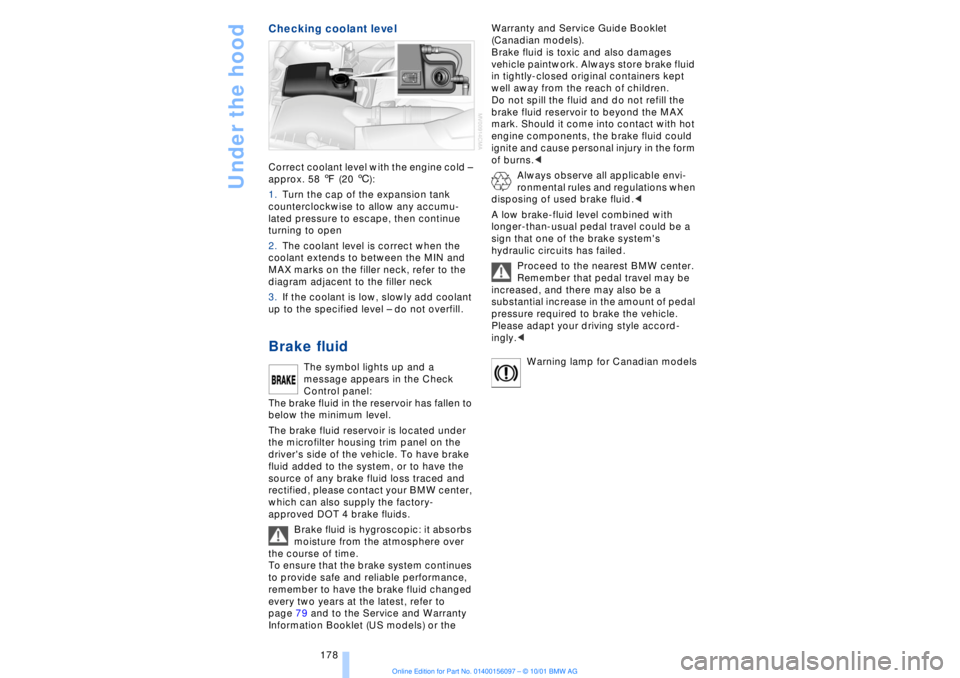
Checking coolant level Correct coolant level with the engine cold Ð
approx. 58 7 (20 6):
1.Turn the cap of the expansion tank
counterclockwise to allow any accumu-
lated pressure to escape, then continue
turning to open
2.The coolant level is correct when the
coolant extends to between the MIN and
MAX marks on the filler neck, refer to the
diagram adjacent to the filler neck
3.If the coolant is low, slowly add coolant
up to the specified level Ð do not overfill. Brake fluid
The symbol lights up and a
message appears in the Check
Control panel:
The brake fluid in the reservoir has fallen to
below the minimum level.
The brake fluid reservoir is located under
the microfilter housing trim panel on the
driver's side of the vehicle. To have brake
fluid added to the system, or to have the
source of any brake fluid loss traced and
rectified, please contact your BMW center,
which can also supply the factory-
approved DOT 4 brake fluids.
Brake fluid is hygroscopic: it absorbs
moisture from the atmosphere over
the course of time.
To ensure that the brake system continues
to provide safe and reliable performance,
remember to have the brake fluid changed
every two years at the latest, refer to
page 79 and to the Service and Warranty
Information Booklet (US models) or the Warranty and Service Guide Booklet
(Canadian models).
Brake fluid is toxic and also damages
vehicle paintwork. Always store brake fluid
in tightly-closed original containers kept
well away from the reach of children.
Do not spill the fluid and do not refill the
brake fluid reservoir to beyond the MAX
mark. Should it come into contact with hot
engine components, the brake fluid could
ignite and cause personal injury in the form
of burns.<
Always observe all applicable envi-
ronmental rules and regulations when
disposing of used brake fluid.<
A low brake-fluid level combined with
longer-than-usual pedal travel could be a
sign that one of the brake system's
hydraulic circuits has failed.
Proceed to the nearest BMW center.
Remember that pedal travel may be
increased, and there may also be a
substantial increase in the amount of pedal
pressure required to brake the vehicle.
Please adapt your driving style accord-
ingly.<
Warning lamp for Canadian models
Page 182 of 208
OverviewControlsDriving tipsCommunicationsNavigationEntertainmentMobilityReference
181
Replacing componentsOnboard tool kitThe onboard tool kit is located in the
luggage compartment lid.
Loosen the wingnut to open. Windshield wiper blades To replace the blades, start by folding the
wipers out and away from the windshield,
refer to page 72.
Use only wiper blades that have been
approved by BMW.< Lamps and bulbsThe lamps and bulbs are essential factors
contributing to the safety of your vehicle.
Therefore, comply fully with the following
instructions during bulb replacement. If you
are not familiar with the specified proce-
dures, have the replacements carried out at
your BMW center.
Never touch the glass on new bulbs
with your bare fingers, as even minute
amounts of contamination will burn into the
bulb's surface and reduce its service life.
Use a clean cloth, napkin, etc., or hold the
bulb by its metal socket.<
You can obtain a selection of replacement
bulbs at your BMW center.
To prevent short circuits, before
working on any electrical system,
equipment or accessory you should always switch it off and disconnect the cable from
the battery's negative terminal before
starting.
To avoid possible injury or equipment
damage when changing bulbs, always
observe any instructions provided by the
bulb manufacturer.<
When caring for your headlamps:
>Do not clean by wiping with a dry
cloth (scratches). Never use abrasives or
strong solvents to clean the covers
>Remove contaminants such as dead
insects by soaking with BMW Shampoo
and then washing off with plenty of water
>Remove ice by thawing with a deicer
spray Ð never use an ice scraper.<
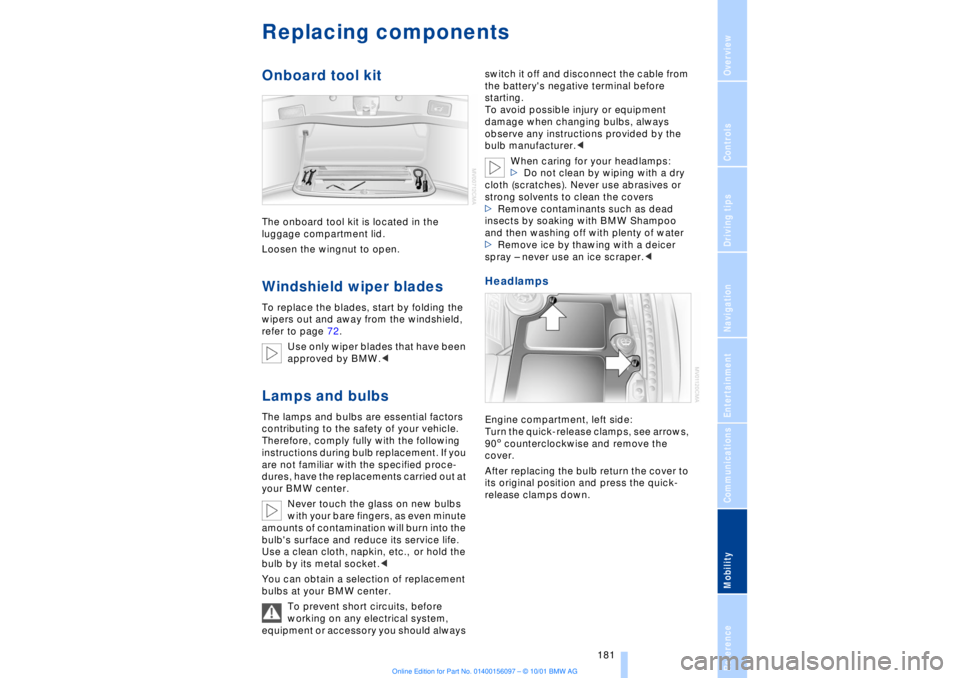
Headlamps Engine compartment, left side:
Turn the quick-release clamps, see arrows,
905 counterclockwise and remove the
cover.
After replacing the bulb return the cover to
its original position and press the quick-
release clamps down.
Page 197 of 208

Everything from A to Z
196 Backup lamp, bulb
replacement 183
Bass 141
Battery 185
Ð discharged 187
Battery switch 185, 186
"BC," refer to Computer 83
Belts 50
Beverage holders 112
Blinds 109
Blower 101
BMW active seat 52
"BMW ASSIST" 19, 22
BMW comfort seat 46
"Booktape" 153
Brake, malfunctions 178
Brake lamp, adaptive 94
Brake lamps, bulb
replacement 183
"Brake pads" 179
Brake pads 119
Brakes 119
Brake system
Ð brake fluid 178
Break-in procedures 118
Brief commands for voice
command system 29
"Brief info" 23
Bulb changes 181
Buttons in steering
wheel 18
CCalifornia Proposition
65 Warning 180
Call
Ð terminating 162
Calling 162
Ð from telephone
directory 163
Ð from the redial list 164
Ð from the Top 8 list 163
Ð redialing 164
Can holders, refer to Bever-
age holders 112
Capacities 194
Car care, refer to Car care
manual
Cargo, securing 120Cargo area
Ð capacity 194
Ð opening from the
inside 39
Car Memory 59
"Car parked" 103, 106
Car radio, see Radio 140
Car wash, refer to separate
Car care manual
Cassette 153
Cassette deck 153
Ð booktape 153
Ð fast-forward mode 154
Ð music search 154
Ð reverse 154
Ð selecting tape side 153
Ð skipping pauses 154
Ð switching on 153
CBC (Cornering Brake
Control) 91
CBS (Condition Based
Service) 179
"CD" 140, 146
CD changer 148
Ð fast forward 150
Ð humidity 148
Ð operating
temperatures 148
Ð random play 150
Ð reverse 150
Ð safety 148
Ð scan function 149
Ð skipping tracks 150
Ð switching on 149
Ð temperature range 148
CD player 146
Ð activation 146
Ð fast forward 146
Ð random selection 147
Ð reverse 146
Ð sampling 147
Ð scan 147
Ð skip track 146
Cell phone, refer to sepa-
rate Mobile phone
manual 158
Center (high-mount) brake
lamp 183
Center armrest 113
Center console, refer to
Comfort features 16Central locking
system 35, 38
"CHANGE" for
navigation 130
Changing bulbs 181
Changing bulbs, refer to
Lamps and bulbs 181
Changing language 86
Changing settings in Con-
trol Display 86
Changing units of measure
in Control Display 86
Check Control 80
Ð "Check" 81
Checking engine oil
level 176, 176
Checking tire
pressures 170
Child-restraint systems 57
Ð refer also to LATCH child-
restraint system 58
Child-safety locks 59
Child seats 57
Cigarette lighter 113
Cleaning, refer to Car care
manual
"Climate" 19, 22
"Clock" 86
Clock 77
Ð setting time and date 86
Closing
Ð from the inside 37
Closing assist
Ð doors 38
Ð luggage compartment
lid 39
Cockpit 12, 16
Coin box, see
Compartments 111
Cold start 62
Combination switch 71
"Comfort"
Ð "EDC" 92
Comfort features 16
Comfort seat 46
Ð in rear 47
"Communication" 19, 22
Compact Disc, see CD 146
Compartments 111