Page 372 of 2572
'05 HIGHLANDER_U (L/O 0409)
212
2005 HIGHLANDER from Nov. '04 Prod. (OM48570U)
To turn off the switches on the screen,
push the CURSORº button on the control-
ler once again or push the Hide Buttonsº
on the screen.NOTE: The playback condition of some
DVD video discs may be determined by
the DVD video software producer. This
DVD player plays discs as the software
producer intended. Therefore, some
functions may not work properly. Be
sure to read the instruction manual for
the DVD video disc separately provided.
For detailed information about DVD vid-
eo discs, see ÐDVD video disc infor-
mationº on page 236 in this Section.
Precautions for DVD video discs
When recording on a DVD video, DVD
audio, video CD or audio tracks may not
record in some cases while the menu is
displayed. As audio will not play in this
case, verify that the video tracks are play-
ing and then activate playback.
The title/chapter number and playback
time display may not appear while playing
back certain DVD video discs.CAUTION
Conversational speech on some DVDs
is recorded at a low volume to em-
phasize the impact of sound effects.
If you adjust the volume assuming
that the conversations represent the
maximum volume level available for
the DVD, you may be startled by
louder sound effects or when you
change to a different audio source.
Loud sounds may have a significant
impact on the human body or pose a
driving hazard. Keep this in mind
when you adjust the volume.
ÐDVD player operation
(DVD video/DVD audio)
Page 375 of 2572
'05 HIGHLANDER_U (L/O 0409)
215
2005 HIGHLANDER from Nov. '04 Prod. (OM48570U)
OPERATING THE º, �º, ��º AND
��º SWITCHES/BUTTONS
º switch/button: Push this switch/button
to pause the disc.
�º switch/button: Push this switch/button
to cancel the pause and return to normal
playing.
��º and ��º switches/buttons: Push
and hold the ��º or ��º switch/button
to fast forward or reverse. When you re-
lease the switch/button, the DVD player
will resume playing.
DVD video onlyÐ
Push the ��º or ��º switch/button
while pausing, the DVD video plays the
slow- motion video replay or the slow- mo-
tion video replay in reverse.
DVD video
DVD audio
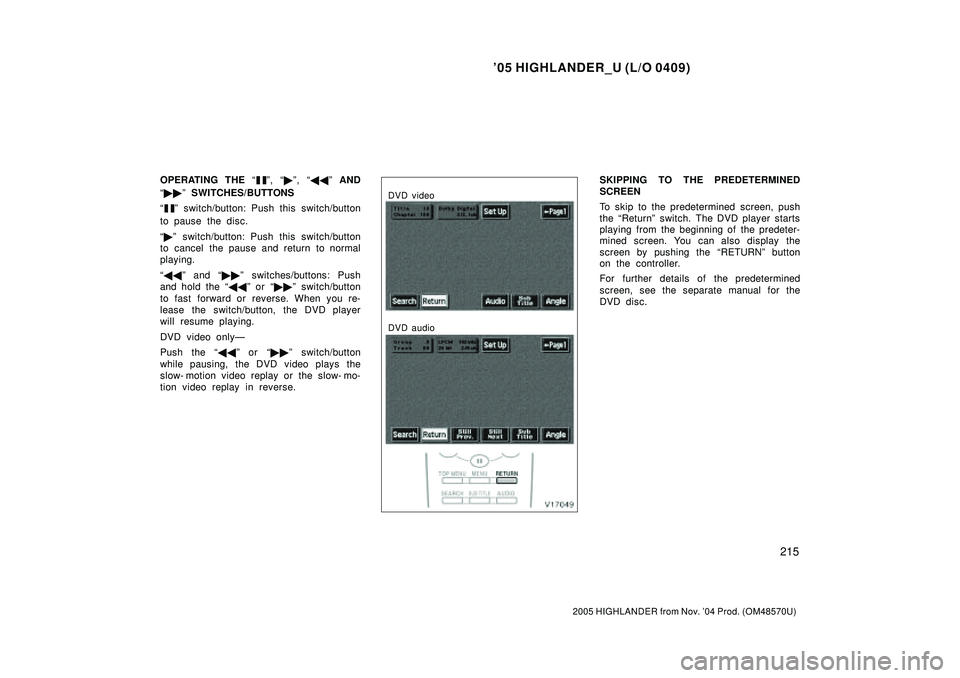
SKIPPING TO THE PREDETERMINED
SCREEN
To skip to the predetermined screen, push
the Returnº switch. The DVD player starts
playing from the beginning of the predeter-
mined screen. You can also display the
screen by pushing the RETURNº button
on the controller.
For further details of the predetermined
screen, see the separate manual for the
DVD disc.
Page 376 of 2572
'05 HIGHLANDER_U (L/O 0409)
216
2005 HIGHLANDER from Nov. '04 Prod. (OM48570U)
DVD video
DVD audio
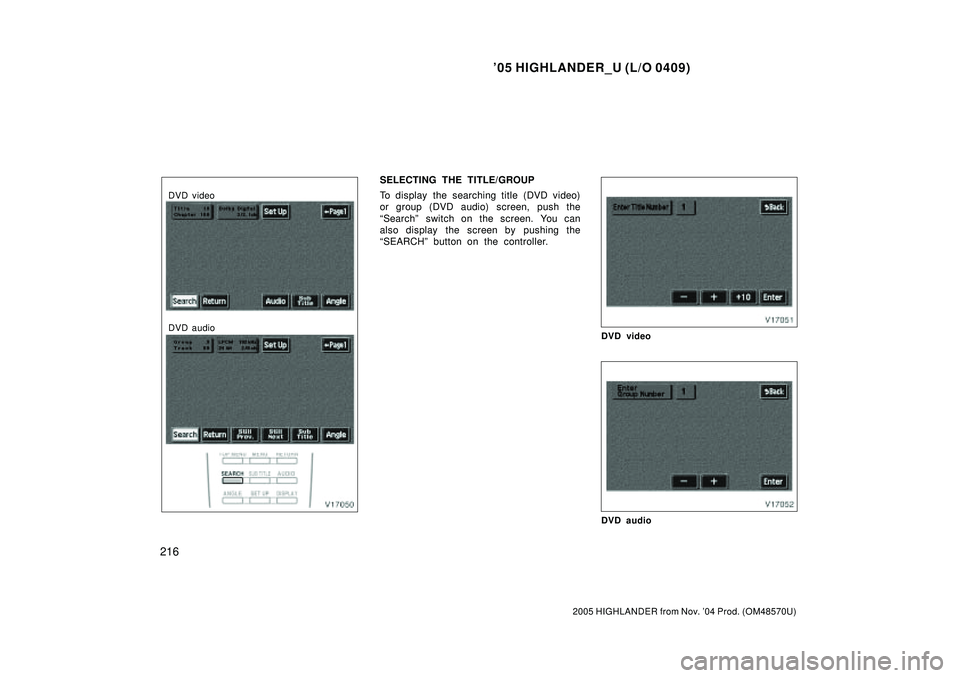
SELECTING THE TITLE/GROUP
To display the searching title (DVD video)
or group (DVD audio) screen, push the
Searchº switch on the screen. You can
also display the screen by pushing the
SEARCHº button on the controller.
DVD video
DVD audio
Page 378 of 2572
'05 HIGHLANDER_U (L/O 0409)
218
2005 HIGHLANDER from Nov. '04 Prod. (OM48570U)
DVD video
DVD audio
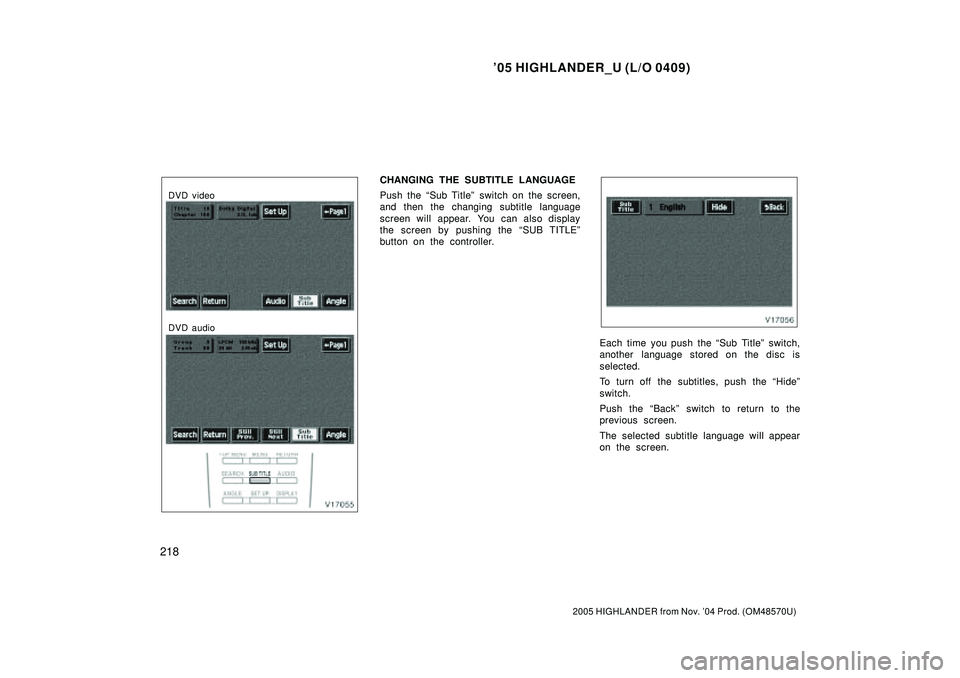
CHANGING THE SUBTITLE LANGUAGE
Push the Sub Titleº switch on the screen,
and then the changing subtitle language
screen will appear. You can also display
the screen by pushing the SUB TITLEº
button on the controller.
Each time you push the Sub Titleº switch,
another language stored on the disc is
selected.
To turn off the subtitles, push the Hideº
switch.
Push the Backº switch to return to the
previous screen.
The selected subtitle language will appear
on the screen.
Page 379 of 2572
'05 HIGHLANDER_U (L/O 0409)
219
2005 HIGHLANDER from Nov. '04 Prod. (OM48570U)
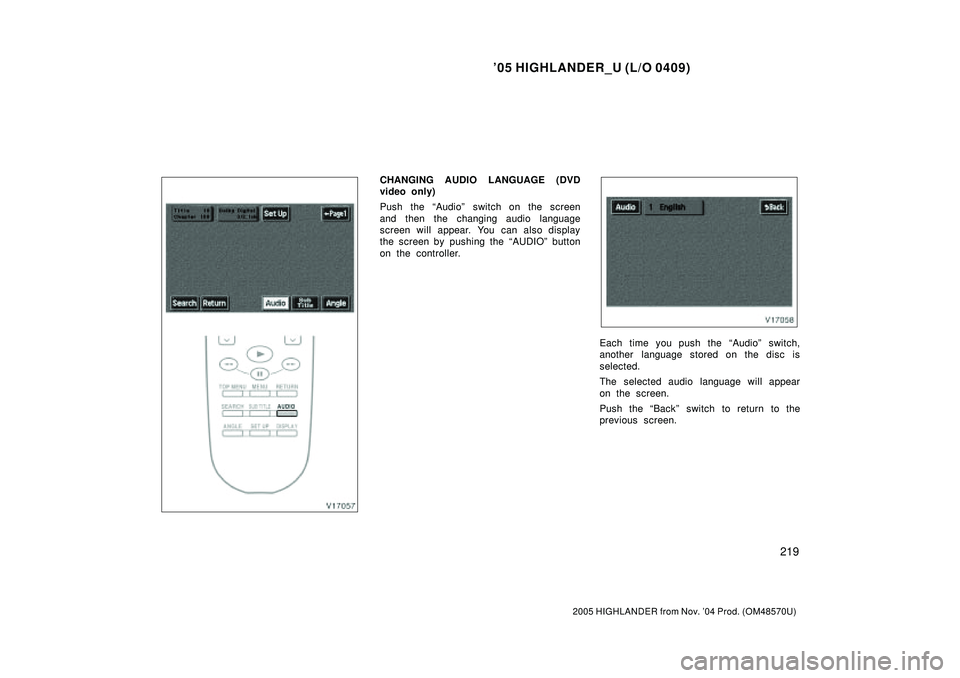
CHANGING AUDIO LANGUAGE (DVD
video only)
Push the Audioº switch on the screen
and then the changing audio language
screen will appear. You can also display
the screen by pushing the AUDIOº button
on the controller.
Each time you push the Audioº switch,
another language stored on the disc is
selected.
The selected audio language will appear
on the screen.
Push the Backº switch to return to the
previous screen.
Page 381 of 2572
'05 HIGHLANDER_U (L/O 0409)
221
2005 HIGHLANDER from Nov. '04 Prod. (OM48570U)
DVD video
DVD audio
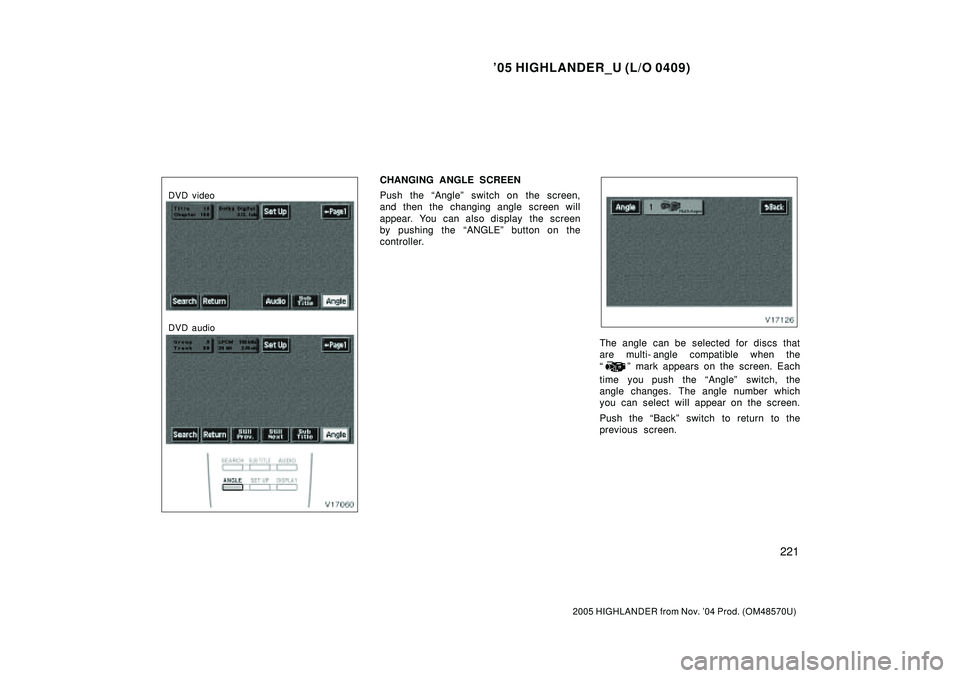
CHANGING ANGLE SCREEN
Push the Angleº switch on the screen,
and then the changing angle screen will
appear. You can also display the screen
by pushing the ANGLEº button on the
controller.
The angle can be selected for discs that
are multi- angle compatible when the
º mark appears on the screen. Each
time you push the Angleº switch, the
angle changes. The angle number which
you can select will appear on the screen.
Push the Backº switch to return to the
previous screen.
Page 382 of 2572
'05 HIGHLANDER_U (L/O 0409)
222
2005 HIGHLANDER from Nov. '04 Prod. (OM48570U)
DVD video
DVD audio
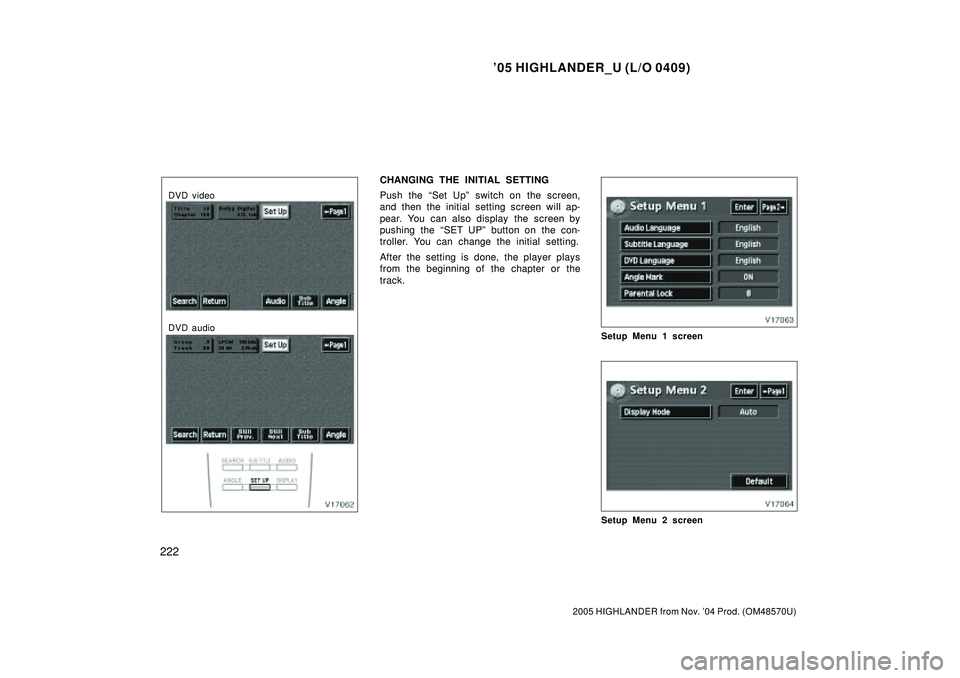
CHANGING THE INITIAL SETTING
Push the Set Upº switch on the screen,
and then the initial setting screen will ap-
pear. You can also display the screen by
pushing the SET UPº button on the con-
troller. You can change the initial setting.
After the setting is done, the player plays
from the beginning of the chapter or the
track.
Setup Menu 1 screen
Setup Menu 2 screen
Page 384 of 2572
'05 HIGHLANDER_U (L/O 0409)
224
2005 HIGHLANDER from Nov. '04 Prod. (OM48570U)
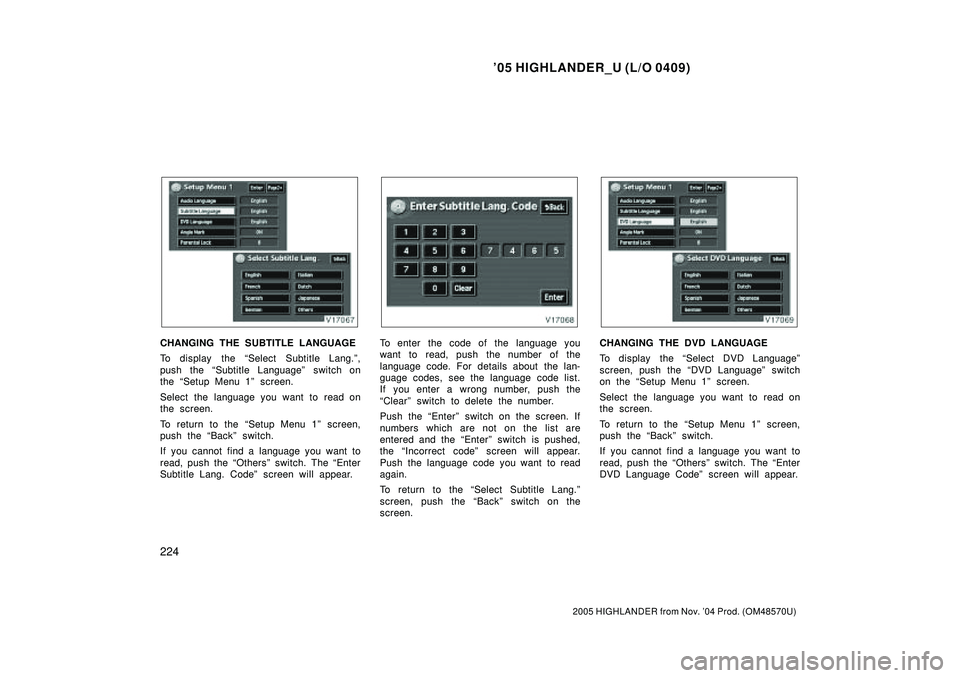
CHANGING THE SUBTITLE LANGUAGE
To display the Select Subtitle Lang.º,
push the Subtitle Languageº switch on
the Setup Menu 1º screen.
Select the language you want to read on
the screen.
To return to the Setup Menu 1º screen,
push the Backº switch.
If you cannot find a language you want to
read, push the Othersº switch. The Enter
Subtitle Lang. Codeº screen will appear.To enter the code of the language you
want to read, push the number of the
language code. For details about the lan-
guage codes, see the language code list.
If you enter a wrong number, push the
Clearº switch to delete the number.
Push the Enterº switch on the screen. If
numbers which are not on the list are
entered and the Enterº switch is pushed,
the Incorrect codeº screen will appear.
Push the language code you want to read
again.
To return to the Select Subtitle Lang.º
screen, push the Backº switch on the
screen.CHANGING THE DVD LANGUAGE
To display the Select DVD Languageº
screen, push the DVD Languageº switch
on the Setup Menu 1º screen.
Select the language you want to read on
the screen.
To return to the Setup Menu 1º screen,
push the Backº switch.
If you cannot find a language you want to
read, push the Othersº switch. The Enter
DVD Language Codeº screen will appear.