AUDIO
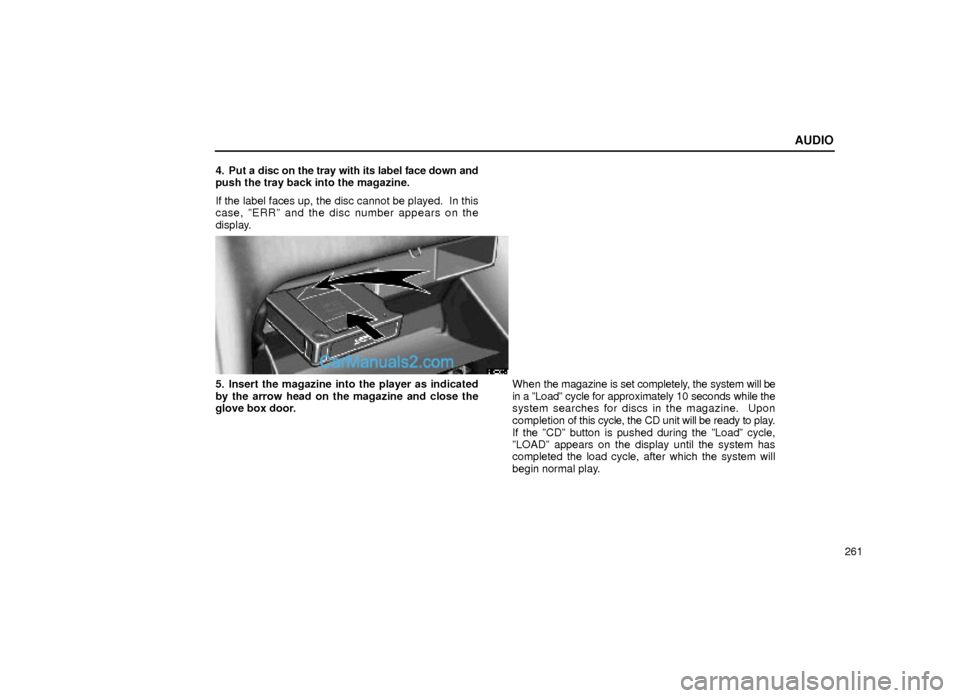
261 4. Put a disc on the tray with its label face down and
push the tray back into the magazine.
If the label faces up, the disc cannot be played. In this
case, ºERRº and the disc number appears on the
display.
21G003±1
5. Insert the magazine into the player as indicated
by the arrow head on the magazine and close the
glove box door.When the magazine is set completely, the system will be
in a ºLoadº cycle for approximately 10 seconds while the
system searches for discs in the magazine. Upon
completion of this cycle, the CD unit will be ready to play.
If the ºCDº button is pushed during the ºLoadº cycle,
ºLOADº appears on the display until the system has
completed the load cycle, after which the system will
begin normal play.