AUDIO
241
21G079a
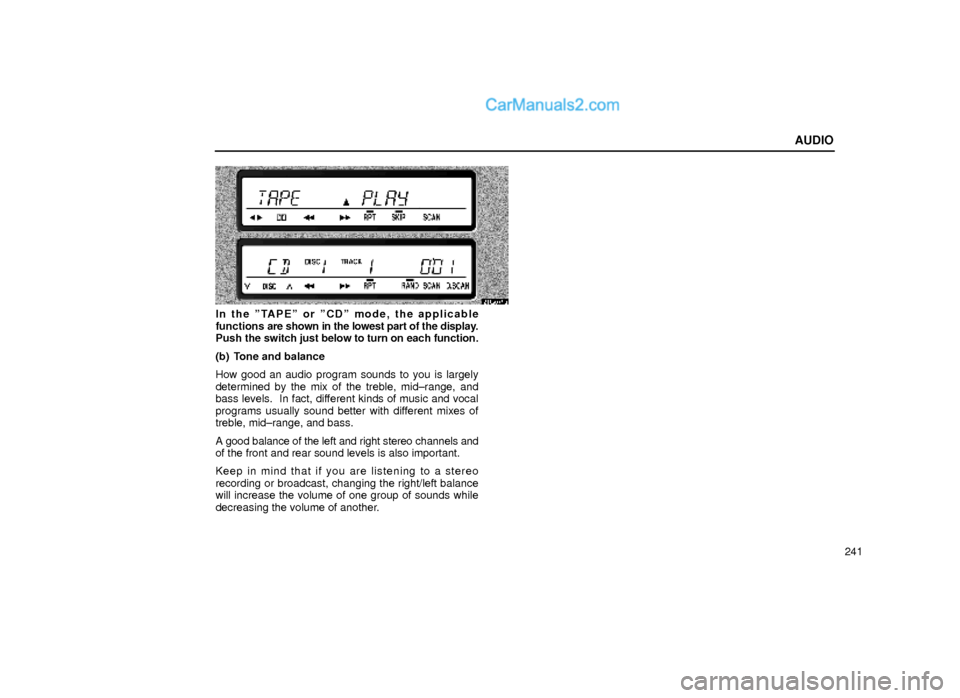
In the ºTAPEº or ºCDº mode, the applicable
functions are shown in the lowest part of the display.
Push the switch just below to turn on each function.
(b) Tone and balance
How good an audio program sounds to you is largely
determined by the mix of the treble, mid±range, and
bass levels. In fact, different kinds of music and vocal
programs usually sound better with different mixes of
treble, mid±range, and bass.
A good balance of the left and right stereo channels and
of the front and rear sound levels is also important.
Keep in mind that if you are listening to a stereo
recording or broadcast, changing the right/left balance
will increase the volume of one group of sounds while
decreasing the volume of another.
AUDIO
253 �
Type A�Type B
If a cassette is already in the slot, push the ºTAPEº
button.
Dolby� Noise Reduction* feature: If you are listening
to a tape that was recorded with Dolby* B or C Noise
Reduction, push the button by the double±D symbol until
the appropriate symbol appears on the display.
The Dolby B NR mode reduces tape noise by about 10
dB. The Dolby C NR mode reduces tape noise by
another 10 dB or about 20 dB total. For best sound
reproduction, select the same NR mode that was used
to record the tape.
To play a tape recorded without Dolby NR, push the
button until the symbol disappears from the display.
* Dolby noise reduction manufactured under license from Dolby
Laboratories Licensing Corporation. ºDOLBYº and the
double±D symbol
are trademarks of Dolby Laboratories
Licensing Corporation.
(b) Manual program selection