Page 115 of 267
positions. Move the steering
wheel to the desired position, then
release the lever. Try to move the steering wheel up and down to
make sure it is locked in position.
Make sure the steering wheel does
not block your view of any of the instrument panel gauges or
indicators.
Cigarett
e Lighte r
The cigarette lighter is on the instrument panel. The ignition
switch must be in ACCESSORY
or ON for the cigarette lighter to
work. To operate, push it in.
When it heats, it automatically
pops out ready for use. Avoid
holding the lighter in by handwhile it is heating, as damage to
the heating element may result.
Ashtray
s
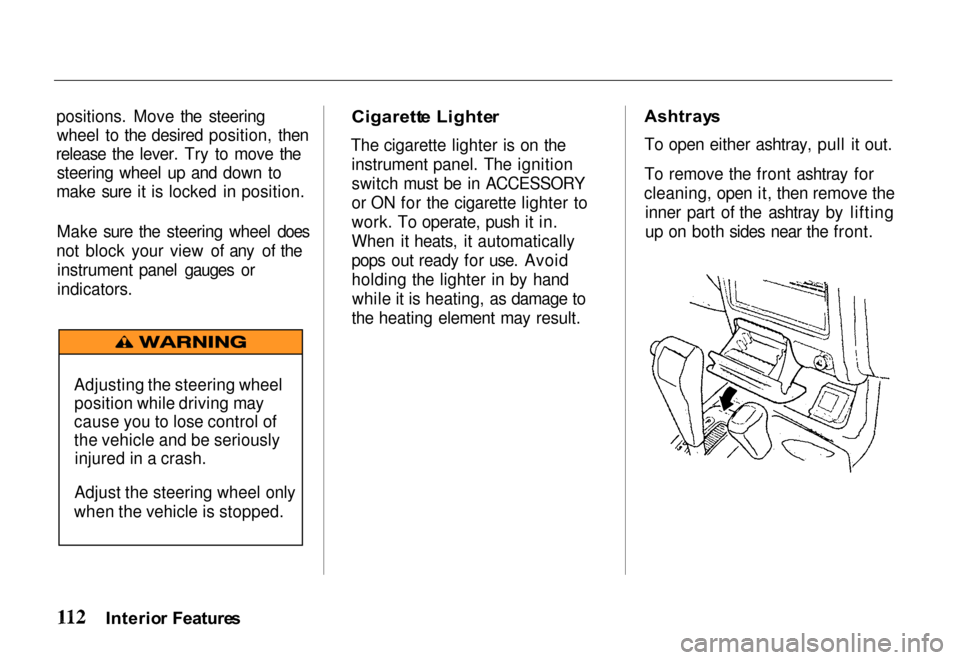
To open either ashtray, pull it out.
To remove the front ashtray for
cleaning, open it, then remove the inner part of the ashtray by lifting
up on both sides near the front.
Interio r Feature s
Adjusting the steering wheel
position while driving may
cause you to lose control of
the vehicle and be seriously injured in a crash.
Adjust the steering wheel only
when the vehicle is stopped.
Page 116 of 267
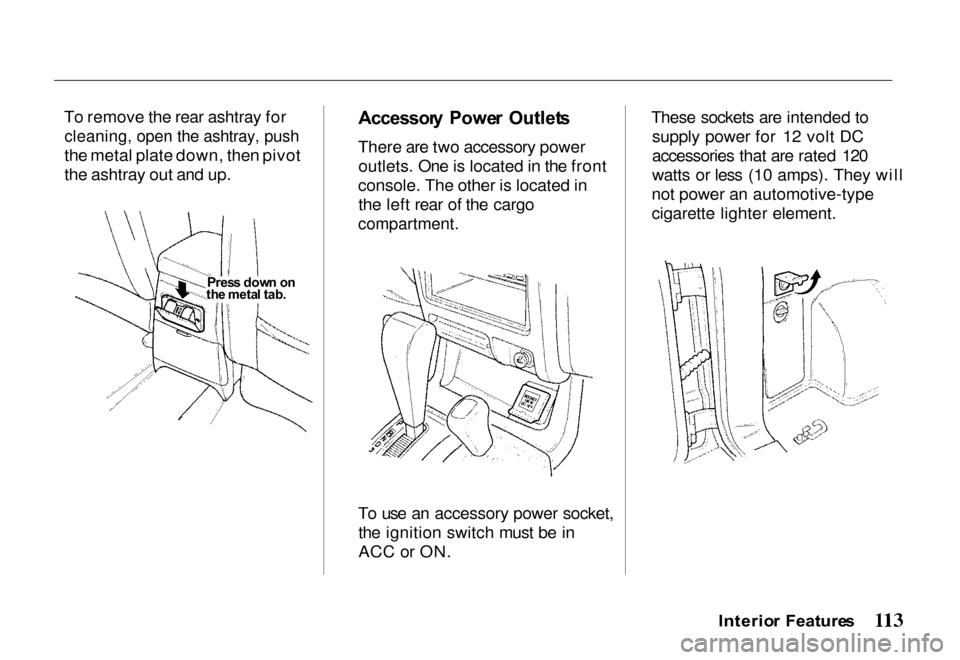
To remove the rear ashtray for
cleaning, open the ashtray, push
the metal plate down, then pivot
the ashtray out and up.
Accessor
y Powe r Outlet s
There are two accessory power outlets. One is located in the front
console. The other is located in the left rear of the cargo
compartment.
To use an accessory power socket, the ignition switch must be in
ACC or ON. These sockets are intended to
supply power for 12 volt DC
accessories that are rated 120
watts or less (10 amps). They will
not power an automotive-type
cigarette lighter element.
Interio r Feature s
Pres s dow n
o
n
th e meta l tab .
Page 119 of 267
Heatin
g an d Coolin g
This system combines heating and
cooling capabilities for comfort in all weather conditions.
During air conditioning operation,
slight increases and decreases in
engine speed/power may be
noticed. This is normal, as the system is designed to cycle the
compressor ON and OFF to
maintain desired cooling. The
reduced compressor operation should benefit fuel economy.
Ai r Conditionin g Switc h
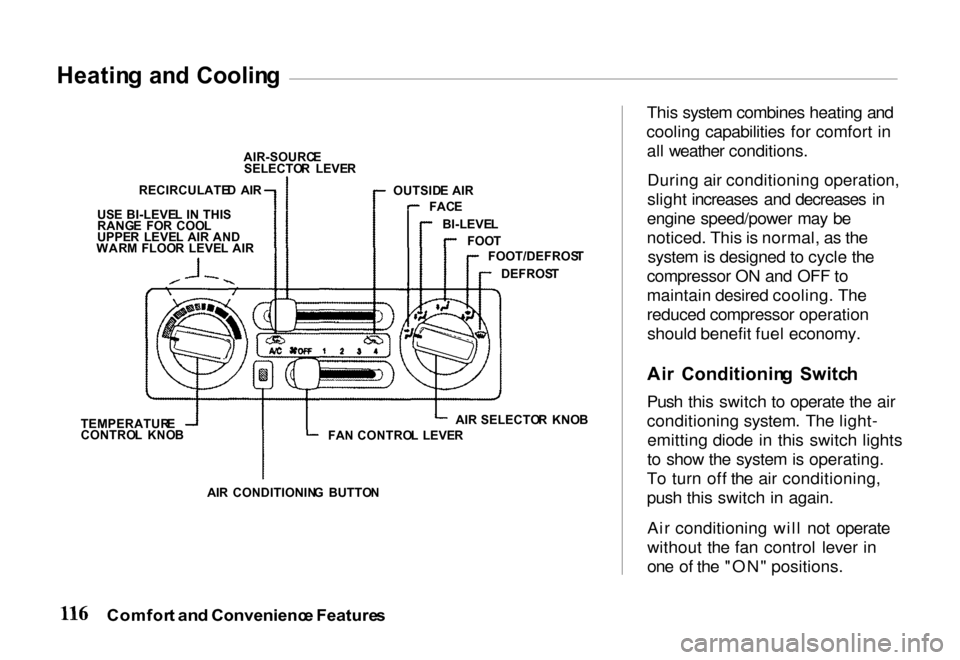
Push this switch to operate the air
conditioning system. The light- emitting diode in this switch lights
to show the system is operating.
To turn off the air conditioning,
push this switch in again.
Air conditioning will not operate
without the fan control lever in
one of the "ON" positions.
Comfor t an d Convenienc e Feature s
AIR-SOURC
E
SELECTO R LEVE R
OUTSID E AIR
FAC E
BI-LEVE L
FOO T
FOOT/DEFROS T
DEFROS T
FA N CONTRO L LEVE RAIR
SELECTO R KNO B
AI R CONDITIONIN G BUTTO N
TEMPERATUR
E
CONTRO L KNO B
US
E BI-LEVE L I N THI S
RANG E FO R COO L
UPPE R LEVE L AIR AND
WAR M FLOO R LEVE L AI R
RECIRCULATE
D AI R
Page 120 of 267
Fa
n Contro l Leve r
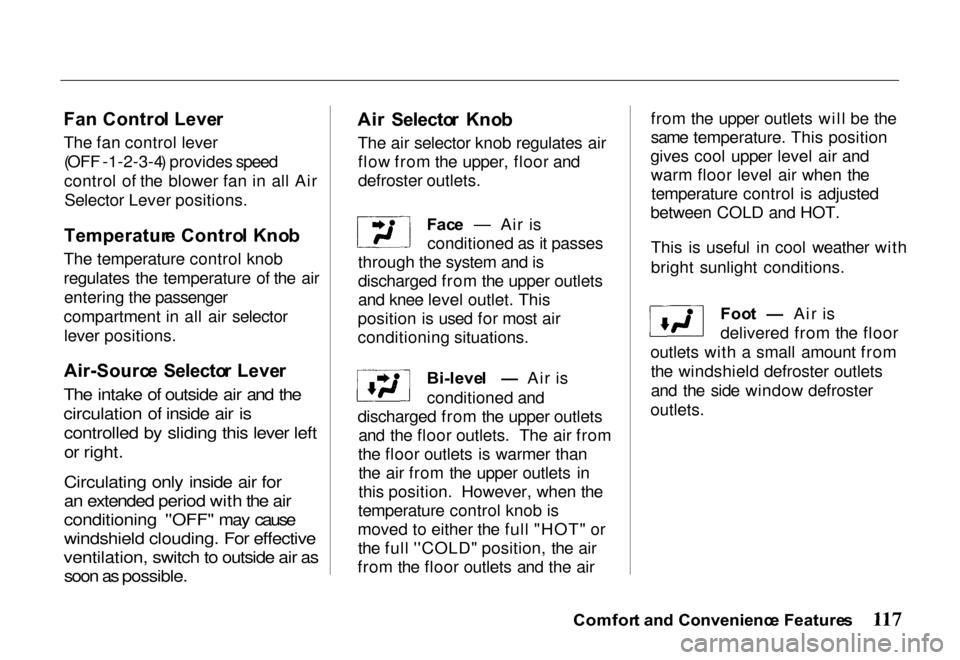
The fan control lever (OFF - 1 - 2 - 3 - 4) provides speed
control of the blower fan in all AirSelector Lever positions.
Temperatur e Contro l Kno b
The temperature control knob
regulates the temperature of the air entering the passenger
compartment in all air selector lever positions.
Air-Sourc e Selecto r Leve r
The intake of outside air and the
circulation of inside air is controlled by sliding this lever left
or right.
Circulating only inside air for
an extended period with the air
conditioning ''OFF" may cause
windshield clouding. For effective
ventilation, switch to outside air as soon as possible.
Ai
r Selecto r Kno b
The air selector knob regulates air flow from the upper, floor and
defroster outlets.
Face — Air is
conditioned as it passes
through the system and is
discharged from the upper outlets
and knee level outlet. This
position is used for most air
conditioning situations.
Bi-level — Air is
conditioned and
discharged from the upper outlets and the floor outlets. The air from
the floor outlets is warmer than the air from the upper outlets in
this position. However, when the
temperature control knob is
moved to either the full "HOT" or the full ''COLD" position, the air
from the floor outlets and the air from the upper outlets will be the
same temperature. This position
gives cool upper level air and warm floor level air when thetemperature control is adjusted
between COLD and HOT.
This is useful in cool weather with
bright sunlight conditions.
Foot — Air is
delivered from the floor
outlets with a small amount from the windshield defroster outlets
and the side window defroster
outlets.
Comfor t an d Convenienc e Feature s
Page 121 of 267
Foot/Defros
t — Air
comes from the floor
outlets, windshield defroster
outlets and side window defroster
outlets. When you select
Foot/Defrost, the A/C turns on (if it is not already on), and outside
air is selected automatically.
Because of the automatic
operation, you will not see the
light in the A/C button. The system goes back to your formersettings when you move the knob
to any other position.
When the windshield glass and door glass are foggy or frosty, use
this Foot/Defrost mode to clear
off the glass while maintaining the
heating performance.
Defrost — Air is
conditioned and
delivered from the windshield
defroster outlets with a small amount delivered from the side
window defroster outlets. This
position is recommended for conditions of severe fogging andicing only. When you select
Defrost, the A/C turns on (if it is not already on), and outside air is
selected automatically. Because of
the automatic operation, you will
not see the light in the A/C button.
The system goes back to your former settings when you movethe knob to any other position.
Operatin g Tip s — Use the heater
with the air-source selector lever
at the outside air position. This
will minimize windshield
clouding while quickly warming
the interior of the vehicle. For
best results, engage the A/C
compressor to minimize windshield clouding.
Ventilatio
n
Your vehicle has a flow-through
ventilation system that provides
a supply of outside air into the
vehicle when it is moving and the
air-source selector lever is in the
outside air position. When the vehicle is not in motion, you can
get a steady flow of outside air
with the heater or air conditioning
blower running.
With the side windows closed and
the air-source selector lever in the
outside air position, the flow-
through ventilation system
provides outside air flow into the
front air inlet grilles, through the vehicle and out the rear air
exhaust outlet.
Comfor t an d Convenienc e Feature s
Page 127 of 267

Operatin
g th e Cassett e Playe r
The ignition switch must be in
ACCESSORY or ON. Make sure the tape opening on the cassette is
facing to the right, then insert the
cassette most of the way into the slot. The system will pull it in the
rest of the way, and begin to play.
The tape direction indicator will light to show you which side of the cassette is playing. The
indicates the side you inserted
facing upward is now playing. If
you want to play the other side, press the (preset 2) button.
If the cassette was recorded using
Dolby noise reduction, turn it on
by pressing the (preset 5)
button. You will see in the
display.
You can switch between the
cassette and the radio by pressing the FM/AM and TAPE buttons.
When you press the FM/AM
button with a cassette playing, the
radio begins to play and the cassette stops but does not eject.
To begin playing the cassette at the same point, press the TAPE
button.
When the system reaches the end
of the tape, it will automatically
reverse direction and play the
other side. If you want to remove
the cassette from the drive, press
the EJECT button.
When you turn off the ignitionswitch, the system stops the tape
but does not eject the cassette. It
will begin to play when you turn
the ignition switch back on. To
eject the tape, even with the ignition switch off, press the
EJECT button.
Tap
e Searc h Function s
With a cassette playing, you can use the FF, REW, or APS function
to find a desired program.
FF/RE W — Fast Forward and
Rewind move the tape rapidly. Press and release the button
(preset 1) to rewind, or the
button (preset 3) to fast forward.
You will see REW or FF in the display. Press the button to
return to PLAY mode. If the system reaches the end of the tape
while in fast forward or rewind, it
automatically stops that function,
reverses direction, and begins to
play.
Comfor t an d Convenienc e Feature s
Page 130 of 267
Operatin
g th e Optiona l C D
Change r
An in-dash Compact Disc changer is available through your dealer. It
holds up to six discs, providing several hours of continuous
entertainment. You operate the
CD changer with the controls on
the front of the changer and on the
front of the radio.
To operate the CD changer, the ignition switch must be in
ACCESSORY (I) or ON (II).
Loading the CDs in the Changer
To load a CD in the changer, press
the button on the front of the
changer for the CD number you
want to load (1, for example). The
light next to the button will beginflashing. When the green lights
next to the CD slot begin flashing, insert the CD part way into the
Comfort an d Convenienc e Feature s
C
D BUTTO N
FORWAR
D
BUTTO N BACKWAR
D
BUTTO N
TRAC K SELECTO R BUTTON S
C D LOADIN G SLO T
EJEC
T BUTTO N
C D SELECTO R BUTTON S
Page 131 of 267

slot. The drive will pull it in the
rest of the way, and begin playing the first track. The light next to
the button will stay on as a
reminder that a CD is loaded in
that position.
Repeat this procedure to load CDsin the remaining positions in the
changer. The positions that
contain CDs will display a green
light next to their buttons. The CD
position that is currently loaded and ready to play will display an
orange light.
Playing CDs Press the CD button on the frontof the radio. The CD that is
currently loaded will begin
playing. The disc and track
numbers will be shown in the
radio display. When the system
reaches the end of that CD, it will load and play the next CD. To select a different disc, push the
appropriate button (1-6) on the
front of the CD changer. The light next to the button will flash as the
current CD is stored and the new
CD is loaded. The light will thenturn orange, and the CD will
begin playing from the first track.
You can also press the
TUNE/DISC button on the front of
the radio:
to select the
previous disc, or to select the
next disc.
To change tracks, press and
release either the button
(preset 4), or the button
(preset 6). Each time you press
the system will advance one
track. Pressing once will
return the system to the beginning
of the current track. Press it again
to select the previous track.To move rapidly within a track, press and hold the button
(preset 3) to move forward, or the
button (preset 1) to move
backward. Release the button
when the system reaches the point you want.
You can switch to the radio or
cassette player by pressing the
FM/AM or TAPE buttons on the
front of the radio. To switch back
to the CD changer, press the CD
button. The CD will begin playing
where it left off.
To eject a CD, select it with the
button on the front of the CD
changer (the light turns to orange), then press the EJECT
button.
Protectin g Compac t Disc s
For information on how to handle and protect compact discs, see
page 142.
Comfor t an d Convenienc e Feature s