2000 HONDA PASSPORT reset
[x] Cancel search: resetPage 125 of 267

To store a frequency:
1. Select the desired band: AM, FM1, or FM2.
2. Use the TUNE or SEEK function to find a desired
station.
3. Pick the preset button you want for that station. Press the
button and hold it until you
hear a beep.
4. Repeat steps 1 to 3 to store a total of six stations on AM and
twelve on FM.
Once a station's frequency is
stored, simply press and release
the proper preset button to tune to
it. The number of the preset
button you have selected is shown in the display. The preset frequencies will be lost
if your vehicle's battery goes dead
or is disconnected.
SCA N — The SCAN function
samples all the stations with
strong signals on the selected
band. To activate it, press the
SEEK/SCAN button until you hear
a beep, then release it. The system will scan up the band for a station with a strong signal. When it finds
one, it will stop and play that
station for approximately five
seconds. If you do nothing, the
system will then scan for the next
strong station and play that for
five seconds. When it plays a
station that you want to continue
listening to, press the SEEK/SCAN button again.
Comfor t an d Convenienc e Feature s
ON/OFF/VO
L KNO B
AM/FM1/FM 2 BUTTO N DISPLA
Y
PRESET BUTTON S
TUN
E BUTTO N
SEEK/SCA N BUTTO N
Page 127 of 267

Operatin
g th e Cassett e Playe r
The ignition switch must be in
ACCESSORY or ON. Make sure the tape opening on the cassette is
facing to the right, then insert the
cassette most of the way into the slot. The system will pull it in the
rest of the way, and begin to play.
The tape direction indicator will light to show you which side of the cassette is playing. The
indicates the side you inserted
facing upward is now playing. If
you want to play the other side, press the (preset 2) button.
If the cassette was recorded using
Dolby noise reduction, turn it on
by pressing the (preset 5)
button. You will see in the
display.
You can switch between the
cassette and the radio by pressing the FM/AM and TAPE buttons.
When you press the FM/AM
button with a cassette playing, the
radio begins to play and the cassette stops but does not eject.
To begin playing the cassette at the same point, press the TAPE
button.
When the system reaches the end
of the tape, it will automatically
reverse direction and play the
other side. If you want to remove
the cassette from the drive, press
the EJECT button.
When you turn off the ignitionswitch, the system stops the tape
but does not eject the cassette. It
will begin to play when you turn
the ignition switch back on. To
eject the tape, even with the ignition switch off, press the
EJECT button.
Tap
e Searc h Function s
With a cassette playing, you can use the FF, REW, or APS function
to find a desired program.
FF/RE W — Fast Forward and
Rewind move the tape rapidly. Press and release the button
(preset 1) to rewind, or the
button (preset 3) to fast forward.
You will see REW or FF in the display. Press the button to
return to PLAY mode. If the system reaches the end of the tape
while in fast forward or rewind, it
automatically stops that function,
reverses direction, and begins to
play.
Comfor t an d Convenienc e Feature s
Page 128 of 267

AP
S — The Automatic Program
Search function allows you to find
the beginning of a song or passage. Use the (preset 4) or
(preset 6) buttons to activate
APS.
For example, the first song on the cassette is playing, and you wish
to listen to the third song. Press
twice; you will see FF and 2
displayed. Th
e system will fast
forward the tape to the beginning
of the third song, then return to
PLAY mode.
To return to the beginning of the current song or passage, press
once. To return to the beginning
of the previous song, press
twice.
If the system reaches the end of
the tape before finding theselected song or passage, it
reverses direction and returns to
PLAY mode.
To cancel APS, press the
button.
The APS function uses silent
periods on the tape to find the end
of a song or passage. This feature
may not work to your satisfaction
Comfor t an d Convenienc e Feature s
TAP
E DIRECTIO N BUTTO N
CASSETT E SLO T REWIN
D BUTTO N
FAST FORWAR D
BUTTO N
AUTOMATI C PROGRA M
SEARC H BUTTO N
EJEC
T BUTTO N
AUTOMATIC PROGRA M
SEARC H BUTTO N
TAP E BUTTO N
DOLBY BUTTO N
Page 131 of 267

slot. The drive will pull it in the
rest of the way, and begin playing the first track. The light next to
the button will stay on as a
reminder that a CD is loaded in
that position.
Repeat this procedure to load CDsin the remaining positions in the
changer. The positions that
contain CDs will display a green
light next to their buttons. The CD
position that is currently loaded and ready to play will display an
orange light.
Playing CDs Press the CD button on the frontof the radio. The CD that is
currently loaded will begin
playing. The disc and track
numbers will be shown in the
radio display. When the system
reaches the end of that CD, it will load and play the next CD. To select a different disc, push the
appropriate button (1-6) on the
front of the CD changer. The light next to the button will flash as the
current CD is stored and the new
CD is loaded. The light will thenturn orange, and the CD will
begin playing from the first track.
You can also press the
TUNE/DISC button on the front of
the radio:
to select the
previous disc, or to select the
next disc.
To change tracks, press and
release either the button
(preset 4), or the button
(preset 6). Each time you press
the system will advance one
track. Pressing once will
return the system to the beginning
of the current track. Press it again
to select the previous track.To move rapidly within a track, press and hold the button
(preset 3) to move forward, or the
button (preset 1) to move
backward. Release the button
when the system reaches the point you want.
You can switch to the radio or
cassette player by pressing the
FM/AM or TAPE buttons on the
front of the radio. To switch back
to the CD changer, press the CD
button. The CD will begin playing
where it left off.
To eject a CD, select it with the
button on the front of the CD
changer (the light turns to orange), then press the EJECT
button.
Protectin g Compac t Disc s
For information on how to handle and protect compact discs, see
page 142.
Comfor t an d Convenienc e Feature s
Page 132 of 267
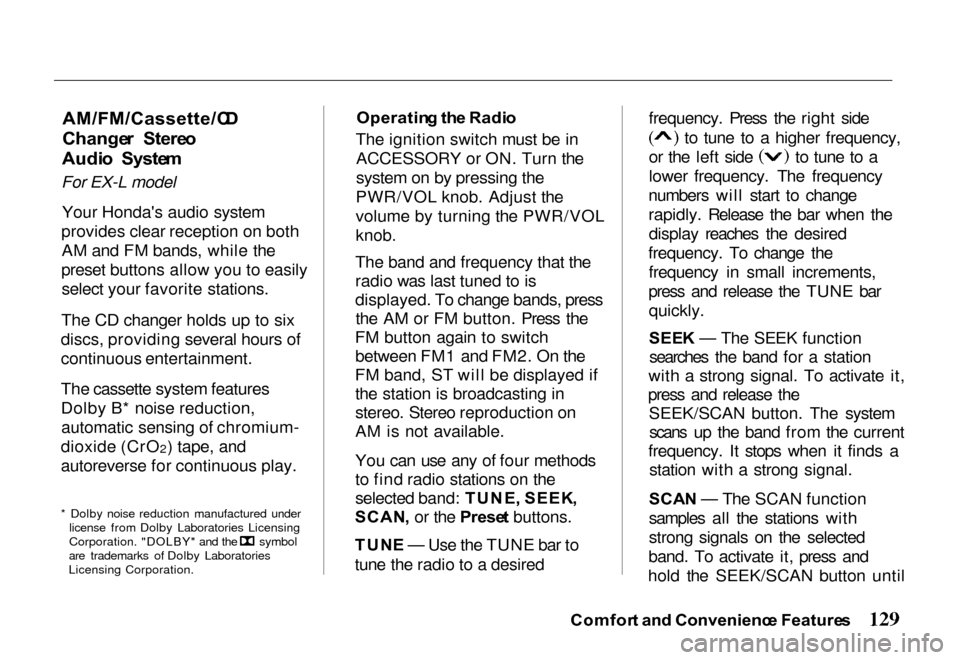
AM/FM/Cassette/C
D
Change r Stere o
Audi o Syste m
For EX-L model
Your Honda's audio system
provides clear reception on both AM and FM bands, while the
preset buttons allow you to easily select your favorite stations.
The CD changer holds up to six
discs, providing several hours of
continuous entertainment.
The cassette system features
Dolby B* noise reduction, automatic sensing of chromium-
dioxide (CrO 2) tape, and
autoreverse for continuous play.
* Dolby noise reduction manufactured under license from Dolby Laboratories Licensing Corporation. "DOLBY" and the symbol
are trademarks of Dolby Laboratories
Licensing Corporation. Operatin
g th e Radi o
The ignition switch must be in ACCESSORY or ON. Turn the
system on by pressing the
PWR/VOL knob. Adjust the
volume by turning the PWR/VOL
knob.
The band and frequency that the
radio was last tuned to is
displayed. To change bands, press the AM or FM button. Press the
FM button again to switch between FM1 and FM2. On the
FM band, ST will be displayed if the station is broadcasting in
stereo. Stereo reproduction on
AM is not available.
You can use any of four methods
to find radio stations on the
selected band: TUNE , SEEK ,
SCAN , or the Prese t buttons.
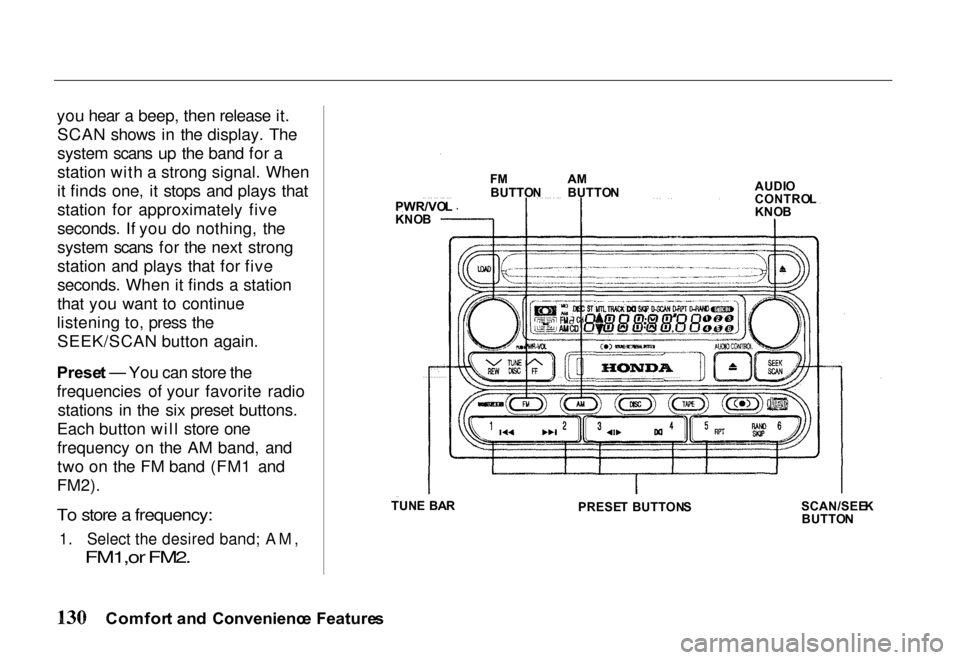
TUN E — Use the TUNE bar to
tune the radio to a desired frequency. Press the right side to tune to a higher frequency,
or the left side to tune to a
lower frequency. The frequency
numbers will start to change
rapidly. Release the bar when the display reaches the desired
frequency. To change the frequency in small increments,
press and release the TUNE bar quickly.
SEE K — The SEEK function
searches the band for a station
with a strong signal. To activate it,
press and release the SEEK/SCAN button. The systemscans up the band from the current
frequency. It stops when it finds a station with a strong signal.
SCA N — The SCAN function
samples all the stations with
strong signals on the selected
band. To activate it, press and
hold the SEEK/SCAN button until
Comfor t an d Convenienc e Feature s
Page 133 of 267
you hear a beep, then release it.
SCAN shows in the display. The
system scans up the band for a
station with a strong signal. When
it finds one, it stops and plays that
station for approximately five
seconds. If you do nothing, the
system scans for the next strong
station and plays that for five
seconds. When it finds a station
that you want to continue
listening to, press the SEEK/SCAN button again.
Prese t — You can store the
frequencies of your favorite radio stations in the six preset buttons.
Each button will store one frequency on the AM band, and
two on the FM band (FM1 and
FM2).
To store a frequency:
1. Select the desired band; AM,
FM1,or FM2.
Comfor t an d Convenienc e Feature s
PWR/VO
L
KNO B F
M
BUTTO NA
M
BUTTO N AUDI
O
CONTRO L
KNO B
SCAN/SEE K
BUTTO N
PRESE
T BUTTON S
TUN
E BA R
Page 134 of 267
2. Use the TUNE, SEEK, or
SCAN function to find a
desired station.
3. Pick the Preset button you want for that station. Press the
button and hold it until you
hear a beep.
4. Repeat steps 1 to 3 to store a total of six stations on AM
and twelve on FM.
Once a station's frequency is stored, simply press and release
the proper preset button to tune to
it. The number of the preset
button you have selected is shown in the display.
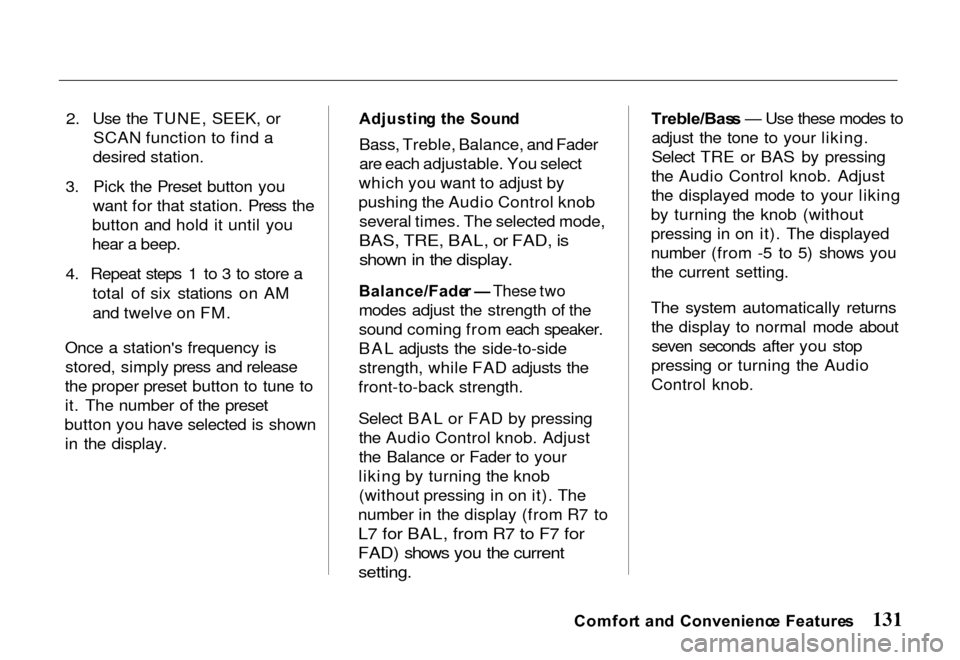
Adjustin
g th e Soun d
Bass, Treble, Balance, and Fader
are each adjustable. You select
which you want to adjust by
pushing the Audio Control knob several times. The selected mode,
BAS, TRE, BAL, or FAD, is shown in the display.
Balance/Fade r — These two
modes adjust the strength of the
sound coming from each speaker.
BAL adjusts the side-to-side
strength, while FAD adjusts the
front-to-back strength.
Select BAL or FAD by pressing the Audio Control knob. Adjust
the Balance or Fader to your
liking by turning the knob (without pressing in on it). The
number in the display (from R7 to
L7 for BAL, from R7 to F7 for
FAD) shows you the current
setting.
Treble/Bas
s — Use these modes to
adjust the tone to your liking.
Select TRE or BAS by pressing
the Audio Control knob. Adjust
the displayed mode to your liking
by turning the knob (without
pressing in on it). The displayed
number (from -5 to 5) shows you the current setting.
The system automatically returns the display to normal mode aboutseven seconds after you stop
pressing or turning the Audio
Control knob.
Comfor t an d Convenienc e Feature s
Page 137 of 267
Operatin
g th e Cassett e Playe r
The ignition switch must be in ACCESSORY or ON. Make sure
the tape opening on the cassette is
facing to the right, then insert the
cassette most of the way into theslot. The system will pull it in the
rest of the way, and begin to play.
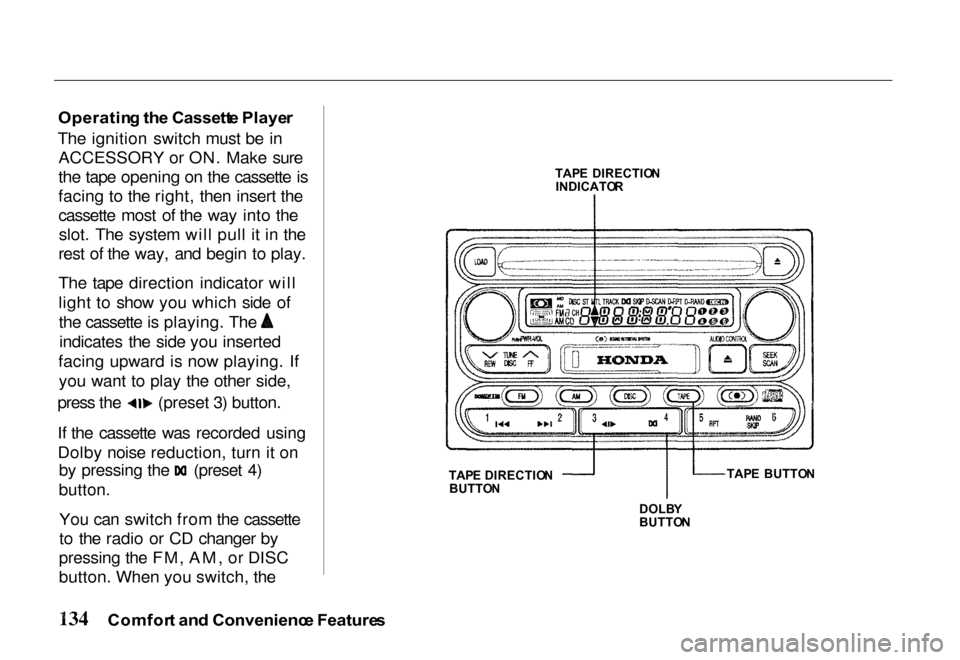
The tape direction indicator will
light to show you which side of the cassette is playing. The
indicates the side you inserted
facing upward is now playing. If you want to play the other side, press the (preset 3) button.
If the cassette was recorded using
Dolby noise reduction, turn it on
by pressing the (preset 4)
button.
You can switch from the cassette
to the radio or CD changer by
pressing the FM, AM, or DISC
button. When you switch, the
Comfor t an d Convenienc e Feature s
TAP
E DIRECTIO N
INDICATO R
TAP E DIRECTIO N
BUTTO N
DOLBY
BUTTO N TAP
E BUTTO N