2000 HONDA PASSPORT reset
[x] Cancel search: resetPage 139 of 267
FF/RE
W — Fast Forward and
Rewind move the tape rapidly.
Press and release the REW side of the TUNE bar to rewind, or the
FF side to fast forward. You will see REW or FF in the display.
Press the same side of the tune bar to return to PLAY mode.
If the system reaches the end of
the tape while in fast forward or
rewind, it automatically stops that function, reverses direction, and
begins to play.
AP S — The Automatic Program
Search (APS) function allows you
to find the beginning of a song or passage. Use the (preset 1) or
(preset 2) button to activate
APS.
For example, the first song on the
cassette is playing, and you want to listen to the third song. Press twice; you will see FF and 2 in
the display. The system will fast
forward the tape to the beginning of
the third song, then return to PLAY
mode.
To return to the beginning of the current song or passage, press
once. To return to the beginning of
the previous song, press
twice.
If the system reaches the end of
the tape before finding the
selected song or passage, it
reverses direction and returns to
PLAY mode.
To cancel APS before it finds the desired song, press the or
button again.
REPEA
T — The Repeat function
continuously repeats the current song or passage. Press the RPT
(preset 5) button to activate it. You will see RPT in the display.
When the system reaches the end
of the current song or passage, it
automatically goes into rewind.
When it gets to the beginning of
the same song or passage, the
system returns to PLAY mode.
This continues until you
deactivate Repeat by pressing the
RPT button again.
SKI P — The SKIP function fast
forwards over areas of blank tape.
Press the SKIP (preset 6) button
to activate it. You will see SKIP in the display. After the system
finds approximately 15 seconds of
blank tape, it goes into fast
forward. When it senses the
beginning of the next song or
passage, or reaches the end of the tape, it returns to PLAY mode.
Comfor t an d Convenienc e Feature s
Page 142 of 267
Repeat this procedure to load CDs
in the remaining positions in the
changer.
To load more than one CD in a single operation, press and hold
the LOAD button until you hear a
beep. Load the first CD as
described above. After the first CD loads, the light for the next
open position will begin blinking.
Insert the next CD part way into
the slot. Continue this procedure
until all six slots are loaded. If
you do not want to load CDs intoall six positions, press the LOAD
button again after the last CD hasloaded. That CD will begin
playing.
Playing CDs Press the DISC button to switch tothe CD changer. The CD that is
currently loaded will begin playing. The disc and track
numbers are shown in the display.
To select a different disc, press the TUNE/DISC button: to select
the next disc, or to select the
previous disc.
To change tracks, press and release the (preset 2) button to
advance one track at a time, or the (preset 1) button to return to
the beginning of the current track. Press again to select the
previous track.
To move rapidly within a track,
press and hold the button to
move forward, or the button
to move backward. Release the
button when the system reaches the point you want.
You can switch to the radio or the
cassette player by pressing the
FM, AM, or TAPE button. To switch back to the CD changer,
press the DISC button. The CD will begin playing where it left
off.
To remove a CD from the changer, select the CD with the
TUNE/DISC button, then press and release the EJECT button
next to the slot.
To remove all the CDs from the changer, press and hold the
EJECT button until you hear a
beep. The CDs will eject in order.
Soun d Retrieva l Syste m — The
Sound Retrieval System function
adds richness to the sound of the
CDs. To activate it, press the button. This turns on the first
level of sound expansion. Press the button a second time to take it
to the second level. Press the
button again to turn off the
feature.
Comfor t an d Convenienc e Feature s
Page 144 of 267
ten seconds. If you do nothing, it
will load the second disc and play
the first track for ten seconds.
When it plays a disc that you want to continue listening to, pressSEEK/SCAN again.
REPEA T — Use the RPT (preset
5) button to continuously play the
current track or disc.
To keep repeating the current
track, press and release the RPT
button. You will see RPT in the
display. The system will
continuously replay the current track. Press the RPT button again
to turn it off.
To repeat the current disc, press and hold the RPT button until you
hear a beep. You will see D-RPT in the display. The system plays
through the disc currently loaded.
At the end of the disc, instead of
loading the next disc in the
changer, it will return to the
beginning of the current disc.
Press the RPT button again to turn
it off.
RANDO M — Use the RAND
(preset 6) button to randomly
play, or "shuffle" the tracks on the disc or discs in the changer. Withthis activated, the system plays
the tracks in random order, rather
than in the order they are recorded
on the CD or CDs.
To shuffle the tracks on the CD
currently loaded, press and release the RAND button. You will see
RAND in the display. The system
plays the tracks on the current disc in random order. When all
the tracks have been played, it
will load the next CD and play
those tracks in random order. To
turn off random play, press the
RAND button again.
To include all the loaded CDs in the random selection, press and
hold RAND until you hear a beep.
You will see D-RAND in the
display. With this activated, the system randomly selects what
track to play next from all the
CDs in the changer. After playing
a track, it may select another track
on that same disc, or it may load a
different CD and play a track on it. This continues until you turn
off random play by pressing the
RAND button again.
Comfor t an d Convenienc e Feature s
Page 147 of 267
Accelerating (While Cruise
Control System Is in Use)
Depress the accelerator pedal for
acceleration.
When you release the accelerator pedal, the vehicle's speed will
gradually return to the preset speed.
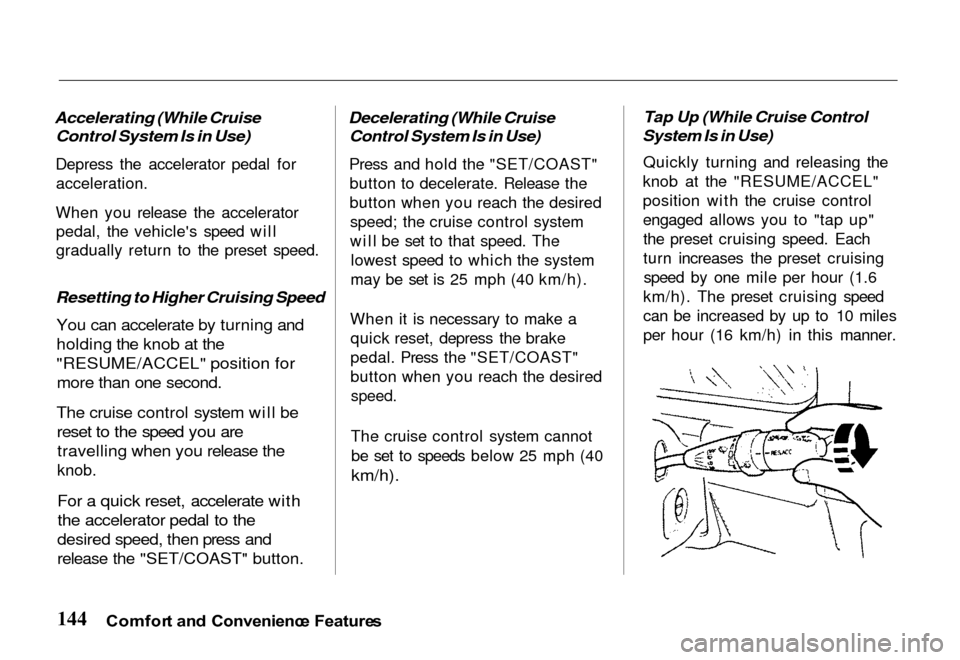
Resetting to Higher Cruising Speed You can accelerate by turning and
holding the knob at the
"RESUME/ACCEL" position for
more than one second.
The cruise control system will be
reset to the speed you are
travelling when you release the
knob.
For a quick reset, accelerate with
the accelerator pedal to the
desired speed, then press and
release the "SET/COAST" button.
Decelerating (While Cruise
Control System Is in Use)
Press and hold the "SET/COAST"
button to decelerate. Release the
button when you reach the desiredspeed; the cruise control system
will be set to that speed. The lowest speed to which the system
may be set is 25 mph (40 km/h).
When it is necessary to make a quick reset, depress the brake
pedal. Press the "SET/COAST"
button when you reach the desired
speed.
The cruise control system cannot
be set to speeds below 25 mph (40
km/h).
Tap Up (While Cruise Control
System Is in Use)
Quickly turning and releasing the
knob at the "RESUME/ACCEL"
position with the cruise control
engaged allows you to "tap up" the preset cruising speed. Each
turn increases the preset cruisingspeed by one mile per hour (1.6
km/h). The preset cruising speed
can be increased by up to 10 miles
per hour (16 km/h) in this manner.
Comfor t an d Convenienc e Feature s
Page 148 of 267
Tap Down (While Cruise Control
System Is in Use)
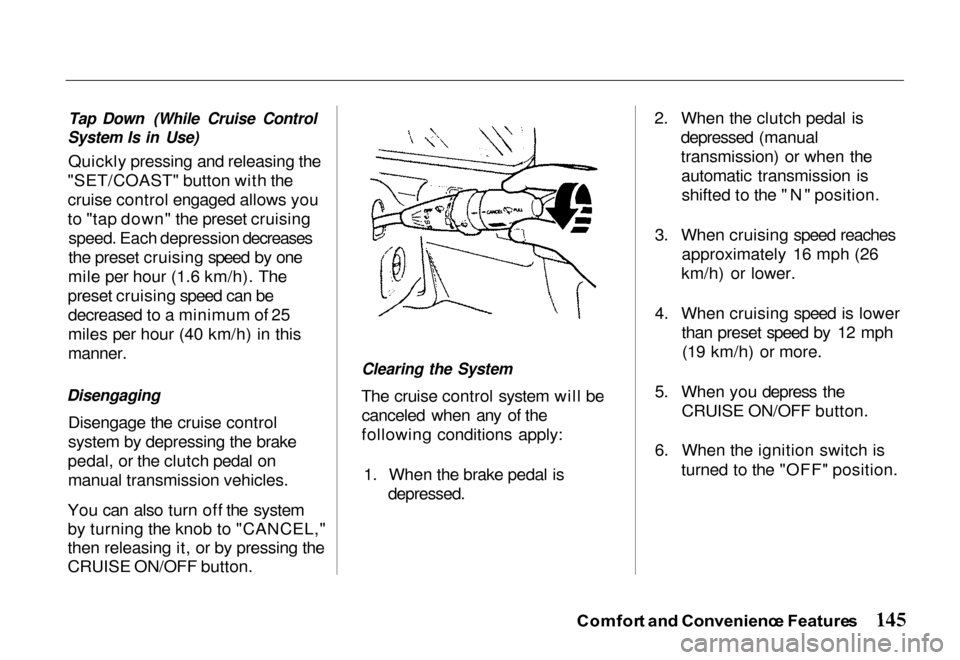
Quickly pressing and releasing the
"SET/COAST" button with the
cruise control engaged allows you
to "tap down" the preset cruising speed. Each depression decreases
the preset cruising speed by one
mile per hour (1.6 km/h). The
preset cruising speed can be decreased to a minimum of 25
miles per hour (40 km/h) in this
manner.
Disengaging
Disengage the cruise control
system by depressing the brake
pedal, or the clutch pedal on manual transmission vehicles.
You can also turn off the system
by turning the knob to "CANCEL,"
then releasing it, or by pressing the
CRUISE ON/OFF button.
Clearing the System
The cruise control system will be canceled when any of the
following conditions apply:
1. When the brake pedal is
depressed.
2. When the clutch pedal is
depressed (manual
transmission) or when theautomatic transmission isshifted to the "N" position.
3. When cruising speed reaches approximately 16 mph (26
km/h) or lower.
4. When cruising speed is lower than preset speed by 12 mph(19 km/h) or more.
5. When you depress the CRUISE ON/OFF button.
6. When the ignition switch is turned to the "OFF" position.
Comfor t an d Convenienc e Feature s
Page 149 of 267
7. If you press the
"SET/COAST" button at the
same time as you turn the
knob to the
"RESUME/ACCEL" position.
8. When trouble develops in the
system.
9. When the knob is turned to the "CANCEL" position.
On steep upgrades, the vehicle
may not be able to maintain the
preset speed. This may cause the
cruise control system to cancel.
Recovering the Set Speed
If the cruise control is cancelled
as described by items 1 thru 4
above, the originally set cruise
speed can be recovered by quickly
turning and releasing the knob at
the "RESUME/ACCEL" position.
Your current speed must be approximately 25 mph (40 km/h)
or higher.
Keep the CRUISE ON/OFF button
"OFF" unless you are using the
system.
Comfor t an d Convenienc e Feature s
Page 151 of 267
To cancel panic mode before 30
seconds, press any button on the
remote transmitter. You can also turn the ignition switch to
ACCESSORY.
Anti-Thef
t Syste m
The anti-theft system is designed
to protect your vehicle and its contents from theft. Any attempt
to forcibly open any door, the
tailgate, or the hood without using
the key or the remote transmitterwill cause the system to alarm.
The horn sounds and the headlights flash for approximately
three minutes. The starter motor
circuit is disabled so the engine
cannot be started. After threeminutes, the system resets. Activatin
g th e Syste m
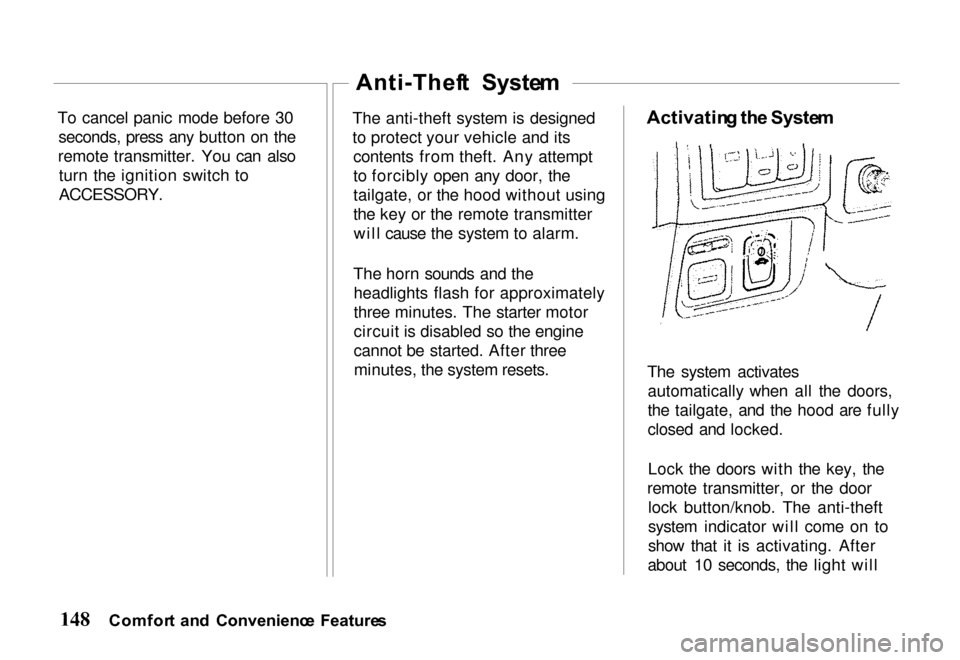
The system activates automatically when all the doors,
the tailgate, and the hood are fully
closed and locked.
Lock the doors with the key, the
remote transmitter, or the door lock button/knob. The anti-theft
system indicator will come on to
show that it is activating. After
about 10 seconds, the light will
Comfor t an d Convenienc e Feature s
Page 152 of 267
begin blinking rapidly to indicate
the system is active.
Deactivatin g th e Syste m
Unlocking the doors or the
tailgate with the key or the remote
transmitter turns off the system.
You can also turn the ignition
switch to the ACCESSORY
position.
Doing any of the above will also
reset an alarming system before
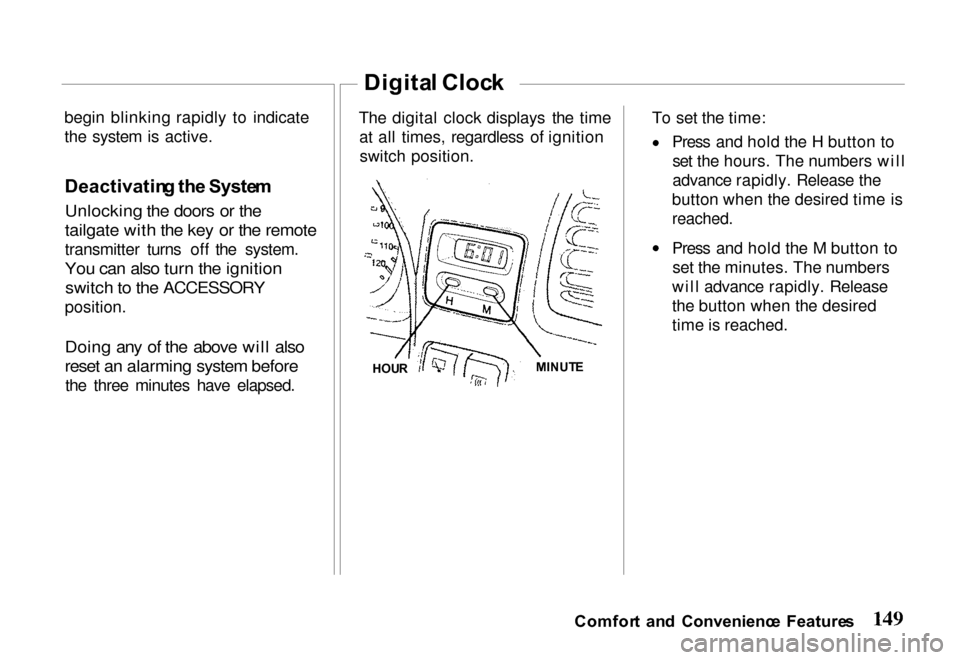
the three minutes have elapsed. The digital clock displays the time
at all times, regardless of ignitionswitch position. To set the time: Press and hold the H button to
set the hours. The numbers will
advance rapidly. Release the
button when the desired time is
reached.
Press and hold the M button to set the minutes. The numbers
will advance rapidly. Release
the button when the desired
time is reached.
Comfor t an d Convenienc e Feature s
Digita l Cloc k
HOU R MINUT
E