2000 HONDA ODYSSEY lock
[x] Cancel search: lockPage 49 of 352
Additional Informatio n Abou t You r Sea t Belt s
The seat belts in all positions except
the driver's and the center positionof the third seat have an additional
locking mechanism that must be activated to secure a child seat. (See
pages 31 and 36 for instructions on
how to secure child seats with this
type of seat belt.)
If the shoulder part of the belt is
pulled all the way out, the locking
mechanism will activate. The belt
will retract, but it will not allow thepassenger to move freely.
To deactivate the locking
mechanism, unlatch the buckle and
let the seat belt fully retract. To
refasten the belt, pull it out only as
far as needed.
See page 15 for instructions on how
to wear the lap/shoulder belt
properly.
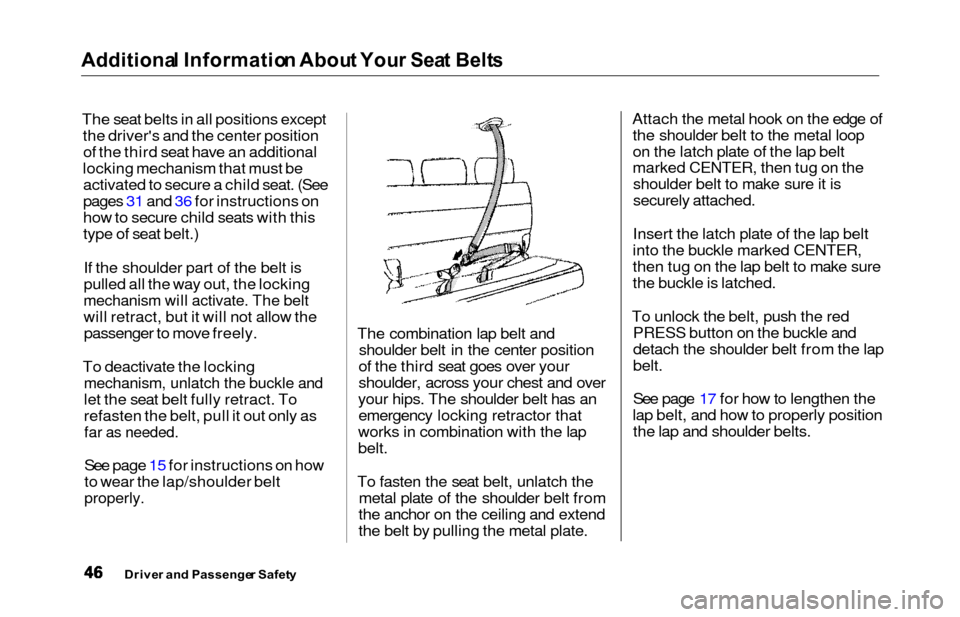
The combination lap belt and shoulder belt in the center position
of the third seat goes over your
shoulder, across your chest and over
your hips. The shoulder belt has an emergency locking retractor that
works in combination with the lap
belt.
To fasten the seat belt, unlatch the metal plate of the shoulder belt from
the anchor on the ceiling and extend
the belt by pulling the metal plate. Attach the metal hook on the edge of
the shoulder belt to the metal loop
on the latch plate of the lap belt
marked CENTER, then tug on theshoulder belt to make sure it is
securely attached.
Insert the latch plate of the lap belt
into the buckle marked CENTER,
then tug on the lap belt to make sure
the buckle is latched.
To unlock the belt, push the red PRESS button on the buckle and
detach the shoulder belt from the lap
belt.
See page 17 for how to lengthen the
lap belt, and how to properly position the lap and shoulder belts.
Drive r an d Passenge r Safet y
Page 52 of 352
Additional Informatio n Abou t You r SR S
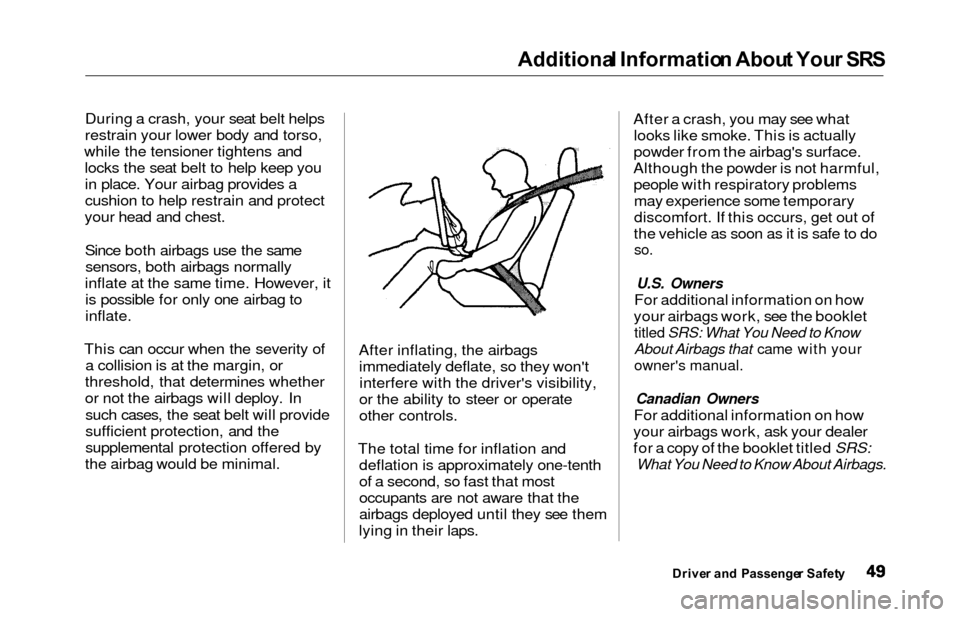
During a crash, your seat belt helps
restrain your lower body and torso,
while the tensioner tightens and locks the seat belt to help keep youin place. Your airbag provides a
cushion to help restrain and protect
your head and chest.
Since both airbags use the samesensors, both airbags normally
inflate at the same time. However, it is possible for only one airbag to
inflate.
This can occur when the severity of a collision is at the margin, or
threshold, that determines whether
or not the airbags will deploy. In such cases, the seat belt will provide
sufficient protection, and the
supplemental protection offered by
the airbag would be minimal. After inflating, the airbags
immediately deflate, so they won'tinterfere with the driver's visibility,
or the ability to steer or operate
other controls.
The total time for inflation and deflation is approximately one-tenth
of a second, so fast that most
occupants are not aware that the
airbags deployed until they see them
lying in their laps. After a crash, you may see what
looks like smoke. This is actually
powder from the airbag's surface.
Although the powder is not harmful, people with respiratory problemsmay experience some temporary
discomfort. If this occurs, get out of
the vehicle as soon as it is safe to do
so.
U.S. Owners
For additional information on how
your airbags work, see the booklet
titled SRS: What You Need to Know
About Airbags that came with your
owner's manual.
Canadian Owners
For additional information on how
your airbags work, ask your dealer
for a copy of the booklet titled SRS:
What You Need to Know About Airbags.
Drive r an d Passenge r Safet y
Page 58 of 352

Instrument
s an d Control s
This section gives information about
the controls and displays that
contribute to the daily operation of
your Honda. All the essential
controls are within easy reach.
Control Locations............................
56
Indicator Lights...............................
. 57
Gauges.............................................. 62
Controls Near the Steering
Wheel........................................ 65
Headlights.................................... 66
Automatic Lighting Off
Feature......................................
67
Daytime Runnin
g Lights.............
67
Instrument
Pane
l Brightness.....
67
Turn
Signals................................
.
68
Windshield
Wipers.....................
. 68
Windshield Washers................... 70
Rear Window Wiper and Washer...................................... 70
Hazard Warning........................ 70
Rear Windo
w Defogger.............. 71
Steering Wheel Adjustment....... 72
Steering Wheel Controls................ 73
Cruise Control.............................. 73
Remote Audio Controls .............. 76
Keys and Locks................................ 76
Keys............................................... 76
Immobilizer System..................... 77
Ignition Switch............................. 78
Power Door Locks....................... 79
Remote Transmitter.................... 81
Childproof Door Locks............... 85
Tailgate......................................... 85
Glove Box..................................... 87
Manual Sliding Doors...................... 88
Power Sliding Doors........................ 89
HomeLink Universal Transmitter.................................. 95
Seats.................................................. 99
Passenger Seating....................... 99
Seat Adjustments....................... 100
Driver's Seat Power
Adjustments........................... 102
Armrests..................................... 103
Head Restraints......................... 104
Third Seat Access...................... 105 Moving the Second Row Bucket Seat............................ 106
Removing the Bucket Seats in the Second Row................. 108
Folding the Third Seat.............. 109
Power Windows............................. 112
Mirrors............................................ 115
Parking Brake................................ 116
Digital Clock................................... 117 Center Table................................... 117
Beverage Holder............................ 118
Sunglasses Holder......................... 120
Sun Visor......................................... 121
Vanity Mirror................................. 121 Rear Compartment........................ 122
Center Pocket................................ 122Coin Holder.................................... 122
Storage Box.................................... 123
Coat Hook....................................... 123
Accessory Power Sockets............. 124 Interior Lights................................ 125
Instrument s an d Control s
Page 62 of 352

Indicator Light s
U.S.
Anti-loc k Brak e Syste m
(ABS ) Indicato r
This light normally comes on for a few seconds when you turn theignition switch ON (II), and when
the ignition switch is turned toSTART (III). If this light comes on at
any other time, there is a problem in
the ABS. If this happens, take the
vehicle to your dealer to have it checked. With the light on, your
vehicle still has normal braking ability but no anti-lock. For complete
information, see page 211. Tractio
n Contro l Syste m
(TCS ) Indicato r
On EX model
This indicator has three functions:
1. It comes on as a reminder that you have turned off the Traction
Control System.
2. It flashes when the TCS is
regulating wheelspin.
3. If it comes on and stays on whenthe Traction Control System is on,it indicates that there is a problem
in the TCS.
This light also comes on when youturn the ignition ON (II) and goes offafter the engine starts. See page 213 for more information on the
TCS.
Immobilize r Syste m
Indicato r
This indicator comes on for a few seconds when you turn the ignition
switch ON (II). It will then go off if
you have inserted a properly-coded ignition key. If it is not a properly-
coded key, the indicator will blinkand the engine will not start (see
page 77 ).
This indicator also blinks several times when you turn the ignition switch from ON (II) to ACCESSORY (I) or LOCK (0).
Instrument s an d Control s
Canad
a
T C SA B S
Page 69 of 352
Control
s Nea r th e Steerin g Whee l
Headlight s
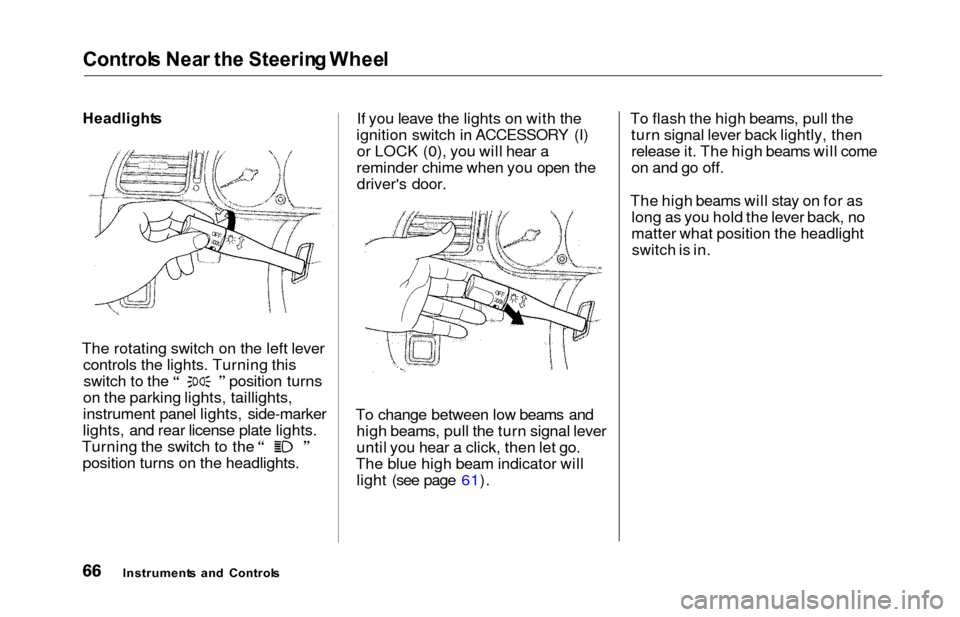
The rotating switch on the left lever controls the lights. Turning this switch to the position turns
on the parking lights, taillights,
instrument panel lights, side-marker
lights, and rear license plate lights. Turning the switch to the
position turns on the headlights. If you leave the lights on with the
ignition switch in ACCESSORY (I) or LOCK (0), you will hear a
reminder chime when you open the driver's door.
To change between low beams and high beams, pull the turn signal lever
until you hear a click, then let go.
The blue high beam indicator will light (see page 61). To flash the high beams, pull the
turn signal lever back lightly, thenrelease it. The high beams will come
on and go off.
The high beams will stay on for as long as you hold the lever back, no
matter what position the headlightswitch is in.
Instrument s an d Control s
Page 70 of 352
Control
s Nea r th e Steerin g Whee lAutomatic Lightin g Of f Featur e
On EX model
The Automatic Lighting Off feature
turns off the headlights, parking
lights, taillights, side marker lights,
license plate lights and instrument panel lights within 15 seconds of
removing the key from the ignition switch and closing the driver's door.
This feature activates if you leave
the headlight switch in the or
position, remove the key, open,
then close the driver's door. If you remove the key from the
ignition switch with the headlight switch on, but do not open the door
and get out, the lights will turn off
after 10 minutes. The lights will turn on again when
you unlock or open the driver's door.If you unlock the door, but do notopen it within 15 seconds, the lights
will go off. With the driver's door open, you will hear a lights-on
reminder chime.
Daytim e Runnin g Light s
(Canadia n Models )
With the headlight switch off, the
high beam headlights come on withreduced brightness when you turn
the ignition switch to ON (II) and
release the parking brake. They
remain on until you turn the ignitionoff, even if you set the parking brake.
The headlights revert to normal operation when you turn them on
with the switch. Instrumen
t Pane l Brightnes s
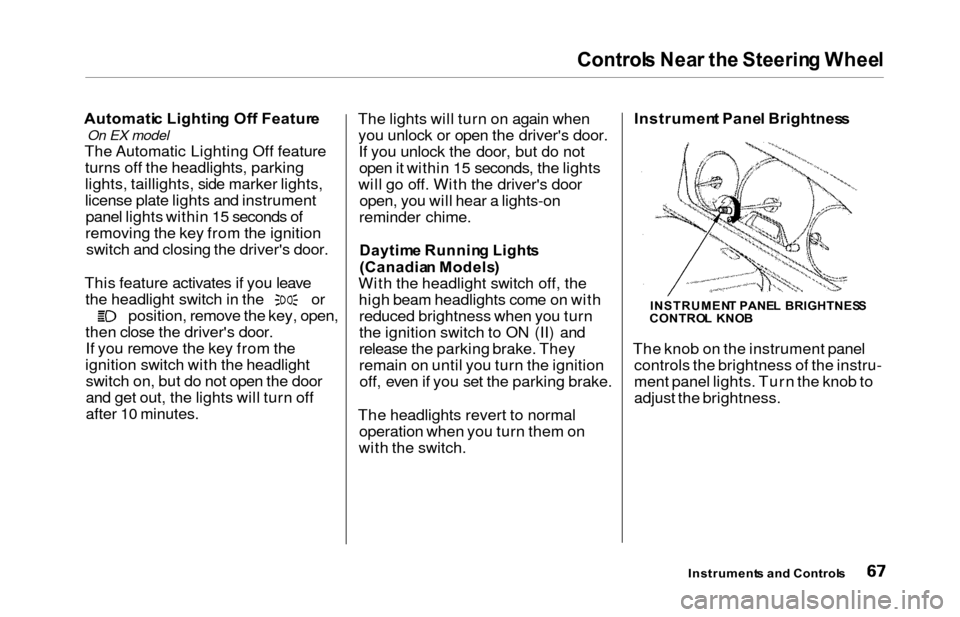
The knob on the instrument panel controls the brightness of the instru-
ment panel lights. Turn the knob to
adjust the brightness.
Instrument s an d Control s
INSTRUMEN T PANE L BRIGHTNES S
CONTRO L KNO B
Page 73 of 352
Controls Nea r th e Steerin g Whee l
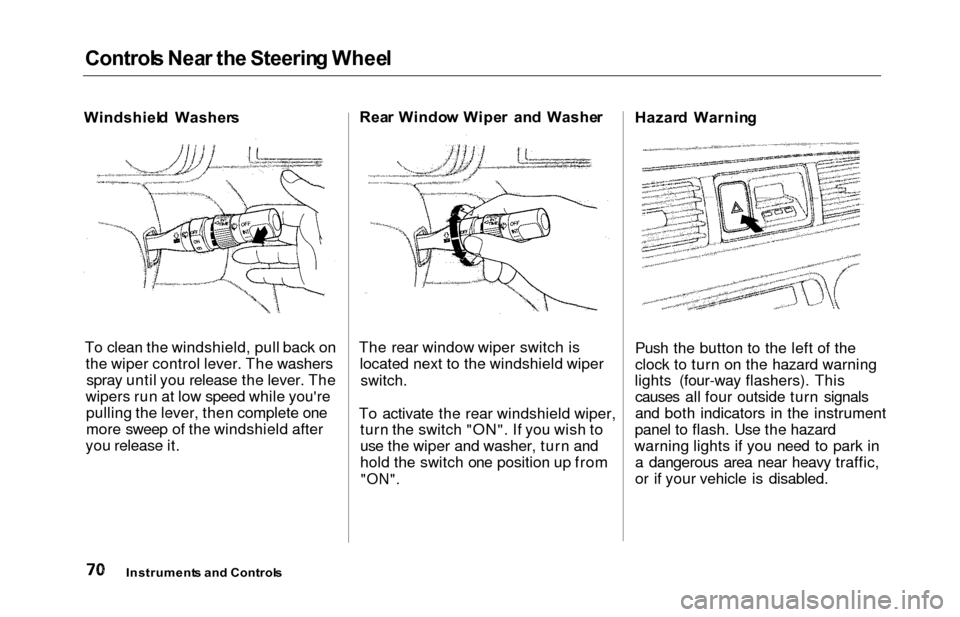
Windshiel d Washer s
To clean the windshield, pull back on the wiper control lever. The washersspray until you release the lever. The
wipers run at low speed while you're pulling the lever, then complete one
more sweep of the windshield after
you release it. Rea
r Windo w Wipe r an d Washe r
The rear window wiper switch is located next to the windshield wiper
switch.
To activate the rear windshield wiper, turn the switch "ON". If you wish to
use the wiper and washer, turn and
hold the switch one position up from
"ON".
Hazar d Warnin g
Push the button to the left of the
clock to turn on the hazard warning
lights (four-way flashers). This causes all four outside turn signals
and both indicators in the instrument
panel to flash. Use the hazard
warning lights if you need to park in a dangerous area near heavy traffic,
or if your vehicle is disabled.
Instrument s an d Control s
Page 75 of 352
Controls Nea r th e Steerin g Whee l
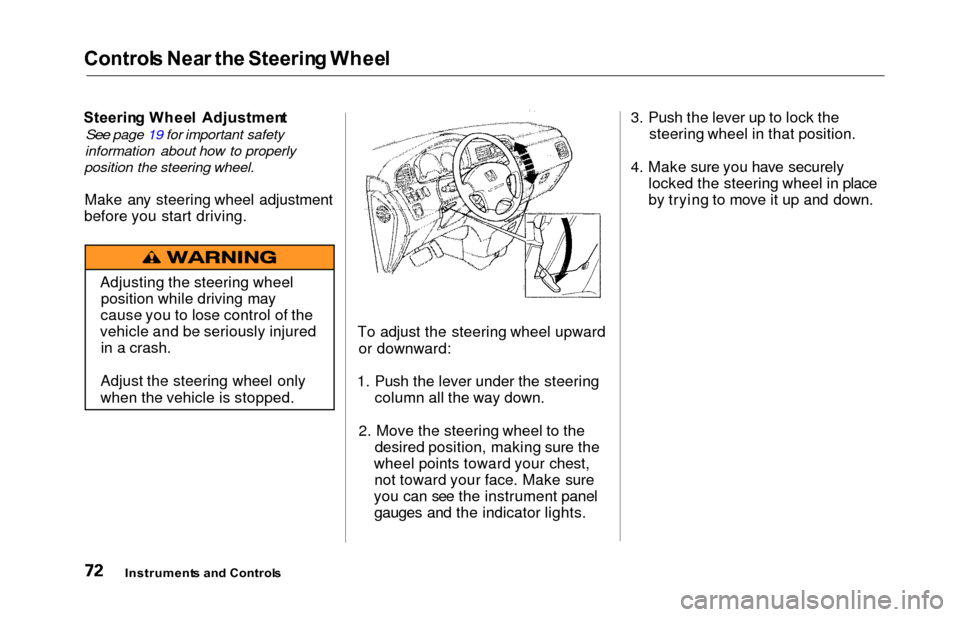
Steerin g Whee l Adjustmen t
See page 19 for important safety
information about how to properly
position the steering wheel.
Make any steering wheel adjustment
before you start driving.
To adjust the steering wheel upwardor downward:
1. Push the lever under the steering column all the way down.
2. Move the steering wheel to the desired position, making sure the
wheel points toward your chest, not toward your face. Make sure
you can see the instrument panel gauges and the indicator lights. 3. Push the lever up to lock the
steering wheel in that position.
4. Make sure you have securely locked the steering wheel in place
by trying to move it up and down.
Instrument s an d Control s
Adjusting the steering wheel
position while driving may
cause you to lose control of the
vehicle and be seriously injured in a crash.
Adjust the steering wheel only
when the vehicle is stopped.