Page 91 of 321
2-26
Parking Brake
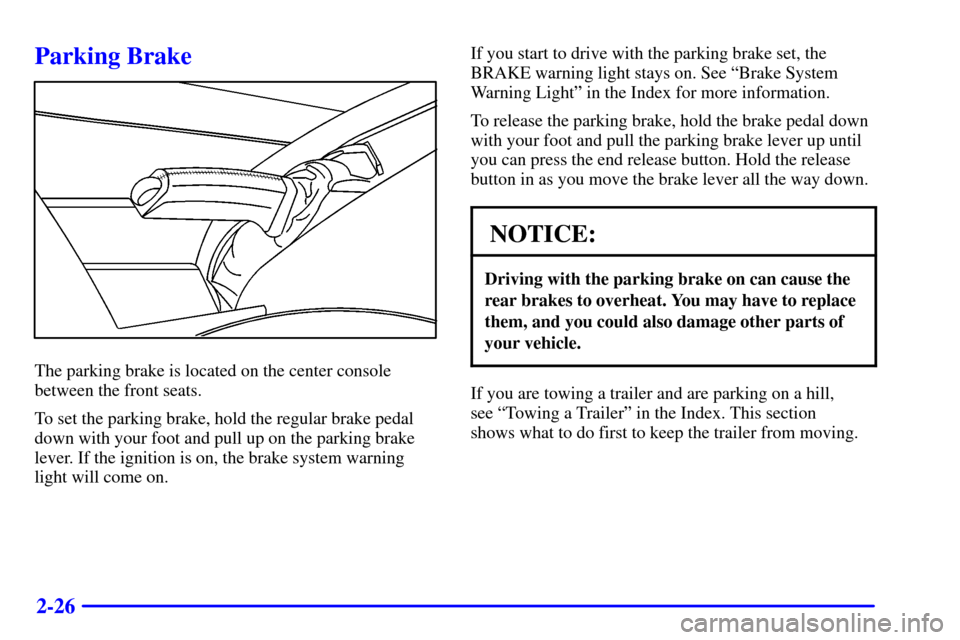
The parking brake is located on the center console
between the front seats.
To set the parking brake, hold the regular brake pedal
down with your foot and pull up on the parking brake
lever. If the ignition is on, the brake system warning
light will come on.If you start to drive with the parking brake set, the
BRAKE warning light stays on. See ªBrake System
Warning Lightº in the Index for more information.
To release the parking brake, hold the brake pedal down
with your foot and pull the parking brake lever up until
you can press the end release button. Hold the release
button in as you move the brake lever all the way down.
NOTICE:
Driving with the parking brake on can cause the
rear brakes to overheat. You may have to replace
them, and you could also damage other parts of
your vehicle.
If you are towing a trailer and are parking on a hill,
see ªTowing a Trailerº in the Index. This section
shows what to do first to keep the trailer from moving.
Page 92 of 321
2-27
Shifting Into PARK (P)
CAUTION:
It can be dangerous to get out of your vehicle if
the shift lever is not fully in PARK (P) with the
parking brake firmly set. Your vehicle can roll.
If you have left the engine running, the vehicle
can move suddenly. You or others could be
injured. To be sure your vehicle won't move,
even when you're on fairly level ground, use
the steps that follow. If you're pulling a trailer,
see ªTowing a Trailerº in the Index.
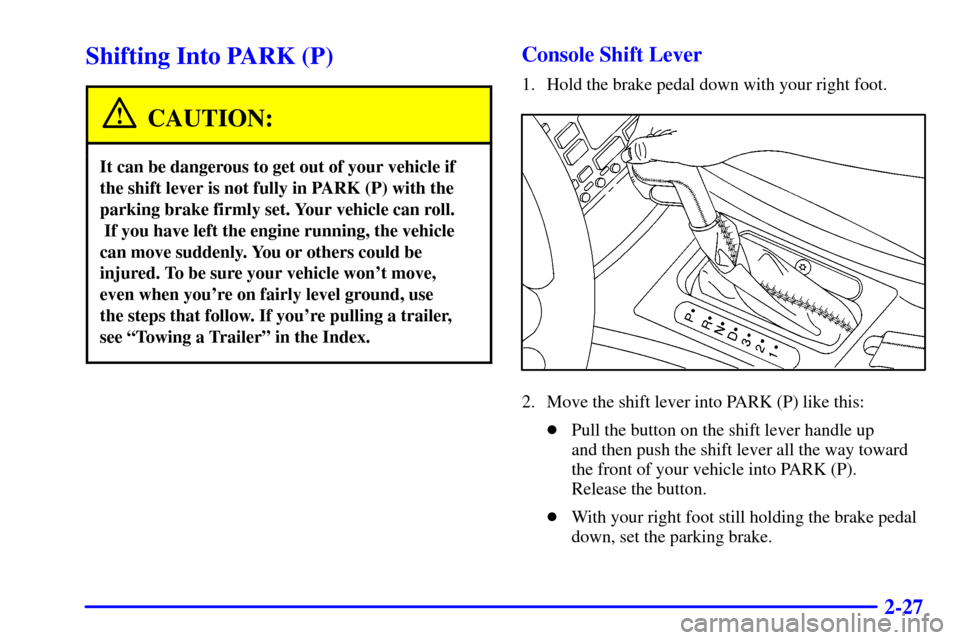
Console Shift Lever
1. Hold the brake pedal down with your right foot.
2. Move the shift lever into PARK (P) like this:
�Pull the button on the shift lever handle up
and then push the shift lever all the way toward
the front of your vehicle into PARK (P).
Release the button.
�With your right foot still holding the brake pedal
down, set the parking brake.
Page 93 of 321
2-28
3. Turn the ignition key to LOCK.
4. Remove the ignition key and take it with you.
If you can leave your vehicle with the key in your
hand, your vehicle is in PARK (P).
Leaving Your Vehicle With the
Engine Running
CAUTION:
It can be dangerous to leave your vehicle with
the engine running. Your vehicle could move
suddenly if the shift lever is not fully in PARK (P)
with the parking brake firmly set. And, if you
leave the vehicle with the engine running, it could
overheat and even catch fire. You or others could
be injured. Don't leave your vehicle with the
engine running unless you have to.
If you have to leave your vehicle with the engine
running, be sure your vehicle is in PARK (P) and the
parking brake is firmly set before you leave it. After
you've moved the shift lever into PARK (P), hold the
regular brake pedal down. Then, see if you can move
the shift lever away from PARK (P) without pressing the
button on the shift lever handle. If you can, it means
that the shift lever wasn't fully locked into PARK (P).
Torque Lock
If you are parking on a hill and you don't shift your
transmission into PARK (P) properly, the weight of the
vehicle may put too much force on the parking pawl in
the transmission. You may find it difficult to pull the
shift lever out of PARK (P). This is called ªtorque lock.º
To prevent torque lock, set the parking brake and then
shift into PARK (P) properly before you leave the
driver's seat. To find out how, see ªShifting Into
PARK (P)º in the Index.
If torque lock does occur, you may need to have another
vehicle push yours a little uphill to take some of the
pressure from the parking pawl in the transmission,
so you can pull the shift lever out of PARK (P).
Page 94 of 321
2-29
Shifting Out of PARK (P)
Your vehicle has an automatic transmission shift lock
control system. You have to fully apply your regular
brakes before you can shift from PARK (P) when the
ignition is in ON. See ªAutomatic Transmissionº in
the Index.
If you cannot shift out of PARK (P), ease pressure on
the shift lever
-- push the shift lever all the way into
PARK (P) as you maintain brake application. Then
move the shift lever into the gear you want. If you ever
hold the brake pedal down but still can't shift out of
PARK (P), try this:
1. Turn the ignition key to OFF. Open and close the
driver's door to turn off the Retained Accessory
Power (RAP) feature.
2. Apply and hold the brake until the end of step 8.
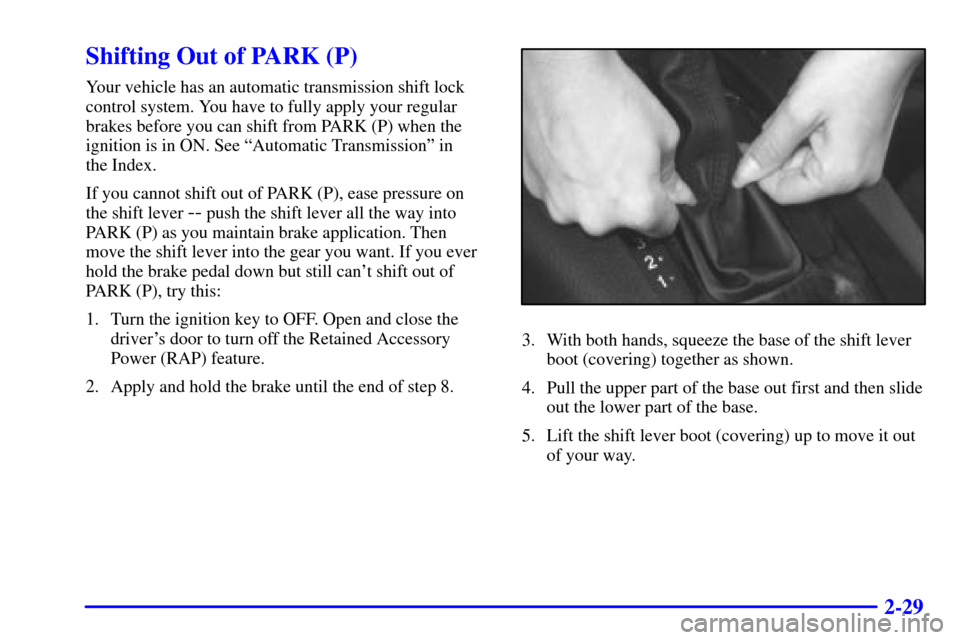
3. With both hands, squeeze the base of the shift lever
boot (covering) together as shown.
4. Pull the upper part of the base out first and then slide
out the lower part of the base.
5. Lift the shift lever boot (covering) up to move it out
of your way.
Page 97 of 321
2-32
CAUTION:
It can be dangerous to get out of your vehicle if
the shift lever is not fully in PARK (P) with the
parking brake firmly set. Your vehicle can roll.
Don't leave your vehicle when the engine is
running unless you have to. If you've left the
engine running, the vehicle can move suddenly.
You or others could be injured. To be sure your
vehicle won't move, even when you're on fairly
level ground, always set your parking brake
after you move the shift lever to PARK (P).
Follow the proper steps to be sure your vehicle won't
move. See ªShifting Into PARK (P)º in the Index.
If you are parking on a hill and if you're pulling a
trailer, also see ªTowing a Trailerº in the Index.
Windows
Power Windows
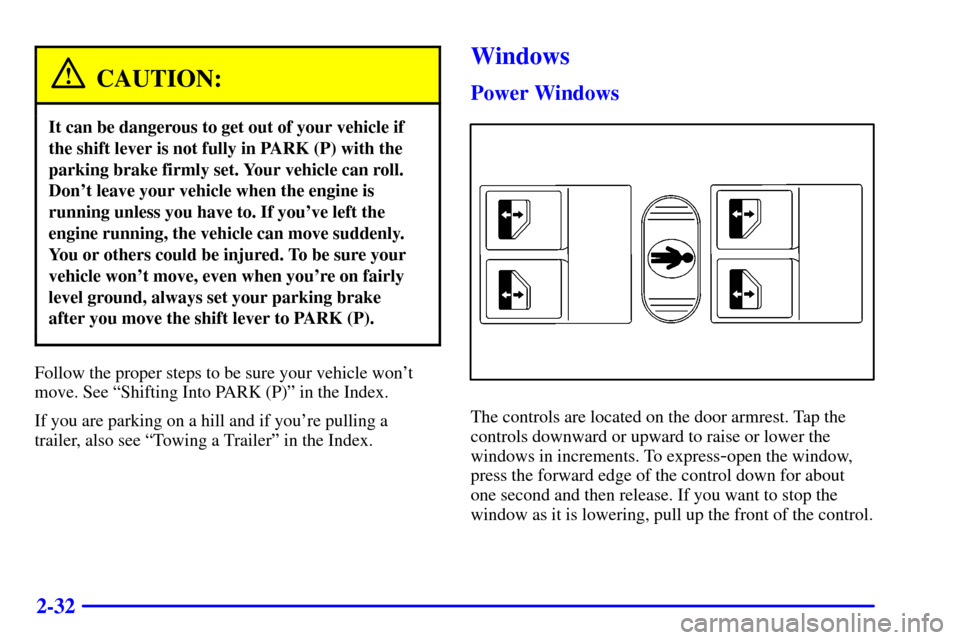
The controls are located on the door armrest. Tap the
controls downward or upward to raise or lower the
windows in increments. To express
-open the window,
press the forward edge of the control down for about
one second and then release. If you want to stop the
window as it is lowering, pull up the front of the control.
Page 103 of 321
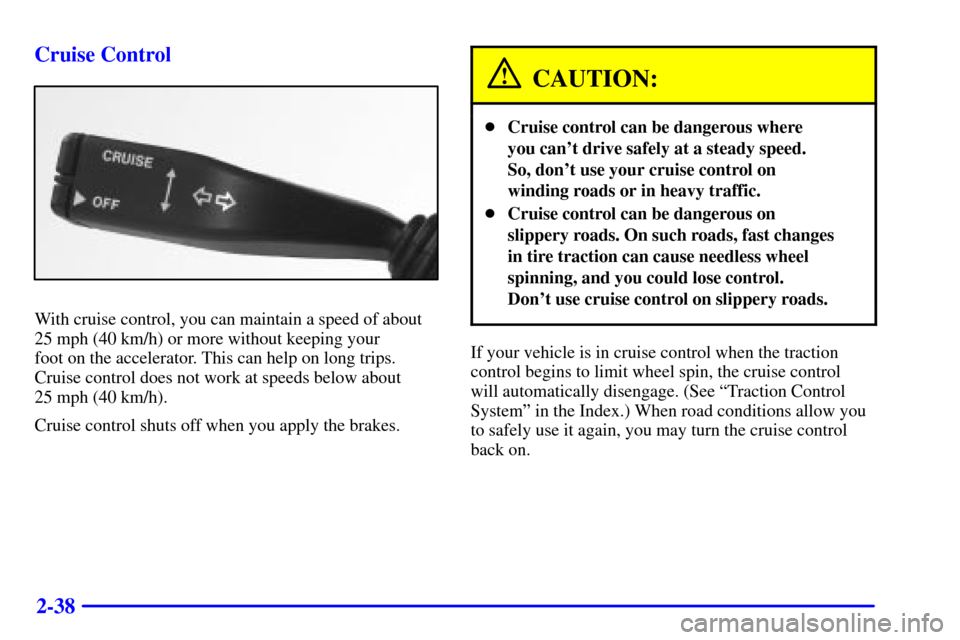
2-38 Cruise Control
With cruise control, you can maintain a speed of about
25 mph (40 km/h) or more without keeping your
foot on the accelerator. This can help on long trips.
Cruise control does not work at speeds below about
25 mph (40 km/h).
Cruise control shuts off when you apply the brakes.
CAUTION:
�Cruise control can be dangerous where
you can't drive safely at a steady speed.
So, don't use your cruise control on
winding roads or in heavy traffic.
�Cruise control can be dangerous on
slippery roads. On such roads, fast changes
in tire traction can cause needless wheel
spinning, and you could lose control.
Don't use cruise control on slippery roads.
If your vehicle is in cruise control when the traction
control begins to limit wheel spin, the cruise control
will automatically disengage. (See ªTraction Control
Systemº in the Index.) When road conditions allow you
to safely use it again, you may turn the cruise control
back on.
Page 105 of 321
2-40
Resuming a Set Speed
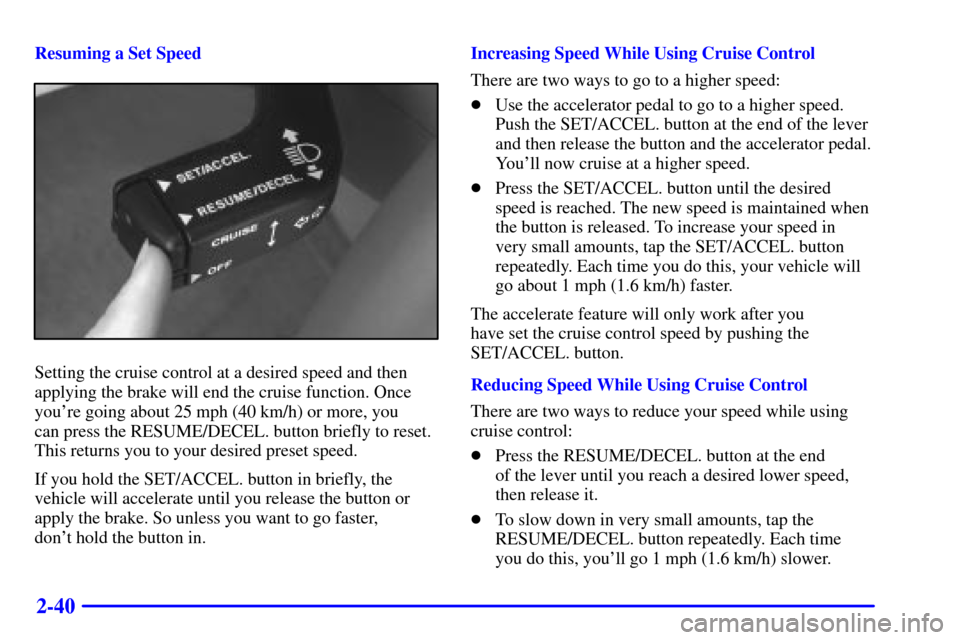
Setting the cruise control at a desired speed and then
applying the brake will end the cruise function. Once
you're going about 25 mph (40 km/h) or more, you
can press the RESUME/DECEL. button briefly to reset.
This returns you to your desired preset speed.
If you hold the SET/ACCEL. button in briefly, the
vehicle will accelerate until you release the button or
apply the brake. So unless you want to go faster,
don't hold the button in.Increasing Speed While Using Cruise Control
There are two ways to go to a higher speed:
�Use the accelerator pedal to go to a higher speed.
Push the SET/ACCEL. button at the end of the lever
and then release the button and the accelerator pedal.
You'll now cruise at a higher speed.
�Press the SET/ACCEL. button until the desired
speed is reached. The new speed is maintained when
the button is released. To increase your speed in
very small amounts, tap the SET/ACCEL. button
repeatedly. Each time you do this, your vehicle will
go about 1 mph (1.6 km/h) faster.
The accelerate feature will only work after you
have set the cruise control speed by pushing the
SET/ACCEL. button.
Reducing Speed While Using Cruise Control
There are two ways to reduce your speed while using
cruise control:
�Press the RESUME/DECEL. button at the end
of the lever until you reach a desired lower speed,
then release it.
�To slow down in very small amounts, tap the
RESUME/DECEL. button repeatedly. Each time
you do this, you'll go 1 mph (1.6 km/h) slower.
Page 106 of 321
2-41
Passing Another Vehicle While Using Cruise Control
Use the accelerator pedal to increase your speed. When
you take your foot off the pedal, your vehicle will slow
down to the cruise control speed you set earlier.
Using Cruise Control on Hills
How well the cruise control will work on hills depends
upon your speed, load and the steepness of the hills.
When going up steep hills, you may have to step on the
accelerator pedal to maintain your speed. When going
downhill, you may have to brake or shift to a lower gear
to keep your speed down. Of course, applying the brake
takes you out of cruise control. Many drivers find this to
be too much trouble and don't use cruise control on
steep hills.
Ending Cruise Control
There are two ways to end cruise control:
�Step lightly on the brake pedal.
�Press the OFF button at the end of the cruise lever.
Erasing Speed Memory
The cruise control set speed memory is erased when you
turn off the cruise control or the ignition.Exterior Lamps
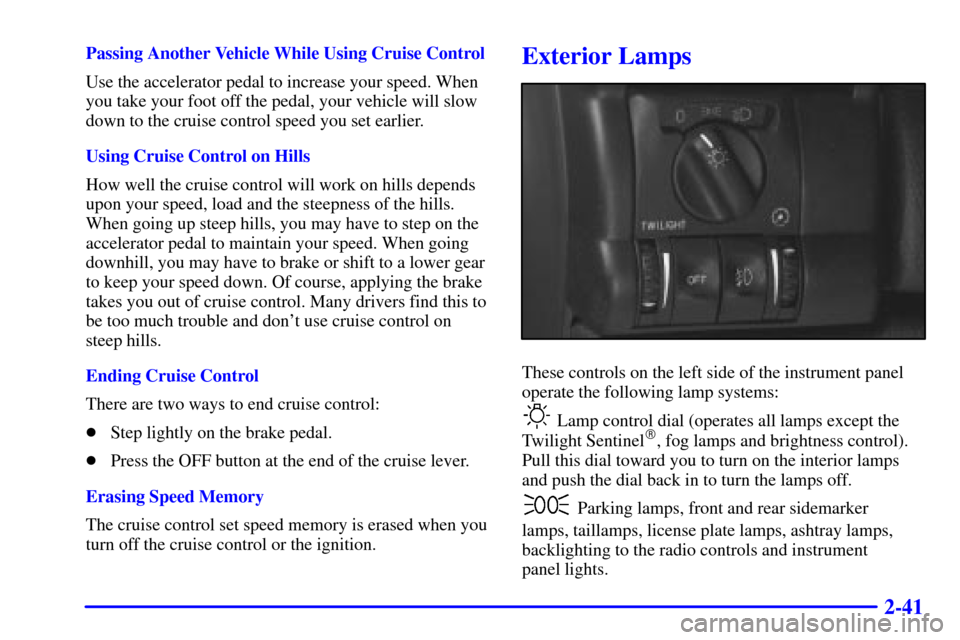
These controls on the left side of the instrument panel
operate the following lamp systems:
Lamp control dial (operates all lamps except the
Twilight Sentinel�, fog lamps and brightness control).
Pull this dial toward you to turn on the interior lamps
and push the dial back in to turn the lamps off.
Parking lamps, front and rear sidemarker
lamps, taillamps, license plate lamps, ashtray lamps,
backlighting to the radio controls and instrument
panel lights.