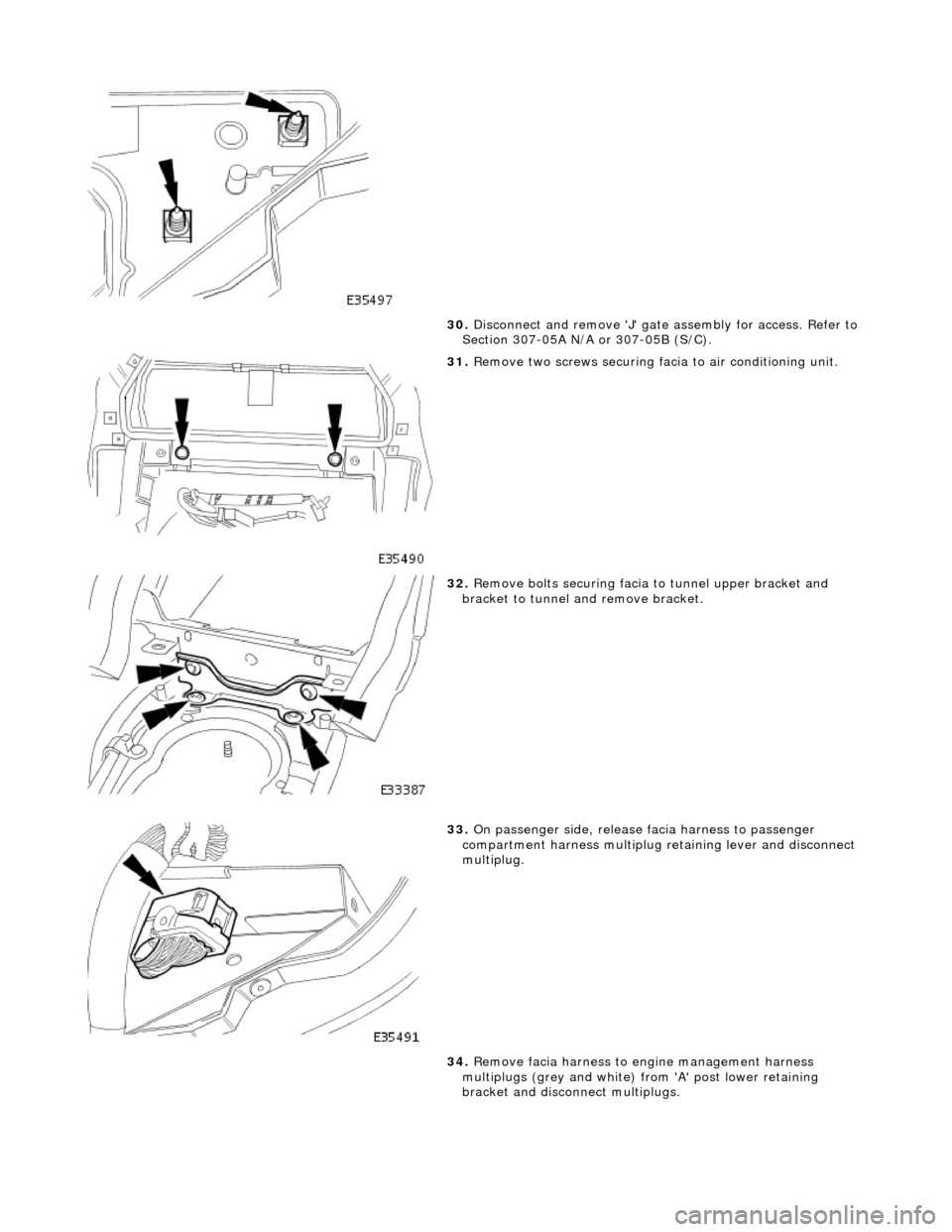
30. Disconnect and remove 'J' gate assembly for access. Refer to
Section 307-05A N/A or 307-05B (S/C).
31. Remove two screws securing facia to air conditioning unit.
32. Remove bolts securing facia to tunnel upper bracket and
bracket to tunnel and remove bracket.
33. On passenger side, release facia harness to passenger
compartment harness multiplug re taining lever and disconnect
multiplug.
34. Remove facia harness to engine management harness
multiplugs (grey and white) fr om 'A' post lower retaining
bracket and disconn ect multiplugs.
54. Install radio. Refer to 86.50.03.
55. Install facia centre veneer panel. Refer to 76.47.06.
56. Install centre console veneer panel. Refer to 76.47.26.
57. Install 'J' gate finisher retain ing panel. Refer to 76.25.26.
58. Install 'J' gate surround. Refe r to 76.25.24, Section 307-05A
(N/A), 307-05B (S/C).
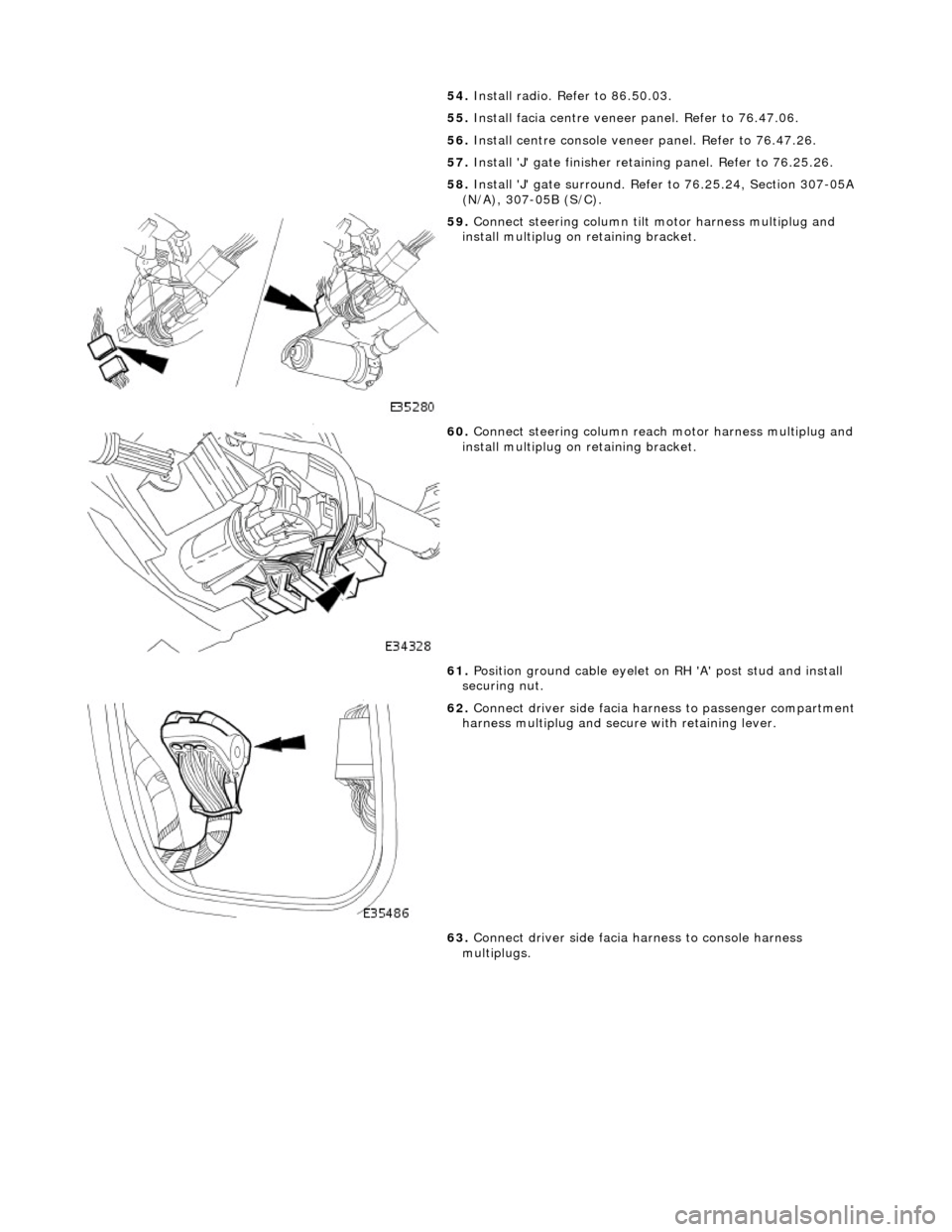
59. Connect steering column tilt motor harness multiplug and
install multiplug on retaining bracket.
60. Connect steering column reac h motor harness multiplug and
install multiplug on retaining bracket.
61. Position ground cable eyelet on RH 'A' post stud and install
securing nut.
62. Connect driver side facia harn ess to passenger compartment
harness multiplug and secure with retaining lever.
63. Connect driver side facia harness to console harness
multiplugs.