1998 CHEVROLET VENTURE seats
[x] Cancel search: seatsPage 101 of 474
Top Strap
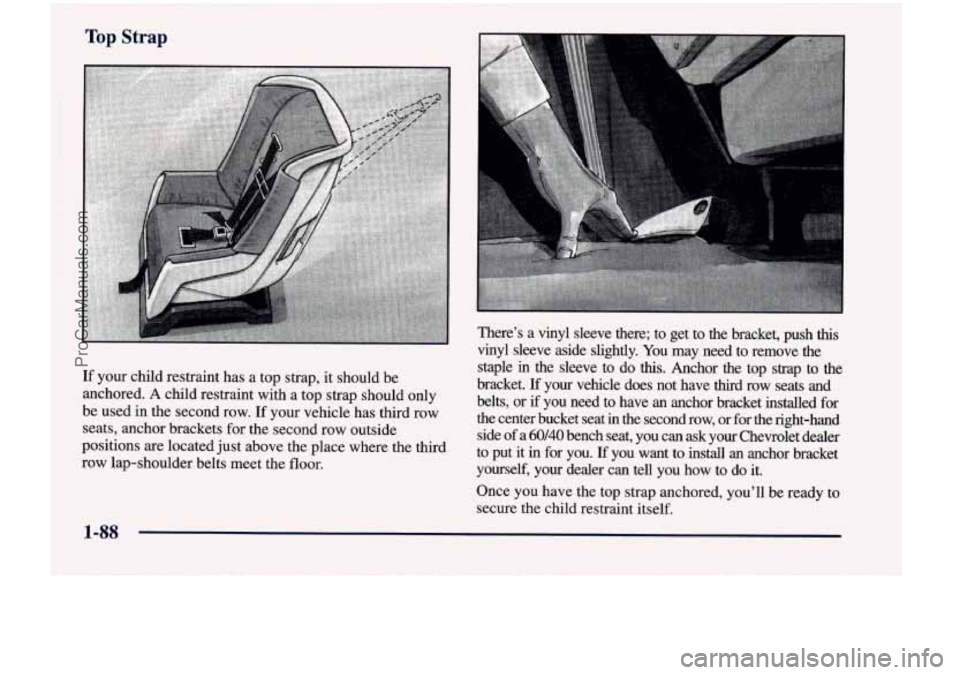
There's a vinyl sleeve there; to get to the bracket, push this
vinyl sleeve aside slightly. You may need to remove the
staple
in the sleeve to do this. Anchor the top strap to the
bracket.
If your vehicle does not have third row seats and
If your child restraint has a top strap,
it should be
anchored. A child restraint with a top should only belts, or if you need to have an anchor bracket installed for
be used in the second row. If your vehicle has third row the center bucket seat in the second row, or for the right-ha\
nd
seats, anchor brackets for the second row outside
side
of a 60140 bench seat, you can ask your Chevrolet dealer
positions are located just above the place where the third
to put it in for you. you want to install an anchor bracket
row lap-shoulder belts meet the floor.
yourself, your dealer can tell you how to do it.
Once you have the top strap anchored, you'll be ready to
secure the child restraint itself.
ProCarManuals.com
Page 109 of 474
You'll be using the lap-shoulder belt. See the earlier part
about the top strap if the child restraint has one. Be sure
to follow the instructions that came with the child
restraint. Secure the child in the child restraint when and
as the instructions say.
1. Because your vehicle has a front passenger air bag,
always move the seat
as far back as it will go before
securing a forward-facing child restraint. (See
"Seats" in the Index.)
2. Put the restraint on the seat.
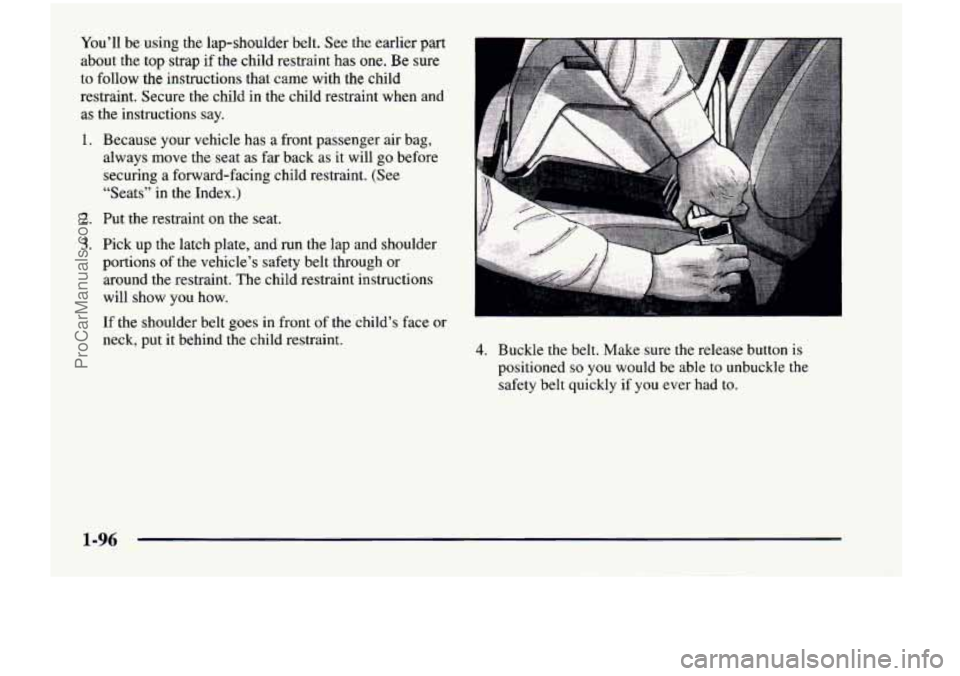
3. Pick up the latch plate, and run the lap and shoulder
portions of the vehicle's safety belt through or
around the restraint. The child restraint instructions
will show you how.
If the shoulder belt goes in front of the child's face or
neck, put
it behind the child restraint. 4. Buckle the belt. Make sure the release button is
positioned
so you would be able to unbuckle the
safety belt quickly if
you ever had to.
1-96
ProCarManuals.com
Page 183 of 474
Both outside mirrors can be folded forward or rearward.
In the rearward position, they will fold almost flush with
the vehicle. This feature is particularly useful
in
automatic car washes.
Your mirrors have
a blue tint to reduce glare while
driving at night.
Convex Outside Mirror
Your passenger’s side mirror is convex. A convex
mirror’s surface is curved
so you can see more from
the driver’s seat.
A CAUTION: I
A convex mirror can make things (like other
vehicles) look farther away than they really are.
If you cut too sharply into the right lane, you
could hit a vehicle on your right. Check your
inside mirror or glance over your shoulder before
changing lanes.
Storage Compartments
Your vehicle’s large carrying capacity can store many
items. If you have the extended wheelbase version, you
can carry things as large as a
4’ x 8’ piece of plywood.
You can also use the floor pins that are used to attach the
seats, to secure larger loads. This section also describes
storage areas for specific items like sunglasses and cups.
Glove Box
Your vehicle has a glove box below the instrument panel.
To open the glove box, lift the latch release. Use the key
to lock or unlock the glove box.
The glove box door has a detent to prevent the door
from lowering too far. Open the
glove box until the door
is partway open, then pull the door down if you need it
fully open.
To close the glove box, the door must be
pushed up past the detent.
In the door of the glove box, you will find a tissue pack
holder and clip for
a pen or pencil.
2-66
ProCarManuals.com
Page 187 of 474
Cupholders
There are cupholders on the inboard side of the front
passenger’s seat and the right side of the second row
bench seat.
To
use the cupholders, simply pull down the tray. Keep
the trays
up when not in use.
Your vehicle has storage compartments and cupholders
on either side
of the vehicle, next to the third row seats.
The seatbacks have cupholders that can be used when
the seatbacks are folded down.
Storage Bin
At the base of the center instrument panel console, there
is a storage bin.
To open the bin, lift the latch release
and the door will fold down.
Inside the bin, you will find a tray that slides out. Slide
the tray
all the way toward the rear of the vehicle until
the tray locks onto the plastic tabs at
the end of the guide
rails. The tray holds
CDs or cassettes in the center area.
You can also store cassettes in the left side area. The
right side area can
hold either the coinholder, which lifts
out, or another cassette.
The tray can be removed for
cleaning or when you want to replace the selection
of
CDs or cassettes. Slide the tray back into the storage bin
before closing the bin door. The tray can also be placed
in the glove box for locked storage if desired.
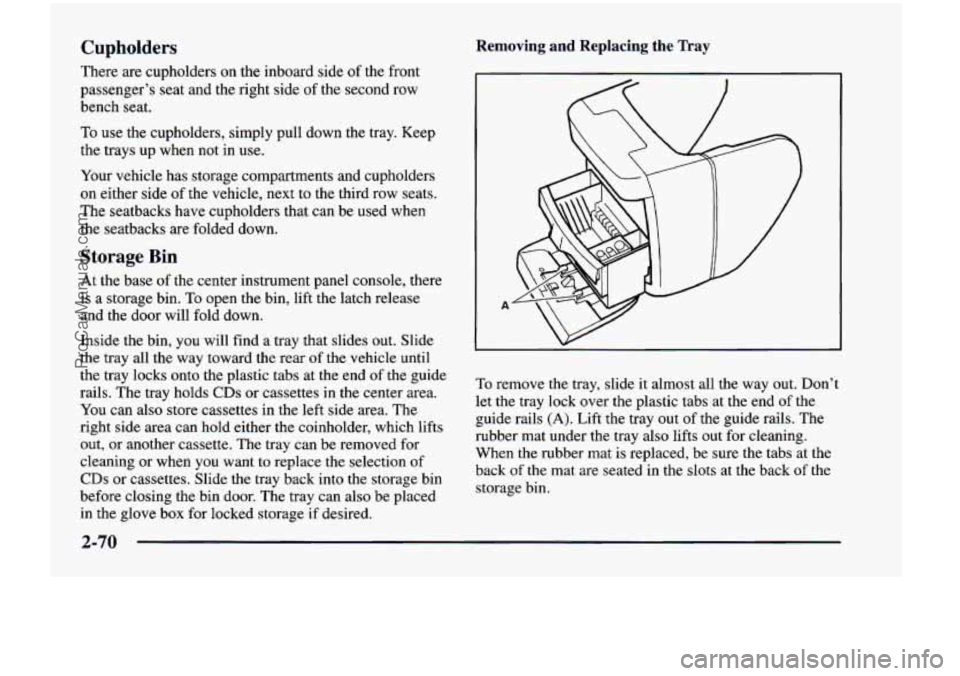
Removing and Replacing the Tray
To remove the tray, slide it almost all the way out. Don’t
let the tray lock over the plastic tabs at the end
of the
guide rails
(A). Lift the tray out of the guide rails. The
rubber
mat under the tray also lifts out for cleaning.
When the rubber mat is replaced, be sure the tabs at the
back
of the mat are seated in the slots at the back of the
storage bin.
2-70
ProCarManuals.com
Page 188 of 474
The dividers in the tray can be removed by squeezing
the plastic tabs on the bottom of the dividers, while
pulling up. Replace the dividers by sliding them down
until the tabs click into place.
To replace the tray, line up the guiaes on the bottom of
the tray with the guide rails in the storage bin door. Slide
the tray back in.
Front Seat Storage Bin
The storage bin is located under the manual front
passenger’s seat.
To open the bin, lift the handle and
slide the drawer out.
Front Seat Storage Net
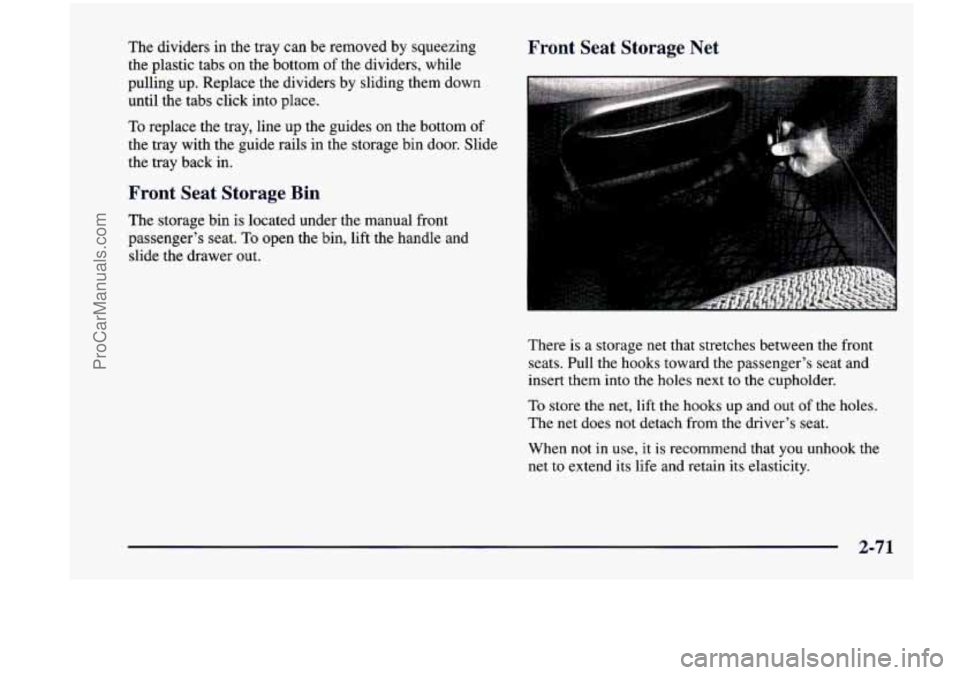
There is a storage net that stretches between the front
seats. Pull the hooks toward the passenger’s seat and
insert them into the holes next to the cupholder.
To store the net, lift the hooks up and out of the holes.
The net does not detach from the driver’s seat.
When not in use, it is recommend that
you unhook the
net to extend
its life and retain its elasticity.
2-71
ProCarManuals.com
Page 221 of 474
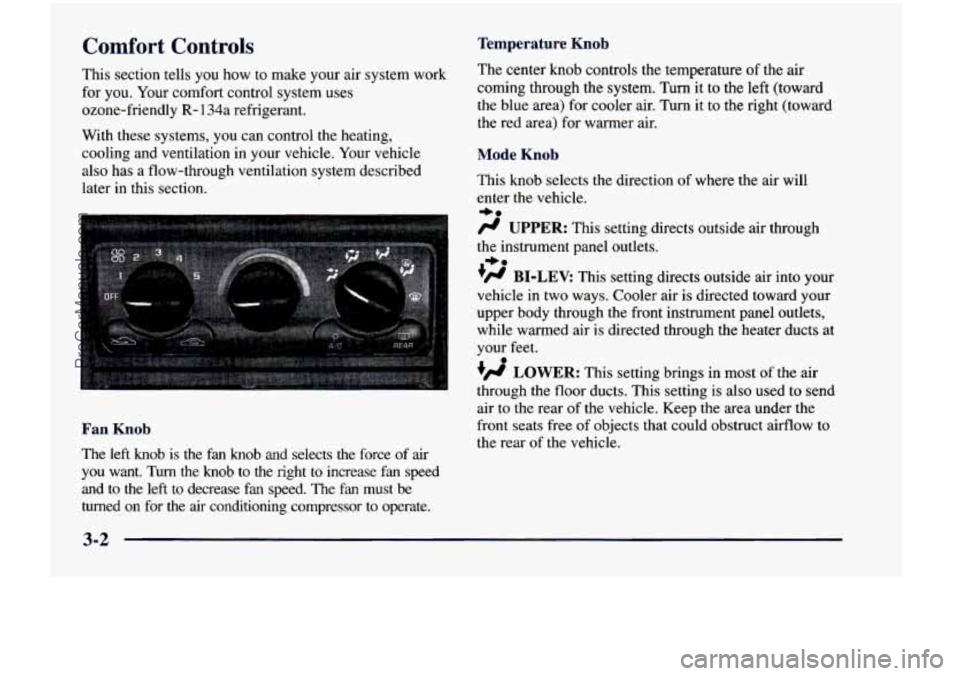
Temperature Knob Comfort Controls
This section tells you how to make your air system work
for
you. Your comfort control system uses
ozone-friendly
R- 134a refrigerant.
With these systems,
you can control the heating,
cooling and ventilation
in your vehicle. Your vehicle
also has a flow-through ventilation system described
later
in this section. The
center
knob controls the temperature of the air
coming through the system. Turn it to the left (toward
the blue area) for cooler air. Turn it to the right (toward\
the red area) for warmer air.
Mode Knob
This knob selects the direction of where the air will
enter the vehicle.
-be
fl UPPER: This setting directs outside air through
the instrument panel outlets.
+fl BI-LEV: This setting directs outside air into your
vehicle in two ways. Cooler air
is directed toward your
upper body through the front instrument panel outlets,
while warmed air
is directed through the heater ducts at
your feet.
+e
0
+fl LOWER: This setting brings in most of the air
air to the rear of the vehicle. Keep the area under the
the rear of the vehicle.
- through the floor ducts. This setting is also used to send
Fan Knob front seats free of objects that could obstruct airflow to
The left knob is the fan knob and selects the force of air
you want. Turn the knob to the right to increase fan speed
and to the left to decrease
fan speed. The fan must be
turned on for the
air conditioning compressor to operate.
3-2
ProCarManuals.com
Page 225 of 474
Rear Climate Control (If Equipped)
If you have the optional rear climate control, the rear
seat passengers can control the temperature and the
amount of air directed
to the rear of the vehicle. The
amount
of air directed to the rear of the vehicle can also
be adjusted using the front control for the rear fan.
Set the main climate control mode knob to
LOWER,
DEFOG or DEFROST, when outside temperatures are
cold or moderate, to send air to the rear
of the vehicle
through the lower vents.
Set the main climate control mode knob to
UPPER or
BI-LEV to send air to the rear of the vehicle through the
headliner outlets.
To send conditioned air to the rear of the vehicle, press
the
A/C button (the light will glow) on the main climate
controls.
If you do not select NC, air directed to the rear
of the vehicle will be cabin temperature.
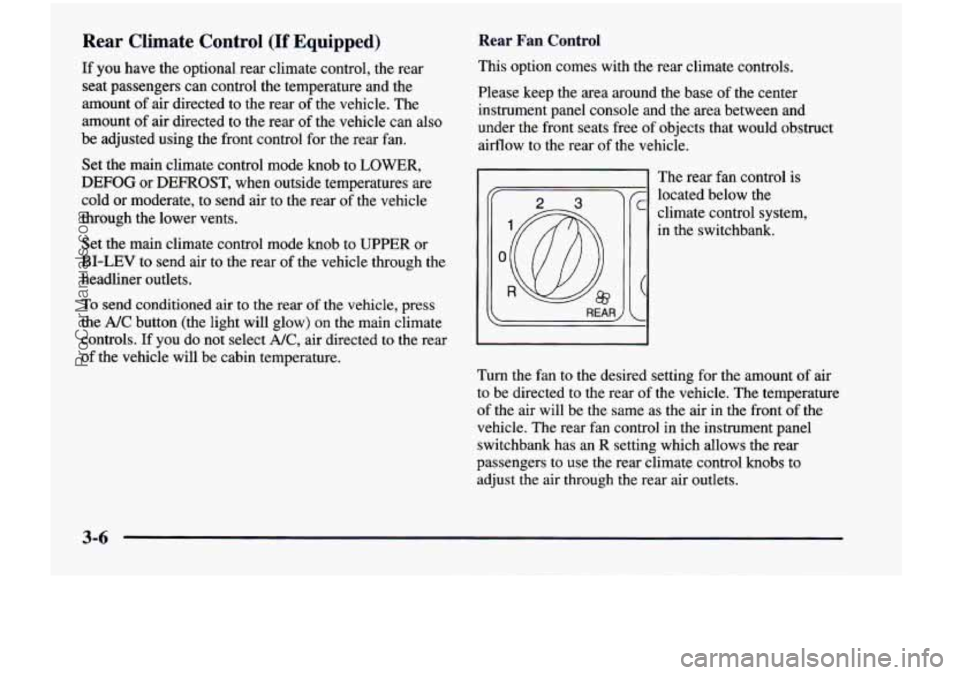
Rear Fan Control
This option comes with the rear climate controls.
Please keep the area around the base of the center
instrument panel console and the area between and
under the front seats free of objects that would obstruct
airflow to the rear of the vehicle.
':@ R
The rear fan control is
located below the
climate control system,
in the switchbank.
Turn the fan to the desired setting for the amount of air
to be directed to the rear of the vehicle. The temperature
of the air will be the same as the air in the front of the
vehicle. The rear fan control in the instrument panel
switchbank has an
R setting which allows the rear
passengers to use the rear climate control knobs to
adjust the air through the rear air outlets.
3-6
ProCarManuals.com
Page 227 of 474
Rear Air Vents Ventilation System
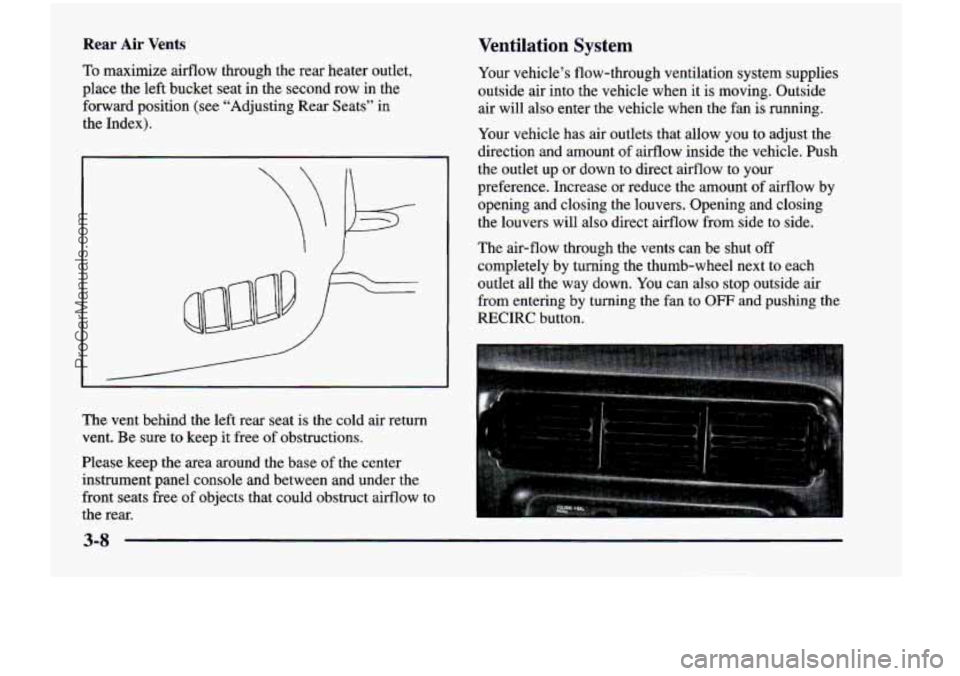
To maximize airflow through the rear heater outlet,
place the left bucket
seat in the second row in the
forward position (see “Adjusting Rear Seats” in
the Index).
The vent behind the left rear seat is the cold air return
vent. Be sure to keep it free of obstructions.
Please keep the area around the base of the center
instrument panel console and between and under the
front seats free
of objects that could obstruct airflow to
the rear. Your
vehicle’s flow-through ventilation system supplies
outside air into the vehicle when it is moving. Outside air will also enter the vehicle when the fan
is running.
Your vehicle has air outlets that allow you to adjust the
direction and amount
of airflow inside the vehicle. Push
the outlet up
or down to direct airflow to your
preference. Increase or reduce the amount of airflow by
opening and closing the louvers. Opening and closing
the louvers will also direct airflow from side to side.
The air-flow through the vents can be shut
off
completely by turning the thumb-wheel next to each
outlet all the way down. You can also stop outside air
from entering by turning the fan to
OFF and pushing the
RECIRC button.
3-8
ProCarManuals.com