1998 CHEVROLET VENTURE interior lights
[x] Cancel search: interior lightsPage 118 of 474

0 Section 2 Features and Controls
Here you can learn about the many standard and optional features on your vehicle, and i\
nformation on starting,
shifting and braking. Also explained are the instrument panel and the warning systems that tell you if everything is
working properly
-- and what to do if you have a problem.
2-2
2-4
2-8
2-12
2-13
2- 14
2-20
2-22
2-23
2-25 2-26
2-27
2-29
2-30
2-34
2-35
2-37 Keys
Door Locks
Keyless Entry System (Option)
Switchbanks
Sliding Door
Power Sliding Door (Option)
Liftgate
Theft
Content Theft-Deterrent (Option)
New Vehicle “Break-In”
Ignition Positions
Starting Your Engine
Engine Coolant Heater (If Equipped)
Automatic Transaxle Operation
Parking Brake Shifting Into PARK
(P)
Shifting Out of PARK (P) 2-38
2-38
2-39
2-40
2-50
2-53
2-60
2-6 1
2-65
2-66
2-78
2-7
8
2-80 2-82
2-86
2-98 Parking
Over Things That Burn
Engine Exhaust
Running Your Engine While You’re Parked
Locks and Lighting Choices
Windows Turn SignaVMultifunction Lever
Exterior Lamps
Interior Lamps
Mirrors
Storage Compartments
Sun Visors
Accessory Inflator System (Option)
Accessory Power Outlet Instrument Panel
Warning Lights, Gages and Indicators
Driver Information Center (DIC) (Option)
2-1
ProCarManuals.com
Page 129 of 474
5. Check the transmitter operation. If needed, follow
the instructions on resynchronizing your remote
transmitter.
Resynchronizing Your Remote Transmitter
Your remote keyless entry system uses a continually
changing code for increased security. Normally, the
receiver in your vehicle will keep track of this
changing code.
Loss of synchronization will occur if the transmitter
is activated more than
256 times while out of range
of the vehicle.
Loss of synchronization will occur after the battery
replacement if the transmitter is immediately activated
more than
16 times while out of range of the vehicle.
If your remote keyless entry transmitter has stopped
working,
you may need to resynchronize the transmitter
to the vehicle receiver. To do this, press the
LOCK and
UNLOCK buttons together and hold for at least seven
seconds or until the horn sounds if equipped with Content
Theft-Deterrent. Check the transmitter operation.
Switchbanks
There are two sets of switchbanks located in the front
of the vehicle. The switches will vary with the options that are
on your vehicle. It is useful to become familiar
with them since they are used frequently while
operating the vehicle.
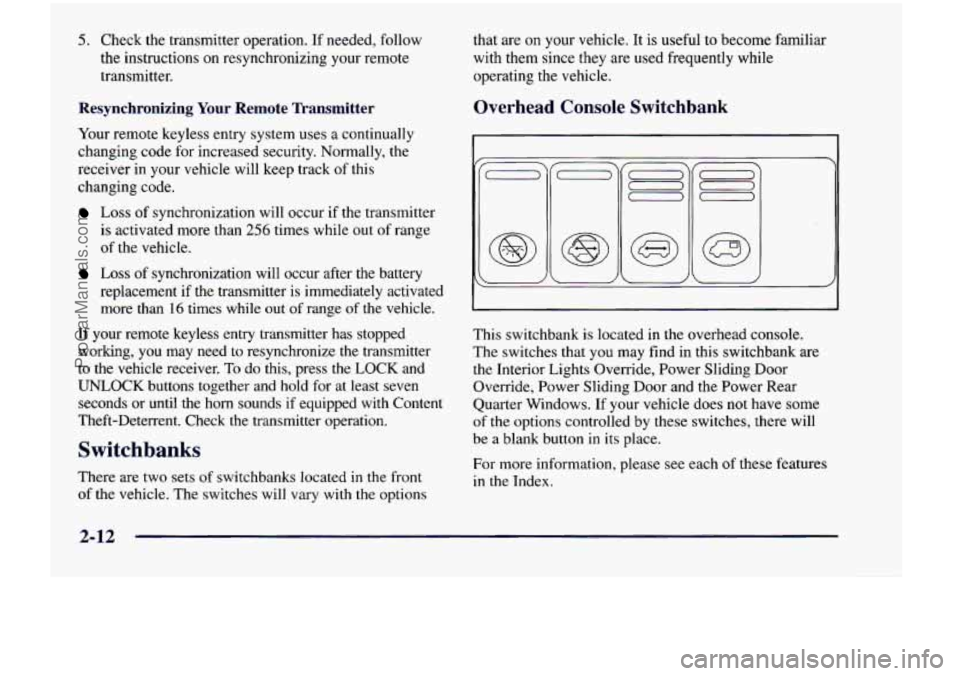
Overhead Console Switchbank
This switchbank is located in the overhead console.
The switches that
you may find in this switchbank are
the Interior Lights Override, Power Sliding Door
Override, Power Sliding Door and the Power Rear
Quarter Windows. If your vehicle does
not have some
of
the options controlled by these switches, there will
be a blank button in its place.
For more information, please see each
of these features
in the Index.
ProCarManuals.com
Page 178 of 474

Daytime Running Lamps
Daytime Running Lamps (DRL) can make it easier
for others to see the front of your vehicle during the
day. DRL can be helpful in many different driving
conditions, but they can be especially helpful in the
short periods after dawn and before sunset.
A light sensor on top of the instrument panel makes the
DRL work,
so be sure it isn’t covered. The DRL system
will make front parking and turn signal lamps come on
in daylight when:
The ignition is on,
0 the headlamp switch is off and
0 the parking brake is released.
When the DRL are on, only your front parking and turn
signal lamps will be on. Your instrument panel won’t be
lit up.
When it’s dark enough outside, the exterior lamps will
come on automatically. When
it’s bright enough outside,
the exterior lamps will go out and the DRL will turn
on.
Of course, you may still turn on the headlamps any time
you need to.
To idle your vehicle with the DRL or exterior lamps
off, set the parking brake while the ignition is in
OFF
or LOCK. Then start the vehicle. The DRL will stay off
until you release the parking brake.
As with any vehicle, you should turn on the regular
headlamp system when
you need it.
Interior Lamps
Instrument Panel Intensity Control
Turn the control, located below the headlamps switch,
to the right to increase the brightness of the instrument
panel lights, and
to the left to decrease the brightness.
Turn the control all the way to the left to turn them
off.
Interior Lamps Control
Turn the dial all the way to the right to turn on the
interior lamps, if the interior lamps override switch is
off. Turn the dial to
the left to turn the lamps off.
2-61
ProCarManuals.com
Page 181 of 474
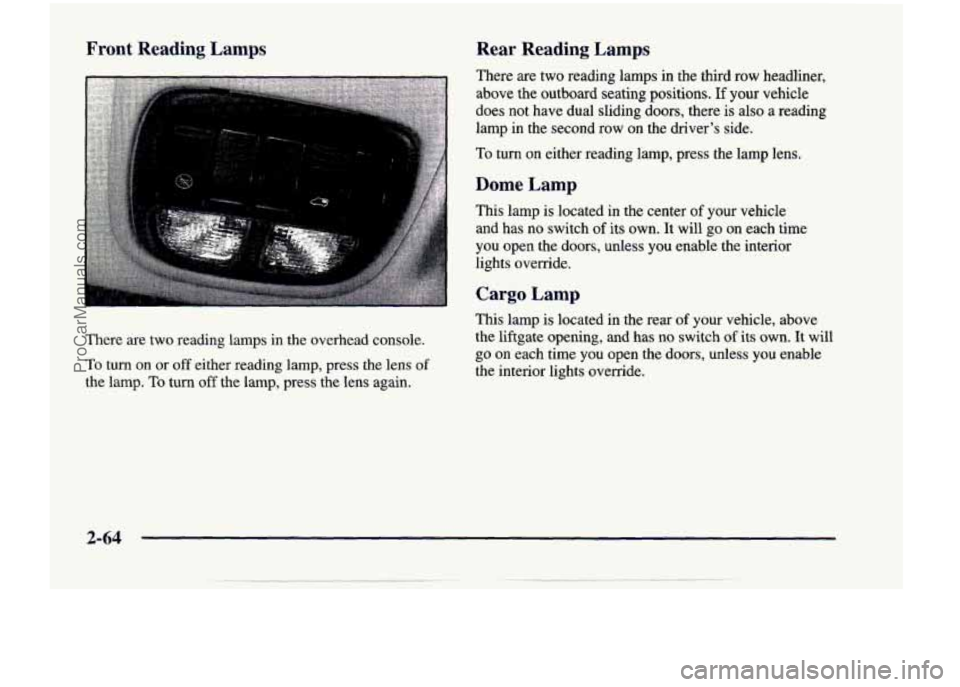
Front Reading Lamps
There are two reading lamps in the overhead console.
To
turn on or off either reading lamp, press the lens of
the lamp. To turn off the lamp, press the lens again.
Rear Reading Lamps
There are two reading lamps in the third row headliner,
above the outboard seating positions.
If your vehicle
does not have dual sliding doors, there is also a reading
lamp
in the second row on the driver’s side.
To turn on either reading lamp, press the lamp lens.
Dome Lamp
This lamp is located in the center of your vehicle
and has no switch
of its own. It will go on each time
you open the
doors, unless you enable the interior
lights override.
Cargo Lamp
This lamp is located in the rear of your vehicle, above
the liftgate opening, and
has no switch of its own. It will
go on each time you open the doors, unless you enable
the interior lights override.
2-64
ProCarManuals.com
Page 182 of 474
Battery Saver
Your vehicle has a feature to help prevent you from
draining the battery, in case you accidentally leave the
interior or underhood lamps
on. If you leave any of
these lamps on while the ignition is
in LOCK or OFF,
they will automatically turn off after 10 minutes. The
lamps won’t come back on again until you:
turn the ignition to RUN or ACCESSORY,
turn the interior lamps dial all the way to the right,
open (or close and reopen) a door that is closed.
Note that if your vehicle has less than 15 miles
(25 km)
on the odometer, the battery saver will turn off the lamps
after only three minutes. then
slightly back to the left; or
Mirrors
Inside Daymight Rearview Mirror
To reduce glare from lights behind you, pull the lever
toward you (to the night position). To return the mirror
to the day position, push the lever away from you.
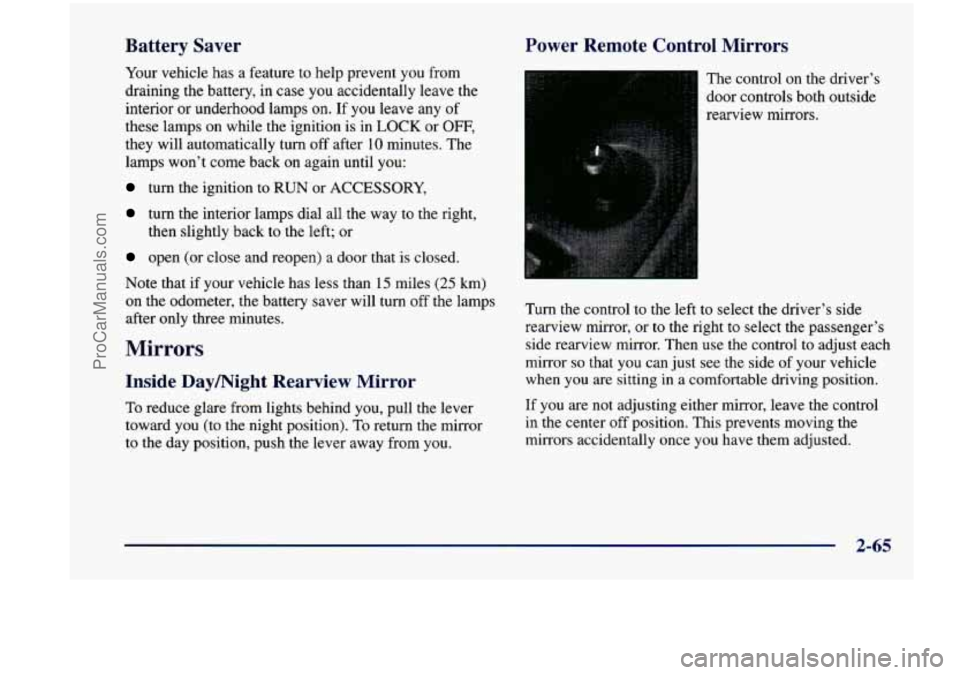
Power Remote Control Mirrors
The control on the driver’s
door controls both outside
rearview mirrors.
Turn the control to the left to select the driver’s side
rearview mirror,
or to the right to select the passenger’s
side rearview mirror. Then
use the control to adjust each
mirror
so that you can just see the side of your vehicle
when you
are sitting in a comfortable driving position.
If you are not adjusting either mirror, leave the control
in the center off position. This prevents moving the
mirrors accidentally once you have them adjusted.
2-65
ProCarManuals.com
Page 184 of 474
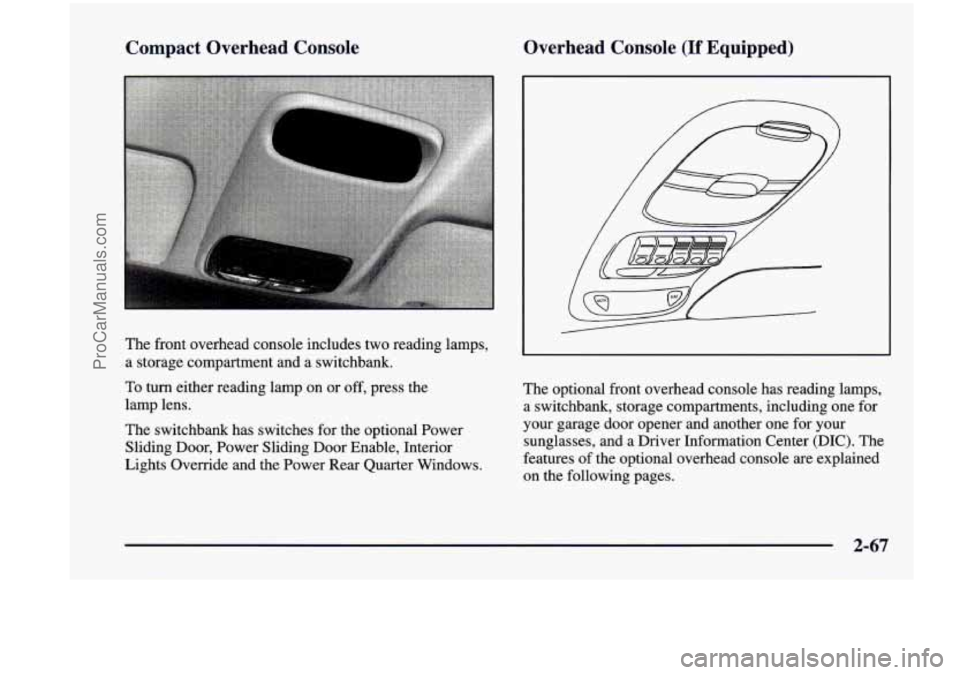
Compact Overhead Console Overhead Console (If Equipped)
b
The
front overhead console includes two reading lamps,
a storage compartment and a switchbank.
To
turn either reading lamp on or off, press the
lamp lens.
The switchbank has switches for the optional Power
Sliding Door, Power Sliding Door Enable, Interior
Lights Override and the Power Rear Quarter Windows. The
optional front overhead console has reading lamps,
a switchbank, storage compartments, including one for
your garage door opener and another one for your
sunglasses, and a Driver Information Center (DIC). The
features of the optional overhead console are explained
on the following pages.
2-67
ProCarManuals.com
Page 463 of 474
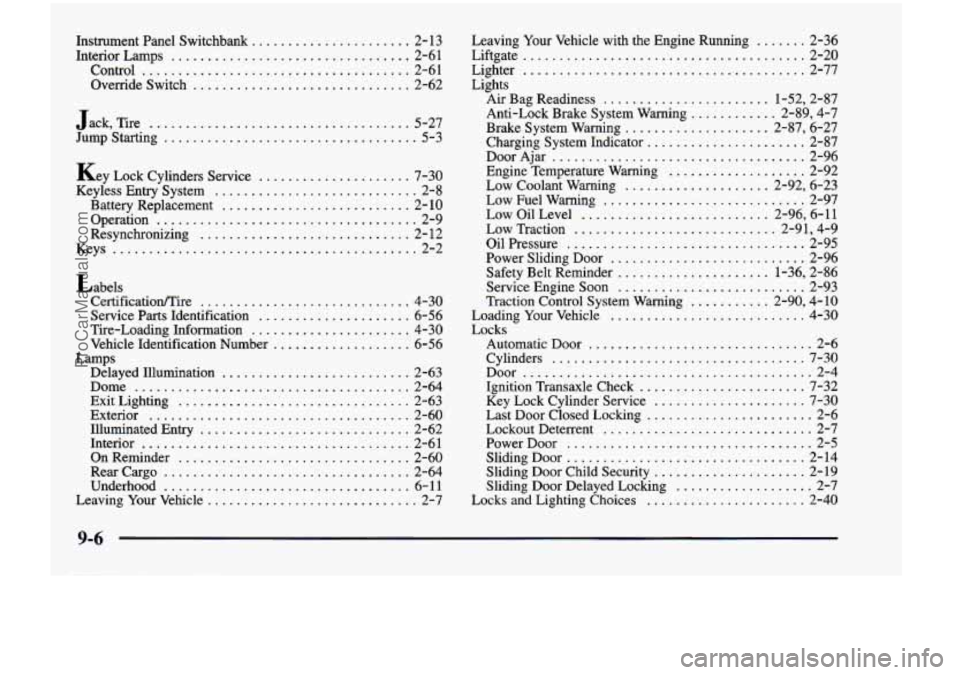
Instrument Panel Switchbank ...................... 2- 13
Interior Lamps ................................. 2-61
Control
..................................... 2-6 1
Override Switch .............................. 2-62
Jack. Tire
.................................... 5-27
Jump Starting
................................... 5-3
Key Lock Cylinders Service
..................... 7-30
Keyless Entry System
............................ 2-8
Battery Replacement
.......................... 2-10
Operation
.................................... 2-9
Resynchronizing
............................. 2- 12
Keys
.......................................... 2-2
Labels CertificatiodTire
............................. 4-30
Service
Parts Identification ..................... 6-56
Tire-Loading Information
...................... 4-30
Vehicle Identification Number
................... 6-56
Delayed Illumination
.......................... 2-63
Dome
...................................... 2-64
Exit Lighting
................................ 2-63
Exterior
.................................... 2-60
Illuminated Entry
............................. 2-62
Interior
..................................... 2-61
OnReminder
................................ 2-60
Rearcargo
.................................. 2-64
Underhood
.................................. 6-11
Leaving Your Vehicle
............................. 2-7
Lamps
Leaving Your Vehicle with the Engine Running ....... 2-36
Liftgate
....................................... 2-20
Lights Lighter
....................................... 2-77
Air Bag Readiness
....................... 1.52. 2.87
Anti-Lock Brake System Warning
............ 2.89. 4.7
Brake System Warning .................... 2.87. 6.27
Charging System Indicator
...................... 2-87
DoorAjar
................................... 2-96
Engine Temperature Warning
................... 2-92
Low Coolant Warning
.................... 2-92, 6-23
Low Fuel Warning
............................ 2-97
Low Oil Level
.......................... 2-96, 6-11
Low Traction
............................ 2-91, 4-9
Oil Pressure ................................. 2-95
Power Sliding Door
........................... 2-96
Safety Belt Reminder
..................... 1-36, 2-86
Service Engine
Soon .......................... 2-93
Traction Control System Warning
........... 2-90, 4-10
Loading Your Vehicle
........................... 4-30
Locks
Automatic Door
............................... 2-6
Cylinders
................................... 7-30
Door
........................................ 2-4
Ignition Transaxle Check
....................... 7-32
Key Lock Cylinder Service
..................... 7-30
Lockout Deterrent
............................. 2-7
PowerDoor
.................................. 2-5
Sliding Door Child Security
..................... 2-19
Sliding Door Delayed Locking
................... 2-7
Locks
and Lighting Choices ...................... 2-40
Last Door Closed Locking
....................... 2-6
Sliding Door
................................. 2-14
9-6
. _._-___- .
ProCarManuals.com