1998 CHEVROLET VENTURE service
[x] Cancel search: servicePage 6 of 474
a The 1998 Chevrolet Venture Owner’s Manual
1-1
2-1
3-1
4- 1
5-1
6-1
7-1
8-1
9- 1
Seats and Restraint Systems
This section tells you how to use your seats and safety belts\
properly. It also explains the “SIR’ system.
Features and Controls
This section explains how to start and operate your vehicle.
Comfort Controls and Audio Systems
This section tells you how to adjust the ventilation and comfort co\
ntrols and how to operate your audio system.
Your Driving and the Road
Here you’ll find helpful information and tips about the road\
and how to drive under different conditions.
Problems on the Road
This section tells what to do if you have a problem while driving,\
such as a flat tire or overheated engine, etc.
Service and Appearance Care
Here the manual tells you how to keep your vehicle running pr\
operly and looking good.
Maintenance Schedule
This section tells you when to perform vehicle maintenance and \
what fluids and lubricants to use.
Customer Assistance Information
This section tells you how to contact Chevrolet for assistance \
and how to get service and owner publications.
It also gives you information on “Reporting Safety Defects” on page 8- 10.
Index
Here’s an alphabetical listing of almost every subject in this manual. You can use it to quickly find
something
you want to read.
i
ProCarManuals.com
Page 7 of 474
GENERAL MOTORS, GM, the GM Emblem,
CHEVROLET, the CHEVROLET Emblem and the
name VENTURE are registered trademarks
of
General Motors Corporation.
This manual includes the latest information at the time it
was printed. We reserve the right to make changes in the
product after that time without further notice. For
vehicles first sold in Canada, substitute the name “General Motors
of Canada Limited” for Chevrolet
Motor Division whenever it appears in this manual.
Please keep this manual in your vehicle,
so it will be
there if you ever need it when you’re on the road. If you\
sell the vehicle, please leave this manual in it
so the new
owner can use it.
Litho in U.S.A.
Part No. 10285629 B First Edition
I-7 We support voluntary
WE SUPPORT
VOLUNTARY TECHNICIAN
CERTIFICATION THROUGH
National Institute for
AUTOMOTIVE SERVICE EXCELLENCE
For Canadian Owners Who Prefer a
French Language Manual:
Aux propribtaires canadiens: Vous pouvez vous
procurer un exemplaire de
ce guide en fraqais chez
votre concessionaire
ou au:
DGN Marketing Services Ltd.
1577 Meyerside Dr.
Mississauga, Ontario
L5T lB9
‘Copyright General Motors Corporation 1997
All Rights Reserved
ProCarManuals.com
Page 69 of 474

What will you see after an air bag inflates?
After an air bag inflates, it quickly deflates, so quickly
that some people may not even realize the
air bag
inflated. Some components of the air bag module
-- the
steering wheel hub for the driver’s air bag, the
instrument panel for the right front passenger’s bag, the
side of the seatback closest to the door for the driver and
right front passenger’s side impact
air bags -- will be
hot for a short time. The parts of the bag that come into
contact with you may be warm, but not too hot to touch.
There will be some smoke and dust coming from the
vents in the deflated
air bags. Air bag inflation doesn’t
prevent the driver from seeing or being able to steer the
vehicle, nor does it stop people from leaving the vehicle.
When an air bag inflates, there is dust in the air.
This dust could cause breathing problems for
people with a history of asthma or other
breathing trouble.
To avoid this, everyone in the
vehicle should get out as
soon as it is safe to do so.
If you have breathing problems but can’t get out
of the vehicle after an air bag inflates, then get
fresh air by opening a window or a door.
In many crashes severe enough to inflate an air bag,
windshields are broken by vehicle deformation.
Additional windshield breakage may also occur
from the
right front passenger
air bag.
0
0
0
Air bags are designed to inflate only once. After an
air bag inflates, you’ll need some new parts for your
air bag system.
If you don’t get them, the air bag
system won’t be there to help protect you in another
crash.
A new system will include air bag modules
and possibly other parts. The service manual for your
velucle covers the need to replace other parts.
Your vehicle is equipped with a crash sensing and
diagnostic module, which records information about
the frontal
air bag system. The module records
information about the readiness
of the system, when
the sensors are activated and driver’s safety belt
usage at deployment.
Let only qualified technicians work on your air bag systems. Improper service can mean that an air bag
system won’t work properly. See your dealer
for service.
1-56
1 !
ProCarManuals.com
Page 71 of 474
Servicing Your Air Bag-Equipped Vehicle
Air bags affect how your vehicle should be serviced.
There are
parts of the air bag systems in several places
around your vehicle. Your dealer and the Venture
Service Manual have information about servicing your
vehicle
and the air bag systems. To purchase a service
manual, see “Service and Owner Publications” in
the Index.
I I
For up to 10 minutes after the ignition key is
turned off and the battery is disconnected, an air
bag can still inflate during improper service. You
can be injured
if you are close to an air bag when
it inflates. Avoid wires wrapped with yellow tape
or yellow connectors. They are probably part
of
the air bag systems. Be sure to follow proper
service procedures, and make sure the person performing work for you
is qualified to do so.
I
The air bag systems do not need regular maintenance.
Rear Seat Passengers
It’s very important for rear seat passengers to buckle up!
Accident statistics show that unbelted people in the rear
seat are
hurt more often in crashes than those who are
wearing safety belts.
Rear passengers who aren’t safety belted can be thrown
out of the vehicle in a crash. And they can strike others
in the vehicle who are wearing safety belts.
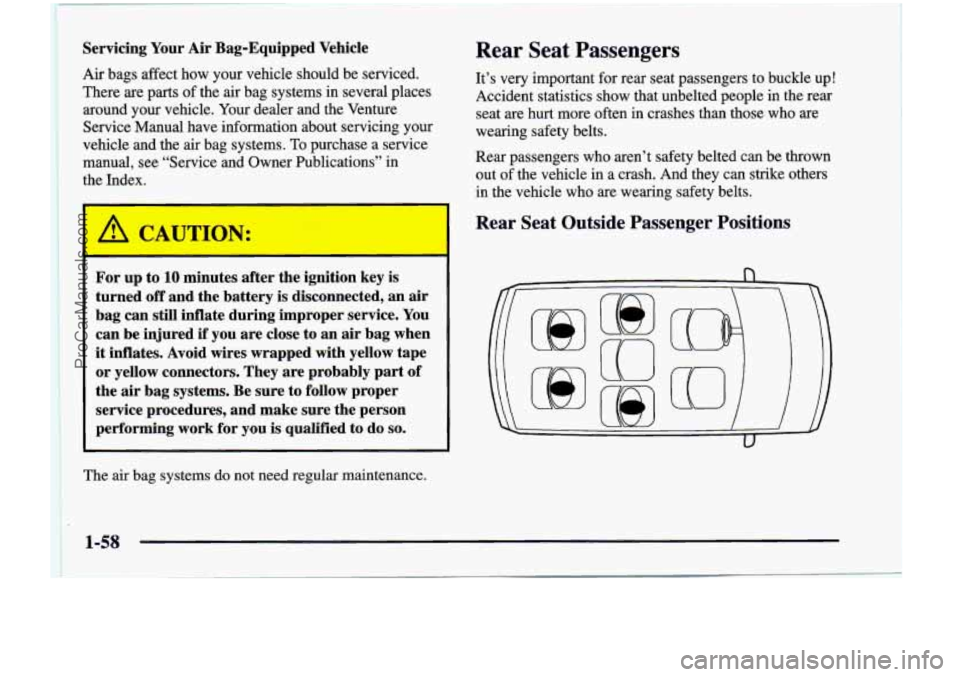
Rear Seat Outside Passenger Positions
1-58
ProCarManuals.com
Page 89 of 474
6.
7.
8.
9.
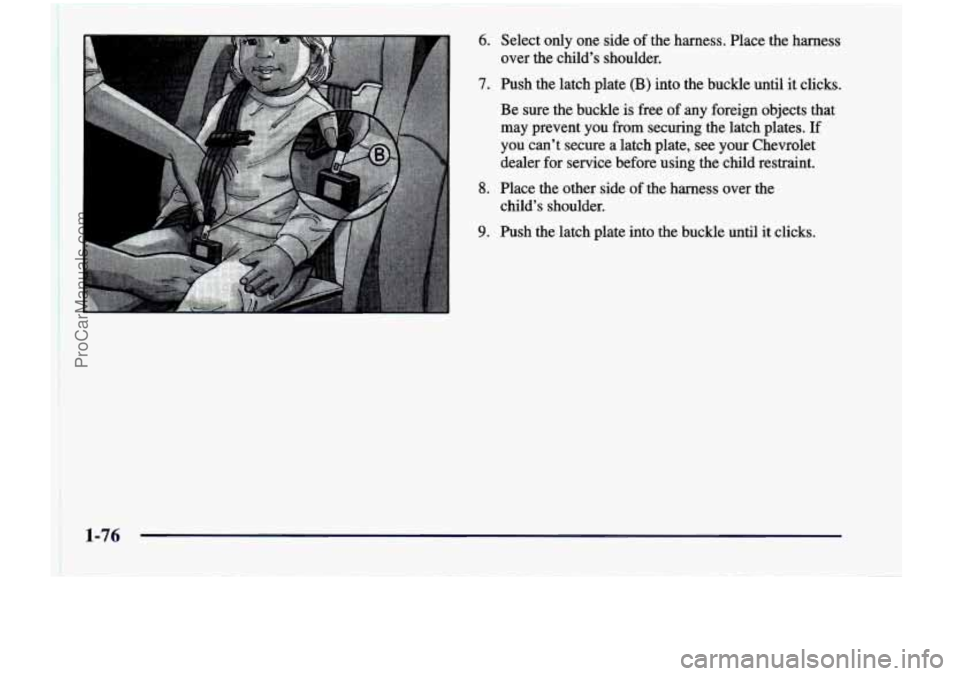
Select only one side of the harness. Place the harness
over the child’s shoulder.
Push the 1atch.plate (B) into the buckle until it clicks.
Be sure the buckle is free of any foreign objects that
may prevent you from securing the latch plates. If
you can’t secure a latch plate, see your Chevrolet
dealer for service before using the child restraint.
Place the other side of the harness over the
child’s shoulder.
Push the latch plate into the buckle until it clicks.
ProCarManuals.com
Page 125 of 474
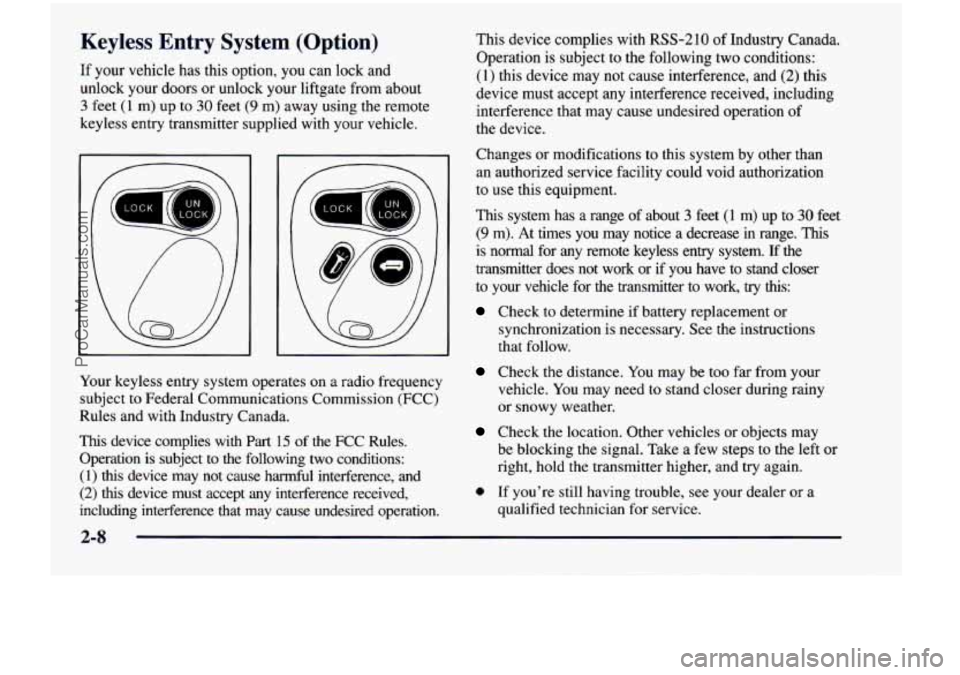
Keyless Entry System (Option)
If your vehicle has this option, you can lock and
unlock your doors or unlock your liftgate from about
3 feet (1 m) up to 30 feet (9 m) away using the remote
keyless entry transmitter supplied with your vehicle.
' UN '
a
E
Your keyless entry system operates on a radio frequency subject
to Federal Communications Commission (FCC)
Rules and with Industry Canada.
This device complies with
Part 15 of the FCC Rules.
Operation is subject to the following
two conditions:
(1) this device may not cause harmful interference, and
(2) this device must accept any interference received,
including interference that may cause undesired operation. This device complies with RSS-210
of Industry Canada.
Operation is subject to the following two conditions:
(1) this device may not cause interference, and (2) this
device must accept any interference received, including
interference that may cause undesired operation of
the device.
Changes or modifications to this system by other than
an authorized service facility could void authorization
to use this equipment.
This system has
a range of about 3 feet (1 m) up to 30 feet
(9 m). At times you may notice a decrease in range. This
is normal for any remote keyless entry system. If the
transmitter does not work or if you have to stand closer
to your vehicle for the transmitter to work,
try this:
Check to determine if battery replacement or
synchronization is necessary.
See the instructions
that follow.
Check the distance. You may be too far from your
vehicle. You may need
to stand closer during rainy
or snowy weather.
Check the location. Other vehicles or objects may
be blocking the signal. Take a few steps
to the left or
right, hold the transmitter higher, and try again.
0 If you're still having trouble, see your dealer or a
qualified technician for service.
2-8
ProCarManuals.com
Page 136 of 474
Resetting the Power Sliding Door
The power sliding door may operate incorrectly or not
at all because of the following conditions:
A low voltage or dead battery,
Disconnecting the battery or
If the IGN 1, B/U LAMP, RADIO or PWR
SEAT/PSD fuse is removed or blown.
See “Fuse Panel” in the Index for more information
about your fuse panel.
If any of these conditions occur, the power sliding door
will need to be reset.
To do this, follow the directions
listed here. It will be easier if you read through them
once before beginning this procedure.
1. Check to be sure the power sliding door is unlocked
2. Turn the ignition switch to OFF.
and securely closed.
3. Enable the power sliding door override feature.
4. RI .ove the RADIO fuse from the underhood fuse
anu relay center. Leave
it out for 30 seconds.
5. Reinstall the fuse and wait 10 seconds.
6. Disable the power sliding door override feature.
7. Push either of the power door buttons to open the
8. Wait five seconds and close the door by pushing
9. Wait five seconds and repeat Steps 7 and 8.
If the door does not rest in the fully open position
after repeating Step
7, repeat Steps 7 and 8 again. If
the door still does not operate correctly, see your
dealer for service. power sliding door.
either power door button.
Sliding Door Security Lock
Your vehicle is equipped with a sliding door security
lock that helps prevent young children or other
passengers from opening the sliding door by using the
inside door handle. This lock is on both doors if your
vehicle has the dual sliding doors.
If
you have the optional power sliding door, you can
override the security lock by pressing either power
door switch when
the power sliding door override
feature
is disabled. See “Power Sliding Door” earlier
in the section.
The security lock lever
1s located on the inside of the
sliding door, on the front edge of the door. To access the
lever, open the sliding door. Use the security lock label
on the edge of the door as a guide.
ProCarManuals.com
Page 142 of 474
Nuisance Alarms
If you experience nuisance alarms (alarms which are
not caused by the opening of a door or the liftgate and
are not desirable), you may need to reduce the damage
detection sensitivity. Try programming the Content
Theft-Deterrent to Mode
1.
If you continue to experience nuisance alarms, you
may want to try turning off damage detection by
programming your Content Theft-Deterrent to Mode
2.
If you are still having trouble with nuisance alarms,
you can turn off the Content Theft-Deterrent system by
programming your Content Theft-Deterrent to Mode
3.
See “Locks and Lighting Choices” in the Index for more
information. See your dealer or qualified technician
for service.
New Vehicle 4LBreak-In’’
NOTICE:
Your vehicle doesn’t need an elaborate
“break-in.” But it will perform better in the long
run
if you follow these guidelines:
0 Don’t drive at any one speed -- fast or
slow
-- for the first 500 miles (805 km).
Don’t make full-throttle starts.
200 miles (322 km) or so. During this time
your new brake linings aren’t yet broken
in. Hard stops with new linings can mean
premature wear and earlier replacement.
Follow this breaking-in guideline every
time you get new brake linings.
See “Towing a ’Ikailer” in the Index for
more information.
Avoid making hard stops for the first
0 Don’t tow a trailer during break-in.
2-25
ProCarManuals.com