1998 CHEVROLET CORVETTE key
[x] Cancel search: keyPage 132 of 378
Downloaded from www.Manualslib.com manuals search engine Voltmeter
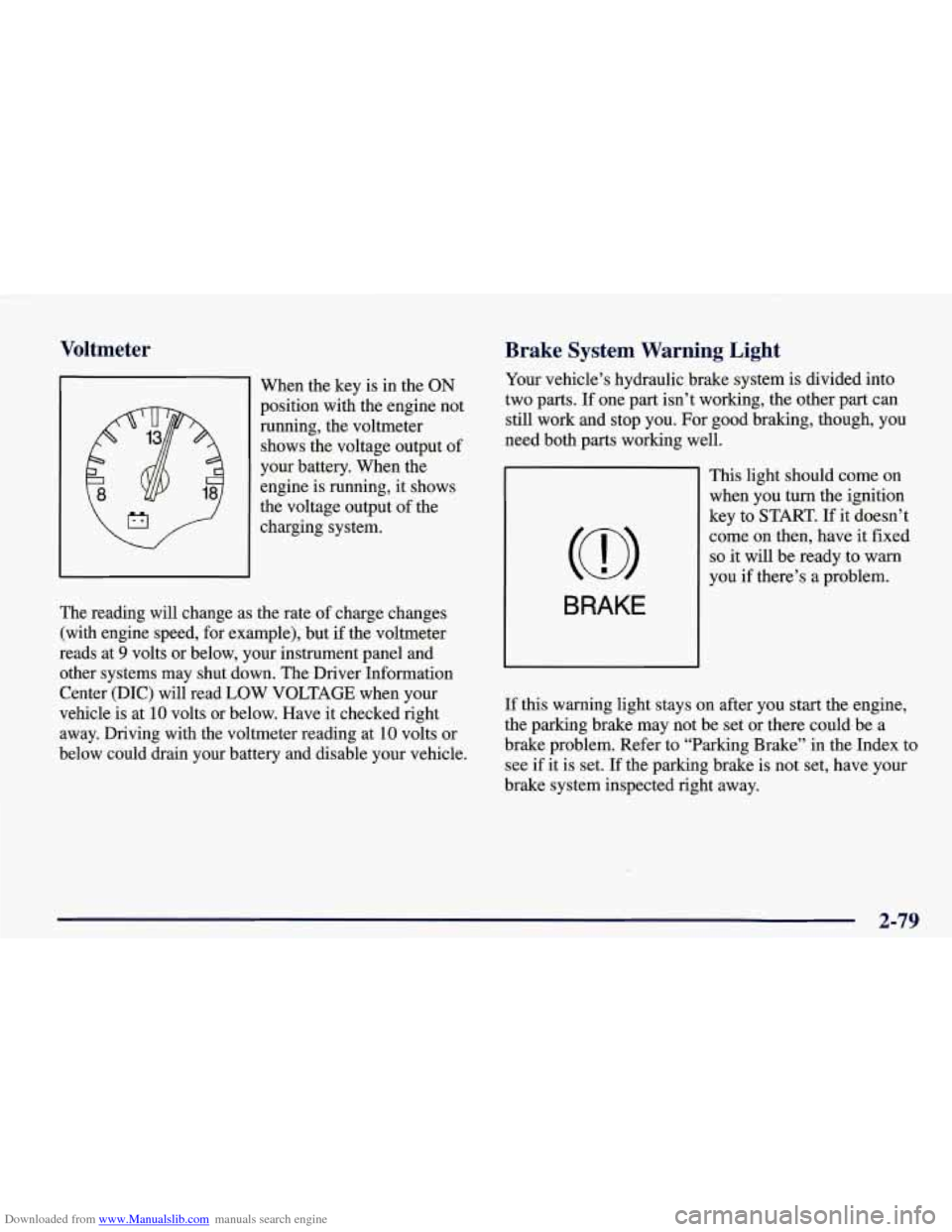
I When the key is in the ON
position with the engine not
running, the voltmeter
shows the voltage output of
your battery. When the
engine is running, it shows
the voltage output of the
charging system.
The reading will change as the rate of charge changes
(with engine speed, for example), but
if the voltmeter
reads at
9 volts or below, your instrument panel and
other systems may shut down. The Driver Information
Center (DIC) will read LOW
VOLTAGE when your
vehicle is at
10 volts or below. Have it checked right
away. Driving with the voltmeter reading at
10 volts or
below could drain your battery and disable your vehicle.
Brake System Warning Light
Your vehicle’s hydraulic brake system is divided into
two parts. If one part isn’t working, the other part can
still work and stop you. For good braking, though, you
need both parts working well.
BRAKE
This light should come on
when you turn the ignition
key to
START. If it doesn’t
come on then, have it fixed
so it will be ready to warn
you
if there’s a problem.
If this warning light stays on after you start the engine,
the parking brake may not be set or there could be a
brake problem. Refer to “Parking Brake” in the Index to
see if it is set. If the parking brake is not set, have your
brake system inspected right away.
2-79
Page 133 of 378
Downloaded from www.Manualslib.com manuals search engine If the light comes on while you are driving and you have Anti-Lock Brake System Warning Light
a LOW -BRAKE FLUID message showing on the DIC,
pull
off the road and stop carefully. You may notice that
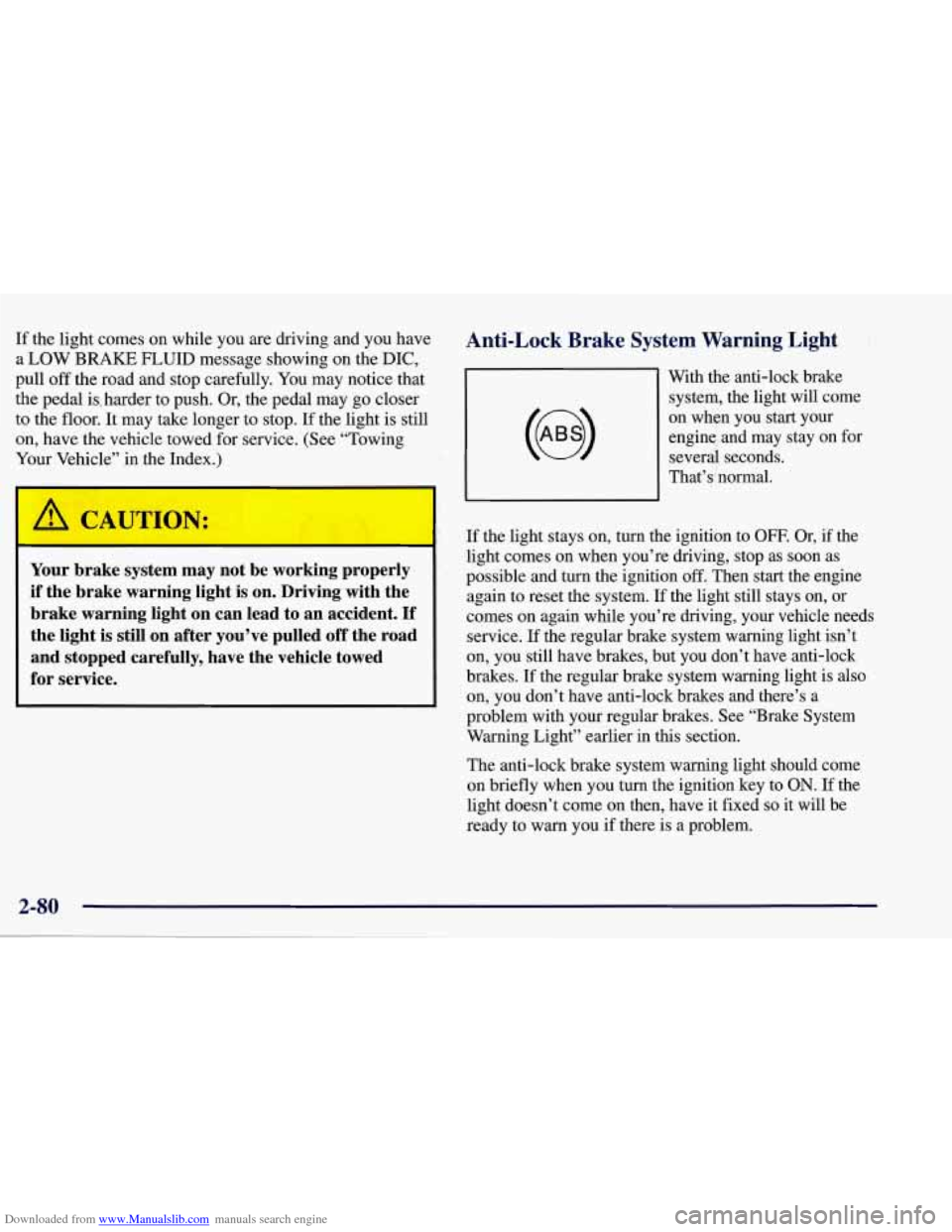
engine and may stay on for
on, have the vehicle towed for service. (See “Towing on
when you
start your
to the
floor. It may take longer to stop. If the light is still system,
the light will come
the pedal is, harder to push. Or, the pedal may
go closer With
the anti-lock brake
several seconds.
Your Vel le” in the Index.)
w v v
That’s’normal.
Your brake system may not be working properly
if the brake warning light is on. Driving with the
brake warning light on can lead to an accident.
If
the light is still on after you’ve pulled off the road
and stopped carefully, have the vehicle towed
for service.
If the light stays on, turn the ignition to OFF. Or, if the
light comes on when you’re driving, stop as soon as
possible and turn the ignition
off. Then start the engine
again to reset the system.
If the light still stays on, or
comes
on again while you’re driving, your vehicle needs
service. If the regular brake system warning light isn’t
on, you still have brakes, but you don’t have anti-lock
brakes. If the regular brake system warning light
is also
on, you don’t have anti-lock brakes and there’s a
problem with your regular brakes. See “Brake System
Warning Light” earlier in this section.
The anti-lock brake system warning light should come
on briefly when you turn the ignition key to
ON. If the
light doesn’t come on then, have it fixed so it will be
ready to warn you if there is a problem.
Page 136 of 378
Downloaded from www.Manualslib.com manuals search engine If the Light Is Flashing
The following may prevent more serious damage to
your vehicle:
Reducing vehicle speed.
Avoiding hard accelerations.
Avoiding steep uphill’grades.
If the light stops flashing and remains on steady, see
“If
the Light Is On Steady” following.
If the light continues to flash, when it is safe to do
so,
stop the vehicle. Find a safe place to park your vehicle.
Turn the key off, wait at least
10 seconds and restart the
engine. If the light remains on steady, see “If the Light
Is On Steady” following. If the light is still flashing,
follow the previous steps, and drive the vehicle to your
dealer or qualified service center for service.
If the Light Is On Steady
You may be able to correct the emission system
malfunction by considering the following:
Did you just drive through a deep puddle of water?
If
so, your electrical system may be wet. The condition
will usually be corrected when the electrical system
dries out. A few driving trips should turn the light off.
Have you recently changed brands
of fuel?
If so, be sure to fuel your vehicle with quality fuel (see
“Fuel”
in the Index). Poor fuel quality will cause your
engine not to run as efficiently as designed.
You may
notice
this as stalling after start-up, stalling when you put
the vehicle into gear, misfiring, hesitation on acceleration or
stumbling on acceleration. (These conditions may go
away once the engine is warmed up.)
This will be detected
by the system and cause the light to turn on.
If you experience one or more of these conditions,
change the fuel brand you use. It will require at least one
full tank of the proper fuel to turn the light
off.
If none of the above steps have made the light turn off,
have your dealer or qualified service center check the
vehicle. Your dealer has the proper test equipment and
diagnostic tools to fix any mechanical or electrical
problems that may have developed.
Page 138 of 378
Downloaded from www.Manualslib.com manuals search engine I NOTICE:
Damage to your engine from neglected oil
problems can be costly and
is not covered by
your warranty.
Security Light
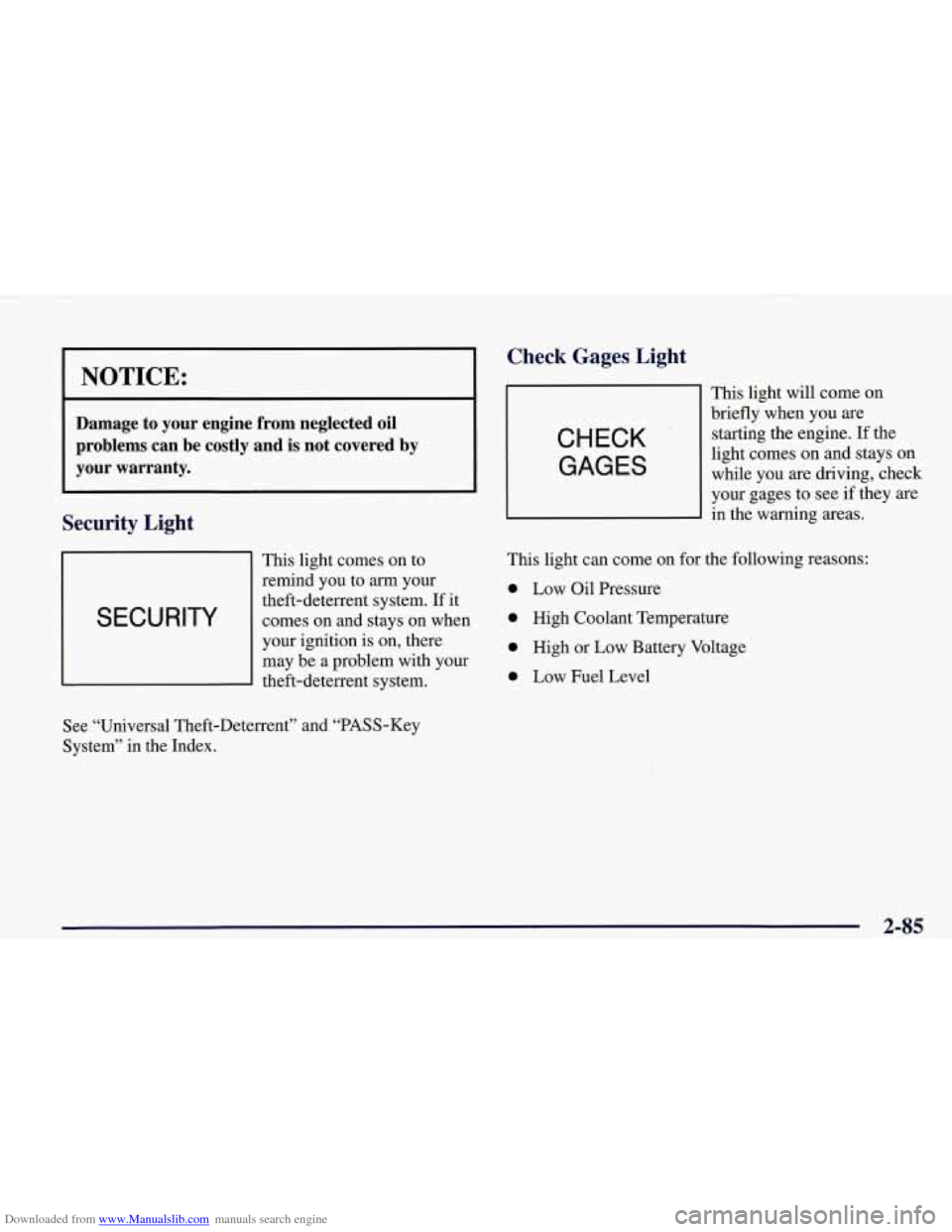
This light comes on to
remind you to
arrn your
I SECURITY
theft-deterrent system. If it
comes on and stays on when
I
your ignition is on, there
may be a problem with your
theft-deterrent system.
Check Gages, Light
CHECK
GAGES
This light will come on
briefly when you are
starting the engine. If the
light comes on and stays on
while you are driving, check
your gages to see
if they are
in the warning areas.
This light can come on for the following reasons:
0 Low Oil Pressure
0 High Coolant Temperature
0 High or Low Battery Voltage
0 Low Fuel Level
See “Universal Theft-Deterrent” and “PASS-Key
System” in the Index.
2-85
Page 144 of 378
Downloaded from www.Manualslib.com manuals search engine 3 TRIP
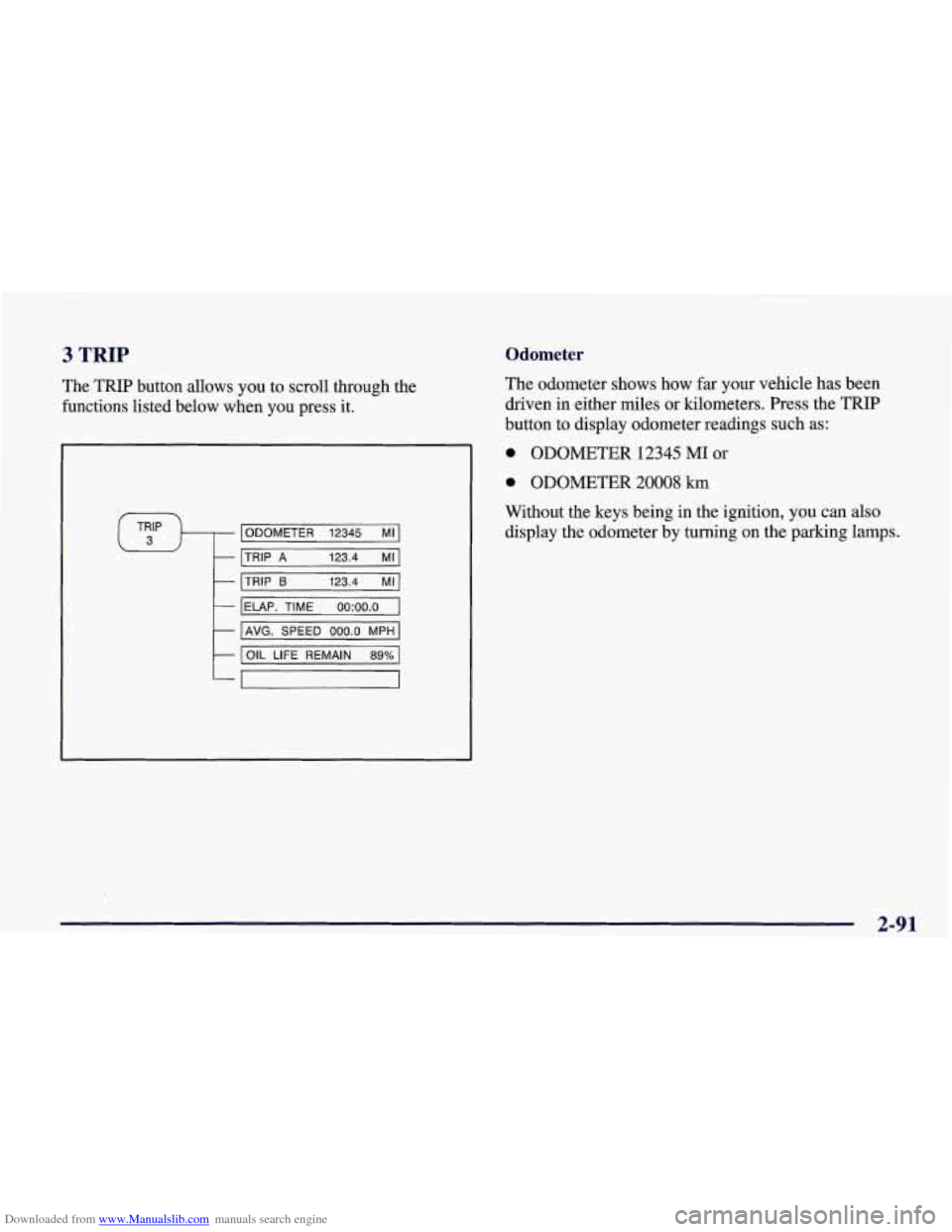
The TRIP button allows you to scroll through the
functions listed below when you press it.
ODOMETER 12345 MI
TRIP
A 123.4 MI
TRIP 6 123.4 MI
IELAP. TIME oo:oo.o I
I AVG. SPEED 000.0 MPH I
I OIL LIFE REMAIN 89% 1
Odometer
The odometer shows how far your vehicle has been
driven in either miles or kilometers. Press the TRIP
button to display odometer readings such
as:
0 ODOMETER 12345 MI or
0 ODOMETER 20008 km
Without the keys being in the ignition, you can also display the odometer by turning on the parking lamps.
2-91
Page 147 of 378
Downloaded from www.Manualslib.com manuals search engine 4 OPTIONS
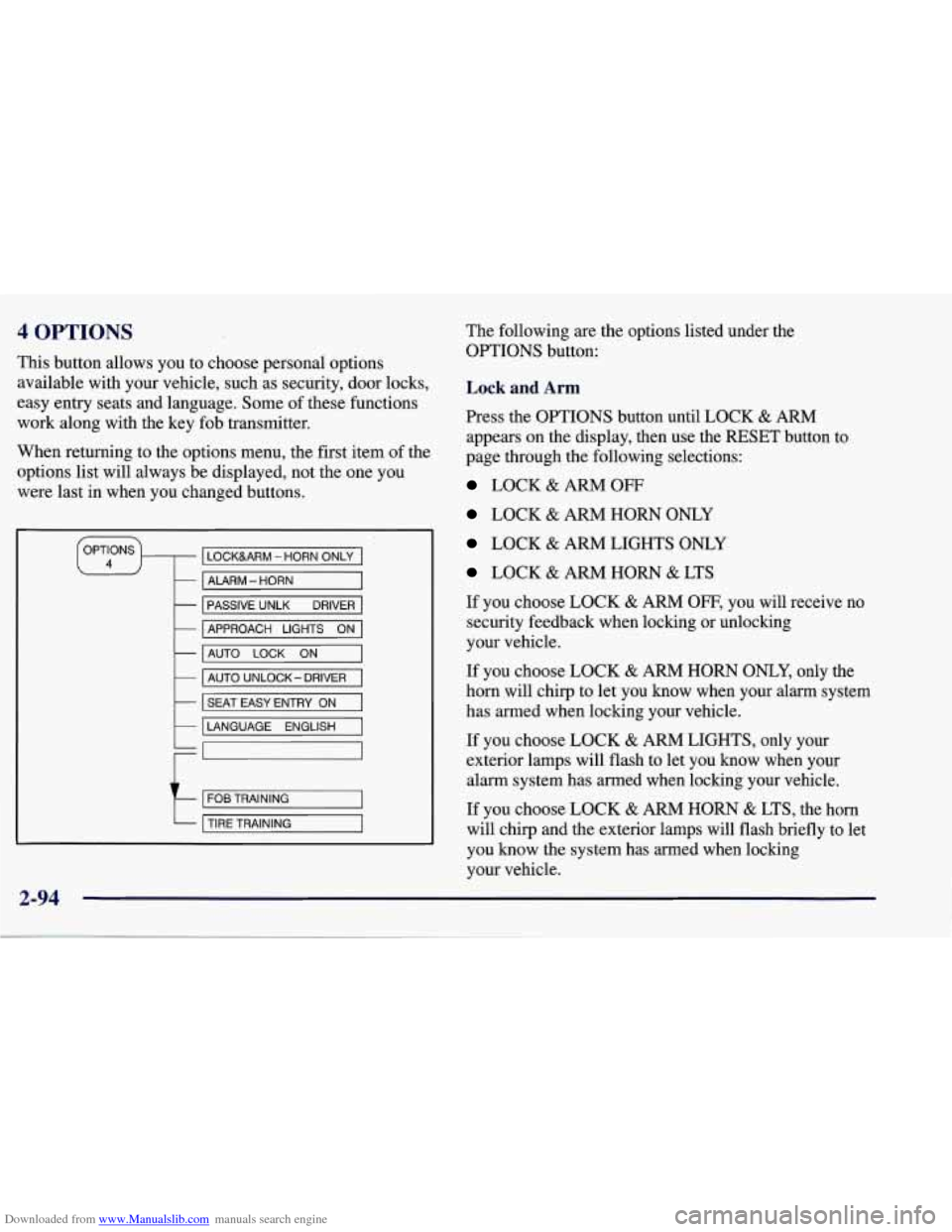
This button allows you to choose personal options
available with your vehicle, such as security, door locks,
easy entry seats and language. Some of these functions
work along with the key fob transmitter.
When returning to the options menu, the first, item of the
options list will always be displayed, not the one you
were last in when you changed buttons.
LOCKURM - HORN ONLY
- ALARM - HORN
-
-
PASSIVE UNLK DRIVER
AUTO
LOCK ON -
APPROACH LIGHTS ON
- AUTO UNLOCK- DRIVER
k I SEAT EASY ENTRY ON I
LANGUAGE ENGLISH
t
FOB TRAINING
TIRE TRAINING
2-94
The following are the options listed under the
OPTIONS button:
Lock and Arm
Press the OPTIONS button until LOCK & ARM
appears on the display, then use the RESET button to
page through the following selections:
LOCK & ARM OFF
LOCK & ARM HORN ONLY
LOCK & ARM LIGHTS ONLY
LOCK & ARM HORN & LTS
If you choose LOCK
& ARM OFF, you will receive no
security feedback when locking or unlocking
your vehicle.
If you choose LOCK
& ARM HORN ONLY, only the
horn will chirp to let you know when your alarm system
has armed when locking your vehicle.
If you choose LOCK
& ARM LIGHTS, only your
exterior lamps will flash to let you know when your
alarm system has armed when locking your vehicle.
If you choose LOCK & ARM HORN & LTS, the horn
will clvrp
and the exterior lamps will flash briefly to let
you know the system has armed when locking
your vehicle.
Page 148 of 378
Downloaded from www.Manualslib.com manuals search engine Alarm
Press the OPTIONS button until ALARM appears on
the display, then use the RESET button to page through
the following selections:
0 ALARMHORN
ALARM HORN & LIGHTS
If you choose ALARM HORN, the horn will sound
during
an alarm. If you choose ALARM HORN &
LIGHTS, the horn will sound and the interior and
exterior lamps will flash during an alarm.
Passive Unlock
Press the OPTIONS button until PASSIVE UNLOCK
appears on the display, then use the RESET button to
page through the following selections:
PASSIVE UNLOCK- DRIVER
0 PASSIVE UNLOCK- BOTH
If you choose the PASSIVE UNLOCK- DRIVER, only
the driver’s door lock
will be programmed to passively
unlock. The driver’s door will passively unlock when
you approach the vehicle with the key fob transmitter
slider switch set to
ON.
If you choose PASSIVE UNLOCK- BOTH, the driver
and passenger’s door locks will be programmed to
passively unlock. The driver and passenger doors will
passively unlock when you approach the vehicle with
the key fob transmitter slider switch set to
ON.
See “Remote Function Actuation (FWA) System” in the
Index for more information.
Approach Lights
Press the OPTIONS button until APPROACH LIGHTS
appears on the display, then use the RESET button to
page through the following choices:
0 APPROACH LIGHTS ON
0 APPROACH LIGHTS OFF
If you choose APPROACH LIGHTS ON, the fog lamps,
front
turn signal, rear back-up and courtesy lamps will
come on for
30 seconds as you approach the vehicle
with the key fob transmitter. This will occur only when
it is dark outside.
APPROACH LIGHTS
OFF turns off this option.
See “Remote Function Actuation (RFA) System” in the
Index for more information.
2-95
Page 149 of 378
Downloaded from www.Manualslib.com manuals search engine Auto Lock
Press the OPTIONS button until AUTO LOCK appears
on the display, then use the RESET button to page
through the following choices:
AUTO LOCK ON
AUTO LOCK OFF
If you choose AUTO LOCK ON, both doors will
automatically lock when the vehicle exceeds
10 mph
(16 ktnh) in a manual transmission. In a vehicle with an
automatic transmission, both doors will automatically
lock when you move the shifter out of PARK (P).
Choose AUTO LOCK
OFF to turn this option off.
Auto Unlock
The AUTO UNLOCK will be available only if AUTO
LOCK is set to ON.
Press the OPTIONS button until AUTO UNLOCK
appears
on the display, then use the RESET button to
page through the following choices:
AUTO UNLOCK - DRIVER
0 AUTO UNLOCK - BOTH
0 AUTO UNLOCK OFF
If you choose AUTO UNLOCK- DRIVER, the driver’s
door will automatically unlock when you turn the
vehicle
off and pull the key out of the ignition.
Choose AUTO UNLOCK
- BOTH, and both doors will
automatically unlock when you turn the vehicle
off and
pull the key out of the ignition.
AUTO UNLOCK
OFF turns off this option.
Easy Entry
The easy entry feature will only be available if the
vehicle is equipped with the memory option.
Press the OPTIONS button until SEAT EASY ENTRY
appears on the display, then use the RESET button to
page through the following choices:
0 SEAT EASY ENTRY ON
SEAT EASY ENTRY OFF
If you choose SEAT EASY ENTRY ON, when you turn
the ignition off and remove the key, the seat will
automatically move back for an easy exit or an easy
entrance when returning to the vehicle.
SEAT EASY ENTRY
OFF turns off this option.