1998 CHEVROLET CORVETTE ECU
[x] Cancel search: ECUPage 126 of 378
Downloaded from www.Manualslib.com manuals search engine 2. Tilt the driver’s seat forward and press the storage
compartment release button, or use the manual
release cable if battery power has been lost. Lift the
storage compartment lid
(C). (After pressing the
release button, the driver and passenger door glass
should retract to the full-down position, if they have
not already been lowered.)
4.
5.
6.
7.
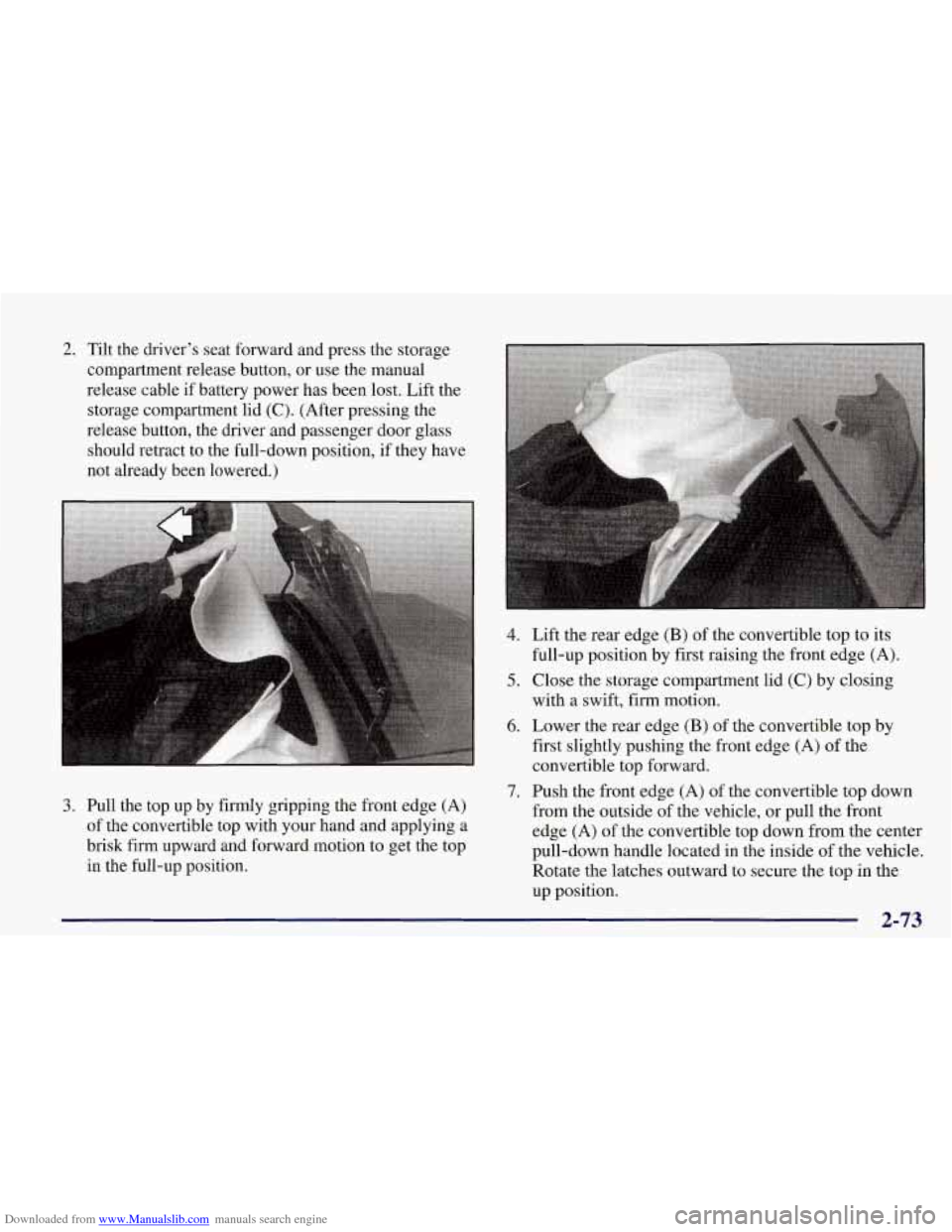
3. Pull the top up by firmly gripping the front edge (A)
of the convertible top with your hand and applying a
brisk firm upward and forward motion to get the top
in the full-up position. Lift the
re
ar edge
(B) of the convertible top to its
full-up position by first raising the front edge
(A).
Close the storage compartment lid (C) by closing
with a swift, firm motion.
Lower the rear edge
(B) of the convertible top by
first slightly pushing the front edge (A) of the
convertible top forward.
Push the front edge
(A) of the convertible top down
from the outside
of the vehicle, or pull the front
edge
(A) of the convertible top down from the center
pull-down handle located
in the inside of the vehicle.
Rotate the latches outward to secure the top in the
up position.
2-73
Page 138 of 378
Downloaded from www.Manualslib.com manuals search engine I NOTICE:
Damage to your engine from neglected oil
problems can be costly and
is not covered by
your warranty.
Security Light
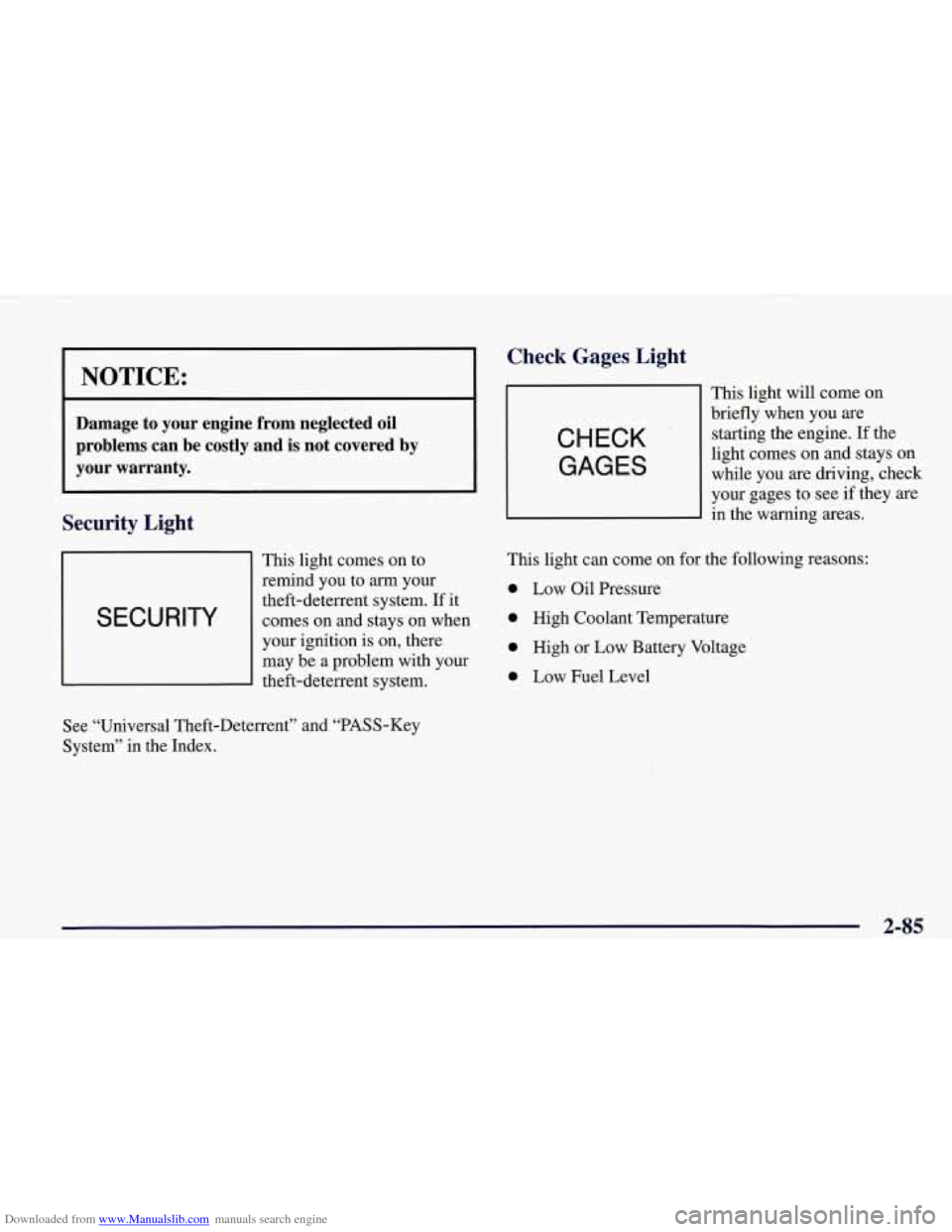
This light comes on to
remind you to
arrn your
I SECURITY
theft-deterrent system. If it
comes on and stays on when
I
your ignition is on, there
may be a problem with your
theft-deterrent system.
Check Gages, Light
CHECK
GAGES
This light will come on
briefly when you are
starting the engine. If the
light comes on and stays on
while you are driving, check
your gages to see
if they are
in the warning areas.
This light can come on for the following reasons:
0 Low Oil Pressure
0 High Coolant Temperature
0 High or Low Battery Voltage
0 Low Fuel Level
See “Universal Theft-Deterrent” and “PASS-Key
System” in the Index.
2-85
Page 140 of 378
Downloaded from www.Manualslib.com manuals search engine Driver Information Center (DIC)
The Driver Information Center (DIC) will display
information about how your vehicle is functioning, as
well as warning messages if a system problem is
detected. The DIC display area is located in the
instrument cluster below the speedometer and
tachometer, directly above the steering column.
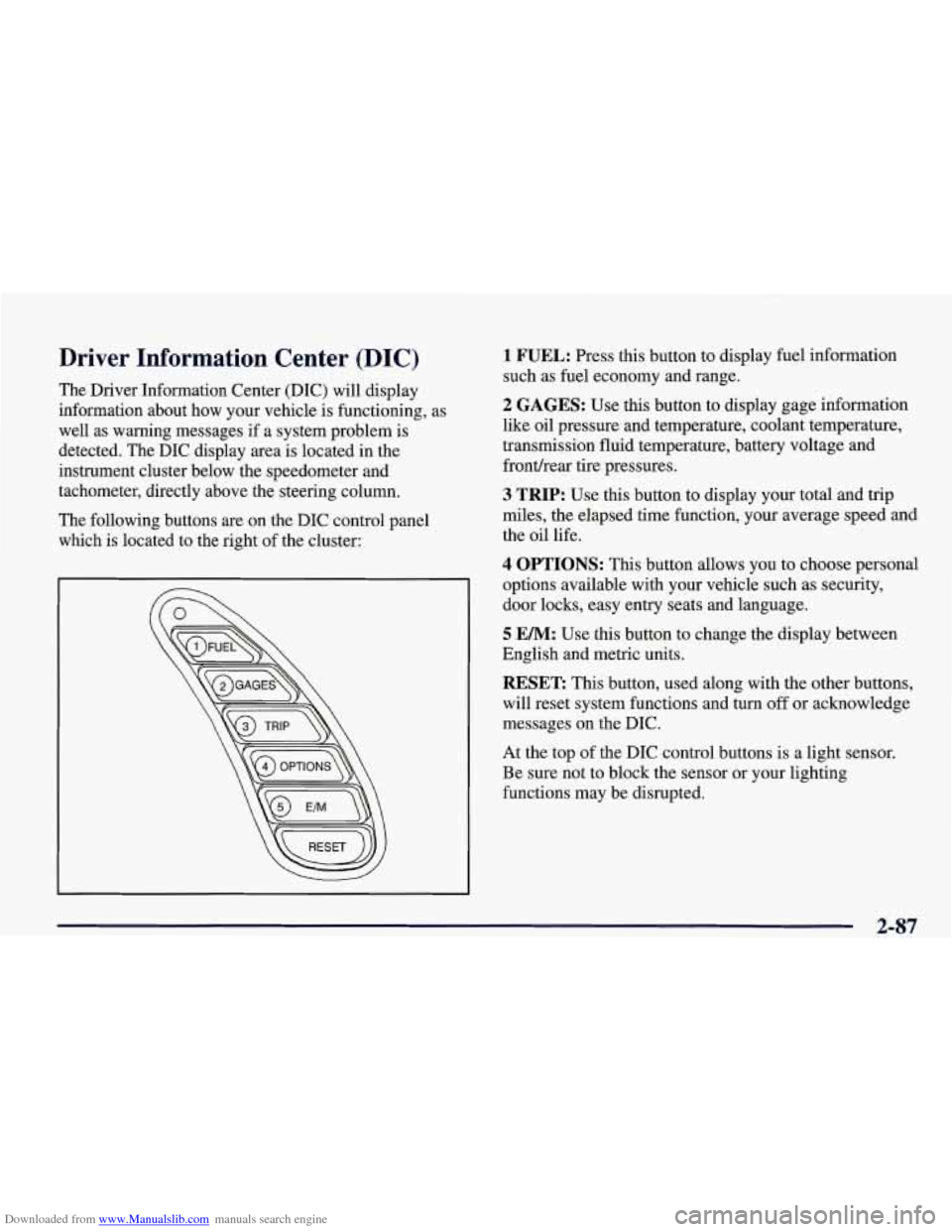
The following buttons are on the DIC control panel which is located to the right of the cluster:
1 FUEL: Press this button to display fuel information
such as fuel economy and range.
2 GAGES: Use this button to display gage information
like oil pressure and temperature, coolant temperature,
transmission fluid temperature, battery voltage and
fronthear tire pressures.
3 TRIP: Use this button to display your total and trip
miles, the elapsed time function, your average speed and
the oil life.
4 OPTIONS: This button allows you to choose personal
options available with your vehicle such as security,
door locks, easy entry seats and language.
5 EM: Use this button to change the display between
English and metric units.
RESET: This button, used along with the other buttons,
will reset system functions and turn
off or acknowledge
messages on the DIC.
At the top of the DIC control buttons is a light sensor.
Be sure not to block the sensor or your lighting
functions may be disrupted.
2-87
Page 147 of 378
Downloaded from www.Manualslib.com manuals search engine 4 OPTIONS
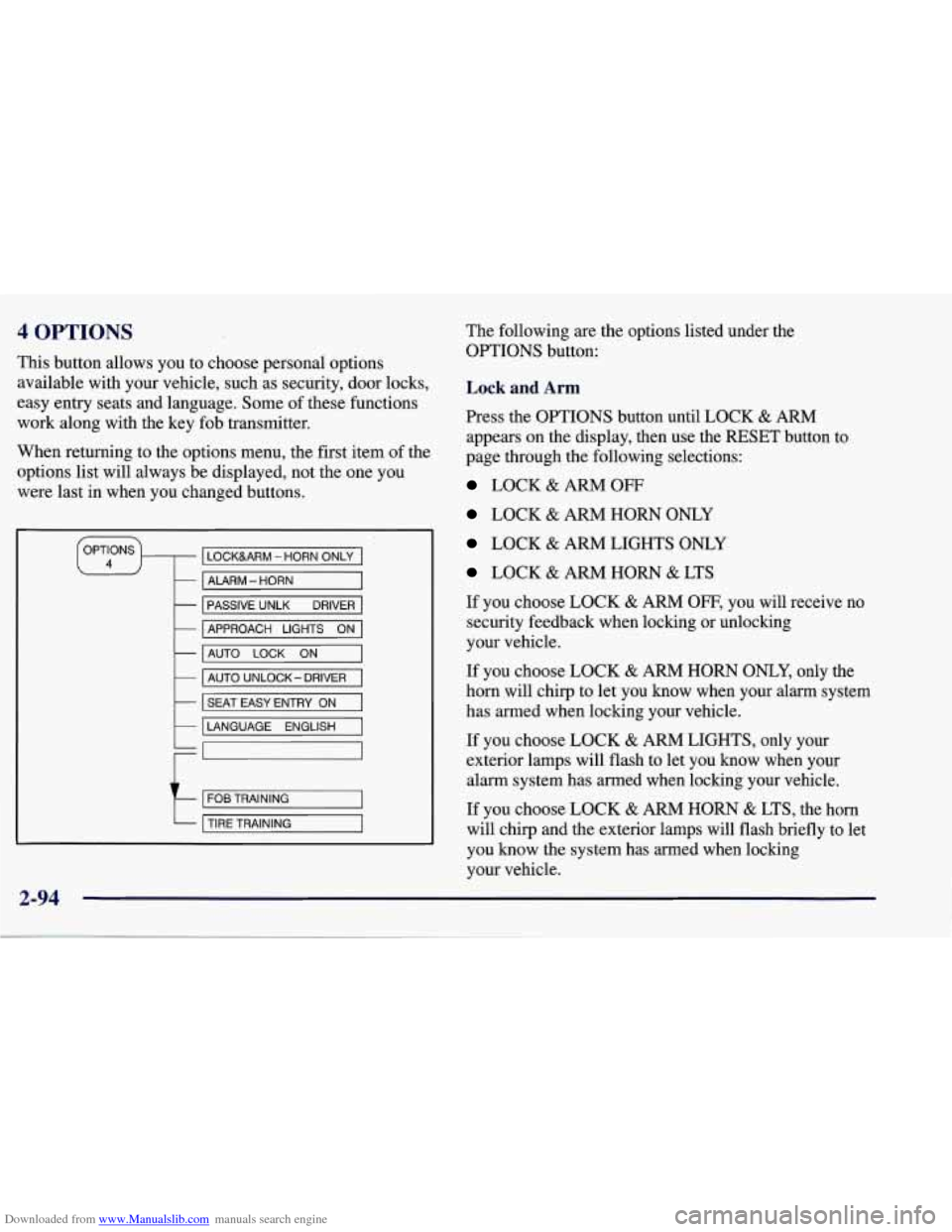
This button allows you to choose personal options
available with your vehicle, such as security, door locks,
easy entry seats and language. Some of these functions
work along with the key fob transmitter.
When returning to the options menu, the first, item of the
options list will always be displayed, not the one you
were last in when you changed buttons.
LOCKURM - HORN ONLY
- ALARM - HORN
-
-
PASSIVE UNLK DRIVER
AUTO
LOCK ON -
APPROACH LIGHTS ON
- AUTO UNLOCK- DRIVER
k I SEAT EASY ENTRY ON I
LANGUAGE ENGLISH
t
FOB TRAINING
TIRE TRAINING
2-94
The following are the options listed under the
OPTIONS button:
Lock and Arm
Press the OPTIONS button until LOCK & ARM
appears on the display, then use the RESET button to
page through the following selections:
LOCK & ARM OFF
LOCK & ARM HORN ONLY
LOCK & ARM LIGHTS ONLY
LOCK & ARM HORN & LTS
If you choose LOCK
& ARM OFF, you will receive no
security feedback when locking or unlocking
your vehicle.
If you choose LOCK
& ARM HORN ONLY, only the
horn will chirp to let you know when your alarm system
has armed when locking your vehicle.
If you choose LOCK
& ARM LIGHTS, only your
exterior lamps will flash to let you know when your
alarm system has armed when locking your vehicle.
If you choose LOCK & ARM HORN & LTS, the horn
will clvrp
and the exterior lamps will flash briefly to let
you know the system has armed when locking
your vehicle.
Page 184 of 378
Downloaded from www.Manualslib.com manuals search engine An empty magazine is inserted in the CD changer.
Try the magazine again with a disc loaded on one of
the trays.
If any error occurs repeatedly or if an error cannot be
corrected, please contact your dealer.
Theft-Deterrent Feature
THEFTLOCK" is designed to discourage theft of your
radio. It works by using a secret code to disable all radio
functions whenever battery power is removed.
The THEFTLOCK feature for the radio may be used or
ignored.
If ignored, the system plays normally and the
radio is not protected by the feature. If THEFTLOCK is
activated, your radio will not operate if stolen.
When THEFTLOCK is activated, the radio will display
LOC to indicate a locked condition anytime battery
power has been interrupted. If your battery loses power
for any reason, you must unlock the radio with the secret
code before it will operate.
Activating the Theft-Deterrent Feature
The instructions which follow explain how to enter your
secret code to activate the THEFTLOCK system. It is
recommended that you read through
all nine steps
before starting the procedure. NOTE:
If you allow more than 15 seconds to elapse
between any steps, the radio automatically reverts to
time and you must start the procedure over at Step
4.
1. Write down any three or four-digit number from
000 to 1999 and keep it in a safe place separate
from the vehicle.
2. Turn the ignition to ACCESSORY or ON.
3. Turn the radio off.
4. Press the 1 and 4 buttons together. Hold them down
until
--- shows on the display. Next you will use the
secret code number which you have written down.
5. Press MN and
000 will appear on the display.
6. Press MN again to make the last two digits agree
with your code.
7. Press HR to make the first one or two digits agree
with your code.
8. Press AM-FM after you have confirmed that the
code matches the secret code you have written down.
The display will show REP to let you know that you
need to repeat Steps
5 through 7 to confirm your
secret code.
9. Press AM-FM and this time the display will show
SEC to let you know that your radio is secure. The
indicator by the volume control will begin flashing
when the ignition is turned
off.
Page 185 of 378
Downloaded from www.Manualslib.com manuals search engine Unlocking the Theft-Deterrent Feature After a
Power
Loss
Enter your secret code as follows; pause no more than
15 seconds between steps:
1. LOC appears when the ignition is on.
2. Press MN and 000 will appear on the display.
3. Press MN again to make the last two digits agree
with your code.
with your code.
code matches the secret code you have written down.
The display will show SEC, indicating the radio is
now operable and secure.
4. Press HR to make the first one or two digits agree
5. Press AM-FM after you have confirmed that the
If you enter the wrong code eight times, INOP will
appear on the display. You will have to wait an hour
with the ignition on before you can try again. When you
try again, you will only have three chances to enter the
correct code before INOP appears.
If you lose or forget your code, contact your dealer.
Disabling the Theft-Deterrent Feature
1. Turn the ignition to ACCESSORY or ON.
2. Turn the radio off.
3. Press the 1 and 4 buttons together. Hold them down
4. Press MN and 000 will appear on the display.
5. Press MN again to make the last two digits agree
6. Press HR to make the first one or two digits agree
until SEC shows on the display.
with your code.
with your code.
7. Press AM-FM after you have confirmed that the
code matches the secret code you have written down.
The display will show
---, indicating that the radio is
no longer secured.
If the code entered is incorrect, SEC will appear on the
display. The radio will remain secured until the correct
code is entered.
When battery power is removed and later applied to a secured radio, the radio won’t turn on and LOC will
appear on the display.
To unlock a secured radio, see “Unlocking the
Theft-Deterrent Feature After a Power
Loss” earlier in
this section.
Enter your secret code as follows; pause no more than
15 seconds between steps:
3-26
Page 215 of 378
Downloaded from www.Manualslib.com manuals search engine You may see highway signs on mountains that warn of
special problems. Examples
are long grades, passing or
no-passing zones, a falling rocks area or winding
roads. Be alert to these and take appropriate action.
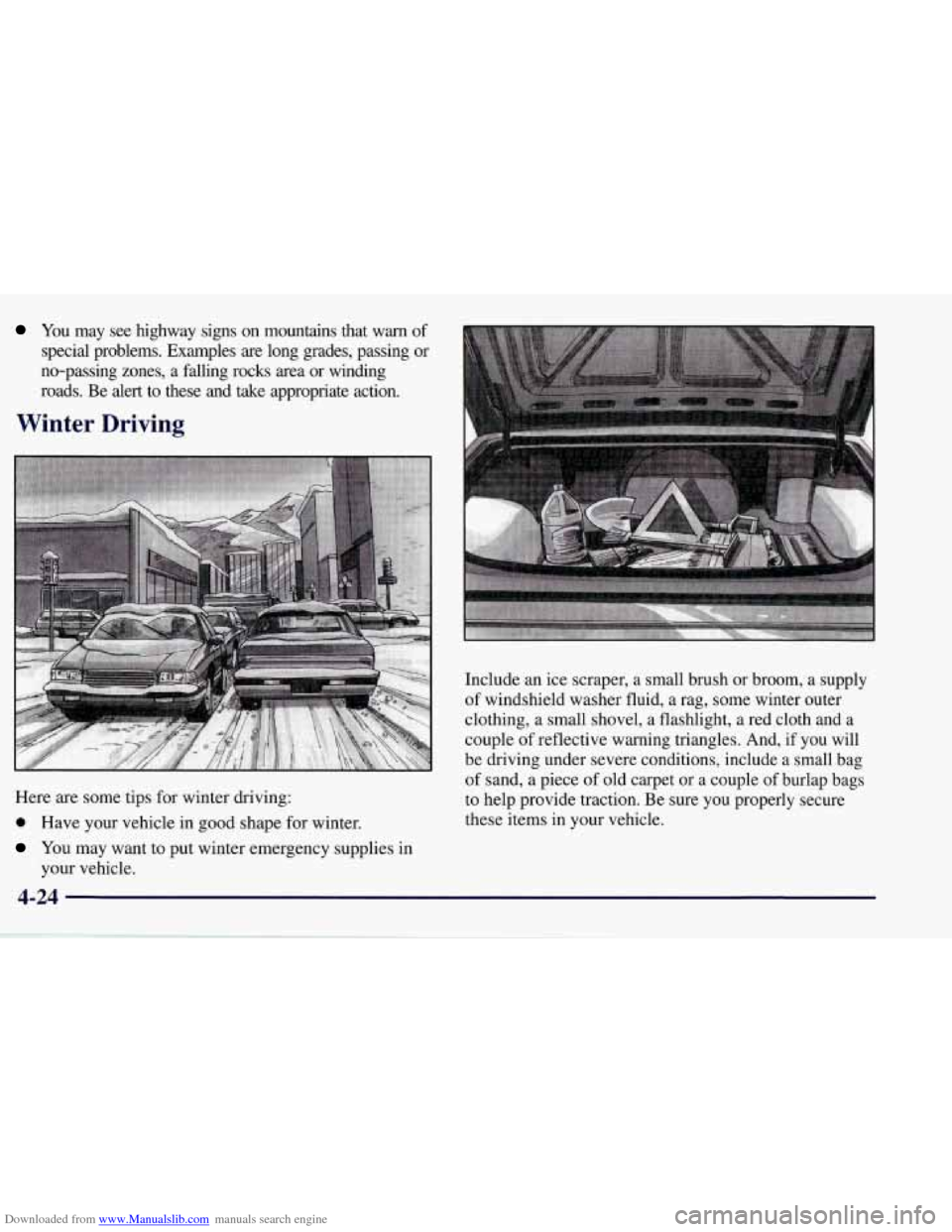
Winter Driving
Here are some tips for winter driving:
0 Have your vehicle in good shape for winter.
You may want to put winter emergency supplies in
your vehicle. Include an
ice scraper, a small brush
or broom, a supply
of windshield washer fluid, a rag, some winter outer
clothing, a small shovel,
a flashlight, a red cloth and a
couple of reflective warning triangles. And, if you will
be driving under severe conditions, include a small bag
of sand, a piece of old carpet or a couple of burlap bags
to help provide traction. Be sure you properly secure
these items in your vehicle.
Page 221 of 378
Downloaded from www.Manualslib.com manuals search engine Do not load your vehicle any heavier than the
GVWR, or either the maximum front or rear
GAWR. If you do, parts on your vehicle can break,
or it can change the way your vehicle handles.
These could cause you to lose control.
Also,
overloading can shorten the life of your vehicle.
NOTICE:
Your warranty does not cover parts or
components that fail because of overloading.
If you put things inside your vehicle -- like suitcases,
tools, packages
or anything else -- they will go as fast as
the vehicle goes.
If you have to stop or turn quickly, or
if there is a crash, they’ll keep going.
rn I
A CAUTION:
Things you put inside your vehicle can strike
and injure people in a sudden stop or turn, or
in
a crash.
0 Put things in the rear area of your vehicle.
Never stack heavier things, like suitcases,
lky to spread the weight evenly.
inside the vehicle
so that some of them are
above the tops of the seats.
Don’t leave an unsecured child restraint in
your vehicle.
0 When you carry something inside the
vehicle, secure
it whenever you can.
Towing A Trailer
Your Corvette is neither designed nor intended to tow
a trailer.