1998 CADILLAC SEVILLE ESP
[x] Cancel search: ESPPage 161 of 378
Downloaded from www.Manualslib.com manuals search engine HVAC Steering Wheel Controls
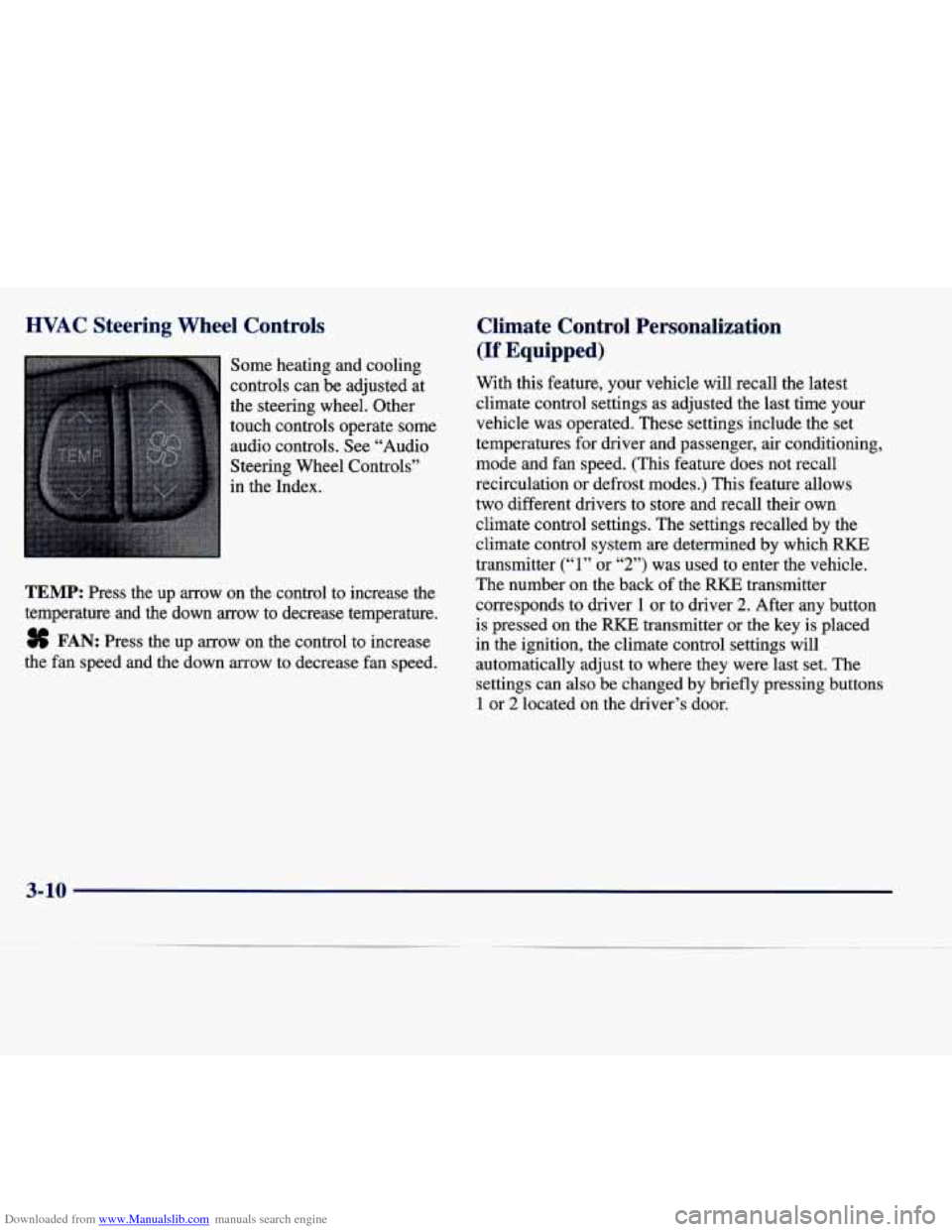
Some heating and cooling
controls can be adjusted at
the steering wheel. Other
touch controls operate some
audio controls. See “Audio
Steering Wheel Controls”
in the Index.
TEMP: Press the up arrow on the control to increase the
temperature and the down
arrow to decrease temperature.
8 FAN: Press the up arrow on the control to increase
the fan speed and the down arrow to decrease fan speed.
Climate Control Personalization
(If Equipped)
With this feature, your vehicle will recall the latest
climate control settings as adjusted the last time your
vehicle was operated. These settings include the set
temperatures for driver and passenger, air conditioning,
mode and fan speed. (This feature does not recall
recirculation
or defrost modes.) This feature allows
two different drivers to store and recall their own
climate control settings. The settings recalled by the
climate control system
are determined by which RKE
transmitter
(“1” or “2”) was used to enter the vehicle.
The number on the back
of the RKE transmitter
corresponds to driver
1 or to driver 2. After any button
is pressed on the
RKE transmitter or the key is placed
in the ignition, the climate control settings will
automatically adjust to where they were last set. The
settings can also be changed by briefly pressing buttons
1 or 2 located on the driver’s door.
3-10
Page 192 of 378
Downloaded from www.Manualslib.com manuals search engine Compact Disc Changer Errors
CD CHANGER ERROR could be displayed for
the following:
The road is too rough. The disc should play when
the road is smoother.
The disc is dirty, scratched, wet or loaded label
side down.
The air is very humid. If so, wait about an hour
and try again.
If any error occurs repeatedly or
if an error cannot be
corrected, please contact your dealer.
CD Adapter Kits
It is possible to use a CD adapter kit with your cassette
tape player after activating the bypass feature on your
tape player.
To activate
the bypass feature, use the following steps:
1. Turn the ignition to RUN or ACCESSORY.
2. Turn the radio off.
3. Press and hold the SOURCE button for two seconds.
The tape symbol on the display will flash three
times, indicating the feature is active.
4. Insert the adapter.
This override routine will remain active until the eject
button is pressed.
Radio Personalization (If Equipped)
If DRIVER 1 (HOME or AWAY) PRESETS or
DRIVER
2 (HOME or AWAY) PRESETS appears in the
display when the radio is first turned on, your vehicle is
equipped with this feature.
With this feature, your vehicle will recall the latest radio
settings as adjusted the last time your vehicle was
operated. This feature allows two different drivers to
store and recall their own radio settings. The settings
recalled by the radio are determined by which RKE
transmitter
(“1” or “2”) was used to enter the vehicle.
The number on the back of the RKE transmitter
corresponds to driver
1 or to driver 2. The radio settings
will automatically adjust to where they were last set
by
the identified driver. The settings can also be recalled by
briefly pressing the MEMORY seat buttons
1 or 2
located on the driver’s door.
Your radio can store home and away presets. Home and away presets allow you to use one set of preset
radio settings in the area where you live, and another set when you go
out of town. That way, you will not
need to reprogram your presets every time you travel.
3-41
Page 194 of 378
Downloaded from www.Manualslib.com manuals search engine Understanding Radio Reception
AM
The range for most AM stations is greater than for FM,
especially at night. The longer range, however, can
cause stations to interfere with each other. AM can pick
up noise from things like storms and power lines. Try
reducing the treble to reduce this noise if you ever get it.
FM Stereo
FM stereo will give you the best sound, but FM signals
will reach only about
10 to 40 miles ( 16 to 65 km). Tall
buildings or hills can interfere with
FM signals, causing
the sound to come and go.
Tips About Your Audio System
Hearing damage from loud noise is almost undetectable
until it is too late. Your hearing can adapt to higher
volumes
of sound. Sound that seems normal can be loud
and harmful to your hearing. Take precautions by
adjusting the volume control on your radio to a safe
sound level before your hearing adapts to it.
To help avoid hearing loss or damage:
Adjust the volume control to the lowest setting.
Increase volume slowly until you hear comfortably
and clearly.
NOTICE:
Before you add any sound equipment to your
vehicle
0- like a tape player, CB radio, mobile
telephone or two-way radio
-0 be sure you can
add what you want.
If you can, it’s very
important
to do it properly. Added sound
equipment may interfere with the operation
of
your vehicle’s engine, radio or other systems, and
even damage them. Your vehicle’s systems may
also interfere with the operation
of sound
equipment that has been added improperly.
So, before adding sound equipment, check with
your dealer and be sure to check Federal rules
covering mobile radio and telephone units.
3-43
Page 202 of 378
Downloaded from www.Manualslib.com manuals search engine The body takes about an hour to rid itself of the alcohol
in one drink. No amount of coffee or number of cold
showers will speed that up. “I’ll be careful” isn’t the
right answer. What
if there’s an emergency, a need to
take sudden action, as when a child darts into the street?
A person with even a moderate BAC might not be able
to react quickly enough to avoid the collision.
There’s something else about drinking and driving that
many people don’t know. Medical research shows that
alcohol in a person’s system can make crash injuries
worse, especially injuries to the brain, spinal cord or
heart. This means that when anyone who has been
drinking
-- driver or passenger -- is in a crash, that
person’s chance of being killed or permanently disabled
is higher than if the person had not been drinking.
Drinking and then driving is very dangerous.
Your reflexes, perceptions, attentiveness and
judgment can be affected by even a
small amount
of alcohol. You can have a serious -- or even
fatal
-- collision if‘ you drive after drinking.
Please don’t drink and drive or ride
with a driver
who has been drinking. Ride home in a cab;
or if
you’re with a group, designate a driver who will
not drink.
Page 205 of 378
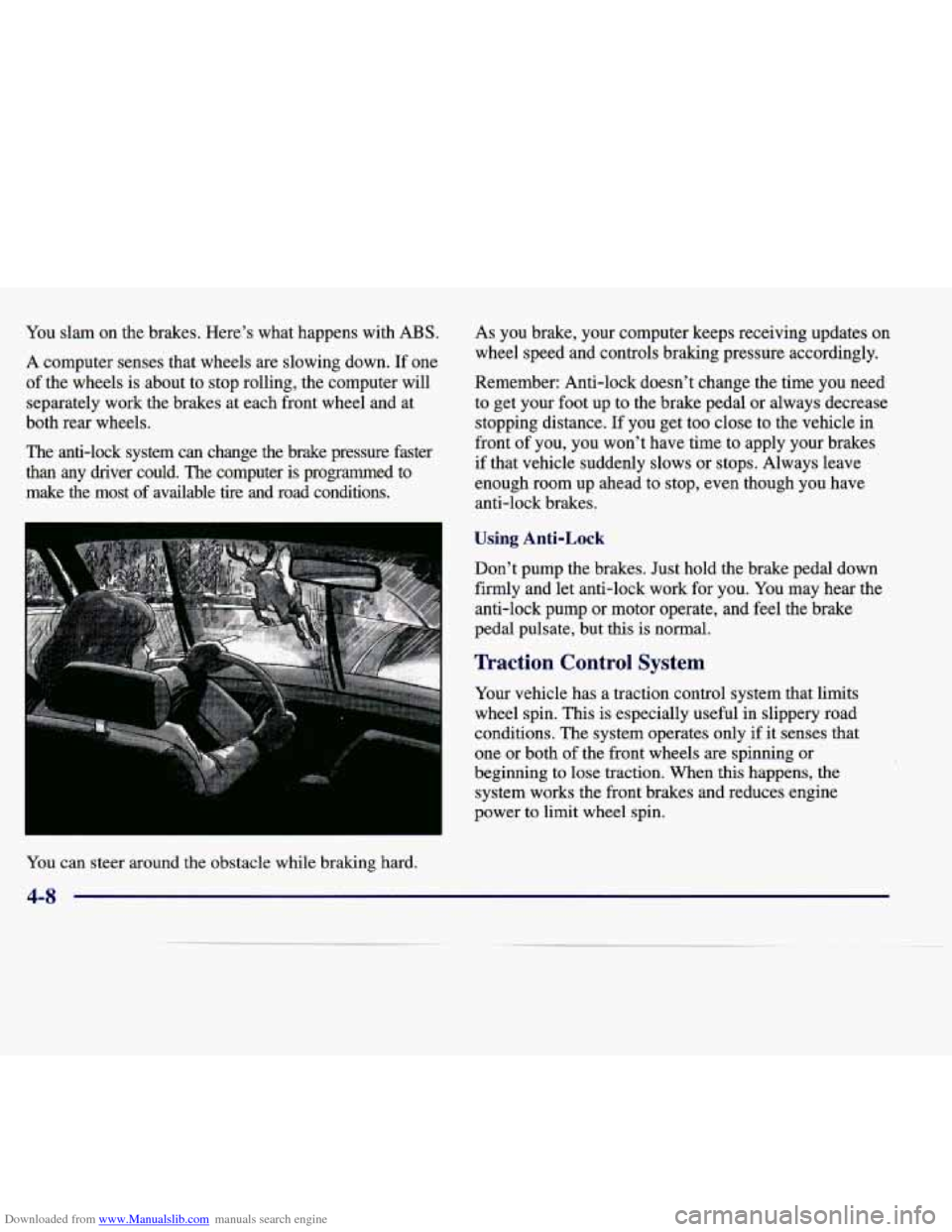
Downloaded from www.Manualslib.com manuals search engine You slam on the brakes. Here's what happens with ABS.
A computer senses that wheels are slowing down. If one
of the wheels is about to stop rolling, the computer will
separately work
the brakes at each front wheel and at
both rear wheels.
The anti-lock system can change the brake pressure faster
than any driver could. The computer is programmed to
make the most of available tire and road conditions. As you
brake, your computer keeps receiving updates on
wheel speed and controls braking pressure accordingly.
Remember: Anti-lock doesn't change the time
you need
to get your foot up to the brake pedal or always decrease
stopping distance. If you get too close to the vehicle in
front of you, you won't have time to apply your brakes
if that vehicle suddenly slows or stops. Always leave
enough room up ahead to stor>, even though you have
anti-lock brakes.
Using Anti-Lock
Don't pump the brakes. Just hold the brake pedal down
firmly and let anti-lock work for you.
You may hear the
anti-lock pump or motor operate, and feel the brake
pedal pulsate, but this is normal.
Traction Control System
Your vehicle has a traction control system that limits
wheel spin. This is especially useful in slippery road
conditions. The system operates only if it senses that
one or both
of the front wheels are spinning or
beginning to lose traction. When
this happens, the
system works the front brakes and reduces engine
power
to limit wheel spin.
You can steer around the obstacle while braking hard.
4-8
Page 206 of 378
Downloaded from www.Manualslib.com manuals search engine The TRACTION ENGAGED message will display on
the Driver Information Center when the traction control
system is limiting wheel spin. See “Driver Information
Center Messages” in the Index. You may feel or hear the
system working, but this is normal.
If your vehicle is in cruise control when the traction control
system
begins to limit wheel spin, the cruise control will
automatically disengage. When road conditions allow you
to safely use it again, you my reengage the cruise control.
(See “Cruise Control” in
the Index.)
TRACTION CONTROL
United States Canada
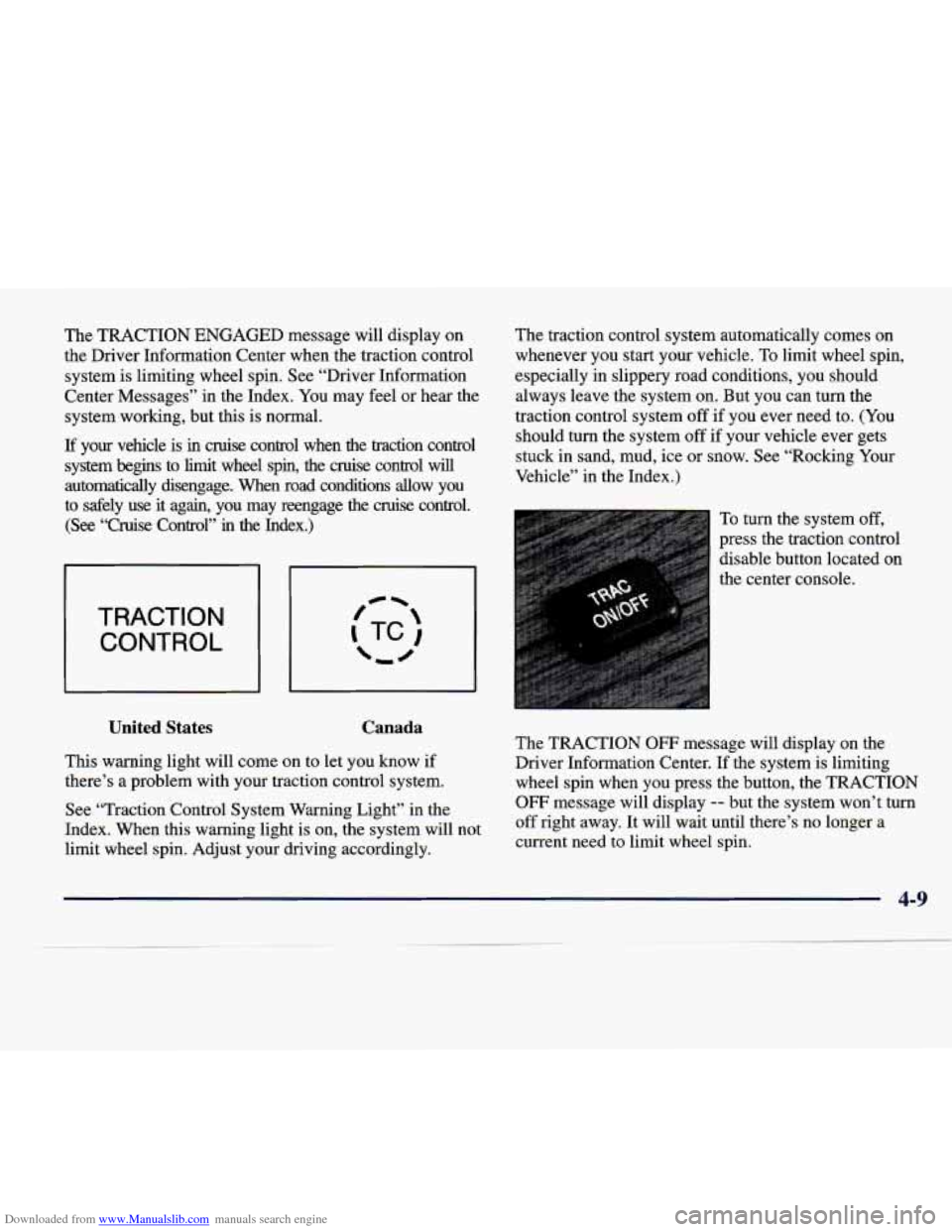
This warning light will come on to let you know if
there’s a problem with your traction control system.
See “Traction Control System Warning Light” in the
Index. When this warning light is on, the system will not
limit wheel spin. Adjust your driving accordingly. The
traction control system automatically comes on
whenever you start your vehicle. To limit wheel spin,
especially in slippery road conditions, you should
always leave the system on. But you can turn the
traction control system off
if you ever need to. (You
should turn the system off if your vehicle ever gets
stuck in sand, mud, ice or snow. See “Rocking Your
Vehicle” in the Index.)
To turn the system off,
press the traction control
disable button located on
the center console.
The TRACTION
OW message will display on the
Driver Information Center. If the system is limiting
wheel spin when you press the button, the TRACTION
OFF message will display -- but the system won’t turn
off right away. It will wait until there’s no longer a
current need to limit wheel spin.
Page 208 of 378
Downloaded from www.Manualslib.com manuals search engine Suppose you’re steering through a sharp curve.
Then you suddenly accelerate. Both control
systems
-- steering and acceleration -- have to do
their work where the tires meet the road. Adding the
sudden acceleration can demand too much of those
places. You can lose control. Refer to “Traction
Control System” in the Index.
What should you do if this ever happens? Ease up on the
accelerator pedal, steer the vehicle the way you want it
to
go, and slow down.
Since your vehicle is equipped with Stabilitrak, you will
see the STABILITY SYS ENGAGED message
on the
Driver Information Center. See “Stability Sys Engaged
Message” in the Index.
Speed limit signs near curves warn that you should
adjust your speed. Of course, the posted speeds are
based on good weather and road conditions. Under less
favorable conditions you’ll want to
go slower.
If you need to reduce your speed as you approach a
curve, do it before you enter the curve, while your
front wheels are straight ahead.
Try to adjust your speed
so you can “drive” through
the curve. Maintain a reasonable, steady speed. Wait
to accelerate until
you are out of the curve, and then
accelerate gently into the straightaway.
To help you steer in the direction you want to go, during
certain sharp or sudden cornering maneuvers, gear selection
is controlled. This will maximize the available
drive wheel torque and minimize the transaxle response
time and shift activity. During this kind of maneuver, the
transaxle shifts automatically as vehicle speed changes.
Steering in Emergencies
There are times when steering can be more effective
than braking. For example, you come over a hill and
find a truck stopped in your lane, or
a car suddenly pulls
out from nowhere, or a child darts
out from between
parked cars and stops right in front
of you. You can
avoid these problems by braking
-- if you can stop in
time. But sometimes you can’t; there isn’t room.
That’s the time for evasive action
-- steering around
the problem.
Your vehicle can perform very well in emergencies
like these. First apply your brakes. (See “Braking in
Emergencies” earlier in this section.) It is better to
remove as much speed as you can from a possible
collision. Then steer around the problem, to the left
or right depending on the space available.
4-11
Page 210 of 378
Downloaded from www.Manualslib.com manuals search engine Passing
The driver of a vehicle about t6 pa$$ ‘hother on a
two-lane highway waits for just the right moment,
accelerates, moves around the vehicle ahead, then goes
back into the right lane again.
A simple maneuver?
Not necessarily! Passing another vehicle on a two-lane
highway is a potentially dangerous move, since the
passing vehicle occupies the same lane as oncoming
traffic for several seconds.
A miscalculation, an error in
judgment, or a brief surrender to frustration or anger can
suddenly put the passing driver face to face with the
worst of all traffic accidents
-- the head-on collision.
So here are some tips for passing:
“Drive ahead.” Look down the road, to the sides
and to crossroads for situations that might affect
your passing patterns. If you have any doubt
whatsoever about making a successful pass,
wait for a better time.
Watch for traflic signs, pavement markings and lines.
If you can see a sign up ahead that might indicate a
turn or an intersection, delay your pass. A broken
center line usually indicates it’s
all right to pass
(providing the road ahead is clear). Never
cross a solid
line on your side of the lane or a double solid line,
even
if the road seems empty of approaching traffic.
Do not get too close to the vehicle you want to
pass while you’re awaiting an opportunity. For one thing, following too closely reduces your area of
vision, especially if you’re following a larger
vehicle.
Also, you won’t have adequate space if
the vehicle ahead suddenly slows
or stops. Keep
back a reasonable distance.
When it looks like a chance to pass is coming up,
start to accelerate but stay in the right lane and don’t
get too close. Time your move
so you will be
increasing speed as the time comes to move into the
other lane.
If the way is clear to pass, you will have
a “running start” that more than makes up for the
distance you would lose by dropping back. And if
something happens to cause you to cancel your pass,
you need only slow down and drop back again and
wait for another opportunity.
If other cars are lined up to pass a slow vehicle, wait
your turn. But take care that someone isn’t trying
to
pass you as you pull out to pass the slow vehicle.
Remember to glance over your shoulder and check
the blind spot.
4-13