�In this manual, the following symbols are used.
*: Selective part
�: Replacement part
: Should be lubricated with oil.
: Should be lubricated with grease.
: Sealing point
: Tightening torque
�WARNING, CAUTION, NOTE
�WARNING: Indicates the item which must be observed precisely during performance of maintenance ser-
vices in order to avoid injury to the mechanics and other persons.
�CAUTION: Indicates the item which must be followed precisely during performance of maintenance ser-
vices so as to avoid damage and breakage to the vehicle and its parts and components.
�NOTE: Indicates the hints, knacks, etc. which make the maintenance job easier.
�SPECIAL TOOLS
When any special tool is required to perform the job, it is identified by“ST”in the applicable illustration and its
part number is shown in the manual.
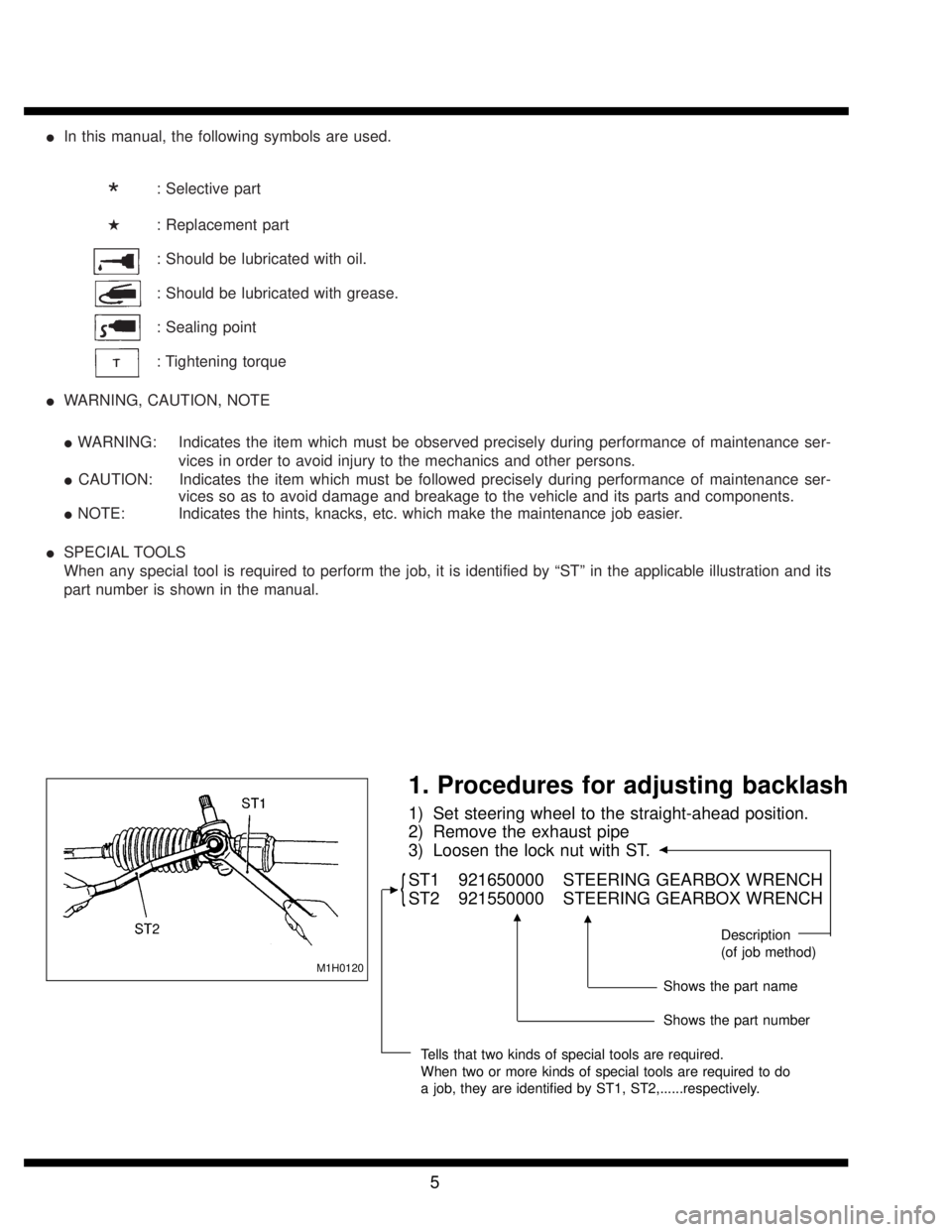
M1H0120
1. Procedures for adjusting backlash
1) Set steering wheel to the straight-ahead position.
2) Remove the exhaust pipe
3) Loosen the lock nut with ST.
�
{ST1 921650000 STEERING GEARBOX WRENCH
ST2 921550000 STEERING GEARBOX WRENCH
Description
(of job method)
Shows the part name
Shows the part number
Tells that two kinds of special tools are required.
When two or more kinds of special tools are required to do
a job, they are identified by ST1, ST2,......respectively.
�
��
5
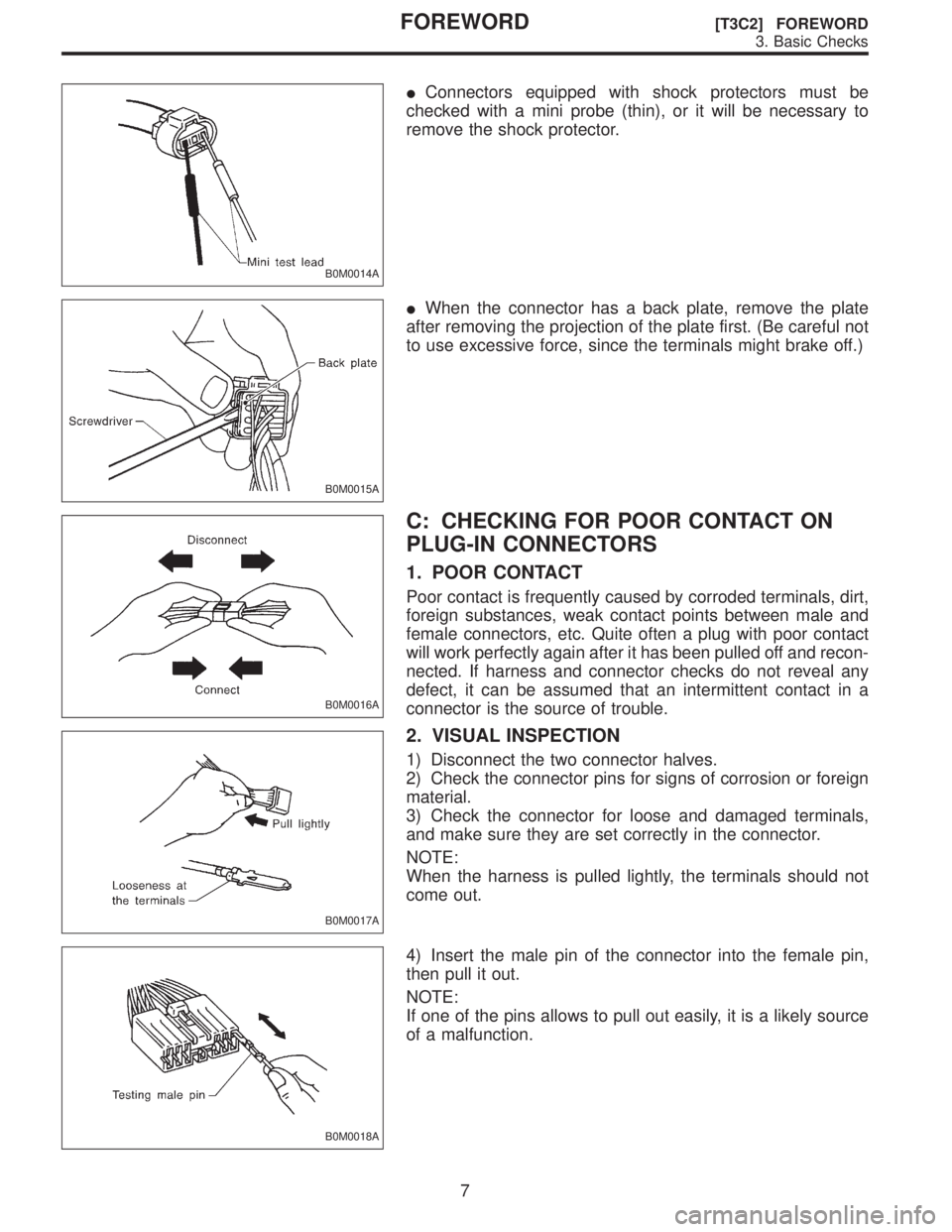
B0M0014A
�Connectors equipped with shock protectors must be
checked with a mini probe (thin), or it will be necessary to
remove the shock protector.
B0M0015A
�When the connector has a back plate, remove the plate
after removing the projection of the plate first. (Be careful not
to use excessive force, since the terminals might brake off.)
B0M0016A
C: CHECKING FOR POOR CONTACT ON
PLUG-IN CONNECTORS
1. POOR CONTACT
Poor contact is frequently caused by corroded terminals, dirt,
foreign substances, weak contact points between male and
female connectors, etc. Quite often a plug with poor contact
will work perfectly again after it has been pulled off and recon-
nected. If harness and connector checks do not reveal any
defect, it can be assumed that an intermittent contact in a
connector is the source of trouble.
B0M0017A
2. VISUAL INSPECTION
1) Disconnect the two connector halves.
2) Check the connector pins for signs of corrosion or foreign
material.
3) Check the connector for loose and damaged terminals,
and make sure they are set correctly in the connector.
NOTE:
When the harness is pulled lightly, the terminals should not
come out.
B0M0018A
4) Insert the male pin of the connector into the female pin,
then pull it out.
NOTE:
If one of the pins allows to pull out easily, it is a likely source
of a malfunction.
7
[T3C2] FOREWORDFOREWORD
3. Basic Checks